Car Dealership Booking Website Template
Obsidian is a full-width immersive landing page built for a premium Mercedes-Benz detailing service. It combines a rotating vehicle configurator, before-and-after reveal sliders, and a three-step bay reservation flow into a single dark, high-contrast experience. Every section is designed to turn a curious owner into a booked client before they reach the bottom of the page.
by Rocket studio
Quick summary
Obsidian is a single-page detailing landing page built around three core ideas: show the transformation, let visitors self-diagnose their car's condition, and make booking feel as precise as the work itself. The dark carbon fiber visual system and interactive configurator set the tone before a single word is read.
Who this template is for
This template is built for premium automotive detailing businesses that want a booking-focused landing page with serious visual credibility. It suits shops whose clients already know the difference between a wash and a full paint correction.
- Independent detailing studios serving high-value vehicle owners
- Specialists offering tiered service packages from basic correction to concours-level preparation
- Any detailing operator who needs a booking flow that pre-qualifies clients before they call
What problem this template solves
Most detailing websites look like they were built to sell car washes. They fail to communicate the skill gap between what a client currently has and what a professional correction can restore. Obsidian closes that gap visually, making the need obvious before the visitor has to read a paragraph.
- Visitors arrive without fully understanding the damage on their own paint
- Generic booking forms lose clients who are not sure which service they need
- Standard layouts cannot hold the attention of enthusiast-level buyers who expect more
What you get with this template
You get a complete, single-page booking experience built around interactive components and full-width photography. Every section serves the conversion path, from the first configurator interaction down to the calendar date selection.
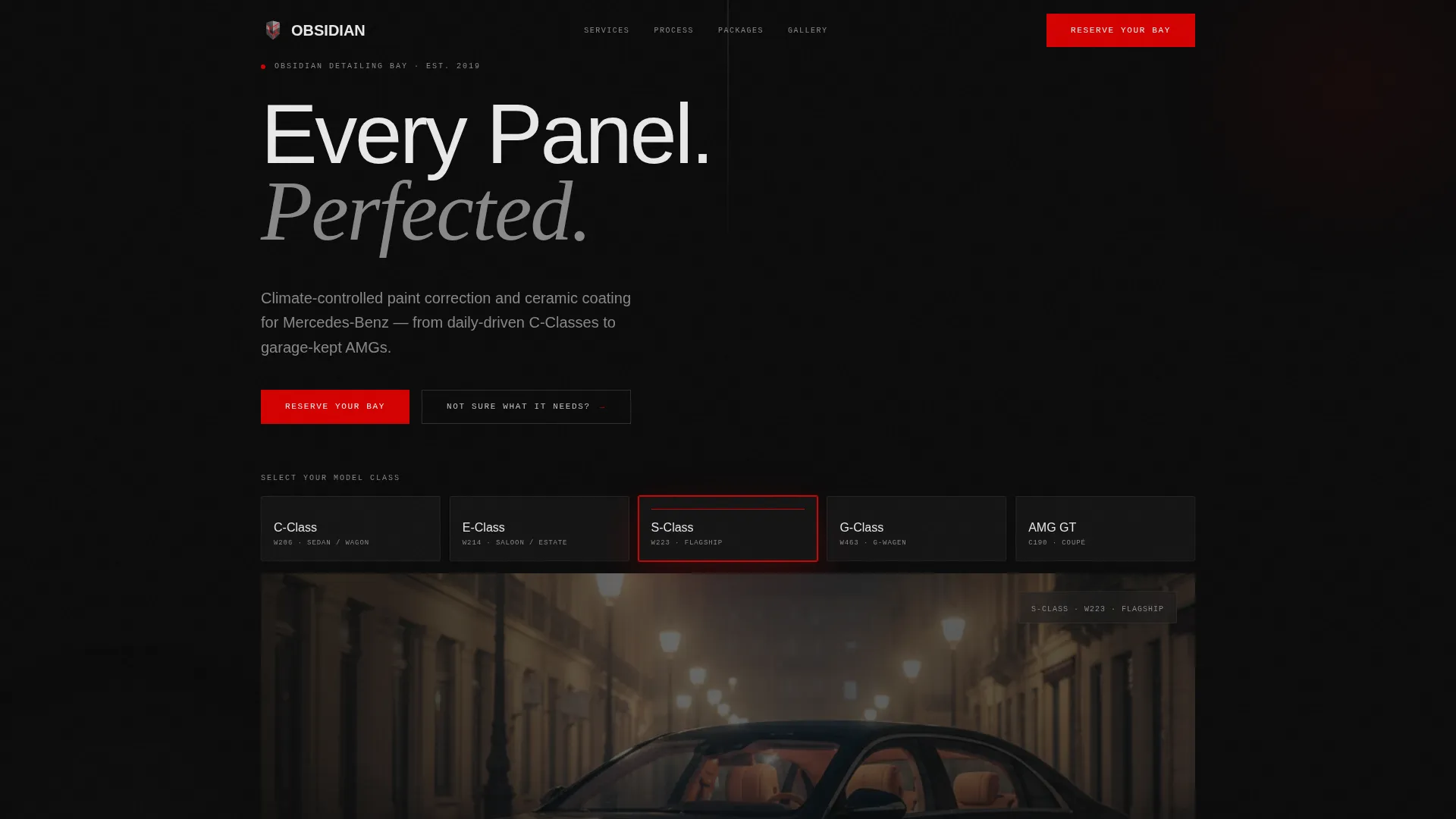
- A rotating Mercedes silhouette configurator with model-class selection and illuminated hotspots
- Full-width before-and-after reveal sliders across four distinct transformation zones
- A three-step bay reservation flow covering model selection, package tier, and calendar date picking
Feature list
A strong template earns its complexity. Every component here is designed to pull visitors deeper into the experience rather than distract them from it.
Vehicle Configurator Header
Visitors select their Mercedes model class from five options. The chosen vehicle renders in a matte-finish dark environment, and hotspots illuminate across the hood, wheels, trim, and interior. Each hotspot is tappable, opening a description of the specific detailing treatment for that panel zone.
Before and After Reveal Sliders
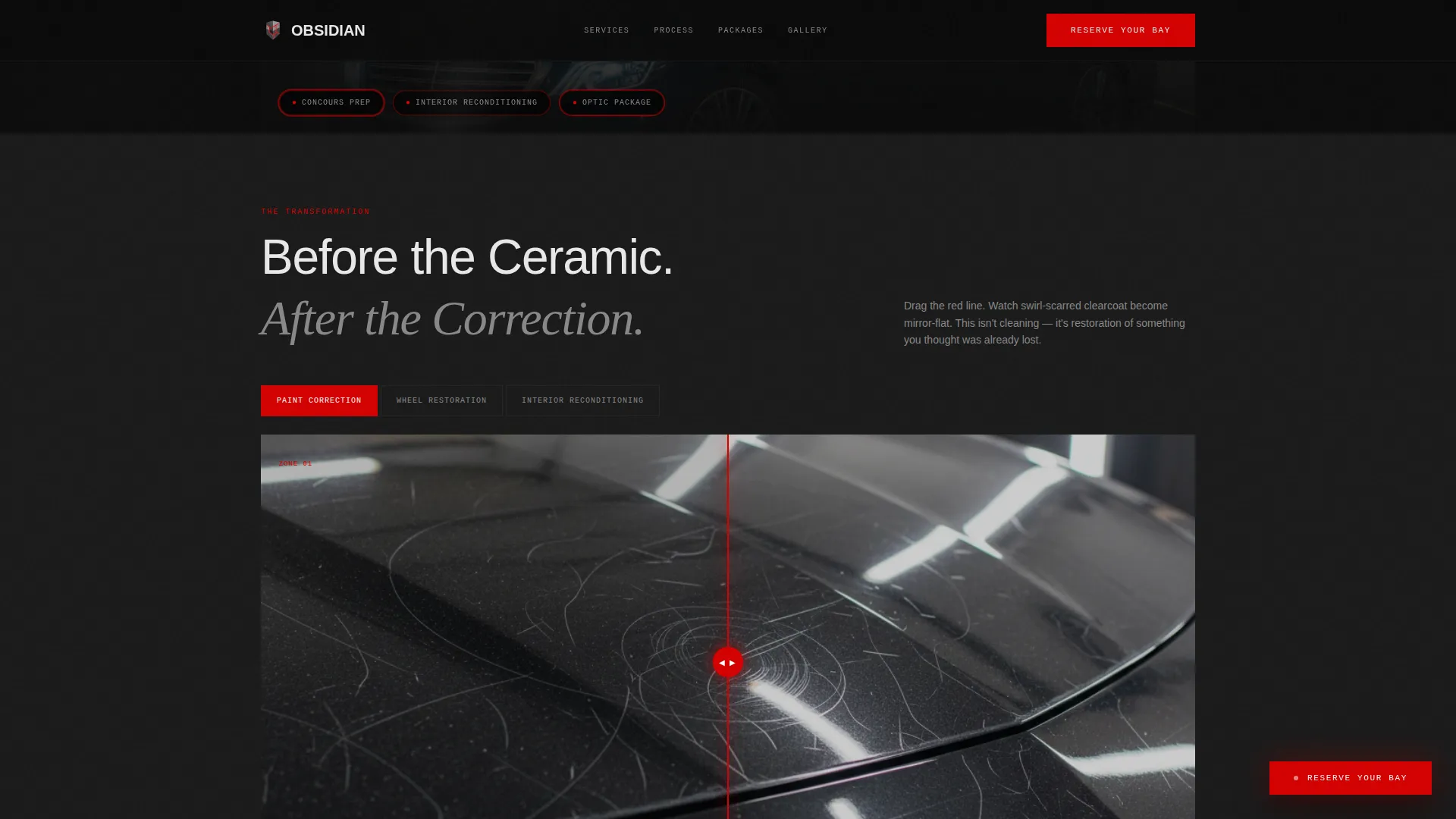
Four dedicated transformation zones each get a full-width slider: paint correction, wheel restoration, interior reconditioning, and ceramic coating application. Visitors drag a vertical divider across matched studio photographs to see the exact before and after state. The sequence escalates from wide-car shots down to macro-level leather grain detail.
Three-Step Bay Reservation Flow
The primary call to action opens a structured three-step booking sequence. Visitors choose their Mercedes model and year, select a package tier from Essential Correction, Full Restoration, or Concours Preparation, and then pick a date from a calendar that reflects real bay availability. The flow is contained and linear, reducing drop-off.
Photo Assessment Path
A secondary booking entry point is available for owners who are not sure which service they need. A prompt labeled "Not Sure What It Needs?" triggers a photo upload flow where the owner submits three images of their vehicle for a custom assessment. This reduces friction for undecided visitors.
Floating Reserve Button
After the visitor scrolls past the configurator header, a pinned floating button labeled "Reserve Your Bay" appears in AMG red. It remains visible throughout the rest of the scroll, keeping the primary action one tap away at all times without interrupting the content reading flow.
Dark Carbon Fiber Visual System
The entire page uses a four-color palette built around true black, carbon weave gray, liquid silver, and a single accent red reserved only for calls to action. Section transitions use subtle background shifts between the two dark tones to guide the eye without breaking the atmosphere.
Page sections overview
| Section | Purpose |
|---|---|
| Configurator Header | Model selection and panel hotspot interaction |
| Paint Correction Reveal | Before and after slider for clearcoat restoration |
| Wheel Restoration Reveal | Before and after slider for barrel and rim recovery |
| Interior Reconditioning Reveal | Before and after slider for cabin surface treatment |
| Ceramic Coating Reveal | Before and after slider for final protective seal |
| Bay Reservation Flow | Three-step booking with model, package, and date |
| Photo Assessment Entry | Secondary path for undecided visitors to submit images |
Design & branding system
The visual identity is built to feel like a blacked-out garage under a single swirl-finder lamp. Darkness is the dominant tone, and every accent color carries a specific meaning.
- True black (#0B0B0B) backgrounds and carbon weave gray (#1A1A1A) section separations create a tactile depth across the scroll
- Liquid silver (#C0C0C0) handles all typography and panel highlights, keeping text sharp against dark backgrounds
- AMG red (#D40000) appears exclusively on calls to action and interactive hotspots, so every red element signals something that demands a tap
Mobile & speed optimization
The template is structured to translate its full-width immersive layout across screen sizes without losing the core interactive experience.
- The configurator and slider components are built for touch interaction, making tap-to-select and drag-to-reveal natural on mobile screens
- Section layouts stack vertically on smaller viewports so the escalating before-and-after narrative reads in the correct order
- The floating reservation button remains pinned on mobile, keeping the primary conversion action within thumb reach throughout the scroll
How this template helps you convert
Obsidian is structured so that the visitor arrives at the booking step already convinced. The page does the diagnostic work before the form appears.
- The configurator lets visitors tap through their own car's specific problem areas, so they arrive at the booking form having already identified what they need rather than starting cold.
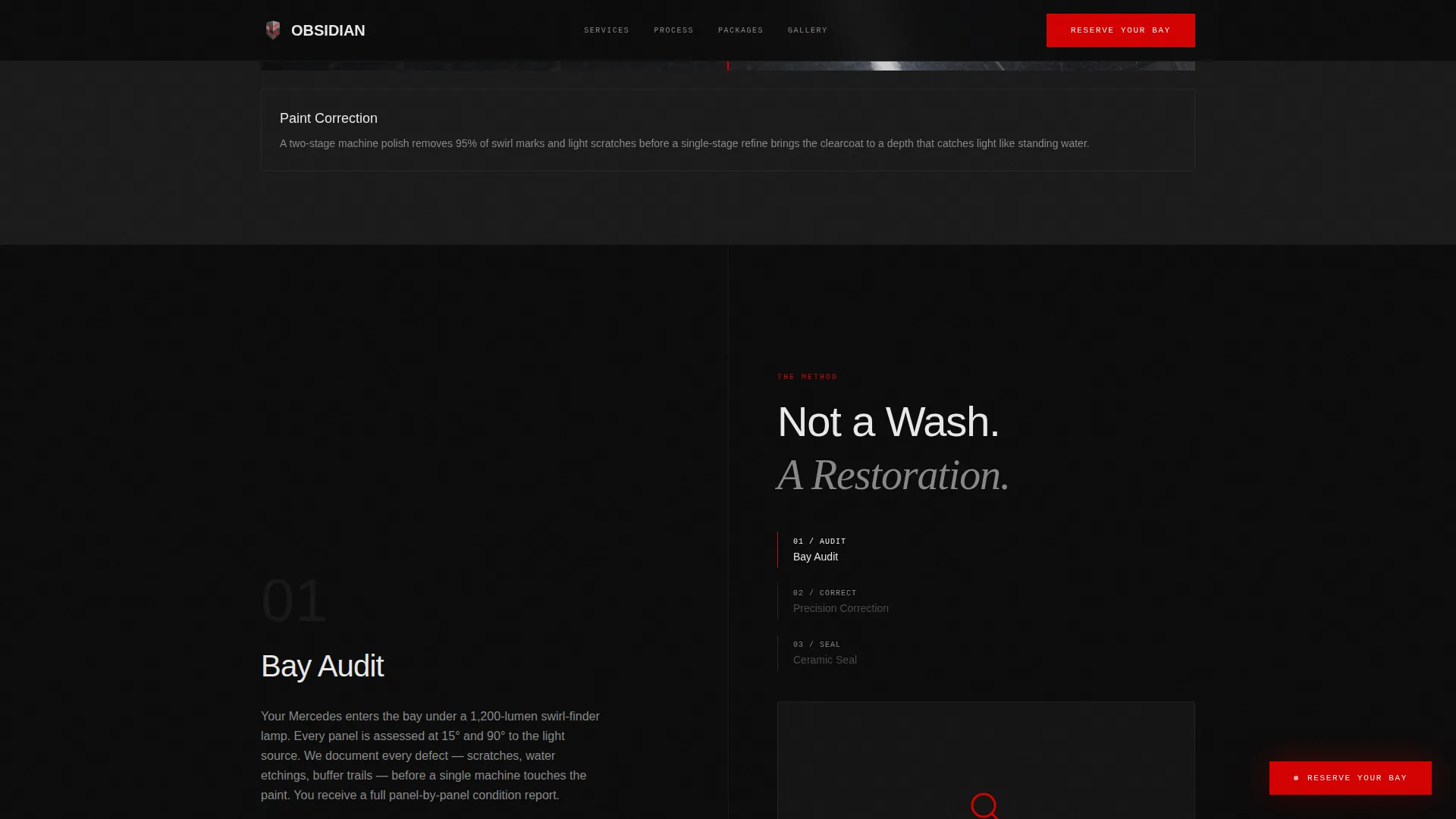
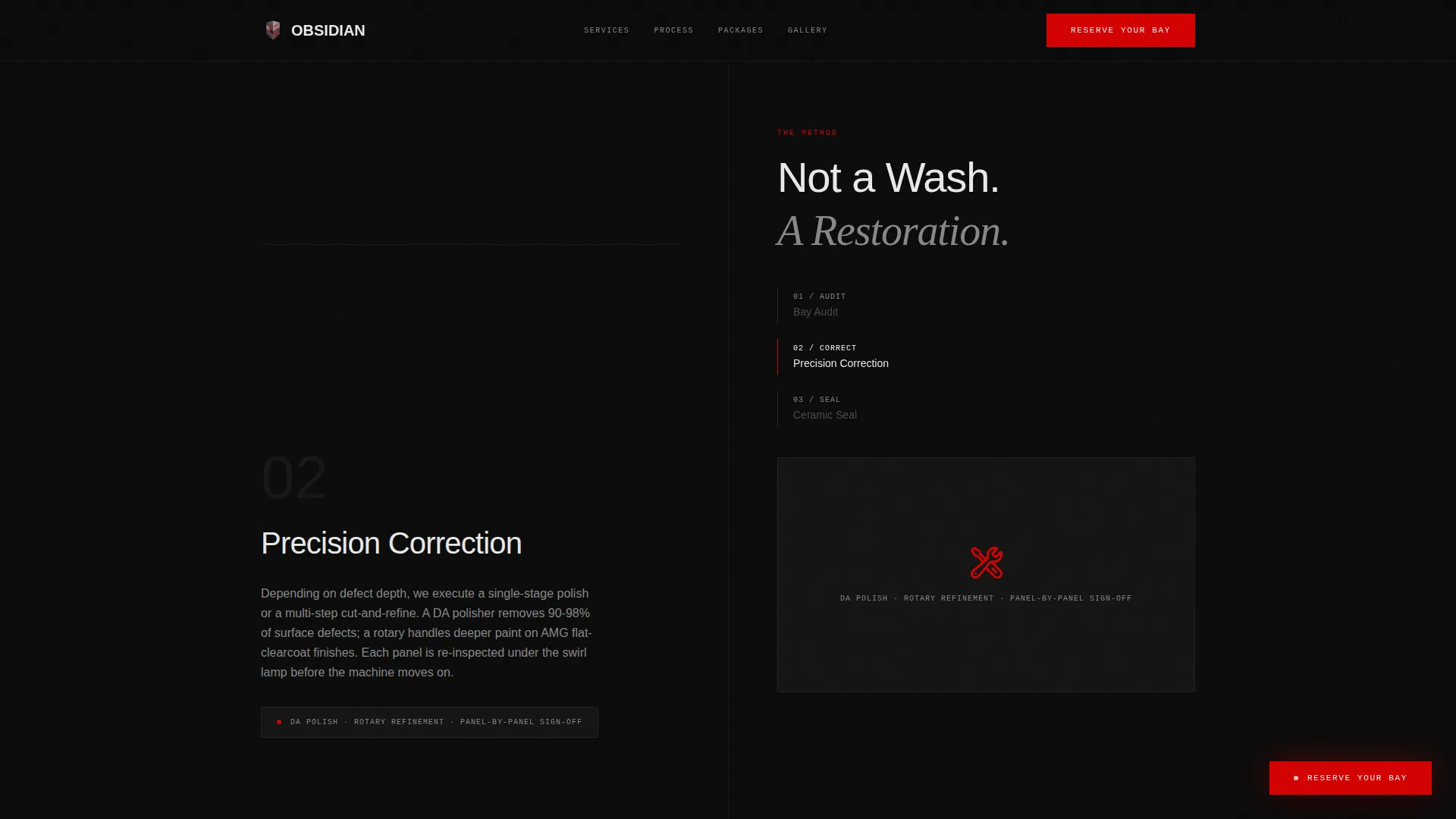
- The before-and-after reveal sequence raises the perceived stakes with each scroll step, moving from a full-car view down to pore-level material detail, so the value of professional correction becomes visceral rather than abstract.
- The dual booking paths, one for decided clients and one for owners who want a custom assessment, capture both intent levels without sending either group to a dead end.
Other information about this template
This template sits within the Automotive and Transport category, specifically aligned to premium Mercedes-Benz detailing services. It is designed as a full-width immersive layout with a dark theme and works best when paired with high-quality studio-lit photography of real correction work.
- The template style is Full-Width Immersive, which means edge-to-edge photography and components are central to the intended look
- The creative direction is Before and After Reveal, making transformation photography the primary persuasion tool across the scroll
- The header concept is a Configurator, which is purpose-built for service businesses where the client's specific vehicle model shapes the service conversation
- The landing page direction is Booking and Scheduling, so every section feeds toward the reservation step rather than toward passive browsing
Theme
Dark Immersive
Creative direction
Before/After Reveal
Color system
Carbon Fiber
Style
Full-Width Immersive
Direction
Booking/Scheduling
Page Sections
Interactive Vehicle Configurator
Before and After Reveal Sliders
Three-step Bay Reservation Flow
Photo Assessment Entry Point
Pinned Floating Reservation Button
Carbon Fiber Dark Visual System
Related questions
What types of detailing businesses suit this template best?
Can the configurator be updated to show different vehicle models?
What happens when a visitor clicks 'Not Sure What It Needs?'
Does the booking calendar show real availability?
Is this template suitable for a shop that only offers one service tier?



