Orthopedic Surgeon FAQ Website Template
Ortho is a single-column landing page template built for an orthopedic surgeon provider directory. It combines a giant centered headline, a three-field search bar, and an FAQ-driven narrative to guide anxious patients toward the right specialist. The design follows a Medical Clarity theme with a calm cerulean accent, clean typography, and a guided four-question matcher for visitors who need extra help.
by Rocket studio
Quick summary
Ortho is a lead-generation landing page template for an orthopedic surgeon directory. It opens with a bold, centered headline and a three-field search bar, then walks patients through plain-language FAQs before presenting a guided matcher. The design is clinically clean, mobile-first, and built around one goal: connecting the right patient to the right surgeon fast.
Who this template is for
This template is built for healthcare organizations, directory platforms, or medical marketing teams that need to help patients find board-certified orthopedic surgeons quickly. It fits anyone publishing a patient-facing provider search experience.
- Healthcare directory publishers listing surgeons by subspecialty, insurance, and zip code
- Medical marketing teams building a lead-generation landing page for orthopedic provider networks
- Healthcare platforms connecting patients with specialists for conditions like torn ACLs, rotator cuff tears, or chronic joint pain
What problem this template solves
Patients searching for an orthopedic surgeon at midnight face a wall of generic results. They do not know if they need a referral, whether their insurance is accepted, or which subspecialty matches their injury. They call offices that cannot help them and leave every site more confused than before.
- Patients waste time on directories that cannot filter by condition, insurance, or location together
- Caregivers searching on behalf of injured family members find no clear next step
- Visitors leave without taking action because no site has answered their clinical fears first
What you get with this template
The template delivers a fully structured single-column landing page flow with every section planned and ready to customize. Nothing needs to be built from scratch.
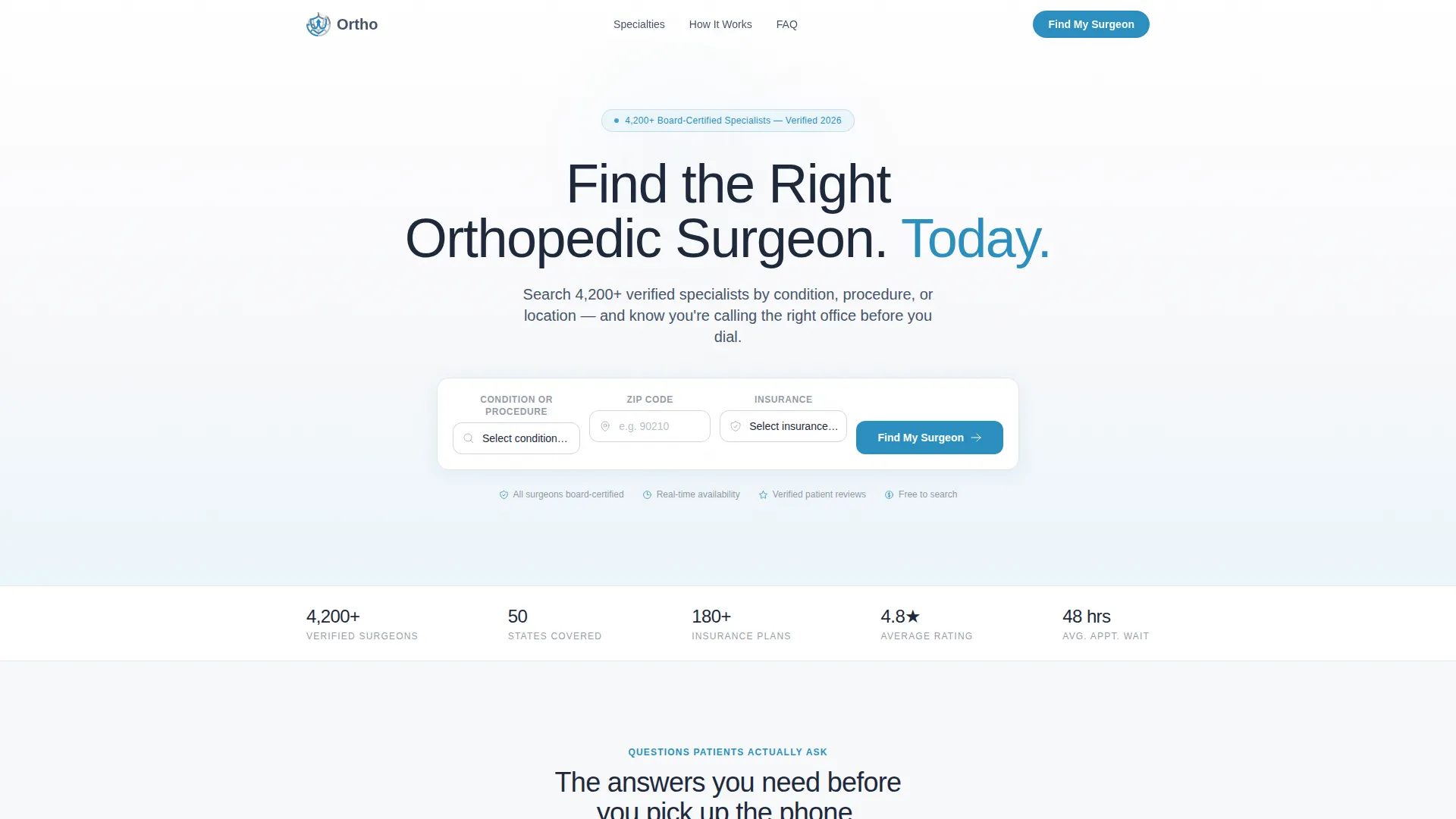
- A hero section with a giant centered headline, three-field search bar, and a cerulean "Find My Surgeon" call-to-action button
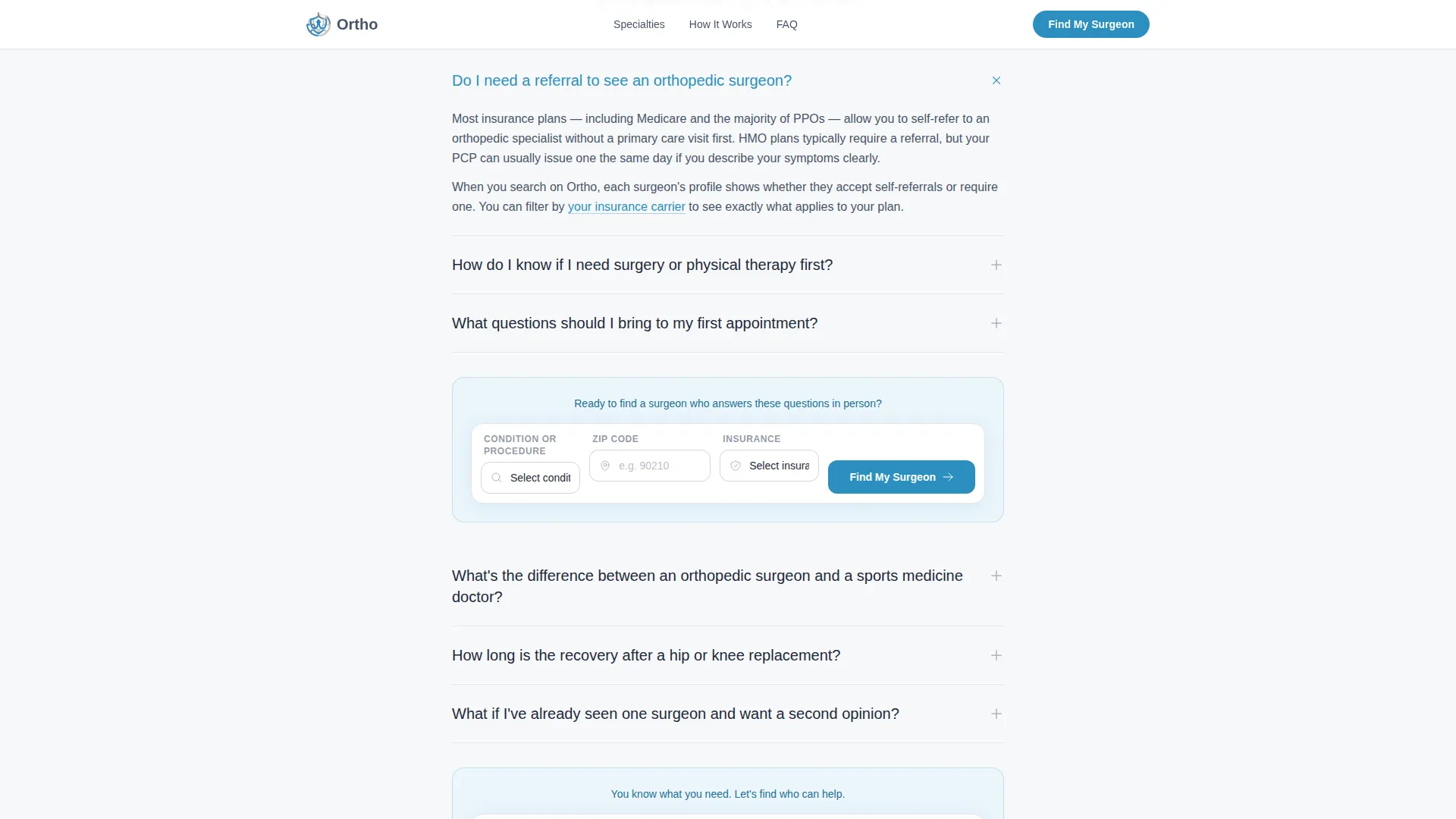
- An FAQ narrative section with patient-voiced questions, plain-language answers, and inline cerulean links that reframe the directory as the solution
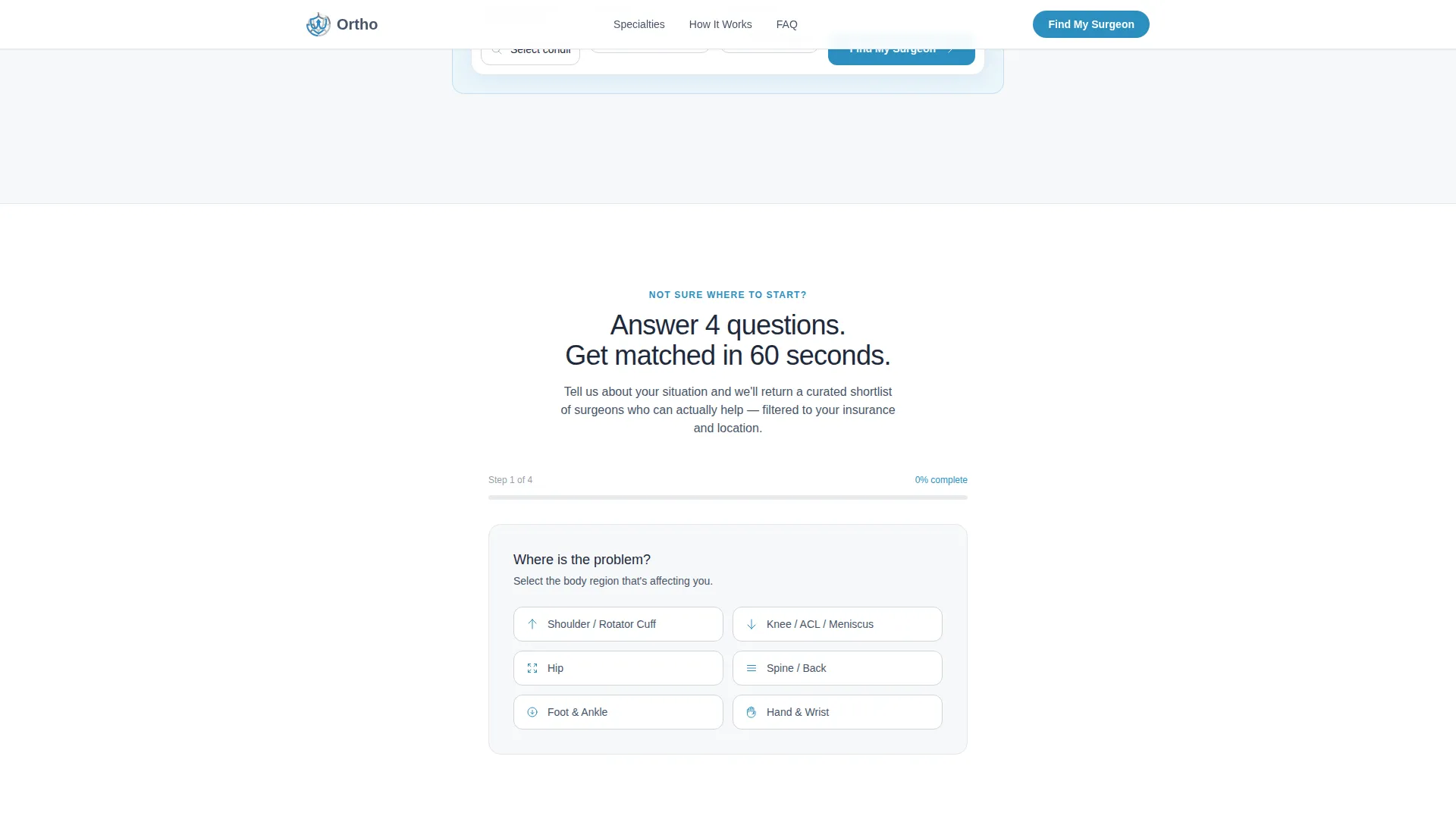
- A guided four-question matcher form, a subspecialty browse grid, a trust stats strip, and a sticky mobile call-to-action bar
Feature list
This template is designed around the real behaviors of patients under pressure. Every feature serves a specific moment in that decision journey.
Three-Field Surgeon Search Bar
The hero search bar combines a condition dropdown, a zip code field, and an insurance selector in one compact row. A cerulean "Find My Surgeon" button anchors the action. The search bar reappears after every third FAQ question to keep the path to action always within reach.
FAQ-Driven Narrative Section
Each FAQ opens with a question written the way patients actually type it at 1 a.m. Answers unfold in short, jargon-free paragraphs with cerulean inline links pointing to relevant surgeon searches. The section moves from general confusion to specific procedural anxiety to the relief of taking action.
Guided Four-Question Matcher
A secondary conversion path sits below the FAQ section for visitors who are not yet ready to search. It asks four questions: body region, pain duration, insurance carrier, and preferred appointment window. The result is a curated shortlist of matched surgeons and an email capture for follow-up.
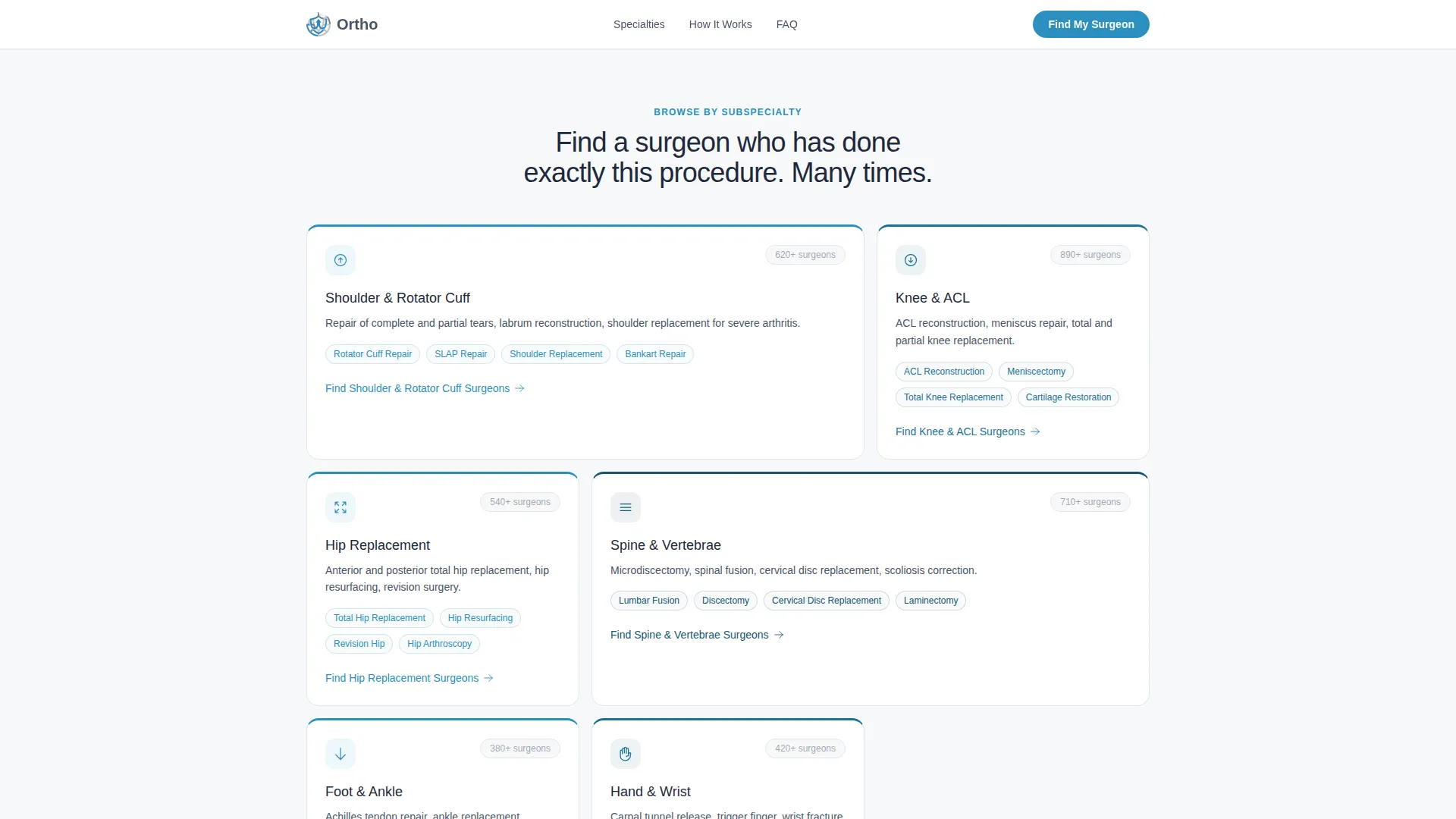
Subspecialty Browse Grid
An asymmetric bento-style grid lets visitors browse orthopedic subspecialties directly. Shoulder, knee, spine, hip, hand, and foot are all represented as entry points. This gives condition-aware visitors a fast visual path without needing to type anything.
Trust Statistics Strip
A horizontal stats bar surfaces key credibility numbers at a glance. It includes surgeon count, state coverage, insurance plan count, and average star rating. These figures appear directly below the hero to build confidence before a visitor reads a single FAQ.
Sticky Mobile Call-to-Action Bar
On mobile devices, a fixed bottom bar keeps the primary call to action visible at all times. This is critical for patients searching on a phone late at night. The bar removes the need to scroll back to the top when the visitor is ready to act.
Page sections overview
| Section | Purpose |
|---|---|
| Hero Search Section | Headline, subline, and three-field search bar as the entire first viewport |
| Trust Stats Strip | Surgeon count, state coverage, insurance plans, and star rating in one bar |
| FAQ Narrative Section | Patient questions with plain answers and inline search links |
| Mid-Page Search Bar | Search bar repeated after every third FAQ to recapture intent |
| Guided Matcher Form | Four-question secondary path that returns matched surgeons and captures email |
| Subspecialty Browse Grid | Bento grid of six orthopedic subspecialties for condition-aware visitors |
| Sticky Mobile Bar | Fixed bottom call-to-action visible throughout the mobile scroll |
| Minimal Footer | Horizontal flow footer with essential links |
Design & branding system
The visual identity follows a Medical Clarity theme using the Cloud Canvas color system. The palette feels sterile without being cold and trustworthy without feeling corporate. Every clickable element carries the cerulean accent so patients always know where to go next.
- Colors: soft clinical white (#F7F8FA) background, quiet dove gray (#D1D5DB) section dividers, steady slate (#475569) body text, and reassuring cerulean (#2B8FBF) on all buttons and links
- Typography: Plus Jakarta Sans across all sizes, delivering clean and readable text at every breakpoint from desktop headline to mobile body copy
- Layout: single-column flow with generous white space, a giant centered header with no competing imagery, and section dividers that feel like the thin ruled lines on a medical intake form
Mobile & speed optimization
The template is built mobile-first because most patients searching for an orthopedic surgeon are doing so on a phone, often late at night after an injury or diagnosis. Every layout decision starts from the smallest screen and expands upward.
- The sticky bottom call-to-action bar keeps "Find My Surgeon" visible throughout the entire mobile scroll without requiring the user to return to the top
- Server Components power the static sections such as the hero, trust strip, FAQ text, and subspecialty grid, while Client Components handle the interactive search bar, FAQ accordions, and guided matcher form
- Subtle scroll reveals, search bar focus states, and FAQ expand transitions keep the experience responsive without adding visual noise
How this template helps you convert
The page is designed around one insight: patients who feel understood are far more likely to take action. Every section earns the next click before asking for it.
- The hero answers the most urgent desire immediately. A patient lands, sees their condition in the dropdown, and understands in under five seconds that this directory was built for their exact situation.
- The FAQ narrative dissolves hesitation. By the time a visitor has read three questions, the directory has already proven it understands rotator cuff tears, ACL reconstructions, and chronic joint pain better than any generic search result.
- The guided matcher catches undecided visitors. Anyone who is not yet ready to search independently can answer four short questions and receive a matched shortlist, which also captures their email for follow-up without pressuring them.
Other information about this template
This template is part of the Health and Medical category under the Orthopedic Surgeon Website subcategory. It is designed specifically for the orthopedic surgeon provider directory niche and carries a high intersection match score reflecting strong alignment between the template style and the use case.
- Creative direction: FAQ-Driven, meaning the page structure is organized around real patient questions rather than feature lists or service descriptions
- Template style: Single Column Flow, keeping the scroll linear and focused with no sidebar distractions
- Header concept: Giant Headline Centered, placing the value proposition and search bar at the visual center of the first viewport
- Landing-page direction: Lead Generation, with primary and secondary conversion paths built into the page structure
- Localization: English language, United States zip codes, United States insurance carriers, and United States date formats throughout
Theme
Medical Clarity
Creative direction
FAQ-Driven
Color system
Cloud Canvas
Style
Single Column Flow
Direction
Lead Generation
Page Sections
Three-field Surgeon Search Bar
Faq-driven Narrative Section
Guided Four-question Matcher
Subspecialty Browse Grid
Trust Statistics Strip
Sticky Mobile Call-to-action Bar
Related questions
Can I customize the surgeon specialties shown in the browse grid?
Does the guided matcher form capture visitor emails?
How does the FAQ section stay connected to the search bar?
Is this template built for a single practice or a large surgeon network?
What conversion paths does this template include?



