Veteran-Owned Café Bento Grid Landing Page Template
Outpost is a bento grid landing page built for veteran-owned cafés that also serve as local marketplaces and community hubs. It leads with a smartphone app preview, guides visitors through a curated grid of coffee menus, maker stories, and community events, and runs two parallel conversion paths so every visitor finds a natural next step.
by Rocket studio
Quick summary
Outpost is a single-page bento grid template designed for a veteran-owned café that doubles as a marketplace and community space. It opens with an app preview header, moves through a living grid of coffee offerings, veteran maker profiles, and event listings, and closes every cell with a clear action. Two purchase paths run side by side so no visitor hits a dead end.
Who this template is for
This template fits owners who are running a café with a story to tell and goods to sell alongside the coffee. It suits small businesses where the counter, the community, and the mission all share the same roof.
- Veteran-owned café operators who sell both drinks and handcrafted goods
- Military family gift shoppers who want curated, maker-identified products
- Remote workers and neighborhood regulars who value a purposeful local spot
What problem this template solves
Most café landing pages show a menu and stop there. This template handles the reality that a veteran-owned café is often three things at once: a coffee shop, a retail marketplace, and a gathering place. Visitors need paths to all three without getting lost.
- Separate drink ordering and product shopping flows compete for attention on a single page
- Maker stories and community events get buried or left off standard café templates entirely
- Conversion opportunities like event RSVPs are usually scattered across separate pages or links
What you get with this template
You get a fully structured bento grid landing page where each cell is a self-contained unit. The layout rewards browsing rather than demanding a linear read, so visitors discover more the longer they stay.
- A sticky bottom bar with a cart icon and item count anchoring the primary "Order Ahead" flow
- Bento cells for the rotating coffee menu, veteran maker profiles, and a community event calendar
- Stamped-red "Add to Bag" and "RSVP" buttons built into the appropriate cells
Feature list
This template delivers a focused set of layout and content components drawn directly from the design brief.
App Store Preview Header
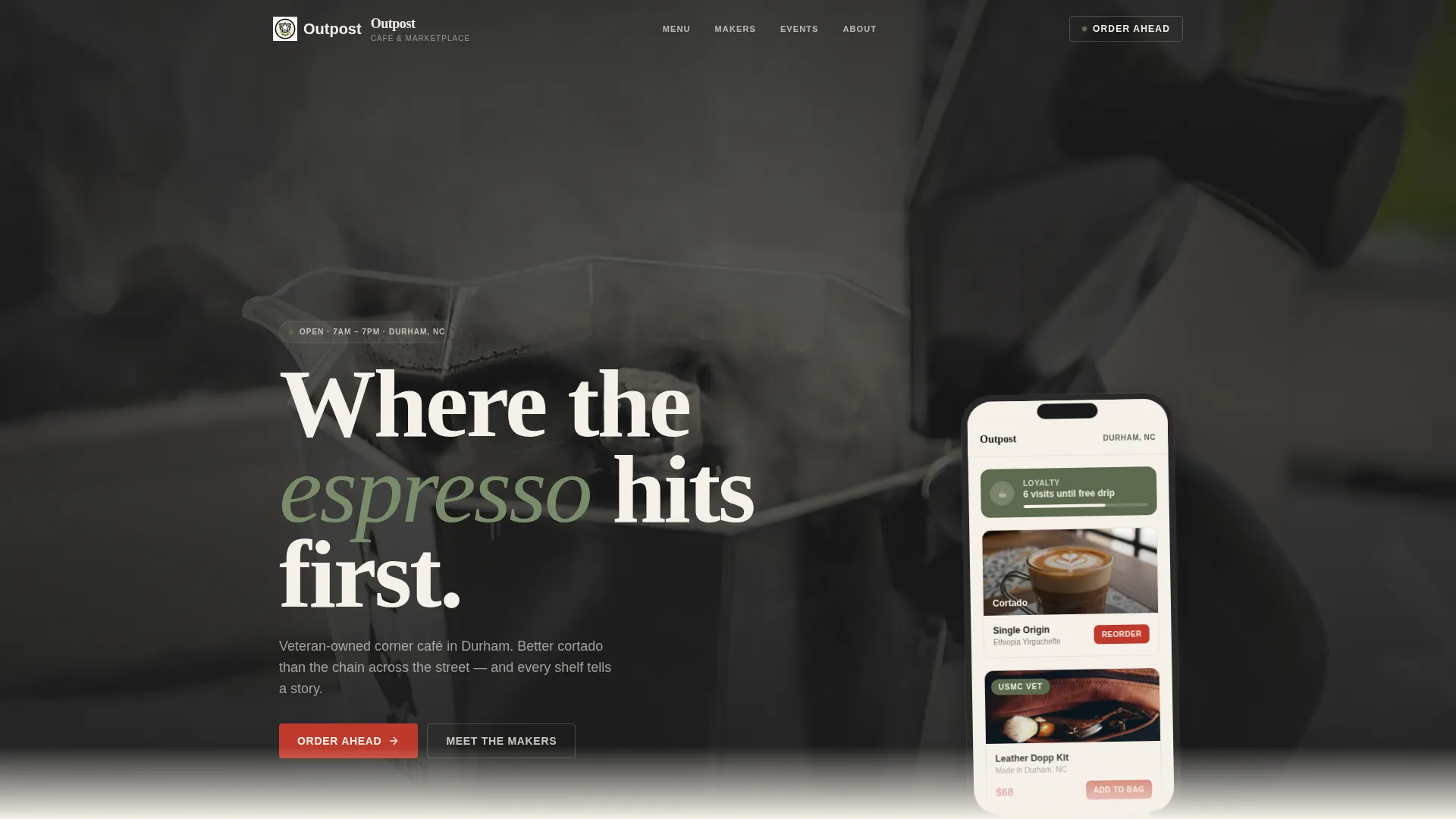
The header floats a smartphone mockup over a blurred café counter. The phone screen shows an ordering and marketplace app mid-scroll, with a cortado reorder button, a veteran-tagged product, and a loyalty badge. Behind the phone, steam, a flag-patch apron, and a hand-lettered chalkboard set the scene without crowding the focal point.
Bento Grid Cell System
Cells vary in size to create rhythm. Hero products and featured makers get double-width cells. Testimonials sit in tight single squares. No two rows feel identical, so scrolling the page is more like browsing a bulletin board than reading a document.
Rotating Coffee Menu Cell
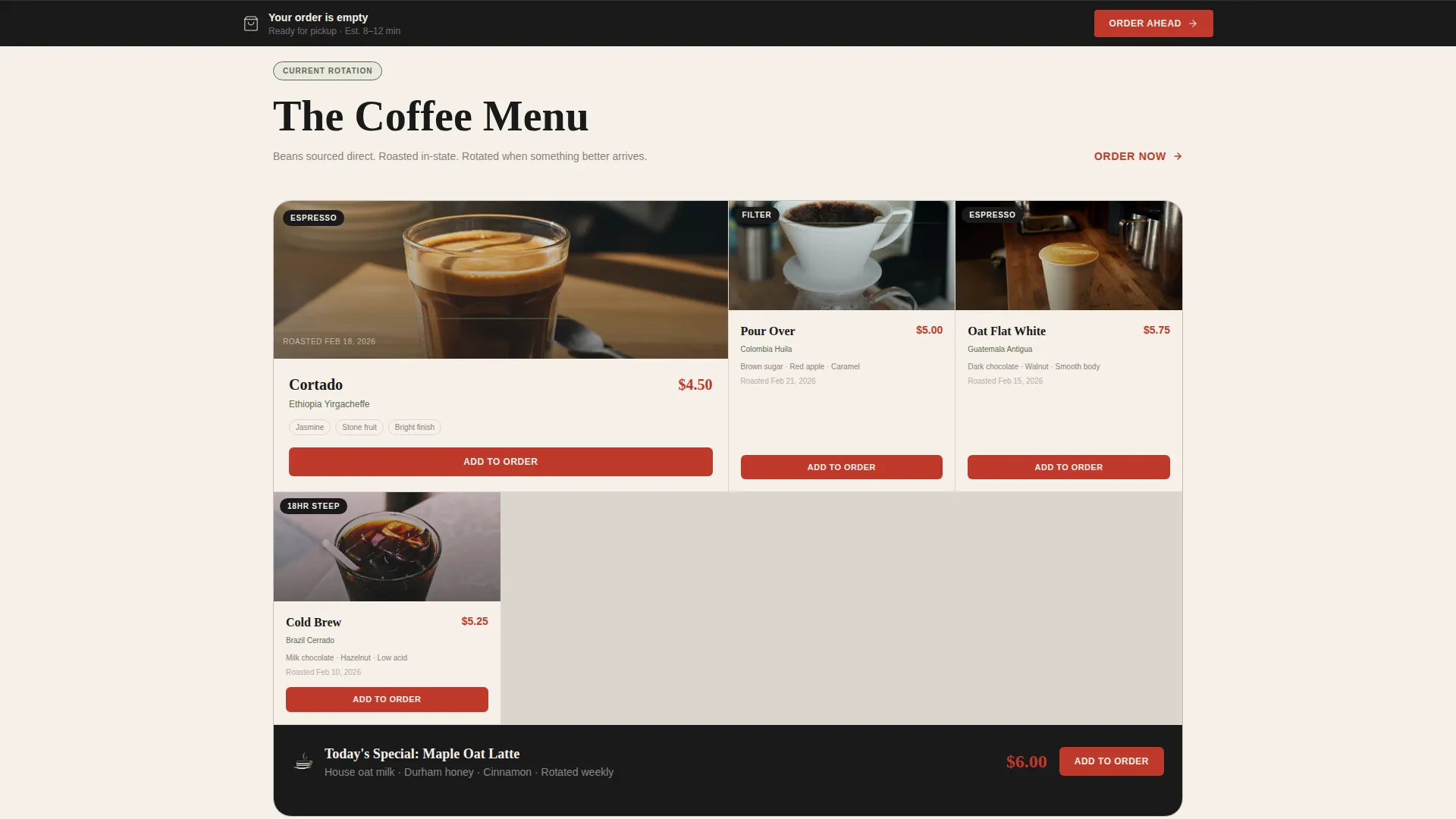
One dedicated cell displays the current coffee menu with origin notes and roast dates. The content is structured to be updated regularly, keeping repeat visitors engaged with what is fresh on the bar.
Veteran Maker Profile Cell
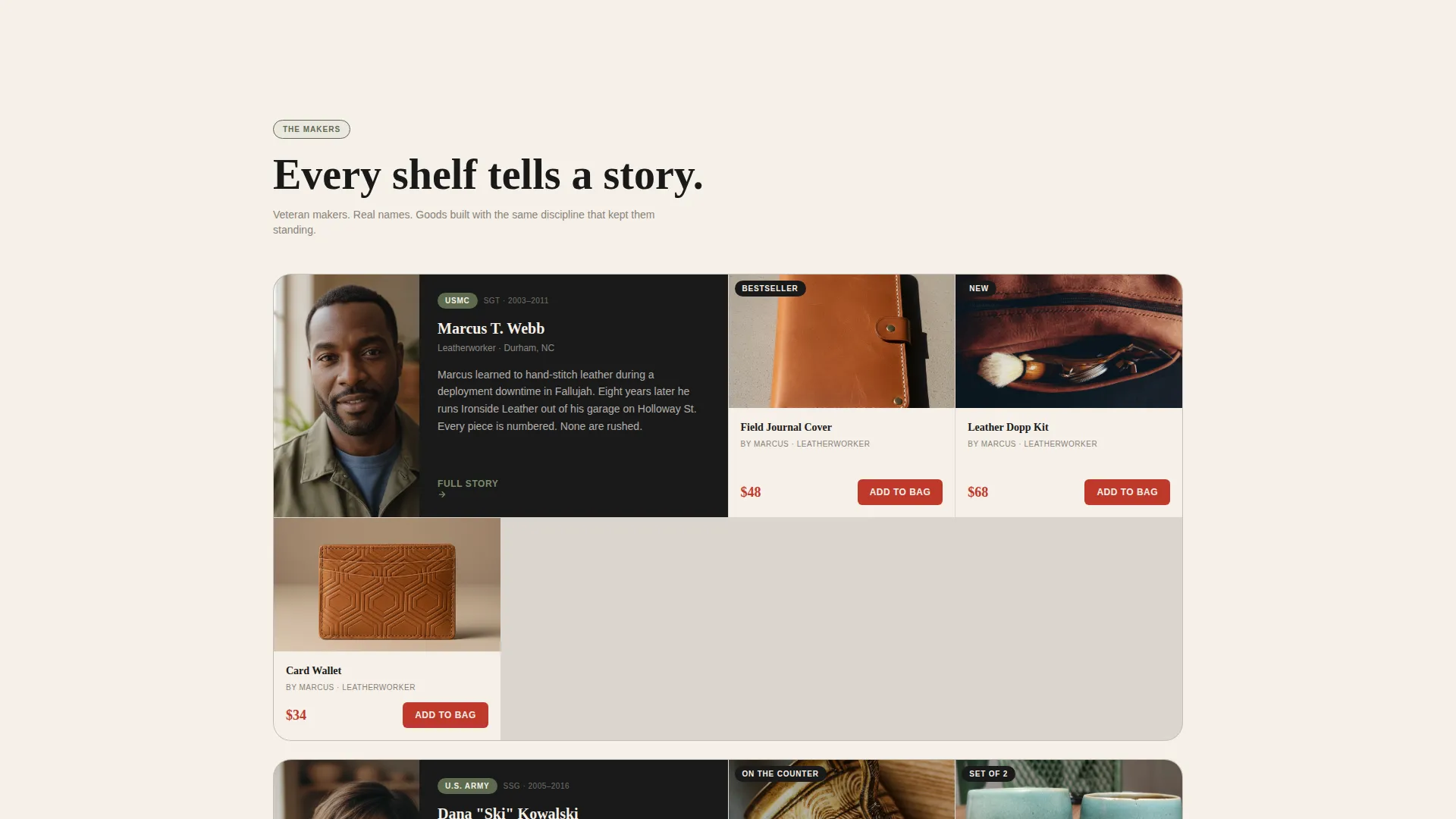
Each maker cell holds a portrait, a service branch label, and three product listings. The format names the person before listing the goods, so every transaction feels like a direct connection to the maker rather than an anonymous retail purchase.
Dual Conversion Path Layout
Two purchase paths share the viewport without fighting each other. The "Order Ahead" sticky bar handles drink orders. The "Add to Bag" buttons inside maker cells handle product purchases. A quieter third path sits in the events cell, where "RSVP" links collect a name and email.
Community Events Calendar Cell
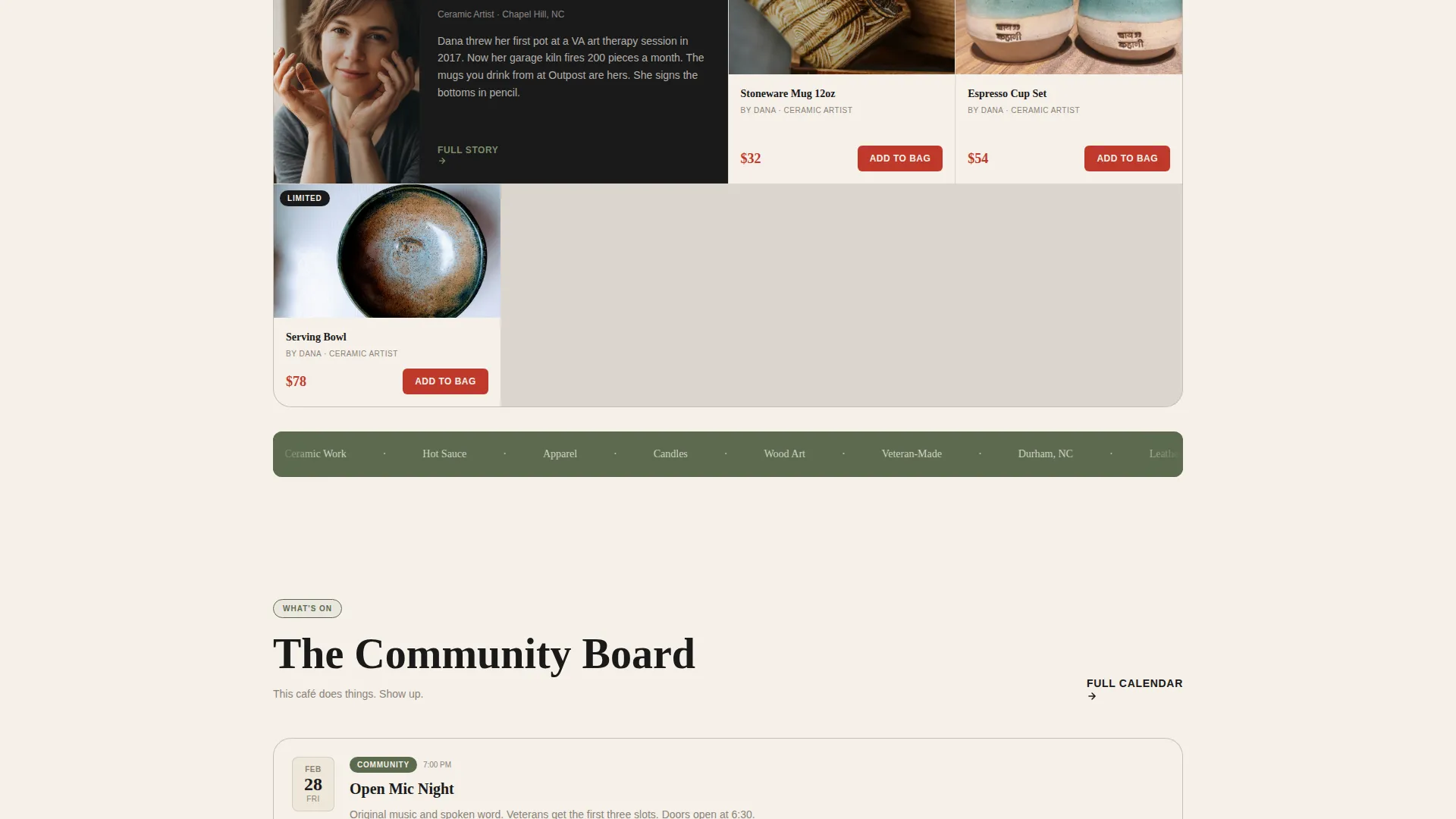
A mini-calendar cell lists upcoming gatherings such as open mic nights, résumé workshops, and veteran meetups. Each event carries an RSVP link that turns a passive reader into a registered attendee.
Page sections overview
| Section | Purpose |
|---|---|
| App Preview Header | Introduces the café's mobile ordering and marketplace app via a smartphone mockup |
| Coffee Menu Cell | Displays the rotating drink menu with origin notes and roast dates |
| Veteran Maker Profile | Spotlights one maker with a portrait, service branch, and three products |
| Maker Product Grid | Lists veteran-made goods with "Add to Bag" buttons in each cell |
| Community Events Cell | Shows upcoming events with inline RSVP links |
| Testimonial Squares | Short customer quotes in single-square cells for social proof |
| Sticky Order Bar | Persistent bottom bar with cart icon and "Order Ahead" call to action |
Design & branding system
The visual identity follows a Neo-Retro theme built around an Ink and Paper color system. The palette feels like a worn field notebook left open on a sunlit counter: warm, a little weathered, and clear about what matters.
- Deep muster-roll black (#1A1A1A) handles typography and structural lines; foxed parchment cream (#F5F0E8) fills card backgrounds and open space; faded service-ribbon olive (#5C6B4F) anchors dividers and icon treatments
- Stamped red (#C0392B) appears only on prices and action elements, so every tap target reads as a deliberate, confident prompt
- Blocky hand-lettered type on the chalkboard header element reinforces the Neo-Retro tone without making the page feel costumed
Mobile & speed optimization
The bento grid is built around a mobile-first layout where the sticky bottom bar and tap-target sizing are primary concerns. Every "Add to Bag" and "RSVP" button is sized and colored for thumb-friendly use on small screens.
- Variable cell sizing collapses cleanly so double-width hero cells stack without losing their proportional emphasis
- The sticky "Order Ahead" bar stays visible during scroll, reducing the steps between intent and action on any screen size
How this template helps you convert
The page is structured around three distinct conversion moments, each matched to a different visitor intent.
- The sticky "Order Ahead" bar captures drink buyers immediately, with a flow covering drink size, milk choice, and pickup time, so the path from interest to order is short and clear.
- Every veteran maker cell presents a portrait, a service story, and a product before asking for a purchase, making the "Add to Bag" button feel earned rather than pushed.
- The community events cell offers a low-commitment entry point: an RSVP link that collects a name and email, bringing curious visitors into the café's orbit before they are ready to spend.
Other information about this template
This template was designed under a Curated Collection creative direction, meaning each bento cell is treated as its own discrete world rather than a step in a linear funnel. The Gallery and Detail template style means product and maker information share the same visual weight, and neither crowds the other out.
- The template sits in the Retail and E-Commerce category with a Veteran-Owned Business subcategory focus
- The Neo-Retro theme and Ink and Paper color system are intentional choices for communicating authenticity and craft without relying on stock photography clichés
- The intersection match context points toward a veteran-owned art gallery and retail hybrid use case, making this template a strong fit for any veteran-operated space that sells both an experience and physical goods
Theme
Neo-Retro
Creative direction
Curated Collection
Color system
Sunset Gradient
Style
Gallery + Detail
Direction
Quiz/Assessment
Page Sections
App Store Preview Header
Bento Grid Cell System
Veteran Maker Profile Cell
Dual Conversion Path Layout
Rotating Coffee Menu Cell
Community Events Calendar Cell
Related questions
Can this template handle both drink orders and product purchases on the same page?
Is this template suitable for a café that sells handmade goods alongside coffee?
How does the bento grid layout work for mobile visitors?
Can I update the coffee menu and event calendar cells over time?
What other types of businesses could use this template?



