Kids Swimming Booking Website Template
Paddle is a hero-dominant landing page template built for kids swimming online classes targeting parents of children aged 6 months to 6 years. It combines warm watercolor illustration, a five-milestone swim journey, and a simple three-field booking form to move anxious parents from curiosity to a confirmed first lesson, starting right at bath time.
by Rocket studio
Quick summary
Paddle is a single-page booking template for a kids swimming online class. It opens with a full-viewport illustrated hero, guides parents through five progressive swim milestones, and closes with a streamlined scheduler. The design uses soft watercolor tones and child-friendly typography to build trust gently, the same way a good first swim lesson does.
Who this template is for
This template is built for swim instructors, early-childhood educators, and independent coaches who teach water safety and swim skills to young children online. It speaks directly to parents making cautious decisions about their toddler's first water experience.
- Parents of children aged 6 months to 6 years researching water safety for the first time
- Homeschool families fitting swim readiness into a structured learning schedule
- Military parents or remote caregivers who want to guide practice sessions over video call
What problem this template solves
Parents searching for toddler swim lessons online face a trust gap. The child is small, the stakes feel high, and a generic booking form does nothing to reassure them. This template closes that gap with a page that builds confidence before it asks for commitment.
- Removes the cold, clinical feel of typical class-booking pages with warm illustration and milestone storytelling
- Gives parents a clear, low-pressure path from browsing to booking without overwhelming them with choices
- Captures undecided parents through a free downloadable Bath Time Starter Guide, keeping them in the funnel
What you get with this template
You get a fully structured, single-page layout built around emotional resonance and practical conversion. Every section has a job, and no section wastes space.
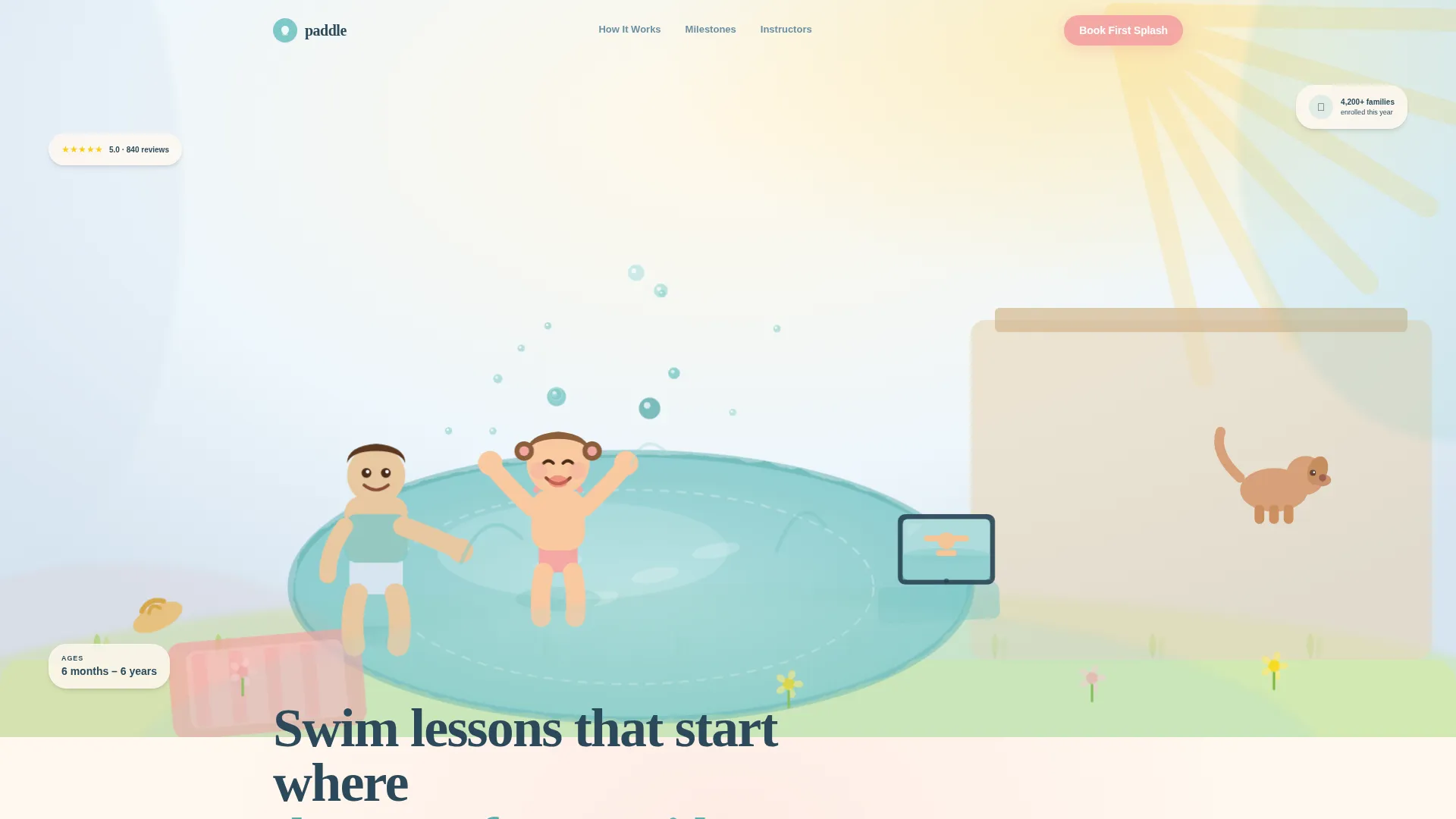
- A hero section occupying ninety percent of the viewport, built around a hand-drawn backyard splash scene with a primary booking call to action
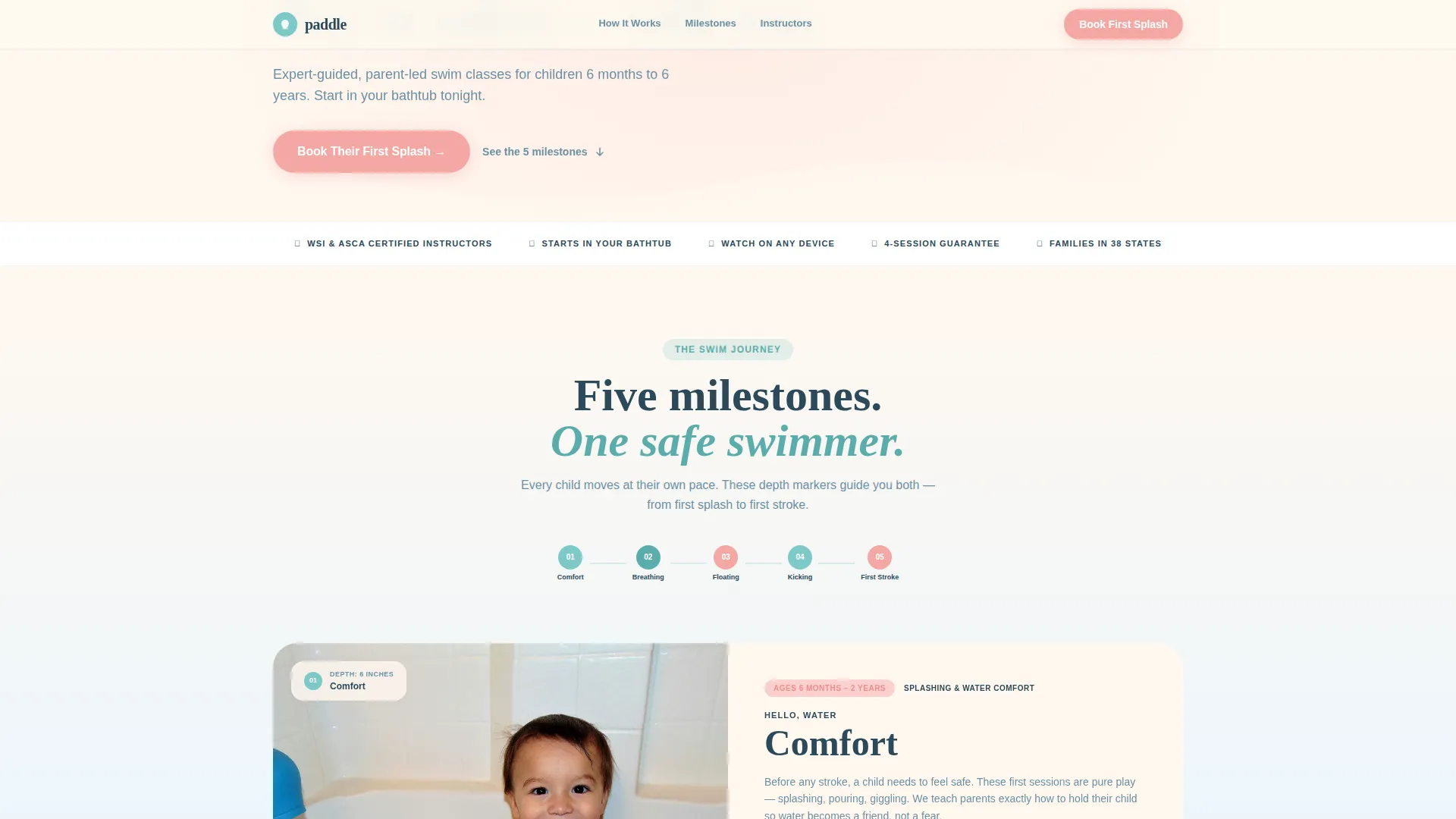
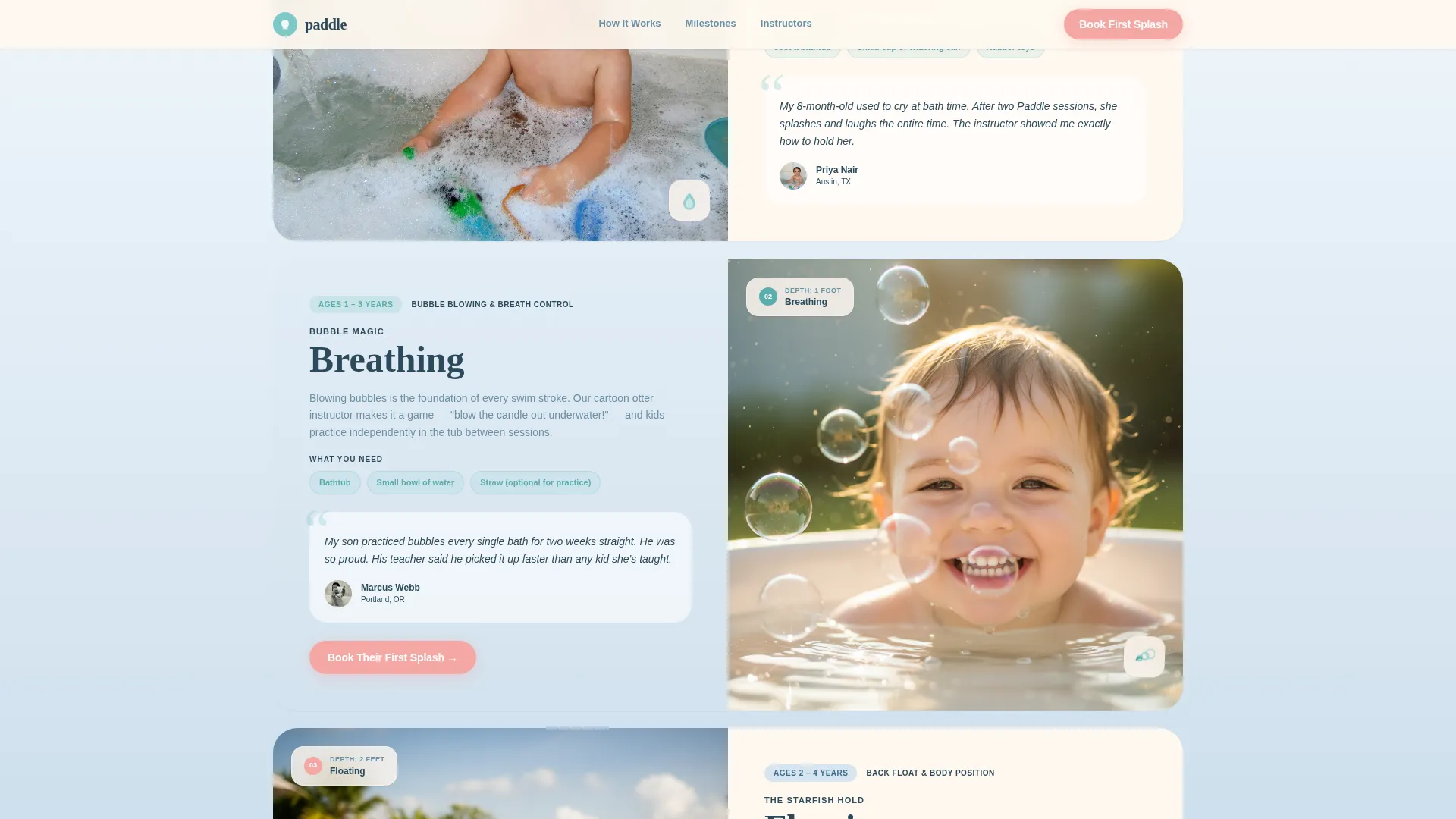
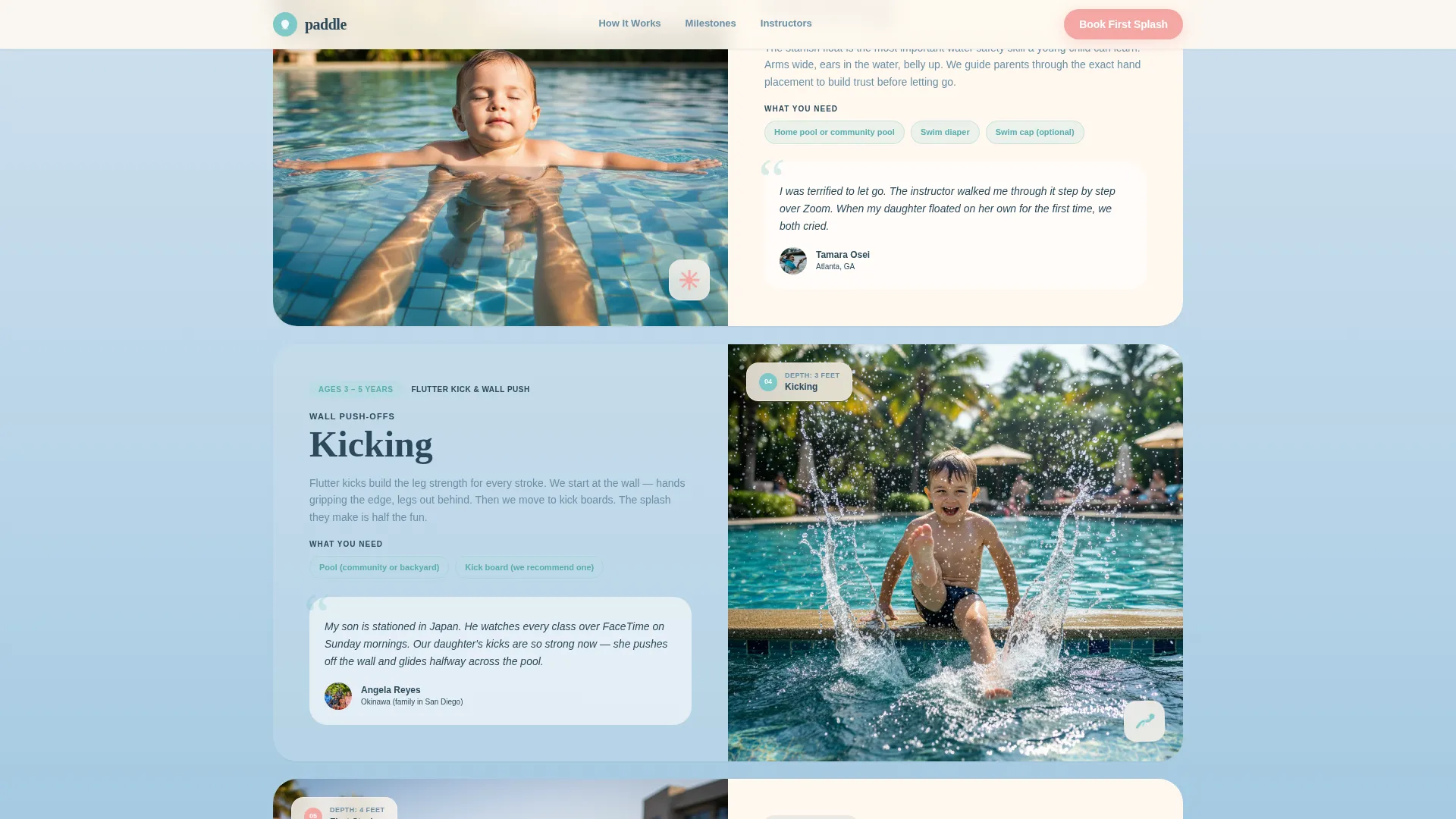
- A five-step swim milestone journey with illustrated depth markers, looping skill animations, age ranges, equipment notes, and parent testimonials per step
- A three-field booking scheduler (child's age group, preferred day, parent's first name) plus a secondary email gate for the free starter guide
Feature list
A paragraph of context: each feature below is built into the template as described in the source brief. Nothing here is speculative.
Full-Viewport Illustrated Hero
The hero fills ninety percent of the screen with a hand-drawn watercolor scene. A parent and child play in a backyard splash pool while a tablet propped on a towel shows an animated swim instructor. Small details like a rubber duck, a kicked-off sandal, and a dog on the porch reward careful attention. The headline sits below in rounded, child-friendly type.
Five-Milestone Swim Journey
Five illustrated depth markers descend the page like pool markers: Comfort, Breathing, Floating, Kicking, and First Stroke. Each milestone shows a looping skill animation, the equipment needed (most require only a bathtub), a recommended age range, and a real parent testimonial. The scroll experience deepens gradually, mirroring the feeling of wading into shallow water.
Three-Field Booking Scheduler
The primary call-to-action button opens a focused booking modal with just three fields. Parents choose their child's age group (6 months to 2 years, 2 to 4 years, or 4 to 6 years), a preferred session time (weekday mornings, weekday evenings, or weekends), and enter their first name. The form is intentionally minimal to reduce drop-off.
Free Starter Guide Email Gate
A secondary conversion path offers a free downloadable Bath Time Starter Guide. Parents who are not yet ready to book can enter their email address to receive it. This captures early-research visitors and keeps them connected to the program.
Soft Mist Color System
The palette uses four intentional tones: morning fog blue, warm towel cream, gentle chlorine teal, and rosy cheek pink. Pink is reserved for buttons and milestone badges. Together they evoke the feeling of a freshly laundered hooded towel, soft, warm, and just colorful enough to hold a child's attention.
Mobile-First Fixed Call to Action
On mobile devices, the primary booking button stays fixed to the bottom of the screen. This ensures parents browsing on a phone at bath time always have one-tap access to the scheduler without scrolling back up.
Page sections overview
| Section | Purpose |
|---|---|
| Hero Illustration | Captures emotional attention and anchors the primary booking call to action |
| Swim Milestones Journey | Guides parents through five progressive skill steps with animations and testimonials |
| How It Works | Explains the Watch, Practice, Progress parent-led learning flow |
| Instructor Trust | Displays credentials, certifications, and real pool footage to build late-page confidence |
| Booking Call to Action | Presents the three-field scheduler and free starter guide download |
| Footer | Closes with horizontal flow layout and supporting links |
Design & branding system
The visual identity follows a Family First theme. Every design choice prioritizes warmth and softness over polish and formality. The result feels like a children's picture book brought to life as a webpage.
- Typography pairs Fraunces for headlines (rounded, child-friendly, warm) with DM Sans for body text (clean, legible, and calm at small sizes)
- Watercolor washes bleed past illustration edges and scroll reveals animate milestone sections as the parent reads deeper into the page
- Rosy cheek pink is used exclusively for action elements like buttons and milestone badges, keeping calls to action visually distinct without feeling aggressive
Mobile & speed optimization
The template is built mobile-first. Most parents discover this kind of class while on their phones, often right at bath time. The layout and interaction model reflect that reality.
- The booking button is fixed to the bottom of the screen on mobile so it is always one tap away
- Scroll reveals and milestone depth animations use client-side rendering only where interactivity is needed, while static sections use server components
- The booking modal and animations load independently, keeping the initial page view light and fast to render
How this template helps you convert
The page is structured to move a hesitant parent from first impression to booked session without pressure. Trust is built in layers before the ask arrives.
- The illustrated hero creates an immediate emotional connection. Parents see themselves in the scene before they read a single word of copy.
- The milestone journey deepens trust step by step. By the time the booking call to action appears after the second milestone, parents have already seen proof of the method, heard from other parents, and understood what their child will learn.
- The dual conversion path means no visitor leaves empty-handed. Parents ready to commit can book. Parents still researching can download the free starter guide and stay connected.
Other information about this template
This template is designed for the kids swimming online class market and fits naturally into the broader kids and family education space. A few additional details worth noting:
- The template is localized for English-language audiences using US date format and USD currency references
- The "joined by X families" social proof counter is included as a trust signal alongside per-milestone testimonials
- The footer uses a horizontal flow layout pattern suited for clean, minimal closing sections
- The page is built as a single-page, section-led layout, not a multi-page website, making it straightforward to publish and maintain
- This template suits independent swim coaches, small swim schools, and early-childhood learning programs launching their first online class offering
Theme
Family First
Creative direction
Step-by-Step Guide
Color system
Soft Mist
Style
Hero-Dominant (90/10)
Direction
Booking/Scheduling
Page Sections
Full-viewport Illustrated Hero
Five-milestone Swim Journey
Three-field Booking Scheduler
Free Starter Guide Email Gate
Mobile-first Fixed Call to Action
Soft Mist Color and Type System
Related questions
Does this template include the actual swim lesson content?
Can I adjust the age groups in the booking form?
What is the Bath Time Starter Guide download?
Is the booking modal connected to a live scheduling system?
Do I need design experience to customize this template?



