Paddle - Immersive Rental Landing Page Template
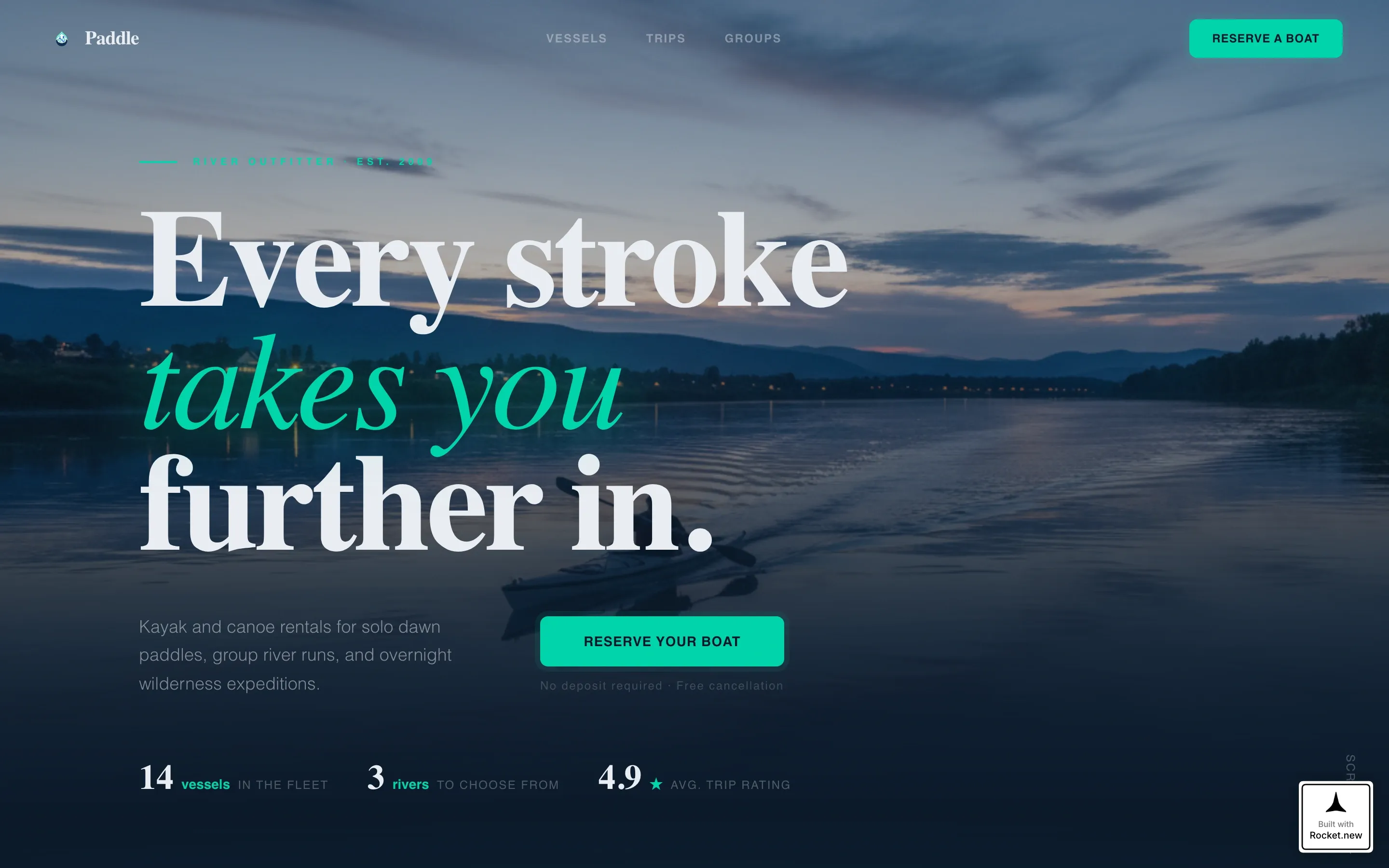
Paddle is a dark immersive kayak and canoe rental landing page built for outfitters who want visitors to browse every vessel and book directly. A cinematic video hero, a hover-expand vessel gallery, visible pricing on every craft card, and a sticky booking bar work together to move curious visitors from discovery to confirmed reservation without friction.
by Rocket studio
Quick summary
Paddle is a gallery-plus-detail landing page designed for kayak and canoe rental outfitters. It opens with a cinematic drone-shot video hero, walks visitors through a dark boathouse-style vessel gallery, and closes the sale with per-vessel booking panels, a date picker, and a sticky reservation bar. Pricing is visible from the start. No hidden reveals.
Who this template is for
This template is built for outdoor recreation rental businesses that want a direct-sales page with real visual depth. It suits operators who rent solo kayaks, tandem canoes, and multi-day expedition packages to a mixed audience of casual day-trippers and serious planners.
- Solo kayak and canoe rental outfitters targeting couples, small groups, and event organizers
- Adventure tourism operators offering tiered trip experiences from two-hour escapes to overnight expeditions
- Rental businesses that want visible pricing and vessel-level booking without a complex checkout system
What problem this template solves
Most rental pages force visitors to call, email, or click through to a separate booking tool before they can see pricing or availability. That friction kills conversions. This template puts every piece of decision-making information directly on the page, vessel by vessel, so visitors never have to guess.
- Visitors can't tell boats apart or understand which craft suits their trip before they commit
- Pricing hidden behind inquiry forms creates hesitation and abandoned sessions
- Group organizers need a separate, simpler path that doesn't slow down solo bookers
What you get with this template
You get a fully structured, single-page booking experience built around a spatial gallery concept. Each vessel is treated as its own room: a dark card that expands on hover to reveal full specs, photos, and a reservation panel. The page moves visitors from curiosity to commitment in a logical, immersive sequence.
- A cinematic video hero section with editorial headline and a teal call-to-action button
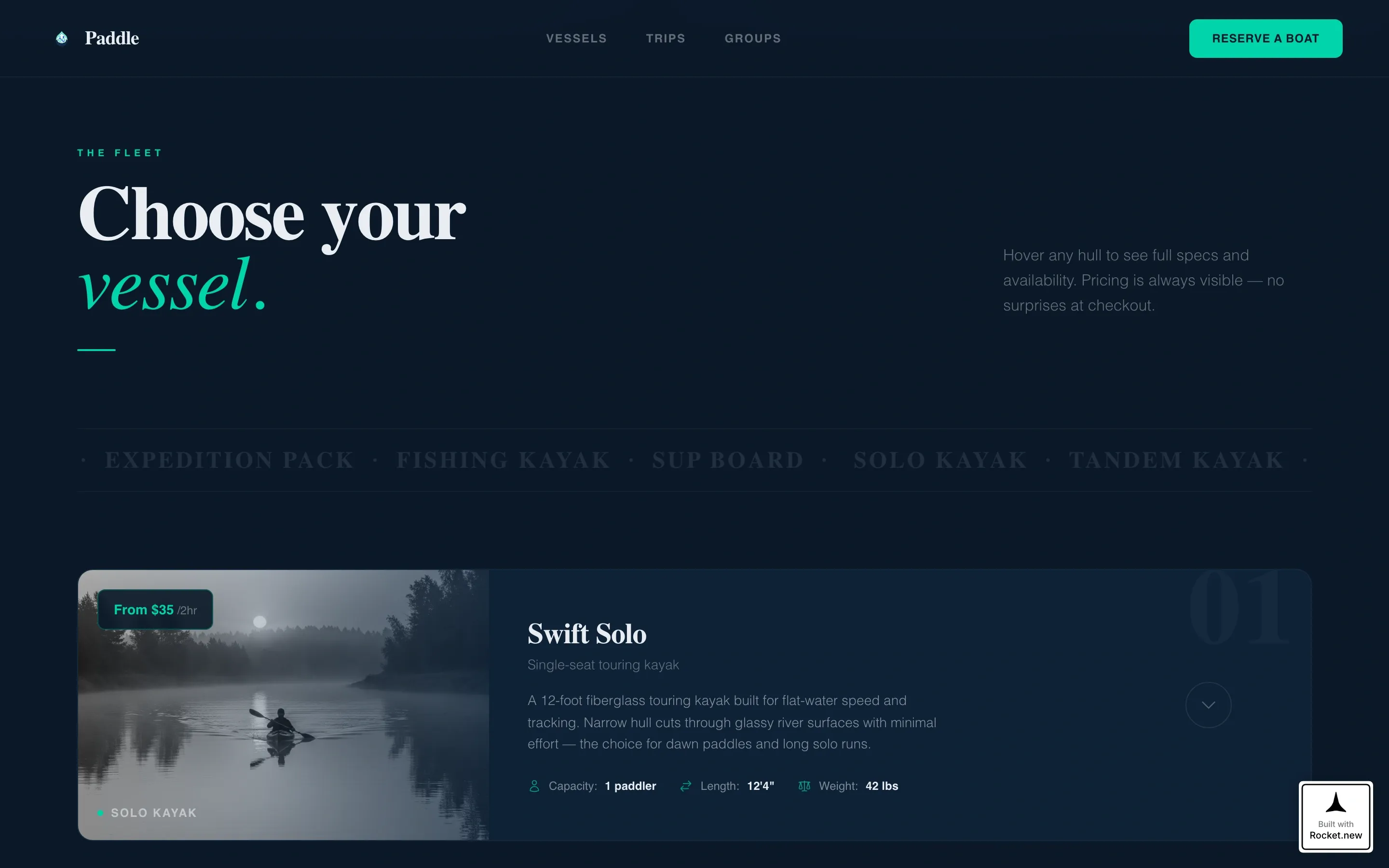
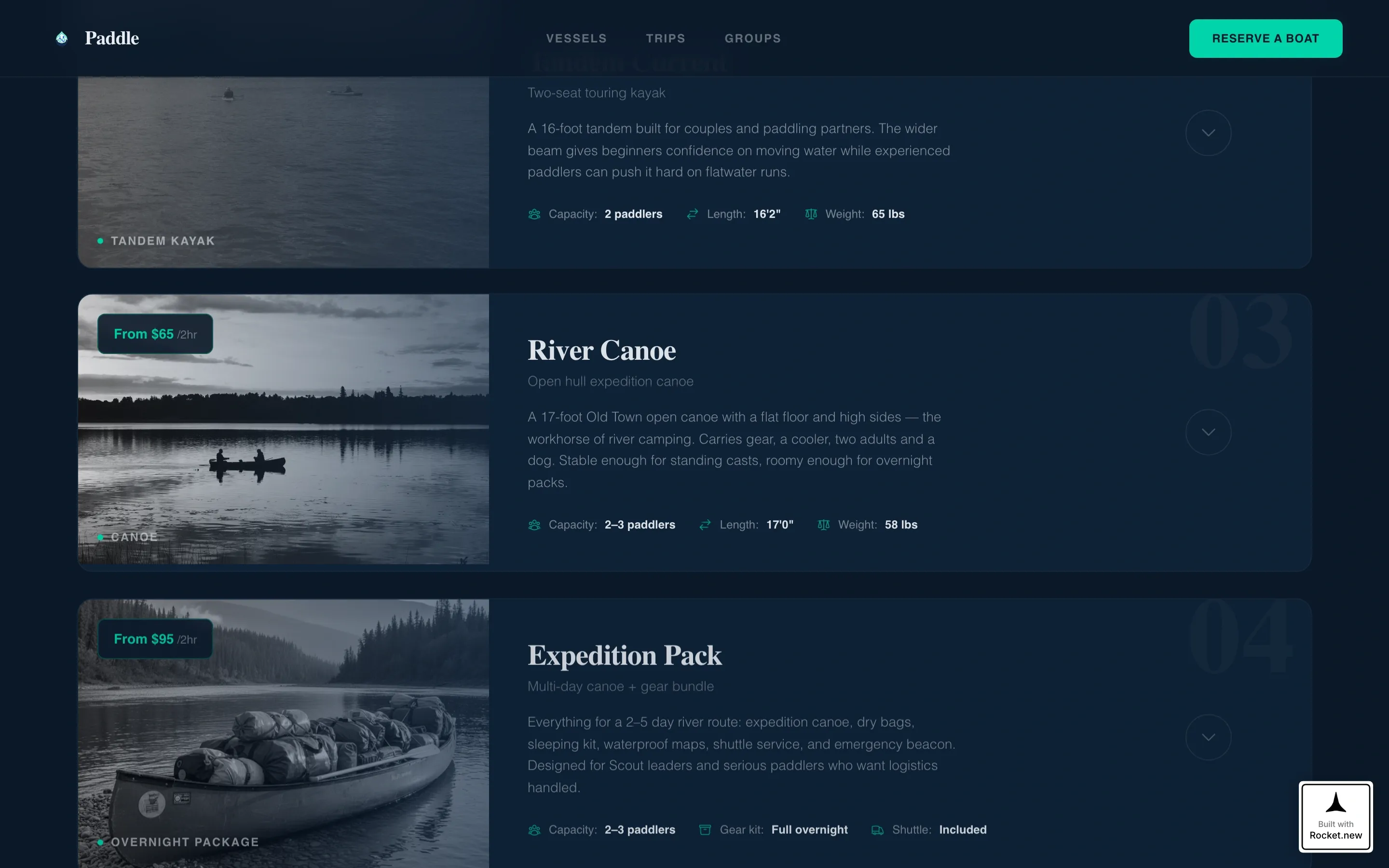
- A hover-expand vessel gallery showing capacity, weight, stability rating, and a 360-degree photo strip per craft
- Three trip-type tiers, a testimonials section, a group inquiry path, and a sticky booking bar
Feature list
Cinematic Video Hero
The header section opens with a drone-shot video sequence filmed at blue hour. It tracks a single kayak across a glassy river surface, descends to waterline level, then pulls back to reveal the full fleet on a dock lit by string lights. Ambient water sound replaces voiceover, creating immediate atmosphere without distraction.
Hover-Expand Vessel Gallery
Each craft in the dark boathouse gallery is displayed as a silhouette card. Hovering expands it into a full-detail panel showing capacity, weight, stability rating, ideal water type, and a scrollable 360-degree photo strip. The interaction feels like walking through a boathouse at night with a headlamp.
Per-Vessel Booking Panel
Every vessel detail panel includes its own reservation interface. Visitors select a date, choose a duration (two-hour, half-day, full-day, or overnight), and set a group size using a stepper input. The "Reserve Your Boat" call-to-action button appears in bioluminescent teal inside each panel.
Sticky Reservation Bar
After a visitor interacts with any vessel detail panel, a persistent booking bar appears at the bottom of the screen. It displays the current selection and a "Lock In This Date" button. This keeps the booking action visible throughout the rest of the scroll without interrupting the browsing experience.
Trip Type Tiers
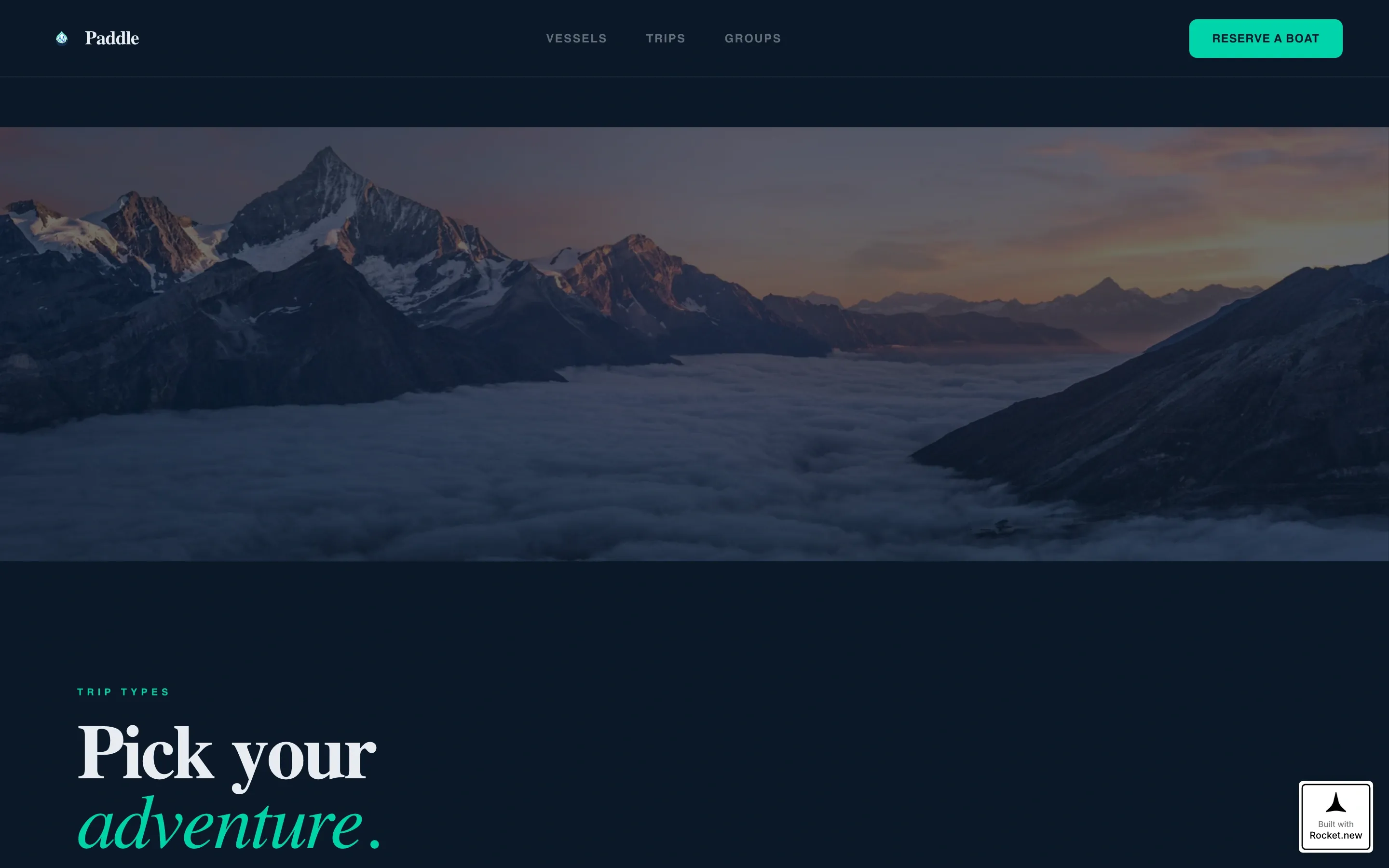
Three clearly defined experience tiers move visitors through escalating commitment: solo escape, group adventure, and overnight expedition. Each tier is its own content block with distinct framing, helping visitors self-select the right offering before they reach the booking panel.
Group Inquiry Path
A secondary conversion path labeled "Plan a Group Trip" opens a simplified inquiry form for parties of six or more. It keeps the group-booking flow separate from the individual reservation path so neither audience blocks the other.
Page sections overview
| Section | Purpose |
|---|---|
| Cinematic Video Hero | Opens with drone footage and the primary "Reserve Your Boat" call to action |
| Vessel Gallery | Hover-expand dark gallery with per-craft specs, photos, and booking panels |
| Trip Type Tiers | Three experience levels guide visitors toward the right package |
| Testimonials | Asymmetric quote cards with star ratings, reviewer names, and trip details |
| Group Trip Call to Action | Inquiry form path for parties of six or more |
| Footer | Single-row linear footer with navigation and contact links |
Design & branding system
The visual identity runs on a Midnight Blue color system built for depth and contrast. Dark backgrounds push photography forward like lit windows in an otherwise dark room. The bioluminescent teal accent is used sparingly so every interactive state and call-to-action button feels like a signal worth noticing.
- Color palette: abyssal water (#0B1929) base, deep current navy (#132F4C) surfaces, river-foam white (#E8EDF2) text, and bioluminescent teal (#00D4AA) reserved for interactive states and call-to-action elements
- Typography: Fraunces for display headlines delivers an editorial, atmospheric weight; DM Sans for body text keeps spec panels and booking forms clean and readable
- Parallax river photography sits between sections as wide visual breaks, creating a sense of spatial depth and forward motion through the page
Mobile & speed optimization
The template is designed desktop-first to support the booking flow, with full mobile responsiveness built in. Interactive components like the vessel detail expansion and sticky booking bar are handled as client-side elements, while static content uses server components to keep load time practical.
- Booking panels, date pickers, and the sticky bar are built as client-side interactive components
- Static sections including the hero, trip tiers, testimonials, and footer use server components for faster initial rendering
- The mobile layout preserves the full vessel gallery and booking flow so visitors on smaller screens can still complete a reservation
How this template helps you convert
This template is built around one principle: let visitors own a boat mentally before they pay for it. Every layout decision supports that goal, from the opening video to the per-vessel reservation panel.
- Visible pricing on every craft card removes the most common reason visitors leave without booking, eliminating the need to inquire just to see a number
- The hover-expand gallery and 360-degree photo strip give visitors enough detail to feel confident in their choice before they commit, reducing hesitation at the booking step
- The sticky reservation bar keeps the "Lock In This Date" action visible after any engagement, so visitors don't have to scroll back up to complete a booking they've already decided to make
Other information about this template
This template is part of a gallery-plus-detail landing page style built for direct-to-consumer outdoor recreation businesses. It is localized for the United States market using USD pricing, 12-hour time format, and imperial measurements throughout. Animation is handled with GSAP ScrollTrigger, covering parallax layers, hover-expand panels, and cursor tracking effects. The template targets the kayak and canoe rental niche within the broader marine and boat subcategory of outdoor and adventure tourism.
- Localization: United States, USD currency, 12-hour clock, imperial measurements (feet, pounds)
- Animation stack: GSAP ScrollTrigger for parallax depth, hover panel expansion, and cursor tracking
- Template style category: Gallery plus detail, Dark Immersive theme, Spatial and Architectural creative direction
Theme
Dark Immersive
Creative direction
Spatial & Architectural
Color system
Midnight Blue
Style
Gallery + Detail
Direction
Direct Sales
Page Sections
Cinematic Drone-shot Video Hero
Hover-expand Vessel Gallery
Per-vessel Reservation Panel
Sticky Booking Bar
Tiered Trip Type Sections
Group Trip Inquiry Form
Related questions
Can I show different pricing for each vessel and rental duration?
How does the group booking path work?
Does the template include a video in the hero section?
Can I add or remove vessel cards from the gallery?
Is the sticky booking bar always visible on the page?



