Kids Swimming Complete Professional Website Template
Paddle is a single-column kids swimming landing page template built for parents who need guidance choosing the right swim lessons. It walks visitors through a four-step decision framework, an inline swim-readiness quiz, and a secondary email-capture offer. The warm Dopamine Pop palette and isometric hero illustration make the page feel welcoming and easy to trust.
by Rocket studio
Quick summary
Paddle is a joyful, mobile-first kids swimming landing page template designed to guide parents through every swim-lesson decision. It combines a step-by-step guide format with an interactive quiz, flip cards, and an age-to-skill drag widget. The result is a resource that feels warm and organized, not overwhelming.
Who this template is for
This template is built for anyone helping parents find the right swimming path for their child. It suits swim schools, community aquatics programs, and independent swim instructors who want a clear, conversion-ready resource page.
- Swim schools and aquatics programs seeking qualified parent leads
- Independent swim coaches offering lesson packages or seasonal camps
- Grandparents or gift-givers comparing enrollment options for a child
What problem this template solves
Parents searching for kids swim lessons often feel lost. Age-readiness guidelines are vague, lesson-type differences are confusing, and most program websites bury the practical details. This template replaces that confusion with a structured, friendly decision journey.
- Parents struggle to know whether their child is developmentally ready for lessons
- Choosing between survival skills, stroke technique, and competitive prep is rarely explained clearly
- First-time swim-lesson seekers have no framework for evaluating a program after day one
What you get with this template
You get a complete single-column landing page template with high interactivity built in from the start. Every section serves a specific moment in the parent's decision process, from curiosity to quiz completion.
- A four-step decision guide covering readiness, lesson types, program evaluation, and post-class signals
- An inline five-question swim-readiness quiz with a personalized result profile and a yellow progress bar
- A secondary email-capture path offering a downloadable Pool Bag Checklist for parents not yet ready to quiz
Feature list
This template ships with a range of interactive and visual features that are grounded in the original design brief.
Isometric Hero Illustration
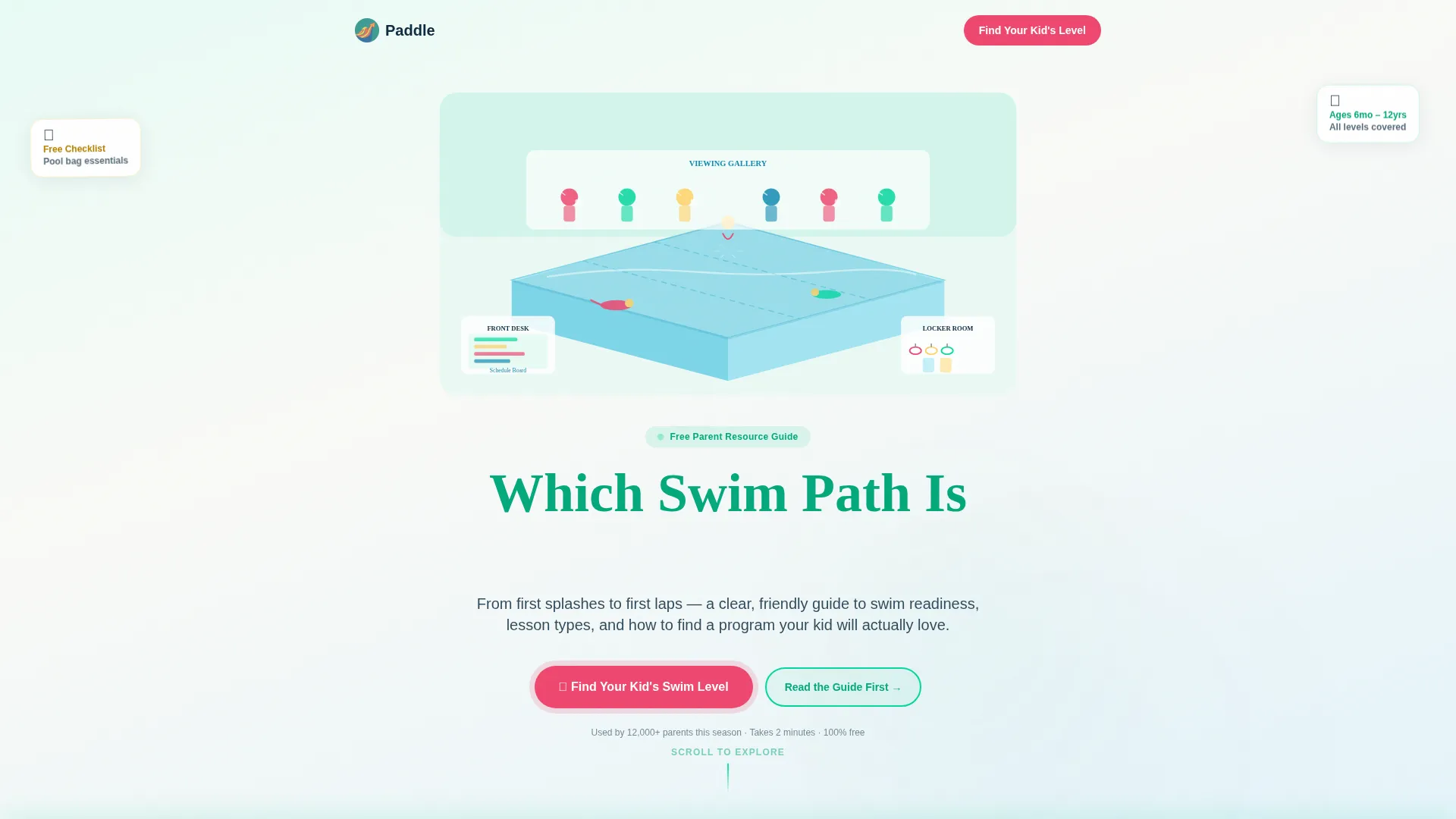
The header features a cross-section neighborhood swim center rendered in isometric style. Tiny animated kids swim mid-stroke underwater, a parent gallery sips coffee, and a front desk displays a schedule board. Subtle CSS animations include water ripples, a looping cannonball, and a waving parent figure.
Inline Swim-Readiness Quiz
The primary conversion tool is a five-question quiz that opens directly on the page. Questions cover the child's age, water comfort, past lesson experience, top goal, and preferred schedule. Completed quizzes deliver a personalized swim-readiness profile, shareable as a PDF or screenshot.
Age-to-Skill Drag Widget
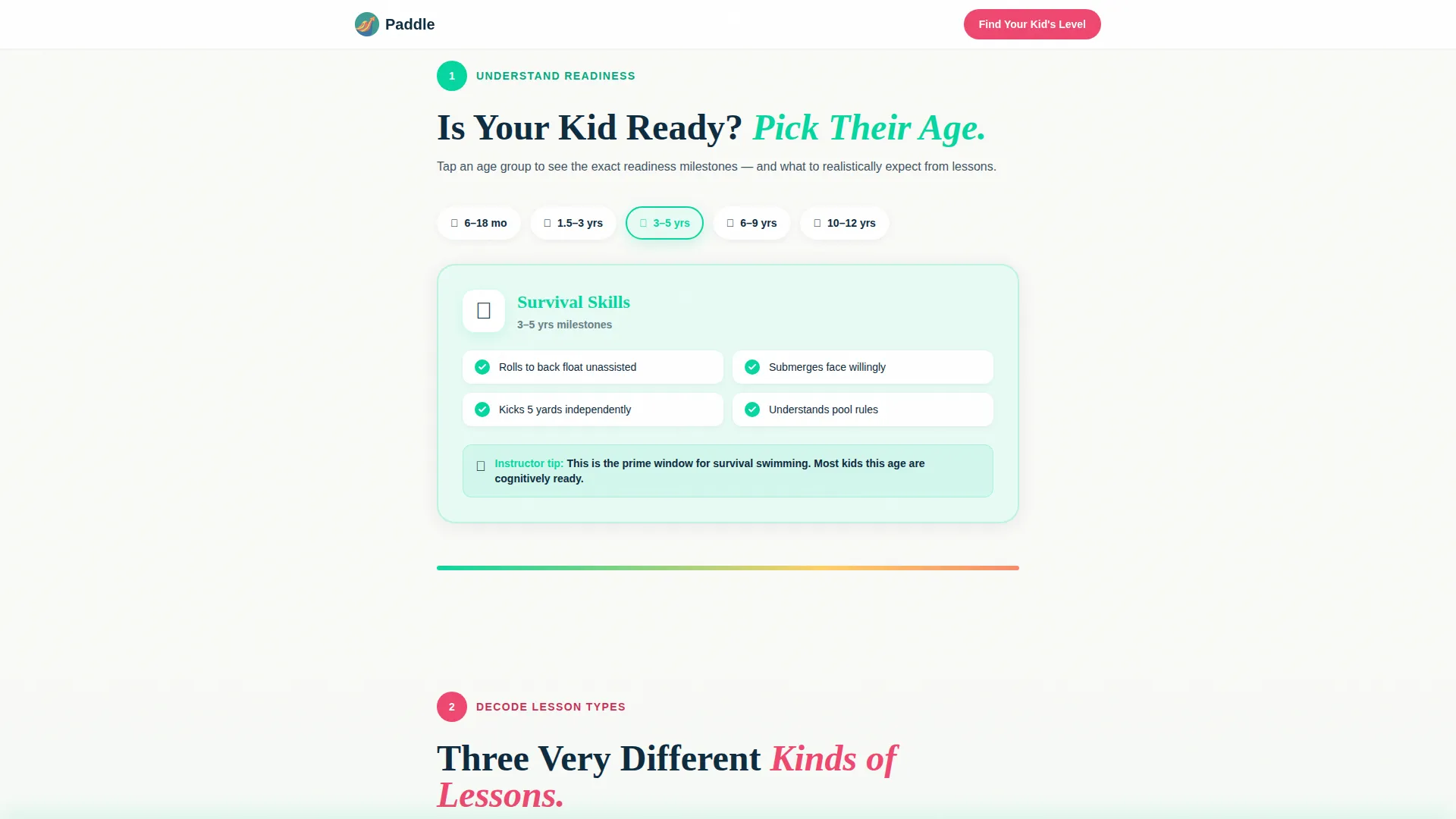
Step 1 includes an interactive drag-to-match widget that pairs child ages with corresponding skill milestones. Teal highlights mark matched selections and yellow accents signal progress. This micro-interaction makes readiness information feel personal rather than generic.
Lesson-Type Flip Cards
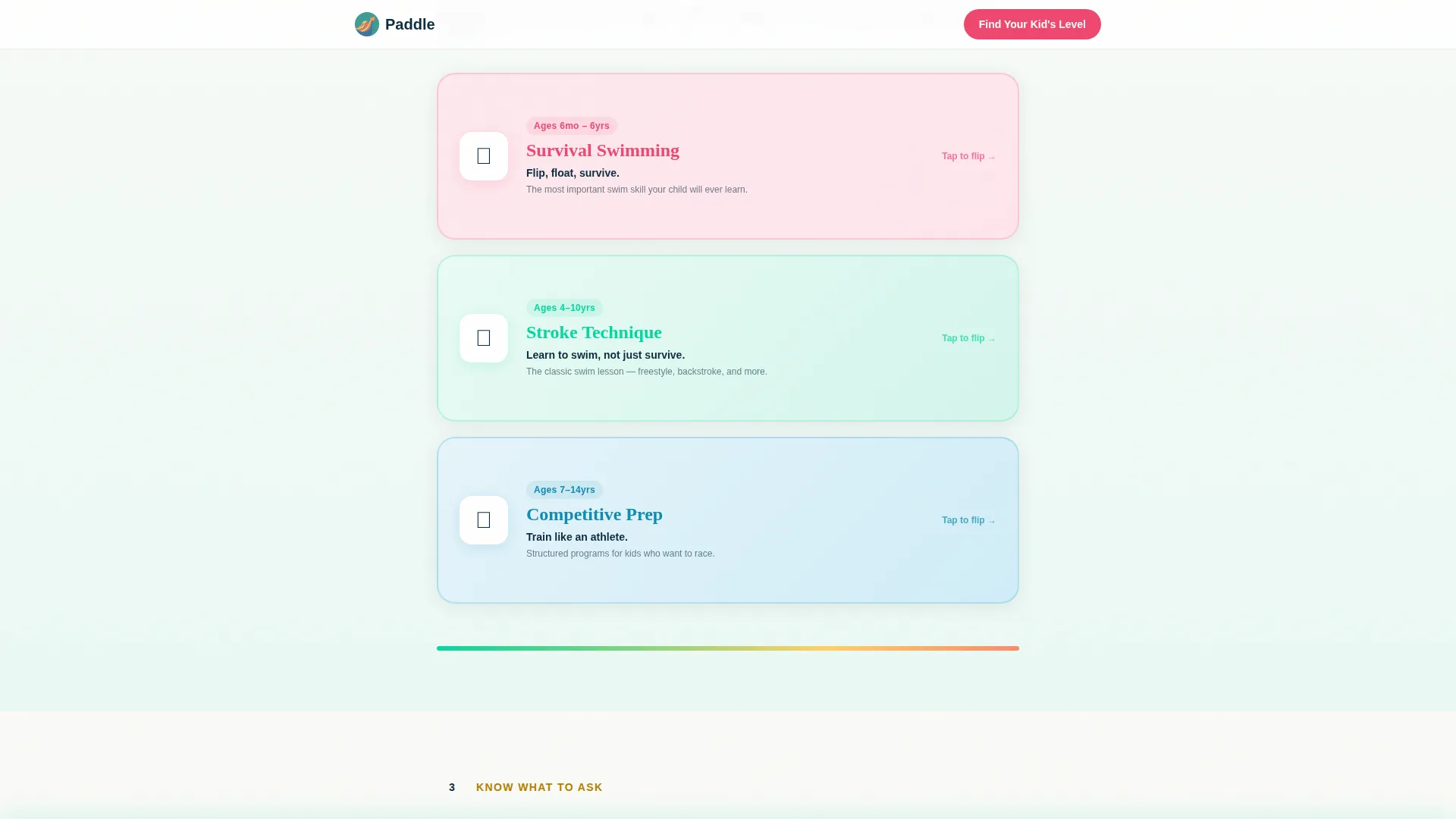
Step 2 presents three lesson formats as interactive flip cards: survival skills, stroke technique, and competitive preparation. Parents tap or click each card to reveal a comparison of what each format covers. The interaction is CSS-driven and works smoothly on mobile.
Green Light and Red Flag Checklist Cards
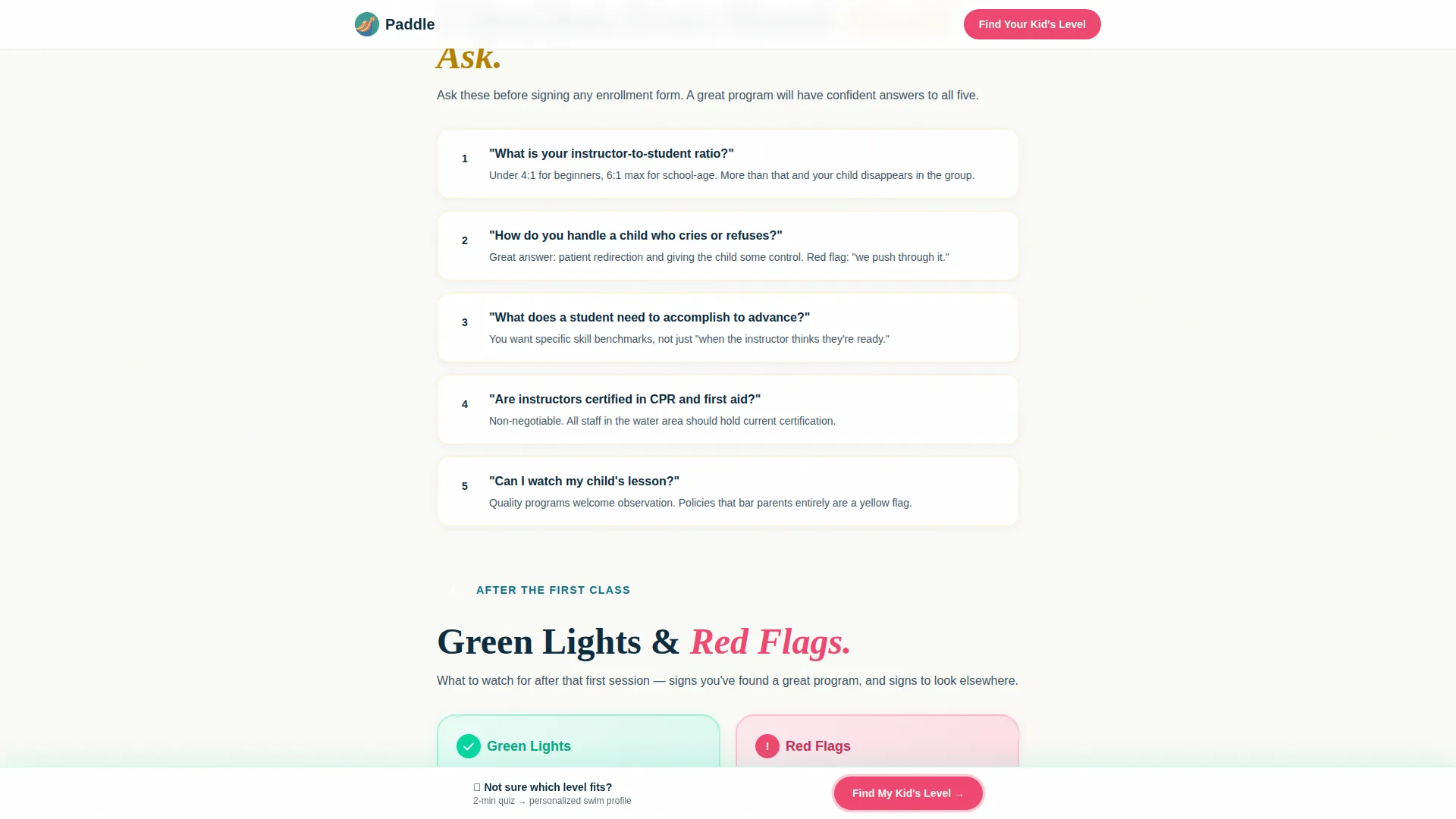
Steps 3 and 4 use a two-column card layout to show parents exactly what to ask a program and what to watch for after the first class. Green light indicators and red flag signals are displayed side by side. This section gives parents a clear evaluation framework they can use the same day.
Sticky Quiz Call-to-Action Bar
After Step 2, a sticky bottom bar appears and stays visible as the parent scrolls. It carries the coral "Find Your Kid's Swim Level" button. This keeps the primary conversion action within reach without interrupting the reading flow.
Page sections overview
| Section | Purpose |
|---|---|
| Hero with Quiz call to action | Introduce the guide and prompt quiz entry |
| Step 1: Readiness | Age-to-skill drag widget for readiness context |
| Step 2: Lesson Types | Flip cards comparing three lesson formats |
| Steps 3 and 4: Evaluate | Green light and red flag checklist cards |
| Inline Quiz Section | Five-question quiz with progress bar |
| Email Capture Offer | Pool Bag Checklist download for nurture path |
| Footer | Linear single-row footer with key links |
Design & branding system
The visual identity follows a Community Hearth theme expressed through a Dopamine Pop color system. Every color has a specific role, so the page feels purposeful rather than just bright.
- Teal (#06D6A0) anchors headlines, coral (#EF476F) marks interactive moments, yellow (#FFD166) highlights progress, and blue (#118AB2) carries body text
- Warm white (#FAFAF7) background with generous whitespace keeps the page readable and prevents visual overwhelm
- Fraunces handles display headlines and Plus Jakarta Sans handles body copy, pairing playful warmth with clean legibility
Mobile & speed optimization
This template is designed mobile-first, reflecting the primary user scenario: a parent scrolling on a phone late at night. Interactions and animations are built to feel responsive and lightweight.
- All animations use CSS keyframes and IntersectionObserver triggers rather than heavy JavaScript libraries
- The single-column flow stacks cleanly on small screens without layout shifts or horizontal scrolling
- The sticky bottom quiz bar is sized and positioned for comfortable one-thumb tap on mobile devices
How this template helps you convert
The page is structured to move parents from passive reading to active quiz completion in a single scroll. Every interactive element supports that journey.
- The coral quiz call-to-action button appears beneath the hero and again as a sticky bar after Step 2, giving parents two clear moments to engage before they reach the quiz section itself.
- The inline five-question quiz removes friction by keeping parents on the page, delivering an immediate personalized swim-readiness profile rather than redirecting to an external tool.
- The Pool Bag Checklist email-capture offer gives hesitant parents a low-commitment way to stay connected, nurturing them toward the quiz on a later visit.
Other information about this template
This template is part of the Kids and Family category, sitting within the Kids Swimming subcategory. It is built specifically for the Kids Swimming Parent Resource Guide niche, making it a focused fit for swim-education content.
- The template style is Single Column Flow, which suits both desktop browsing and mobile scrolling equally well
- Creative direction follows a Step-by-Step Guide pattern, making the scroll feel like a guided conversation rather than a static webpage
- The Quiz and Assessment landing page direction is the structural backbone, with every section building toward quiz completion
- The header concept is Isometric, a distinctive visual choice that immediately sets the warm, neighborhood-pool atmosphere
Theme
Community Hearth
Creative direction
Step-by-Step Guide
Color system
Dopamine Pop
Style
Single Column Flow
Direction
Quiz/Assessment
Page Sections
Isometric Animated Hero Header
Inline Swim-readiness Quiz
Age-to-skill Drag Widget
Lesson-type Flip Cards
Green Light and Red Flag Cards
Sticky Quiz Call-to-action Bar
Related questions
Can I customize the quiz questions and results profile?
Does the template include the email-capture form for the Pool Bag Checklist?
Is this template suitable for a solo swim instructor, not just a large school?
How does the sticky quiz bar behave on a mobile screen?
Can the swim-readiness profile result be shared or downloaded?



