Pane - Executive Commercial Landing Page Template
Pane is a single-column landing page template built for Seattle commercial window cleaning companies. It leads with a dramatic half-page header, front-loads credibility stats, and drives visitors toward a dedicated quote request page. The Navy Authority color system and Executive Suite theme give every section the authority and polish that Class A property clients expect.
by Rocket studio
Quick summary
Pane is a click-through landing page template designed for a Seattle commercial window cleaning business. It opens with a bold, glass-forward header, then moves through a stats bar, social proof layers, and a testimonial block before delivering a single clear call to action. The goal is simple: earn the quote request click before the visitor ever sees a form.
Who this template is for
This template is built for commercial window cleaning operators who serve demanding, detail-oriented property clients in urban markets. It speaks the language of building managers, not homeowners.
- Property managers overseeing Class A office portfolios who need a vendor that matches their building's standard
- HOA boards in high-rise condo communities tired of inconsistent results and scheduling friction
- Facilities directors at corporate or tech campuses who coordinate exterior maintenance across multiple floors and tenants
What problem this template solves
Most window cleaning websites lead with service lists and contact forms. That approach fails with commercial buyers who need confidence before they commit. This template reverses the order.
- Commercial property clients evaluate vendors on reliability and track record before price, and the stats bar addresses that immediately
- Without proof layers up front, high-value prospects leave before ever reading a call to action
- A generic, form-heavy landing page signals a residential operation, not a crew qualified for a forty-story curtain wall
What you get with this template
You get a fully structured single-column landing page with every section sequenced to build trust and drive a click. Nothing is left for you to invent.
- A half-page hero header with oversized headline text and a full photographic composition on the right side
- A full-width animated stats bar, before-and-after media section, logo carousel, and long-form testimonial block
- A primary teal-on-navy call-to-action button placed beneath the stats bar, plus a sticky bottom bar that reappears after the testimonial section
Feature list
This template is built around a single conversion goal and every feature supports that flow.
Stats-First Data Bar
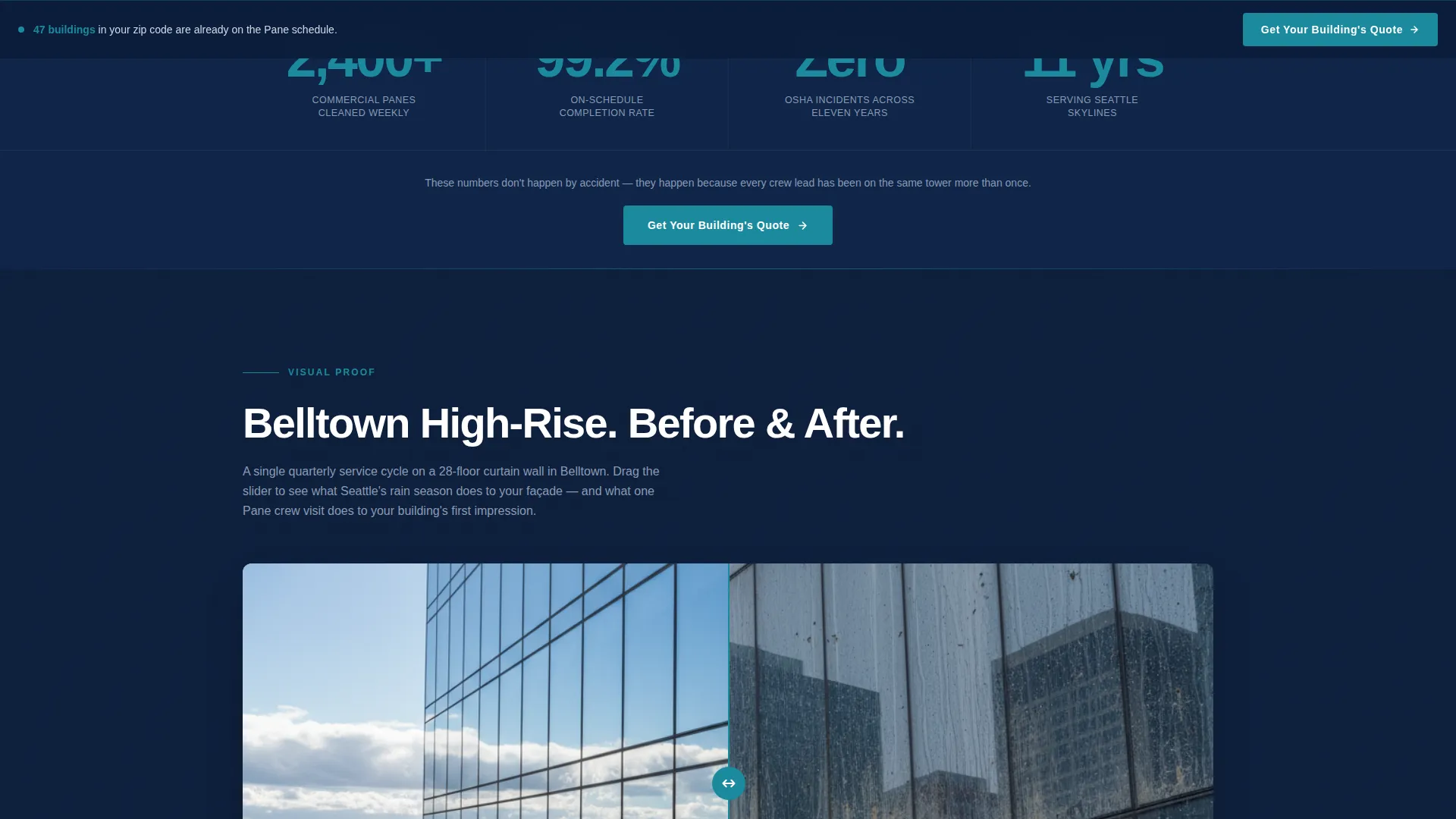
A full-width bar appears immediately after the hero. Three key performance numbers animate on scroll entry in Puget Sound teal against deep boardroom navy. The layout front-loads credibility without asking for anything in return.
Half-Page Hero Composition
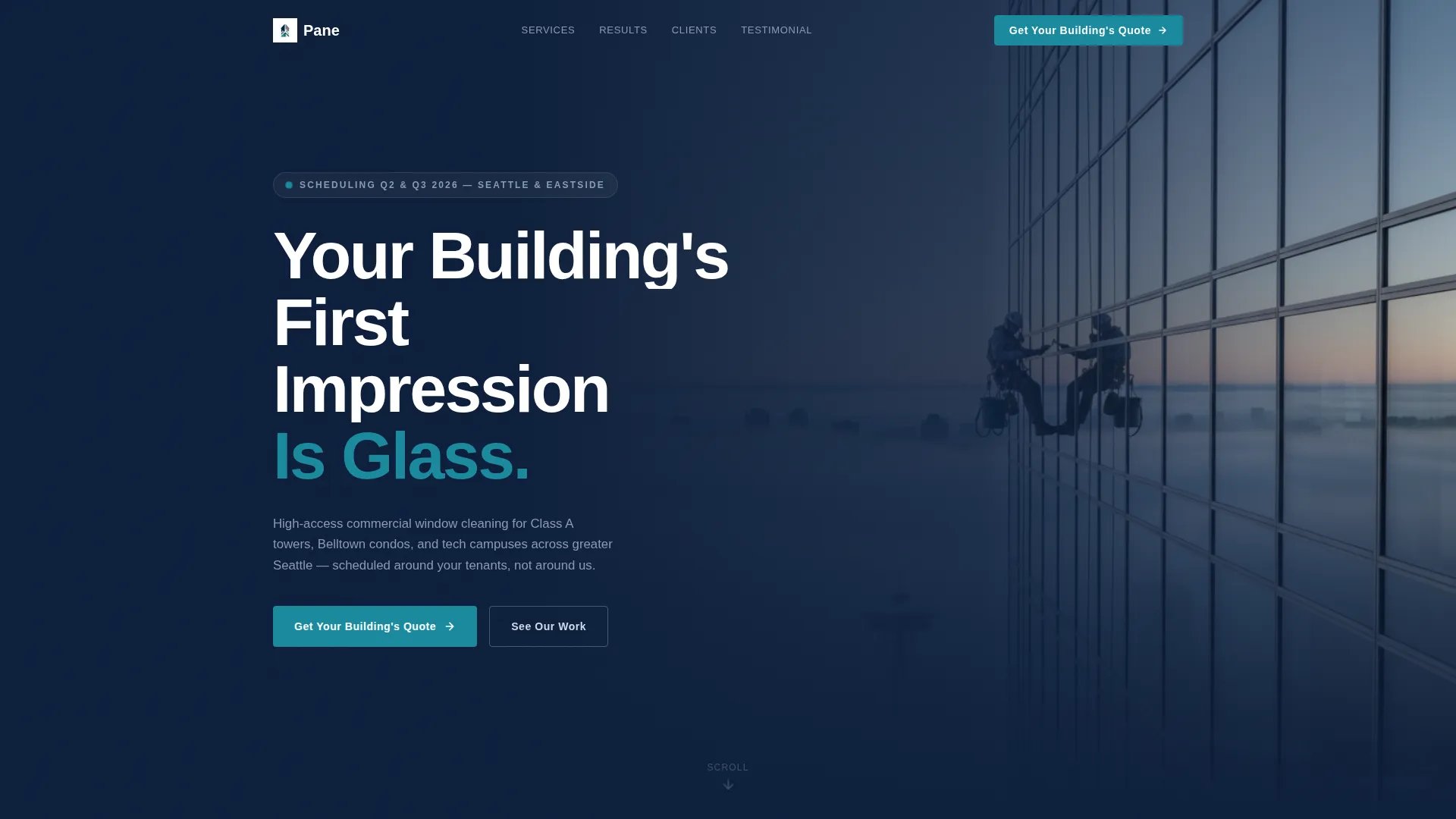
The header splits into a left-weighted headline block and a right-side photograph that fills sixty percent of the width. The oversized white headline and the harness-rigged technician photograph create immediate visual tension that stops the scroll.
Before-and-After Media Section
A time-lapse before-and-after sequence of a Belltown high-rise facade gives visitors a direct, visual demonstration of the work. No written claim matches what a side-by-side transformation shows.
Property Logo Carousel
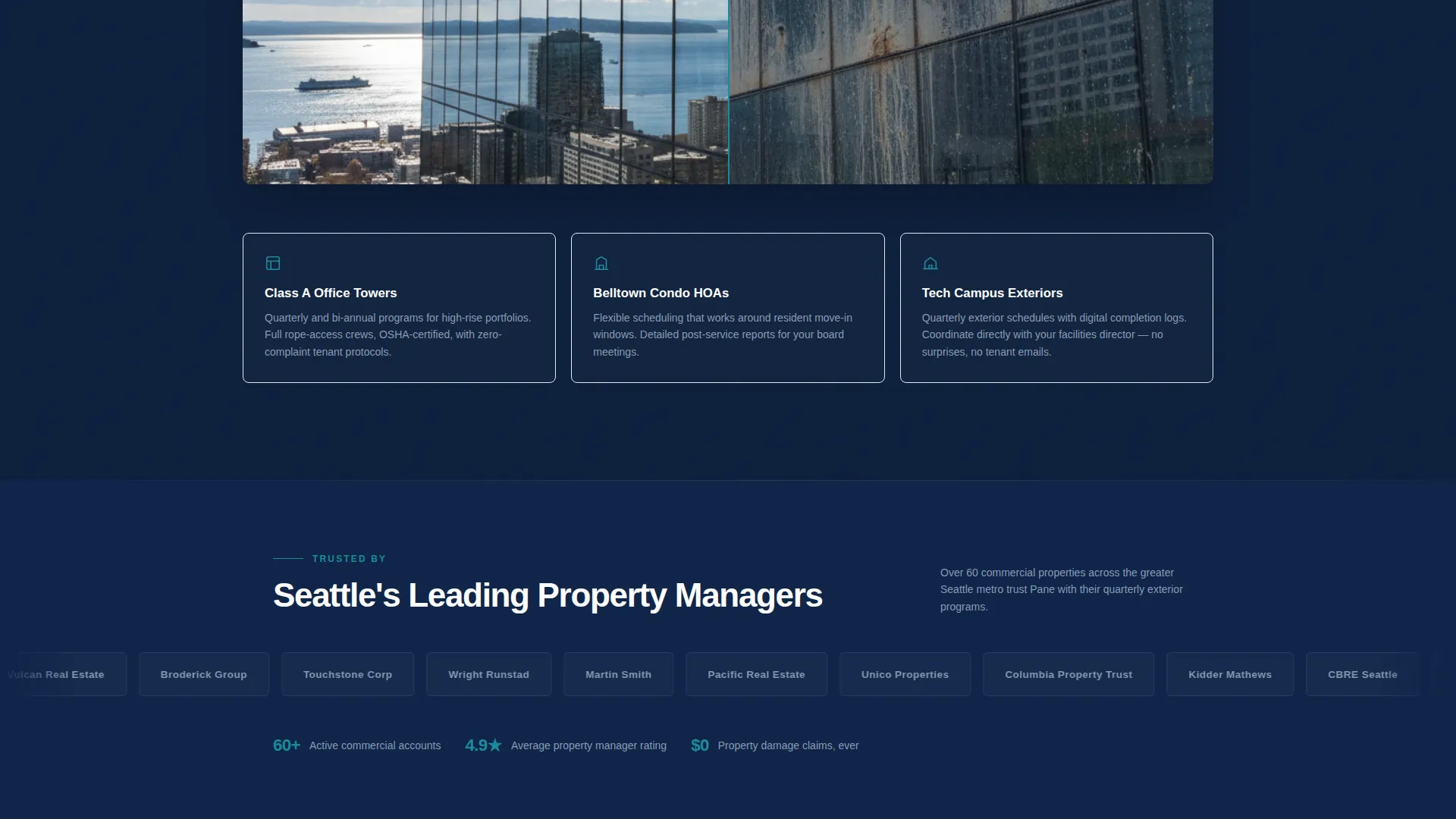
A rotating carousel displays property management client logos, building immediate social proof for enterprise-tier buyers. This section signals that other credible operators have already made the decision.
Long-Form Testimonial Block
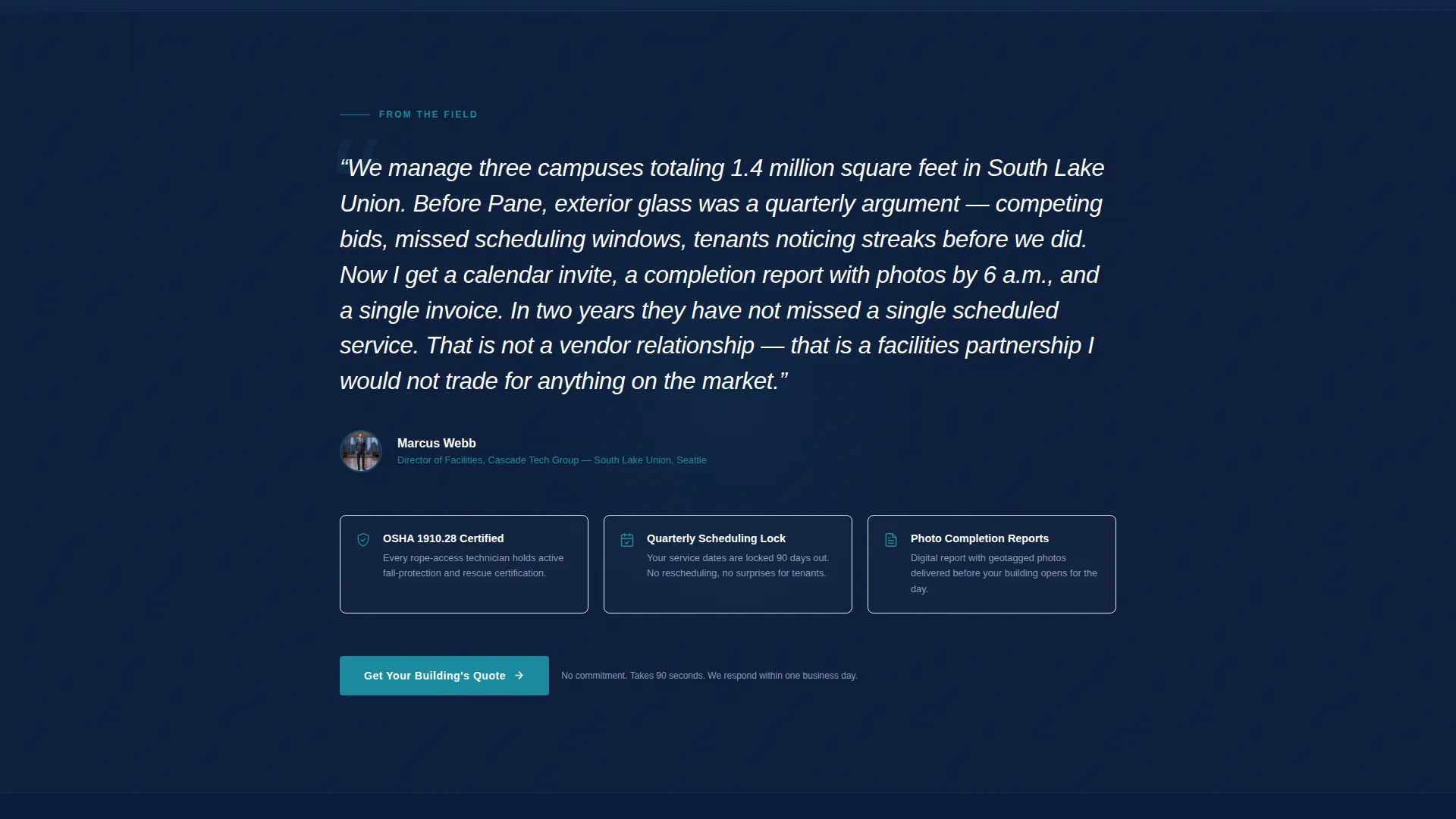
A single extended testimonial from a named facilities director at a Seattle tech campus sits below the carousel. One specific, detailed voice carries more weight than a grid of short star ratings.
Dual Call-to-Action Placement
The primary "Get Your Building's Quote" button appears first in teal on navy directly below the stats bar. A sticky bottom bar reintroduces the same call to action after the testimonial, so the prompt is always within reach without interrupting the proof flow.
Page sections overview
| Section | Purpose |
|---|---|
| Hero Header | Establish scale and authority with headline and technician photograph |
| Stats Data Bar | Front-load credibility with three animated performance numbers |
| Primary call to action Button | Capture the first high-intent click directly below the stats bar |
| Before-and-After Media | Demonstrate the quality of work with a visual high-rise transformation |
| Client Logo Carousel | Build enterprise social proof with rotating property management logos |
| Testimonial Block | Deliver detailed peer validation from a named facilities director |
| Sticky call to action Bar | Re-surface the quote request prompt after the testimonial section |
Design & branding system
The template uses an Executive Suite visual identity built on a Navy Authority color palette. Every color choice is deliberate and tied to a role in the layout.
- Deep boardroom navy (#0B1D3A) anchors the background and hero, polished gunmetal (#4A5568) handles secondary text and dividers, and rain-washed silver (#D1D9E6) provides contrast for body content
- Puget Sound teal (#1B8A9E) appears exclusively on buttons, animated stat figures, and key data callouts to keep its visual impact sharp
- Typography uses oversized white headline type in the hero and clean, readable body type throughout, matching the leather-folio tone of a quarterly building review
Mobile & speed optimization
The single-column layout makes responsive adaptation direct and predictable. The flow that works on a wide desktop translates cleanly to a tablet or phone screen.
- The half-page hero composition reflows into a stacked layout on smaller screens, keeping the headline and photograph both visible and impactful
- The sticky bottom call-to-action bar is especially effective on mobile, where it stays within thumb reach as the visitor scrolls through the proof sections
How this template helps you convert
Every section in this template is ordered to reduce friction and increase confidence before the visitor ever clicks.
- The animated stats bar appears before any ask, establishing operational track record and safety history the moment the visitor scrolls past the hero, so the click feels like a logical next step rather than a leap of faith.
- The before-and-after media, logo carousel, and long-form testimonial form a layered proof sequence that moves from visual evidence to peer authority, each layer making the next more convincing.
- The dual call-to-action placement, one fixed button below the stats bar and one sticky bar after the testimonial, means the prompt to act is available at exactly the two moments when buyer confidence peaks.
Other information about this template
This template is purpose-built for the Seattle commercial cleaning market and carries design decisions that reflect that specific context.
- The photographic direction references Seattle landmarks including the Space Needle and Elliott Bay waterfront, grounding the template in a recognizable local identity
- The click-through structure keeps the landing page itself clean and fast to skim, while the dedicated intake page handles the detailed quote form covering building address, floor count, glass type, and preferred service frequency
- The template style follows a single-column flow, which keeps the visitor path linear and removes the navigational choices that can pull a buyer off course
- This template is well suited for operators positioning themselves as a premium commercial vendor, not a residential or general cleaning service
Theme
Executive Suite
Creative direction
Case Study Narrative
Color system
Charcoal & Amber
Style
Sidebar Companion
Direction
Booking/Scheduling
Page Sections
Animated Stats-first Data Bar
Split Half-page Hero Header
Before-and-after Media Block
Rotating Property Logo Carousel
Long-form Testimonial Block
Dual Call-to-action Placement
Related questions
Does this template include the quote request form?
Can I use this template outside of Seattle?
Who is this template designed for?
How does the sticky bottom call-to-action bar work?
Is the Navy Authority color palette customizable?



