Glass Repair Marketing Professional Website Template
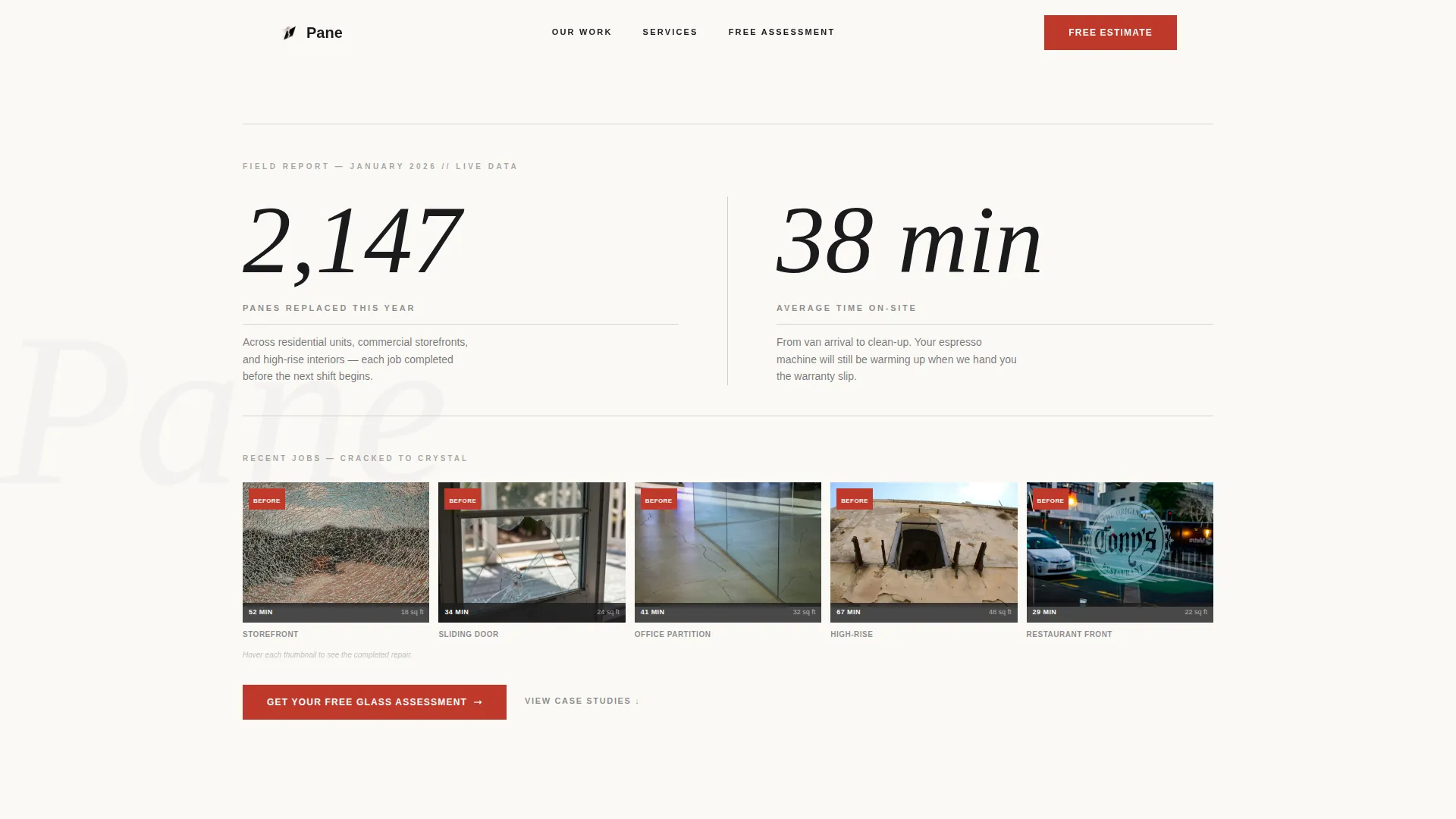
Pane is a corporate-precision landing page template built for glass repair businesses that compete on speed and scope. It leads with animated live counters and before-and-after job thumbnails, walks visitors through three escalating comparison tables, and closes with a free estimate form. The result is a clean, authoritative page that earns trust before the first form field is filled.
by Rocket studio
Quick summary
Pane is a single-page template designed for emergency glass repair services targeting property managers, restaurant owners, and office administrators. It opens with a data-driven hero, builds credibility through three structured comparison tables, and converts visitors through a focused free assessment form, all wrapped in a sharp editorial design system.
Who this template is for
This template is built for glass repair businesses that handle urgent, same-day jobs across property types. It speaks directly to the people who make the call when glass breaks at the worst possible time.
- Property managers handling maintenance requests across multi-unit residential or commercial portfolios
- Restaurant and retail owners dealing with storefront damage that cannot wait past the morning rush
- Office administrators who need a partition or interior pane replaced before a critical workday begins
What problem this template solves
Most service business pages describe what they do without showing how they do it. That gap in proof costs leads. Visitors arrive stressed, need fast answers, and leave when they cannot quickly confirm that a provider can handle their specific situation.
- No clear evidence of speed, capability, or realistic pricing before the inquiry form appears
- Generic service pages that treat a cracked storefront and a high-rise partition as the same problem
- Friction at the conversion point because trust was never established earlier in the scroll
What you get with this template
The template delivers a complete, conversion-structured landing page with every section pre-built and content-ready. Each section has a clear job to do, from the first number the visitor reads to the final form field they complete.
- An animated hero section with live-style counters and a before-and-after thumbnail strip showing real job context
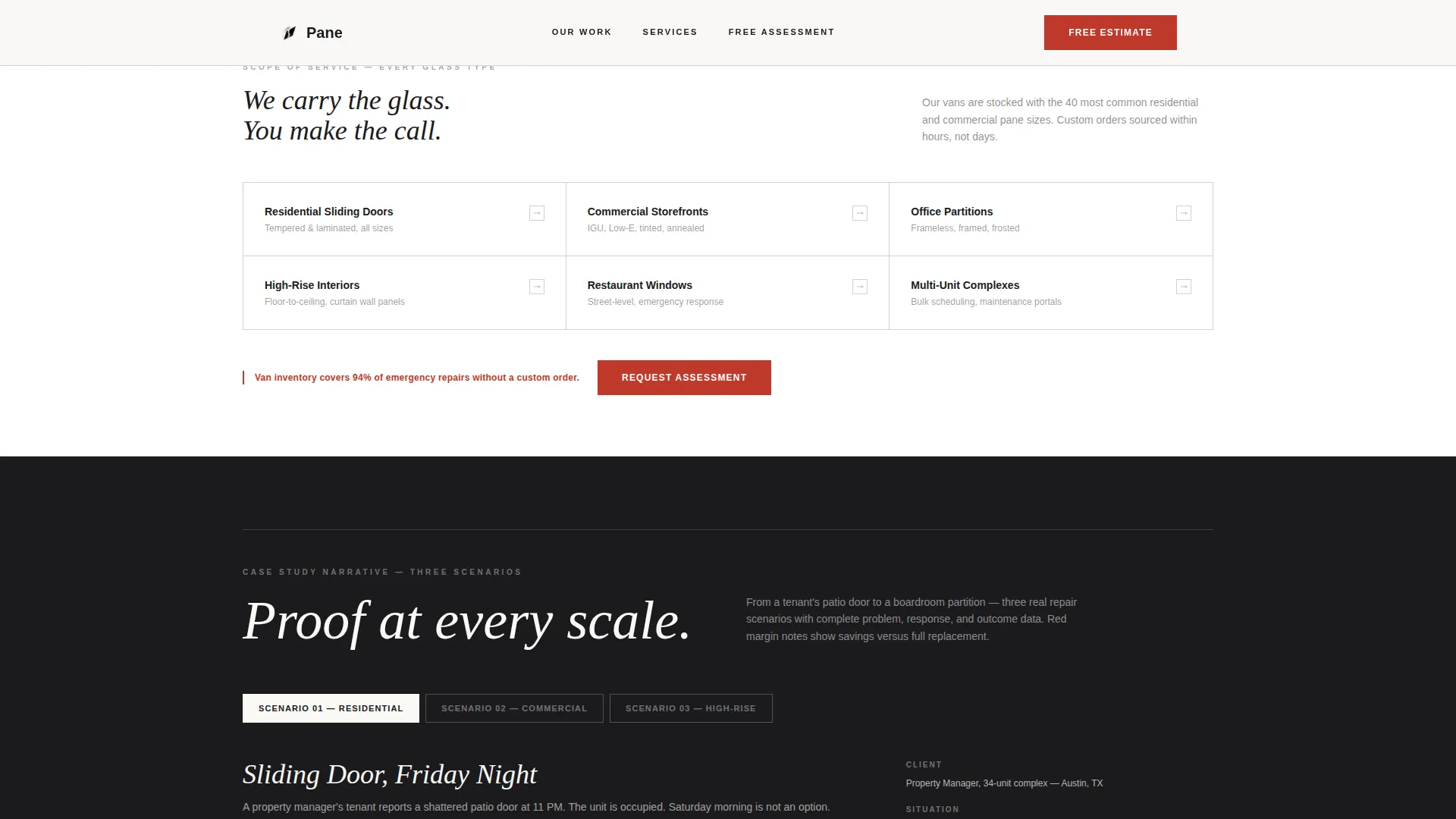
- Three scenario-based comparison tables covering residential, commercial, and high-rise repair cases with cost-savings annotations
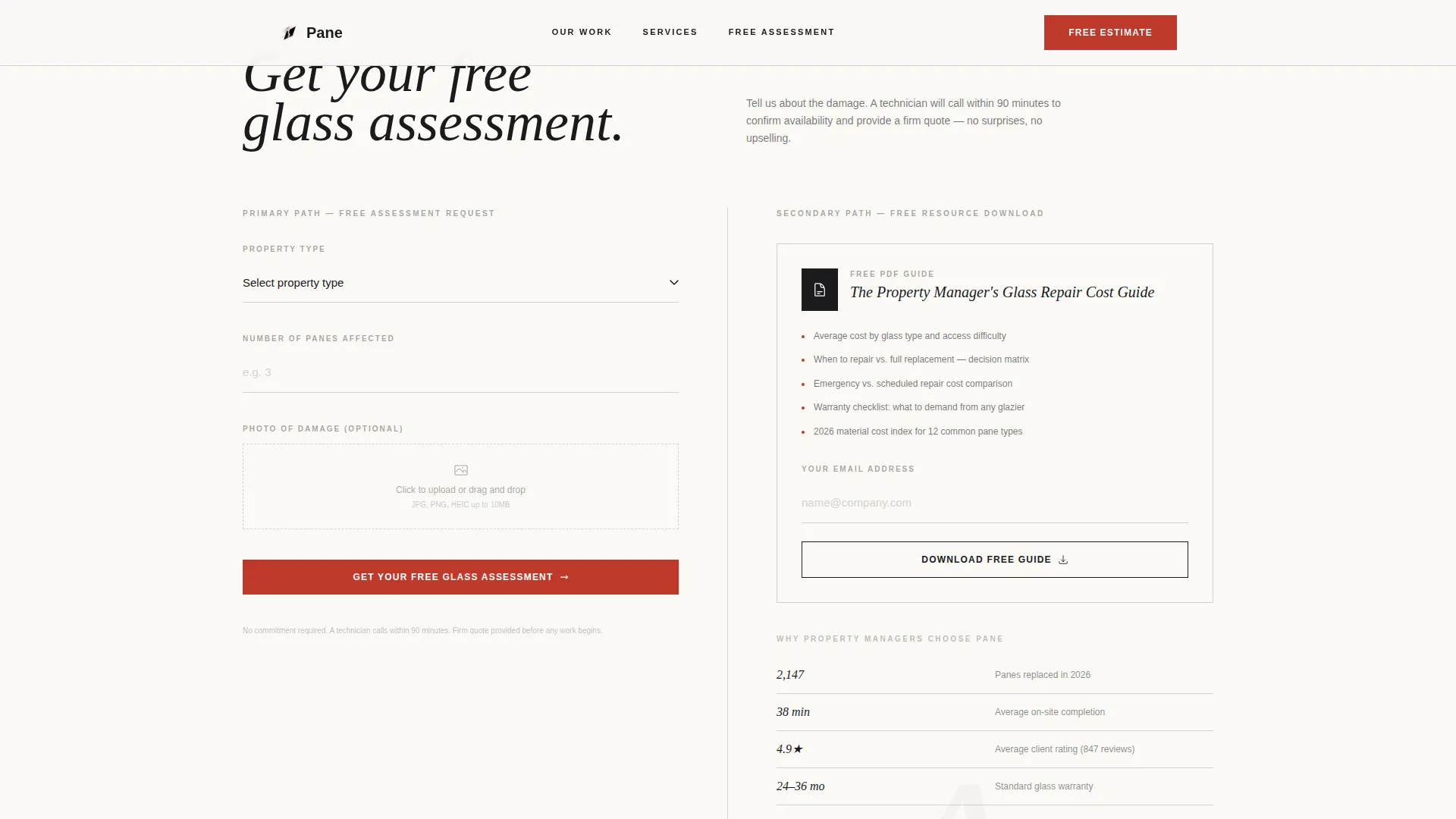
- A dual-path conversion section featuring a three-field free estimate form and a gated PDF download for deeper leads
Feature list
This template is built around a core set of purpose-driven components. Each one earns its place by doing specific work in the conversion flow.
Animated Data Hero
The hero opens with two dominant statistics that animate upward like live counters. A hairline gray rule grid frames the numbers as ledger entries, and a five-image before-and-after thumbnail strip sits below each tagged with response time and square footage.
Three-Scenario Comparison Tables
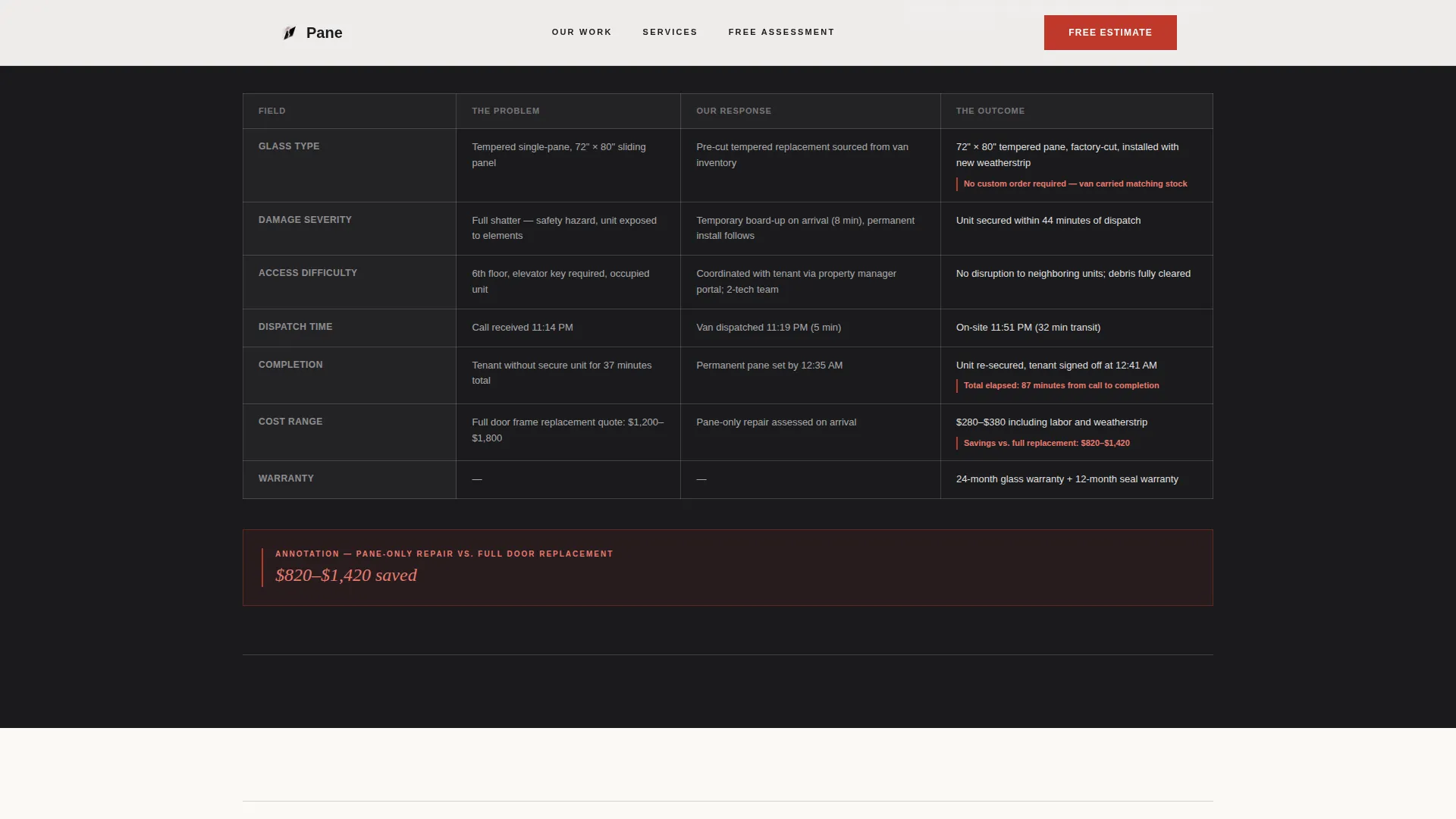
Three structured tables walk visitors through a residential sliding door, a commercial storefront, and a high-rise interior partition. Each table compares the problem, the response, and the outcome across consistent fields, so readers can immediately locate the scenario closest to their own situation.
Red-Ink Savings Annotations
Cost-savings callouts styled as red-ink margin notes appear inside each comparison table. They highlight the difference between repair and full replacement cost, giving decision-makers a quick anchor before they reach the estimate form.
Free Assessment Form
A three-field form collects property type via dropdown, number of panes affected, and a photo upload of the damage. The compact structure reduces friction while still giving the service provider enough context to prepare a useful estimate.
Gated PDF Resource Download
A secondary conversion path offers a downloadable guide titled "The Property Manager's Glass Repair Cost Guide." It is gated behind a single email field, creating a lower-commitment entry point for visitors who are not yet ready to submit a full request.
Editorial Typography System
Headlines use DM Serif Display for authority and weight. Body copy uses Plus Jakarta Sans for clean legibility. The pairing creates a formally precise reading experience that matches the template's ledger-like editorial tone.
Page sections overview
| Section | Purpose |
|---|---|
| Hero Data Counter | Establish credibility instantly with animated job statistics and before-and-after thumbnails |
| Residential Repair Table | Compare problem, response, and outcome for a sliding door replacement scenario |
| Commercial Storefront Table | Show dispatch speed and materials for a front-window repair case |
| High-Rise Partition Table | Demonstrate capability at scale with an interior partition scenario |
| Free Assessment Form | Convert ready visitors with a three-field inquiry form including photo upload |
| PDF Download Gate | Capture email leads with a cost-guide download for property managers |
| Footer | Single-row linear footer with supporting links and contact reference |
Design & branding system
The visual identity follows a Corporate Precision editorial theme. Every design choice reinforces the feeling of a freshly printed inspection report, authoritative, structured, and immediately legible.
- Color palette: manuscript black (#1B1B1E) for text, warm cotton white (#FAF9F6) for backgrounds, ruled-line gray (#D2D2CF) for structural dividers, and red-ink annotation (#C0392B) reserved for calls to action and cost-savings callouts
- Typography: DM Serif Display headlines paired with Plus Jakarta Sans body text, creating a precise contrast between editorial weight and clean readability
- Layout language: hairline rule grids, ledger-style table structures, and wide white margins that give data room to breathe and ensure nothing competes with the core message
Mobile & speed optimization
The template is designed desktop-first, reflecting how property managers and office administrators typically research and submit service requests. A solid mobile fallback keeps the experience intact on smaller screens.
- Scroll-reveal animations and counter animations are scoped to client-side components, while static content uses server-side rendering for faster initial loads
- Comparison tables reflow cleanly for narrow viewports so the scenario data remains readable without horizontal scrolling
- The photo upload field and dropdown in the estimate form are touch-friendly and function correctly on mobile browsers
How this template helps you convert
Conversion is built into the structure of the page, not added at the end. By the time a visitor reaches the form, three rounds of scenario evidence have already addressed their likely objection.
- The animated hero counter establishes scale and speed before a visitor reads a single line of body copy, replacing skepticism with curiosity and forward momentum.
- The escalating comparison tables move from residential to commercial to high-rise, meeting each audience segment where they are and proving the service can handle their specific job type.
- The dual-path conversion section gives confident visitors a direct estimate path and hesitant visitors a low-friction PDF option, so neither group leaves without taking an action.
Other information about this template
This template is built specifically for the glass repair free estimate landing page use case within the professional services category. A few additional details are worth noting before you build.
- The template falls under the Glass Repair Marketing subcategory and is designed to serve both business-to-business property management contacts and direct business-to-consumer repair inquiries
- The comparison table format is the primary persuasion engine, and its three-tier escalation structure is intentional, it is not decorative content but core conversion architecture
- Animation is set at medium intensity: counter animations and scroll reveals create engagement without distracting from the data-driven content
- The footer uses a Pattern 1 linear single-row layout, keeping the page close cleanly without adding unnecessary navigation weight
- Localization is set to English, United States Dollar pricing context, and MM/DD/YYYY date formatting throughout
Theme
Corporate Precision
Creative direction
Case Study Narrative
Color system
Ink & Paper
Style
Comparison Table
Direction
Content/Resource
Page Sections
Animated Data Hero with Thumbnails
Three-tier Comparison Tables
Red-ink Cost Savings Callouts
Three-field Free Estimate Form
Gated PDF Lead Capture
Corporate Precision Editorial Design
Related questions
Who is this landing page template designed for?
Can I customize the comparison table scenarios?
What does the free assessment form collect?
Is the PDF download section required, or can I remove it?
Does the template include the animated counter in the hero?



