Glass Repair Marketing Specialist Professional Website Template
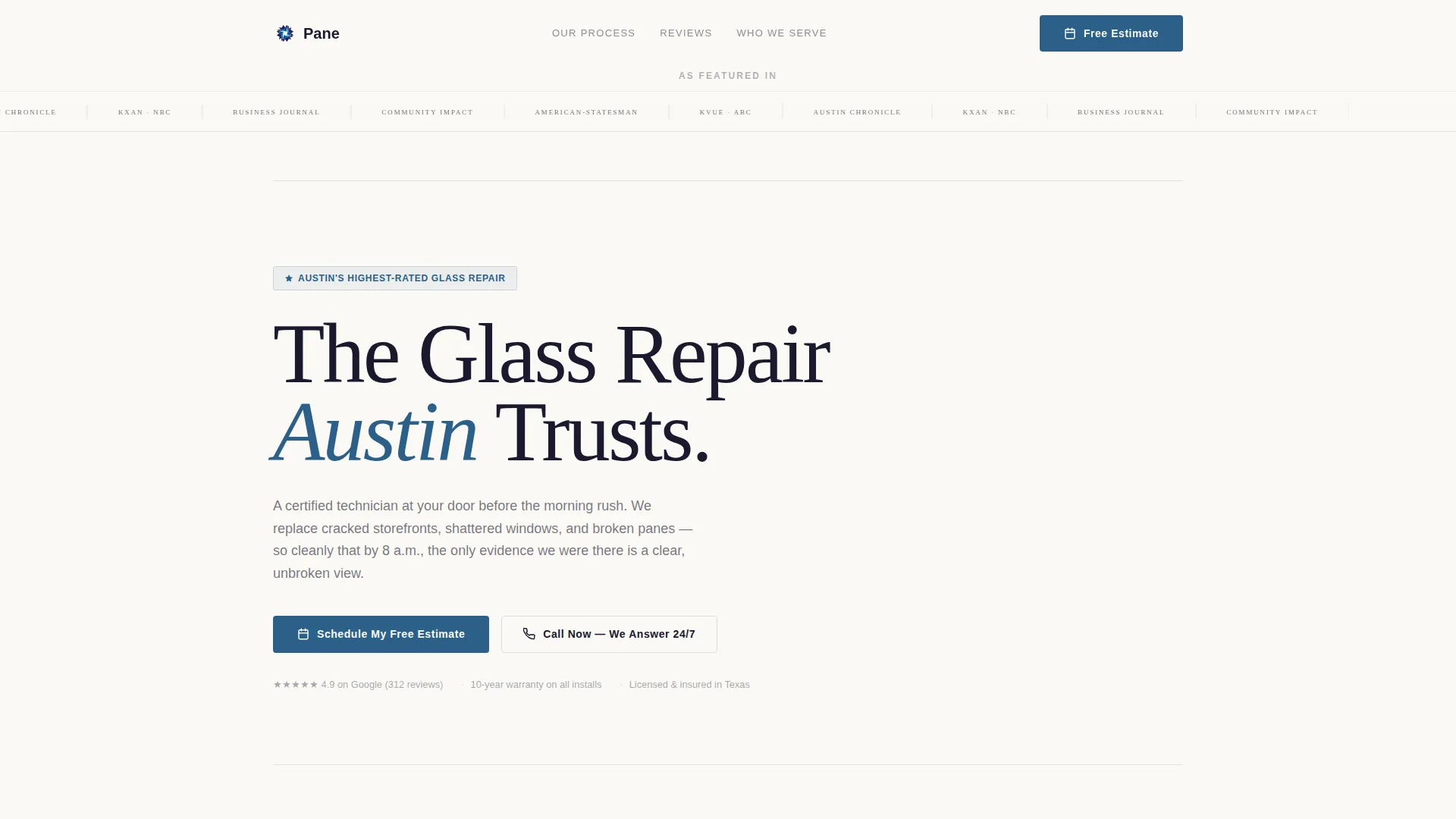
Pane is a glass repair landing page template built for local service businesses. It uses an Executive Suite visual theme with a Press Mentions header, a zigzag process walkthrough, and a single call-to-action that drives visitors to a scheduling page. The layout stacks trust signals before asking for anything, making the click feel like the only logical next step.
by Rocket studio
Quick summary
Pane is a click-through landing page template for local glass repair businesses. It opens with a press logo bar, walks visitors through the repair process in a zigzag layout, and closes each section with a prominent scheduling button. The design follows an Ink & Paper color system inside an Executive Suite theme, authoritative, clean, and built to convert.
Who this template is for
This template is built for glass repair businesses that rely on local search traffic and word-of-mouth trust. It suits service providers who want a polished, credible online presence without a complex build.
- Property managers who handle maintenance requests across multiple commercial locations
- Restaurant and retail owners dealing with cracked or shattered storefront glass
- Residential glass repair businesses serving homeowners with broken windows
What problem this template solves
Most local glass repair businesses either have no landing page or use a generic one that fails to build trust. Visitors arrive uncertain and leave without booking. This template solves that by stacking social proof and process clarity before ever asking for a click.
- No dedicated place to display press features, review quotes, or repair process steps
- Generic layouts that treat all service businesses the same, regardless of niche
- No clear path from first impression to booking a free estimate
What you get with this template
You get a single-page layout designed specifically for glass repair local marketing. Every section has a defined job, and together they guide visitors from awareness to action without friction.
- A press mentions bar at the top displaying media logos in monochrome ink-black
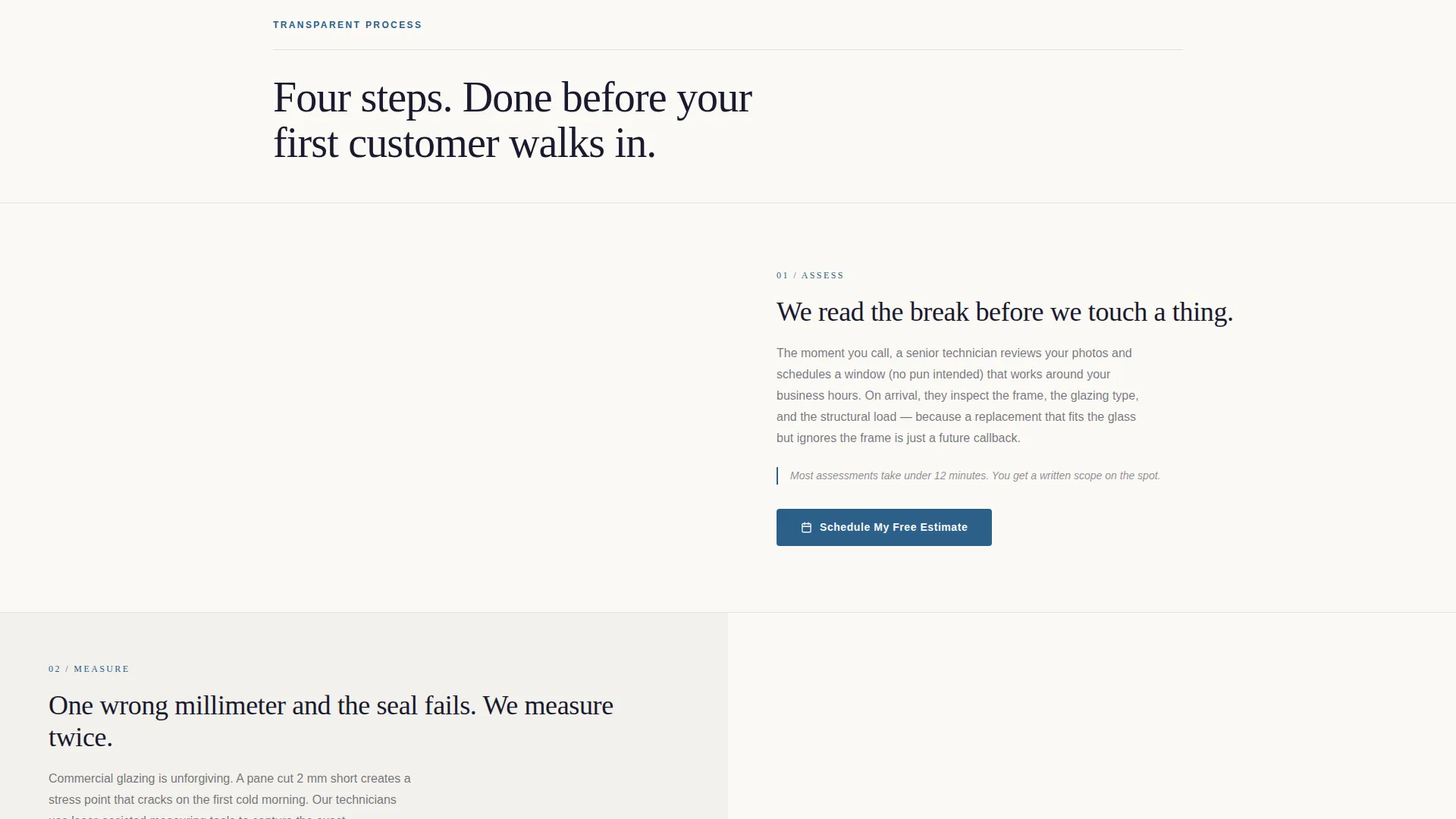
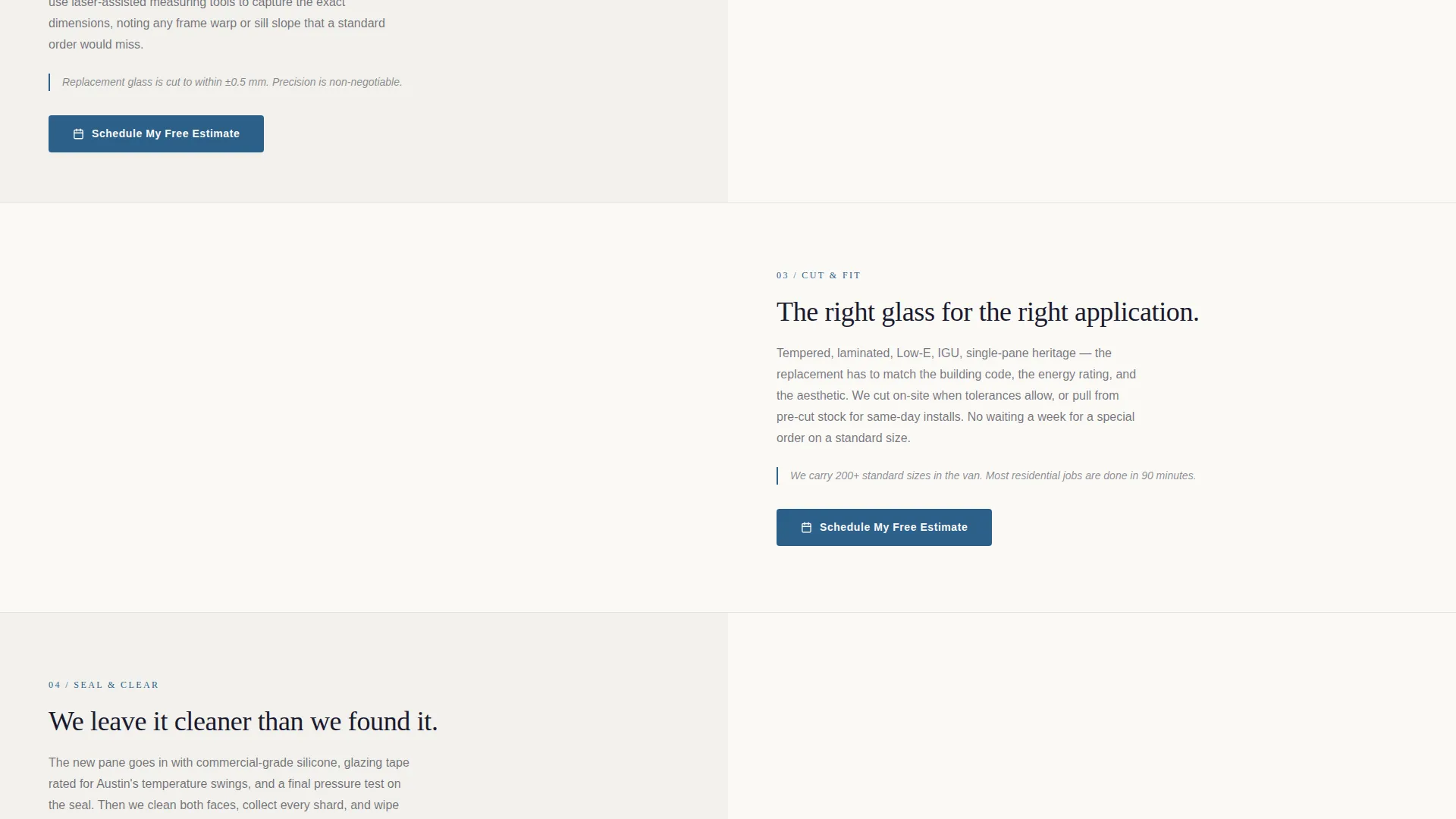
- A zigzag alternating layout that walks through each step of a real repair job
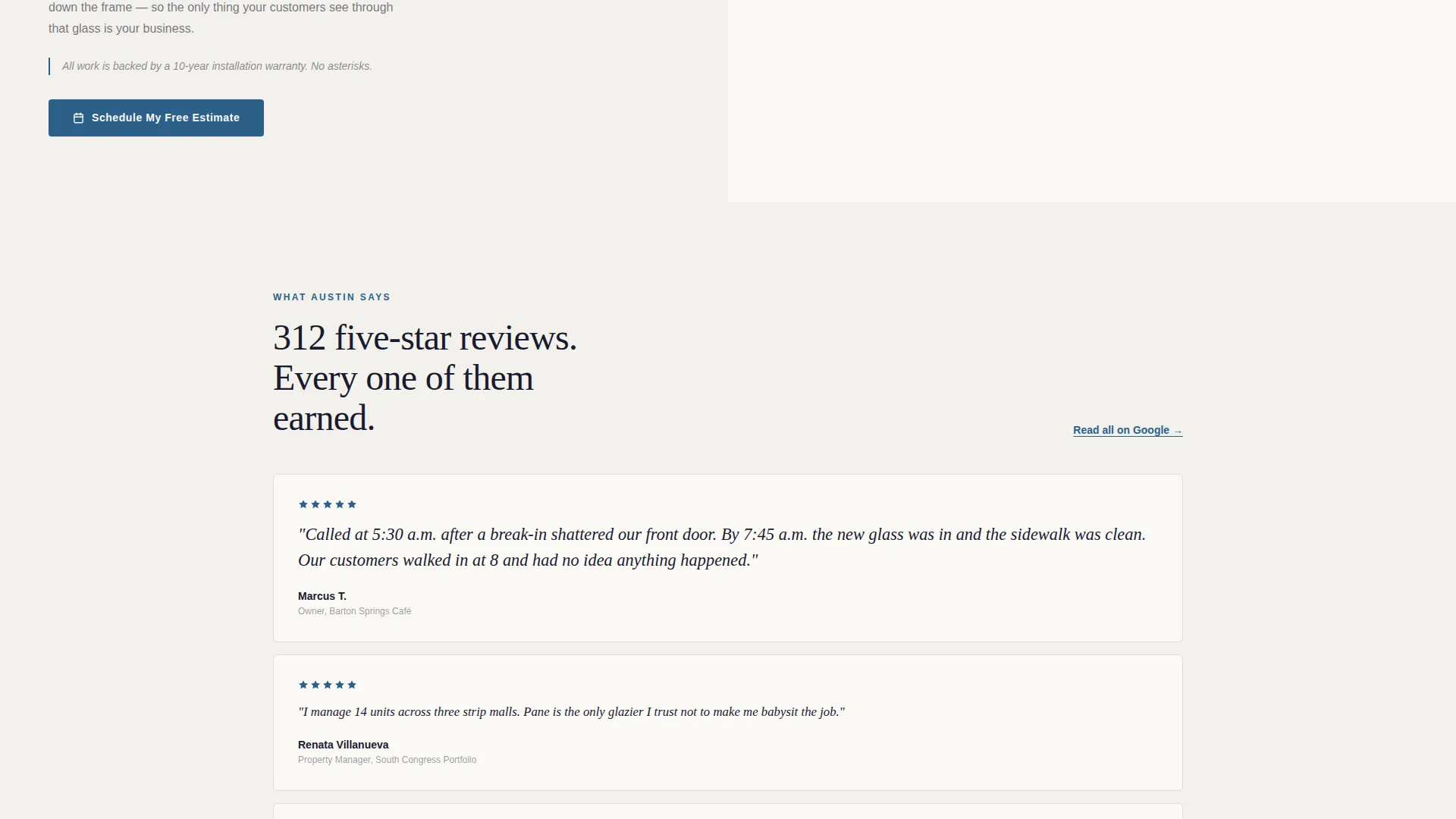
- Pull-quote blocks for five-star review snippets arranged in a mosaic pattern
- A primary call-to-action button ("Schedule My Free Estimate") in fountain-pen blue, repeated at each alternating section
- A fixed mobile footer with a click-to-call button reading "Call Now, We Answer 24/7"
Feature list
This template is built around a small set of purposeful components. Each one has a specific role in moving a visitor toward booking.
Press Mentions Header Bar
A clean horizontal row sits directly below the navigation. It displays local newspaper mastheads and television affiliate logos in monochrome against bond-white. The effect is immediate credibility before a single word of copy is read.
Zigzag Alternating Process Sections
Each section pairs a photograph of a repair step with an editorial-style description on the opposite side. The sequence covers inspection, measurement, cutting, and sealing. The layout alternates left and right as the visitor scrolls, building a sense of narrative momentum.
Repeating call to action Button
The primary call-to-action, "Schedule My Free Estimate," appears in fountain-pen blue at each alternating section. Repetition removes the need to scroll back up when a visitor is ready to act.
Five-Star Review Mosaic
A mosaic block surfaces pull-quotes from verified customer reviews. It appears after the process walkthrough, reinforcing trust at the exact moment a visitor is weighing whether to book.
Fixed Mobile Click-to-Call Footer
On mobile, a sticky footer button labeled "Call Now, We Answer 24/7" stays visible at all times. Visitors can call directly without hunting for a phone number.
Single-Page Click-Through Architecture
There is no form on this page. Every path leads to one action: a button click that carries the visitor to a separate booking or scheduling flow. The simplicity reduces decision fatigue and keeps the focus on the offer.
Page sections overview
| Section | Purpose |
|---|---|
| Press Mentions Bar | Display media features to establish instant local credibility |
| Hero Headline Block | Anchor the page with a single authoritative serif statement |
| Process Step One | Show technician inspecting the break with paired editorial copy |
| Process Step Two | Show technician measuring the frame with paired editorial copy |
| Process Step Three | Show technician cutting the replacement with paired editorial copy |
| Process Step Four | Show technician setting the seal with paired editorial copy |
| Review Quote Mosaic | Stack five-star pull-quotes to reinforce trust before final call to action |
| Closing call to action Block | Deliver the final "Schedule My Free Estimate" prompt |
| Fixed Mobile Footer | Provide a persistent click-to-call button for mobile visitors |
Design & branding system
The template uses an Ink & Paper color system inside an Executive Suite theme. The palette is editorial and restrained, chosen to signal professionalism without visual noise.
- Deep editorial black (#1A1A2E) for primary text and structural elements
- Warm bond-white (#FAF9F6) as the main background, giving the page an uncluttered broadsheet feel
- Cool newsprint gray (#D6D5C9) for dividers, secondary containers, and supporting text
- Fountain-pen blue (#2C5F8A) used exclusively for links, call-to-action buttons, and trust badge accents
Mobile & speed optimization
The template is structured to work cleanly on mobile without requiring a separate design pass. The fixed footer call-to-call button is the clearest example of mobile-first thinking baked into the layout.
- The fixed mobile footer keeps the click-to-call action permanently accessible as visitors scroll
- The zigzag sections restack to a single-column flow on smaller screens, preserving readability
- The press logo bar renders each logo in monochrome, keeping asset weight low and the row visually consistent across screen sizes
How this template helps you convert
The page is engineered as a click-through, meaning every design decision either builds trust or removes a reason not to click. The sequence is deliberate.
- Proof arrives before the ask: press logos, process photography, and review quotes all appear before the final call-to-action, so visitors feel informed rather than sold to.
- The call-to-action repeats at each alternating section, meaning a visitor who is ready to act at any point in the scroll never has to hunt for the button.
- The fixed mobile footer eliminates the most common mobile drop-off point by keeping a direct call option visible at all times.
Other information about this template
This template sits within the Professional Services category, under the Glass Repair Marketing subcategory. It is designed for the glass repair local search engine optimization (SEO) landing page niche, where trust and locality signals matter more than elaborate visual effects.
- The template style is zigzag alternating, which is well-suited to process-driven service businesses
- The creative direction is Transparent Process, meaning the design builds confidence by showing the work rather than just claiming quality
- The header concept is Press Mentions, a trust-first approach that leads with third-party validation
- The landing page direction is Click-Through, with no embedded form and a single conversion path
- The theme is Executive Suite, which pairs naturally with serif typography, generous negative space, and a muted editorial palette
Theme
Executive Suite
Creative direction
Transparent Process
Color system
Ink & Paper
Style
Zigzag/Alternating
Direction
Click-Through
Page Sections
Press Mentions Header Bar
Zigzag Alternating Process Layout
Repeating Schedule Call to Action Button
Five-star Review Mosaic
Fixed Mobile Click-to-call Footer
Single-path Click-through Architecture
Related questions
Does this template include a contact form?
Can I use this template for a residential glass repair business?
How many call-to-action buttons does this template include?
Is the press mentions bar easy to update with my own media logos?
What makes this template different from a general service business template?



