Glazier FAQ & Lead Generation Landing Page Template
Pane is a single-page glazier landing page template built around a zigzag testimonial and FAQ layout. It pairs real customer stories with honest service answers, driving trust before the form ever appears. A stats bar, sticky call-to-action, and a lead-capture form with a PDF download make it a complete lead generation tool for glazing professionals.
by Rocket studio
Quick summary
Pane is a clean, conversion-focused landing page template for glaziers. It opens with a bold stats bar, then guides visitors through alternating testimonial and FAQ sections before presenting a short lead capture form. The design feels as sharp and uncluttered as freshly installed glass, letting your credibility carry the page.
Who this template is for
This template is built for glazing professionals who need a polished online presence without a complex website build. It suits anyone who handles residential, commercial, or specialist glass work and needs qualified enquiries fast.
- Independent glaziers and small glazing workshops handling emergency repairs and custom installations
- Property managers and contractors who need a reliable sub-trade contact page for ongoing glazing work
- Glazing businesses targeting homeowners with storm damage, shower enclosure upgrades, or heritage leaded light restoration
What problem this template solves
Most glaziers rely on word of mouth, but that alone rarely fills a schedule or converts urgent late-night searches. When a homeowner finds your page after a cracked patio door, they need immediate reassurance, not a wall of text.
- Visitors arrive anxious and time-pressured, needing fast answers before they call a competitor
- Generic service pages fail to build trust because they show no real proof and answer no real questions
- Lead forms placed too early get abandoned before visitors are convinced enough to share their contact details
What you get with this template
You get a fully structured, single-page layout ready to represent any glazing business. Every section has a clear purpose, and the visual hierarchy keeps visitors moving toward the enquiry form.
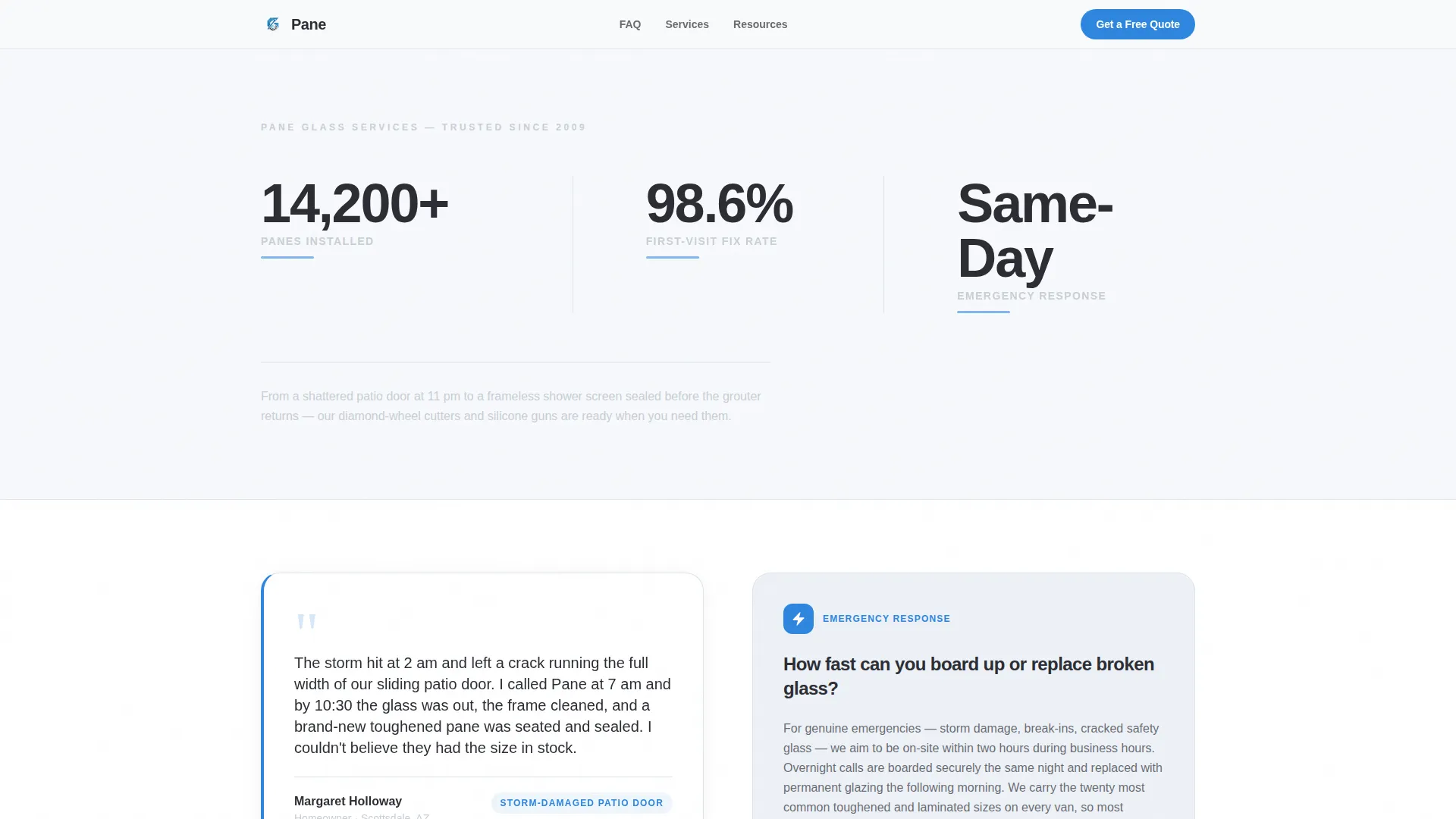
- A stats and metrics header displaying three credibility counters with bold typography and a safety-tape blue accent
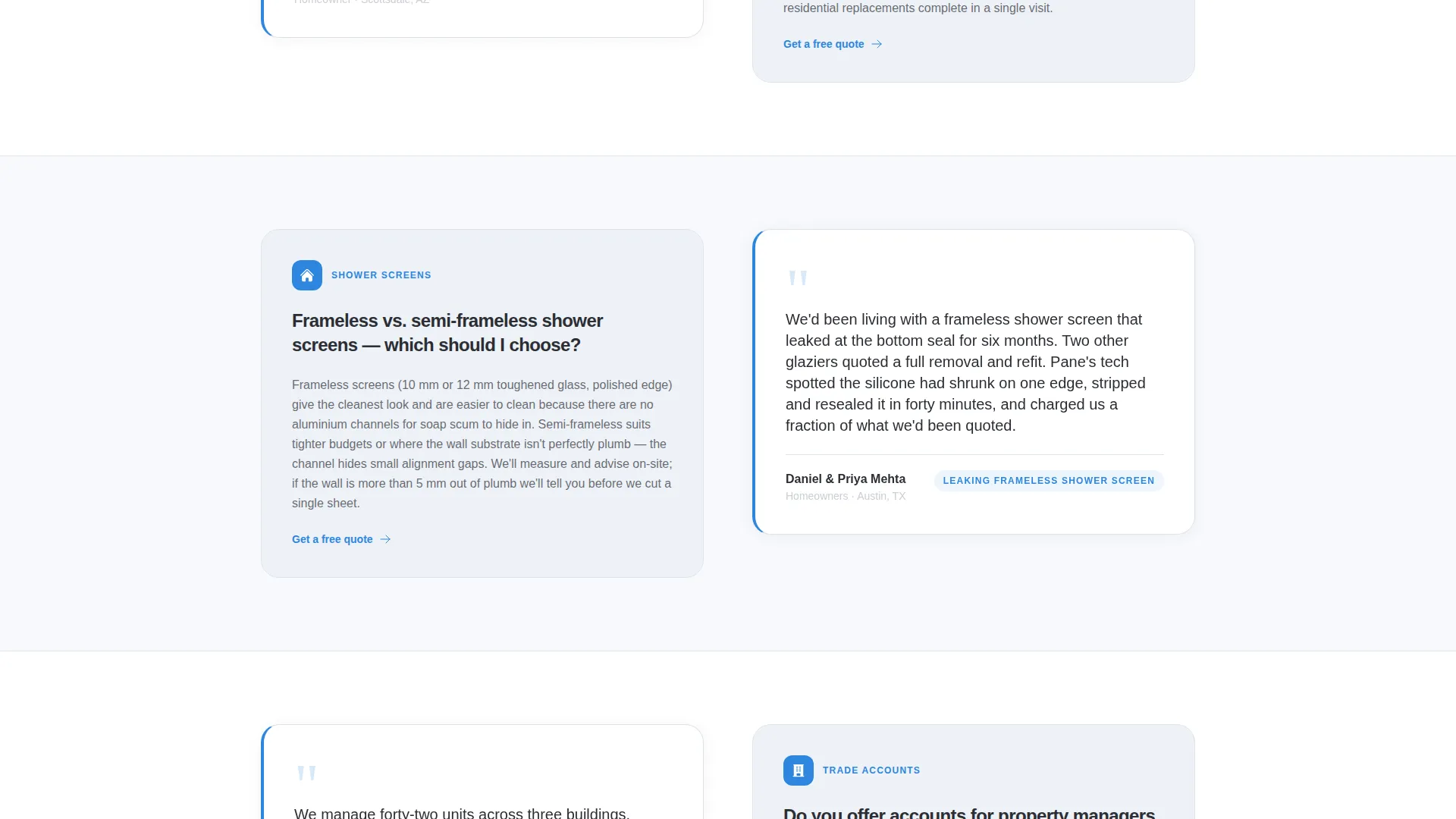
- A zigzag testimonial and FAQ body where customer quotes introduce and validate each service answer
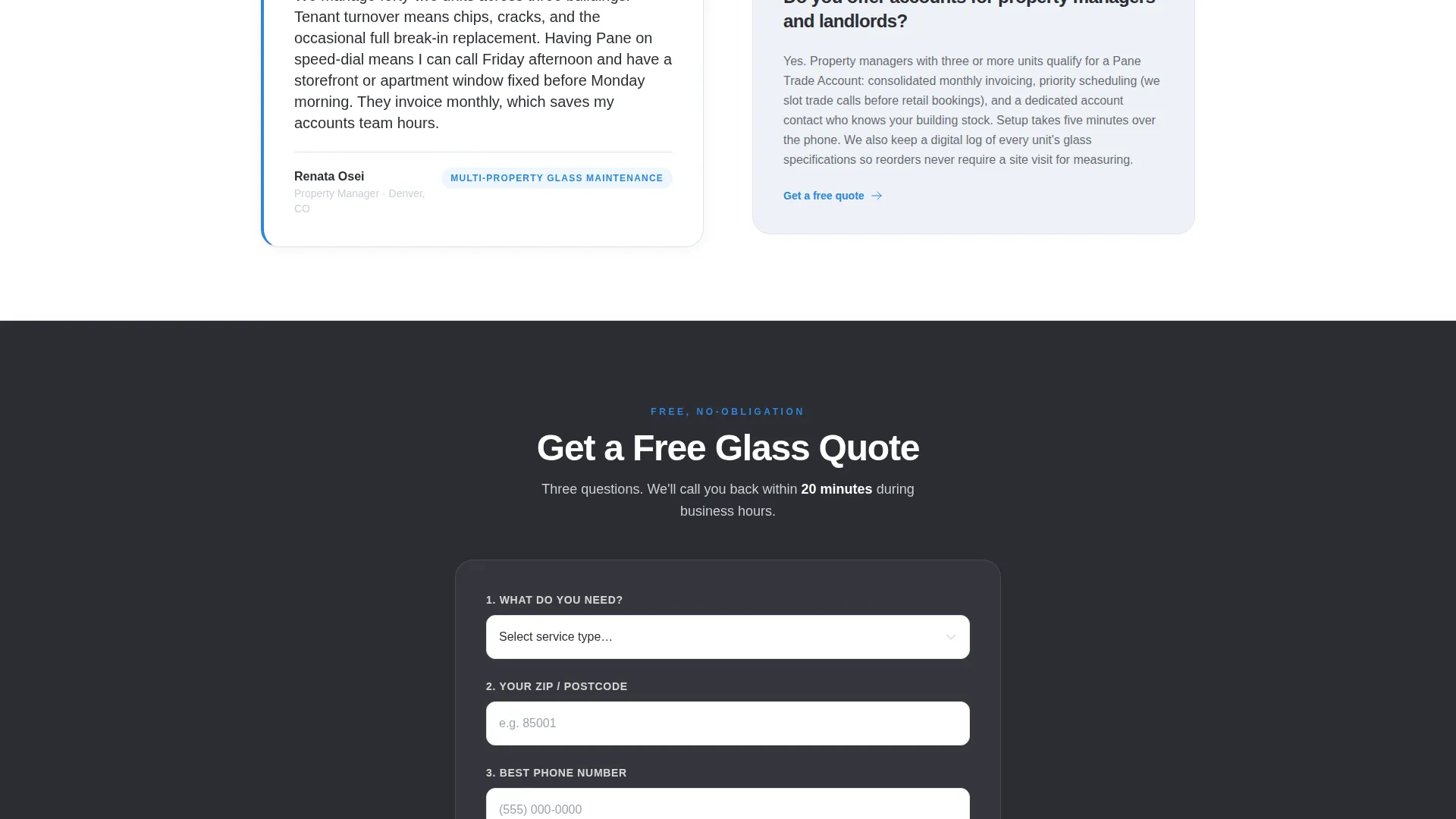
- A lead generation form with a service-type dropdown, postcode field, phone input, and a secondary PDF download path
Feature list
The Pane template is designed around one goal: turning a nervous visitor into a confirmed lead. Every component earns its place on the page.
Stats and Metrics Header Bar
Three oversized counters present key proof points at a glance: panes installed, first-visit fix rate, and same-day emergency response. Bold putty charcoal numerals and a pulsing safety-tape blue underline make the data impossible to miss.
Zigzag Testimonial and FAQ Sections
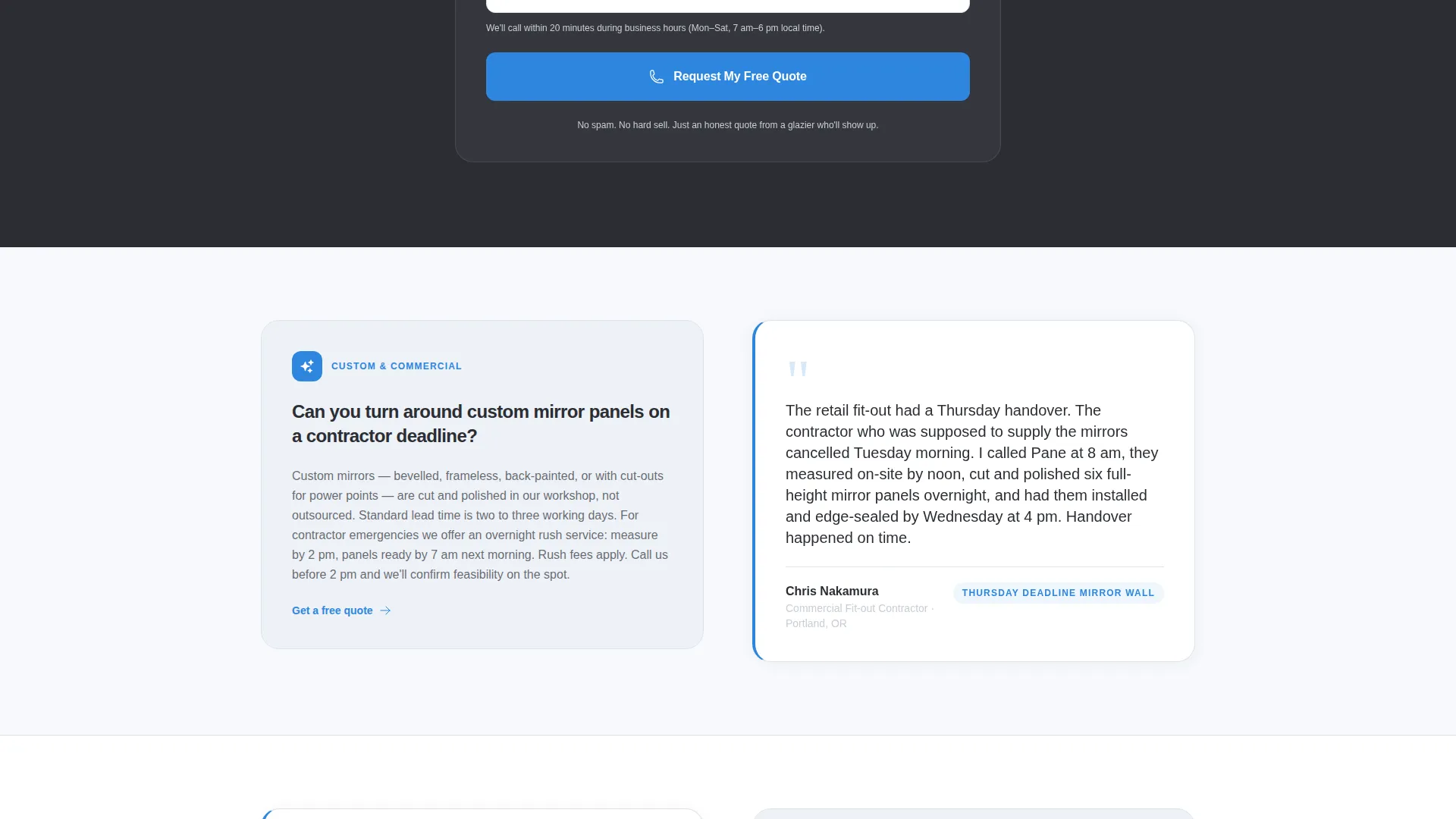
Each alternating row pairs a real customer story on one side with the FAQ answer it naturally introduces on the other. The left-story, right-fact rhythm keeps the eye engaged and matches every visitor type, from shower enclosures to commercial storefronts.
Sticky Mobile Call-to-Action Button
On mobile, the "Get a Free Glass Quote" button stays pinned to the screen as visitors scroll. It also repeats inline after every third zigzag section, so the invitation to enquire is never more than a glance away.
Three-Field Lead Capture Form
The form asks only three things: service type via a dropdown, postcode, and a phone number. A reassuring note confirms a callback within 20 minutes during business hours, reducing hesitation at the point of conversion.
PDF Lead Magnet Download
A secondary conversion path offers a downloadable "Glass Care and Emergency Guide" in exchange for an email address. This nurtures visitors who are not ready to call, keeping the business in reach until they are.
Service Utility Visual Theme
The Arctic White color system keeps every element clean and purposeful. Clinical frost white backgrounds, tempered-glass silver dividers, deep putty charcoal headlines, and a single safety-tape blue accent create a palette that feels as transparent and precise as the trade it represents.
Page sections overview
| Section | Purpose |
|---|---|
| Stats metrics bar | Opens with three credibility counters to establish trust immediately |
| Zigzag testimonials | Pairs customer stories with FAQ answers in an alternating scroll rhythm |
| Inline call to action blocks | Repeats the quote form after every third zigzag section |
| Lead capture form | Collects service type, postcode, and phone for direct enquiry routing |
| PDF download offer | Captures email from visitors not yet ready to call |
Design & branding system
The template uses a Service Utility theme built on an Arctic White color system. Every color choice reinforces the idea of clarity, precision, and cleanliness, directly echoing the glazing trade itself.
- Clinical frost white (#F7F9FC) for backgrounds, tempered-glass silver (#C9CED6) for dividers and secondary text, and deep putty charcoal (#2B2D33) for all headlines
- A single safety-tape blue (#2E86DE) accent appears on buttons, links, interactive highlights, and the pulsing underline beneath each stat counter
- The overall palette avoids decoration for its own sake, keeping the reader focused on the content rather than the surface
Mobile & speed optimization
The layout is structured with mobile visitors firmly in mind. Glazing emergencies rarely happen at a desktop, so the template keeps the most important actions easy to reach on a small screen.
- The sticky "Get a Free Glass Quote" button stays visible as mobile users scroll through testimonials and FAQ sections
- The three-field form is deliberately short, reducing friction for visitors filling it in on a phone
- The zigzag layout stacks cleanly into a single-column flow on narrow screens, preserving readability without breaking the visual rhythm
How this template helps you convert
The page is engineered to build trust progressively, so the form feels like a natural next step rather than a cold ask.
- The stats bar delivers immediate proof before a visitor has read a single word of copy, anchoring credibility at the very top of the page
- The testimonial and FAQ zigzag earns trust section by section, matching each visitor's specific situation and answering their hesitations in the voice of a real customer
- The dual conversion paths, a phone callback form and a PDF download, capture both ready-to-act leads and slower-moving researchers, so no visit is wasted
Other information about this template
Pane is part of a broader Professional Services template collection focused on trade and specialist service businesses. It is designed for the glazier online presence niche and sits within the Glazier FAQ and Resource Page intersection, making it a strong fit for businesses building authority through transparent, question-led content.
- The template style is Zigzag/Alternating, a layout proven to hold attention longer than standard stacked sections on service pages
- The Testimonial Mosaic creative direction means social proof is woven throughout the page rather than isolated in a single review block
- The Lead Generation direction means every design decision, from sticky buttons to the short form, prioritises capturing contact details over passive reading
Theme
Service Utility
Creative direction
Testimonial Mosaic
Color system
Arctic White
Style
Zigzag/Alternating
Direction
Lead Generation
Page Sections
Stats and Metrics Header Bar
Zigzag Testimonial and FAQ Layout
Sticky Mobile Call-to-action
Three-field Lead Capture Form
PDF Lead Magnet Download Path
Arctic White Service Utility Design
Related questions
Can I use this template if I offer more than one type of glazing service?
Does the template work for both residential and commercial glazing businesses?
What is the PDF lead magnet included in the template?
Is the call-to-action button always visible on mobile screens?
How many fields does the lead capture form contain?



