Solar Installer Landing Page Template
Panels is a split-screen solar installer landing page template built to turn skeptical homeowners into booked consultations. It pairs real case study storytelling with a low-friction three-step savings form, educational interstitials, and a bold manifesto header. The charcoal and amber design system feels grounded, credible, and warm, exactly the tone a trusted local installer needs.
by Rocket studio
Quick summary
Panels is a single-page solar installer landing page template built around one goal: getting a cautious homeowner to book a free roof assessment. It opens with a bold manifesto, walks visitors through three real-world case studies, answers their sharpest objections inline, and closes with a three-step savings estimator that delivers value before asking for a commitment.
Who this template is for
This template is designed for solar installation businesses that want a credible, story-driven landing page rather than a generic brochure site. It works best when the installer has real customer results to share and wants to speak plainly to neighbors, not pitch to strangers.
- Residential solar installers targeting suburban homeowners with high utility bills
- Solar businesses serving small commercial clients who need tax credit guidance
- Installer teams ready to replace door-to-door outreach with a warm, trustworthy digital presence
What problem this template solves
Most solar landing pages lead with technical specs or vague promises. Visitors bounce because nothing feels personal or believable. This template solves that by replacing spec sheets with relatable stories and replacing hard sells with honest education.
- Homeowners distrust solar sales pitches and need a neighbor's voice, not a salesperson's script
- Visitors leave without booking because they cannot picture themselves in the outcome
- Generic solar pages bury the real financial numbers instead of leading with them
What you get with this template
The template delivers a fully structured single-page layout built around narrative, education, and conversion. Every section has a clear job and a clear visual logic.
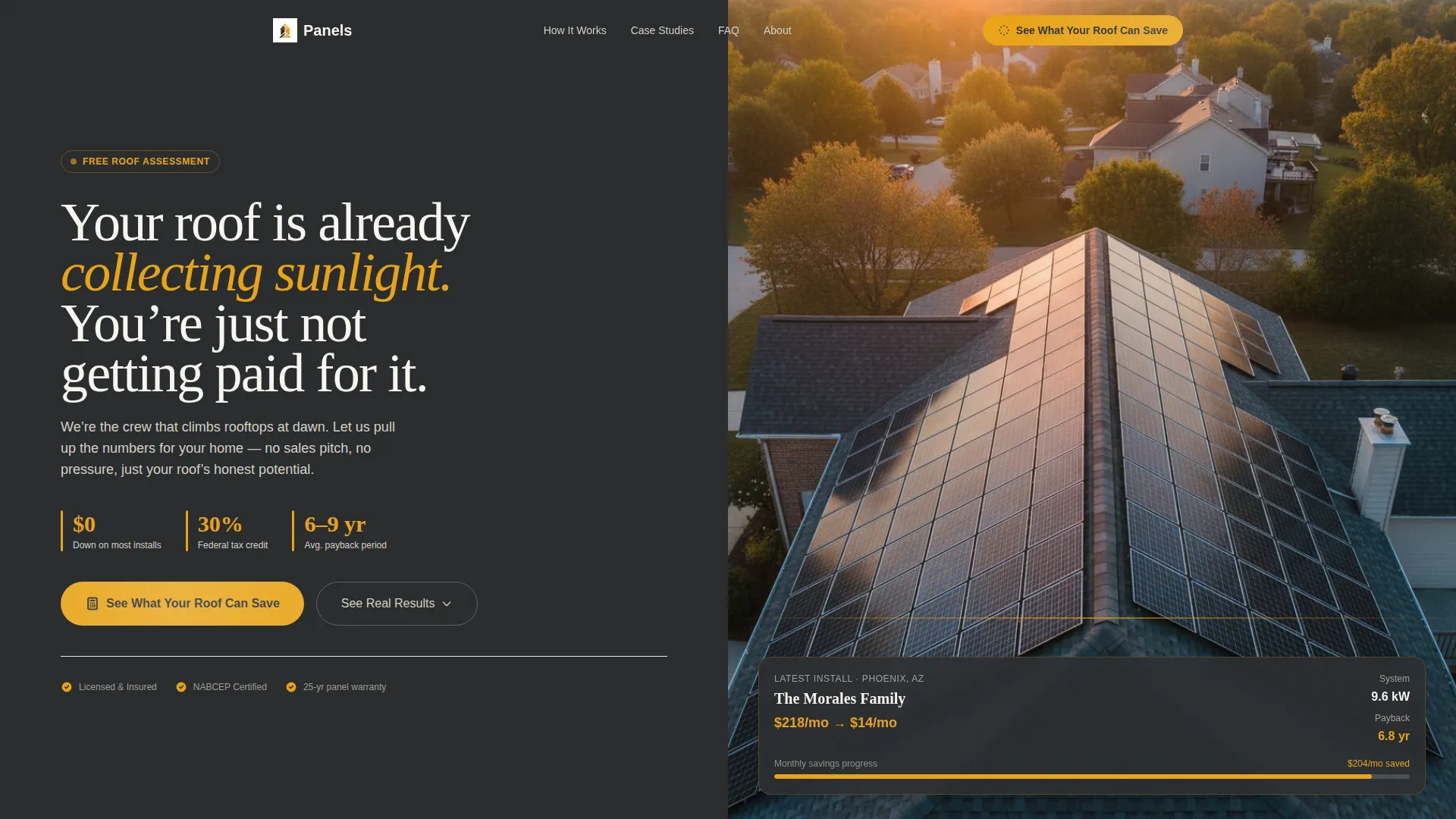
- A split-screen manifesto header with a bold serif statement and a drone-shot roof photograph
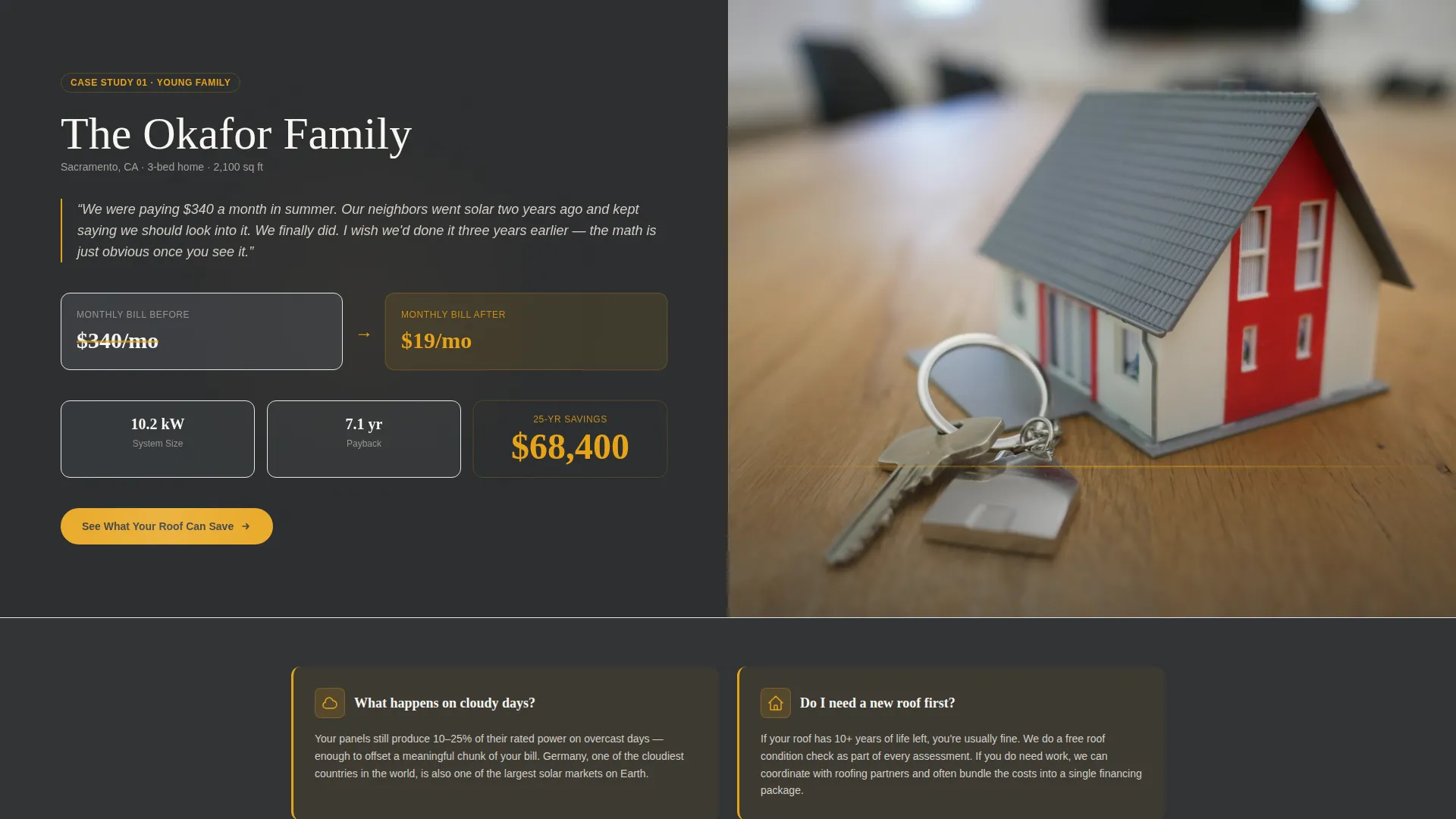
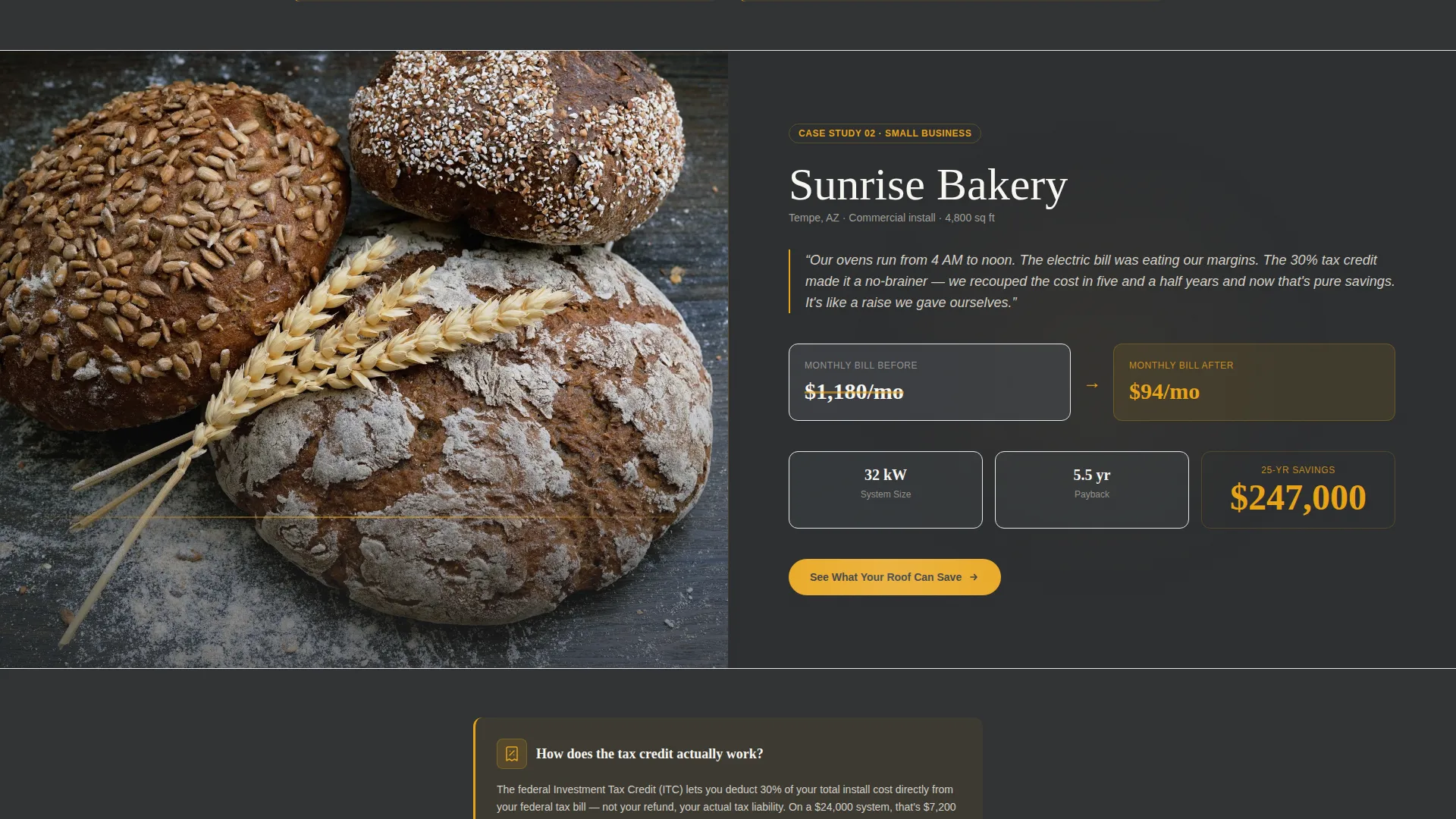
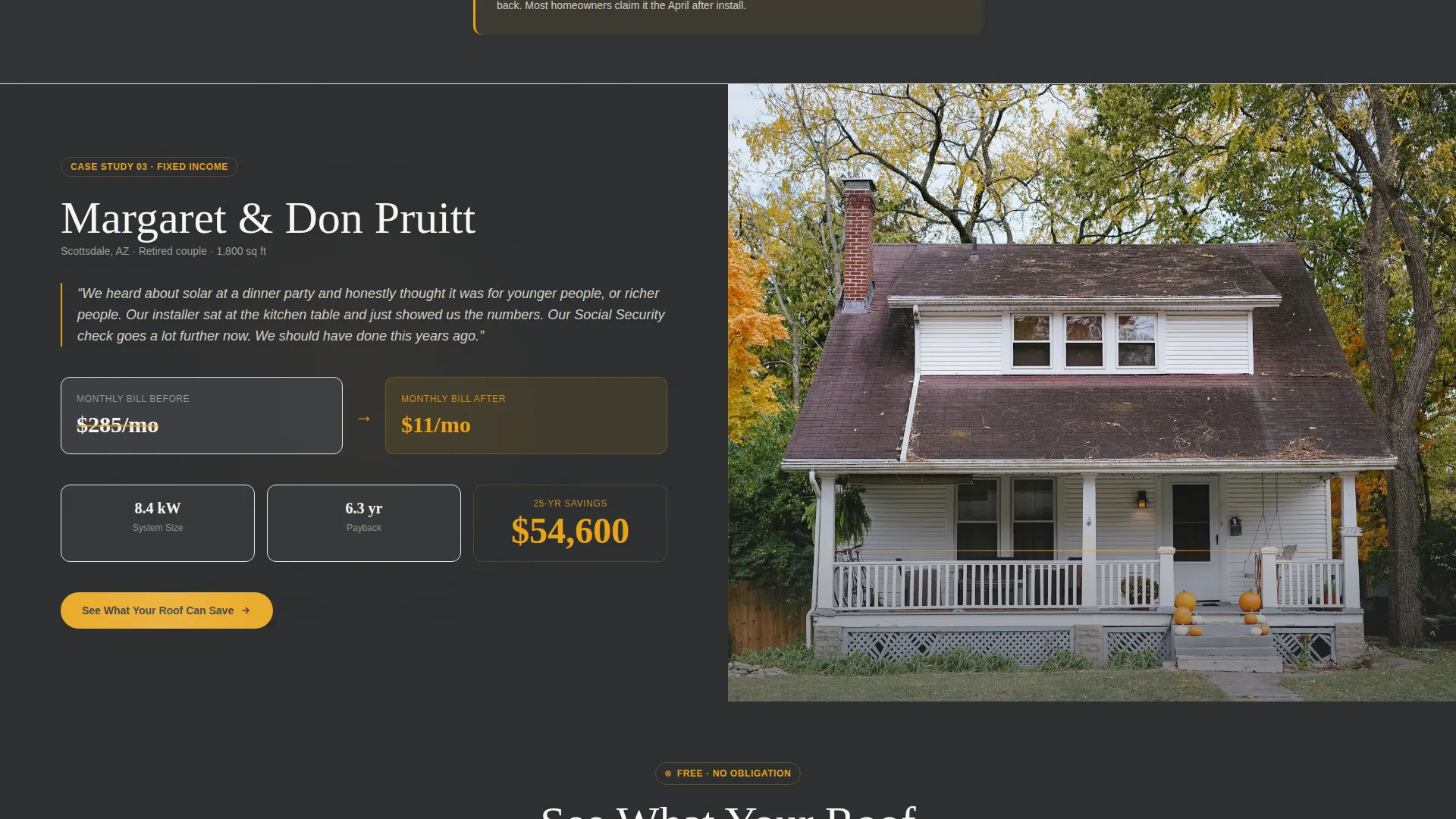
- Three scrollable case study sections pairing live data panels with homeowner photography
- A three-step inline booking form with a zip code input, a ballpark savings estimate, and a calendar picker for scheduling a free roof assessment
Feature list
This template is built around purposeful components. Each one earns its place by moving the visitor one step closer to booking.
Split-Screen Manifesto Header
The header divides the viewport evenly. The left side holds an oversized serif statement in charcoal: "Your roof is already collecting sunlight. You're just not getting paid for it." The right side displays a tight overhead drone shot of a completed residential install with amber light caught in the panel glass.
Case Study Narrative Sections
Three full-width split-screen case study blocks tell real homeowner stories. The left panel shows the data: monthly bill before and after, system size, payback period, and a lifetime savings counter. The right panel shows the home, the family or business, and the roof. The three stories cover a young family, a small bakery, and a retiree on fixed income.
Inline Educational Interstitials
Between each case study, a short amber-highlighted card answers exactly one homeowner question. Examples include what happens on cloudy days, whether a new roof is needed first, and how the federal tax credit works. Each card uses plain language and stays under three sentences.
Three-Step Savings Estimator Form
The primary conversion tool is an inline three-step form. Step one collects zip code and average monthly electric bill. Step two instantly shows a ballpark savings estimate. Step three offers a calendar picker to book a free roof assessment with a licensed installer.
Secondary Email Capture Path
Visitors who are not ready to book can download a Homeowner's Solar Checklist by entering their email. This secondary path keeps hesitant visitors engaged and in the pipeline without pressuring them toward an immediate appointment.
Repeating call to action Structure
The primary call to action, "See What Your Roof Can Save," appears first beneath the manifesto header and then repeats after each case study. The repetition ensures the booking entry point is always one scroll away, regardless of where a visitor pauses on the page.
Page sections overview
| Section | Purpose |
|---|---|
| Manifesto Header | Opens with a bold claim and a completed-install roof photo |
| Case Study One | Young family story with before-and-after bill data |
| Educational Card One | Answers one objection in plain language |
| Case Study Two | Small bakery story with tax credit context |
| Educational Card Two | Answers one objection in plain language |
| Case Study Three | Retiree on fixed income with lifetime savings data |
| Educational Card Three | Answers one objection in plain language |
| Savings Estimator Form | Three-step inline form leading to a booked assessment |
| Email Capture Section | Secondary path for visitors not yet ready to book |
Design & branding system
The visual identity follows an Educational Guide theme. The palette is built around late-afternoon rooftop light: charcoal anchors authority, amber draws the eye to what matters, and panel-white gives content room to breathe without feeling clinical.
- Deep roof-shingle charcoal (#2B2D2F) and warm inverter gray (#4A4E54) anchor all text and section backgrounds
- Amber sunlight (#E8A317) highlights every savings figure, interactive element, call to action button, and progress indicator
- Clean panel-white (#F7F5F0) backgrounds keep educational content readable and open
Mobile & speed optimization
The split-screen layout is designed to reflow cleanly on smaller screens. Each section is structured so the data panel and the story panel stack vertically without losing meaning or visual hierarchy.
- The three-step form collapses to a single-column flow on mobile, keeping friction low on every screen size
- Amber highlight cards and the repeating call to action button remain prominent and tappable throughout the mobile layout
How this template helps you convert
The page is engineered around a single behavioral insight: people book when they see themselves in the outcome and feel no pressure to commit before they understand the numbers.
- The case study narrative structure lets visitors self-identify with a young family, a small business, or a retiree before they ever see a form, building trust through recognition rather than persuasion.
- The savings estimator delivers a personalized ballpark figure before asking for a calendar slot, creating a value-before-commitment moment that makes booking feel like a natural next step rather than a leap of faith.
- The secondary email capture path ensures that visitors who leave without booking are not lost, giving the installer a way to stay in contact through the checklist follow-up.
Other information about this template
This template is part of the Panels collection, a set of layouts designed specifically for solar installer businesses. It is built as a single landing page and is best suited for use as a standalone campaign page or a primary service page for a solar installation company.
- The template suits solar businesses that want to move away from door-to-door lead generation and toward a self-service digital booking flow
- The Educational Guide creative direction means the tone is never pushy. It positions the installer as a knowledgeable neighbor rather than a commissioned salesperson
- The Booking and Scheduling layout direction makes this template a strong fit for solar installer businesses that run free roof assessment campaigns
- The charcoal and amber color system is distinct from generic green-energy palettes and reinforces a premium, trustworthy brand feel for a solar installer service
Theme
Service Utility
Creative direction
FAQ-Driven
Color system
Plum Executive
Style
Single Column Flow
Direction
Click-Through
Page Sections
Split-screen Manifesto Header
Case Study Narrative Sections
Inline Educational Interstitials
Three-step Savings Estimator Form
Repeating Call to Action Button Structure
Secondary Email Capture Path
Related questions
Can I replace the case study stories with my own customer examples?
Does the savings estimator require backend development to work?
Is this template suitable for a solar company that serves both residential and commercial clients?
Can I use this template as the main page for my solar installation business?
What happens after a visitor submits their email for the checklist download?



