Brownstone & Rowhouse Real Estate Professional Website Template
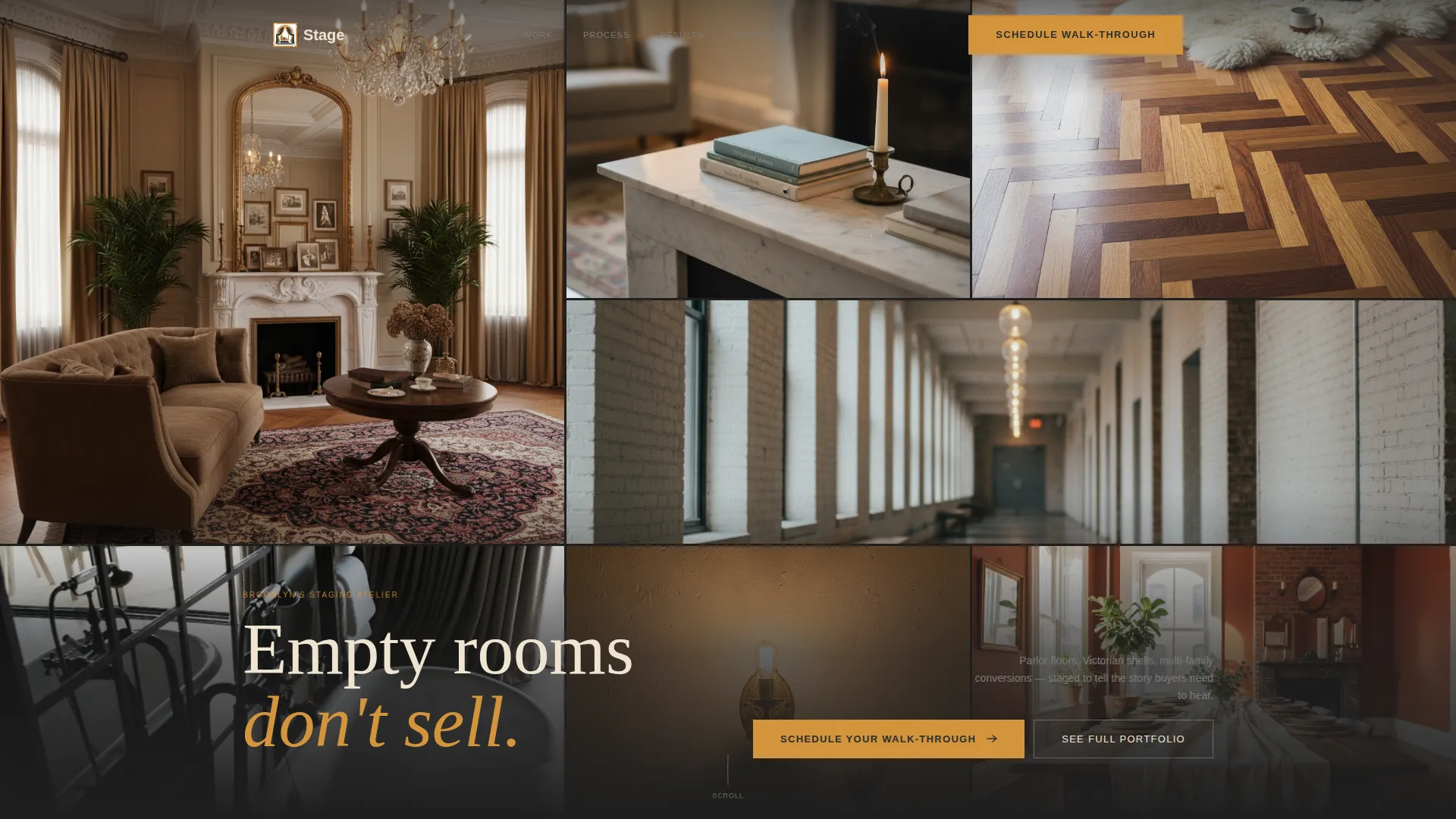
Parlor is a full-width immersive landing page template built for brownstone and rowhouse staging studios. It pairs a nine-tile photo mosaic header with an interactive room-by-room walk-through, before-and-after reveal sliders, and a focused click-through flow. The Charcoal and Amber visual identity makes every section feel like stepping into a beautifully restored parlor floor.
by Rocket studio
Quick summary
Parlor is a full-width immersive landing page template designed for design ateliers that stage brownstones and Victorian rowhouses. It opens with an asymmetric photo mosaic, guides visitors through an interactive archetype explorer, and funnels every scroll toward one action: booking a staging consultation. The template is built to convert browsers into booked clients.
Who this template is for
This template is made for staging professionals who work with historic urban properties. It speaks directly to the clients and collaborators who make high-value listings happen in competitive city markets.
- Brownstone and rowhouse staging studios presenting six-figure residential listings
- Real estate agents who need buyers to feel a home before they see it in person
- Developers handling multi-family conversions across neighborhoods like Bed-Stuy, Park Slope, and Harlem
What problem this template solves
An unstaged rowhouse photographs like an empty room. The gap between an vacant listing and a thoughtfully staged one is visible, measurable, and often worth tens of thousands of dollars in final sale price. Most staging studio pages fail to communicate that gap visually.
- Flat portfolio sites show images without context, giving buyers no sense of transformation
- Generic landing pages lack the atmosphere needed to justify premium staging fees
- Studios lose potential clients who browse without ever feeling the difference a staged room makes
What you get with this template
You get a single-page layout that behaves like a self-guided open house. Every design decision supports the idea that staging is an experience, not just a service.
- A nine-image asymmetric mosaic header with hover parallax micro-movement across each tile
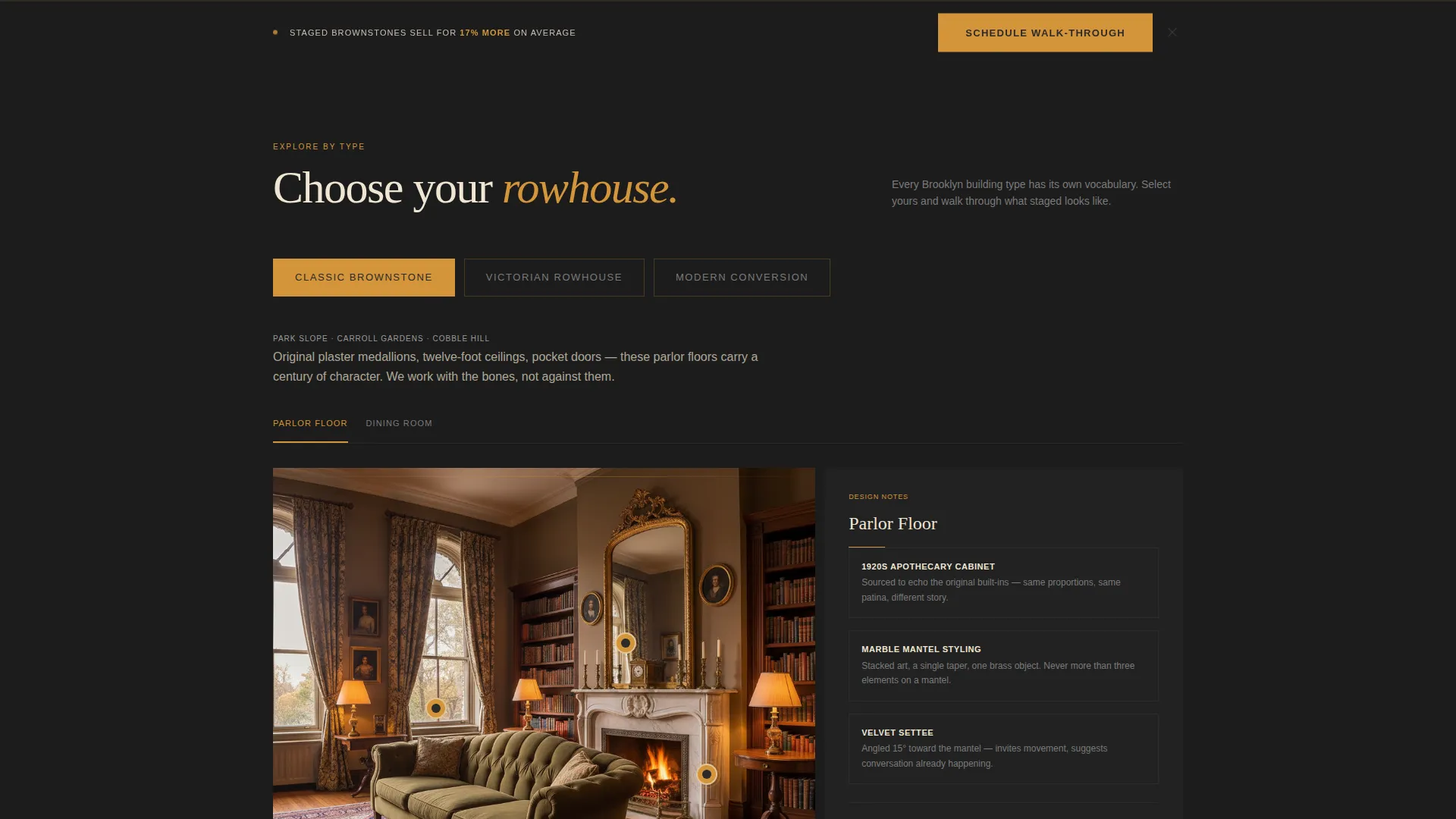
- An interactive archetype explorer with before-and-after sliders and clickable hotspot detail panels
- A focused click-through conversion path with a fixed bottom call-to-action bar and a secondary portfolio link
Feature list
This section describes the core built-in capabilities delivered by the Parlor template.
Nine-Tile Photo Grid Mosaic Header
The header fills the full viewport with an asymmetric grid of nine tightly cropped staging details. Each tile shows a different texture or moment: a styled mantelpiece, herringbone parquet with a sheepskin throw, a hallway vanishing point, a claw-foot tub with folded towels. Tiles shift subtly on hover through a parallax micro-movement, making the grid feel alive.
Interactive Rowhouse Archetype Explorer
Visitors choose from three archetypes: Classic Brownstone, Victorian Rowhouse, or Modern Conversion. The page reshapes around that selection, sliding in room-by-room staging vignettes matched to the chosen archetype. This interaction mirrors the way a real buyer explores a home at an open house.
Before-and-After Reveal Sliders
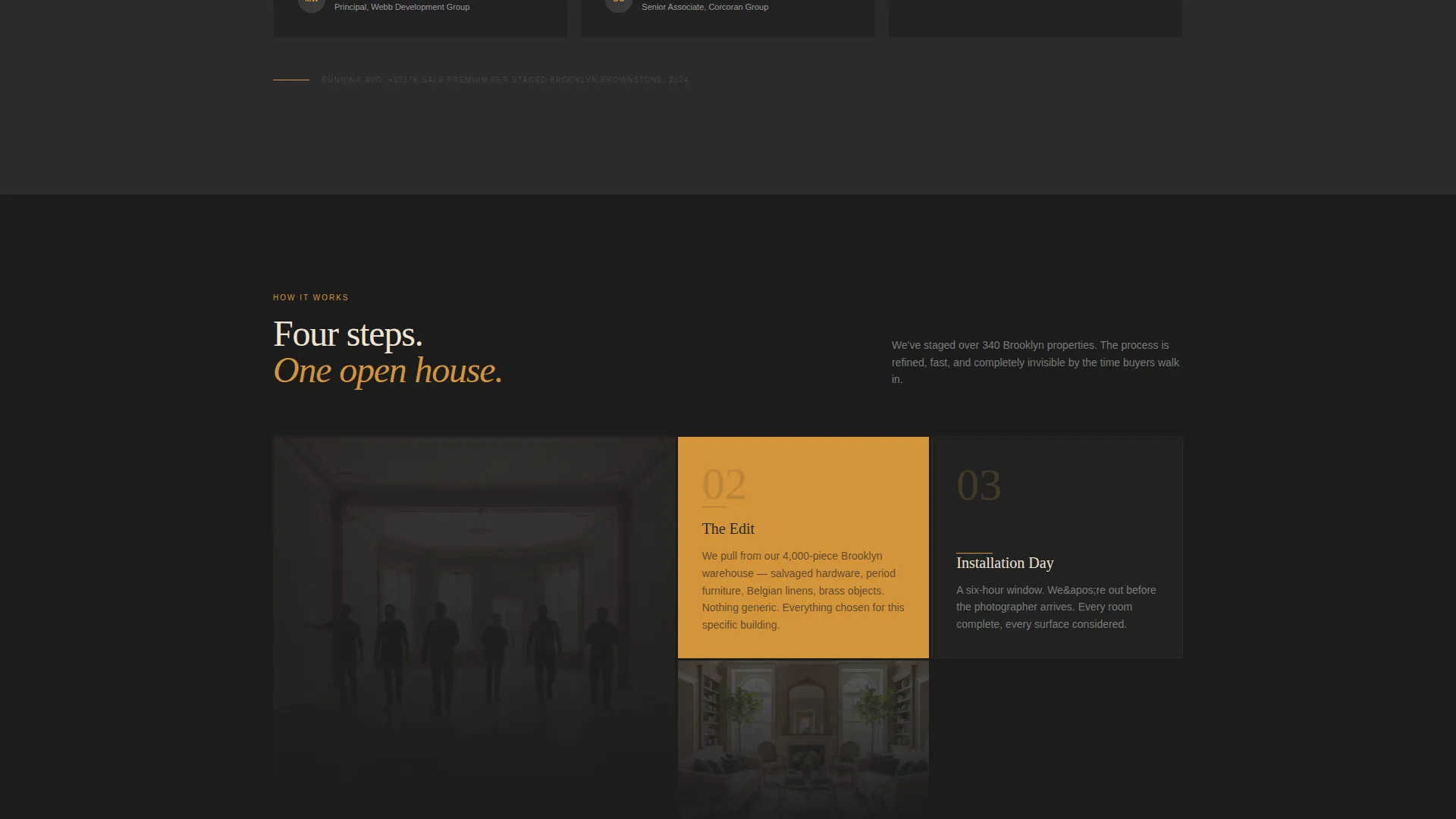
Each archetype view includes sliders that pull back to reveal the empty version of a room, then push forward to show the staged result. The contrast is direct and visual, communicating the value of staging without a single word of explanation.
Clickable Hotspot Detail Panels
Hero room shots include interactive hotspots. Clicking one opens a detail panel with a short note explaining the design choice, such as sourcing a 1920s apothecary cabinet to echo original built-ins. This adds editorial depth and reinforces the studio's expertise.
Fixed Bottom Consultation Bar
After the second scroll section, a fixed bar appears at the bottom of the page with the primary call to action: "Schedule Your Staging Walk-Through." It persists through the rest of the page without disrupting the reading experience. There are no form fields on the page; the bar earns its click through the content that precedes it.
Marginal ROI Counter
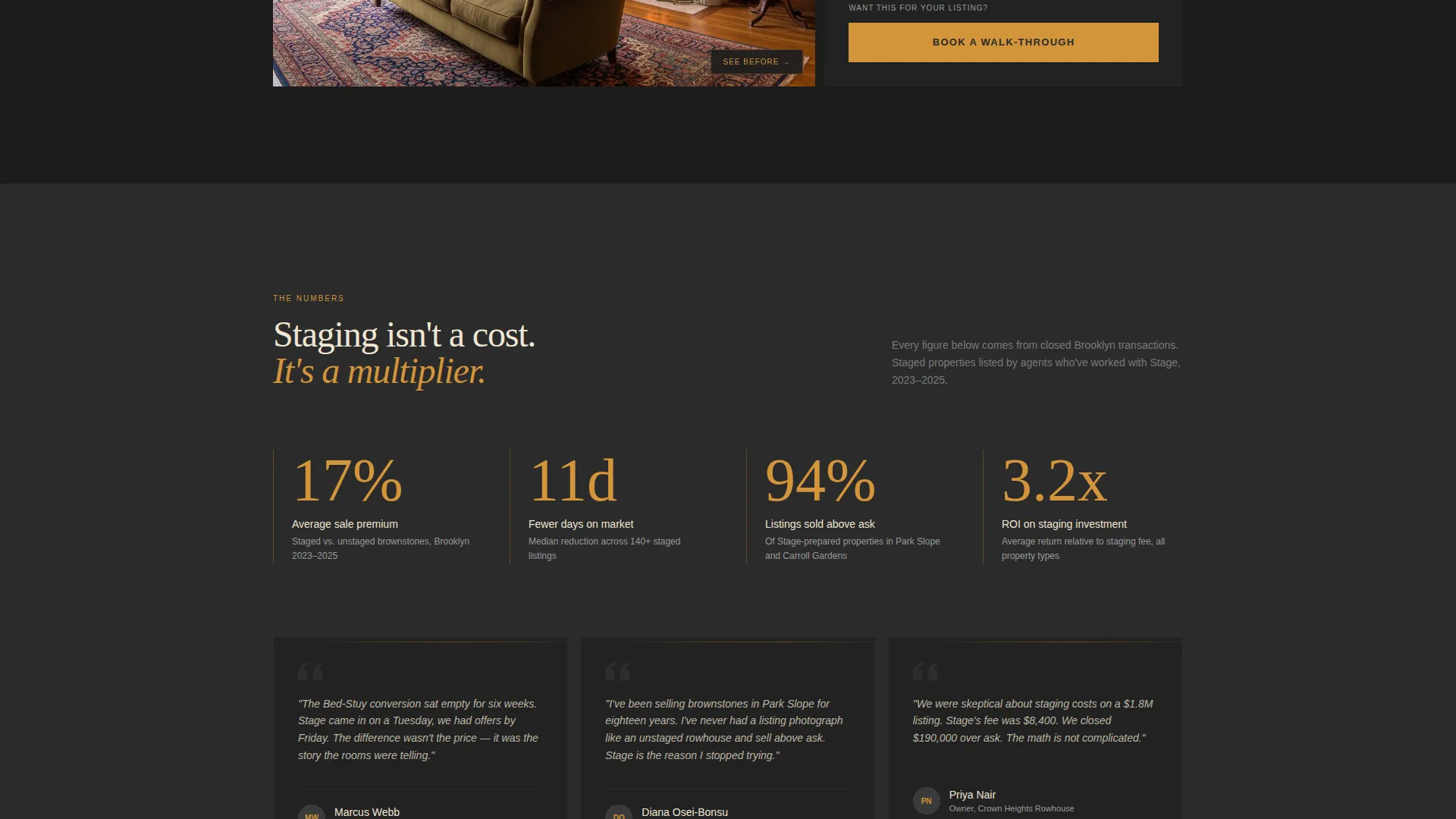
A running counter in the page margin displays average return-on-investment percentages for staged brownstones. It surfaces quietly alongside the content, giving data-minded visitors a concrete reason to act without interrupting the visual flow.
Page sections overview
| Section | Purpose |
|---|---|
| Photo Mosaic Header | Sets atmosphere and communicates range across staged property types |
| Archetype Selector | Lets visitors self-segment and enter a personalized room walk-through |
| Room Vignette Slides | Shows staged spaces room by room for the chosen archetype |
| Before/After Sliders | Reveals empty-to-staged transformation for direct visual impact |
| Hotspot Detail Panels | Opens design notes on specific objects within hero room shots |
| ROI Counter Strip | Displays staging return-on-investment data in the page margin |
| Primary call to action Block | Anchors the consultation booking action at a natural decision point |
| Fixed Bottom Bar | Keeps the primary call to action accessible during the full scroll |
| Secondary Portfolio Link | Captures browsers not yet ready to book but willing to explore further |
Design & branding system
The visual identity uses an Atelier Studio theme grounded in four specific tones. Every color choice references a physical material found in the spaces the studio stages.
- Deep charcoal (#2B2B2B) covers dominant background areas, evoking soot-stained exposed brick
- Warm amber (#D4943A) drives accents, hover states, and call-to-action elements, glowing like gas-lamp filaments
- Aged parchment (#F0E6D3) appears in text panels and breathing space between sections, and muted iron (#5C5C5C) handles secondary type and divider lines
Mobile & speed optimization
The Parlor template is structured with responsive layout behavior across devices. The immersive elements are designed to scale without breaking the visual hierarchy.
- The photo mosaic reflows gracefully on smaller viewports, preserving tile detail and overall grid rhythm
- The archetype explorer, sliders, and hotspot panels are built to function on touch-screen devices without losing interactivity
- The fixed bottom bar remains accessible on mobile, keeping the primary conversion path reachable at any scroll depth
How this template helps you convert
The page is designed around a single destination: the consultation booking page. Every section moves the visitor one step closer to that click.
- The mosaic header creates immediate atmospheric trust, showing range and obsessive detail before a single word is read
- The archetype explorer and before-and-after sliders build the emotional case for staging by letting visitors feel the gap between empty and staged themselves
- The fixed bottom bar and marginal ROI counter close the loop for visitors who are convinced but needed one more concrete reason to act
Other information about this template
The Parlor template is a strong fit for staging studios operating in premium urban markets where historic architecture commands both high asking prices and high buyer expectations.
- The template style is Full-Width Immersive, which means the layout spans edge to edge with no constrained column grid
- The Dark Immersive theme is the visual foundation, using deep backgrounds and warm accent lighting to create a sense of richness and craft
- The creative direction is Before/After Reveal, placing the transformation story at the center of the persuasion arc
- The landing page direction is Direct Sales, with no sidebar navigation or multi-page structure to dilute the conversion focus
- This template is well suited to studios serving brownstone and rowhouse real estate markets across Brooklyn, Harlem, and comparable historic urban neighborhoods
Theme
Dark Immersive
Creative direction
Before/After Reveal
Color system
Cloud Canvas
Style
Full-Width Immersive
Direction
Direct Sales
Page Sections
Nine-tile Parallax Mosaic Header
Interactive Archetype Explorer
Before-and-after Reveal Sliders
Clickable Hotspot Detail Panels
Fixed Bottom Consultation Bar
Marginal ROI Counter
Related questions
Does this template include actual property photos?
Can I rename the three archetype labels to match my own service categories?
Is there a contact form built into this page?
How do the before-and-after sliders work for a visitor?
Can this template work for a staging studio outside of Brooklyn?



