Precision Auto Parts Store Landing Page Template
Parts is a dark, industrial-grade landing page template built for auto parts stores. It combines a Before/After drag slider hero, a persistent vehicle selector bar, and split-screen spec sheet sections for brakes, suspension, and drivetrain. The result is a fitment-confident, click-through-optimized page that earns buyer trust before they ever reach the product detail page.
by Rocket studio
Quick summary
Parts is a single-page auto parts store template built on a 50/50 split-screen layout. It opens with a dramatic Before/After brake assembly slider and flows through spec-driven sections for brake components, suspension parts, and drivetrain. A persistent vehicle selector bar confirms fitment at every scroll. The dark, industrial design speaks directly to mechanics, shop owners, and fleet managers.
Who this template is for
This template is built for anyone selling auto parts who needs to prove product quality and fitment accuracy before the customer clicks away. It suits both business-to-consumer and business-to-business auto parts retail.
- Weekend DIY mechanics aged 25 to 55 who own one to three vehicles and care deeply about fit and price
- Independent shop owners sourcing original equipment manufacturer (OEM) specification replacements between jobs
- Fleet managers keeping delivery vans on the road and needing fast, confident part selection
What problem this template solves
Auto parts buyers abandon pages when they are not sure a part fits their vehicle. Doubt costs clicks. This template eliminates that doubt by combining fitment confirmation with technical data at every scroll position.
- Visitors can not tell part quality from a plain product photo, so the Before/After slider makes the quality difference undeniable
- Fitment uncertainty leads to costly returns, so the persistent vehicle selector bar confirms compatibility with a green checkmark on every section
- Generic e-commerce layouts fail to speak the language of mechanics, so this template uses monospaced specification tables and OEM cross-reference numbers to build immediate credibility
What you get with this template
You get a complete, ready-to-customize landing page structured around spec-sheet persuasion. Every section is built to move a technically minded buyer from curiosity to a confident click.
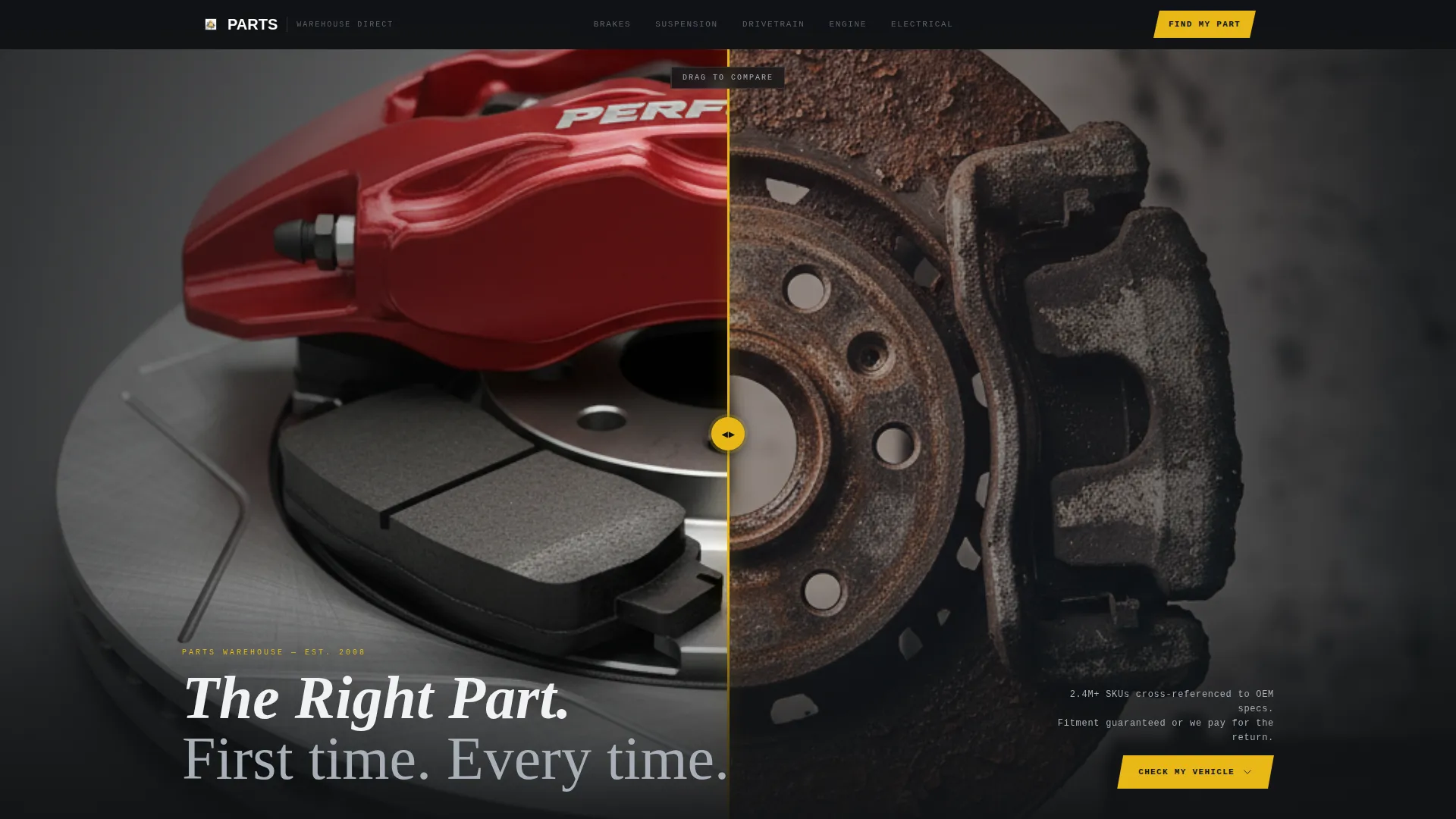
- A draggable Before/After slider hero showing a corroded brake assembly transformed into a rebuilt, gleaming unit
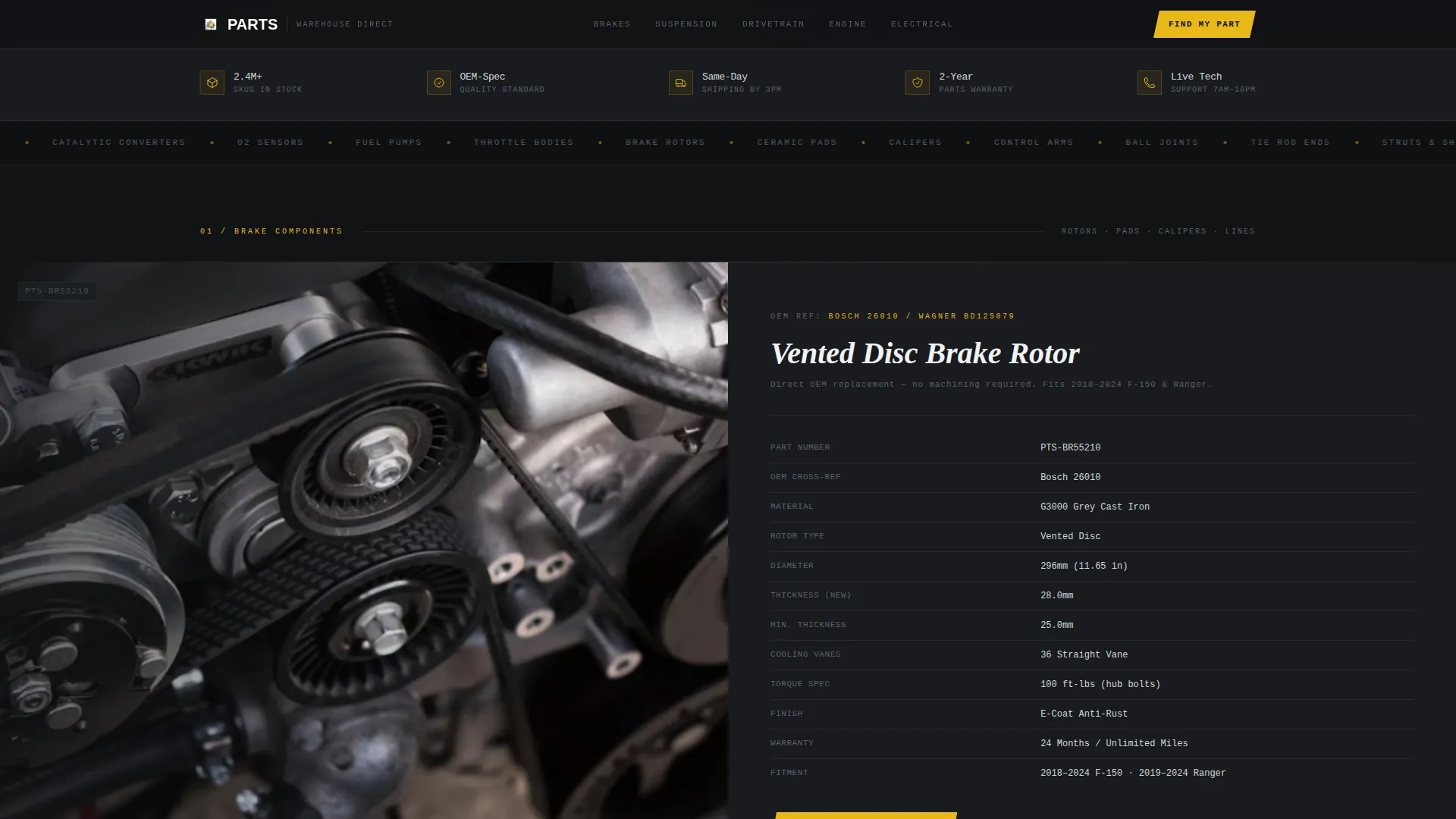
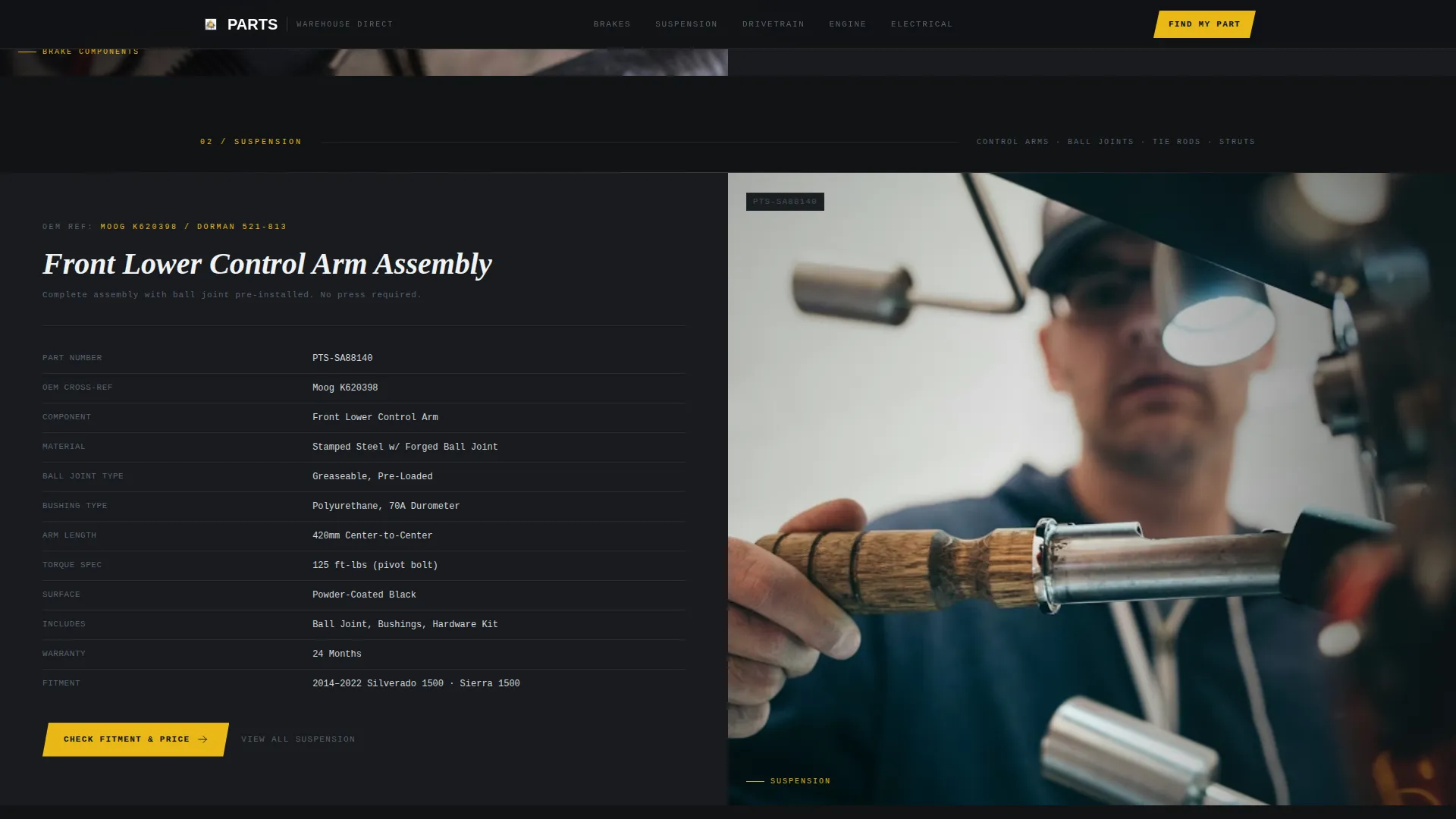
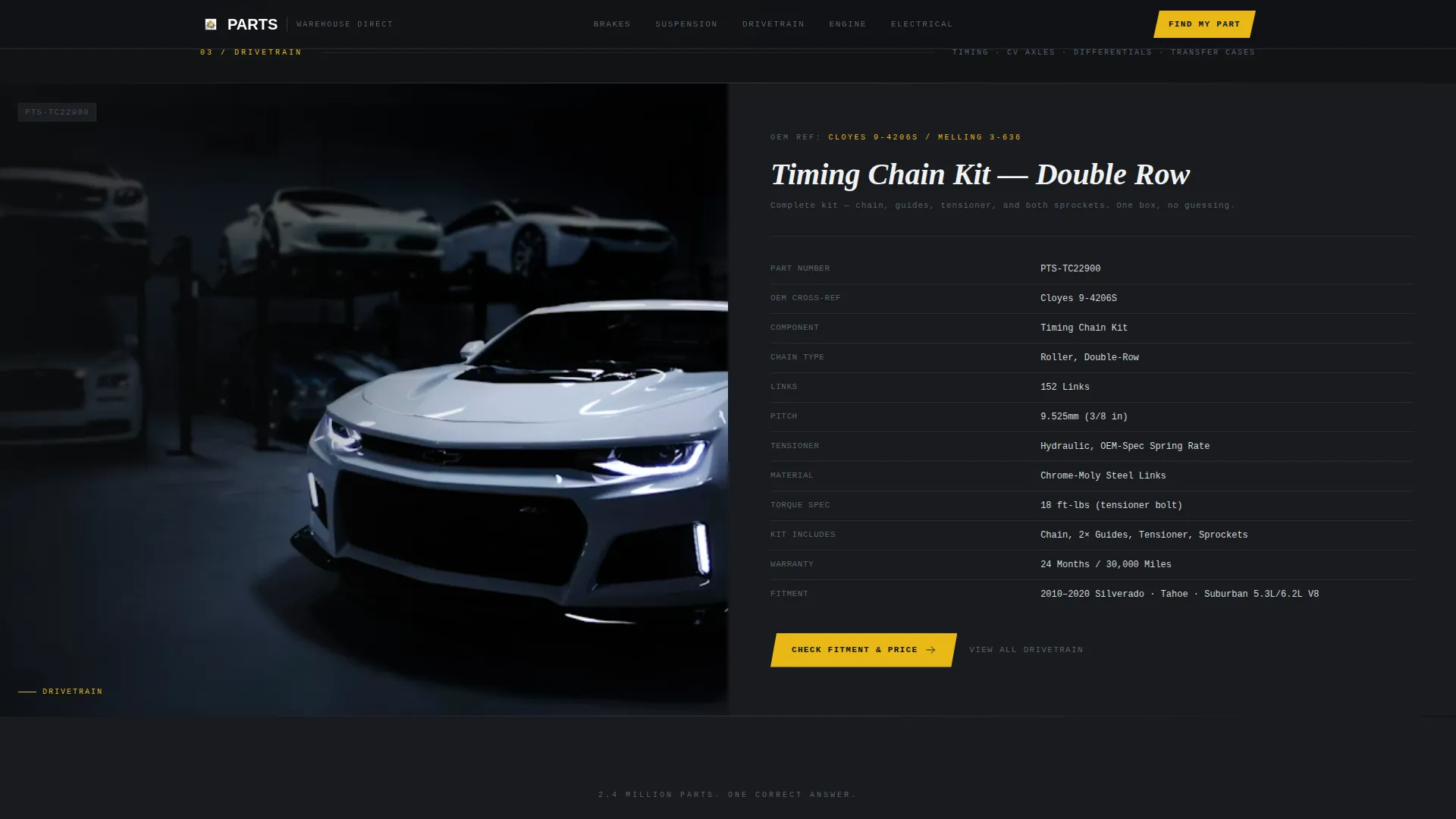
- Three full split-screen spec sheet sections covering brake components, suspension parts, and drivetrain, each pairing a macro part photograph with a technical data table
- A persistent top bar with year, make, model, and engine fields that dynamically confirms part compatibility throughout the page
Feature list
Each feature below is included in the template as described in the source brief.
Before/After Drag Slider Hero
The header splits the viewport into a corroded, rust-bloomed brake assembly on the left and a fully rebuilt assembly with new rotors, ceramic pads, and fresh caliper paint on the right. Visitors drag the divider to reveal the transformation. Every cooling vane and machined edge is photographed macro-close so the quality difference requires no explanation.
Persistent Vehicle Selector Bar
A sticky top bar lets visitors enter their vehicle year, make, model, and engine once. Every part shown below then displays a green checkmark confirming compatibility. The bar removes fitment guesswork for the entire page visit.
Split-Screen Spec Sheet Sections
Each product category section pairs a hero part photograph on one side with a full specification table on the other. Tables include OEM cross-reference numbers, material composition, torque specifications in foot-pounds, vehicle fitment lists, and warranty terms. Typography uses a monospaced style on dark panels to reinforce the technical catalog feel.
Fitment-Triggered Call to Action
Every split-screen section closes with a high-visibility yellow "Check Fitment and Price" button. The button passes the visitor to the product detail page with their vehicle already selected, reducing friction at the most important click.
Scroll-Reveal Animations
Sections animate into view as the visitor scrolls, maintaining engagement across the brake, suspension, and drivetrain categories. The rhythm accelerates through each category, rewarding continued scrolling with deeper inventory detail.
Industrial Dark Visual Theme
The entire page uses a shop-floor black base with brushed stainless and machined aluminum tones for body content. A single torque-wrench yellow accent is reserved strictly for calls to action and hover states, keeping the buyer's eye on the next step at all times.
Page sections overview
| Section | Purpose |
|---|---|
| Before/After Hero | Prove part quality through a draggable corroded-versus-rebuilt brake assembly comparison |
| Vehicle Selector Bar | Collect year, make, model, and engine once; confirm fitment across all sections below |
| Brake Components | Split spec sheet pairing a brake part photo with OEM data, torque specs, and fitment list |
| Suspension Parts | Alternating split spec sheet for suspension components with the same technical table format |
| Drivetrain Section | Split spec sheet for drivetrain parts plus the primary call to action block |
| Footer | Linear single-row footer with essential store links and contact information |
Design & branding system
The design language is deliberately industrial, with no warmth and no decorative elements. Every visual choice reinforces the precision and reliability a mechanic expects from their parts supplier.
- Color palette: shop-floor black (#111315) as the base, brushed stainless (#A8B0B8) and machined aluminum (#D4D8DC) for body content, and torque-wrench yellow (#E8B817) used exclusively for calls to action and hover states
- Typography: DM Sans for body copy and specification tables; Fraunces for display headings, creating a contrast between industrial utility and confident branding
- Visual style: macro-close part photography, monospaced specification data on dark panels, and a 50/50 split-screen layout throughout every content section
Mobile & speed optimization
The template is built desktop-first, reflecting the real context of mechanics at a bench or shop counter. A mobile fallback layout is included so the page remains usable on smaller screens.
- Interactive elements such as the drag slider, vehicle selector, and fitment checkmark animation are isolated as client-side components, keeping static sections fast to load
- The 50/50 split-screen layout stacks gracefully on narrower viewports so specification tables and part photographs remain readable without horizontal scrolling
How this template helps you convert
This template is engineered around one goal: earning the click to the product detail page before doubt has a chance to form.
- The Before/After slider opens the visit with a visceral quality demonstration, creating immediate confidence in the parts on offer before a single word of copy is read.
- The persistent vehicle selector bar removes fitment anxiety for the entire session, so every "Check Fitment and Price" call to action is backed by a confirmed green checkmark rather than a hope.
- Specification tables with OEM cross-reference numbers, torque specs, and warranty terms replace lifestyle copy with the precise technical language that mechanics already trust.
Other information about this template
This template is well suited to auto parts retail businesses that want a professional, spec-driven web presence without a complex build process. A few additional details worth noting:
- The page is localized for the United States market, with pricing shown in US dollars and torque specifications listed in foot-pounds using US vehicle makes
- Animation intensity is set to medium: the Before/After slider and scroll reveals are engaging without being distracting in a professional shop environment
- Interactivity is rated high, covering the drag slider, vehicle selector input, and the fitment confirmation checkmark animation
- The footer follows a linear single-row pattern, keeping the bottom of the page clean and focused
- The template style is 50/50 Split Screen throughout, making it straightforward to swap in your own part photography and specification data for each category
Theme
Dark Immersive
Creative direction
Spec Sheet
Color system
Monochrome Steel
Style
Split Screen (50/50)
Direction
Click-Through
Page Sections
Before/after Drag Slider Hero
Persistent Vehicle Selector Bar
Split-screen Spec Sheet Sections
Fitment-triggered Call to Action
Scroll-reveal Section Animations
Industrial Dark Visual System
Related questions
Who is this landing page template designed for?
Can I add my own part categories beyond brakes, suspension, and drivetrain?
How does the vehicle selector bar work?
Does the template include actual part data or pricing?
What design style does this template use?



