Palliative Care Medicine Advanced Professional Website Template
Passage is a sidebar companion landing page template built for palliative care support groups and communities. It pairs a calm, stat-led hero with a transparent four-step process walkthrough, a fixed sidebar companion, and a minimal three-field lead form. The design uses a Soft Mist color system and Organic Flow style to create a warm, unhurried environment that earns trust before asking anything of the visitor.
by Rocket studio
Quick summary
Passage is a single-page lead generation template for palliative care support communities. It opens with three emotionally grounding statistics, walks visitors through exactly what joining looks like, and closes with a low-barrier form. The sidebar stays fixed throughout the scroll, offering a quiet, persistent presence that mirrors the companionship the service itself provides.
Who this template is for
This template is built for organizations that connect families and patients with peer support during end-of-life care transitions. It speaks directly to the people in the room: the ones who are exhausted, uncertain, and looking for a way forward.
- Palliative care support groups and hospice community organizations seeking online leads
- Social workers and care coordinators who want a referral-friendly page to share with families
- Patients and caregivers who are not yet ready to speak to anyone but need a gentle first step
What problem this template solves
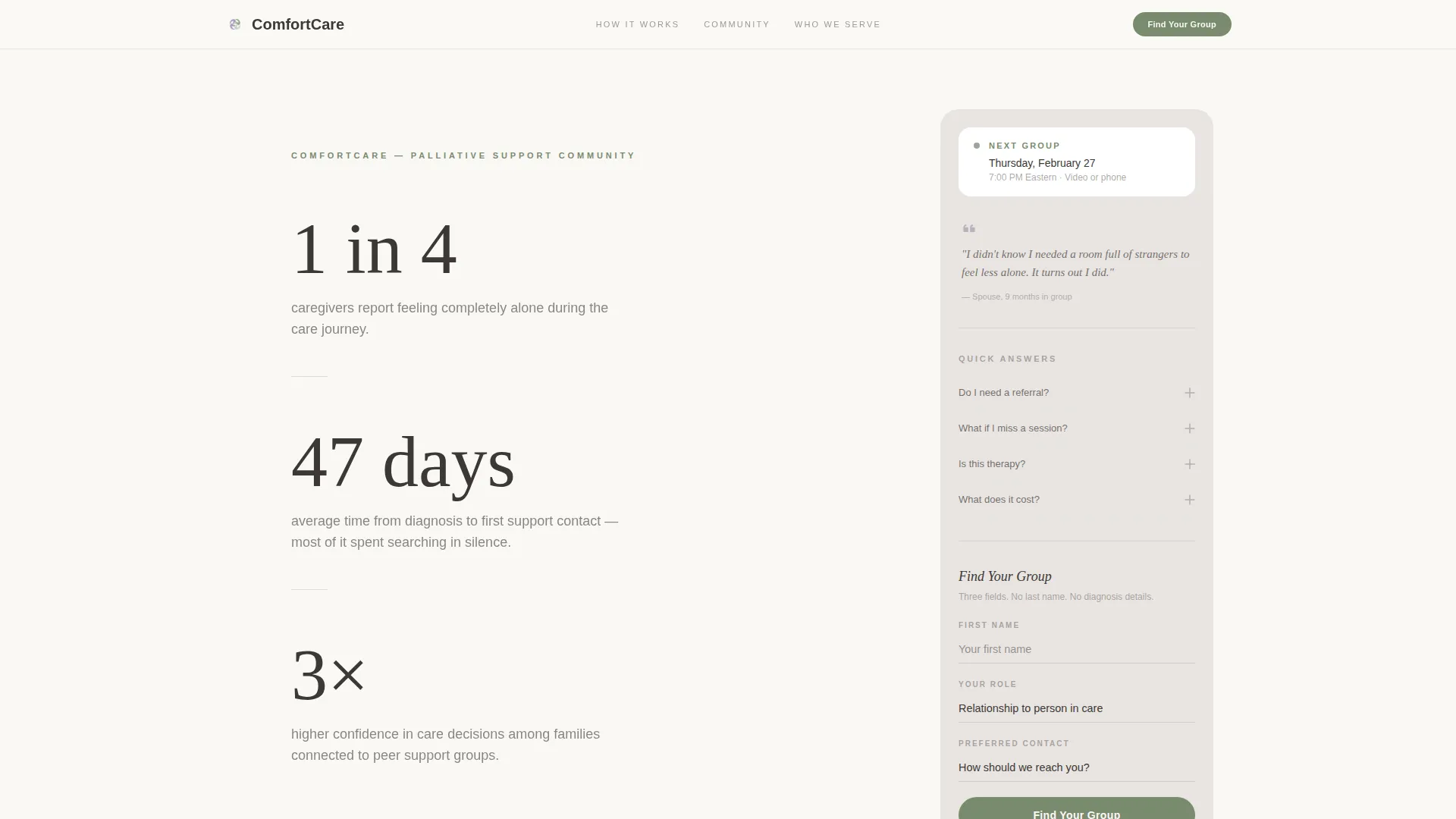
Caregivers often wait weeks before reaching out for help. The average gap between a diagnosis and a first support contact is 47 days. This template is designed to close that gap by removing the fear and uncertainty that keeps people isolated.
- Visitors rarely know what joining a support group actually involves, which stalls the decision
- Generic contact forms feel clinical and intrusive at a deeply vulnerable moment
- There is no middle path for someone who is curious but not yet ready to talk
What you get with this template
You get a fully structured landing page that handles two conversion paths at once. The primary path leads to a matched group inquiry. The secondary path offers a downloadable resource for visitors who need more time.
- A stat-led hero section with slow fade-in animation and a primary call-to-action button
- A four-step process walkthrough with radically specific language at every stage
- A fixed sidebar companion with an FAQ accordion, a member quote, a next-meeting reminder, and a three-field lead form
- A PDF download gate requiring only an email address for visitors not yet ready to speak with anyone
- Community Voices quote cards and audience tiles that reduce isolation stigma
Feature list
A single paragraph introduces the features below. Each component in Passage was chosen to do one specific job: lower a barrier, answer a quiet question, or invite the next small step.
Stat-Led Hero with Fade-In Sequence
Three carefully chosen statistics appear one at a time, fading in at the pace of a slow breath. No imagery competes. The numbers name what visitors already feel but have not yet seen validated, making the emotional case before any copy does.
Four-Step Process Walkthrough
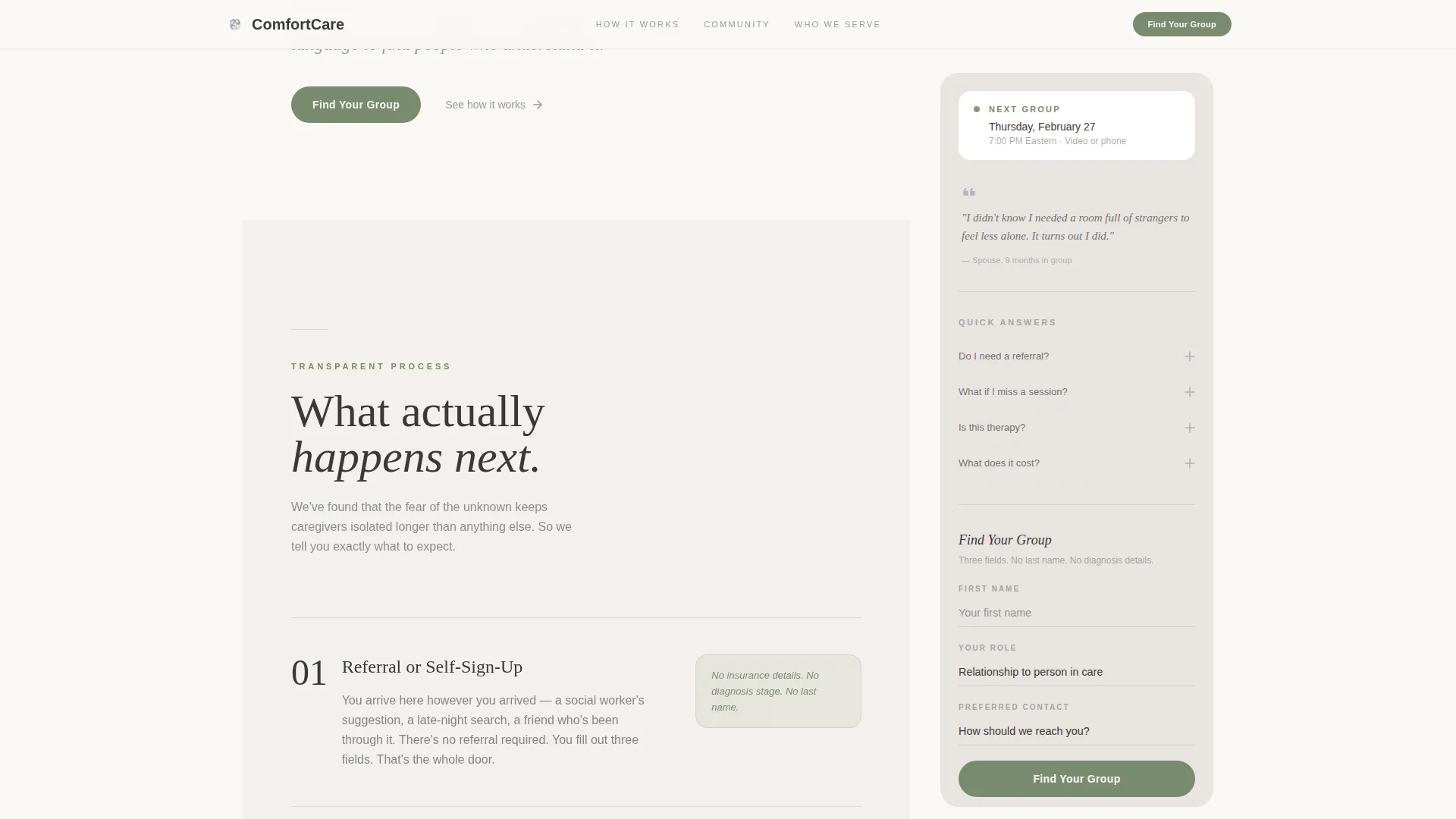
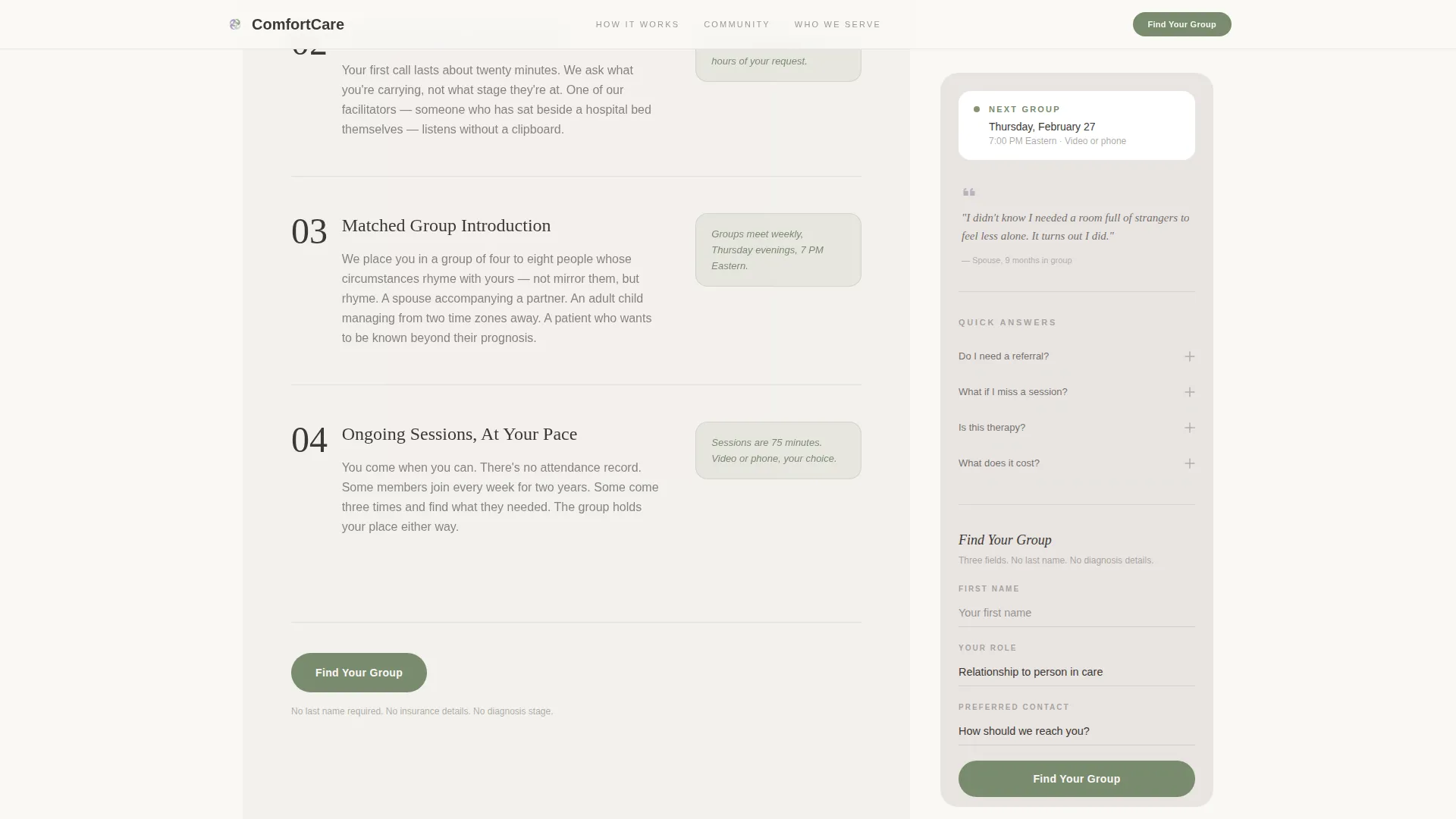
The process section walks visitors through every stage of joining: referral or self-sign-up, private intake conversation, matched group introduction, and ongoing sessions. Each step uses plain, specific language so that nothing about the experience feels unknown or frightening.
Fixed Sidebar Companion
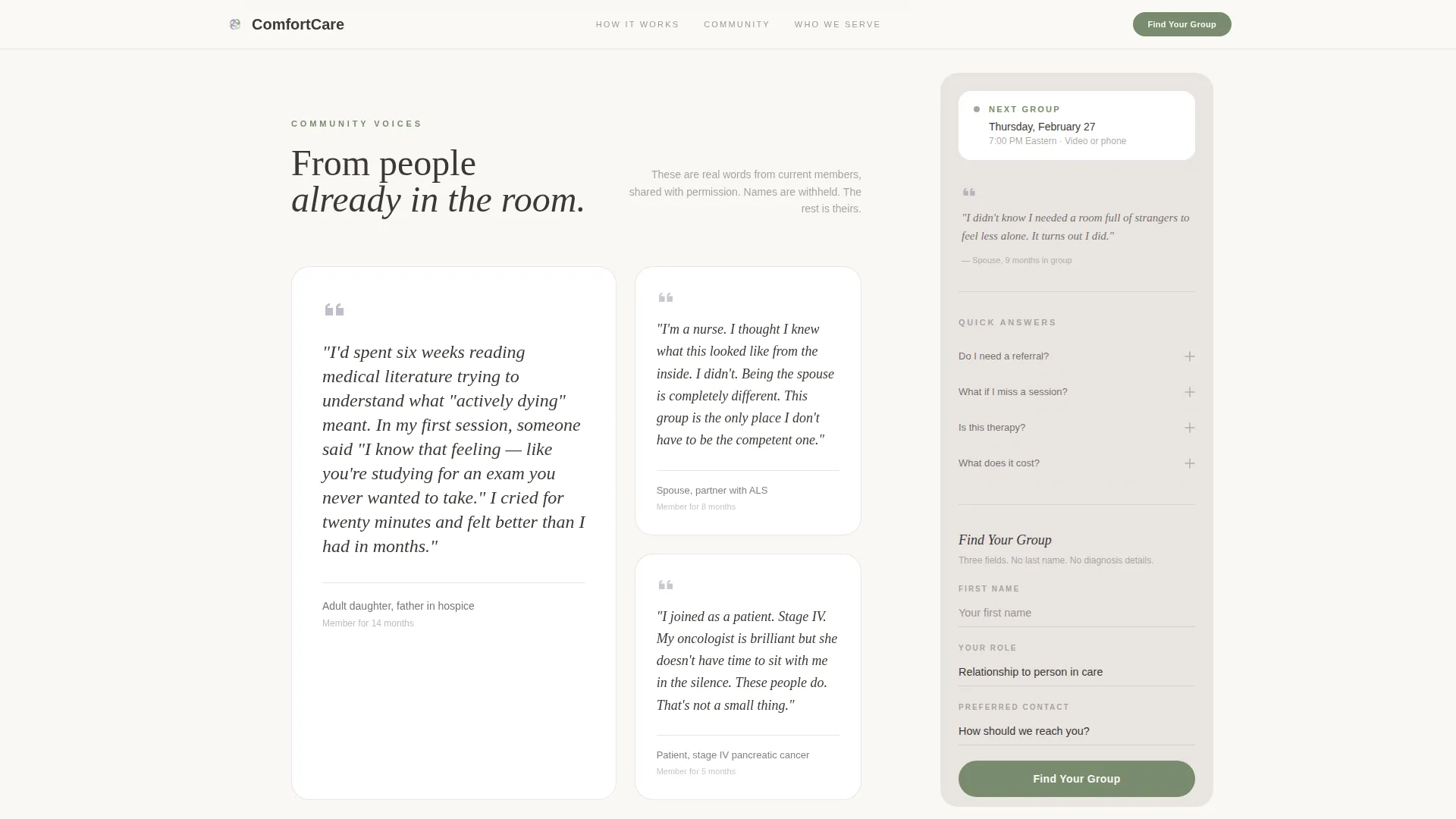
The sidebar stays in place as the visitor scrolls through the main content. It holds a soft FAQ accordion, a quoted reflection from a current member, the next scheduled group meeting, and the primary lead form at its base.
Minimal Three-Field Lead Form
The form asks only for a first name, a relationship-to-care dropdown (spouse, adult child, patient, friend, or professional), and a preferred contact method. No last name, no diagnosis details, and no insurance information is requested.
PDF Download Secondary Path
Visitors who are not ready to speak with anyone can download a resource titled "What to Expect in Your First Week." The gate requires only an email address, creating a low-commitment conversion option that keeps the door open.
Community Voices and Audience Tiles
Asymmetric quote cards display reflections from current members with relationship context rather than names. Three audience tiles address the most common visitor types, gently naming their situation and breaking the stigma around asking for help.
Page sections overview
| Section | Purpose |
|---|---|
| Hero Stats | Opens with three fading statistics and a sage call-to-action |
| Process Walkthrough | Shows four specific joining steps in plain language |
| Community Voices | Displays asymmetric member quote cards with relationship context |
| Who This Is For | Three audience tiles that name and validate each visitor type |
| Secondary Download Path | Gates a PDF resource behind a single email field |
| Fixed Sidebar | Persists FAQ, member quote, meeting time, and lead form |
| Footer | Minimal horizontal footer pattern |
Design & branding system
The visual identity follows an Organic Flow theme built on the Soft Mist color system. Every color choice is deliberate: the palette feels like early light filtering through sheer curtains, soft without being clinical and warm without tipping into sentiment.
- Background surfaces use linen white (#FAF8F5); the sidebar rests in morning fog gray (#E8E4E1); dried lavender (#9B8EA8) provides gentle accent detail
- Sage (#7A8B6F) appears only on interactive elements such as buttons and links, keeping action moments visually grounded
- Typography pairs Fraunces serif for headlines with DM Sans for body text, giving the page an unhurried, human quality in deep charcoal (#3D3835)
Mobile & speed optimization
Passage is built desktop-first to support its fixed sidebar layout, but it is designed to collapse gracefully on smaller screens. The sidebar shifts into an inline companion block on mobile without losing its core content.
- The fixed sidebar collapses into an inline layout on mobile, keeping the FAQ, quote, and form accessible
- Slow fade-in stat animations and clip-path reveals use medium animation settings that remain smooth across modern devices
- Static sections use Server Components while the sidebar and animations are handled as Client Components for efficient rendering
How this template helps you convert
The page does not pressure visitors. It earns their trust by showing exactly what happens next, removing the fear of the unknown that keeps caregivers waiting too long.
- The stat-led hero validates the visitor's experience immediately, creating recognition before any ask is made
- The transparent process walkthrough answers the most common objection, which is not knowing what joining actually involves
- The dual conversion paths mean that every visitor has a next step that fits where they are, whether they are ready to reach out or still need time
Other information about this template
Passage fits naturally into a broader palliative care content strategy. It is built for English-language audiences in the United States and does not include currency fields or localization variables. The template carries no external integration dependencies out of the box.
- Template style: Sidebar Companion with a desktop-first layout and graceful mobile collapse
- Creative direction: Transparent Process, where honesty about what happens next is the primary trust mechanism
- Header concept: Stats and Metrics, using cited figures to do emotional work without imagery
- The page is categorized under Health & Medical, specifically the Palliative Care Medicine subcategory, serving the Palliative Care Support Group and Community niche
- No last name, diagnosis information, or insurance details are collected in the primary lead form, keeping the intake experience as low-barrier as possible
Theme
Organic Flow
Creative direction
Transparent Process
Color system
Soft Mist
Style
Sidebar Companion
Direction
Lead Generation
Page Sections
Stat-led Hero with Fade-in Animation
Four-step Process Walkthrough
Fixed Sidebar Companion
Minimal Three-field Lead Form
PDF Download Secondary Path
Community Voices Quote Cards
Related questions
Can I edit the three statistics shown in the hero section?
How does the sidebar behave on mobile devices?
What information does the primary lead form collect?
Can the PDF download work as its own conversion path?
Is this template suitable for social workers making referrals?



