Humanitarian Refugee Fundraising Landing Page Template
Passage is a masonry-style humanitarian fundraising landing page built for refugee and migration organizations. It combines documentary photography, neighborhood-specific story cards, live funding progress bars, and an amber-accented donation overlay to help donors feel connected to a specific place and a specific need. The result is a page that earns trust before it asks for money.
by Rocket studio
Quick summary
Passage is a single-page fundraising template designed for international humanitarian organizations that support refugees and displaced families. It uses a Pinterest-style masonry card layout, a split-panel hero, and two full-width funding progress banners to build cumulative, place-specific evidence that the work is real and the money lands somewhere concrete.
Who this template is for
This template is built for mission-driven teams that need to turn donor skepticism into confident, recurring giving. It works best when your organization has real field stories to tell and specific programs to fund.
- Refugee and migration nonprofits running neighborhood-level programs across multiple cities
- Humanitarian aid organizations that want to frame donations around tangible, place-specific outcomes
- Development and communications teams managing fundraising campaigns with recurring-gift goals
What problem this template solves
Most humanitarian fundraising pages leave donors feeling like they are contributing to a faceless fund. The problem is not generosity but distance. Donors need to see a specific street corner, read a specific name, and understand exactly what their money does before they click.
- Generic donation pages lose trust because they feel abstract and hard to verify
- Single-column layouts cannot carry the volume of micro-stories that build cumulative proof
- Static pages with no progress indicators make donors feel like late arrivals rather than active participants
What you get with this template
You get a fully structured, single-page fundraising layout ready to populate with your organization's field content. Every section is purposefully sequenced to move a skeptical reader toward a confident monthly gift.
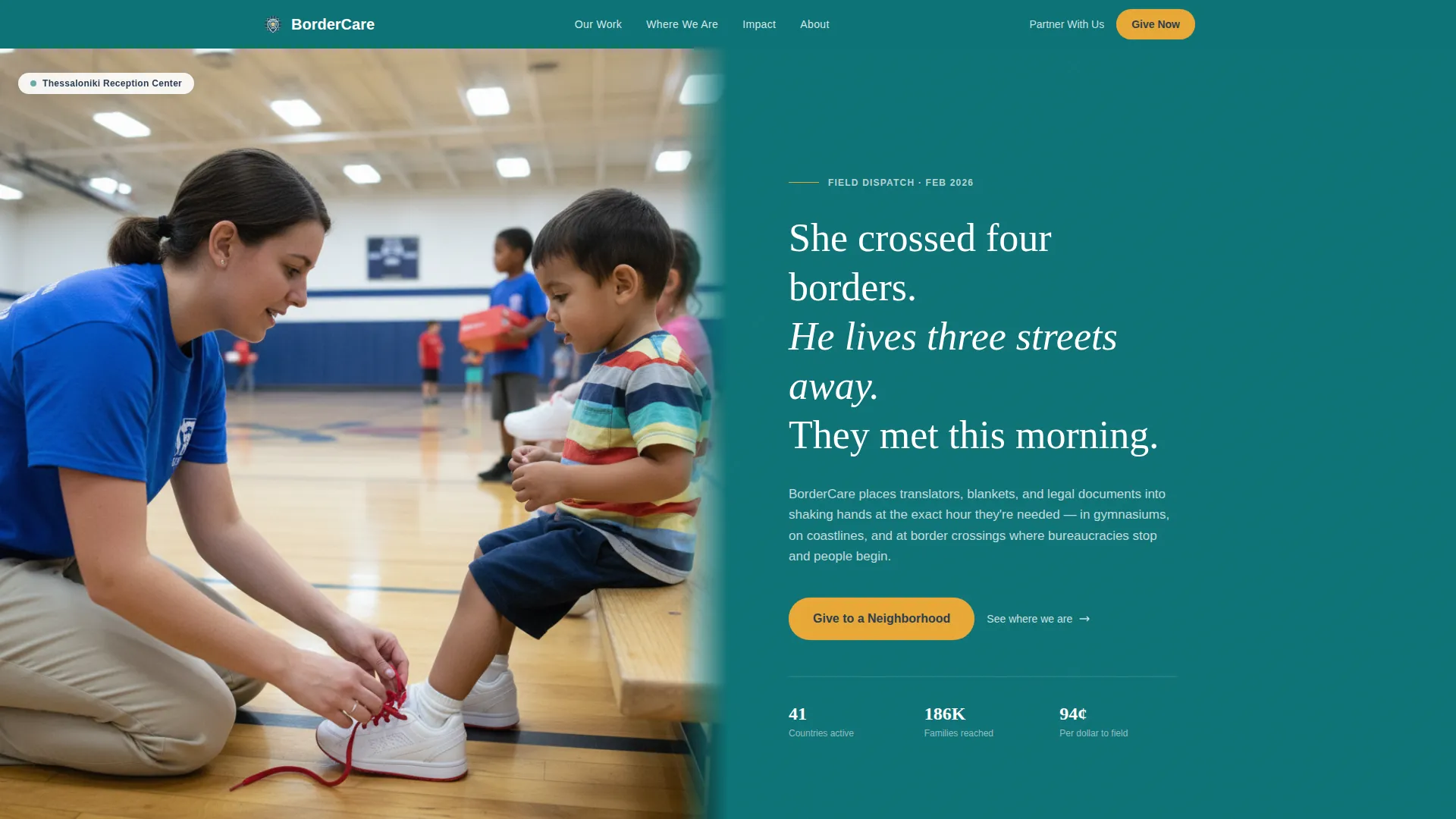
- A documentary-style split hero with a serif headline and a primary amber donation call-to-action button
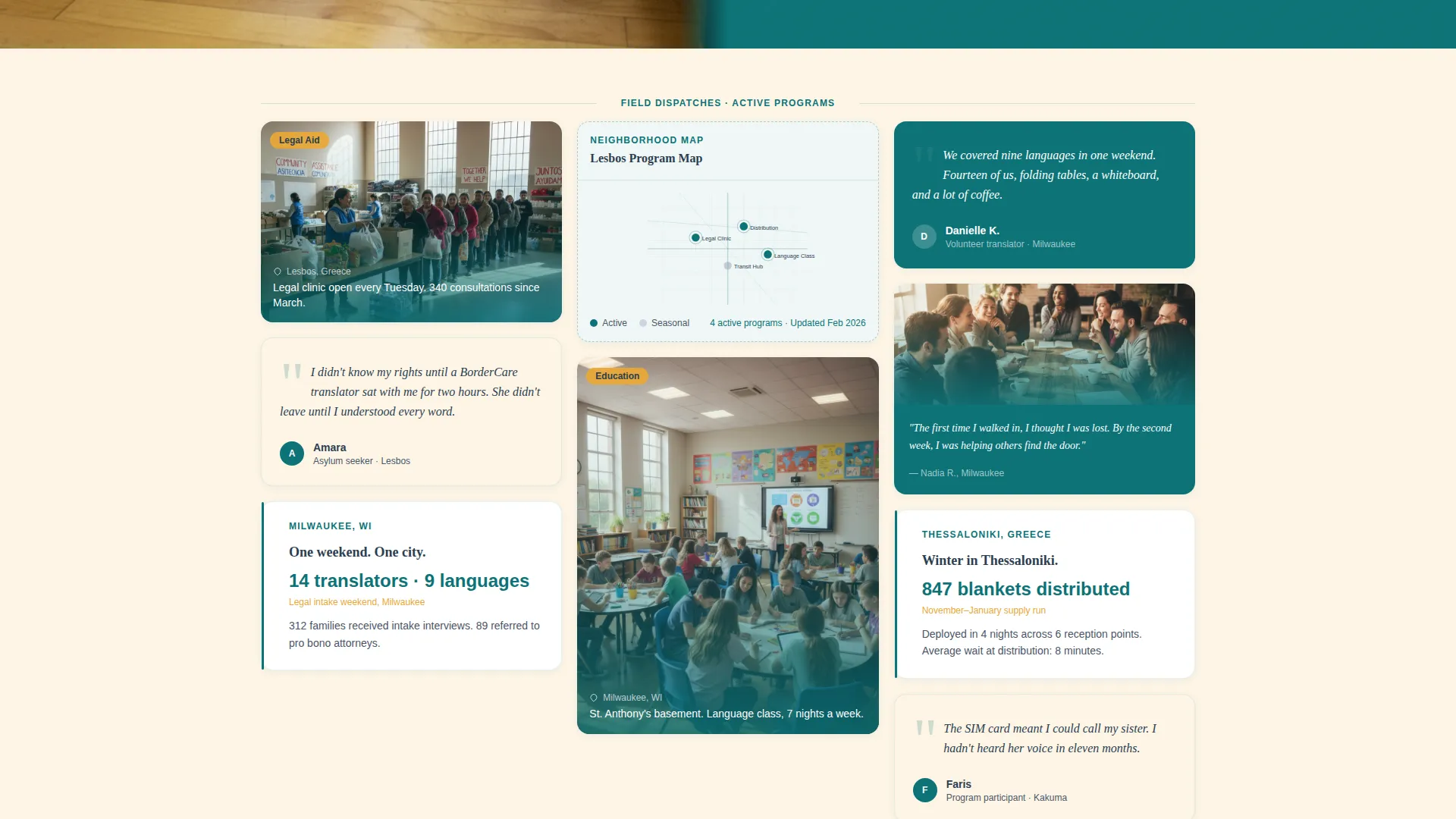
- A cascading masonry grid built to hold photos, pull quotes, stat blocks, and hand-illustrated neighborhood maps
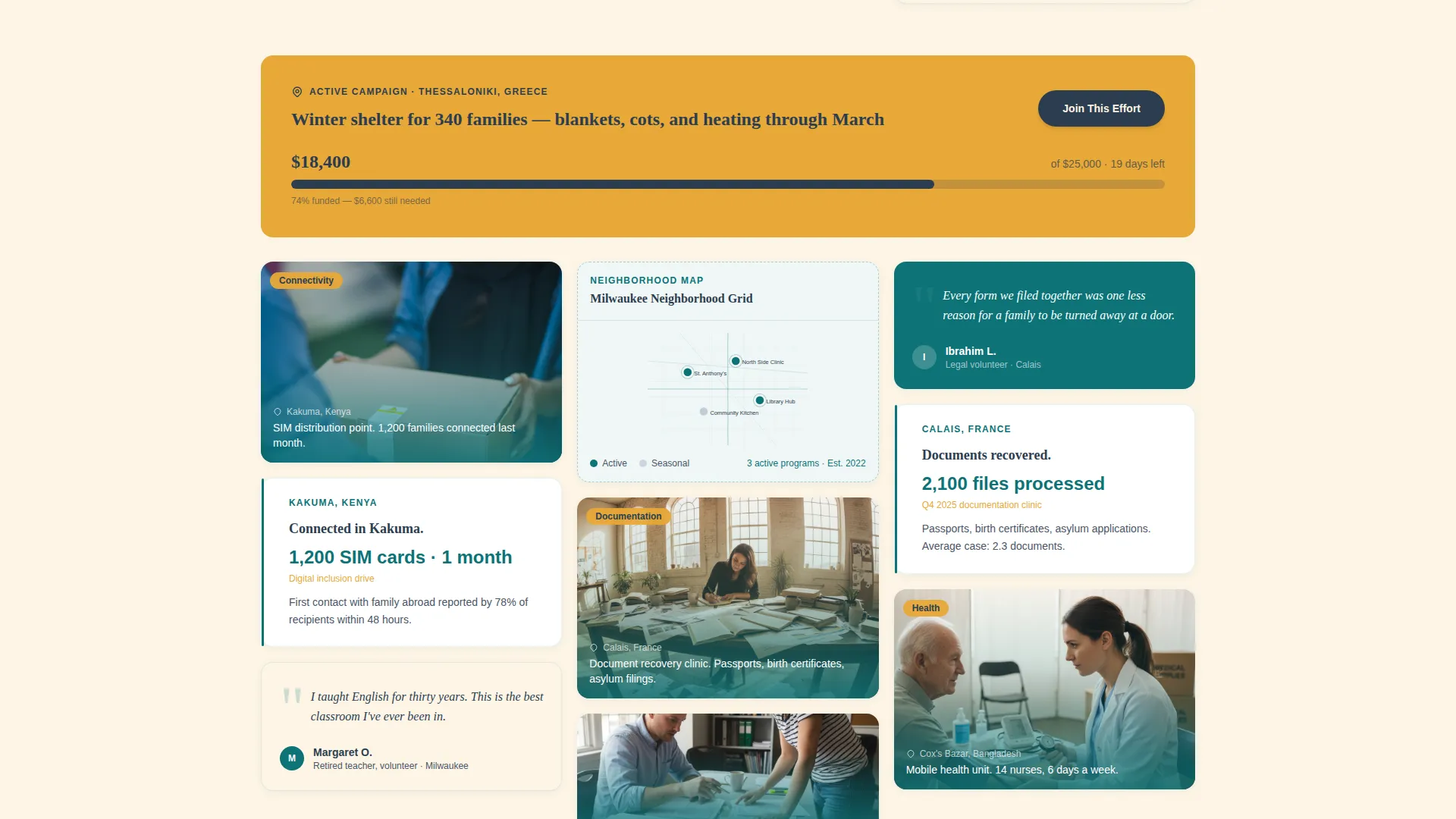
- Two full-width funding progress banners with live goal bars and city-specific campaign labels
- A donation overlay with preset amounts, labeled impact outcomes, a monthly/one-time toggle, and a neighborhood dropdown
- A fixed floating donation bar for mobile visitors so the call to action never leaves the screen
Feature list
Split-Panel Documentary Hero
The header divides the screen into two zones. The left side holds a single eye-level documentary photograph. The right side carries a three-line serif headline set in Fraunces, a one-sentence context statement, and the first amber "Give Now" button. The layout creates immediate emotional grounding before the donor scrolls a single pixel.
Masonry Story Card Grid
The core of the page is a Pinterest-style cascading grid of cards in varying heights. Cards mix photography, first-name volunteer and refugee pull quotes, short stat blocks, and hand-illustrated neighborhood maps. The rhythm feels like dispatches pinned to a corkboard, each fragment adding to a growing body of field evidence.
Live Funding Progress Banners
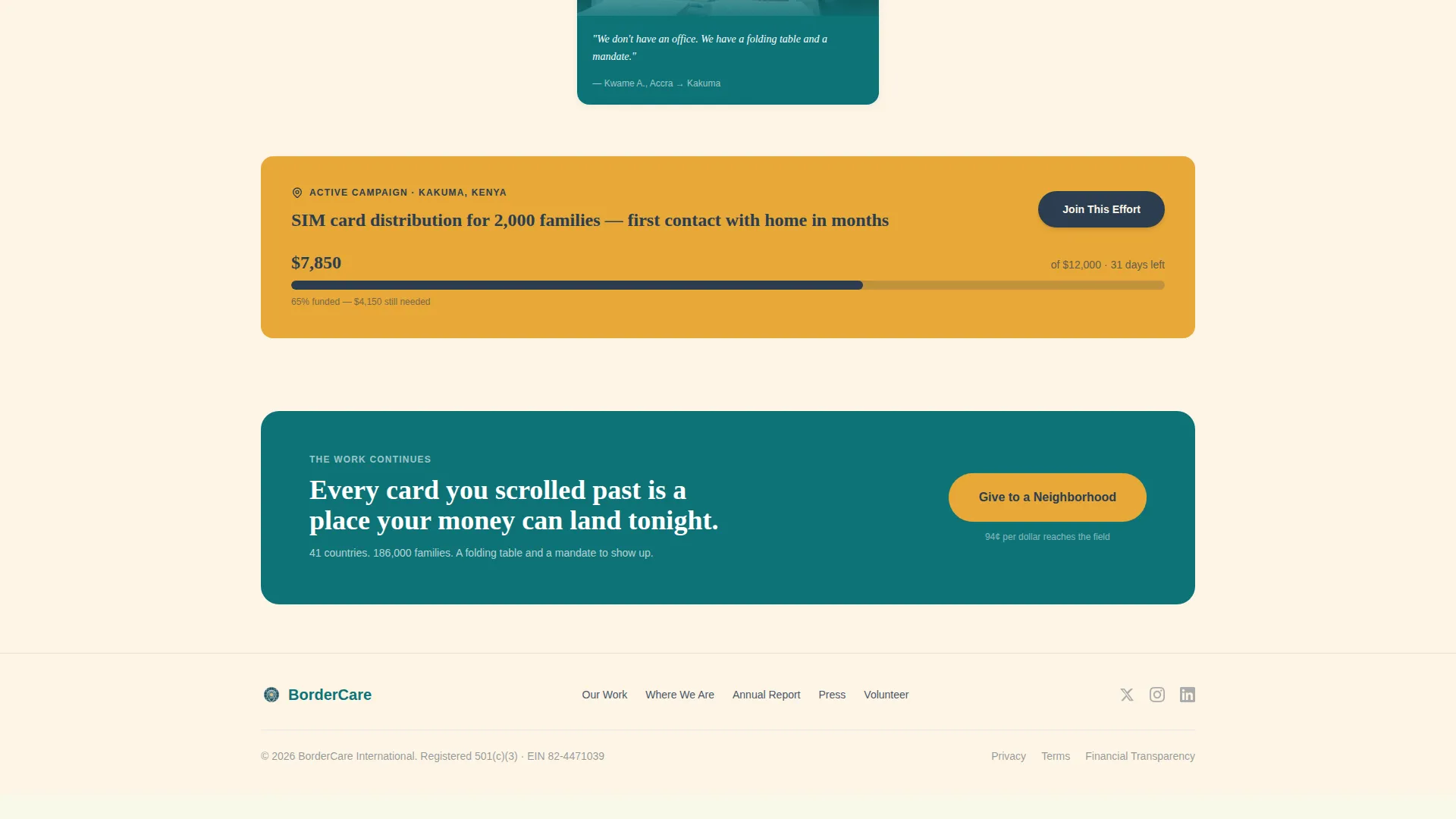
Every third row, a full-width amber banner interrupts the masonry grid with a labeled funding goal and an animated progress bar. Each banner names a specific city and campaign, such as the Thessaloniki winter shelter or the Kakuma SIM distribution point. Donors see exactly how far a real effort has come and how close it is to completion.
Neighborhood-Targeted Donation Overlay
Clicking any donation call-to-action opens a streamlined overlay. It presents four preset giving amounts, each paired with a tangible outcome label. A monthly/one-time toggle defaults to monthly. A single optional field, a dropdown of active program cities, lets the donor choose which neighborhood their gift supports tonight.
Scroll-Reveal Animation System
Cards stagger into view as the visitor scrolls, using a medium-weight reveal sequence. Progress bars animate on entry. The masonry grid staggers its columns so the layout feels alive rather than static. The effect rewards reading without overwhelming the content.
Mobile Floating Donation Bar
On smaller screens, a fixed bar sits at the bottom of the viewport at all times. It carries the primary donation call to action so mobile visitors never have to scroll back to give. The bar appears after the hero and persists through the entire masonry experience.
Page sections overview
| Section | Purpose |
|---|---|
| Hero split panel | Anchors emotion with documentary photo and serif headline |
| Primary masonry grid | Cascades neighborhood story cards with photos, quotes, and stats |
| Progress Banner 1 | Shows live funding progress for the Thessaloniki winter shelter |
| Masonry grid continued | Extends field dispatches with more city-specific program cards |
| Progress Banner 2 | Shows live funding progress for the Kakuma SIM distribution |
| Single-row footer | Closes the page with a clean linear footer pattern |
Design & branding system
The visual identity follows a Civic Service theme. The palette pairs institutional authority with neighborhood warmth, so first-time visitors trust the organization before they read a single statistic.
- Deep service teal (#0D7377) anchors the header, navigation, and primary buttons; warm civic cream (#FDF5E6) fills card backgrounds and open space; charcoal documentary gray (#2C3E50) handles body text and captions
- Signal amber (#E8A838) appears exclusively on donation calls-to-action and funding banners, training the eye to treat amber as the action color
- Typography uses Fraunces for all serif display headlines and DM Sans for body copy, balancing editorial weight with everyday readability
Mobile & speed optimization
The template is built mobile-first, with the floating donation bar as the primary conversion mechanism on small screens. Desktop visitors get the full masonry column experience.
- CSS columns drive the masonry layout, keeping the grid performant without requiring a heavy JavaScript library
- Intersection Observer powers scroll-reveal animations, so cards and progress bars only animate when they enter the viewport
- Optimized image handling is baked into the layout structure, keeping the visual-heavy page from feeling slow on mobile connections
How this template helps you convert
The page is engineered around one insight: donors give when they feel like participants in something already moving, not founders of something uncertain.
- The masonry grid builds cumulative, place-specific credibility across every card, so by the time a visitor reaches a funding banner they have already read a legal clinic story, a language class quote, and a stat block that proves real scale.
- The progress banners reframe the donation as joining an effort in motion. Seeing that $18,400 of a $25,000 goal is already raised makes the donor feel like the deciding vote, not the first dollar.
- The overlay links each preset amount to a concrete outcome and lets the donor pick a neighborhood, making the transaction feel personal and traceable rather than administrative.
Other information about this template
This template is a strong fit for organizations running multi-city field programs who need one page to carry the full weight of their case for support. It is equally effective as a standalone campaign page or as a primary fundraising destination.
- The neighborhood dropdown in the donation overlay can be populated with any list of active program cities, making the template adaptable to organizations of varying geographic scope
- The two progress banner slots can be swapped to reflect whichever campaigns are currently closest to their funding goals, keeping the page feeling live and urgent
- The template is designed for English-language audiences using United States Dollar currency, and the preset donation amounts and outcome labels are written with that context in mind
- The Civic Service visual theme and the documentary photography approach make this layout transferable to other humanitarian categories beyond refugee support, such as disaster relief or food security campaigns
Theme
Civic Service
Creative direction
Local & Neighborhood
Color system
Teal Catalyst
Style
Masonry/Pinterest
Direction
Donation/Fundraising
Page Sections
Split-panel Documentary Hero
Masonry Story Card Grid
Live Funding Progress Banners
Neighborhood Donation Overlay
Mobile Floating Donation Bar
Scroll-reveal Animation System
Related questions
Can I replace the progress bar campaigns with my own funding goals?
How many story cards does the masonry grid support?
Does the donation overlay support both one-time and recurring gifts?
Can I edit the preset donation amounts and their outcome labels?
Is this template suitable for a small local organization or only large international NGOs?



