Revenue & Tax Authority Cost Estimator Website Template
The Clearance template is a modular card grid landing page built for customs and excise departments. It guides freight forwarders, importers, and compliance officers through every clearance stage, from HS code classification to duty payment and shipment release. Tools like the duty calculator and HS code lookup work before registration, building genuine trust before any ask.
by Rocket studio
Quick summary
Clearance is a government customs and excise landing page template built around a single idea: a shipment progressing through every stage of clearance. It uses a modular card grid layout, an interactive port-of-entry map as the hero, and a scroll-driven cargo line animation to keep users oriented from classification all the way to release.
Who this template is for
This template is designed for customs and excise departments that need to serve a wide range of trade participants. It works equally well for agencies launching a new public-facing portal and those upgrading an outdated static page.
- Freight forwarders managing high volumes of container releases who need fast, reliable reference tools
- Small importers who are new to the process and need plain-language guidance at each stage
- Compliance officers at manufacturing firms who must track regulatory changes and download current forms
What problem this template solves
Trade participants often arrive at government customs pages to find scattered information, broken tools, and no clear sense of where to begin. The result is delays, penalties, and unnecessary rejections. This template removes that friction by presenting the clearance process as a guided journey rather than a document archive.
- No clear pathway through the six clearance stages: classification, valuation, declaration, inspection, payment, and release
- Duty calculators and HS code lookup tools hidden behind mandatory registration, eroding trust before any value is delivered
- Critical forms, guides, and explainer videos buried across disconnected pages instead of surfaced in one organized layout
What you get with this template
You receive a fully structured single-page layout that covers every key stage of the cargo clearance process. The design is desktop-first but includes full mobile support, because freight forwarders work at terminals while importers often use phones.
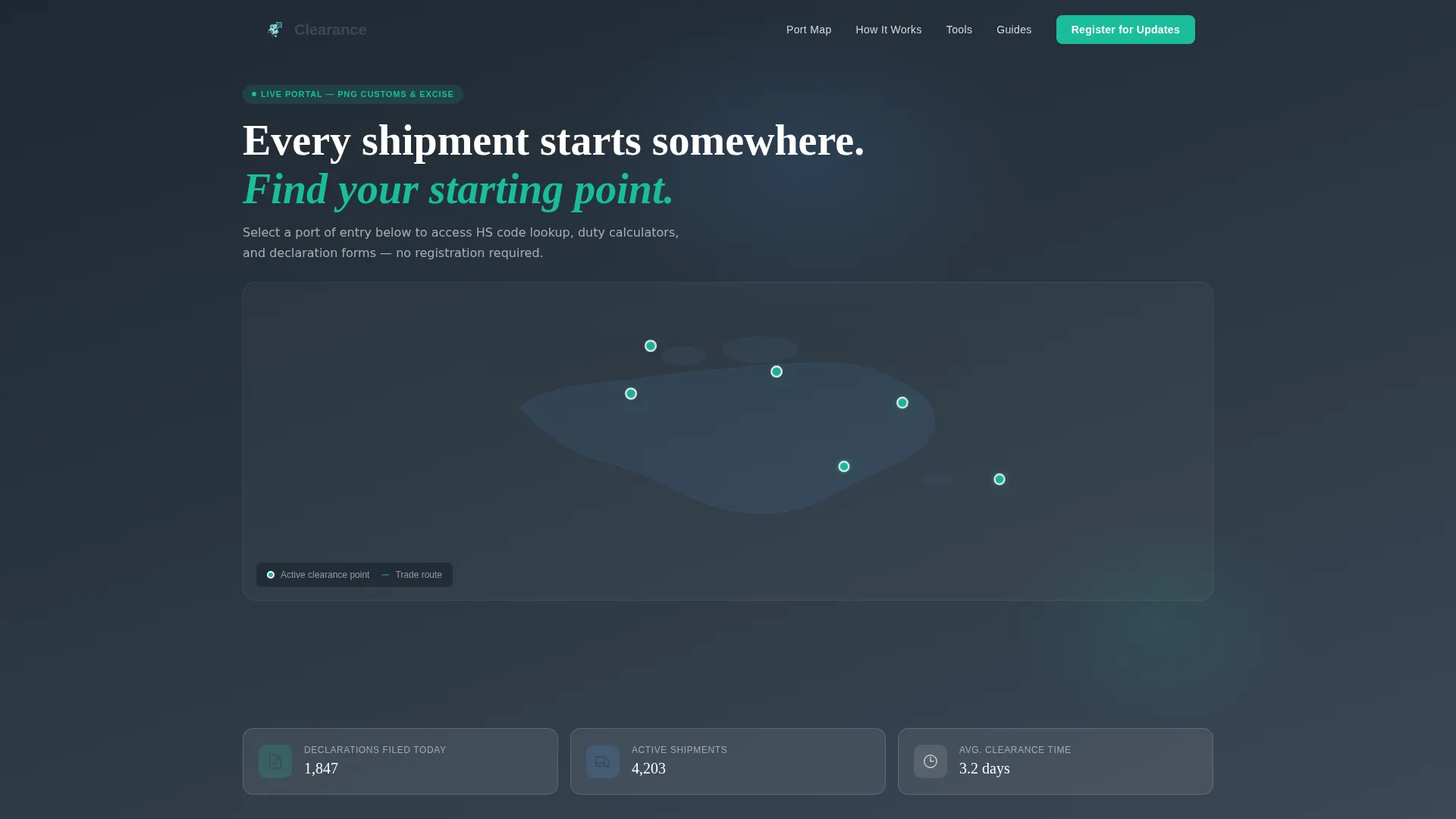
- A hero section featuring an SVG port-of-entry map with animated teal nodes, each revealing live context on hover
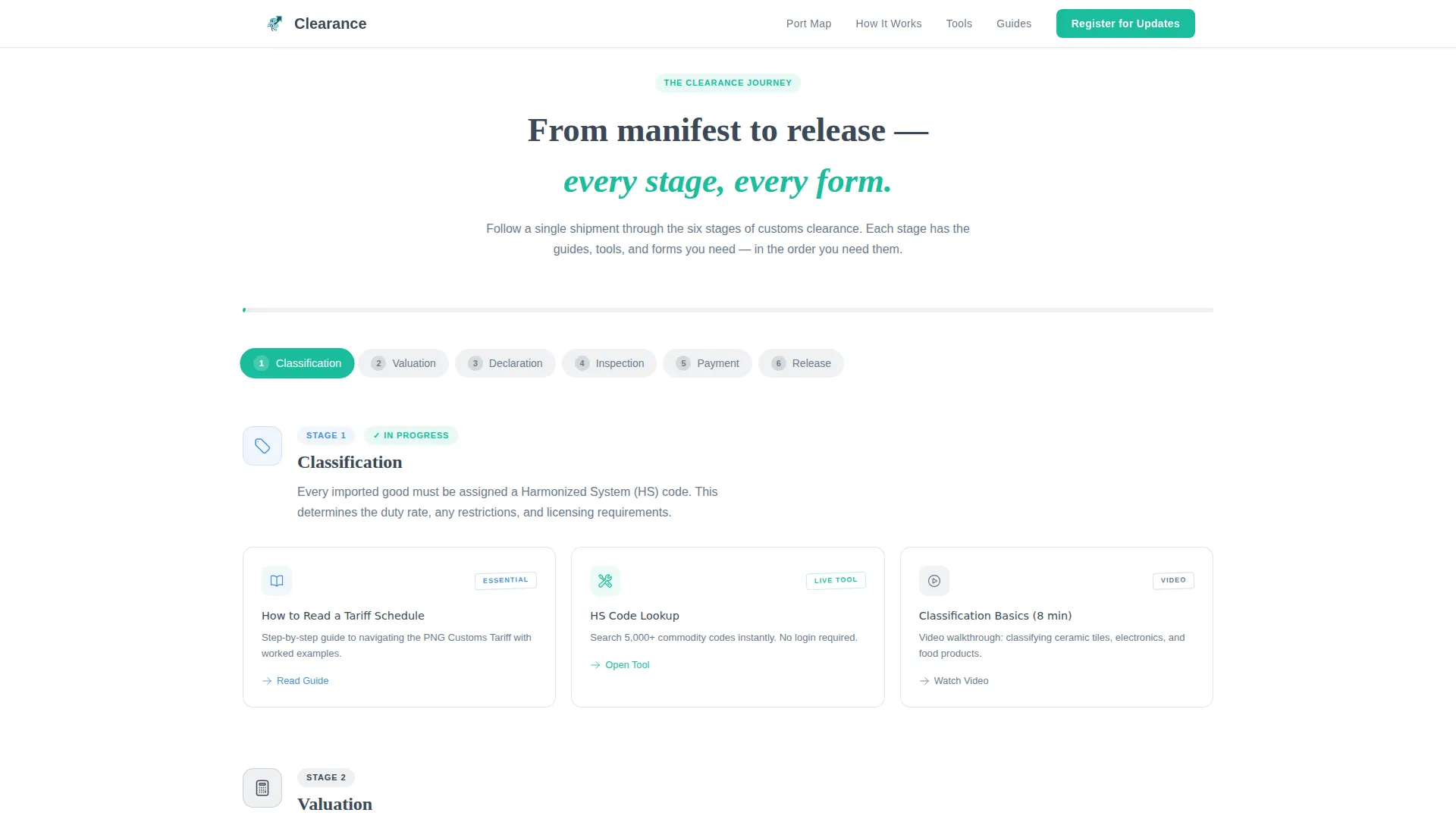
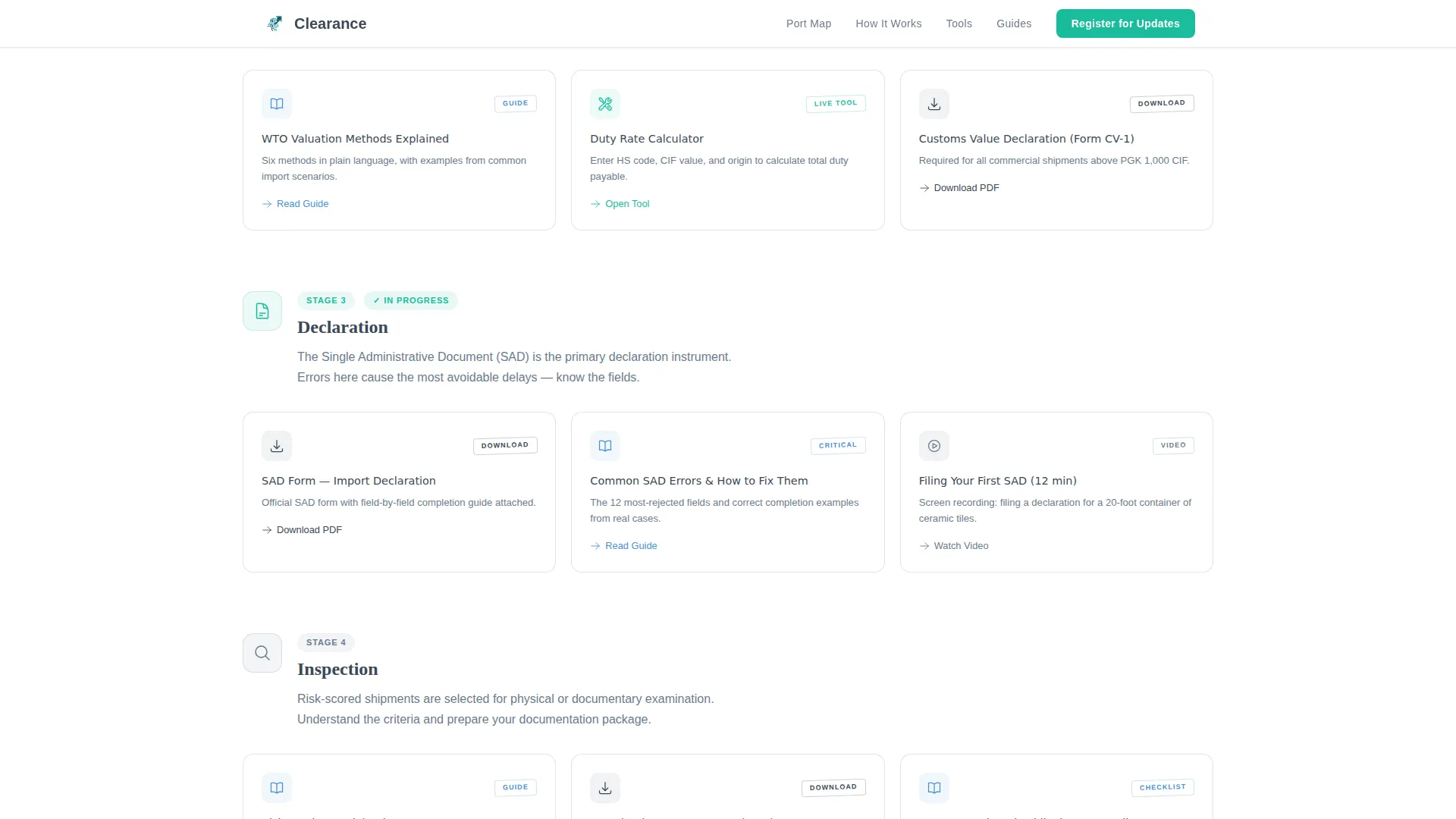
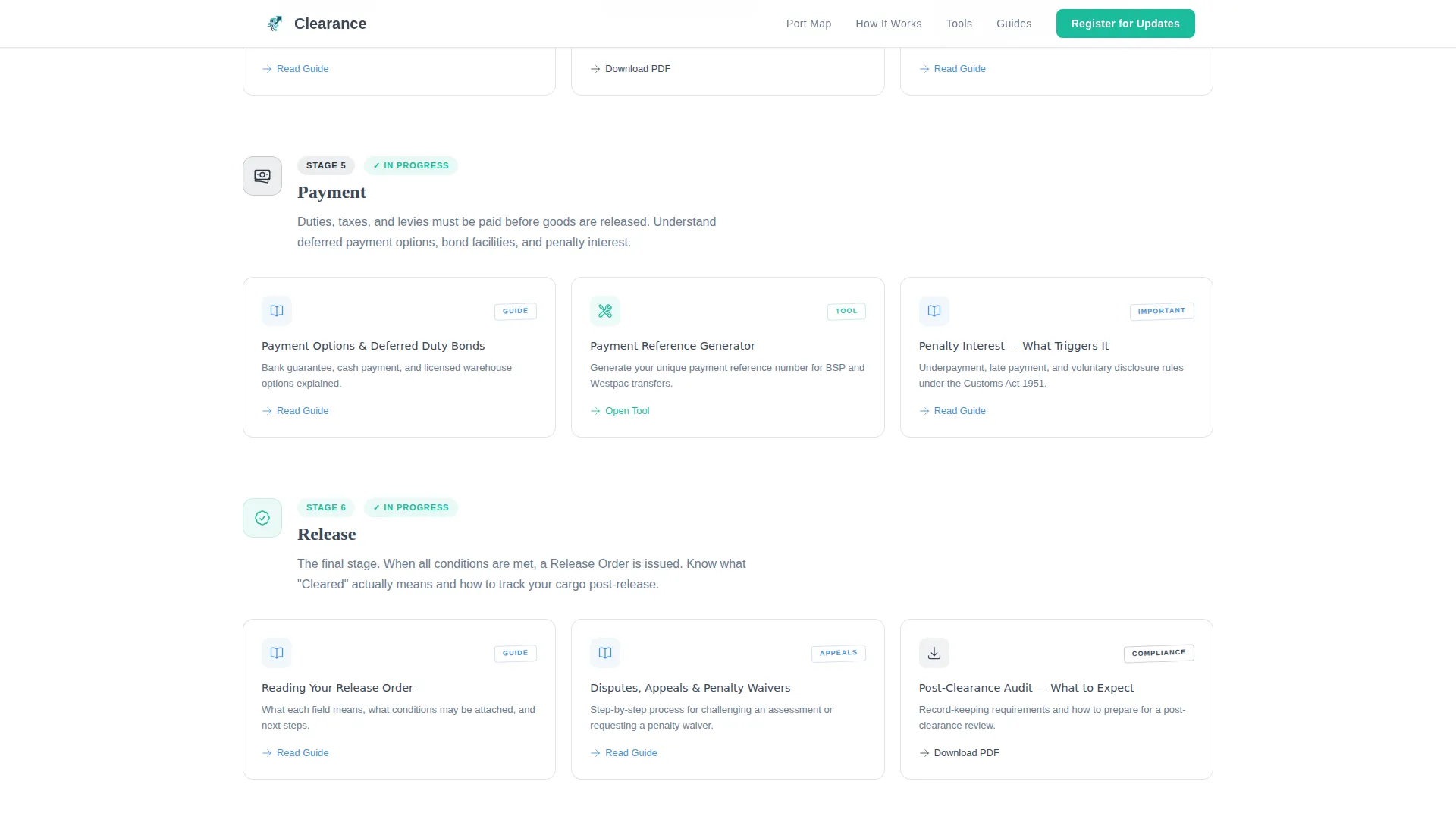
- Six card grid stages representing the shipment journey, populated with guides, tools, downloadable forms, and short explainer videos
- A two-step progressive lead generation form and a gated PDF download path for the tariff guide
Feature list
This template ships with a focused set of interactive and structural features. Each one is grounded in the brief and serves a specific need for customs users.
Interactive Port-of-Entry Hero Map
The hero is a top-down SVG map of the country's ports, bonded warehouses, and excise zones. Each active clearance point pulses with a teal node. Hovering reveals contextual options such as HS code lookup, duty calculator, and declaration forms for that specific port.
Scroll-Driven Cargo Line Animation
A subtle animated cargo line threads between the six clearance stage sections as the visitor scrolls. The line advances in sync with scroll position, giving users a literal sense of freight progressing through the system. The animation is built for medium-to-high visual fidelity using GSAP scroll reveals and staggered card entries.
Duty Rate Calculator and HS Code Lookup
Both tools are fully functional without requiring registration. Users can look up Harmonized System (HS) codes and calculate applicable duty rates before they commit to any form submission. This delivers utility upfront and establishes departmental credibility.
Six-Stage Modular Card Grid
Each clearance stage, Classification, Valuation, Declaration, Inspection, Payment, and Release, is represented by its own section of modular cards. Cards break down into four types: written guides, interactive tools, downloadable forms, and short explainer videos. The layout escalates in complexity, moving from terminology basics in early cards to dispute handling and penalty waivers in later ones.
Two-Step Progressive Lead Generation Form
The primary conversion path uses a progressive form. Step one asks only for email address and role (importer, broker, compliance officer, or other). Step two requests commodity category and primary port of entry. This reduces friction at first contact while capturing useful segmentation data on the second step.
Gated Tariff Guide PDF Download
A secondary conversion path offers the full tariff guide as a downloadable PDF. It requires only an email address. This path runs parallel to the main registration flow and captures users who want reference material before committing to updates.
Page sections overview
| Section | Purpose |
|---|---|
| Hero Port Map | Navigate ports via interactive SVG nodes with hover context |
| Shipment Journey Grid | Walk through six clearance stages as card-based modules |
| Live Tools Panel | Run duty calculations and HS code lookups without logging in |
| Guides and Downloads | Access forms, guides, tariff schedules, and explainer videos |
| Register and Stay Current | Complete two-step lead form or download gated PDF guide |
| Footer | Single-row linear footer with department links and contacts |
Design & branding system
The visual identity follows an Educational Guide theme built on the Slate and Sky color system. The palette deliberately separates institutional weight from actionable clarity, so users always know where to look and what to do next.
- Deep bureaucratic slate (#3B4856) dominates headers and body text, projecting authority without heaviness
- Open-sky blue (#4A90D9) washes across section backgrounds, creating visual breathing room between content stages
- Clearance-stamp teal (#1ABC9C) appears only on active states, badges, and calls to action, training the eye to find interactive elements
- Typography pairs Fraunces, a serif typeface for headline authority, with Manrope, a clean sans-serif for body readability
Mobile & speed optimization
The template is built desktop-first to match how freight forwarders work at terminal screens, but every section adapts cleanly for mobile users such as first-time importers checking progress on a phone.
- Static content sections use server-rendered components to keep initial load lean across slower connections
- Interactive client components, the map, calculator, HS lookup, and progressive form, are scoped separately so they do not block the page from rendering
- The card grid layout reflows naturally at smaller breakpoints, preserving the six-stage journey structure on any screen size
How this template helps you convert
The page is structured around the principle of earning the conversion before asking for it. Every interactive tool is available without a login, so visitors build trust in the department before they see a form.
- The duty calculator and HS code lookup deliver immediate, real value on arrival, establishing credibility and reducing bounce before any call to action appears
- The progressive two-step form reduces perceived commitment at first contact by asking only for email and role, then gathering richer data in step two once the user is already engaged
- The parallel gated PDF path captures visitors who are in research mode and not yet ready to register, converting them through a lower-friction offer that still grows the contact list
Other information about this template
This template is specific to the customs and excise use case within the Government and Public sector. A few additional details are worth noting for teams evaluating it.
- The template references PNG port geography, including Port Moresby, Lae, Kimbe, and Alotau, with currency support for both USD and PGK
- Social proof elements include active shipment counts per port and weekly declaration volume stats displayed in glassmorphic stat cards on the hero
- The creative direction is Movement and Cause: every scroll interaction and card placement reinforces the stakes of getting clearance right, from terminology basics to appeals and penalty waivers
- The header concept is Map-Based, meaning the port map is not decorative, it is the primary navigation device for the page
- The footer follows a linear single-row pattern, keeping the page clean and appropriately institutional at close
Theme
Educational Guide
Creative direction
Movement & Cause
Color system
Slate & Sky
Style
Card Grid (Modular)
Direction
Lead Generation
Page Sections
Interactive Port-of-entry Hero Map
Scroll-driven Cargo Line Animation
Duty Calculator and HS Code Lookup
Six-stage Modular Card Grid
Two-step Progressive Lead Form
Gated Tariff Guide PDF Download
Related questions
Who is this template designed for?
Do users need to register before using the tools?
What are the six clearance stages covered in the layout?
How does the two-step lead generation form work?
Can the port map be adapted for different port locations?



