Food & Beverage Heat Treatment Landing Page
Pasteurize is a modular card grid landing page built for food and beverage heat treatment facilities. It guides visitors through a timeline-style production journey, from raw intake to retail-ready product. A three-column method comparison, technical spec cards, and a short intake form work together to convert serious co-packing prospects into qualified leads.
by Rocket studio
Quick summary
Pasteurize is a single-page layout designed for precision heat treatment facilities serving dairy, juice, and sauce producers. It uses a modular card grid to walk visitors through every processing stage, compares three pasteurization methods side by side, and closes with a direct intake form. The industrial design language reinforces facility credibility at every scroll point.
Who this template is for
This template suits businesses that offer commercial heat treatment or co-packing services for food and beverage producers. It speaks clearly to facility operators who need to attract and qualify incoming client inquiries.
- Regional dairy co-ops and small-batch dairy producers looking for a scalable co-packer
- Hot sauce founders and beverage startups preparing for retail or grocery distribution
- Heat treatment facility owners who want a landing page that converts informed buyers
What problem this template solves
Most food processing facilities struggle to explain complex thermal methods to buyers who are not engineers. Prospects arrive with specific concerns about flavor retention, shelf life, and kill-step efficacy but leave without answers. This template solves that gap directly.
- It presents HTST, UHT, and low-temperature pasteurization in plain, comparable terms
- It surfaces technical specs without burying the visitor in jargon
- It offers two clear conversion paths for buyers at different stages of the decision process
What you get with this template
You get a fully structured, single-page layout built around a production-floor narrative. Every section is purposeful and ordered to mirror the physical journey from receiving dock to shipping bay.
- A panoramic cinematic header with a headline bar and production-line imagery direction
- Three rows of modular cards covering raw intake, method comparison, and packaging logistics
- A side-by-side HTST versus. UHT versus. low-temperature comparison block with a lead capture form below
Feature list
This template is built around one core promise: guide a skeptical buyer through the full production process and deliver them to a form when they are ready to act.
Cinematic Panoramic Header
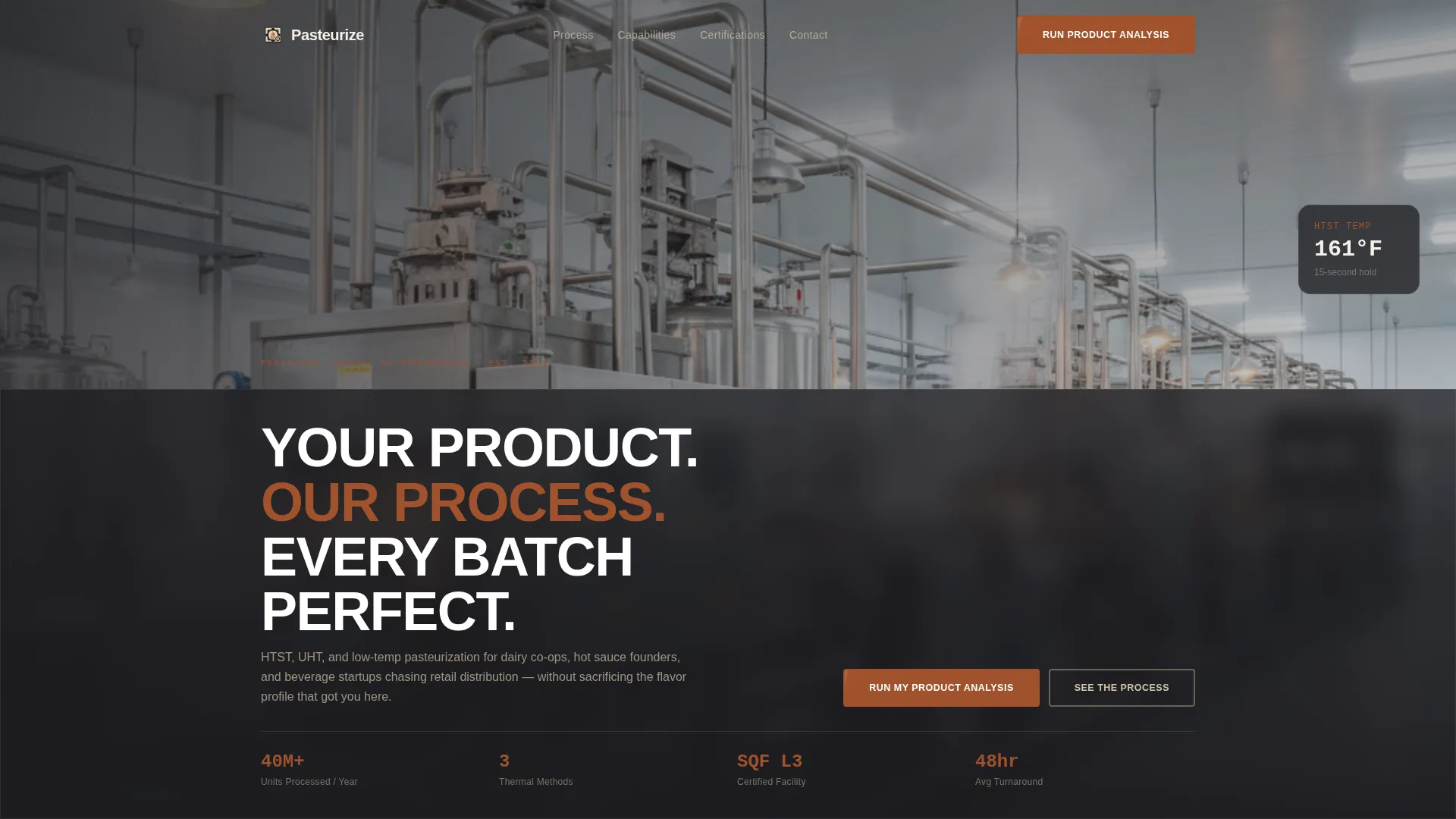
The header spans edge to edge with a wide-format processing-line image. A semi-transparent furnace black bar anchors the condensed headline "Your Product. Our Process. Every Batch Perfect." directly over the visual, creating immediate credibility without clutter.
Timeline Progression Card Grid
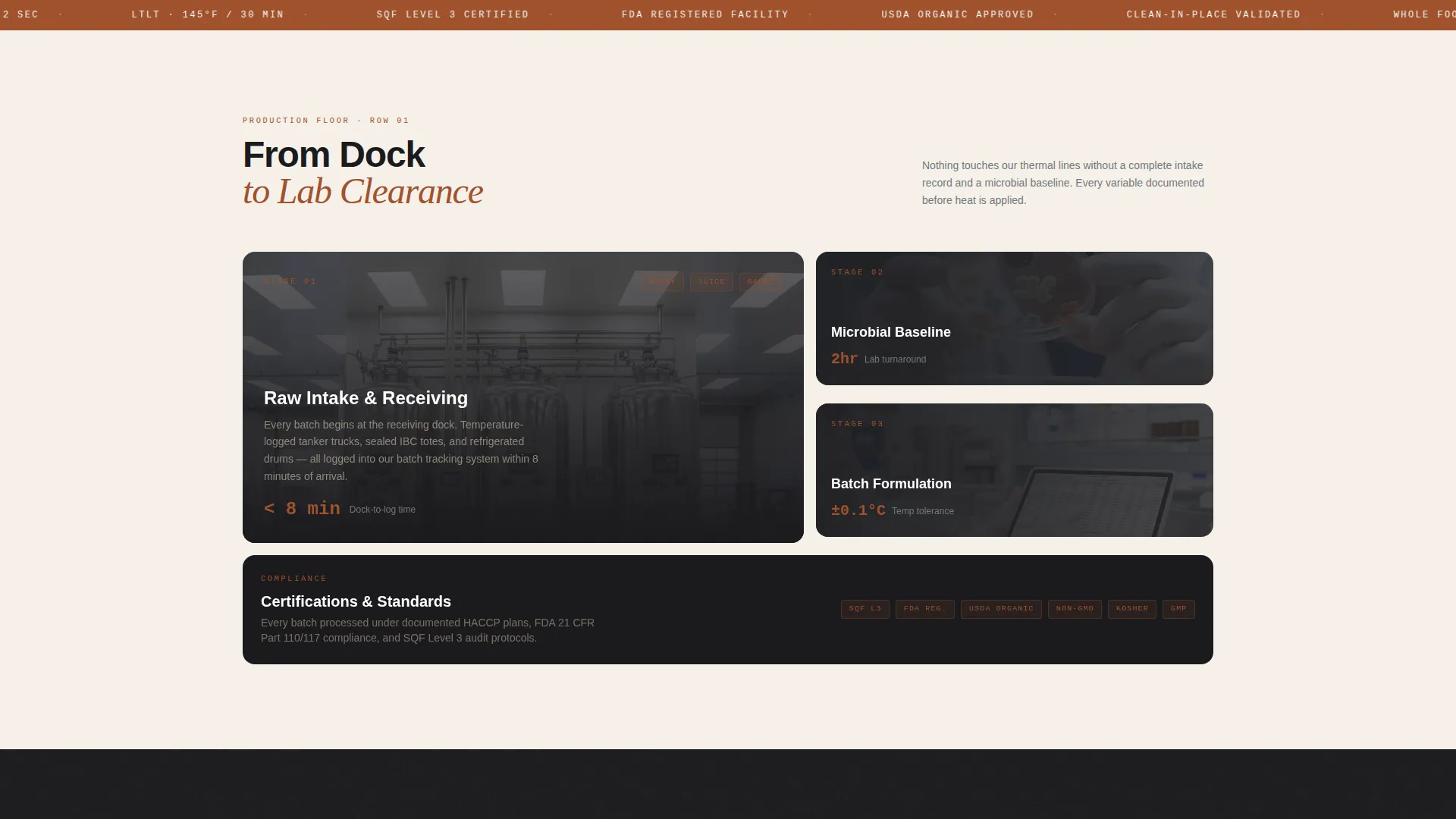
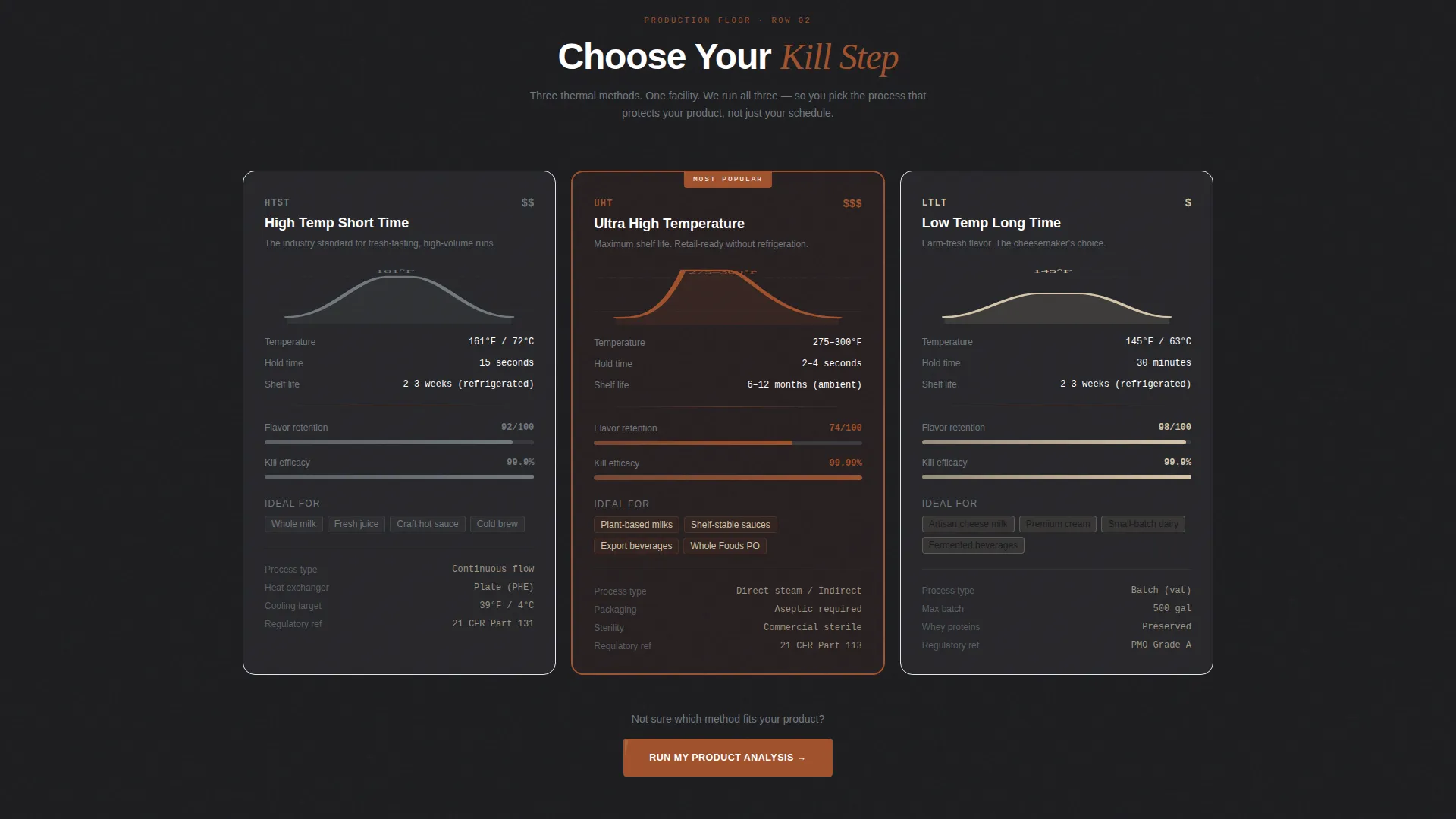
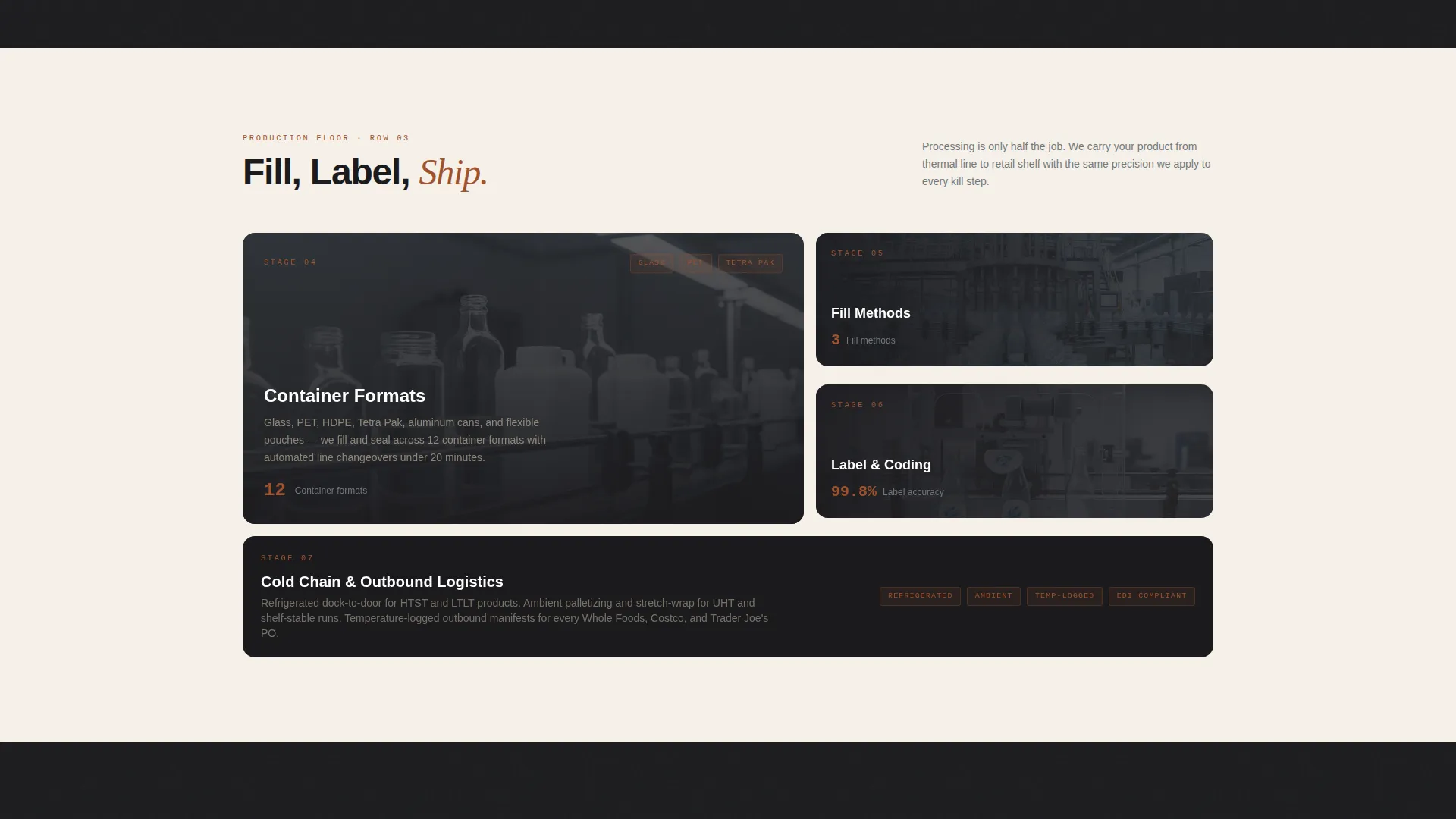
Three horizontal card rows represent sequential production stages. Row one covers raw intake and lab testing. Row two presents the three pasteurization methods as individual cards with temperature curves and hold-time specs. Row three addresses packaging, labeling, and cold chain logistics.
Three-Column Method Comparison
The comparison block places HTST, UHT, and low-temperature pasteurization side by side. Each column shows kill-step efficacy, flavor retention score, shelf-life extension, and ideal product categories. This format lets buyers self-qualify before they ever reach the form.
Flip-on-Hover Technical Spec Cards
Each card in the grid has a hover state that reveals deeper technical specifications. This keeps the default view clean and skimmable while rewarding engaged visitors with the detail they need to build confidence.
Dual Conversion Path Layout
Below the method comparison, a short intake form captures qualified leads. A secondary call to action offers a downloadable thermal processing guide behind an email gate. Both paths serve buyers at different readiness levels without competing with each other.
Industrial Warm Stone Design System
Every visual element follows a consistent palette and component language. Clay orange marks all interactive elements including buttons, hover states, and progress indicators. Backgrounds alternate between quarry beige and furnace black to create natural section rhythm.
Page sections overview
| Section | Purpose |
|---|---|
| Panoramic Header | Establish facility credibility and set the production-floor tone |
| Raw Intake Cards | Introduce the receiving and lab-testing stage of the process |
| Method Comparison Row | Compare HTST, UHT, and low-temp side by side with key specs |
| Packaging and Logistics | Cover post-processing steps from labeling to cold chain |
| Lead Capture Form | Collect product type, volume, retail channel, and lab data |
| Guide Download Gate | Offer a research resource behind an email field for early-stage visitors |
Design & branding system
The visual identity follows an Industrial Raw theme built on a Warm Stone color palette. The overall feel is a converted factory space with warm overhead light, exposed aggregate textures, and copper-toned accents throughout.
- Core palette: quarry beige (#D4C5A9), brushed steel (#71797E), kiln-fired clay (#A0522D), and deep furnace black (#1B1B1E)
- Typography uses a condensed industrial sans-serif for headlines and clean body type for readability
- Clay orange (#A0522D) is reserved exclusively for interactive elements such as buttons, hover states, and progress indicators
Mobile & speed optimization
The modular card grid is structured so rows reflow cleanly at smaller screen widths. Vertical stacking preserves the timeline narrative even on a phone screen, keeping the production-floor story intact from top to bottom.
- Card columns collapse to single-column stacks on narrow viewports without breaking the row-by-row story logic
- The comparison block adapts so each method card remains fully readable as a standalone unit on mobile
- Alternating background sections provide natural visual breaks that help mobile readers track their position on the page
How this template helps you convert
The conversion strategy is built into the page structure itself. Visitors are not asked to act until the template has already done the work of explaining, comparing, and building trust.
- The timeline card grid walks buyers through every production stage, so they arrive at the form already educated about the facility's capabilities and process depth.
- The three-column comparison block lets prospects self-select the right pasteurization method, which means the lead who fills out the intake form already knows what they want.
- The dual call-to-action setup captures both ready buyers through the intake form and early-stage researchers through the guide download, so no qualified visitor leaves empty-handed.
Other information about this template
This template is a strong fit for food and beverage manufacturing contexts where the buyer needs to trust the process before they trust the price. The design language signals operational maturity without feeling corporate or cold.
- The intake form fields cover product type, monthly volume, target retail channel, and existing lab results, giving the facility useful pre-qualification data from the very first inquiry
- The template style is Card Grid (Modular), making individual sections easy to reorder or expand as the facility's service offering grows
- The Comparison/Versus landing page direction means the core selling work happens in the comparison block, not in the form itself
- The creative direction follows Timeline Progression, which maps naturally to how buyers think about the co-packing decision journey
Theme
Industrial Raw
Creative direction
Timeline Progression
Color system
Warm Stone
Style
Card Grid (Modular)
Direction
Comparison/Versus
Page Sections
Cinematic Panoramic Header
Timeline Progression Card Grid
Three-column Method Comparison
Flip-on-hover Spec Cards
Dual Conversion Path Layout
Industrial Warm Stone Design System
Related questions
Who is this landing page template designed for?
Can I adapt the method comparison block for fewer than three options?
What does the intake form collect by default?
Is the thermal processing guide download included as a designed component?
Does this template work for facilities that offer only one pasteurization method?



