Drywall Patch & Touch-Up Booking Landing Page
Patch is a gallery and detail landing page built for a two-person drywall patch and touch-up crew. It guides visitors from problem recognition to a booked appointment using a calm visual arc, a damage-type gallery with repair detail panels, and a sticky booking form with zip code, damage selector, calendar picker, and optional photo upload.
by Rocket studio
Quick summary
Patch is a single-page booking experience for a drywall patch and touch-up service. Visitors enter their zip code, browse a gallery of common damage types, and book a slot within ten days using a structured form. The design moves emotionally from the anxiety of visible damage to the calm of a perfectly smooth, finished wall.
Who this template is for
This template was built for small drywall and touch-up crews who rely on booked appointments rather than foot traffic. It speaks directly to service providers whose clients care more about a fast, tidy result than a contractor's credentials list.
- Two-person drywall patch and touch-up operations
- Independent handyman services focused on interior wall repairs
- Property maintenance contractors working with landlords and property managers
What problem this template solves
Most home service pages lead with alarming before-and-after photos or dense service lists. That approach creates anxiety before it creates trust. This template flips that dynamic entirely.
- Visitors arrive to a calm, finished result rather than damage imagery
- The gallery lets each person identify their specific problem without reading a wall of text
- The booking form removes friction by accepting a photo upload instead of requiring a written description
What you get with this template
You get a complete, single-page booking flow structured around the emotional journey from noticing damage to scheduling a fix. Every section has a clear purpose and a clear next step.
- A zip-code header with same-week availability messaging
- A clickable gallery grid covering six common damage types with three-phase repair detail panels
- A sticky booking bar with damage-type selector, calendar picker, and optional photo upload
Feature list
This template is built around a carefully sequenced set of components that move visitors toward a booking decision.
Zip Code Location Header
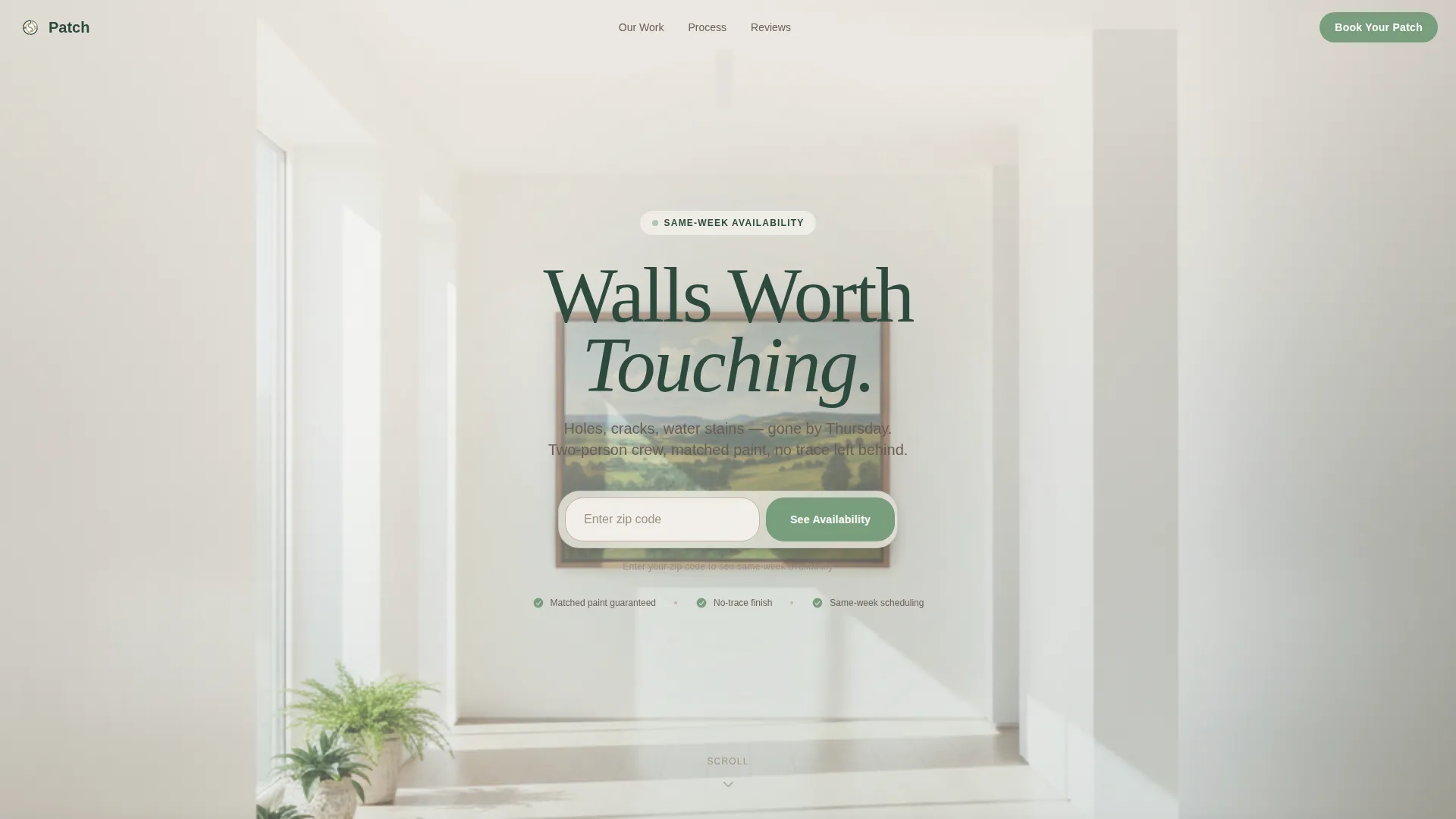
The page opens with a centered address input sitting over a sunlit hallway photograph. Visitors enter their zip code to surface same-week availability, setting a practical and reassuring tone from the very first interaction.
Damage Type Gallery Grid
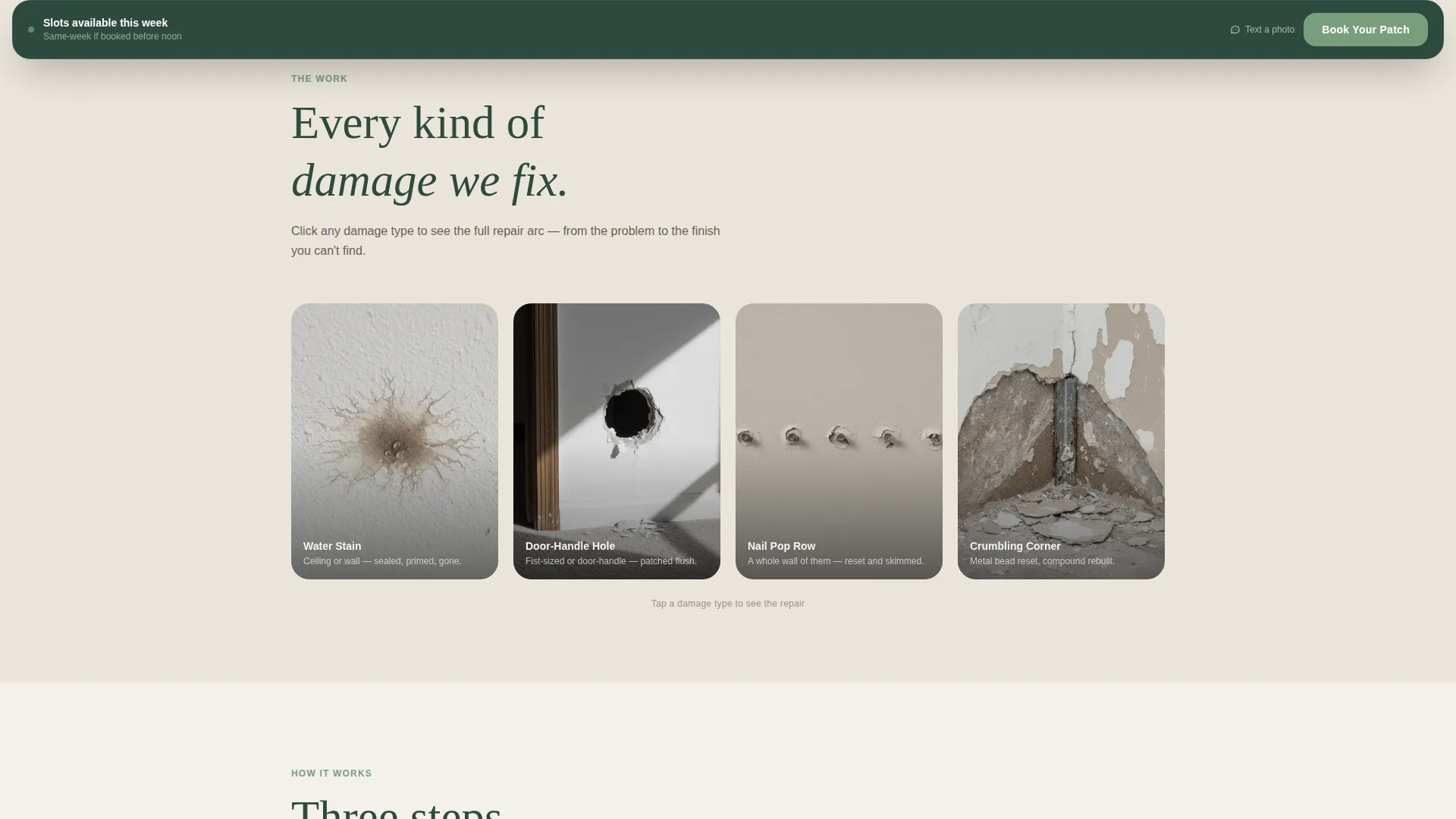
A scrollable grid displays common damage types including water stains, hole punch-throughs, nail pop rows, and crumbling corner bead. Each thumbnail is slightly desaturated to reflect the uncomfortable reality of unfinished damage, making the viewer's problem feel recognized.
Sliding Repair Detail Panel
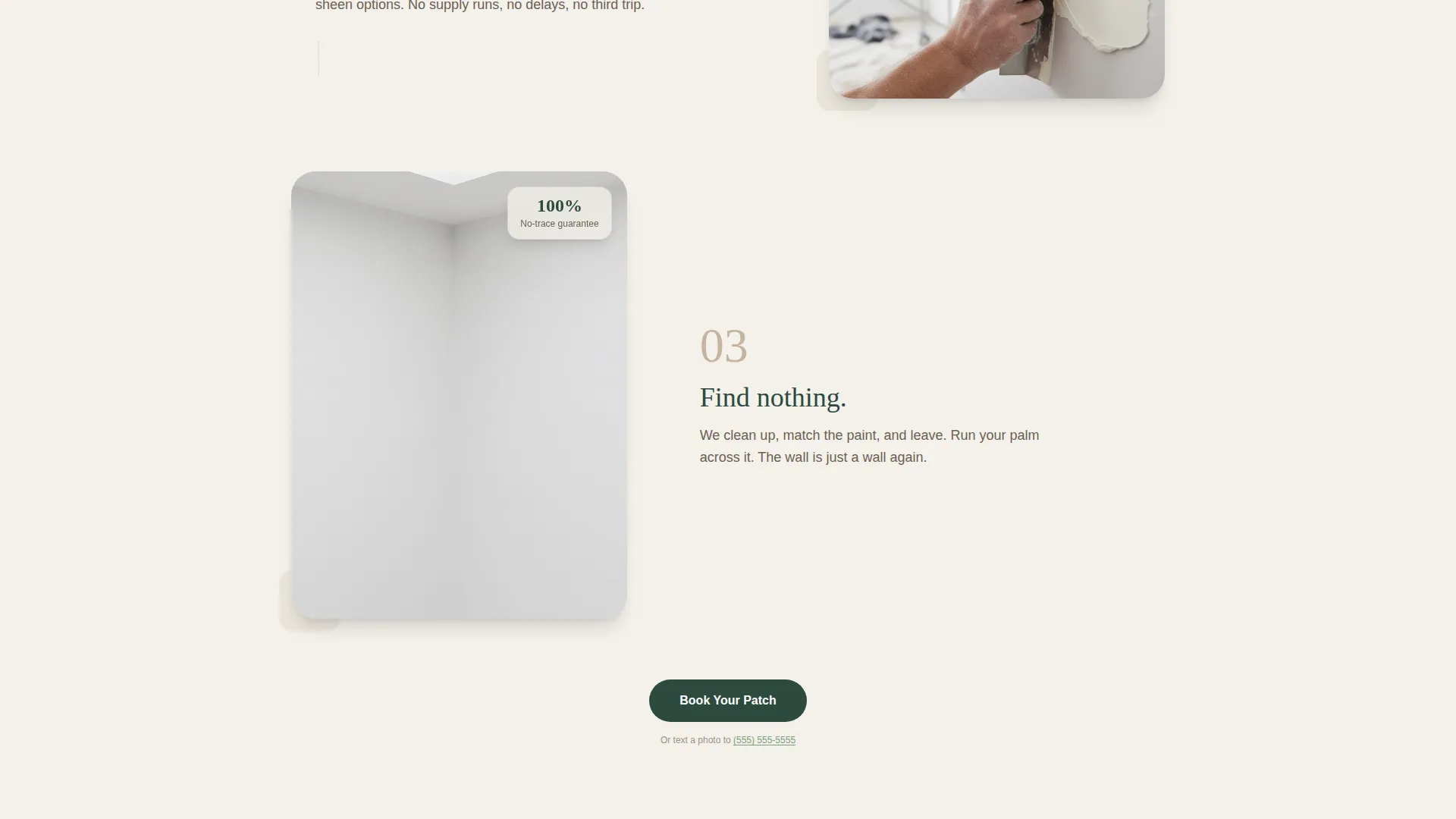
Clicking any gallery thumbnail opens a right-side detail panel showing three sequential photographs: the original damage, the mid-repair stage with fresh mud and tape, and the finished wall indistinguishable from its surroundings. This sequence builds confidence without requiring a sales pitch.
Sticky Booking Bar
After the first gallery interaction, a booking bar anchors to the bottom of the screen. It pre-fills the zip code from the header, offers a photo-icon damage selector, displays a calendar showing real available slots within ten days, and includes an optional photo upload labeled "Show us the wall."
Testimonial Breathing Room
Mid-scroll testimonials from landlords and homeowners provide a natural pause in the visual flow. Each quote is paired with the specific wall the client called about, making praise feel specific and earned rather than generic.
Text Message Secondary Conversion
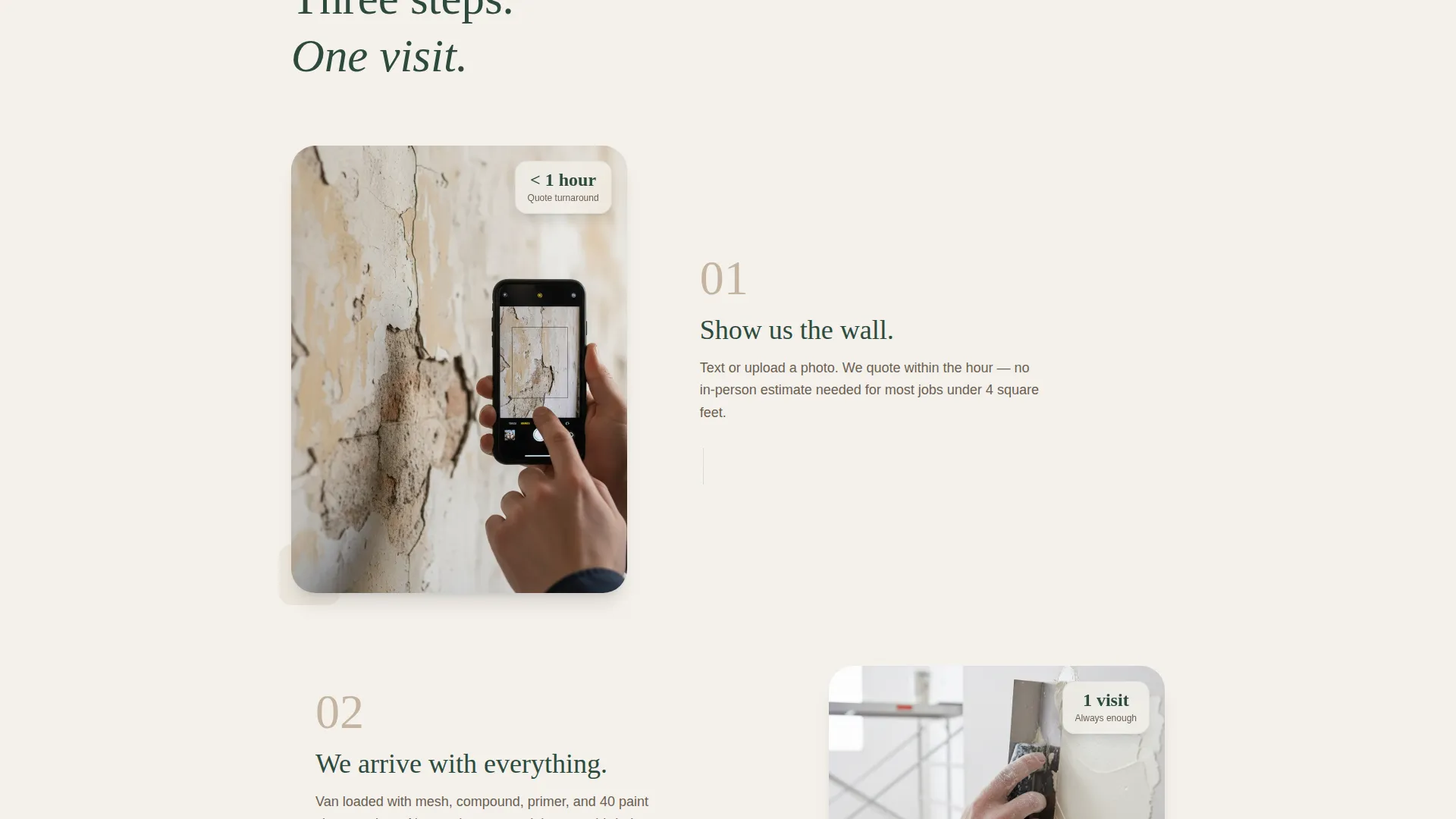
A secondary call to action reads "Prefer to text us a photo? Tap here," giving mobile visitors a frictionless alternative path. This reflects the reality that many repair inquiries begin with someone photographing damage on their phone.
Page sections overview
| Section | Purpose |
|---|---|
| Zip Code Header | Capture location and show same-week availability |
| Sunlit Hero Image | Set a calm, finished-result tone immediately |
| Damage Gallery Grid | Let visitors identify their specific problem visually |
| Repair Detail Panel | Show three-phase repair process per damage type |
| Palette Transition Zone | Shift visual warmth as scroll depth increases |
| Testimonial Row | Build trust with specific, single-wall client quotes |
| Sticky Booking Bar | Convert gallery browsers into booked appointments |
| Text Message call to action | Offer a low-friction mobile alternative path |
Design & branding system
The visual identity follows a Pastoral Calm theme built on the Forest Trust color system. Every color choice reinforces the emotional promise of the service: something quietly and completely fixed.
- Deep evergreen (#2D4A3E) anchors headings and the footer; warm birch bark (#D6C9B6) surfaces section dividers and card backgrounds; soft meadow white (#F4F1EB) dominates all page backgrounds
- Muted sage (#7A9E7E) is reserved for buttons and interactive highlights, drawing the eye gently toward every call to action
- As visitors scroll deeper, section backgrounds shift from cooler birch tones toward full meadow white, mirroring the emotional arc from anxiety to resolution
Mobile & speed optimization
The template is designed with mobile-first behavior because a significant portion of drywall repair inquiries start on a phone. The layout adapts cleanly to smaller screens without losing the gallery and detail panel experience.
- The sticky booking bar is thumb-friendly and pre-fills data already entered in the header
- The text-message secondary conversion is a tap target built for one-handed phone use
- The photo upload field works with a device camera, letting visitors submit damage photos directly from their phone
How this template helps you convert
Every section in this template has a deliberate role in moving a hesitant visitor toward a confirmed booking. Nothing is decorative without also being functional.
- The zip code header creates immediate relevance by tying availability to the visitor's actual location, reducing the "is this even available near me?" hesitation that kills conversions.
- The damage gallery makes self-identification effortless, so visitors arrive at the booking form already knowing what to select, which shortens form completion time.
- The optional photo upload field labeled "Show us the wall" lowers the commitment threshold by replacing a written description with a quick phone snapshot, making the first step feel almost conversational.
Other information about this template
This template belongs to the Construction and Home category under the Handyman and Odd Jobs subcategory, with a specific focus on the drywall patch and touch-up niche. It pairs a Gallery and Detail template style with a Booking and Scheduling landing page direction.
- The Pastoral Calm theme and Forest Trust color system are purpose-built for this project and are not generic construction palettes
- The Problem-to-Solution Arc creative direction means the page is deliberately sequenced: discomfort first, resolution earned through scroll
- The Location Input header concept is central to the experience and should remain in place to preserve the same-week availability messaging flow
Theme
Pastoral Calm
Creative direction
Problem→Solution Arc
Color system
Forest Trust
Style
Gallery + Detail
Direction
Booking/Scheduling
Page Sections
Zip Code Location Header
Damage Type Gallery Grid
Sliding Repair Detail Panel
Sticky Booking Bar
Testimonial Row
Text Message Secondary Conversion
Related questions
What type of service business is this landing page designed for?
Does the booking form support photo uploads from a mobile phone?
Can I customize the damage types shown in the gallery grid?
How does the sticky booking bar appear on the page?
Is there a way for visitors to reach out without filling in the full booking form?



