Teen & Tween Booking Website Template
Pathfind is a warm, story-driven landing page template built for teen career exploration programs. It features an animated compass mascot, a zigzag four-step journey layout, and a progressive event registration form. The sunset gradient palette and picture-book visual style make the page feel inviting for teenagers and reassuring for parents who want to open doors without forcing choices.
by Rocket studio
Quick summary
Pathfind is a single-page template designed for youth career discovery programs. It guides curious teens and their parents through a warm, illustrated journey from first visit to event sign-up. The layout uses a zigzag step-by-step structure, an animated mascot, and a sunset color palette to create a page that feels personal, unhurried, and full of quiet possibility.
Who this template is for
This template is made for organizations, educators, and program coordinators running hands-on teen career exploration experiences. It works equally well for weekend shadowing programs, school-partnered discovery events, and independent youth enrichment providers.
- Teen and tween program organizers who need a warm, story-led registration page
- Youth education providers offering career shadowing, workshops, or mentored experiences
- Parents and program directors co-presenting an offer to both teens and families at once
What problem this template solves
Teens between fourteen and eighteen often feel pressure to declare a future before they have tried anything. Generic program pages make that pressure worse by leading with credentials and schedules instead of curiosity and possibility. This template flips that approach.
- It removes intimidation by leading with a low-stakes, exploratory tone rather than a commitment-heavy pitch
- It speaks to two audiences at once, giving teenagers ownership of the first steps while bringing parent details in second
- It converts hesitant visitors through a secondary quiz download path, so families who are not ready to register still stay connected
What you get with this template
The template delivers a fully structured, mobile-first landing page ready to customize for any teen career exploration program. Every section is pre-built and intentionally sequenced to move a visitor from curiosity to registration.
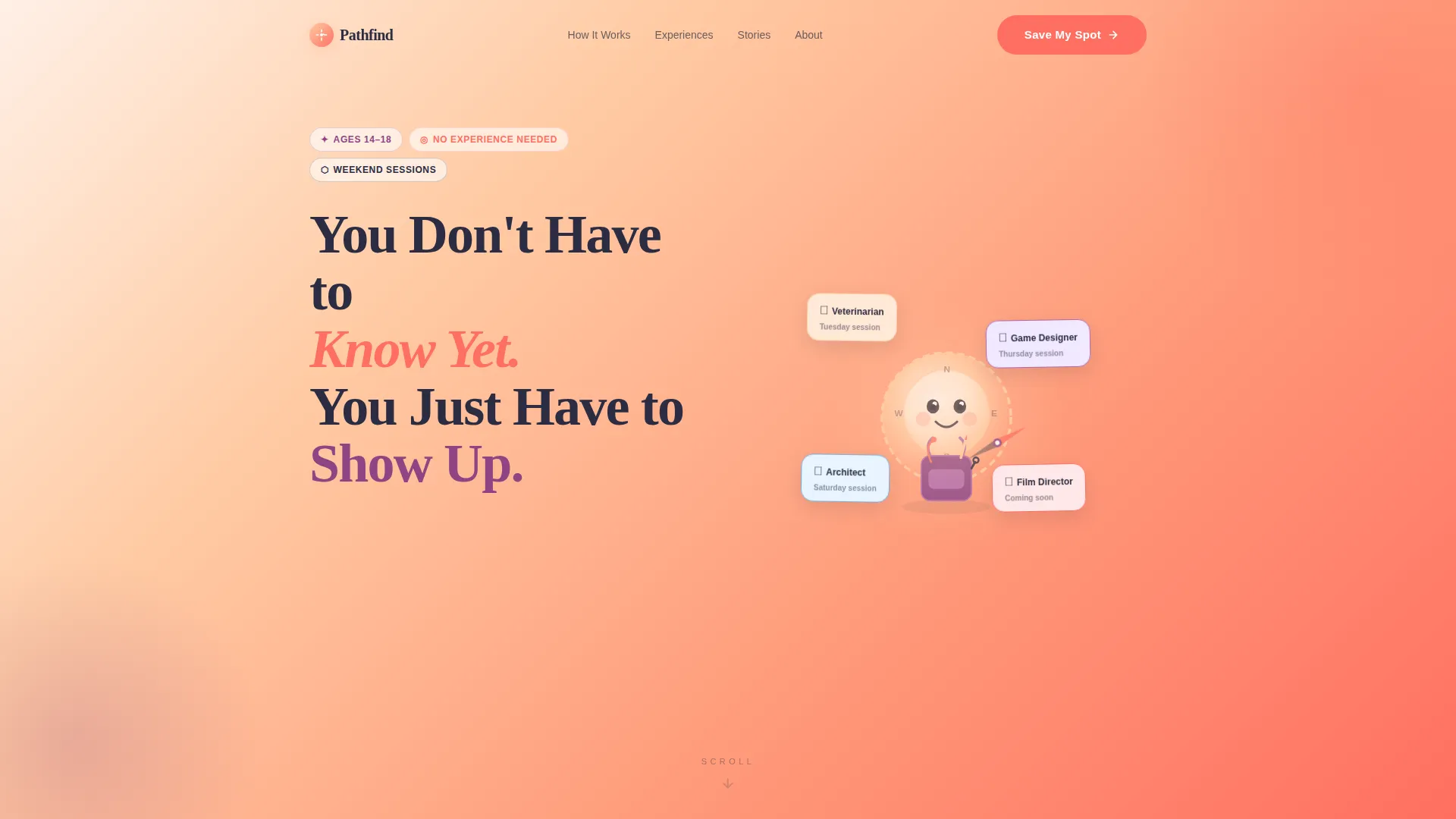
- An animated hero with a compass mascot, sunset gradient background, and a headline that sets a warm, no-pressure tone
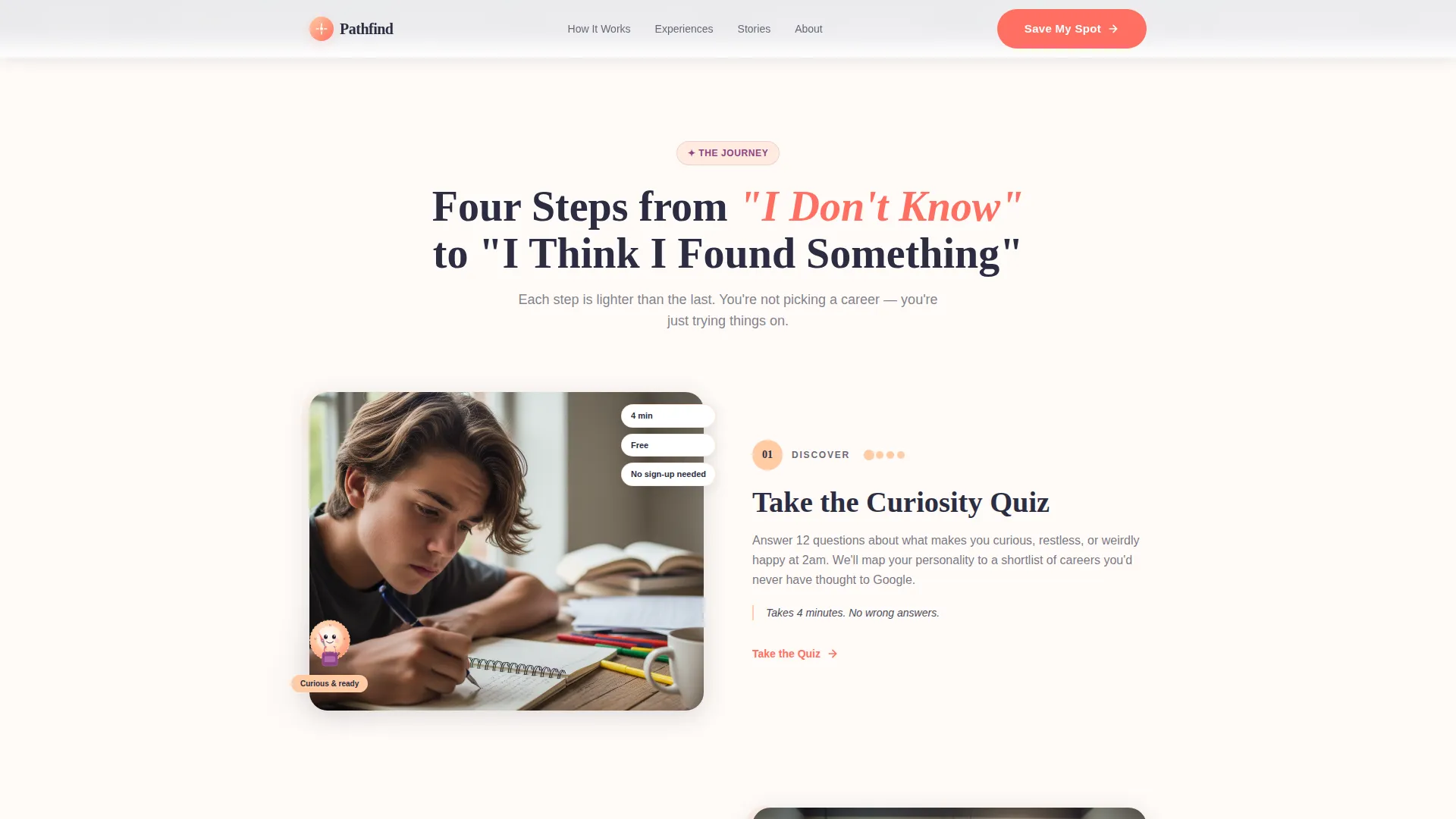
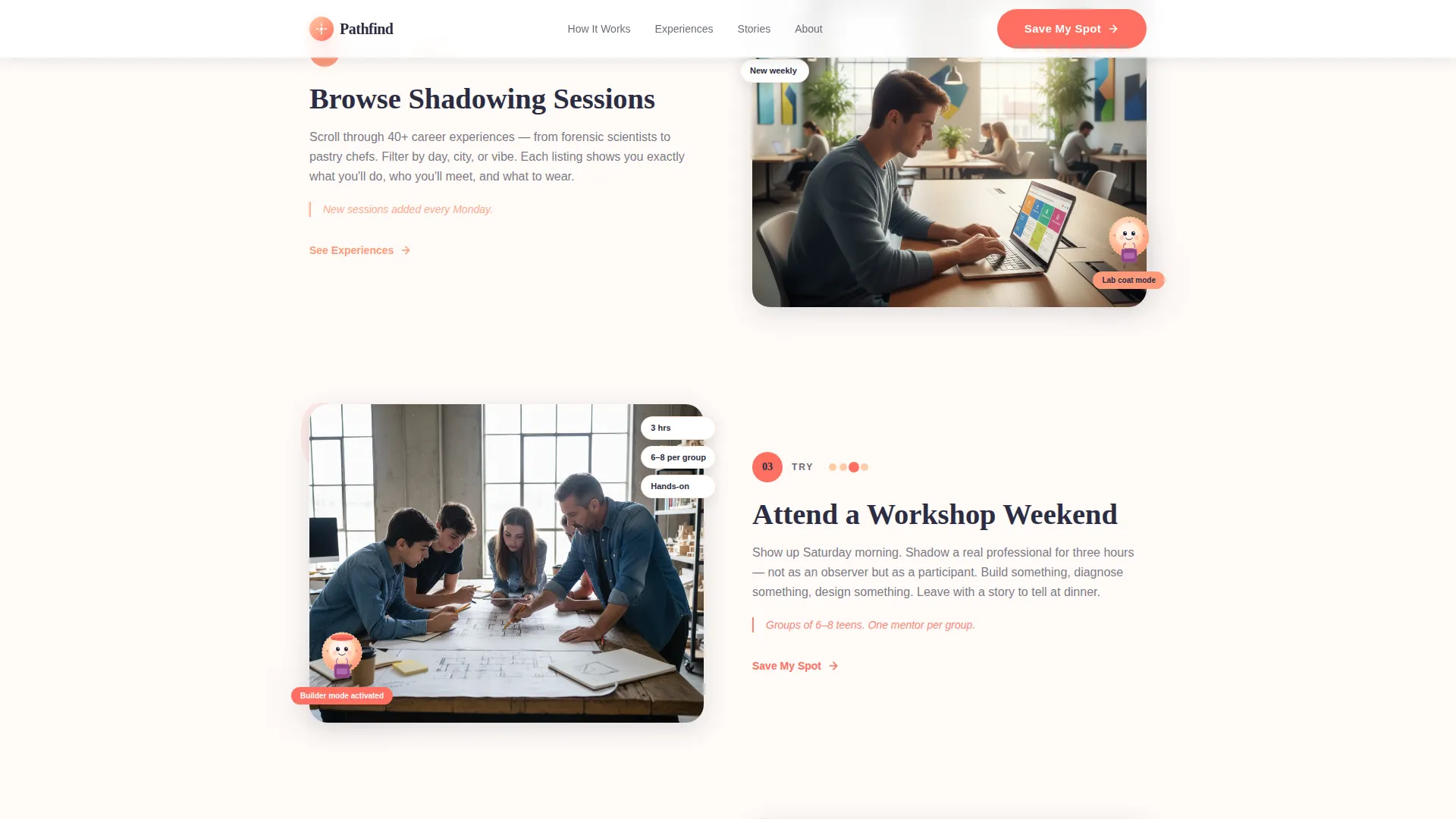
- A zigzag four-step journey section with mascot transformations that walk visitors through Discover, Explore, Try, and Reflect
- A progressive two-stage registration form that collects teen details first and parent contact information second
Feature list
Here is a closer look at the core capabilities built into this template.
Animated Compass Mascot Hero
The header features a hand-illustrated compass character with expressive eyes and a backpack loaded with miniature career tools. The compass needle spins on a gentle loop, landing on different career icons, while a peach-to-coral sunset gradient bleeds edge to edge behind it. The headline fades in on load.
Zigzag Step-by-Step Journey
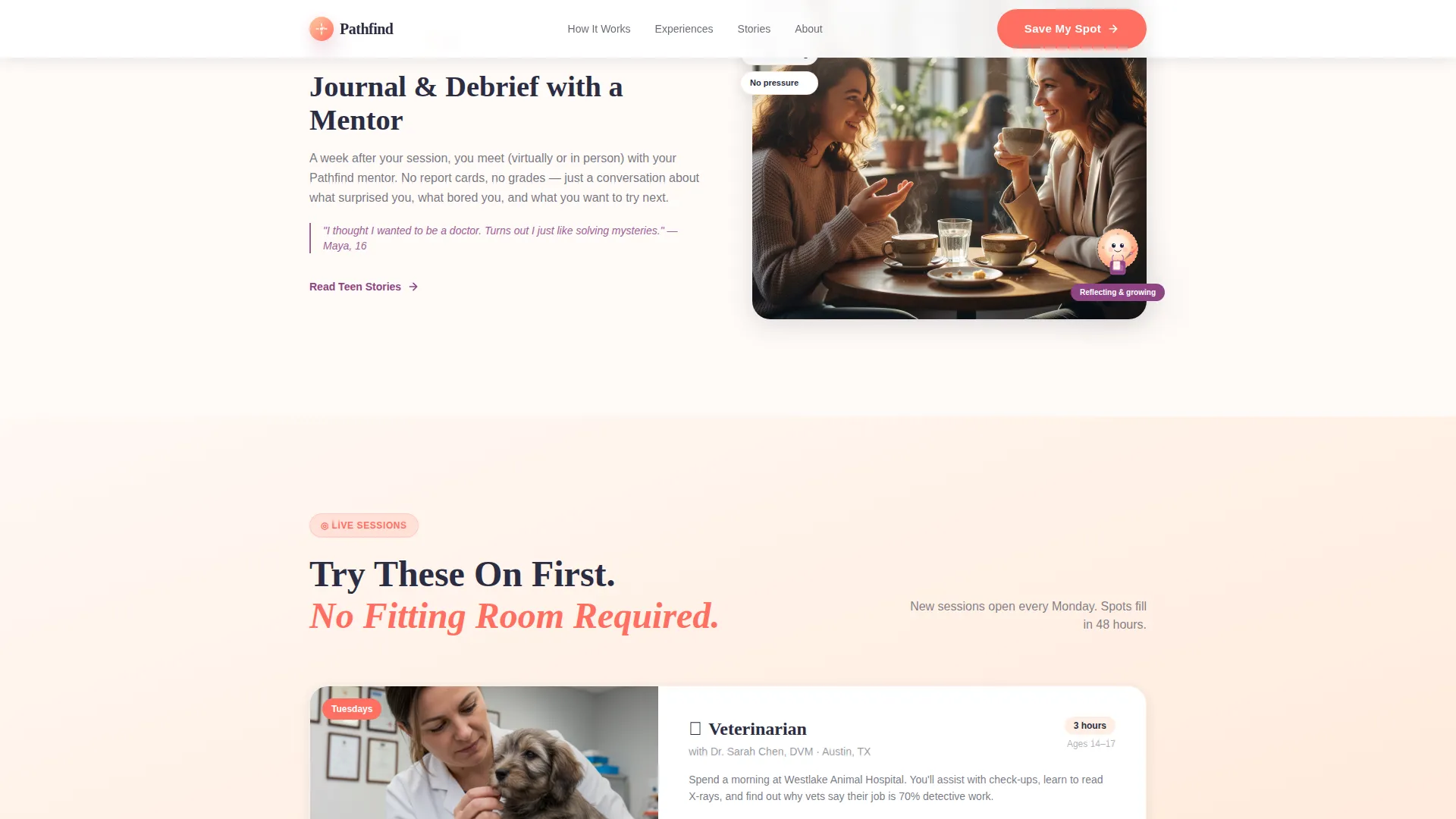
Four alternating sections walk visitors through the program stages: Discover, Explore, Try, and Reflect. Each section repositions the mascot in a new role, wearing a lab coat, a hard hat, or holding a camera, so scrolling feels like flipping through a picture book of possible selves.
Progressive Registration Form
The sign-up form reveals fields in two stages. Teens fill in their first name, age, and one career curiosity first. Parent email and phone appear only after. This sequencing gives teenagers a sense of ownership before the grown-up details arrive, reducing drop-off at a critical conversion point.
Career Shadowing Showcase
Alternating experience cards highlight individual shadowing sessions, such as spending a morning with a veterinarian, coding alongside a game designer, or sketching with an architect. Each card is built to display session details in a warm, editorial style that feels approachable rather than academic.
Social Proof Section
A dedicated testimonials section displays warm floating cards with quotes from teens and parents. Cards include first name, age for teen quotes, and a warm card visual treatment that matches the overall sunset palette.
Secondary Lead Capture Path
Below the primary registration call to action, a secondary option invites families to download a free Career Curiosity Quiz. This path captures an email address from visitors who are not ready to commit, keeping them warm for a future follow-up.
Page sections overview
| Section | Purpose |
|---|---|
| Hero with mascot | Introduce the program tone and drive first registration click |
| How It Works | Walk visitors through the four-stage exploration journey |
| Career Experiences | Showcase individual shadowing sessions in an alternating layout |
| Voices and testimonials | Build trust with teen and parent social proof cards |
| Registration form | Convert visitors with a progressive two-stage sign-up flow |
| Footer | Provide navigation, secondary links, and program context |
Design & branding system
The visual identity follows a Nurture and Care theme built around a sunset gradient color system. Fraunces, a serif display typeface, leads headlines with warmth and character. DM Sans handles body copy with clean, readable clarity. The overall feel is warm, editorial, and picture-book inspired, with rounded forms and playful energy throughout.
- Sunset gradient palette running from soft peach (#FFCBA4) through coral (#FF6F61) to plum (#8E4585), with twilight navy (#2B2D42) anchoring text and containers
- Plum accents mark active states and progress indicators; coral on navy drives the primary call-to-action button
- Scroll-triggered zigzag reveals, hover states, floating card animations, and a parallax-ready hero layer add layered visual motion
Mobile & speed optimization
The template is built mobile-first, reflecting the reality that teenagers browse primarily on their phones. Layout decisions, type sizes, and interactive elements are all optimized for smaller screens before scaling up.
- CSS animations and IntersectionObserver power scroll reveals and the compass needle loop without heavy JavaScript overhead
- The progressive form layout stacks cleanly on mobile, keeping the teen-first field sequence intact on any screen size
How this template helps you convert
Pathfind is designed around a gentle conversion arc that meets both teenagers and parents where they are emotionally.
- The hero section reduces drop-off immediately by replacing pressure with permission. The headline "You Don't Have to Know Yet. You Just Have to Show Up." signals low stakes and invites a first click on "Save My Spot" before any commitment feels real.
- The four-step journey builds momentum as visitors scroll. Each stage adds context and emotional investment, so by the time the registration form appears after the final step, visitors have already imagined themselves inside the program.
Other information about this template
This template is part of the Kids and Family category under the Teen and Tween subcategory, designed specifically for the teen career exploration niche. It is a single-page, section-led landing page with a Zigzag and Alternating layout style.
- The template is localized for English-language, US-based programs using USD pricing and US date formats
- The Mascot and Character header concept makes the page immediately distinctive in a market where most youth program pages rely on stock photography
- The Step-by-Step Guide creative direction means program coordinators can adapt the four stages to match their own program structure without redesigning the page
Theme
Nurture & Care
Creative direction
Step-by-Step Guide
Color system
Sunset Gradient
Style
Zigzag/Alternating
Direction
Event Registration
Page Sections
Animated Compass Mascot Hero
Zigzag Four-step Journey
Progressive Two-stage Registration Form
Career Shadowing Showcase
Warm Social Proof Cards
Secondary Quiz Lead Capture
Related questions
Can I edit the mascot and career shadowing details to match my program?
Is this template suitable for a program that runs online rather than in person?
How does the two-stage registration form work?
Does the quiz download replace the main registration call to action?
What typefaces does this template use?



