Infectious Disease Clinic Landing Page Template
Pathogen is a comparison table landing page built for an infectious disease clinic. It guides physicians, mid-referral patients, and hospital case managers through diagnostic process transparency. Condition-specific tables, scroll-triggered process explainers, and a gated referral guide work together to build trust before asking for anything in return.
by Rocket studio
Quick summary
Pathogen is a single-page, content-led template for an infectious disease specialty clinic. It uses structured comparison tables, transparent process education, and a role-gated resource hub to turn physician referrals and mid-referral patients into consultation engagements. The design feels clinical and unhurried, built to reassure every type of visitor before they take the next step.
Who this template is for
This template serves clinics and practices that operate at the referral end of infectious disease medicine. It is designed for teams that need to communicate diagnostic credibility to multiple audiences at once.
- Primary care physicians and hospitalists seeking a trusted outpatient infectious disease consult partner
- Patients arriving mid-referral carrying folders of inconclusive labs who need orientation and reassurance
- Hospital case managers and discharge planners looking for outpatient coverage for unresolved post-acute infectious cases
What problem this template solves
Infectious disease practices often struggle to explain their value before the first visit. Referring physicians need clinical credibility signals, not marketing language. Patients need to feel oriented, not overwhelmed. This template solves the communication gap between a highly specialized clinic and the varied people trying to access it.
- Complex diagnostic processes stay invisible to referrers and patients, eroding confidence before the first appointment
- Role-specific visitors land on the same page and leave without finding the information relevant to them
- Potential referral partners cannot assess clinic scope, workflow, or credentials without a direct call
What you get with this template
This template delivers a full single-page structure organized around condition-based comparison tables and transparent process education. Every section is designed to inform before it asks.
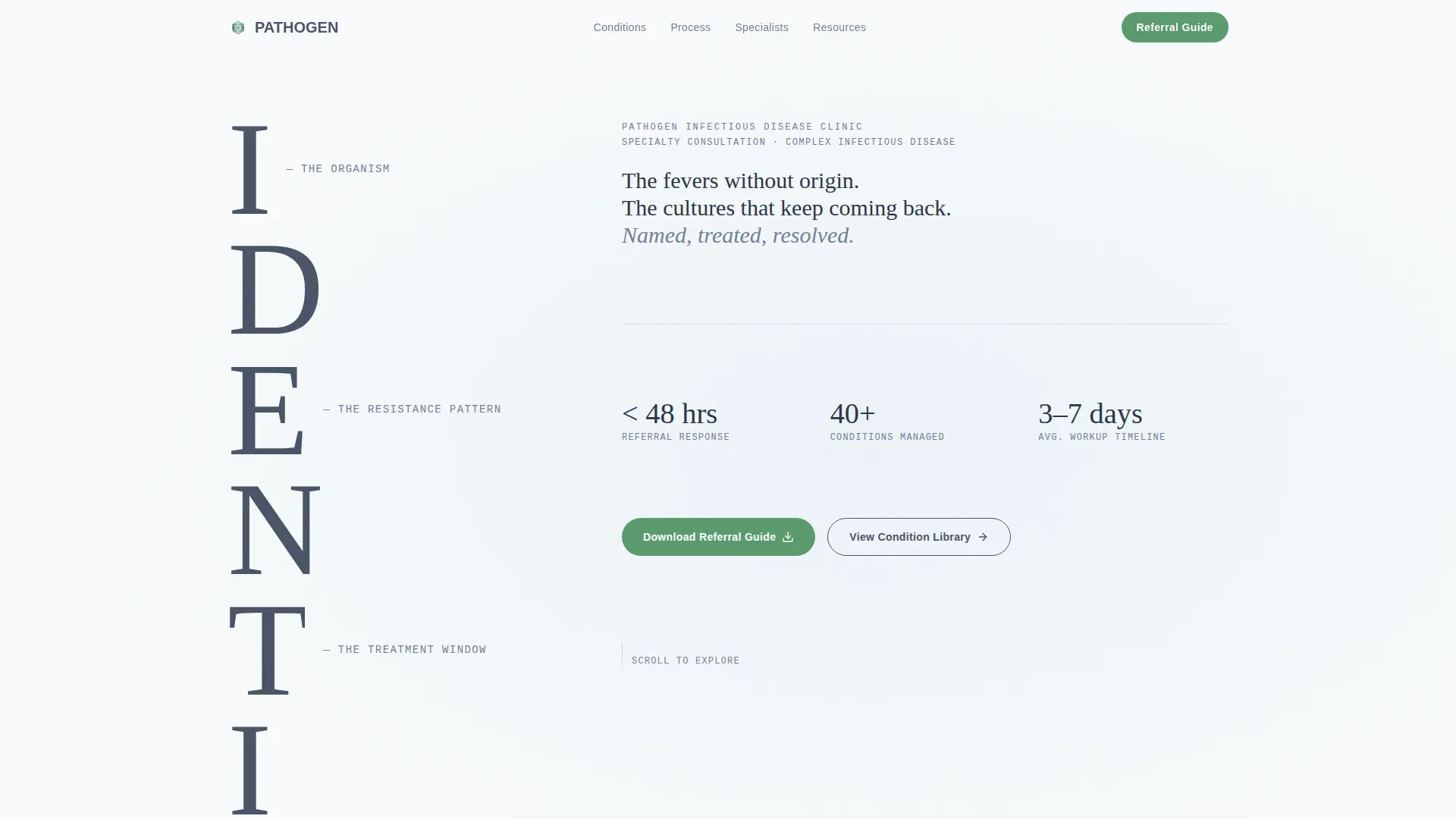
- A hero section with a stacked typographic tower and scroll-triggered descriptor reveals, setting clinical tone from the first second
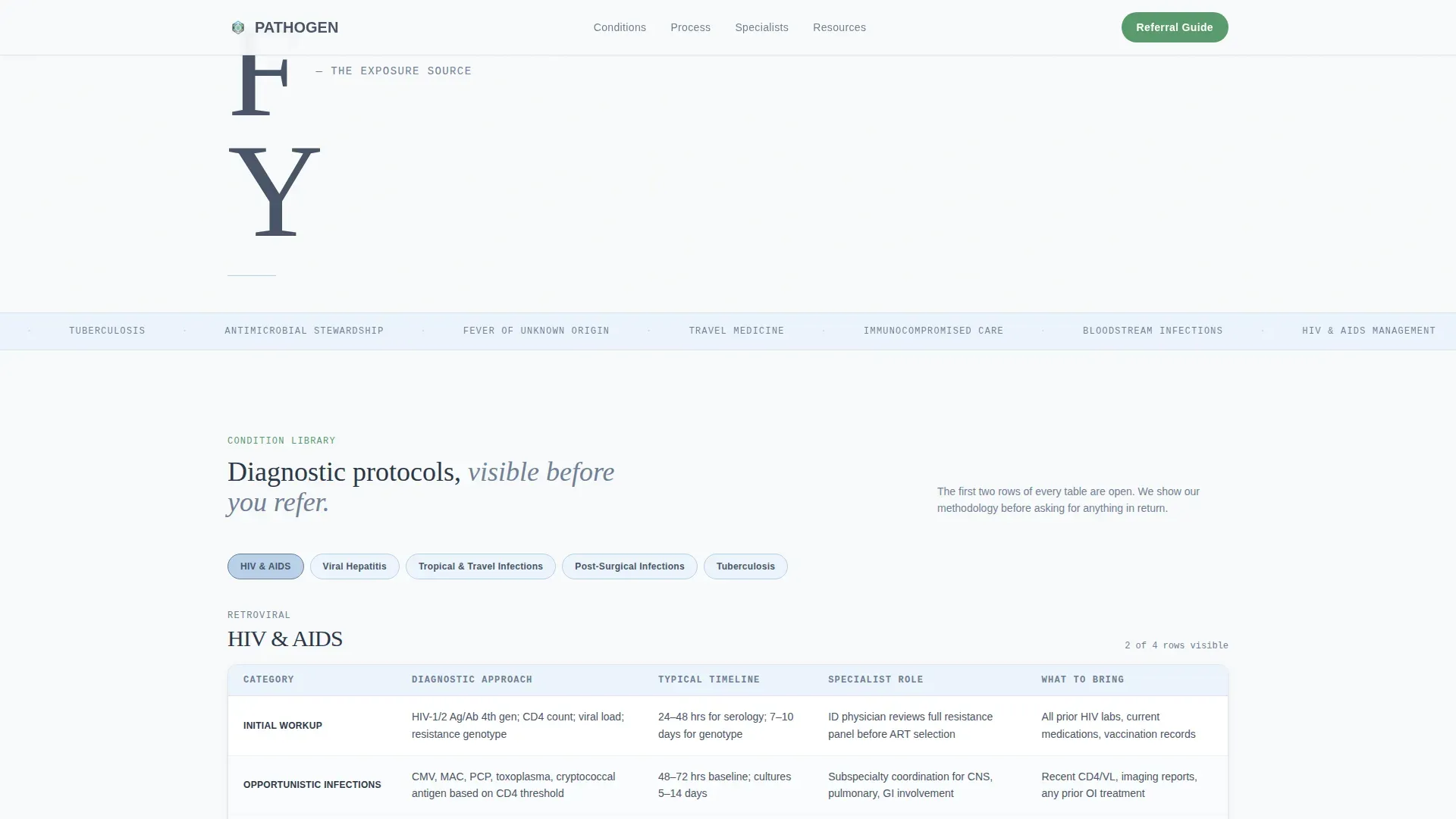
- Comparison tables covering conditions such as HIV, hepatitis, tropical infections, post-surgical infections, and tuberculosis (TB), with rows for diagnostic approach, workup timeline, specialist credentials, and first-visit preparation
- A gated referral guide with a role selector for physicians, patients, and case managers, plus an ungated condition library linking to educational pages
Feature list
This template packs a focused set of high-impact components built specifically for an infectious disease clinic context.
Condition Comparison Tables
Each condition column maps against diagnostic approach, typical workup timeline, specialist credentials, and what patients should bring to a first visit. The first two rows of every table are visible without any action, proving depth before requesting contact details.
Role-Gated Referral Guide
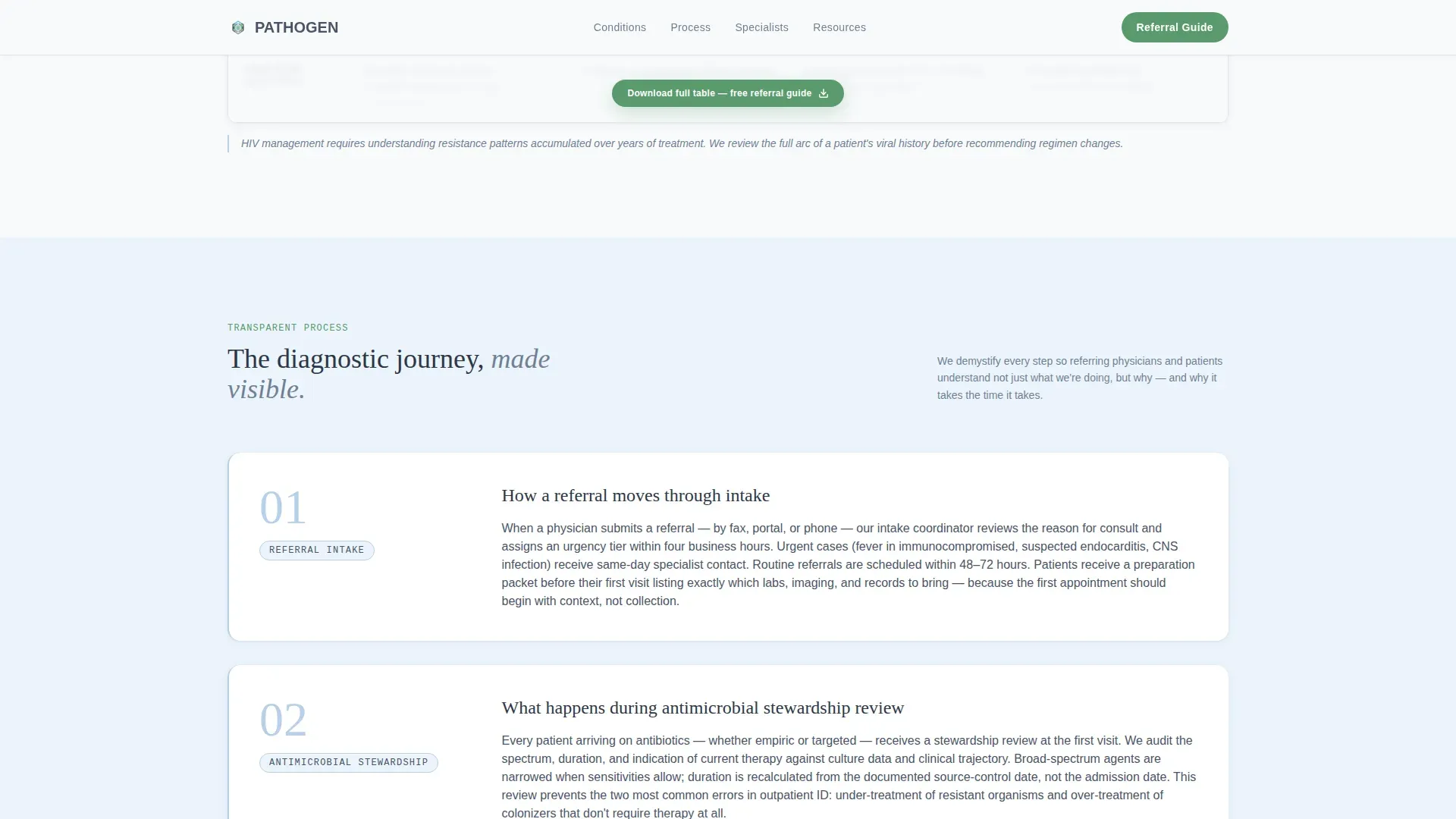
The primary call to action gates a downloadable referral guide behind a role selector asking whether the visitor is a physician, patient, or case manager, followed by name and email fields. Gating is light and role-aware, so the resource feels relevant rather than transactional.
Scroll-Triggered Process Explainers
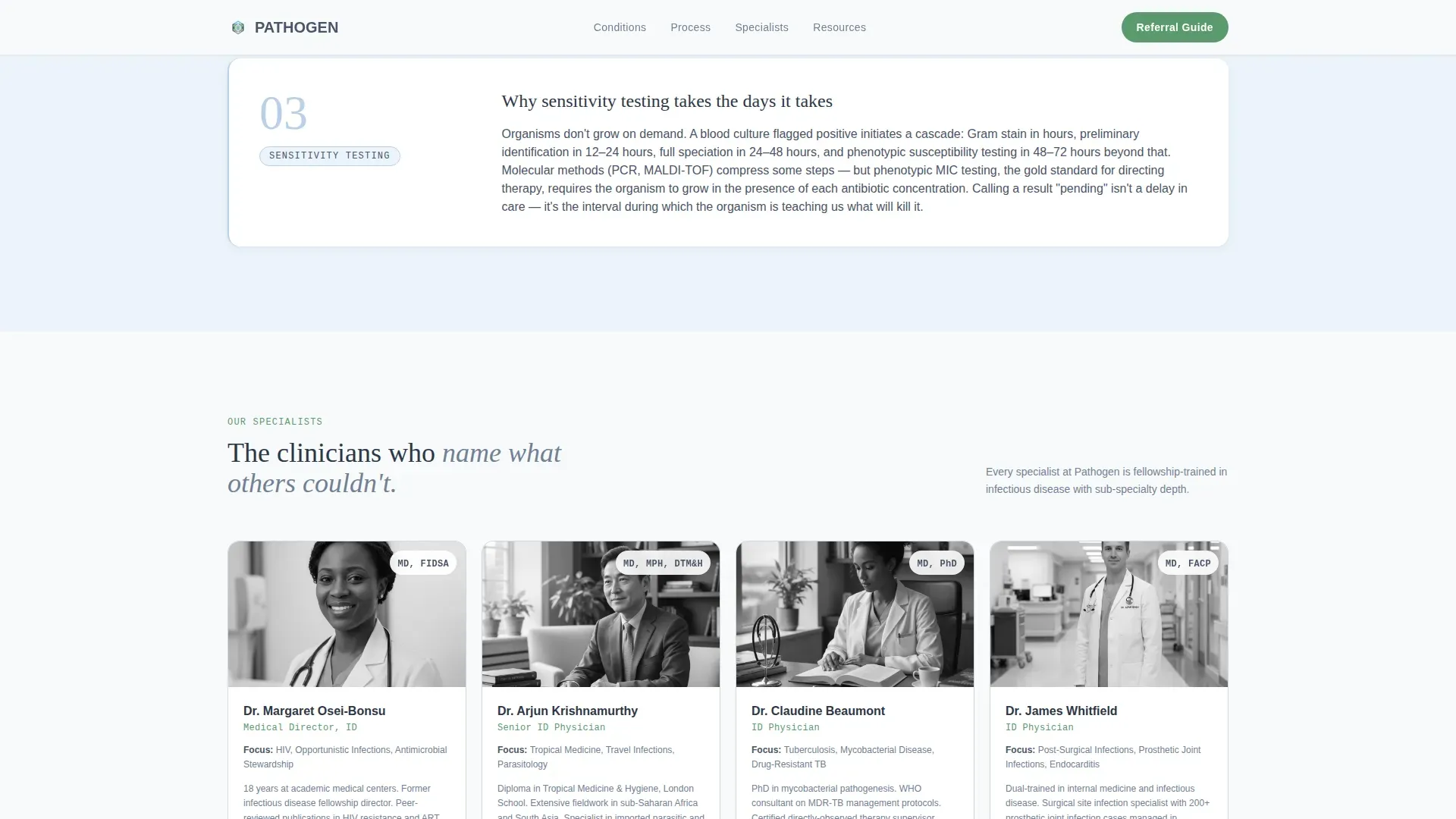
Between comparison tables, single-paragraph explainers walk visitors through how a referral moves through intake, what happens during an antimicrobial stewardship review, and why sensitivity testing takes the time it takes. Each explainer scrolls into view with an organic ease curve.
Stacked Type Tower Hero
The hero uses the word IDENTIFY set in large, light-weighted display type, with each letter on its own line. Scroll-linked fade-ins surface single-line descriptors such as "the organism," "the resistance pattern," and "the treatment window" between the stacked letters, communicating diagnostic clarity without a single image.
Ungated Condition Library Path
A secondary call to action offers "View Our Condition Library," linking visitors to ungated educational pages on specific infections. This path keeps lower-intent visitors engaged and builds trust without requiring any form submission.
Credentials and Trust Section
A dedicated section presents specialist credentials and institutional affiliations alongside case resolution metrics. This grounds the clinic's authority in verifiable professional context rather than marketing claims.
Page sections overview
| Section | Purpose |
|---|---|
| Hero Type Tower | Establish diagnostic tone and scroll-triggered identity |
| Condition Comparison Tables | Display workup depth across HIV, hepatitis, TB, and more |
| Process Explainer Panels | Demystify referral intake and antimicrobial stewardship review |
| Credentials and Trust | Surface specialist credentials and institutional affiliations |
| Resource Hub Call to Action | Gate referral guide by role; link to ungated condition library |
| Footer | Horizontal flow navigation and contact reference |
Design & branding system
The visual identity follows an Organic Flow theme using a Slate and Sky color system. The palette reads like morning light through hospital glass: cool, calm, and quietly authoritative.
- Clinical slate (#4A5568) anchors headers and body text; atmospheric pale blue (#D6E4F0) washes alternating section backgrounds; sterile white (#F8FAFB) holds card surfaces and form fields
- Living green (#5B9A6F) is reserved for interactive elements and positive-state indicators such as buttons, links, and resolved-state markers
- Typography pairs DM Sans for body text and interface elements with Fraunces for the display tower letters, creating editorial contrast between diagnostic precision and human warmth
Mobile & speed optimization
The template is desktop-first by design, reflecting a physician-at-workstation primary use case, with full mobile parity built in.
- Scroll-linked animations, stagger effects, and parallax reveals are handled through client-side components to keep static content rendering fast
- Comparison tables and the role-selector form adapt cleanly to smaller screens so mid-referral patients accessing the page on a phone still reach the resource hub without friction
How this template helps you convert
Conversion in this template is earned through education rather than persuasion. Every structural decision moves visitors toward the referral guide or the condition library.
- Partially revealed comparison tables prove diagnostic depth upfront, so visitors already trust the clinic's expertise before they reach any form or call to action
- The role selector in the resource hub makes the referral guide feel personally relevant, which lowers resistance and increases the likelihood of form completion
Other information about this template
This template is built for a specific intersection of medical specialty content and content-led conversion design. A few additional details are worth noting before you decide.
- The animation level is high, using scroll-linked text reveals, staggered table rows, and parallax ease curves throughout the page
- Interactivity is high as well, with a role selector, partially gated table reveals, and accordion-style process explainers all included
- The template uses server components for static content sections and client components for interactive elements, keeping the architecture clean
- The page is scoped to English language, United States market context, and USD pricing references where applicable
- The footer follows a horizontal flow pattern with navigation and contact reference built in
Theme
Organic Flow
Creative direction
Transparent Process
Color system
Slate & Sky
Style
Comparison Table
Direction
Content/Resource
Page Sections
Condition Comparison Tables
Role-gated Referral Guide
Scroll-triggered Process Explainers
Stacked Type Tower Hero
Ungated Condition Library Link
Credentials and Trust Section
Related questions
Who should use this template?
Can I customize the conditions shown in the comparison tables?
How does the role-gated referral guide work?
Is the condition library included in the template?
Does this template work for other medical specialties?



