Appointment Booking Landing Page Template
A clean, single-column landing page built for pathology appointment booking. It opens with an oversized patient testimonial, guides anxious visitors through a three-step inline assessment, and surfaces real patient fears through an FAQ accordion. The result is a booking flow that feels precise, calm, and trustworthy, designed for patients holding a requisition form and not sure what comes next.
by Rocket studio
Quick summary
This landing page template is built for diagnostic pathology practices that need to convert anxious, first-time patients into booked appointments. It pairs a single oversized testimonial with a guided three-step inline quiz and an FAQ accordion. Every section is stripped back to what the patient actually needs to know, no jargon, no clutter, just a clear path forward.
Who this template is for
This template is designed for pathology practices and diagnostic laboratories that serve patients who arrive stressed and uncertain. It works especially well when the booking process needs to feel reassuring before it asks for commitment.
- Independent pathologists and diagnostic clinics running their own appointment pipeline
- Medical practices where GP referrals, oncologist referrals, and self-referred patients all arrive through the same front door
- Any healthcare provider who wants to reduce patient anxiety before the first appointment
What problem this template solves
Patients referred for pathology tests rarely understand what happens next. They arrive at a booking page carrying quiet fear about pain, wait times, and what their results will mean. A generic form does nothing to address that fear, and most drop off before booking.
- Unspoken patient questions go unanswered, causing visitors to abandon the page before booking
- A one-size-fits-all booking form wastes time by showing irrelevant appointment types and preparation instructions
- Practices lose GP-referred and self-referred patients equally because neither group feels guided through the process
What you get with this template
You get a fully structured, single-column landing page that leads every type of patient, from an oncologist's urgent frozen-section referral to a self-referred individual with a requisition form, toward a relevant, confirmed appointment slot.
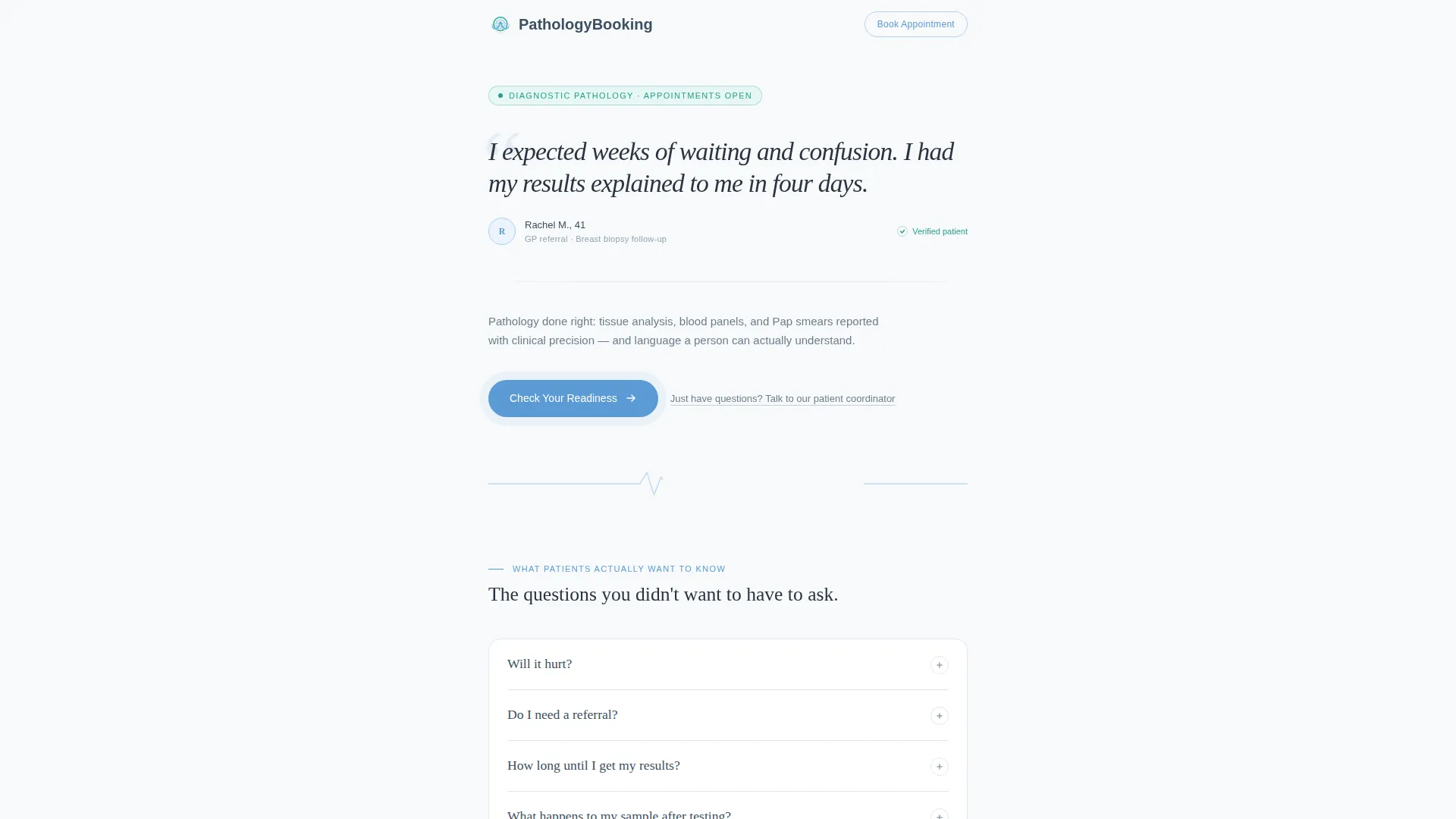
- A hero section built around a real patient testimonial in large serif type, with a pulse-animated call-to-action button
- A three-step inline assessment that narrows the booking path based on test type, referral status, and preferred appointment window
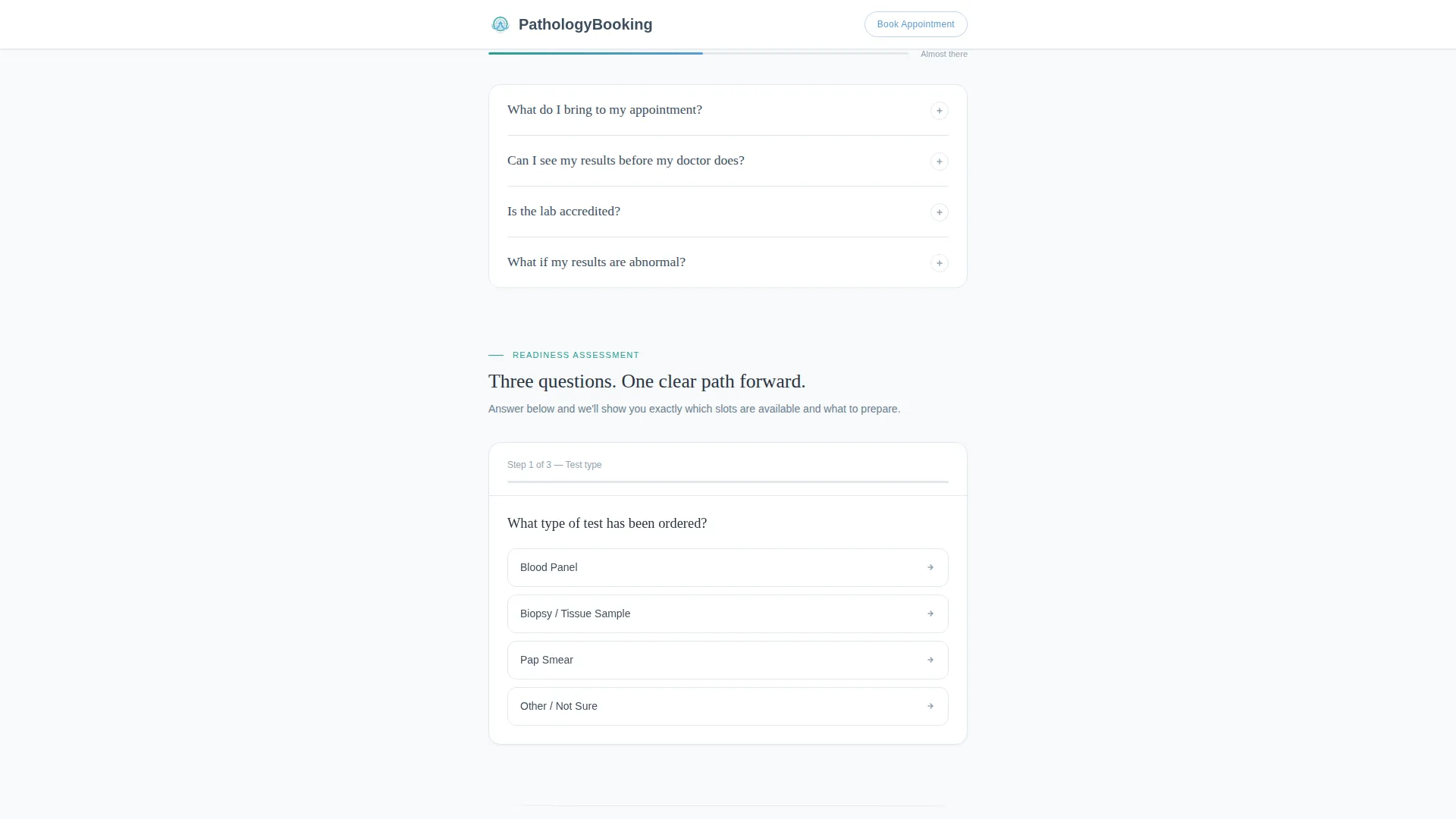
- An FAQ accordion with eight patient-facing questions, separated by a teal scroll progress bar
Feature list
This template includes four core interactive and structural layers designed specifically for diagnostic appointment booking.
Oversized Testimonial Hero
The page opens with a single patient quote set in large Fraunces serif type on a lab-coat white background. No photographs or decorative icons appear alongside it. A small name, age, and referral type sit beneath the quote, grounding the social proof in a specific human experience. A pulse-animated sky-blue "Check Your Readiness" button draws the eye downward without pressure.
Three-Step Inline Assessment Quiz
The primary conversion tool is a sequential inline quiz embedded directly in the page. Patients choose their test type from a dropdown (blood panel, biopsy, Pap smear, or other), indicate whether they have a referral using a yes or no toggle, and select a preferred appointment window (morning, afternoon, or next available). The final screen surfaces only the appointment slots and preparation instructions relevant to their specific answers.
FAQ Accordion with Progress Tracking
Eight patient questions are arranged in an expandable accordion format. Each question appears alone in slate text and expands on click to reveal a calm, plain-language answer. Between question clusters, a thin teal progress bar tracks how far through the content the visitor has moved, reinforcing a sense of steady forward momentum.
Clinical Trust Stats Block
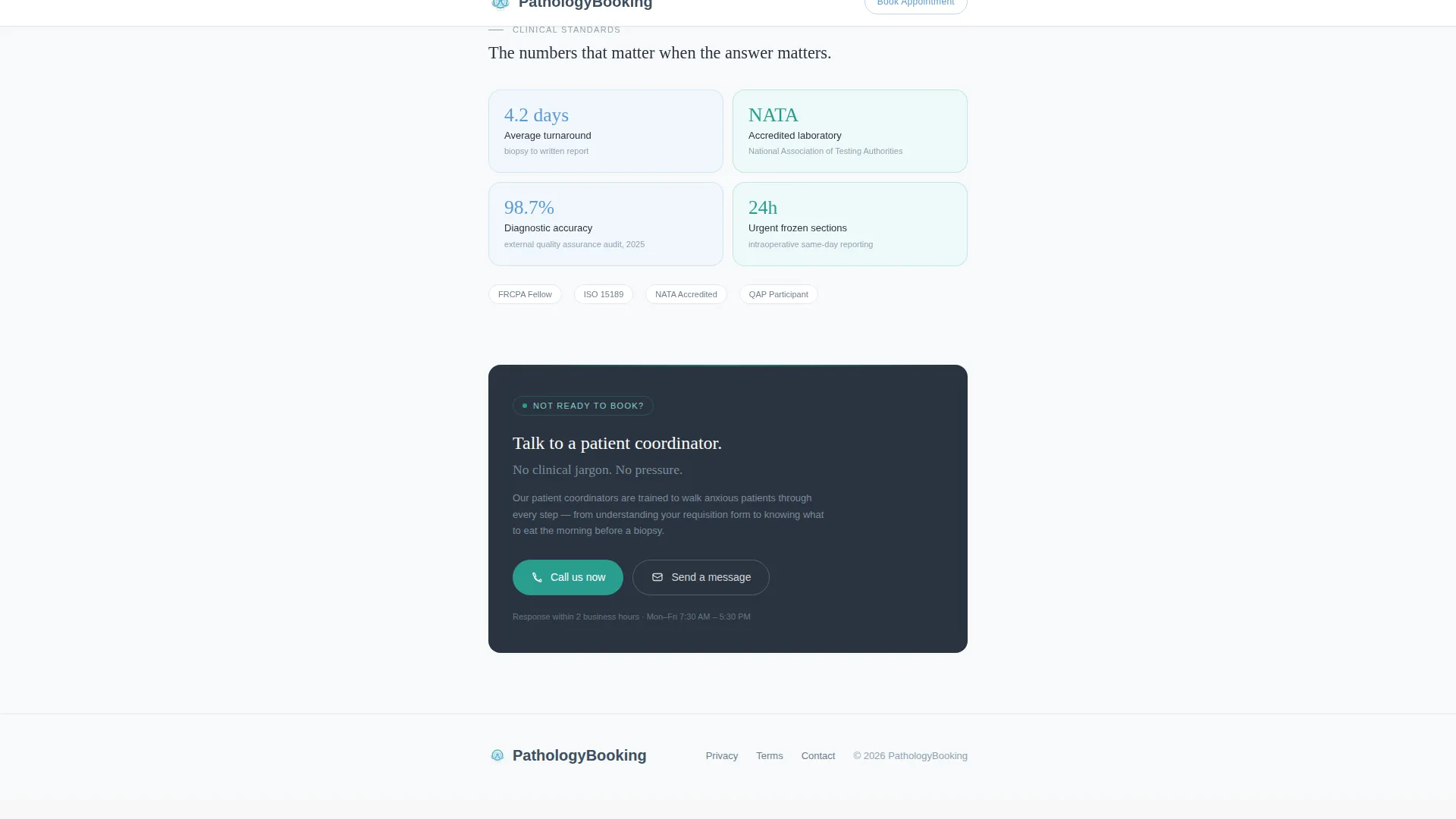
A bento-style stats section presents key clinical credibility signals: turnaround times, accreditation indicators, and total samples processed. This section is designed to answer the "can I trust this practice?" question with specific numbers rather than generic reassurance copy.
Page sections overview
| Section | Purpose |
|---|---|
| Hero Testimonial Card | Opens with patient voice to immediately reduce anxiety |
| FAQ Accordion Clusters | Answers eight unspoken patient fears in plain language |
| Inline Assessment Quiz | Narrows booking path across three sequential patient questions |
| Clinical Trust Stats | Displays turnaround, accreditation, and volume data |
| Footer Linear Pattern | Closes with clean navigation and contact links |
Design & branding system
The visual identity follows a Medical Clarity theme. The palette is described as a well-lit laboratory at seven in the morning: precise, clean, and calm without feeling cold or clinical in a negative sense.
- Background is lab-coat white (#F7F9FB), body text and dividers use clinical slate (#3D4F5F), and interactive elements like buttons and progress indicators use diagnostic sky blue (#5B9BD5)
- Confirmation states and trust signals use calm teal (#2A9D8F) to distinguish completed actions from active ones
- Typography pairs Fraunces serif for headlines with DM Sans for body copy, creating a contrast between warmth and clinical legibility
Mobile & speed optimization
This template is built mobile-first. Patients frequently access booking pages from a phone while sitting in a waiting room or clinic corridor, so the layout and interactions are designed for smaller screens before anything else.
- The single-column flow eliminates horizontal scrolling and keeps the reading path linear on any screen size
- Interactive components including the FAQ accordion and inline quiz use client-side rendering only where needed, keeping the base page static and fast to load
How this template helps you convert
Every structural decision in this template is designed to move a hesitant patient toward a confirmed booking without feeling pushy.
- The testimonial hero addresses emotional resistance first, before any form or call to action appears, so visitors feel understood rather than processed
- The FAQ accordion removes the most common reasons patients abandon healthcare booking pages by answering their real questions upfront
- The three-step inline quiz personalizes the final booking screen so patients only see relevant slots and preparation steps, reducing friction at the exact moment they commit
Other information about this template
This template is built on a static-first architecture, with client components used only for the interactive quiz and FAQ accordion. Animation intensity is set to medium: the call-to-action button has a pulse animation, the FAQ accordion has smooth expand and collapse transitions, the quiz steps have sequential transition effects, and the teal progress bar animates as the visitor scrolls. The footer uses a linear Pattern 1 layout. Date formatting follows MM/DD/YYYY, and the page carries no pricing display. The template is suited for English-language pathology booking pages serving patients in markets where GP and specialist referrals are common pathways into diagnostic testing.
- Interactivity level is high: the inline quiz includes state management across three steps with conditional output on the final screen
- A secondary text link "Just have questions? Talk to our patient coordinator" is included below the quiz call to action for visitors who are not yet ready to book
- Spotlight card border effects add subtle visual depth to the testimonial and stats sections without competing with the content

Theme
Medical Clarity
Creative direction
FAQ-Driven
Color system
Slate & Sky
Style
Single Column Flow
Direction
Quiz/Assessment
Page Sections
Testimonial Hero with Pulse Animation
Three-step Inline Booking Assessment
FAQ Accordion with Teal Progress Bar
Clinical Trust Stats Bento Block
Secondary Patient Coordinator Link
Related questions
Can I replace the patient quote in the testimonial hero?
Does the inline quiz connect to a live booking system?
Can I edit the questions in the FAQ accordion?
Is this template suitable for both GP-referred and self-referred patients?
What does the final quiz screen show the patient?



