Heritage Cultural Tourism Board Landing Page
Patrimony is a single-column landing page template built for government heritage and cultural tourism boards. It presents bookable heritage circuit experiences through an authoritative, archival design, complete with an interactive cultural readiness checklist, a live seat-count event calendar, a registration form, and a gated heritage calendar download. The template converts serious travelers and institutions into confirmed registrants.
by Rocket studio
Quick summary
Patrimony is a government-grade single-column landing page for heritage and cultural tourism boards. It frames curated, guide-certified experiences across fourteen districts and nine centuries of documented sites as a formal registry. Visitors inventory available events, check seat availability, and register, all inside one authoritative, archive-weight page flow.
Who this template is for
This template is built for government tourism boards and public cultural agencies that manage bookable heritage experiences. It speaks equally to the visitor planning a personal journey and the institution arranging a structured program.
- History-focused retirees and diaspora families planning heritage circuits or ancestral-roots travel
- University faculty and school administrators organizing study-abroad itineraries or educational field trips
- Tourism board staff who need a credible, institutional-grade registration and calendar page
What problem this template solves
Cultural tourism boards often lack a page that communicates institutional authority while also driving actual registrations. A generic events page does not convey the scarcity of certified-guide capacity, the weight of UNESCO-recognized sites, or the administrative seriousness that institutional buyers expect.
- Visitors have no clear signal of seat scarcity, so urgency never develops organically
- Institutional clients such as faculty and school administrators need credential proof before committing
- Diaspora visitors and retirees want depth and curation, not a promotional flyer
What you get with this template
You get a complete, production-ready single-column landing page that functions as a formal heritage registry. Every section is purposefully sequenced to move a visitor from discovery to confirmed registration without friction.
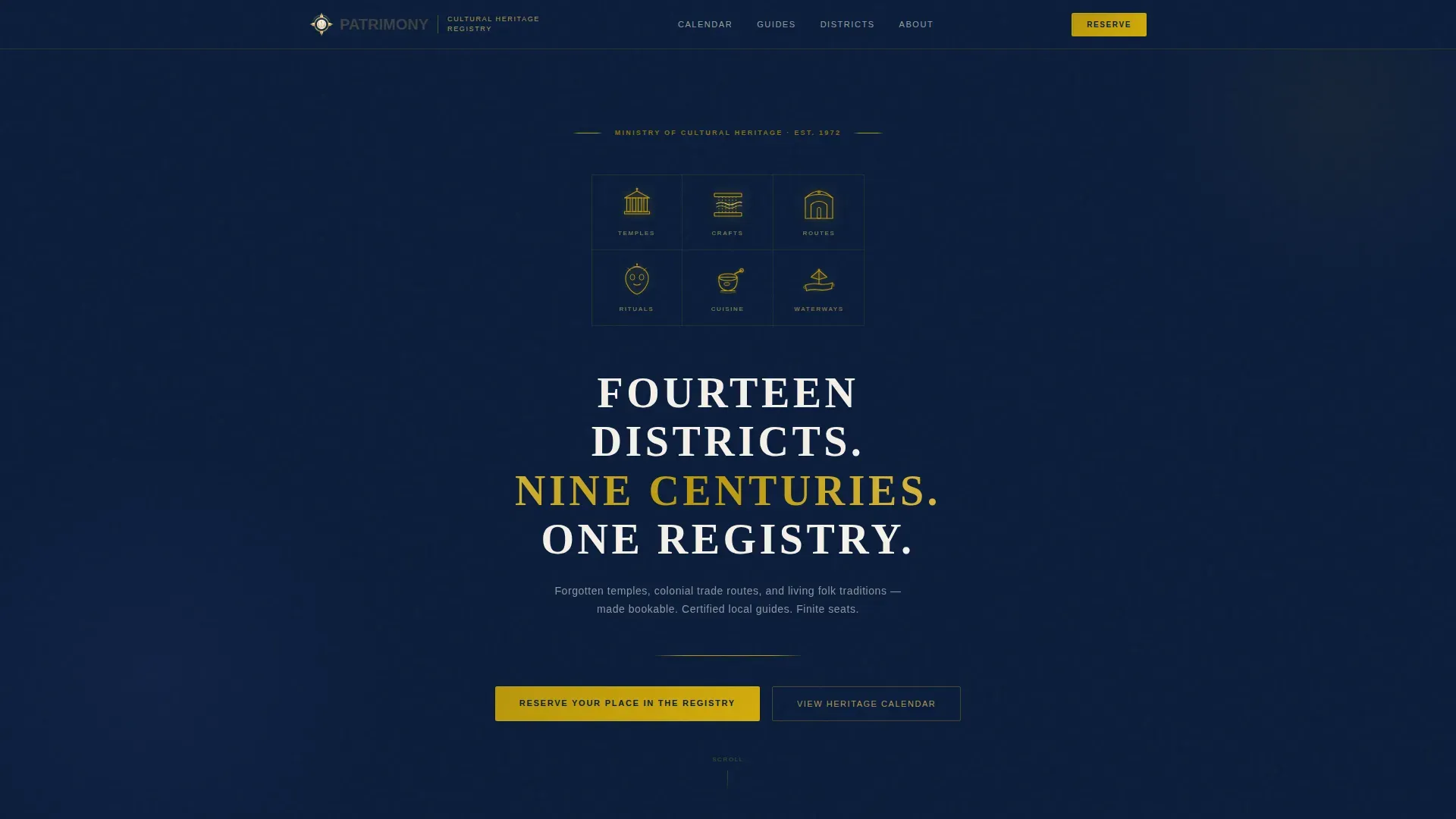
- A hero section with a gold-line SVG icon grid, a spaced uppercase serif headline, and scroll-reveal animation
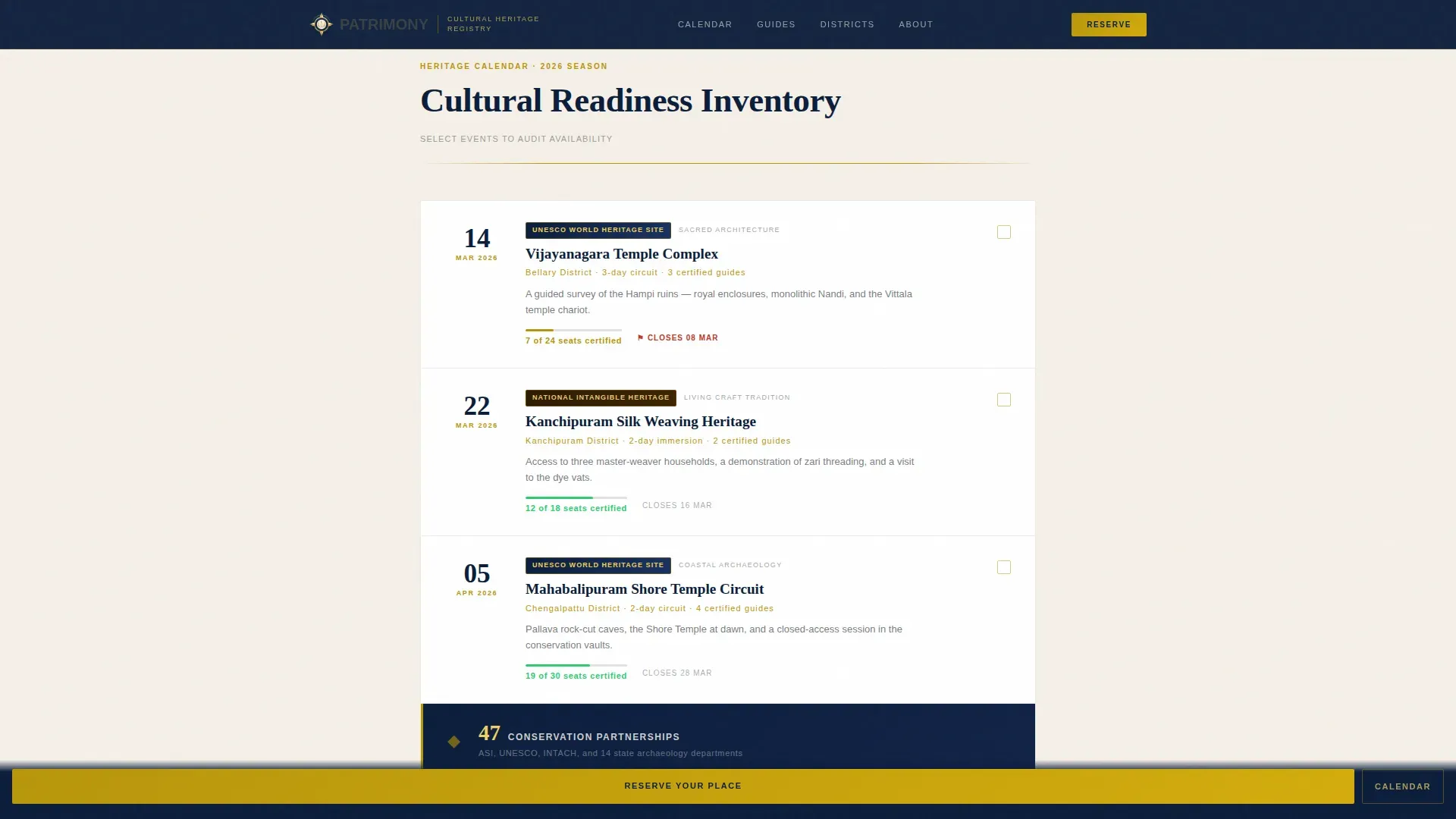
- An interactive heritage calendar checklist with date, site name, designation badges, live seat countdowns, and closing dates
- A credentials audit strip, a two-path conversion section with registration form and gated PDF download, and a clean linear footer
Feature list
A paragraph of context: each built-in feature listed below maps directly to the registration and authority objectives of a government cultural tourism board. Nothing here is decorative; every component earns its place in the visitor's decision process.
SVG Heritage Icon Grid
Six gold-line heritage icons, a temple silhouette, a loom, a carved gateway, a ceremonial mask, a spice mortar, and a river barge, pulse into view against the deep navy header. The grid communicates the breadth and curation of the registry before a single word is read.
Interactive Cultural Readiness Checklist
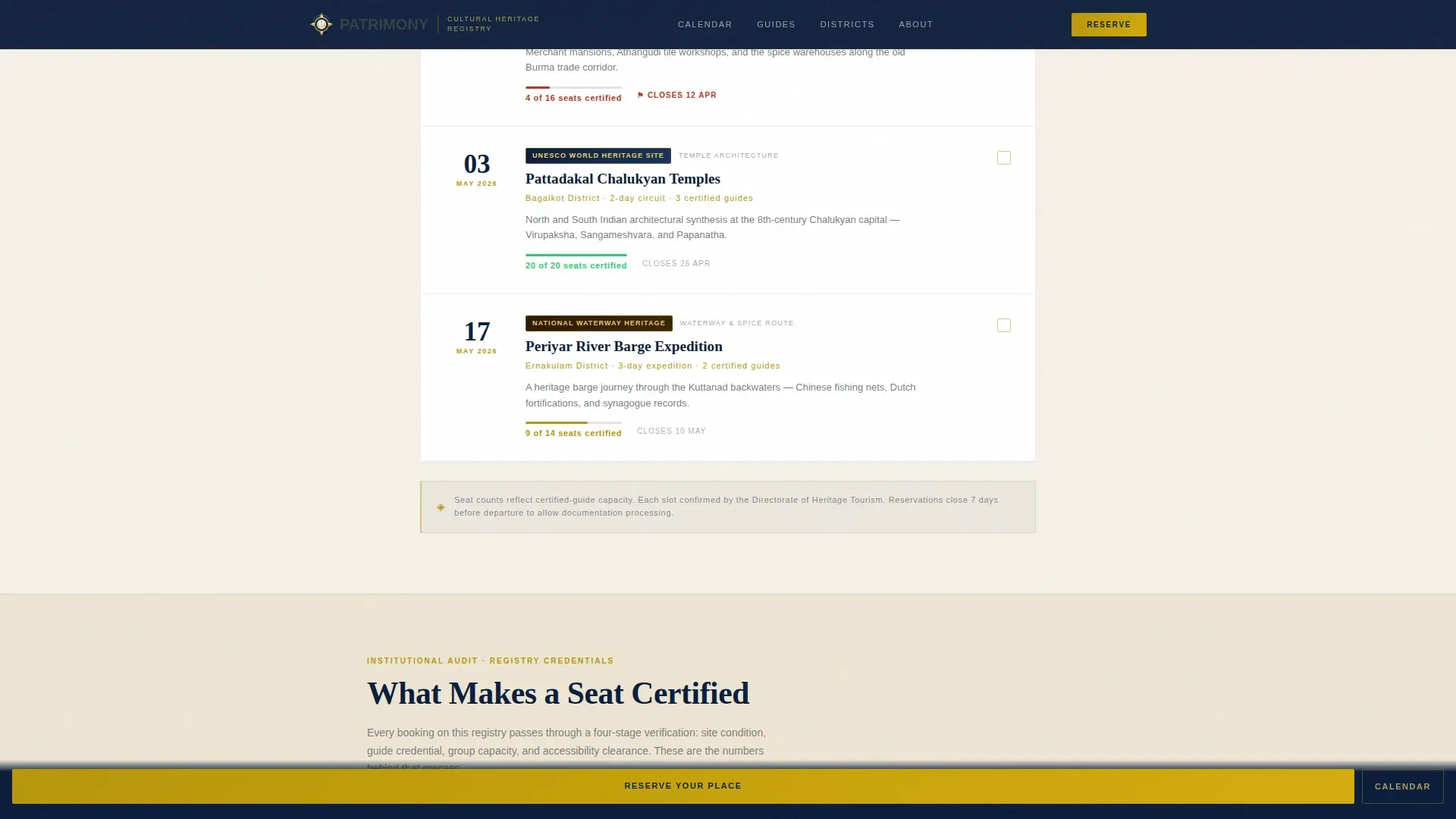
The heritage calendar is presented as a scannable audit checklist. Each event block shows a date, a site name, a UNESCO or national designation badge, and a live "seats certified" count that ticks down in real time, creating urgency through administrative reality rather than marketing pressure.
Credentials Audit Strip
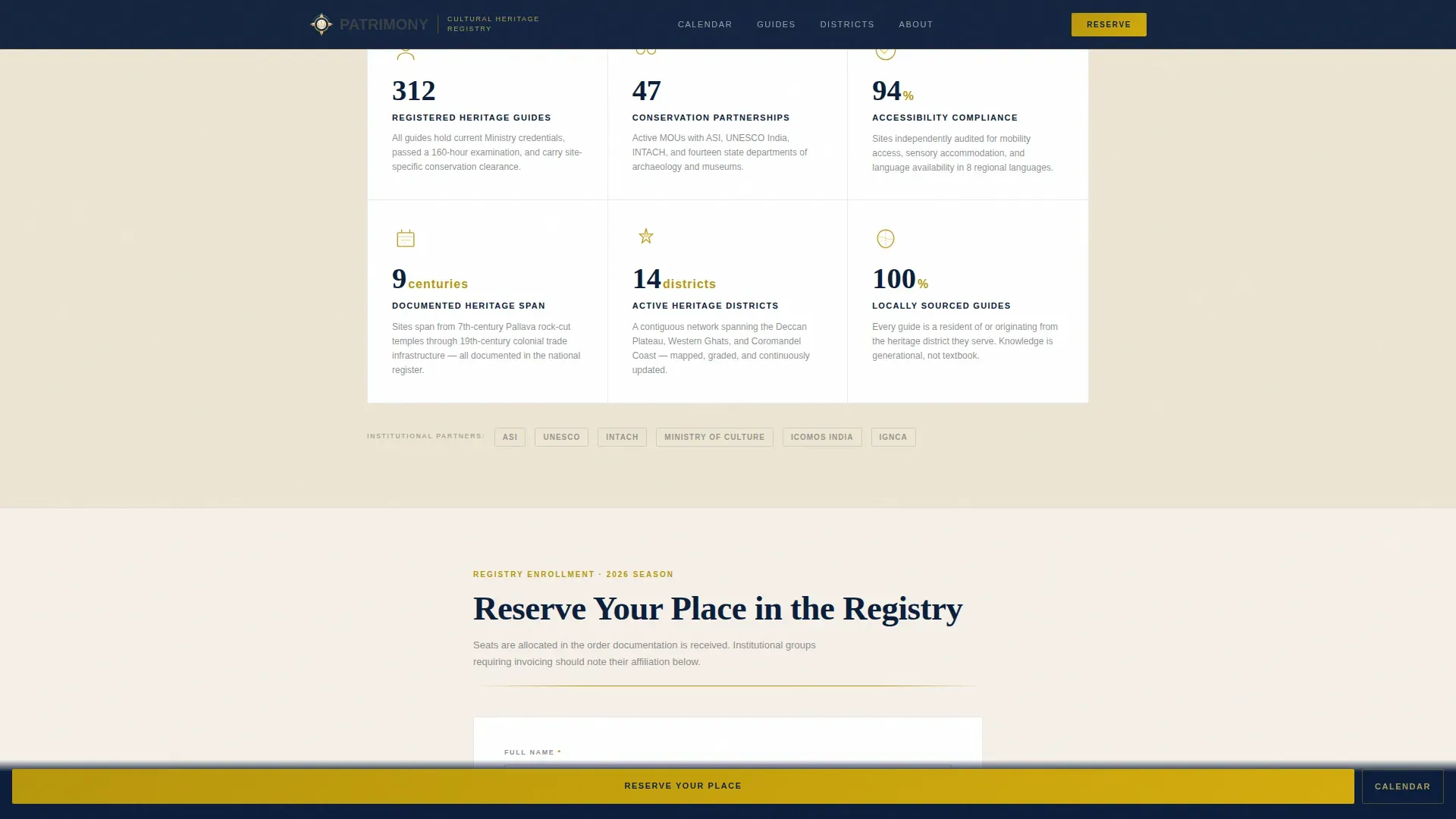
Between event blocks, short callout panels surface verifiable credentials: the number of registered and certified guides, active conservation partnerships, and accessibility ratings. These details answer institutional buyers' due-diligence questions without requiring a separate brochure.
Dual-Path Conversion Section
Two conversion options sit in the same section. The primary path invites visitors to complete a registration form and reserve a confirmed place. The secondary path offers a gated PDF heritage calendar download that requires only an email, capturing visitors who are not yet ready to commit.
Event Registration Form
The form collects full name, email address, preferred event date via a calendar picker, group size (solo, two to six, seven to twenty, or institutional group), and an optional institutional affiliation field. Every field is purposeful and keeps friction low for both individual and group registrants.
Sticky Mobile Call-to-Action Bar
On mobile devices, a persistent bottom bar carries the primary call to action after every third event listing. Visitors scrolling the calendar on a phone always have one tap to begin registration without scrolling back to the top.
Page sections overview
| Section | Purpose |
|---|---|
| Hero Icon Grid | Establishes registry breadth with pulsing gold heritage icons and the core headline |
| Heritage Calendar Checklist | Presents bookable events with dates, designation badges, and live seat countdowns |
| Credentials Audit Strip | Surfaces guide counts, conservation partnerships, and accessibility ratings |
| Registration Form | Captures full registration details for confirmed heritage circuit bookings |
| PDF Calendar Gate | Collects email from browsers via a downloadable full heritage calendar offer |
| Footer | Provides a clean single-row linear close to the page |
Design & branding system
The visual identity follows an Institutional Authority theme. Every color and typographic decision reinforces the feeling of opening a climate-controlled archive: the weight of something preserved, curated, and officially sanctioned.
- Navy (#0B1D3A) dominates the header and persistent top bar; parchment ivory (#F5F0E8) fills section backgrounds with the warmth of aged linen; tarnished gold (#B8960C) appears on crests, divider rules, and hover states; iron-gate charcoal (#3B3F45) carries all body text
- Fraunces serif is used for headlines in spaced uppercase; DM Sans handles all body copy at a weight that reads like an official document
- Gold-line SVG icons, scroll-reveal animations, and seat-count ticker animations add purposeful motion without competing with the archival tone
Mobile & speed optimization
The template is designed desktop-first to suit its primary audience of retirees, faculty, and administrators who typically browse on larger screens. Mobile experience is handled through targeted, high-impact adjustments rather than a full redesign.
- The sticky bottom call-to-action bar keeps the primary registration prompt accessible on mobile without disrupting the calendar scroll experience
- SVG pulse animations and seat-count tickers are built as client-side interactive components, while static sections use server-rendered markup for a clean initial load
- The single-column layout adapts naturally to narrower viewports without requiring a complex responsive breakpoint system
How this template helps you convert
The conversion strategy is built on administrative scarcity and institutional trust, not promotional pressure. Visitors feel they are managing a formal inventory, not browsing a tourism website.
- Verified seat counts and closing dates beside each event create genuine urgency. The scarcity is real and visible, so visitors act on factual information rather than marketing language.
- The credentials audit strip answers the institutional buyer's due-diligence checklist before they reach the form. Guide certifications, conservation partnerships, and designation badges reduce friction for group bookings.
- The dual-path conversion section captures both ready registrants and undecided browsers. The gated PDF download builds the email list from visitors who need more time, keeping them inside the funnel.
Other information about this template
This template is part of a curated set designed specifically for the Government and Public sector, with a focus on Tourism Board and Destination use cases inside the Heritage and Cultural Tourism Board niche.
- The template style is Single Column Flow, making it straightforward to launch and maintain without a complex multi-page site structure
- The creative direction follows a Checklist and Audit pattern, which is well suited to institutional procurement contexts where buyers want evidence before commitment
- The color system is Navy Authority, and the header concept is an Icon Grid, both selected to reinforce the formal, ministerial tone appropriate for a government cultural body
- The Intersection Match Score for this template is 13, indicating a strong alignment between the government category, tourism board subcategory, and heritage niche
Theme
Institutional Authority
Creative direction
Checklist & Audit
Color system
Navy Authority
Style
Single Column Flow
Direction
Event Registration
Page Sections
SVG Heritage Icon Grid Header
Interactive Cultural Readiness Checklist
Credentials Audit Strip
Dual-path Conversion Section
Event Registration Form
Sticky Mobile Call-to-action Bar
Related questions
Who is this landing page template designed for?
Can the registration form handle both individual and group bookings?
What makes the heritage calendar different from a standard events list?
Is there a way to capture visitors who are not ready to register immediately?
Does this template work for educational institutions arranging group travel?



