Pet Insurance Landing Page Template for New Parents
Pawprint is a pet insurance landing page template built for new parents juggling vet bills alongside baby costs. It uses a split-screen layout, a live breed cost calculator, animated stat counters, and a freemium trial flow to turn anxious visitors into confident subscribers. The design stays calm, clear, and conversion-ready from the first scroll.
by Rocket studio
Quick summary
Pawprint is a single-page pet insurance template designed for budget-stressed new parents. It pairs a clean Dashboard Pro visual style with interactive tools, animated financial stats, and a low-friction "Try 30 Days Free" trial entry. Every section builds financial clarity so visitors feel ready to act before they reach the call to action.
Who this template is for
This template fits founders, product teams, and designers building a pet insurance platform aimed at young families. It is especially useful when your audience carries competing financial pressures and needs reassurance before committing.
- First-time parents in their late twenties and thirties who own pets and manage tight household budgets
- Pet insurance brands targeting dual-income households where vet costs now compete with childcare expenses
- Designers or developers launching a freemium pet coverage product that needs to prove value fast
What problem this template solves
New parent pet owners face a specific anxiety: they love their pet but feel guilty when vet costs collide with baby costs. A generic insurance page does not speak to that conflict. Pawprint addresses it directly by leading with numbers, building trust through awards, and making the free trial feel like the easiest decision in a chaotic week.
- Visitors leave before converting because they cannot quickly see whether coverage is worth the cost
- The signup form feels too demanding too soon, so overwhelmed users abandon before entering an email
- Generic insurance layouts fail to communicate warmth and financial competence at the same time
What you get with this template
You get a fully structured, single-page layout with six distinct content sections, interactive user interface components, and a visual system calibrated for late-night mobile browsing. Every element is intentional and tied to a specific conversion step.
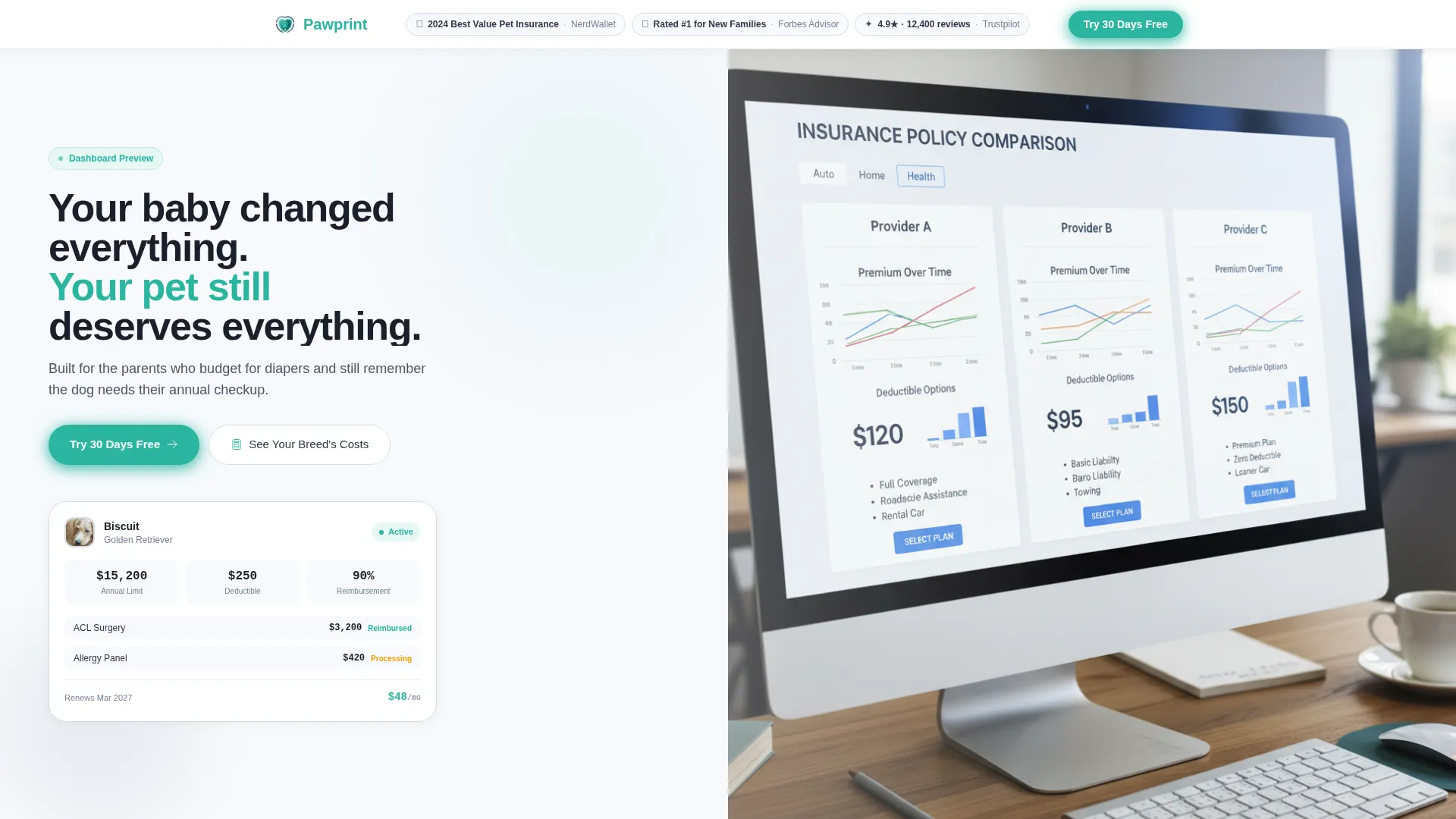
- A split-screen hero with an award badge bar, a live coverage dashboard panel, and a lifestyle photo panel
- An interactive breed cost calculator, an animated stats grid, a plan comparison table, and a premium slider calculator
- A horizontal testimonial scroll rail, a sticky mobile call-to-action bar, and a two-path conversion system
Feature list
This template comes with several purpose-built components. Each one serves the goal of turning financial anxiety into confident action.
Live Breed Cost Calculator
The left panel of the second section lets visitors pick their dog or cat breed from an autocomplete dropdown. The right panel instantly shows projected annual vet costs alongside the covered cost after a Pawprint plan. The side-by-side view makes the savings case without a single sentence of persuasion copy.
Animated Stats Grid
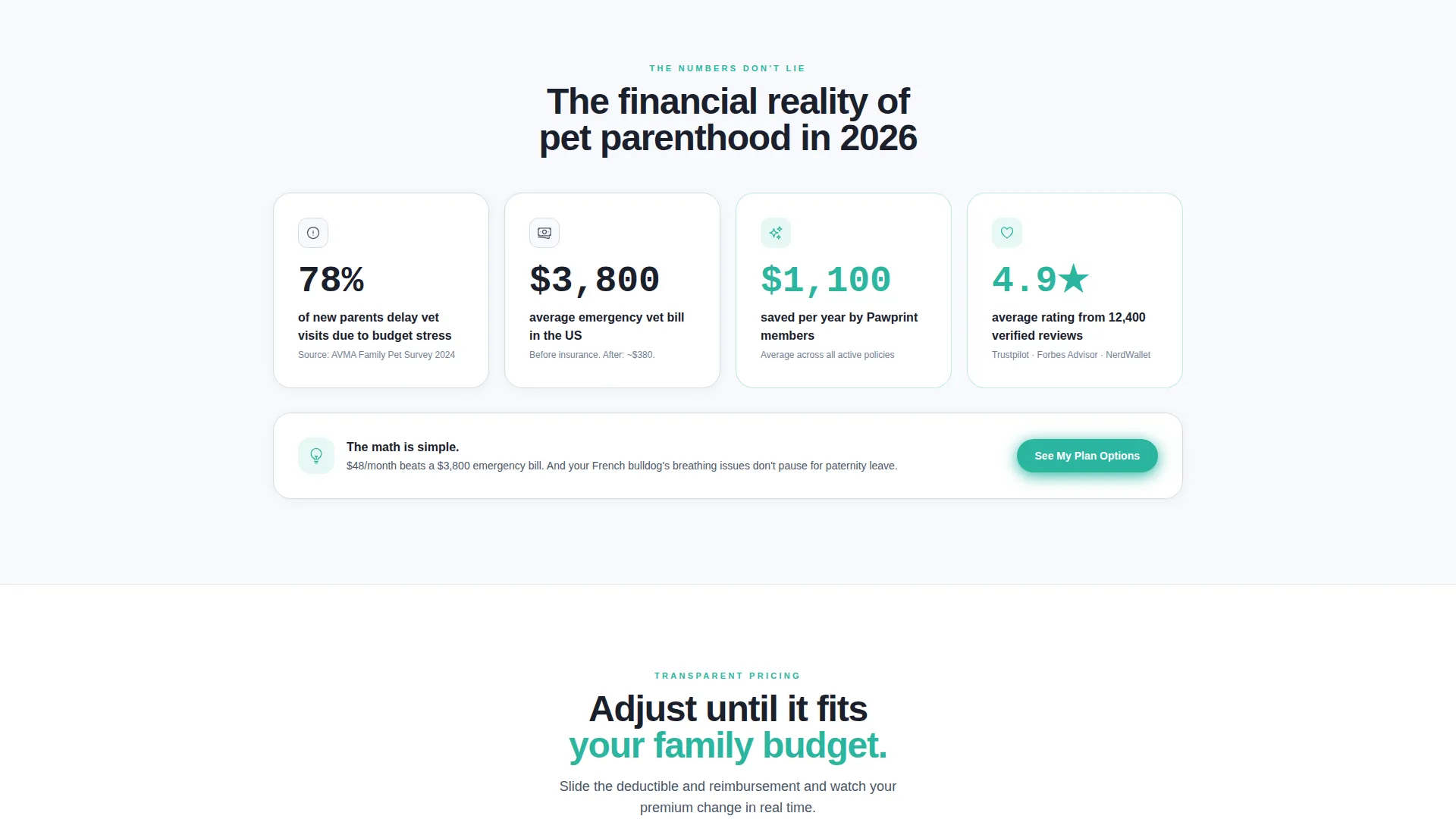
Three headline numbers animate on scroll entry with a teal accent pulse. The figures include the percentage of new parents who delay vet visits, the average emergency vet bill in the United States, and the average annual savings for plan members. Each number loads with a counter animation that draws the eye and anchors trust.
Interactive Plan and Premium Calculator
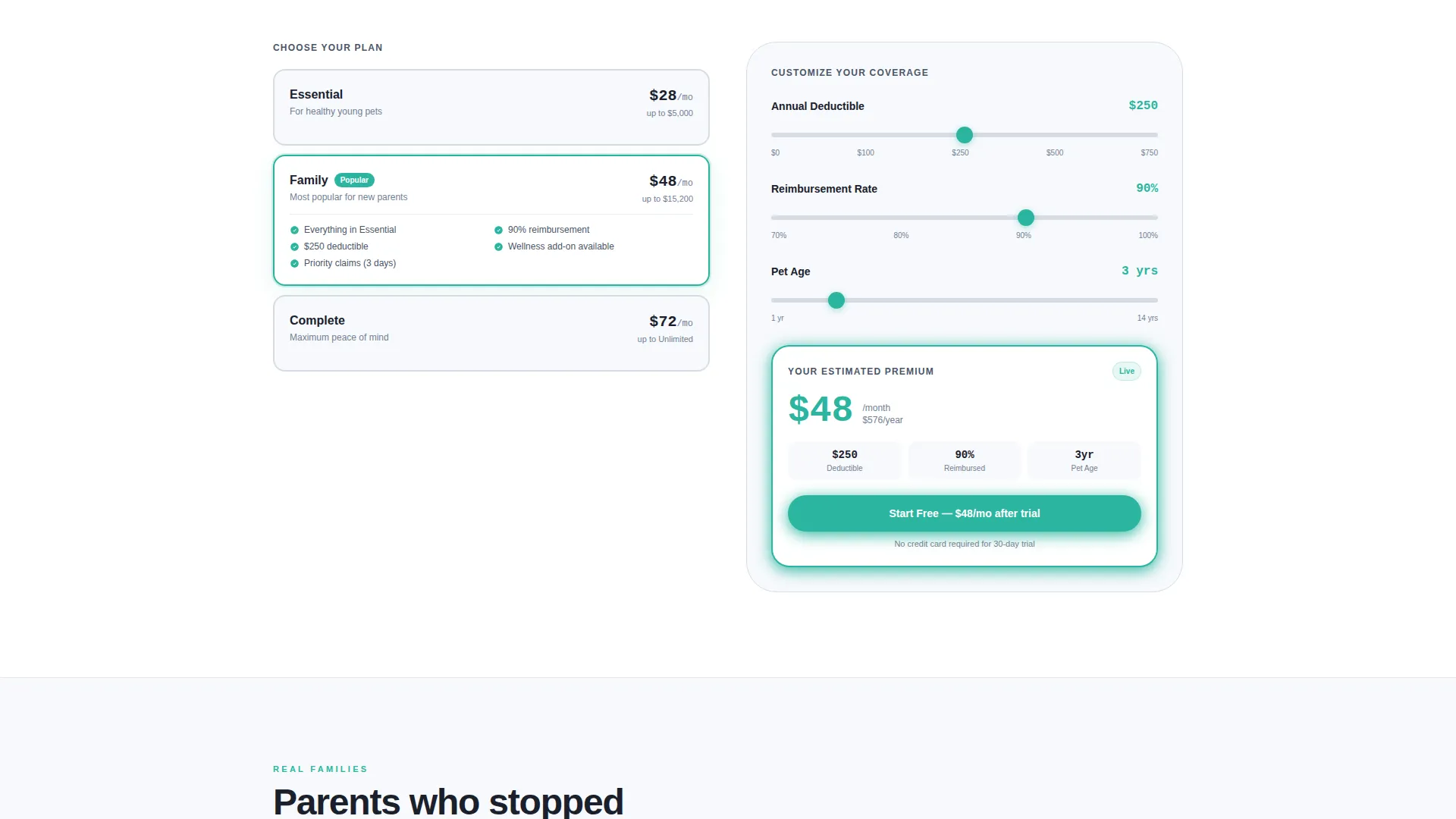
A split layout pairs a plan comparison table on the left with real-time slider controls on the right. Visitors adjust deductible and reimbursement rate sliders and watch their estimated monthly premium update instantly. This tool replaces anxiety with arithmetic and gives co-parents something concrete to discuss.
Two-Path Conversion System
The primary call to action is "Try 30 Days Free" in teal. A secondary path offers a free breed-specific annual cost report in exchange for an email address. The dual system captures visitors at different readiness levels without pressuring anyone into a commitment they are not ready for.
Award Badge Header Bar
The header opens with three compact credential shields: a NerdWallet best-value award, a Forbes Advisor top rating for new families, and a Trustpilot star score from over 12,000 reviews. Social proof appears before the headline, so authority is established before the visitor reads a single claim.
Horizontal Testimonial Rail
A scrollable card rail carries real customer stories with photos. Cards are displayed with a slight rotation for visual energy. On mobile, the rail scrolls horizontally so the section stays compact without hiding any testimonials.
Page sections overview
| Section | Purpose |
|---|---|
| Award Badge Bar | Establishes credibility before the headline |
| Split Hero Panel | Introduces dashboard and lifestyle context side by side |
| Breed Cost Calculator | Shows personal vet cost versus covered cost by breed |
| Animated Stats Grid | Anchors urgency with three scroll-triggered financial numbers |
| Plan Comparison Split | Lets visitors compare plans and model their own premium |
| Testimonial Scroll Rail | Builds peer trust through rotating customer story cards |
| Footer Flow | Closes the page with navigation and brand anchoring |
Design & branding system
The visual identity uses the Cloud Canvas color system inside a Dashboard Pro theme. The palette was chosen to feel like a calm interface glowing in a quiet room, structured enough to signal competence, gentle enough to avoid adding stress.
- Core colors: soft cumulus white (#F7F9FC) for backgrounds, warm bassinet gray (#D6DCE5) for alternating sections, calm slate (#4A5568) for body typography, and reassuring teal (#2BB5A0) reserved strictly for interactive elements, positive states, and call-to-action buttons
- Typography: DM Sans handles warmth and readability across headings and body copy; JetBrains Mono is used for all numerical data, calculator outputs, and dashboard figures to reinforce precision
- Teal appears only where the user should act or celebrate, such as toggle switches, savings counters, slider outputs, and primary buttons, keeping the accent meaningful and uncluttered
Mobile & speed optimization
The template is built mobile-first. New parents are most likely to encounter this page on a phone at an inconvenient hour, so every interactive component and layout decision respects small-screen constraints.
- The sticky bottom bar on mobile keeps "Try 30 Days Free" visible at all times without interrupting the reading flow
- Interactive components like the breed dropdown, deductible sliders, and plan table are structured as separate client-side elements so static content loads independently
- The horizontal testimonial rail scrolls natively on touch devices, keeping the section usable without layout changes
How this template helps you convert
The page is built around escalating financial clarity. Each scroll position gives the visitor more concrete information than the last, so by the time they reach the call to action they have already done the math themselves.
- The breed cost calculator personalizes the value proposition in the first active scroll, making the savings feel real and specific to the visitor's own pet before any commitment is requested.
- The animated stats grid and plan calculator stack evidence across two consecutive sections, so the visitor arrives at the call-to-action feeling informed rather than sold to.
- The three-field entry form asks only for the pet's name, breed, and age before step two, removing the email barrier that causes most insurance form abandonment.
Other information about this template
This template was designed specifically around the financial intersection of new parenthood and pet ownership. A few additional details are worth knowing before you build with it.
- The entry form is intentionally sequenced: personal pet details come first, email capture comes in step two, reducing early abandonment from visitors who are not yet ready to share contact information
- The secondary conversion path, a free pet cost report delivered in exchange for an email, gives hesitant visitors a reason to engage without requiring a trial commitment
- The template uses United States vet cost benchmarks, United States dollar figures, and American breed names throughout, making it localized for a domestic audience out of the box
- Section backgrounds alternate between cumulus white and bassinet gray to create visual rhythm without introducing new colors that compete with the teal accent
- The Stats-First Impact creative direction means every section leads with a number before an explanation, keeping the page scannable for time-pressed readers checking their phone between feeds

Theme
Dashboard Pro
Creative direction
Stats-First Impact
Color system
Cloud Canvas
Style
Split Screen (50/50)
Direction
Freemium/Trial
Page Sections
Live Breed Cost Calculator
Animated Stats Grid
Interactive Premium Calculator
Two-path Conversion Flow
Award Badge Header Bar
Horizontal Testimonial Scroll Rail
Related questions
Who is this landing page template built for?
What interactive components does this template include?
Does the template support two different conversion paths?
How is the teal accent color used across the page?
Is this template designed for mobile users?



