Veterinarian Digital Business Card Landing Page
Paws is a dark-themed bento grid landing page built for veterinarians who want a shareable digital business card. It puts your photo, credentials, emergency line, and booking link into every pet owner's phone with a single tap. No app download needed. Solo vets, multi-vet clinics, and mobile practitioners all get a polished, trust-building presence that travels as fast as they do.
by Rocket studio
Quick summary
Paws is a single-page bento grid template designed for veterinarians who want a digital business card that pet owners keep on their phones. It displays your portrait, credentials, emergency contact, and booking link instantly, with no app required. The dark Cloud Canvas visual identity feels calm and professional, and every tile tells part of your story.
Who this template is for
This template is built for veterinary professionals who need a modern, shareable contact page that works anywhere. Whether you see patients in a clinic or in a client's living room, Paws gives you a presence that travels with you.
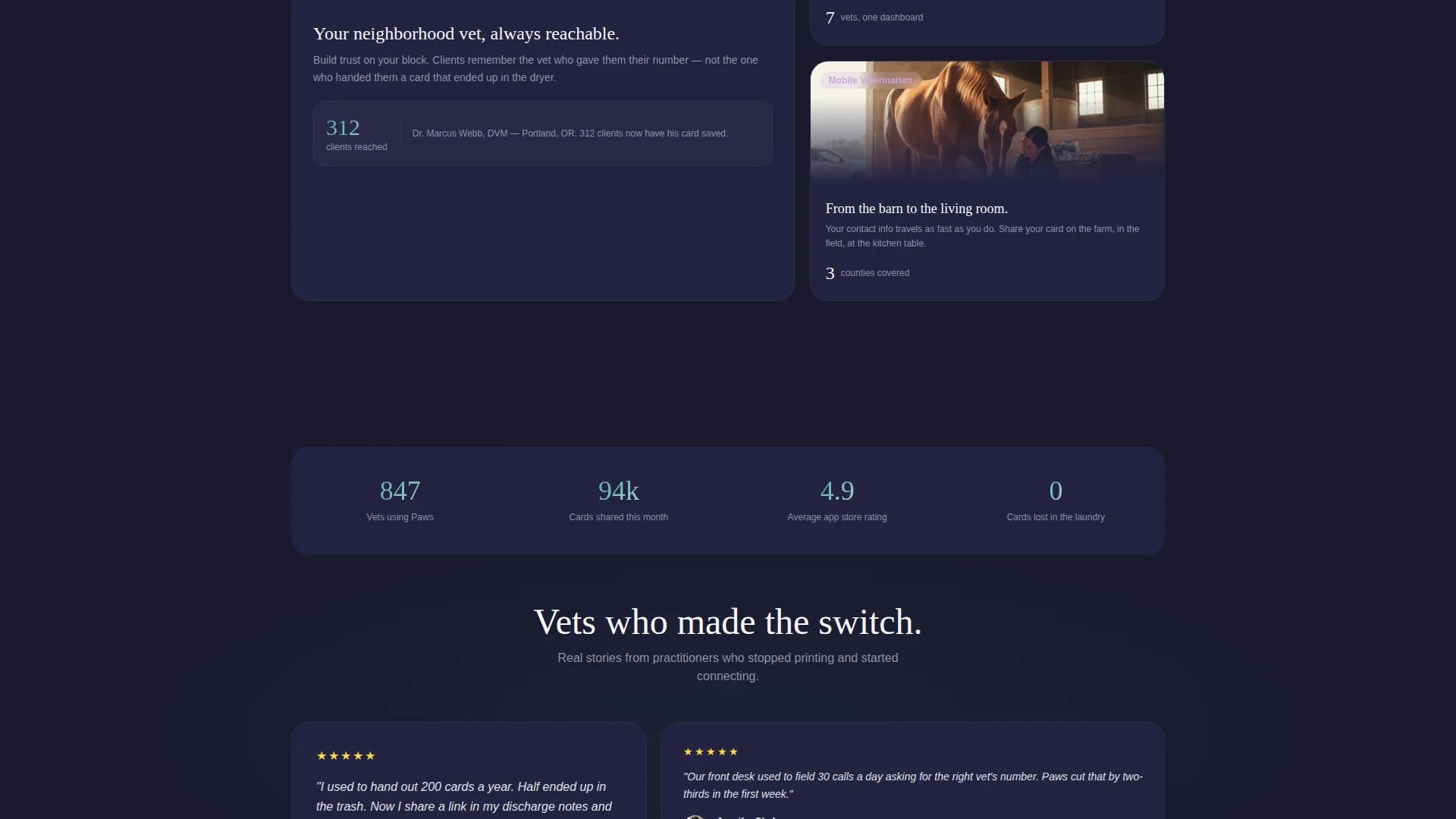
- Solo practitioners who want to build neighborhood trust without printing cards
- Multi-vet clinics looking to replace paper business cards that get lost or washed
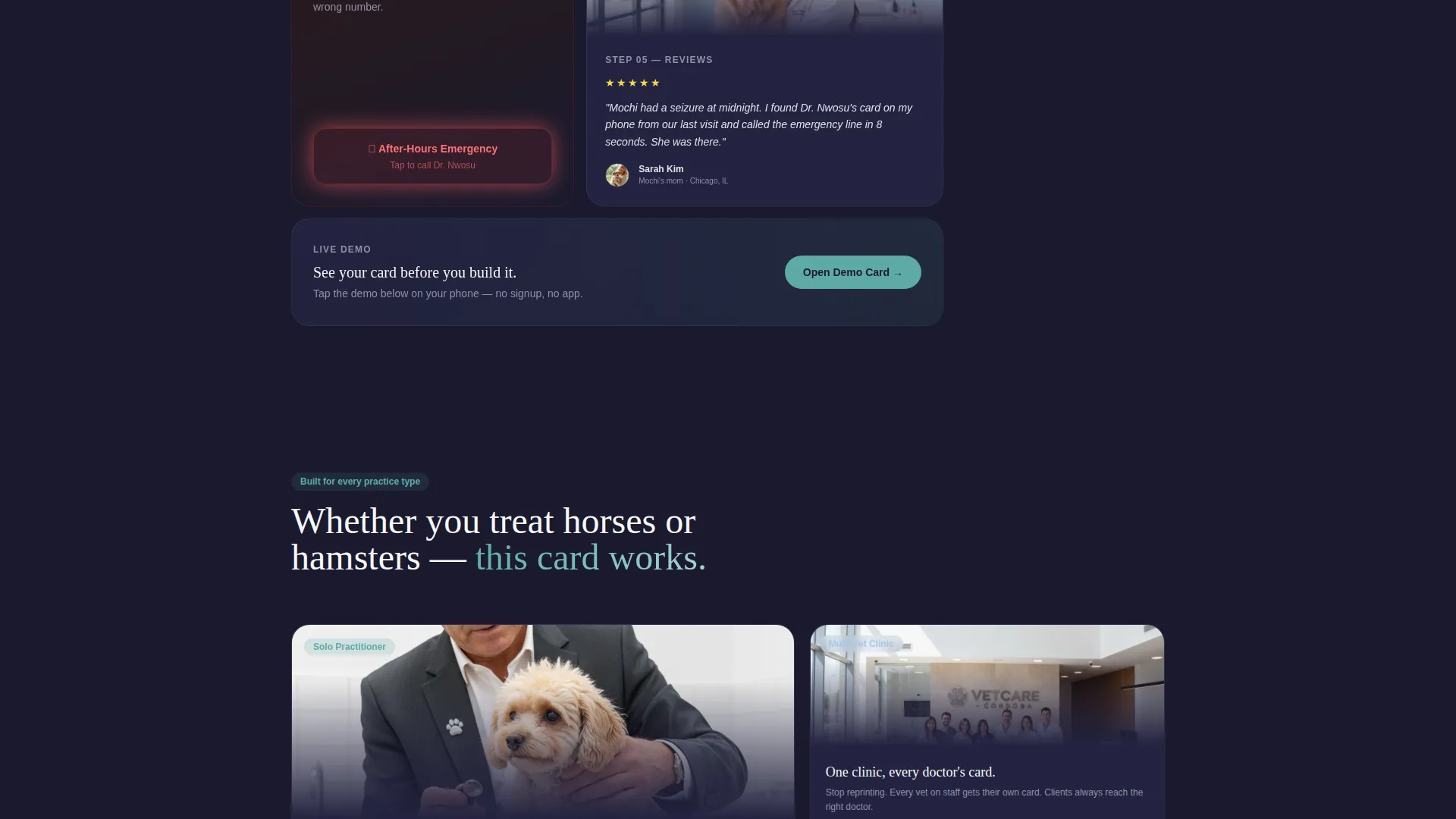
- Mobile veterinarians treating horses, cats, and dogs across multiple locations
What problem this template solves
Paper business cards disappear. They end up in pockets, washing machines, and recycling bins. Pet owners who need you urgently cannot find your number, and potential new clients have no easy way to book. This template puts a permanent, tappable contact page inside every client's phone.
- Eliminates the gap between a clinic visit and a client being able to reach you again
- Removes friction from the booking process by surfacing the link immediately
- Gives mobile vets a portable identity that works as fast as their schedule demands
What you get with this template
You get a fully structured single landing page that functions as your veterinarian digital business card. Every section is purposefully designed to show pet owners exactly who you are, what you offer, and how to reach you right now.
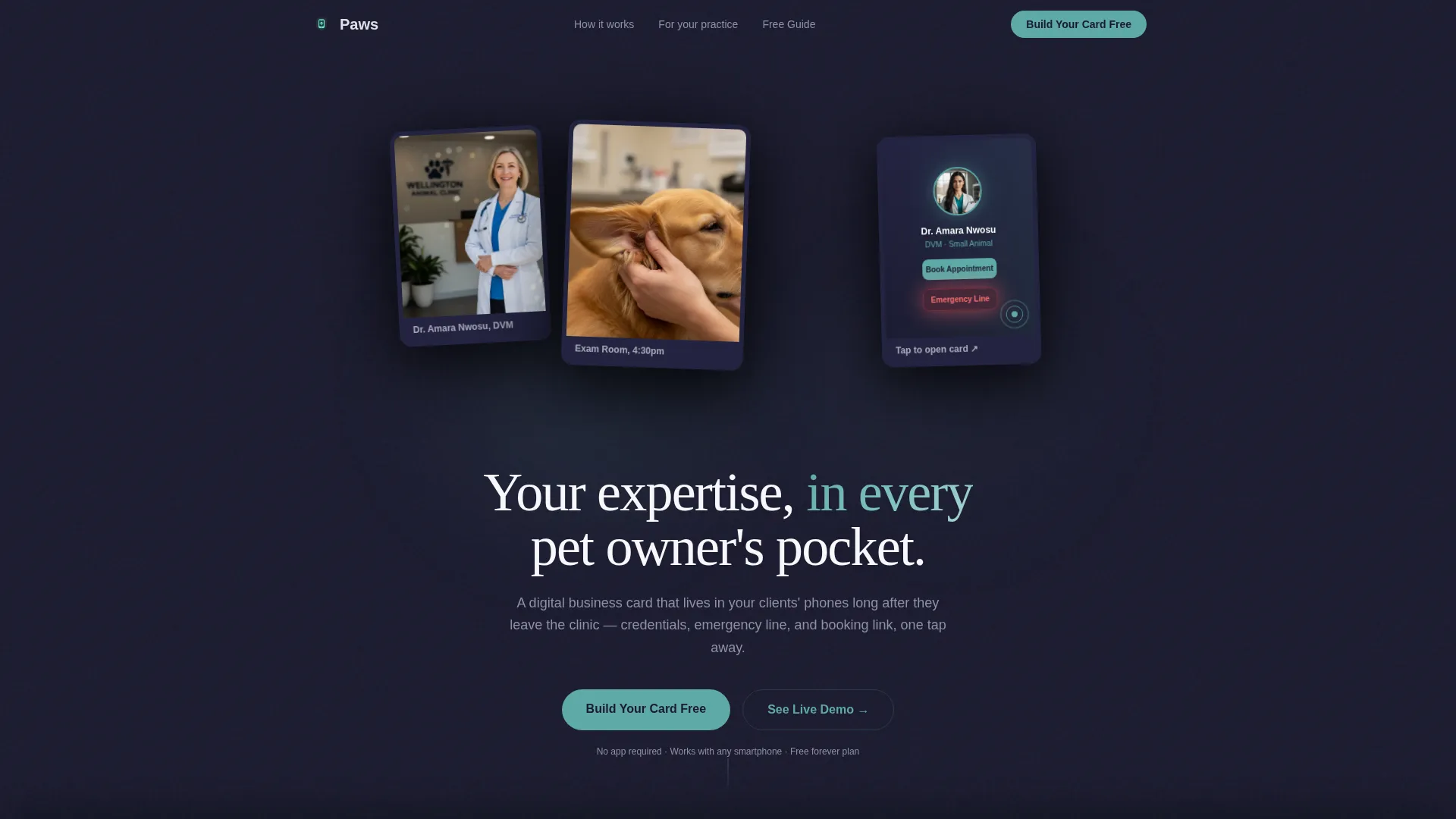
- A floating photo header with your portrait, a hands-on care image, and a phone preview of the card
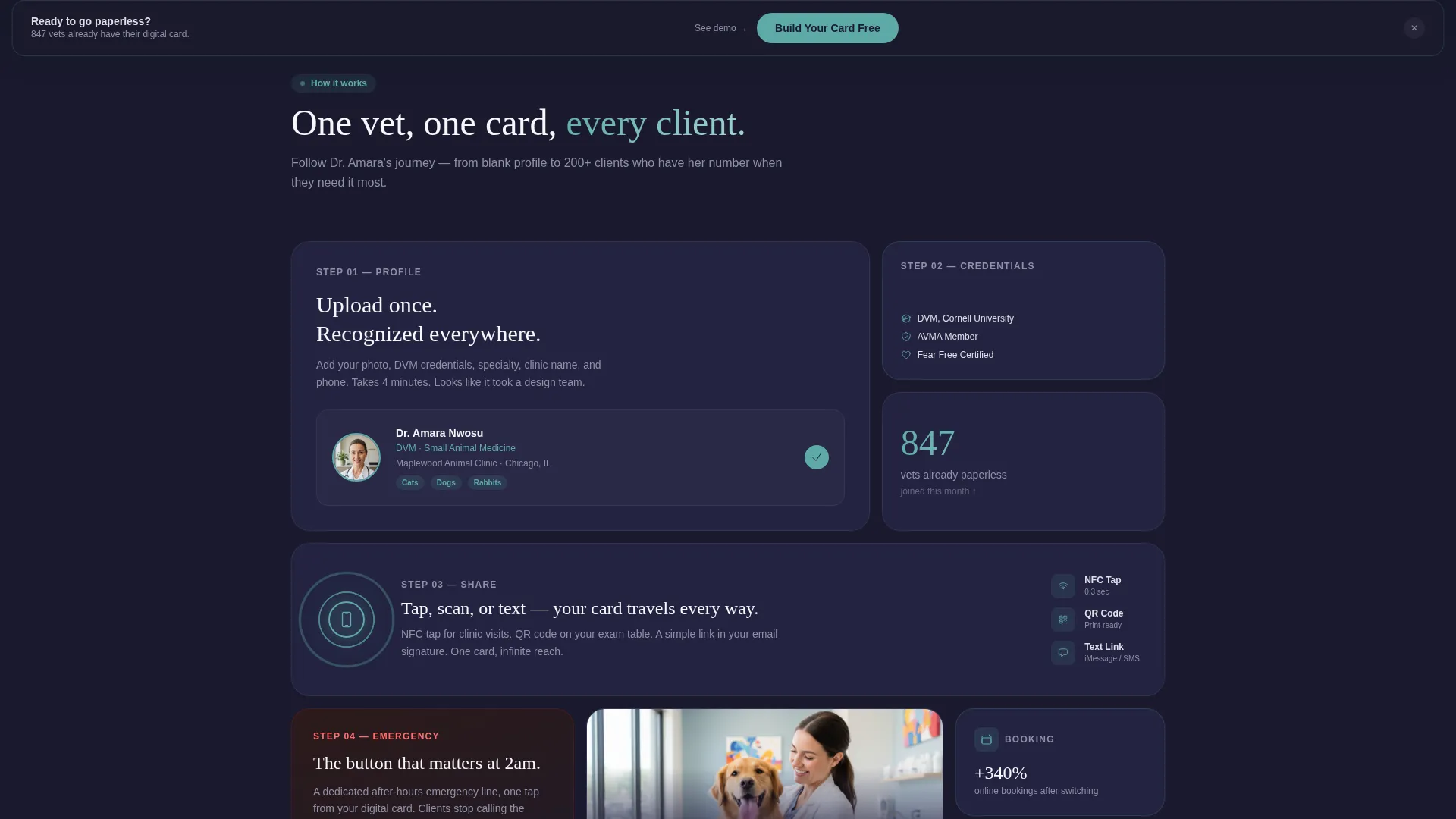
- A bento grid story section with credential tiles, a looping NFC tap micro-video, and client review snippets
- A sticky bottom call-to-action bar and an email capture form tied to a downloadable PDF guide
Feature list
This template ships with a focused set of design-led features drawn directly from the brief. Each one serves a clear purpose in the visitor journey.
Floating Polaroid Header Layout
Three overlapping photos drift against a deep charcoal background with soft drop shadows and slight rotations. The arrangement feels candid and warm, immediately establishing human trust before a single line of copy is read.
Bento Grid Story Section
Tiles alternate between screenshots, short testimonials, and feature close-ups. They scale from small squares to wide rectangles so the eye never settles into a predictable rhythm, keeping visitors engaged as they scroll.
Looping NFC Tap Micro-Video
A dedicated bento tile plays a short looping video of an NFC tap demonstration. Visitors see the digital card in action on a real phone before they ever commit to building their own.
After-Hours Emergency Button
A glowing teal button surfaces your emergency contact line visually and immediately. Pet owners in distress see exactly where to tap, building confidence that you are reachable when it matters most.
Email Capture with PDF Guide
A single-field form below the bento grid offers a downloadable guide called "The Vet's Guide to Going Paperless." It gives visitors a reason to share their email while reinforcing the paperless value of the template.
Sticky Bottom Call-to-Action Bar
The primary call-to-action reappears in a sticky bar after the third scroll fold. By that point, visitors have already watched the card work, making the prompt to act feel natural rather than pushy.
Page sections overview
| Section | Purpose |
|---|---|
| Floating Photo Header | Introduces the vet's face, hands-on care imagery, and a phone card preview |
| Hero Headline Area | Delivers the core message: your expertise in every pet owner's pocket |
| Bento Grid Tiles | Walks visitors through a real card build with credentials, reviews, and demos |
| NFC Demo Tile | Shows the tap experience in a looping micro-video format |
| Emergency Button Tile | Highlights the after-hours contact feature with a teal glow treatment |
| Review Snippet Tile | Displays a five-star client testimonial for social proof |
| PDF Guide Form | Captures emails with a single-field form and a downloadable resource offer |
| Sticky call to action Bar | Repeats the primary call-to-action after the third scroll fold |
| Live Demo Card | Lets visitors tap a real card preview on their own phone |
Design & branding system
The template uses a Dark Immersive theme built on the Cloud Canvas color system. Every color choice is intentional: the palette feels like a quiet clinic after hours, calm and professional without being cold.
- Deep charcoal (#1A1A2E) forms the base background, giving the page a grounded, after-dark atmosphere
- Soft fog gray (#E0E0E8) and warm cloud white (#F7F7FB) handle text and card surfaces for legibility
- Healing teal (#5EAAA8) is reserved for buttons, active states, and the card preview glow to draw the eye at key moments
Mobile & speed optimization
This template is built around a phone-first use case. The digital business card is meant to be tapped on a mobile screen, so the entire layout is designed to feel right on a small display from the very first scroll.
- The bento grid tiles reflow naturally for portrait-orientation screens without losing visual rhythm
- The sticky bottom call-to-action bar stays accessible at all times on mobile without blocking content
- The floating header images and looping micro-video tile are sized and positioned to read clearly on phone screens
How this template helps you convert
The page is structured around a principle of earning trust before asking for action. By the time the call-to-action reappears, visitors have already experienced the product.
- The floating photo header and calm visual tone establish credibility in the first three seconds, before any copy is read, reducing bounce intent from hesitant visitors.
- The bento grid demo sequence, culminating in the looping NFC tap video and a real client review tile, shows the card working rather than simply describing it, so the decision to build feels already made.
- The PDF guide form adds a low-commitment secondary path for visitors not yet ready to sign up, capturing their email and keeping the relationship open.
Other information about this template
This template sits within the Personal and Resume category, specifically the Veterinarian Profile subcategory. It is purpose-built for the veterinarian digital business card niche and carries a strong intersection match between the template style, creative direction, and the target audience's needs.
- The Creator Spotlight creative direction walks visitors through one real vet's card-building journey tile by tile
- The Content and Resource landing-page direction means the page gives value first, through the demo card and the PDF guide, before asking for a sign-up
- The Floating Photos header concept and the bento grid template style are both matched directly to the intersection context fields for this niche
Theme
Dark Immersive
Creative direction
Creator Spotlight
Color system
Cloud Canvas
Style
Bento Grid
Direction
Content/Resource
Page Sections
Floating Polaroid Header Layout
Bento Grid Story Section
Looping NFC Tap Demo Tile
After-hours Emergency Button
Email Capture with PDF Guide
Sticky Bottom Call-to-action Bar
Related questions
Does this template require visitors to download an app?
Can a solo veterinarian use this, or is it only for larger clinics?
What is the live demo card feature?
How does the email capture form work?
When does the sticky call-to-action bar appear?



