Teacher Personal Brand Landing Page Template
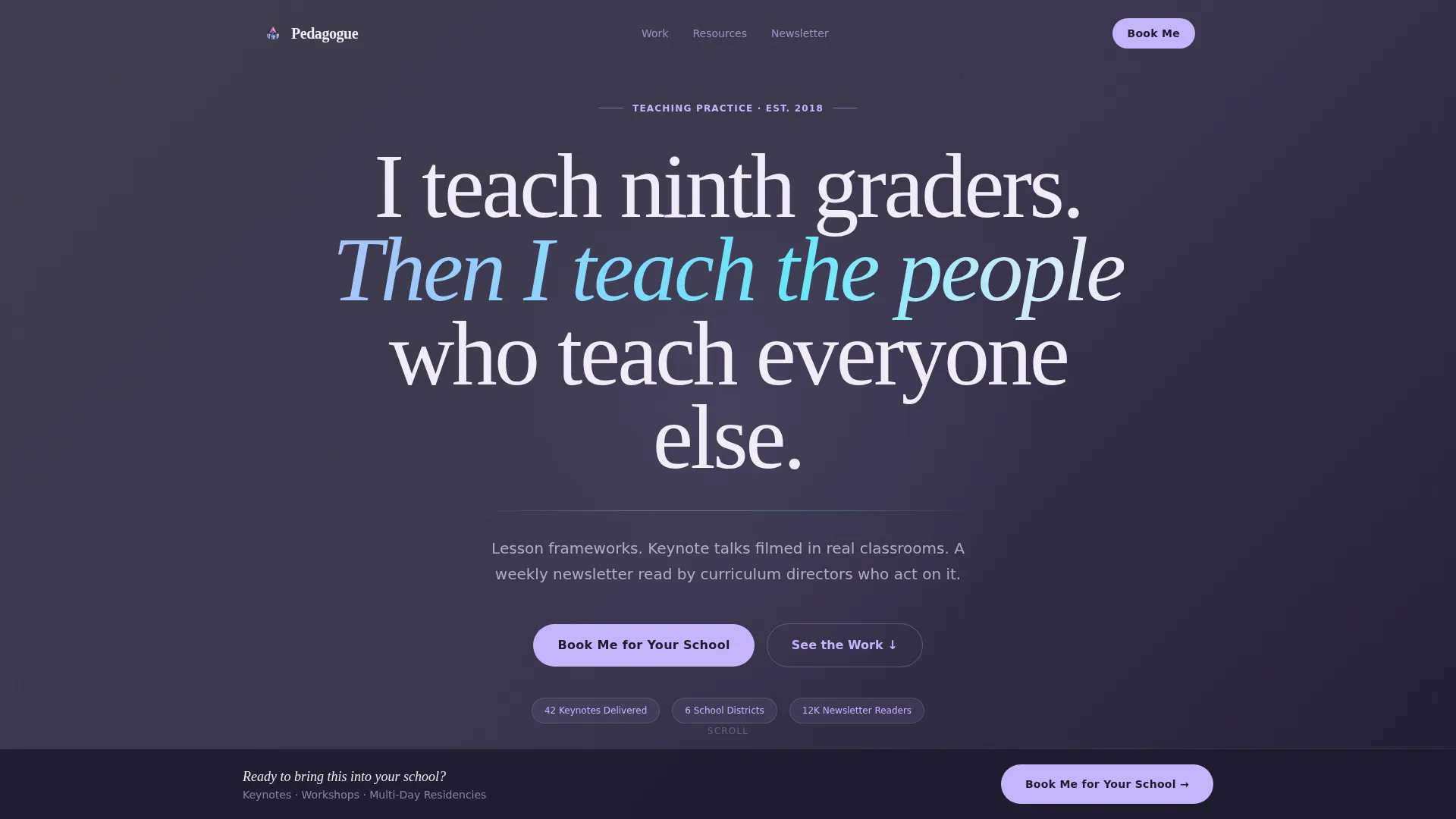
Pedagogue is a storybook-style landing page template built for teachers who have grown into public intellectual brands. It leads with a bold editorial headline, walks visitors through three escalating case study panels, and drives bookings through a single focused call to action. The design blends iridescent accents with chalkboard depth for a look that feels scholarly and alive.
by Rocket studio
Quick summary
Pedagogue is a full-page landing page template designed for educators who consult, speak, and lead. It opens with a giant centered headline, guides visitors through three evidence-rich case study panels, and closes with a direct booking call to action. The iridescent color system makes the page feel as layered and thoughtful as the work it represents.
Who this template is for
This template is built for teachers who have stepped beyond the classroom into a broader professional role. It suits anyone whose expertise is the product and whose reputation is the pitch.
- Classroom educators building a speaking or consulting practice
- Teacher-consultants who advise schools, districts, or edtech companies
- Educators growing a personal brand through newsletters, downloadable resources, and keynote talks
What problem this template solves
Most educator websites undersell the depth of the work. A basic bio page cannot carry the weight of a practitioner whose thinking has shifted how entire schools operate. This template solves the credibility gap.
- It replaces generic self-promotion with structured, evidence-based storytelling
- It guides school principals and edtech partners to a booking decision without making them search for proof
- It gives newsletter-only visitors a clear secondary path so no interested reader leaves without connecting
What you get with this template
You get a complete single-page layout built around narrative momentum. Every section earns the next one, moving a visitor from curiosity to confidence to action.
- A full-viewport editorial header with a slow iridescent gradient animation behind the headline text
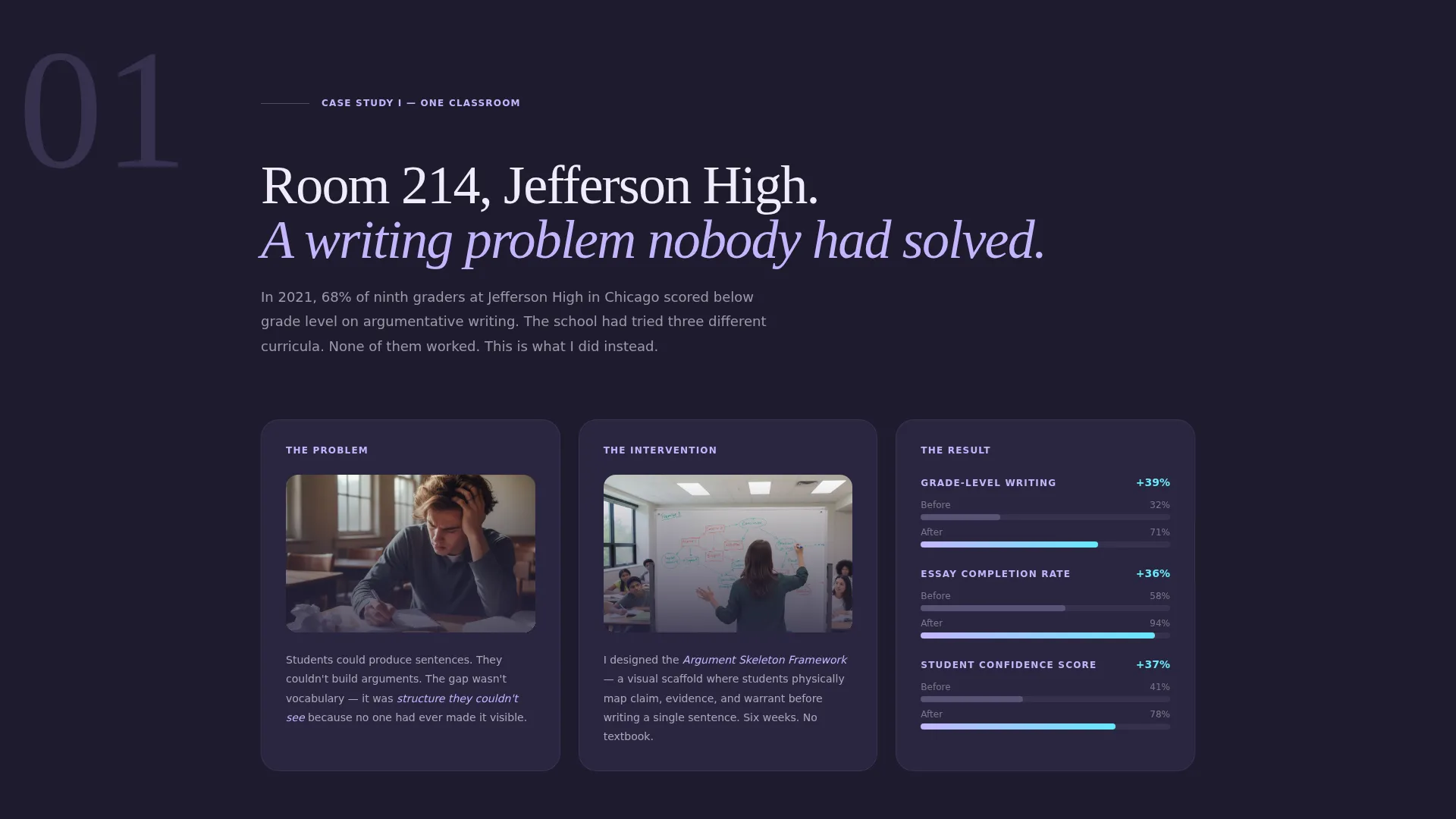
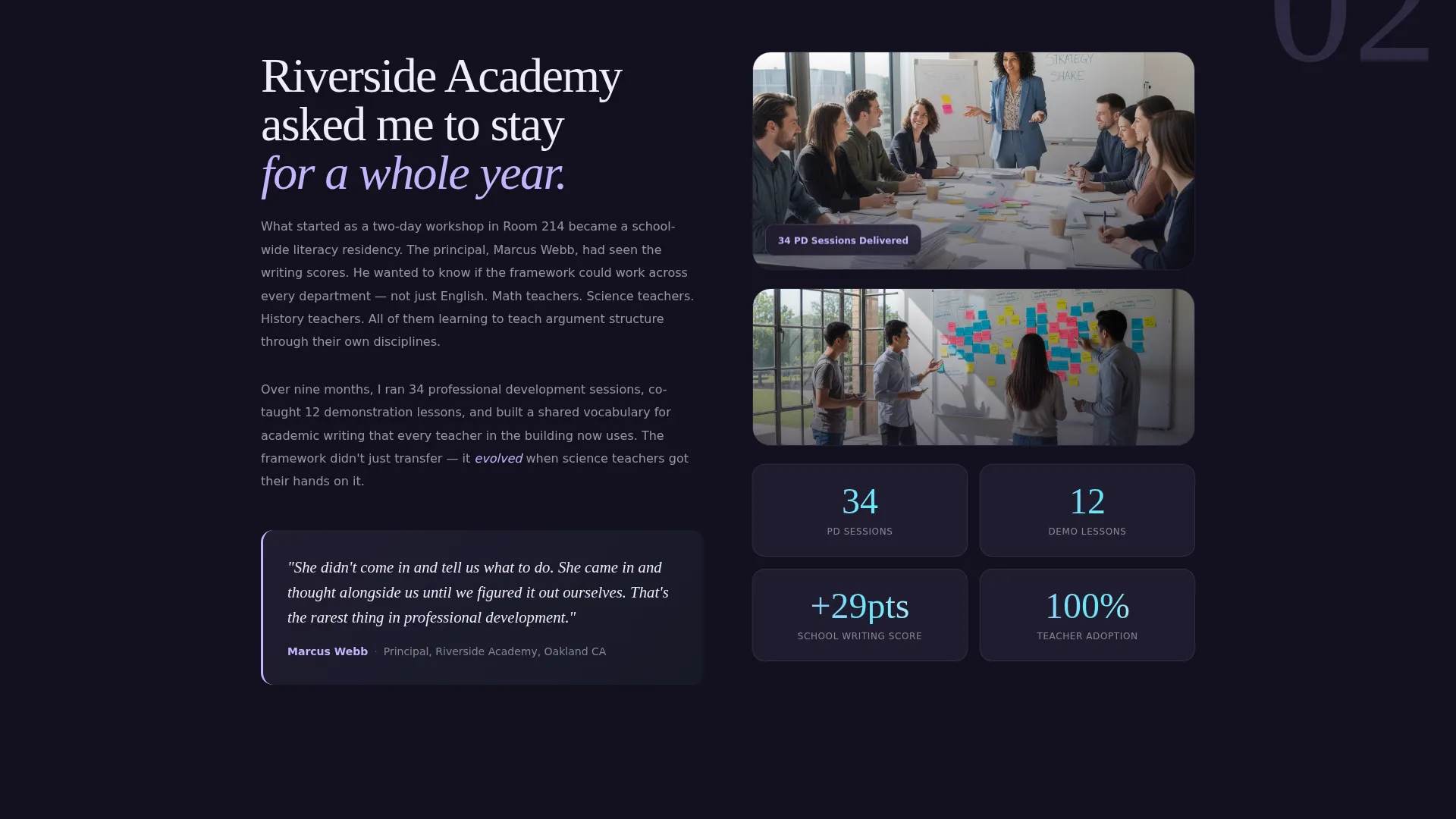
- Three sequential case study panels with space for student work photography, data visualizations, and administrator pull quotes
- Two primary call-to-action placements linking out to a booking scheduler, plus a quiet newsletter signup beneath the footer
Feature list
This template is built around a deliberate set of layout and interaction decisions drawn directly from the design brief.
Giant Centered Headline Header
The header fills roughly seventy percent of the viewport with a single oversized editorial serif sentence on deep chalkboard. A slow iridescent gradient drifts behind the white text, making the statement feel cinematic without relying on any image or video.
Three-Panel Case Study Narrative
Visitors scroll through three full-page story panels. Each panel covers a specific school, problem, and intervention. The scope escalates from one classroom to one school to one district, building a cumulative argument that this teacher's thinking scales.
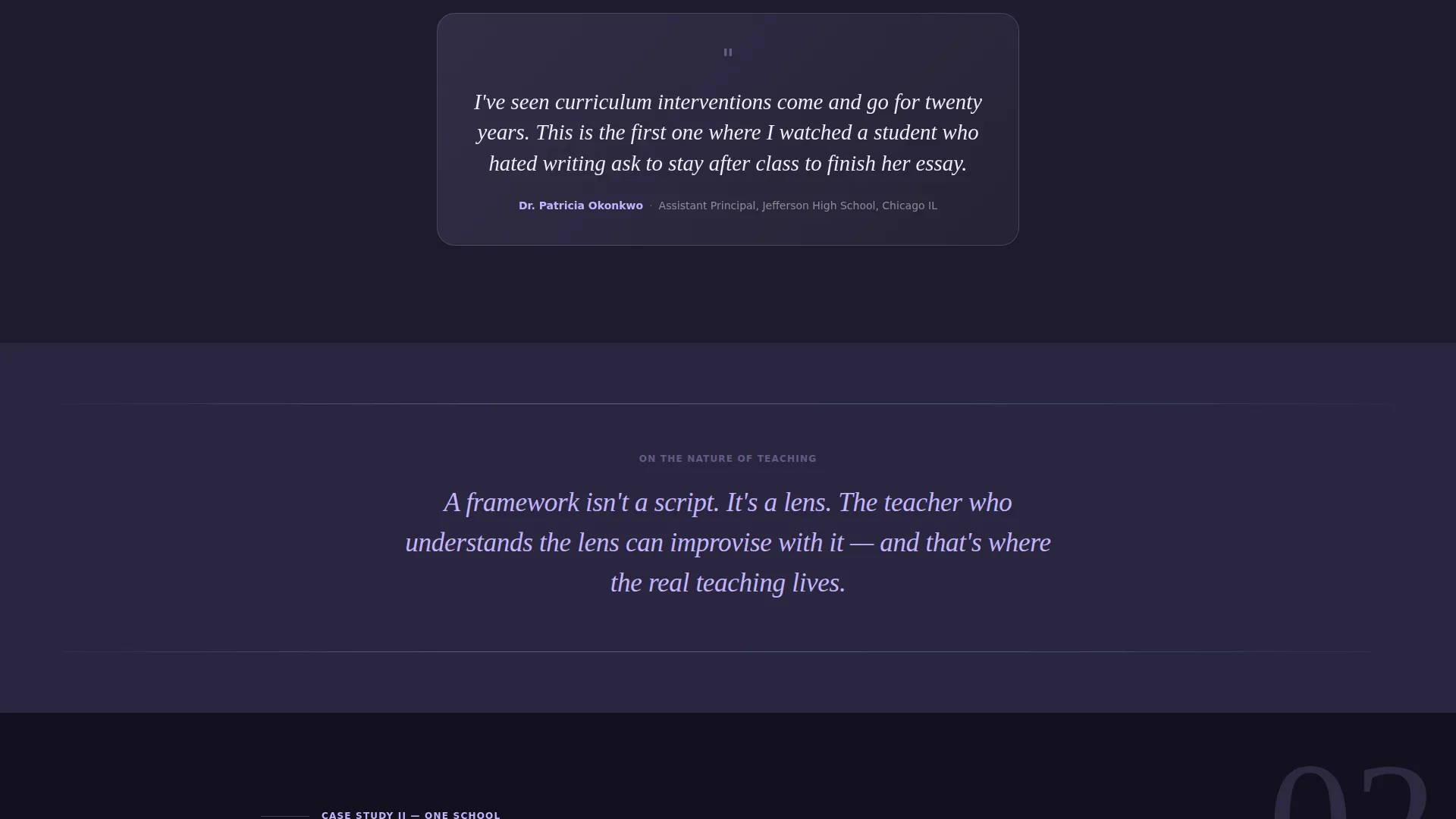
Philosophy Interstitial Breaks
Between each case study, a single lavender-washed sentence acts as a chapter break. These interstitials state a teaching philosophy and reframe the story about to unfold, keeping the reader oriented and intellectually engaged.
Dual Call-to-Action Placement
The primary call to action, "Book Me for Your School," appears after the second case study and again pinned after the third. Both placements link to an external booking scheduler pre-loaded with session types including keynote, workshop, and multi-day residency options.
Cyan-Activated Interaction States
Interactive elements stay quiet until touched. Buttons warm, links glow, and scroll-triggered animations bloom in shifting accent cyan on hover and interaction. The page feels still at rest and alive in motion.
Quiet Newsletter Capture Path
A secondary conversion path sits beneath the footer. The "Subscribe to the Lesson" link in cyan text captures visitors who are not ready to book but want to stay connected through the weekly newsletter.
Page sections overview
| Section | Purpose |
|---|---|
| Editorial Headline Header | Anchors the visitor with a bold, confidence-first statement |
| Case Study One | Documents a classroom-level intervention with evidence |
| Philosophy Interstitial One | Reframes the narrative with a teaching philosophy statement |
| Case Study Two | Escalates scope to a school-level transformation story |
| First Booking call to action | Converts engaged visitors to a booking calendar click |
| Philosophy Interstitial Two | Sets context for the district-level final case study |
| Case Study Three | Delivers the highest-scope proof of scalable impact |
| Pinned Booking call to action | Reinforces the booking action after peak credibility |
| Footer Newsletter Capture | Offers a low-commitment path for unready visitors |
Design & branding system
The visual identity follows an Atelier Studio theme using an iridescent color palette that feels simultaneously intellectual and warm. Every color has a specific role and stays in its lane throughout the page.
- Soft holographic lavender (#C4B5FD) washes behind testimonial cards, pull quotes, and philosophy interstitials; liquid pearl white (#F0EBF8) breathes through open sections; deep graphite chalkboard (#1E1B2E) anchors body text and section backgrounds
- Shifting accent cyan (#67E8F9) activates only on interaction, firing on hover states, button warmth, link glows, and scroll-triggered animation blooms
- Typography centers on an oversized editorial serif for headlines, keeping the hierarchy clear and the reading experience unhurried
Mobile & speed optimization
The storybook layout is structured to remain readable and impact-driven at any screen size. Full-viewport panels reflow gracefully so the narrative does not collapse on smaller devices.
- Full-page case study panels are designed to stack cleanly on mobile without losing the before-and-after visual structure
- The pinned call-to-action placement stays accessible after scroll on smaller screens, keeping the booking path reachable throughout the page
How this template helps you convert
This template earns the click before it ever asks for one. The page architecture is built around a deliberate trust sequence.
- The case study narrative delivers three rounds of concrete proof before the first booking prompt appears, so visitors arrive at the call to action already convinced
- The dual placement of the primary call to action and the secondary newsletter path means two different visitor mindsets both leave with a next step, maximizing the value of every page visit
Other information about this template
This template is part of the Personal and Resume category, specifically designed for the Teacher Profile subcategory and the teacher personal brand website niche. It suits practitioners ready to position themselves as a public intellectual, not just a classroom professional.
- The template style is Storybook and Full-Page, meaning the entire argument unfolds in a single continuous scroll rather than across multiple pages
- The creative direction is Case Study Narrative, a format familiar to school principals, edtech hiring managers, and curriculum directors who evaluate speakers and consultants by evidence of impact
- The booking flow links out to an external scheduler rather than hosting a form on the page, keeping the layout uncluttered and the conversion path frictionless
- Downloadable lesson frameworks and filmed keynote content are natural assets to reference or link within the case study panels, consistent with the broader personal brand positioning described in the brief
Theme
Atelier Studio
Creative direction
Case Study Narrative
Color system
AI Iridescent
Style
Storybook/Full-Page
Direction
Click-Through
Page Sections
Editorial Headline with Gradient Animation
Three Escalating Case Study Panels
Philosophy Interstitial Breaks
Dual Booking Call-to-action Layout
Cyan Hover and Interaction States
Secondary Newsletter Capture Path
Related questions
Who is this landing page template designed for?
Does the template include a contact form?
Can I use this template for a newsletter-only audience?
How does the case study section work?
Can I replace the sample case studies with my own content?



