Directory Landing Page Template for Booking
This pediatrician provider directory landing page template helps parents find a board-certified pediatrician fast. A three-step hero form captures zip code, insurance carrier, and visit type. Inline provider cards show credentials, languages, hospital affiliations, and real-time availability. The anchor navigation guides every visitor from search to booked appointment, no account required.
by Rocket studio
Quick summary
This is a single-page pediatrician directory template built for booking and scheduling. It opens with a three-step search form and guides parents through verified provider profiles, insurance filtering, and an appointment calendar modal. The layout is calm and clinical, designed to earn trust quickly and turn a 2 a.m. search into a confirmed visit.
Who this template is for
This template is built for healthcare directory operators, pediatric group practices, and platforms that connect families with pediatric care providers. It suits teams that need a polished, conversion-focused landing page without starting from scratch.
- Directory operators listing board-certified pediatricians across regions
- Pediatric practice groups wanting a searchable, bookable front door
- Healthcare startups targeting mobile-first parents looking for new patient availability
What problem this template solves
Parents searching for a pediatrician face a fragmented, stressful process. Insurance network confusion, unclear availability, and cluttered search results push families away before they ever book. This template removes each of those friction points in sequence.
- No account creation or passwords required before booking a first visit
- Insurance carrier filtering eliminates guesswork about coverage and cost
- Real-time availability badges on each provider card prevent dead-end clicks
What you get with this template
You get a complete, ready-to-customise landing page structured around one goal: moving a parent from search to scheduled appointment. Every section is intentional, and every component earns its place.
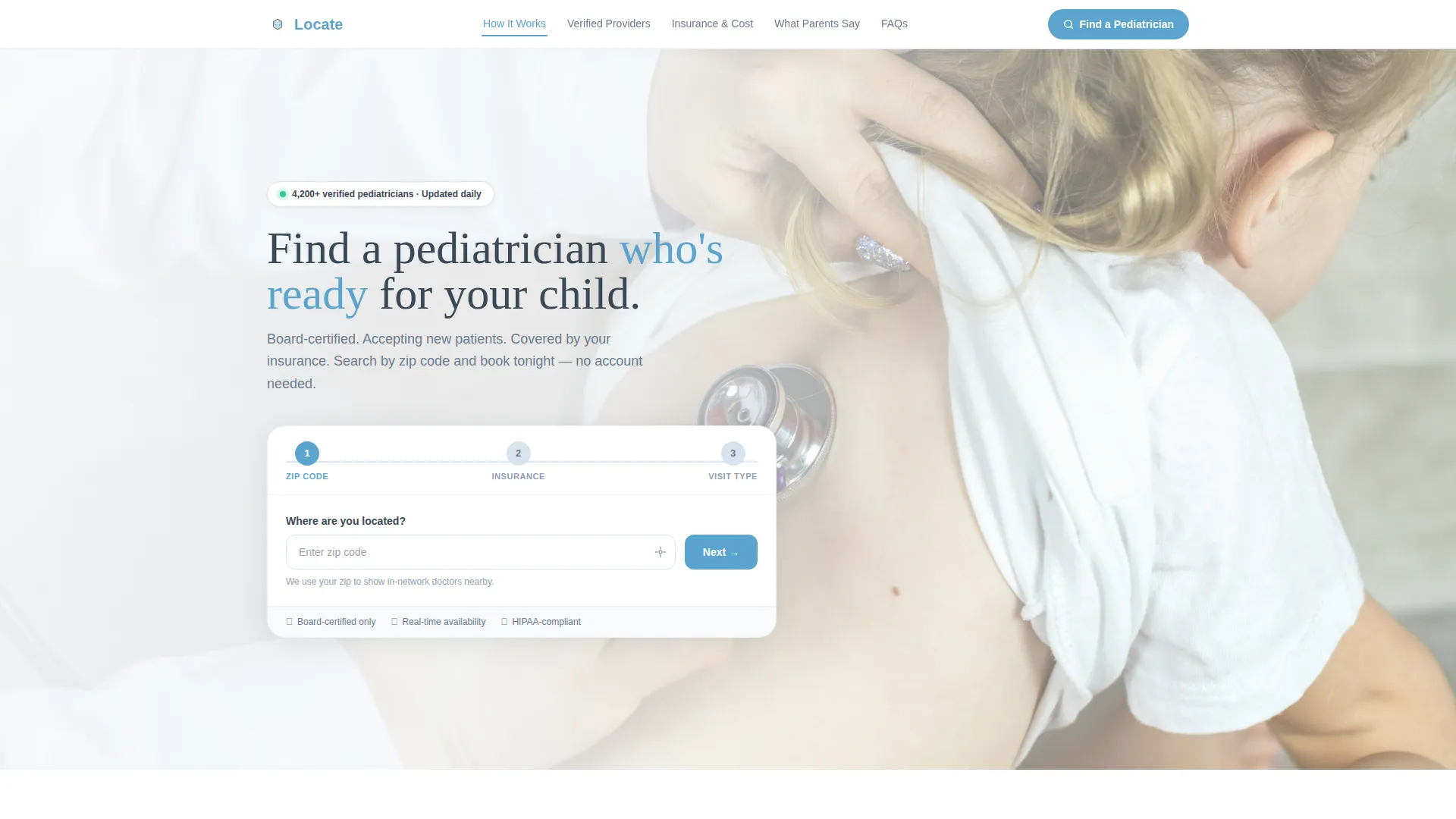
- A three-step hero form with zip code detection, insurance dropdown, and visit-type chip selectors
- Inline physician cards showing headshots, credentials, languages spoken, hospital affiliations, and a live availability badge
- A sticky anchor navigation bar, a filterable insurance and cost table, a testimonial mosaic grid, and a calendar booking modal
Feature list
This section outlines the specific built-in components and interaction patterns included in the template.
Three-Step Hero Search Form
The header form sits above the fold on a full-width, soft-focus hero photograph. Step 1 captures zip code with an auto-detecting location pin. Step 2 presents a regionally populated insurance carrier dropdown. Step 3 offers visit-type chips for New Patient, Sick Visit, Well-Child Check, and Specialist Referral. A sky-blue progress bar connects each step on a single horizontal rail.
Sticky Anchor Navigation Bar
A navigation bar locks to the top of the viewport after the user scrolls past the hero. It carries five labeled links: How It Works, Verified Providers, Insurance & Cost, What Parents Say, and FAQs. Each link jumps to the corresponding spoke section instantly, keeping orientation clear on both desktop and mobile.
Verified Provider Cards with Booking Modal
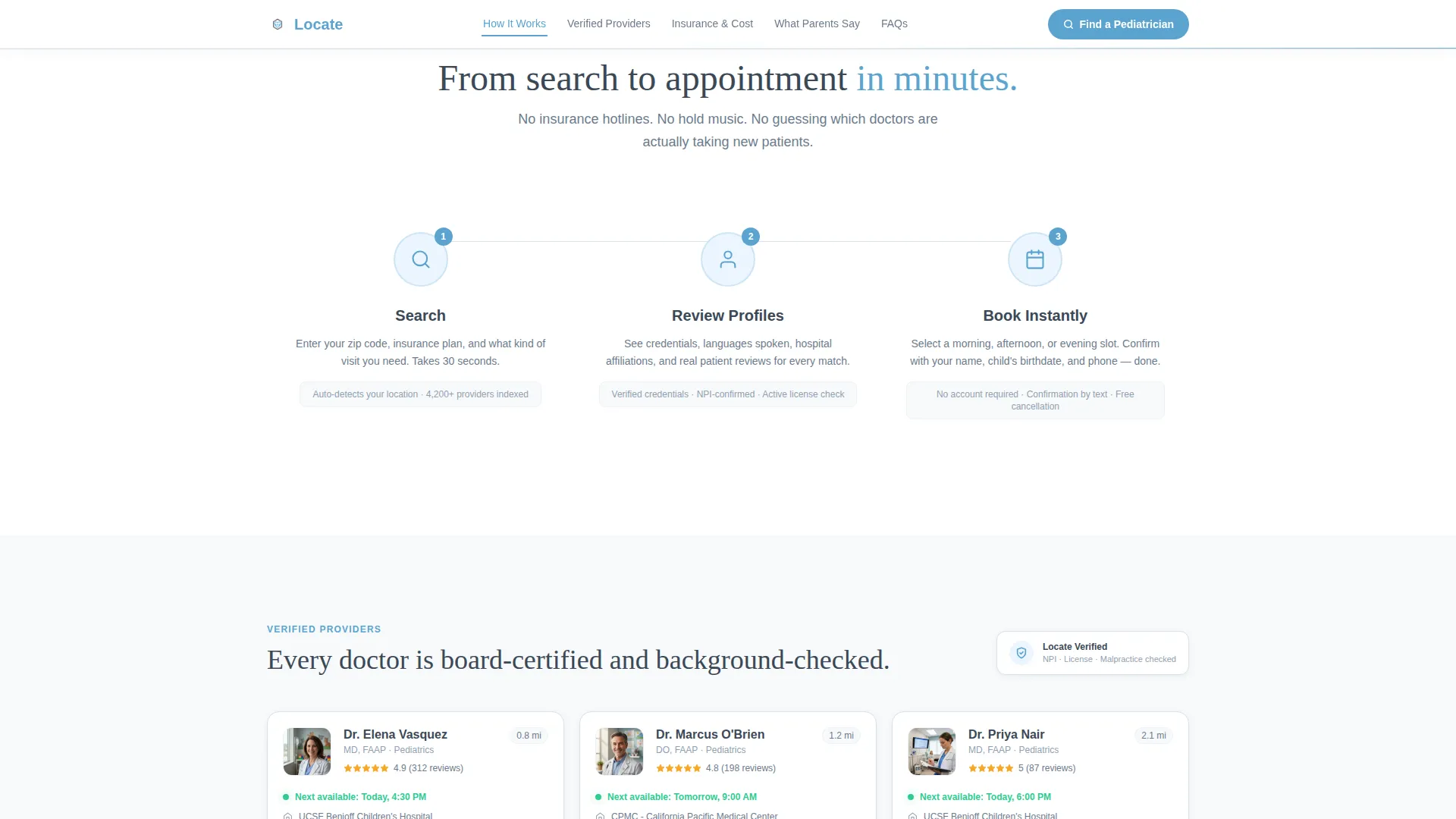
Search results render inline as physician cards. Each card displays a headshot, board certification credentials, languages spoken, hospital affiliations, and a real-time Next Available appointment badge in sky blue. A Book First Visit button opens a calendar modal with morning, afternoon, and evening time-slot chips. The booking form asks only for parent name, child date of birth, and phone number.
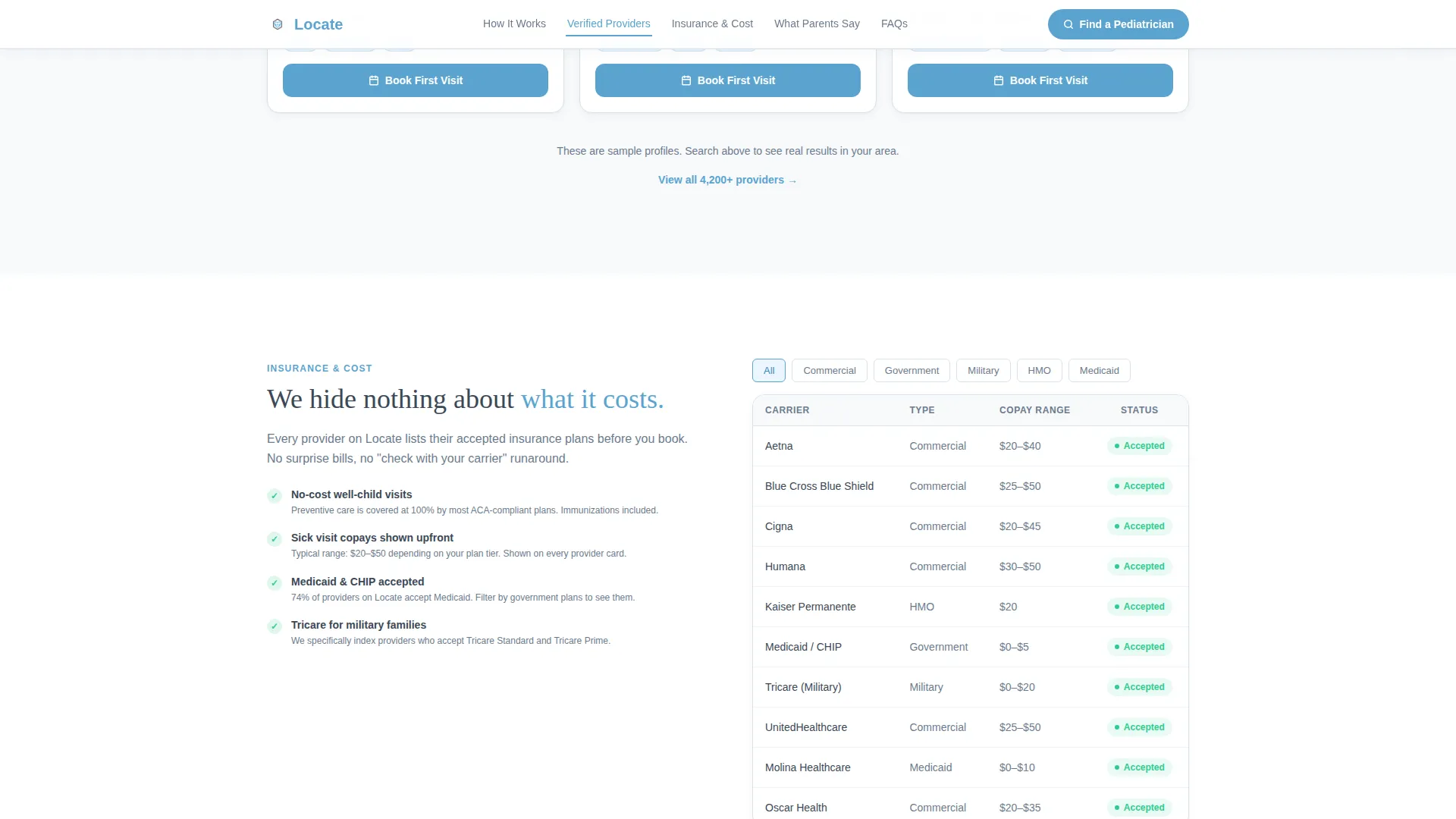
Filterable Insurance and Cost Table
The Insurance & Cost section presents a scannable table of accepted networks. Parents can filter by carrier name to confirm coverage before committing to a profile. The table removes the silent objection of unknown out-of-pocket costs.
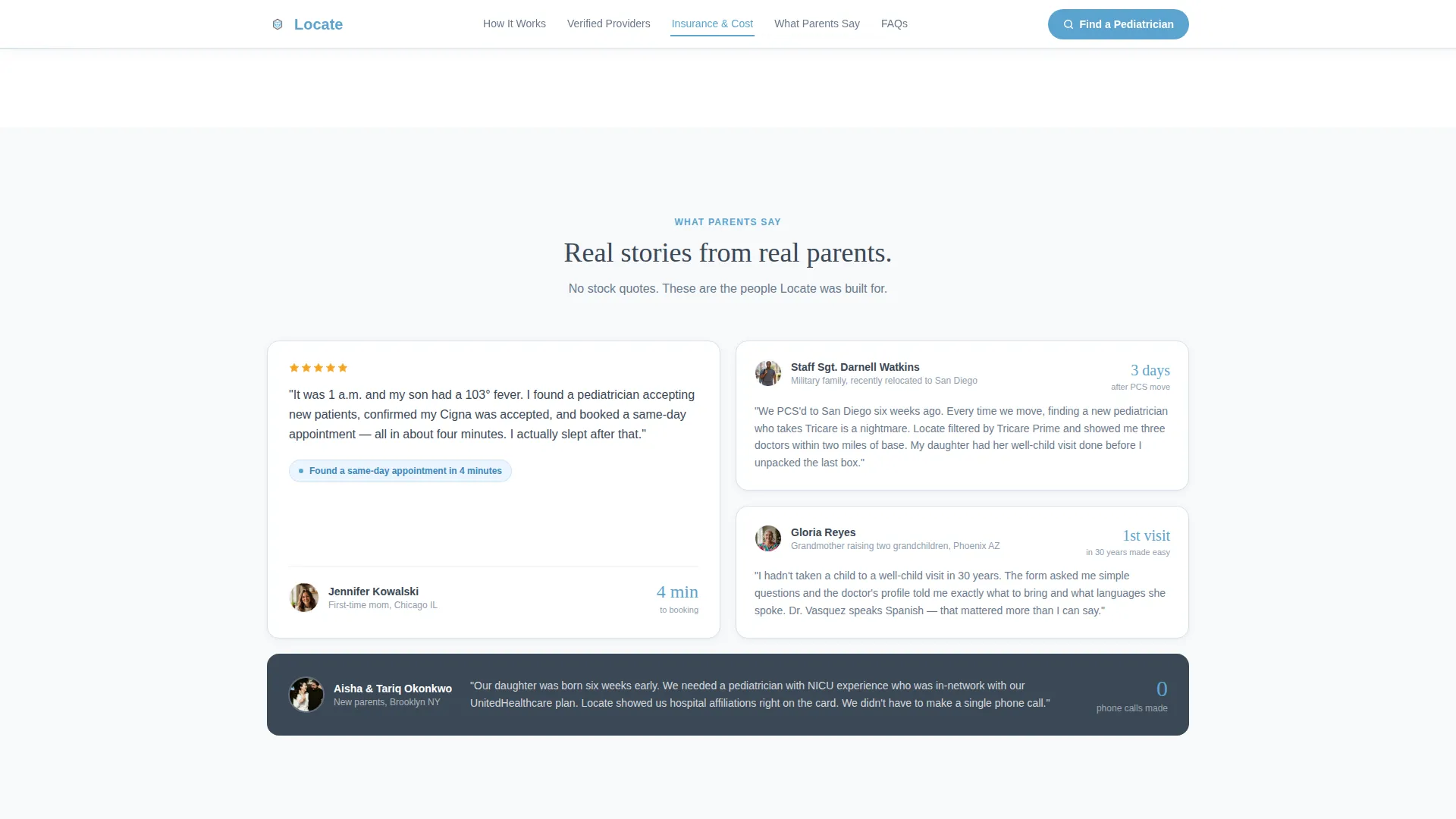
Testimonial Mosaic Grid
The What Parents Say section displays a mosaic-style grid of parent testimonials with names, cities, and verified badge counts. Social proof is shown alongside the stat of 4,200-plus pediatricians listed, reinforcing directory scale and credibility.
How It Works Flow
A three-icon horizontal flow illustrates the process in one glance: Search, Review Profiles, Book Instantly. The icons and labels are concise enough to scan in under five seconds, lowering the perceived effort for first-time visitors.
Page sections overview
| Section | Purpose |
|---|---|
| Hero Search Form | Capture zip, insurance, and visit type above the fold |
| Anchor Navigation Bar | Lock wayfinding to the top for easy section jumping |
| How It Works | Show the three-step process in one horizontal flow |
| Verified Provider Cards | Display physician profiles with booking calls to action |
| Insurance & Cost Table | Filter accepted networks to confirm coverage |
| What Parents Say | Build trust through testimonials and directory scale stats |
| Footer | Linear single-row links for quick site-wide reference |
Design & branding system
The visual identity follows a Corporate Precision theme using a Slate & Sky color system. The palette feels clinical enough to trust and open enough to breathe, combining institutional structure with genuine human warmth.
- Primary text and navigation anchors use clinical charcoal (#3B4856); secondary labels and card borders use soft slate (#6B7B8D)
- Interactive elements, active states, and availability badges use open-sky blue (#5BA4CF) on sterile white (#F7F9FB) card surfaces
- Typography pairs DM Sans for body and interface copy with Fraunces for display headlines, creating a contrast between approachable readability and authoritative presence
Mobile & speed optimization
The template is built mobile-first, designed explicitly for parents searching on a phone at odd hours. Interaction patterns and layout choices reflect that context directly.
- The primary call-to-action button, Find a Pediatrician Now, floats persistently on mobile so it is always reachable without scrolling back to the top
- Animations are medium-weight with staggered reveals, beam borders, and scroll-triggered fades that feel polished without slowing the experience
- The hero photograph is static, while the multi-step form, booking modal, and insurance filter load as client-side components only when needed
How this template helps you convert
Every design and copy decision in this template is made to reduce the gap between arrival and booked appointment. The Transparent Process creative direction means no section hides information that would otherwise make a parent close the tab.
- The three-step form asks only what is needed to surface relevant results, lowering the barrier from the very first interaction and keeping momentum through to results.
- Inline provider cards with real-time availability and a one-tap booking modal compress the journey from search to confirmed appointment without requiring account creation or a password.
Other information about this template
This template is built to serve a USA-based audience with American insurance carriers, date formatting in month/day/year order, and pricing displayed in United States dollars.
- The template style is Hub & Spoke with anchor navigation, making it straightforward to extend spoke sections or reorder them without rebuilding the layout
- Animation complexity is set to medium, using staggered reveals and scroll-triggered fades that can be adjusted during customisation
- The directory scale proof point of 4,200-plus pediatricians listed is included as a placeholder stat that directory operators can update to reflect their own data
- The footer follows a linear single-row pattern, keeping the bottom of the page clean and uncluttered
Theme
Corporate Precision
Creative direction
Transparent Process
Color system
Slate & Sky
Style
Hub & Spoke (Anchor Nav)
Direction
Booking/Scheduling
Page Sections
Three-step Hero Search Form
Sticky Anchor Navigation Bar
Verified Provider Cards with Booking Modal
Filterable Insurance and Cost Table
Testimonial Mosaic Grid
Floating Mobile Call-to-action Button
Related questions
Does a parent need to create an account to book an appointment?
Can I update the insurance carriers shown in the dropdown and filter table?
How does the real-time availability badge on each provider card work?
Is this template designed for a single pediatric practice or a multi-provider directory?
Can the visit-type chips in Step 3 be changed to different appointment categories?



