Fence Installer Marketing Specialist Booking Website Template
Perimeter is a single-page fence installer landing page built for Facebook ad traffic. It opens with three oversized stats, walks visitors through a transparent comparison of fence materials, and drives them toward a booking form. The Arctic White color system and Executive Suite theme make the page feel credible, organized, and easy to trust.
by Rocket studio
Quick summary
Perimeter is a comparison-table landing page designed for fence installation companies running Facebook ad campaigns. It opens with a bold stats wall, guides visitors through a transparent material comparison, and closes with a streamlined estimate-booking form. The design feels like a well-organized contractor briefing rather than a sales pitch.
Who this template is for
This template is built for fence installation businesses that want a dedicated landing page for paid social traffic. It works especially well when the audience arrives already curious but still deciding.
- Fence contractors running Facebook or Instagram ad campaigns who need a focused destination page
- Local fence installation companies serving homeowners, new-build buyers, or HOA property managers
- Service businesses that want to lead with data and process rather than lifestyle photography
What problem this template solves
Most fence installer websites are generic service pages that fail to answer the questions that actually hold buyers back. Visitors from paid ads need faster answers and a clearer path to booking.
- Homeowners researching fence options don't know how to compare wood, vinyl, aluminum, and composite side by side
- New-build owners and HOA boards want to see that a contractor is organized and transparent before they call
- A typical contact form offers no guidance on next steps, making it easy to click away
What you get with this template
You get a complete single-page layout built around a transparent, information-first approach to converting fence estimate leads. Every section is designed to reduce hesitation and move visitors toward a scheduled estimate.
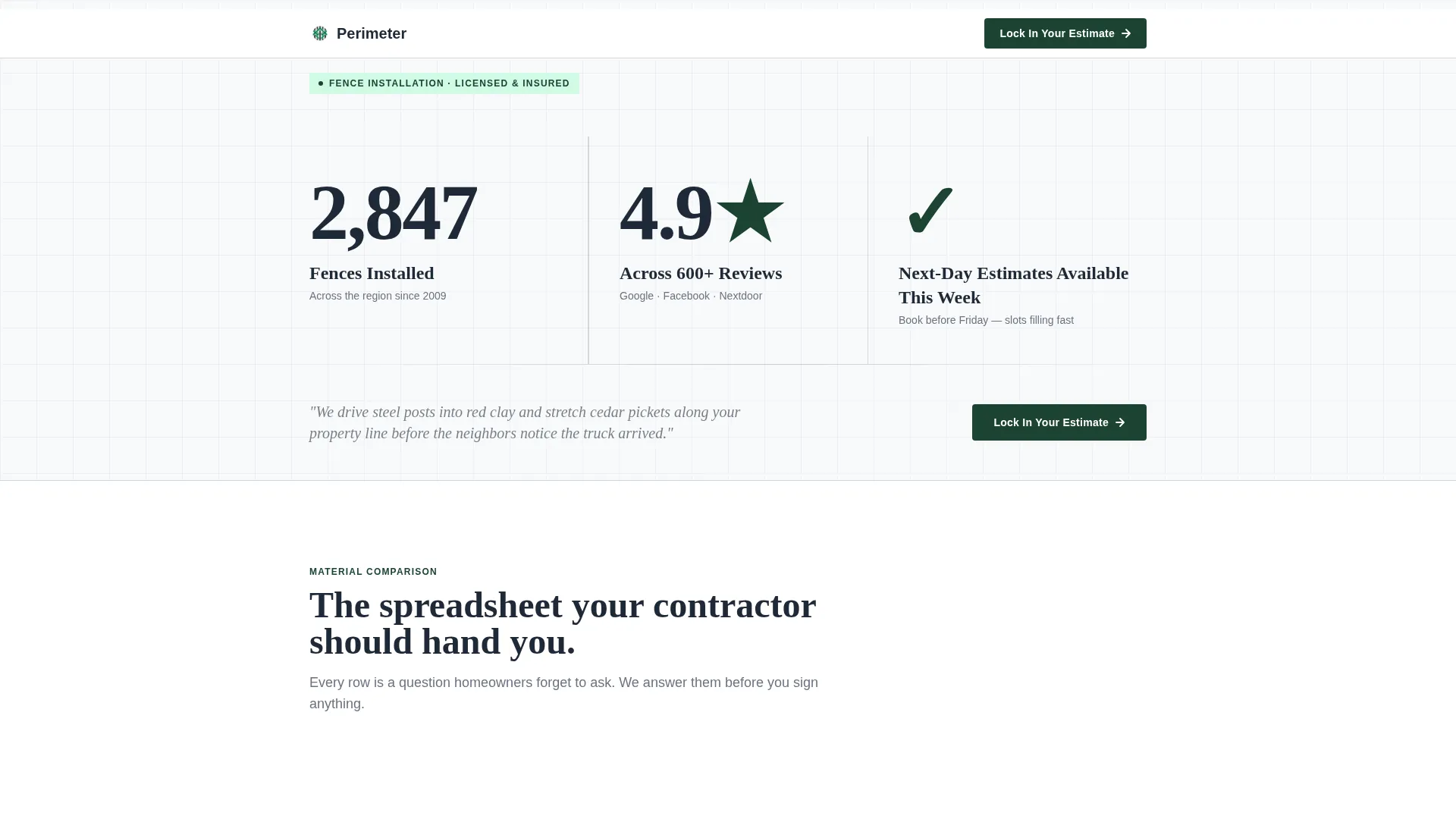
- A metrics-led header showing installed fence count, review score, and availability
- Side-by-side material comparison tables covering lifespan, maintenance cost, wind resistance, and price per linear foot
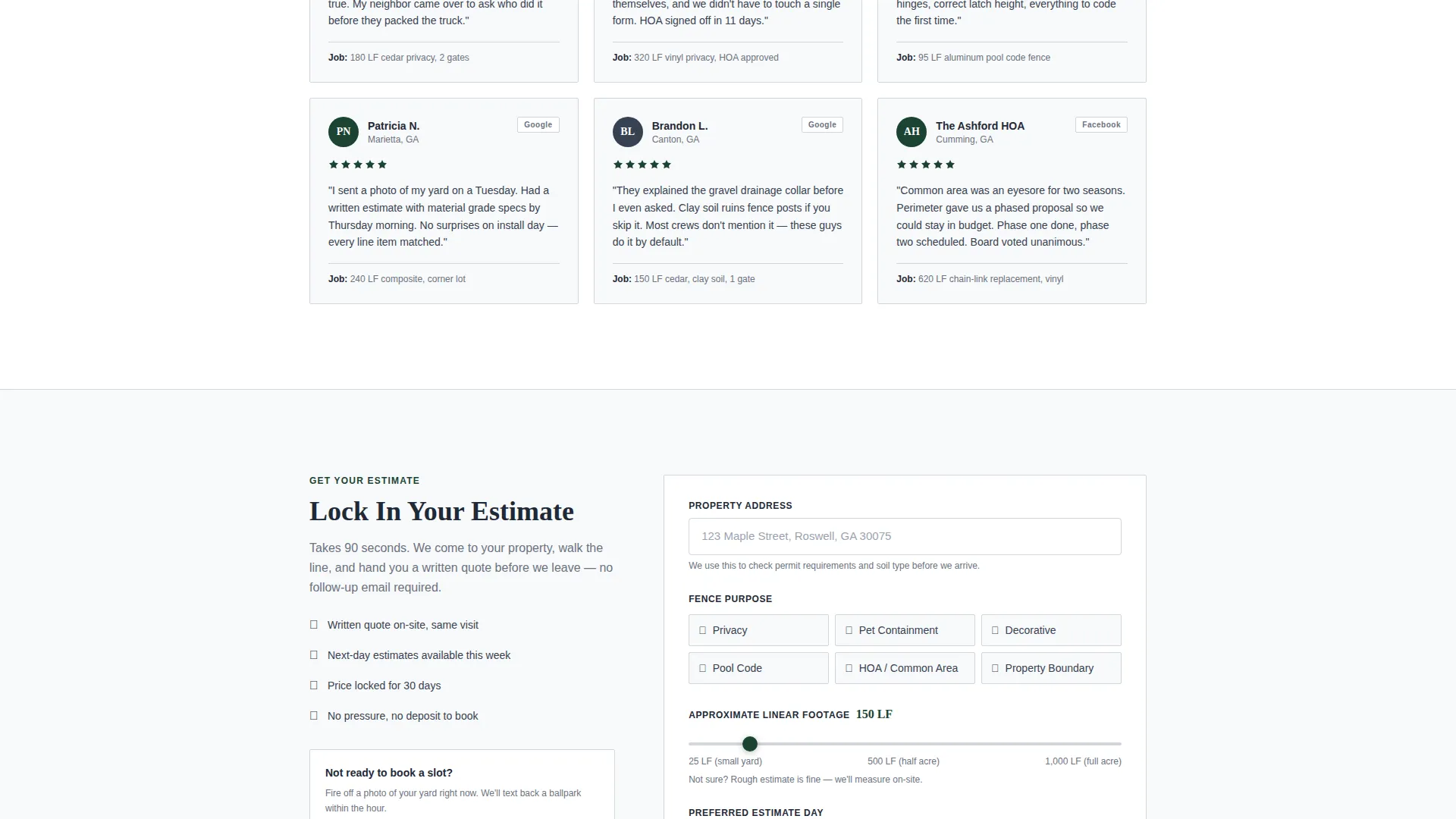
- A booking form with an address field, fence purpose selector, linear footage slider, and preferred estimate day
- A secondary conversion path using an SMS link for visitors who prefer to text a photo of their yard
Feature list
A single paragraph introduces the features below. This template delivers purpose-built components that align with the specific buying journey of a fence estimate lead from a paid social ad.
Animated Stats Header
Three oversized figures animate up from zero on page load: total fences installed, average star rating with review count, and next-day estimate availability. No hero image is used. The data itself functions as the visual anchor and trust signal.
Material Comparison Tables
The core of the page is a set of structured comparison tables covering wood, vinyl, aluminum, and composite fencing. Each row compares lifespan, annual maintenance cost, wind resistance rating, and installed price per linear foot, giving visitors the information they need to make a confident decision.
Transparent Process Sections
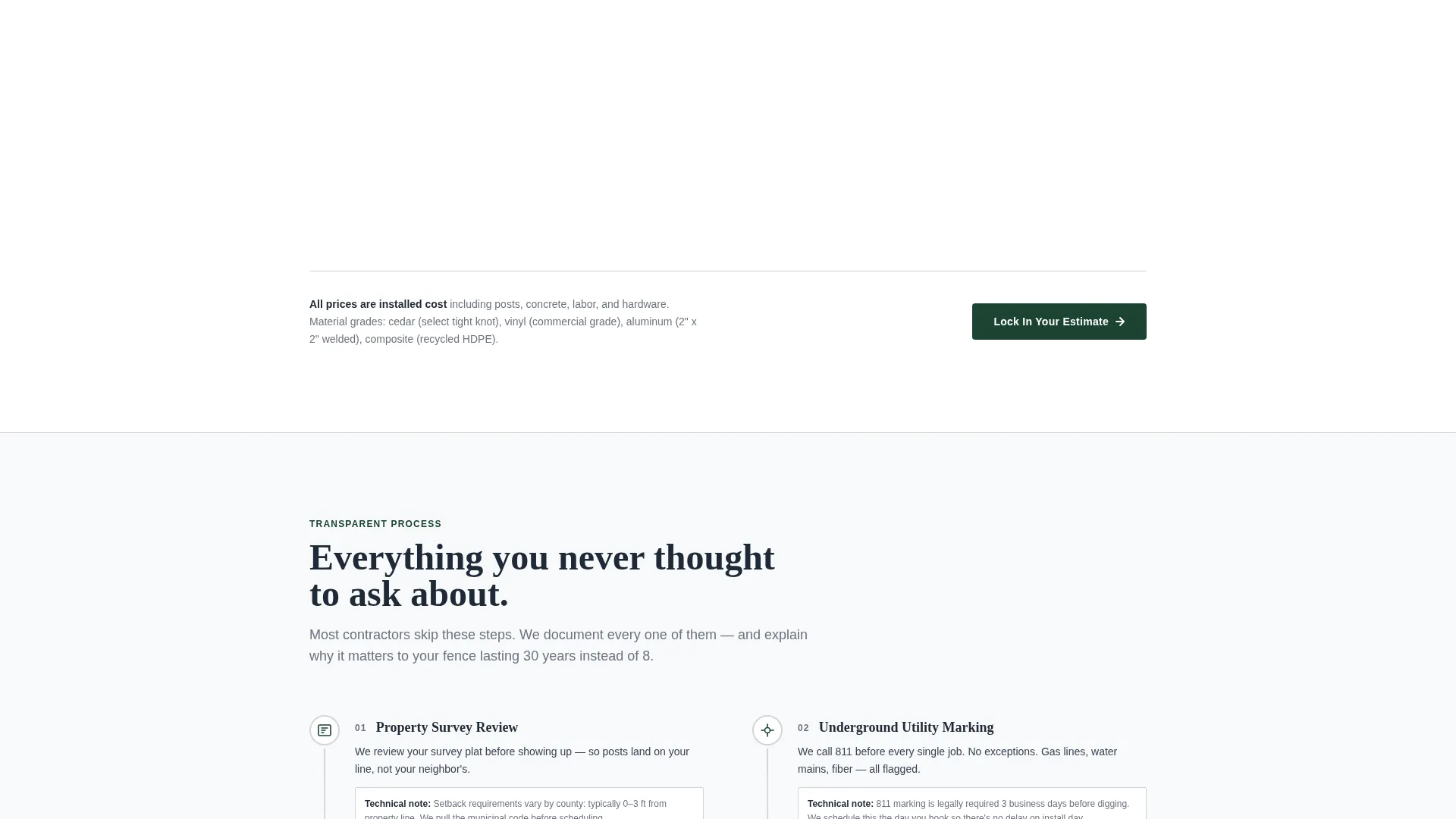
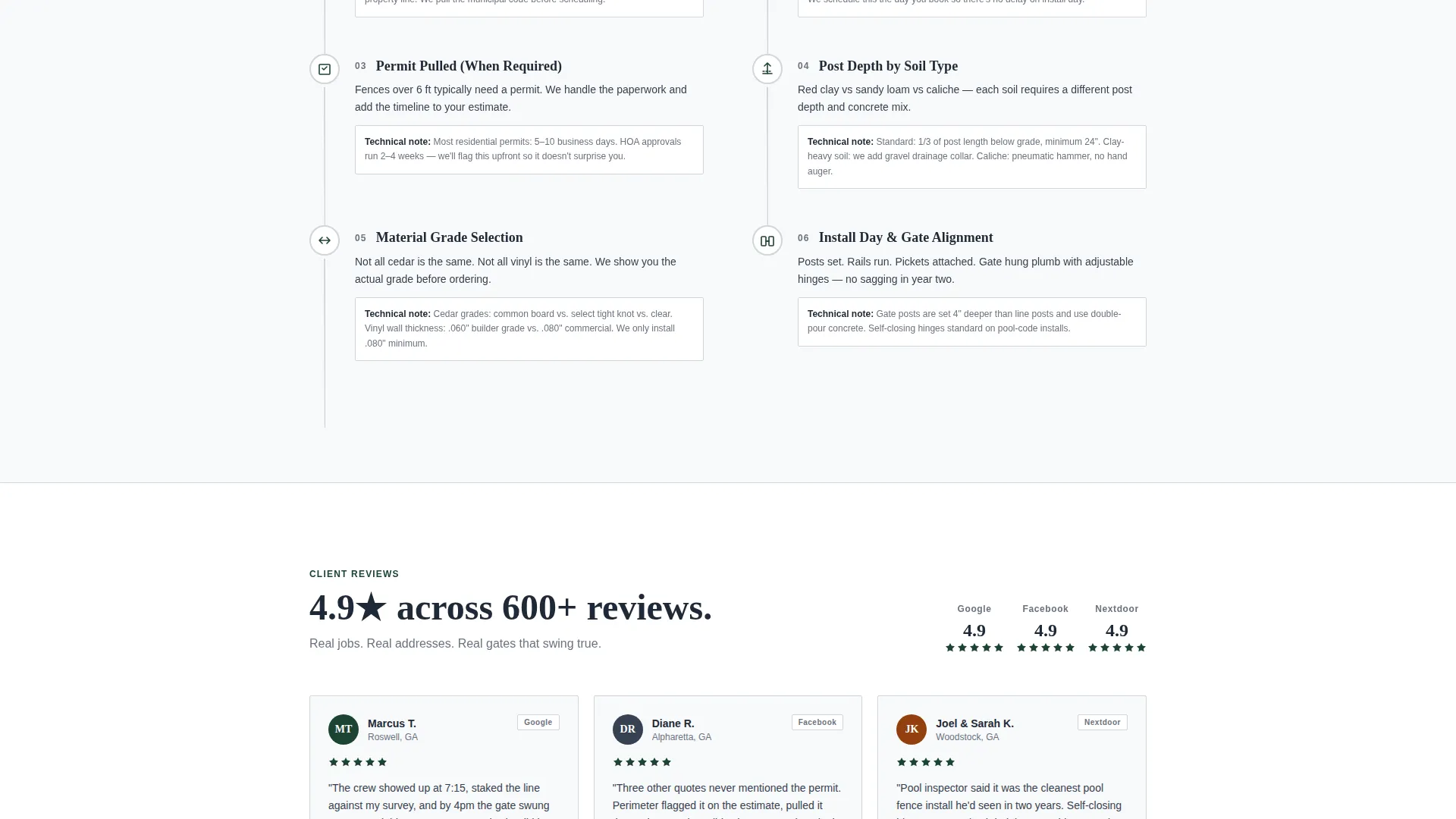
Scroll-reveal sections walk visitors through the details contractors rarely discuss upfront: permit timelines, underground utility marking, and post depth by soil type. This strip-away-uncertainty approach makes the booking step feel like the natural conclusion.
Estimate Booking Form
The primary booking form collects address (with auto-fill support from Facebook ad data), fence purpose, approximate linear footage via a slider, and preferred estimate day. The layout is straightforward and low-friction.
SMS Secondary Conversion Path
A secondary call-to-action offers a direct SMS link labeled "Text Us a Photo of Your Yard." This catches visitors who are interested but not ready to commit to a calendar slot, keeping them in the funnel through a lower-commitment action.
Sticky Mobile Call-to-Action Bar
On mobile devices, the primary "Lock In Your Estimate" call-to-action persists as a sticky bottom bar. This ensures the booking prompt stays visible throughout the entire scroll without interrupting the reading experience.
Page sections overview
| Section | Purpose |
|---|---|
| Stats Metrics Header | Establishes credibility with three oversized performance numbers |
| First Comparison Table | Compares wood, vinyl, aluminum, and composite fencing side by side |
| Primary call to action Block | Places "Lock In Your Estimate" after the first comparison table |
| Process Detail Sections | Covers permits, utility marking, and post depth by soil type |
| Estimate Booking Form | Collects address, fence purpose, footage, and preferred day |
| SMS Conversion Path | Offers a low-commitment text option for undecided visitors |
| Sticky Mobile Bar | Keeps the primary call to action visible on mobile throughout the scroll |
Design & branding system
The visual identity follows an Executive Suite theme built on an Arctic White color system. The palette is cool and deliberate, communicating precision and professionalism without relying on lifestyle imagery.
- Base colors are crisp linen white (#F8F9FA) and brushed aluminum (#D1D5DB), giving the page a clean, structured feel
- Charcoal iron (#1F2937) is used for headings and body text, grounding the layout in authority
- Deep forest green (#1B4332) is reserved strictly for calls-to-action and checkmarks, so every green element carries intent
Mobile & speed optimization
The template is built with mobile visitors from Facebook ads as a primary consideration. The layout adapts cleanly to smaller screens without losing the hierarchy of the desktop experience.
- The sticky bottom call-to-action bar keeps "Lock In Your Estimate" accessible on mobile throughout the entire page scroll
- The linear footage slider and fence purpose selector are touch-friendly inputs sized for one-handed use
- The SMS path provides an instant, low-tap conversion option for mobile users who prefer messaging over form submission
How this template helps you convert
The page is structured so that each scroll section removes one more reason not to book. By the time a visitor reaches the form, they have seen the social proof, understood the material options, and followed a transparent process explanation.
- The stats header sets immediate credibility before the visitor reads a single sentence of body copy, reducing early bounce
- The comparison tables answer the material and cost questions that would otherwise send a visitor to a competitor's site or a Google search
- Two conversion paths, the booking form and the SMS link, meet visitors at different levels of readiness, so neither a planner nor an impulse texter falls through
Other information about this template
This template is purpose-matched to fence installer Facebook ad campaigns and is designed to function as a standalone landing page destination rather than a full website. It is part of a Professional Services template category under the Fence Installer Marketing subcategory.
- The template style is Comparison Table, meaning the core informational architecture is built around structured side-by-side data rows
- The header concept is Stats and Metrics, replacing a traditional hero image with performance data as the primary visual
- The creative direction is Transparent Process, which means the scroll narrative prioritizes education and honesty over persuasion language
- The landing page direction is Booking and Scheduling, so every structural decision points toward a confirmed estimate appointment
Theme
Executive Suite
Creative direction
Transparent Process
Color system
Arctic White
Style
Comparison Table
Direction
Booking/Scheduling
Page Sections
Animated Stats Header Wall
Side-by-side Material Comparison Tables
Transparent Process Scroll Sections
Estimate Booking Form with Footage Slider
SMS Secondary Conversion Path
Sticky Mobile Call-to-action Bar
Related questions
Can I edit the comparison table rows to match my own pricing?
Does the booking form support address auto-fill from Facebook ad data?
What fence materials does the comparison table cover by default?
Is the SMS conversion path a separate page?
Can this template be used for traffic sources other than Facebook ads?



