Perimeter — Expert Fence Installation Landing Page Template
Fenceline is a sidebar companion landing page template built for New York fence installation companies. It pairs a data-rich editorial header with a scroll-locked FAQ sidebar, guiding homeowners and property managers through every real question before asking for anything in return. The result is a confident, magazine-quality page that earns trust and drives qualified click-throughs.
by Rocket studio
Quick summary
Fenceline is an editorial-style landing page template designed for New York fence installation businesses. It opens with animated borough-level statistics, then locks a persistent FAQ sidebar into place as visitors scroll. Every section answers a genuine homeowner question before the primary call to action ever appears. The page feels authoritative, unhurried, and deeply informed.
Who this template is for
This template is built for fence installation professionals operating in the New York metro area. It speaks directly to the concerns of property owners and the contractors who serve them.
- Fence contractors working across Brooklyn, Queens, the Bronx, and Westchester who need a page that reflects real local expertise
- Homeowners and brownstone owners navigating boundary disputes, pool enclosure deadlines, or permit requirements
- Commercial property managers replacing aging chain-link fencing and needing a contractor they can trust quickly
What problem this template solves
Most fence contractor pages lead with price lists or generic photography. They rarely answer the specific questions that cause homeowners to hesitate. Fenceline solves that by putting answers first.
- Visitors arrive with real anxieties: permit rules by borough, shared fence costs, post depth in New York soil, and project timelines
- Those questions go unanswered on most contractor sites, so visitors leave without converting
- This template structures the entire page around resolving those anxieties before making any request of the visitor
What you get with this template
You get a complete, ready-to-customize landing page that combines editorial design confidence with a practical conversion structure. Every visual and copy section is purposeful.
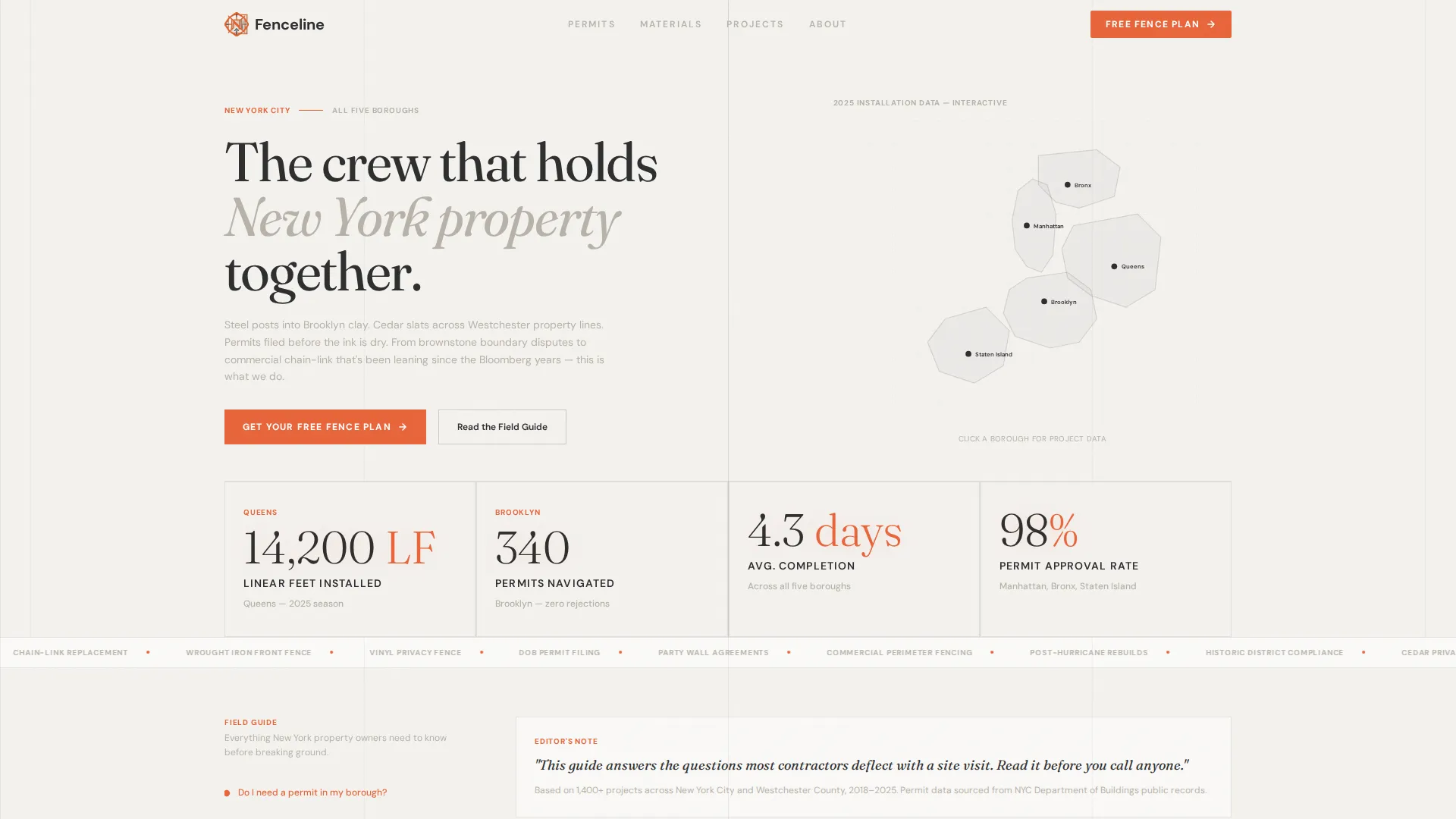
- An animated data header showing borough-by-borough installation statistics rendered in large serif type
- A scroll-locked sidebar with a persistent table of contents built from real homeowner questions
- A qualifying click-through flow that asks for borough, fence type, and approximate linear footage after the visitor is already engaged
Feature list
This template is built around a handful of carefully considered components. Each one serves a specific job in the visitor's journey from curious browser to qualified lead.
Animated Data Storytelling Header
The header presents borough-level statistics as animated counters: linear feet installed, permits navigated, and average project completion time. Numbers are set in large serif type against soft overcast white, each paired with a single line of small-caps context. No stock photography appears here, only evidence rendered with editorial restraint.
Scroll-Locked FAQ Sidebar
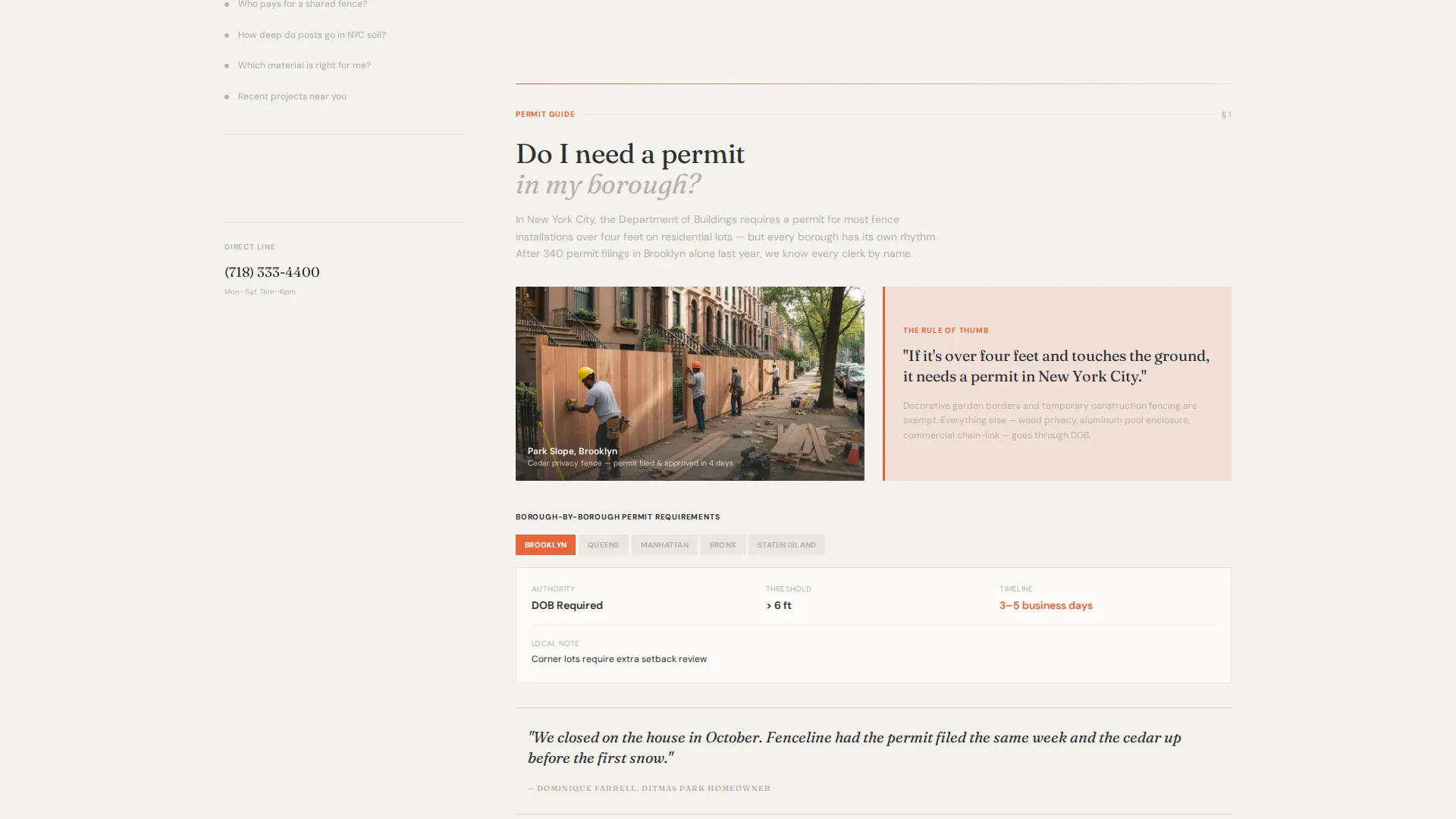
As the visitor scrolls past the data header, a sidebar companion locks into place. It carries a persistent table of contents built from questions homeowners genuinely ask, such as permit requirements by borough, shared fence cost responsibility, and post depth in New York soil. Each entry anchors a full editorial section in the main column.
Editorial Section Layout with Pull Quotes
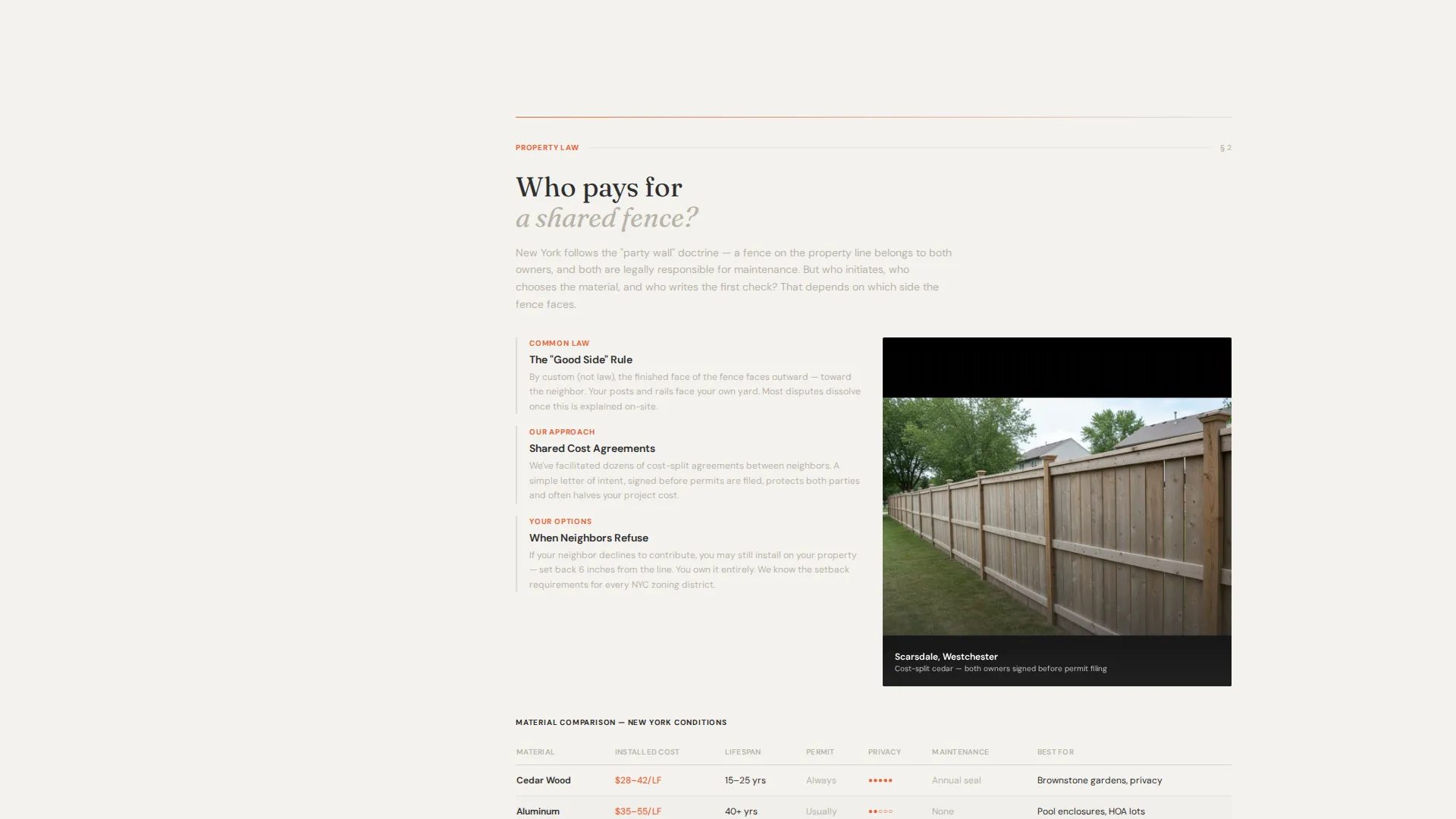
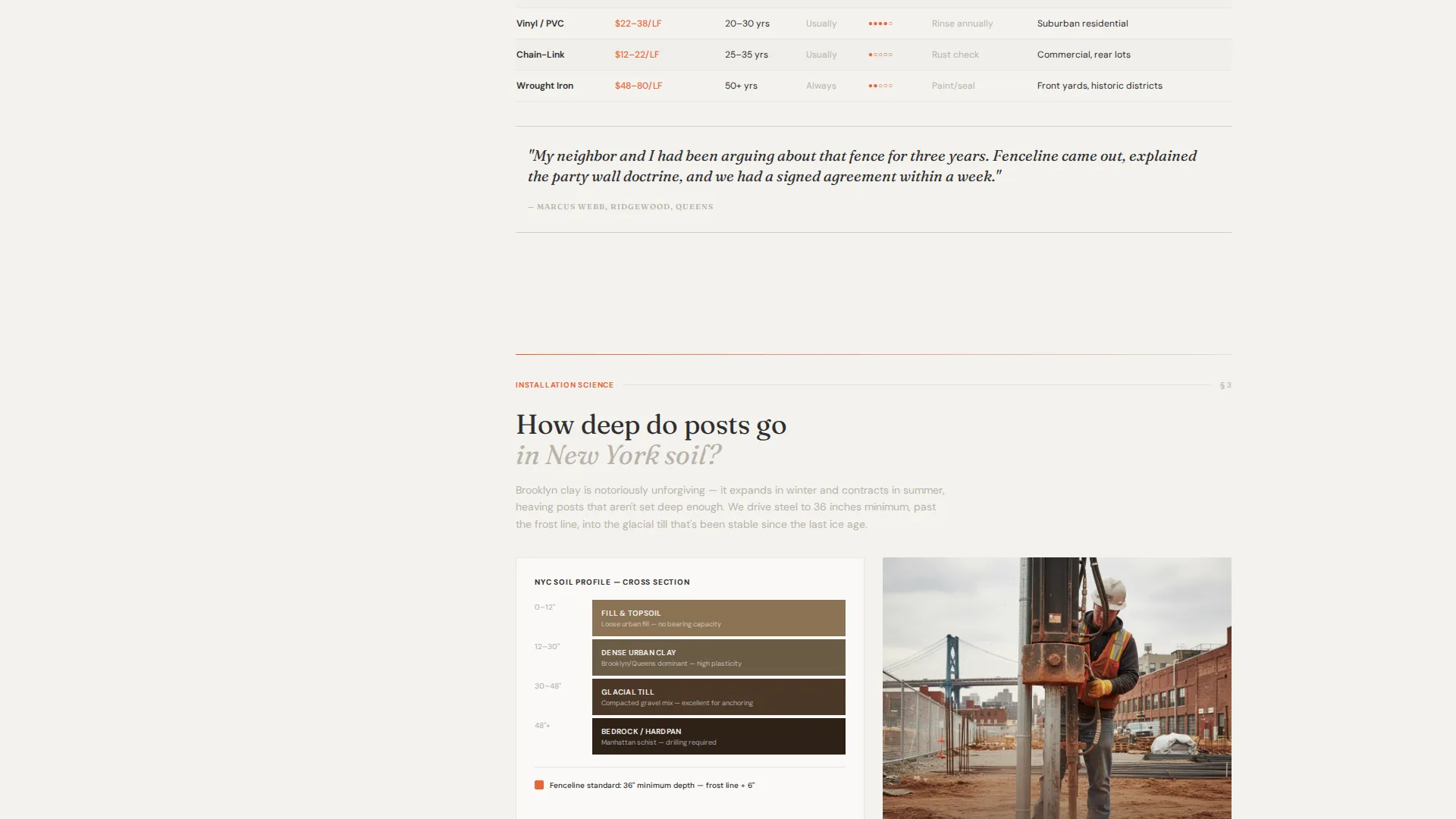
Each FAQ-anchored section in the main column includes generous photography, pull quotes drawn from completed projects, material comparison tables, and zoning callout boxes. The scroll rhythm feels like reading a definitive guide rather than a contractor brochure.
Primary call to action Placement Strategy
The "Get Your Free Fence Plan" call to action appears first in the sidebar after the second FAQ section. It then repeats as a fixed bottom bar on mobile. Placement is deliberate: the visitor has already received substantial value before the ask appears.
Qualifying Click-Through Page
Clicking the primary call to action leads to a short qualifying page. It asks for property borough, fence type (wood, aluminum, chain-link, or vinyl), and approximate linear footage. The brevity keeps friction low while giving the contractor the details needed to follow up meaningfully.
Editorial Magazine Visual Theme
The Cloud Canvas color system uses soft overcast white, newsprint warm gray, iron post charcoal, and surveyor's orange reserved for interactive accents. Typography is confident and serif-driven. The overall aesthetic recalls a matte-finish architecture magazine left open on a drafting table.
Page sections overview
| Section | Purpose |
|---|---|
| Animated Data Header | Opens with borough stats and animated counters to establish credibility immediately |
| Scroll-Locked Sidebar | Persistent FAQ table of contents that stays visible as the visitor reads |
| FAQ Editorial Sections | Main-column answers with photography, pull quotes, and material tables |
| Zoning Callout Boxes | Highlight permit and boundary rules specific to New York boroughs |
| Primary call to action Block | "Get Your Free Fence Plan" placed after the second FAQ section in the sidebar |
| Mobile Fixed call to action Bar | Repeats the primary call to action as a fixed bottom bar on smaller screens |
| Qualifying Click-Through Page | Short form collecting borough, fence type, and linear footage |
Design & branding system
The visual identity follows an Editorial Magazine theme. Every design decision reinforces the feeling of a prestige publication focused on New York property infrastructure.
- The Cloud Canvas color palette uses soft overcast white (#F4F2EF), newsprint warm gray (#B8B2A8), iron post charcoal (#2E2E2E), and surveyor's orange (#E8653A) reserved for interactive elements and callouts
- Typography is serif-driven and set with confidence, favoring large display sizes for statistics and small caps for contextual labels
- The overall aesthetic is restrained and matte-finish, with surveyor's orange acting as the single directional accent that guides the eye to actions
Mobile & speed optimization
The template accounts for the reality that many homeowners search for fence contractors on their phones, often while standing at a property line or waiting on a permit decision.
- The fixed bottom call-to-action bar keeps "Get Your Free Fence Plan" reachable at all times on mobile without interrupting the reading experience
- The sidebar table of contents collapses gracefully on smaller screens so the editorial main column remains the primary reading surface
- The qualifying click-through page is kept deliberately short to reduce drop-off on mobile connections
How this template helps you convert
The conversion logic is built into the structure of the page itself. Value is delivered first, and the ask comes after.
- The animated data header establishes credibility before the visitor reads a single word of copy, giving borough-specific proof of completed work that is hard to dismiss
- The scroll-locked FAQ sidebar keeps the visitor oriented and moving through the page, with each answered question reducing a specific hesitation that would otherwise cause them to leave
- The qualifying click-through page keeps the conversion step short and relevant, so the leads who arrive are already informed and more likely to follow through
Other information about this template
Fenceline sits at the intersection of content-led landing page design and local service marketing. A few additional details are worth knowing before you customize it.
- The template is categorized under Professional Services and New York Local Services, making it well suited to fence contractors, gate installers, and related property boundary specialists in the metro area
- The lp_direction for this template is Content and Resource, meaning the page is designed to inform first and convert second rather than lead with a hard pitch
- The creative direction emphasizes a transparent process: every question a homeowner might ask is surfaced and answered openly, which builds the kind of trust that drives phone calls and form submissions
- The sidebar companion layout is distinct from a standard single-column landing page, giving visitors a navigational anchor that keeps them on the page longer
Theme
Legal Shield
Creative direction
Transparent Process
Color system
Charcoal & Amber
Style
Split Screen (50/50)
Direction
Content/Resource
Page Sections
Animated Borough Statistics Header
Scroll-locked FAQ Sidebar
Editorial Main Column with Pull Quotes
Staged Primary Call to Action
Short Qualifying Click-through Page
Cloud Canvas Editorial Design System
Related questions
What kind of business is this template designed for?
Can I update the borough statistics shown in the animated header?
How does the scroll-locked sidebar table of contents work?
What does the qualifying click-through page collect from visitors?
Is this template suitable for commercial fence installation projects?



