Licensed Vinyl Fencing Landing Page Template
Boundary is an editorial-style landing page template built for fence builder businesses. It leads with a bold testimonial card, profiles your crew like a trade magazine feature, and funnels visitors straight to a booking form. The warm Ink & Paper palette and full-bleed project photography make finished work the centerpiece, and "Schedule Your Free Estimate" the obvious next step.
by Rocket studio
Quick summary
Boundary is a single-page, editorial-magazine template designed for fence builder service area pages. It opens with a large-format customer testimonial, scrolls through crew profiles and golden-hour project photography, and closes every section with a clear path to book a free estimate. The design feels like a well-crafted trade journal, grounded, authoritative, and built around real people doing real work.
Who this template is for
This template is built for fence contractors who want a page that earns trust before asking for a phone number. It suits crews who work across residential, agricultural, and commercial properties and want their craftsmanship to speak first.
- Fence builder businesses targeting homeowners, ranchers, and property managers in a defined service area
- Contractors who want a booking-focused landing page without a generic service-directory look
- Small-to-mid-size crews ready to showcase their installers and finished projects as proof of quality
What problem this template solves
Most fence contractor pages look like a price list with a contact form bolted on. They miss the human element that actually builds trust with a homeowner who just got a survey back or a property manager facing a deadline.
- Visitors leave without booking because the page feels anonymous and impersonal
- No clear path exists for both form-fillers and phone-call types, losing half the audience
- Project photos sit buried instead of doing the persuasion work they should be doing
What you get with this template
You get a full single-page layout that moves a visitor from "I need a fence" to "I want this crew" in one scroll. Every section is purposeful and the booking path appears multiple times without feeling pushy.
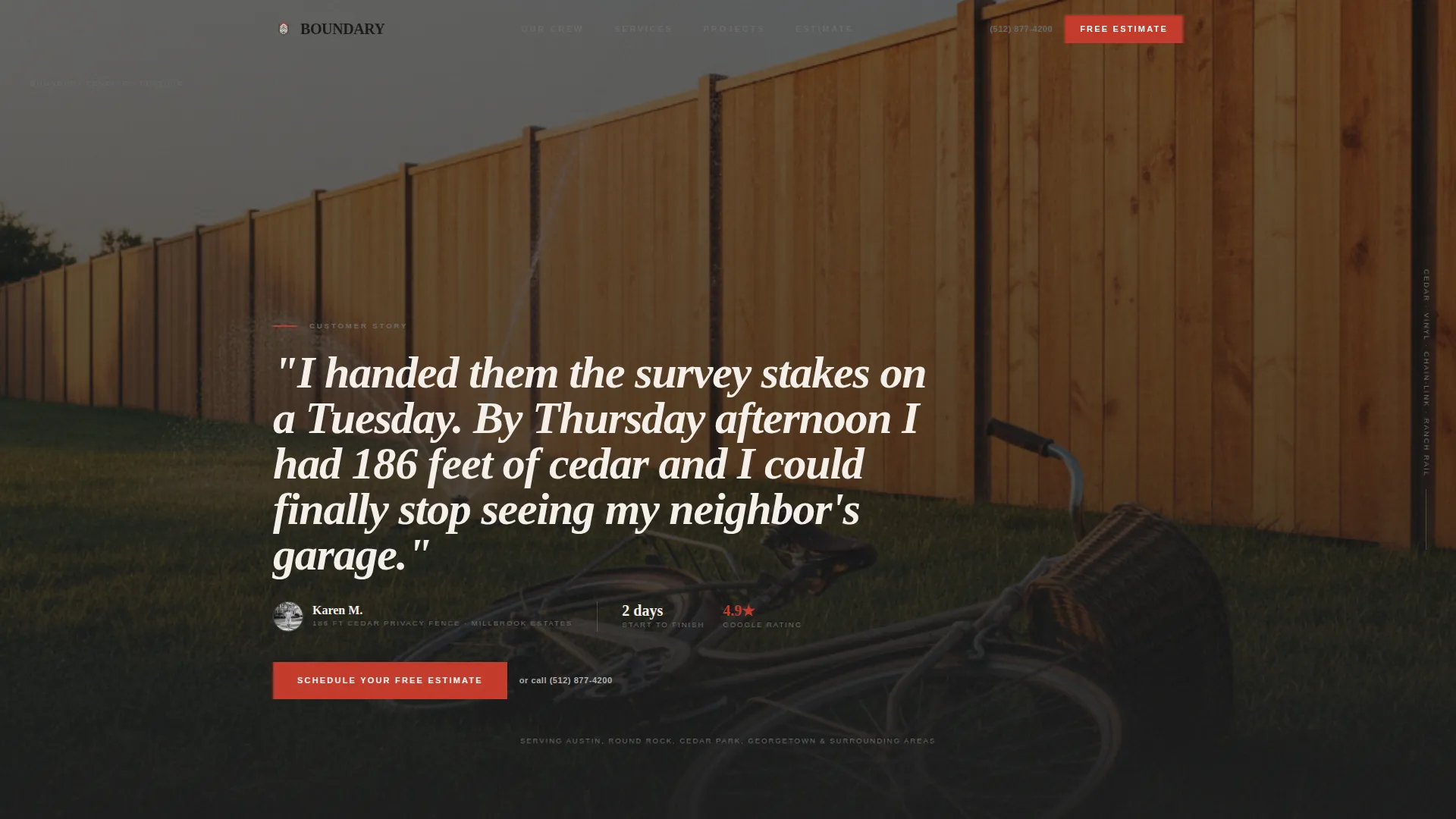
- A testimonial card header with a full-bleed black-and-white project photo and a named, attributed customer quote
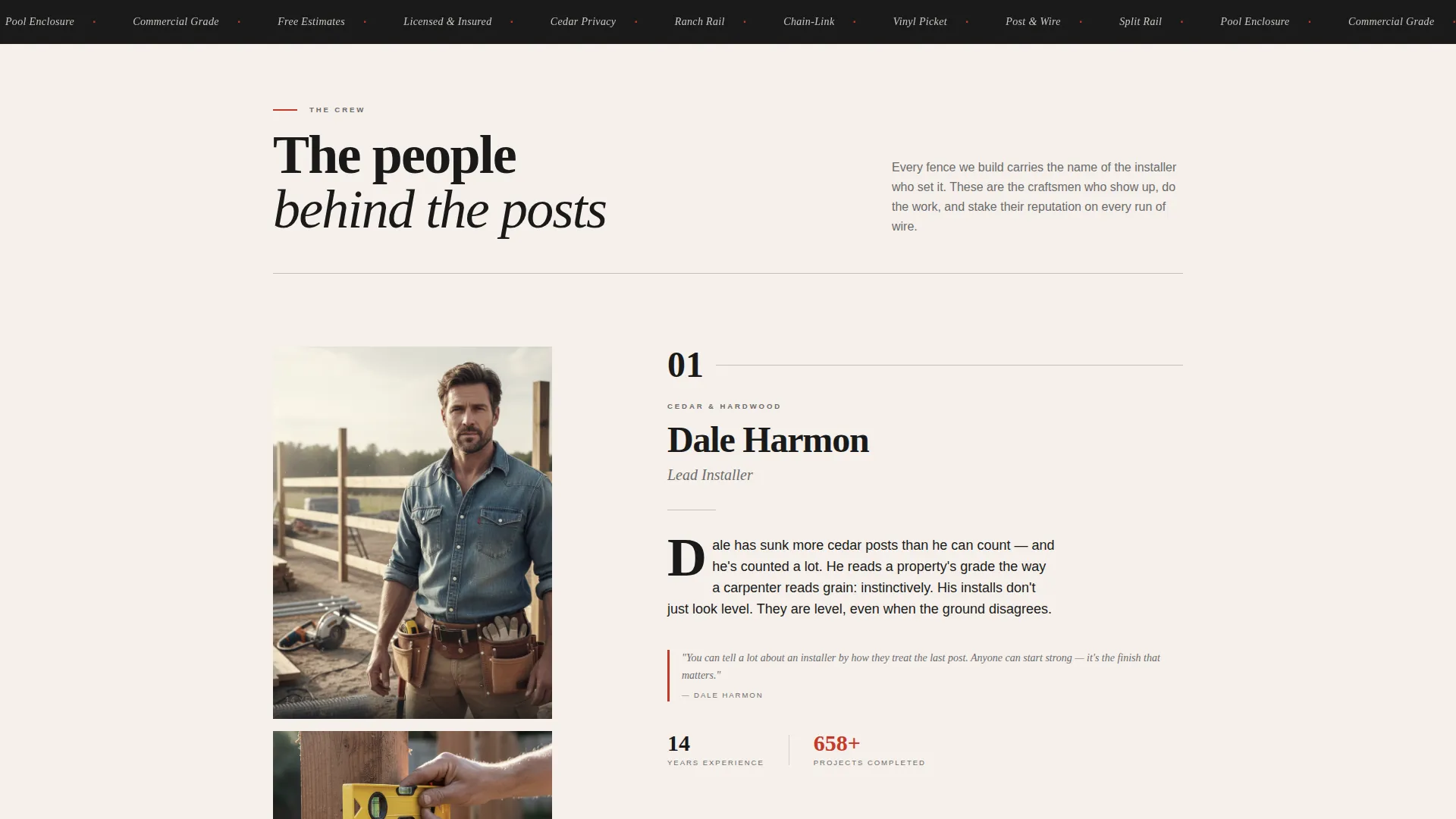
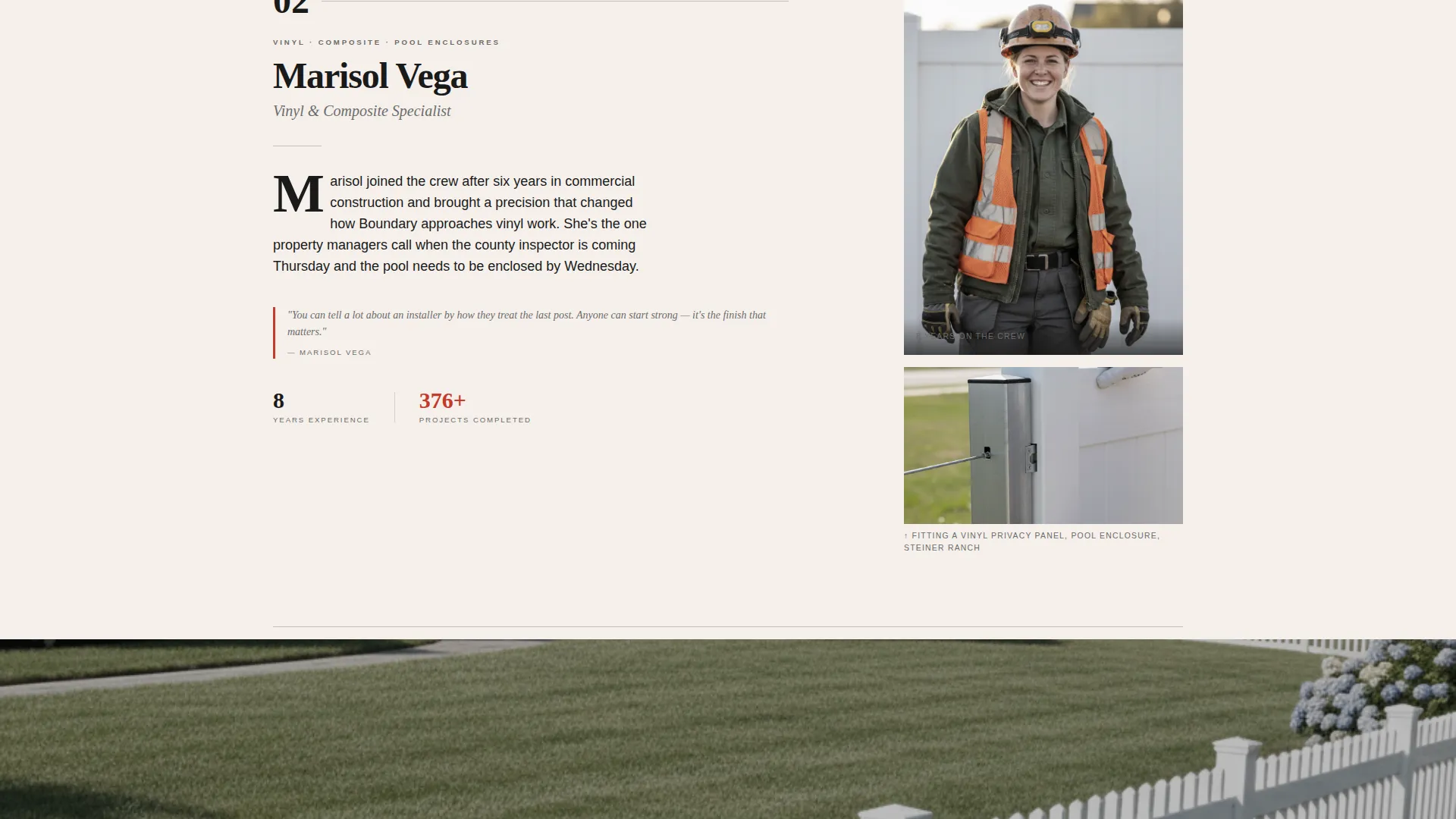
- Scrollable crew profile sections styled as magazine craftsman features, each with a portrait, a detail shot, and a specialty description
- A booking form collecting address, fence type, approximate linear footage via slider, and a preferred visit date with morning or afternoon toggle
- A fixed mobile bottom bar and repeated inline estimate calls to action after every second crew profile
- A "Call the Crew Direct" click-to-call sidebar element for visitors who prefer to talk rather than type
Feature list
This template is built around a small set of carefully considered components. Each one earns its place by moving visitors closer to a booked estimate.
Editorial Testimonial Card Header
The page opens with a large pull quote set in bold serif type against newsprint white. A real customer's name, neighborhood, and fence type appear as the attribution. Behind the quote, a soft black-and-white photo of the finished fence bleeds to the edges, giving the header the feel of a magazine feature spread rather than a stock-photo hero.
Crew Profile Storytelling Sections
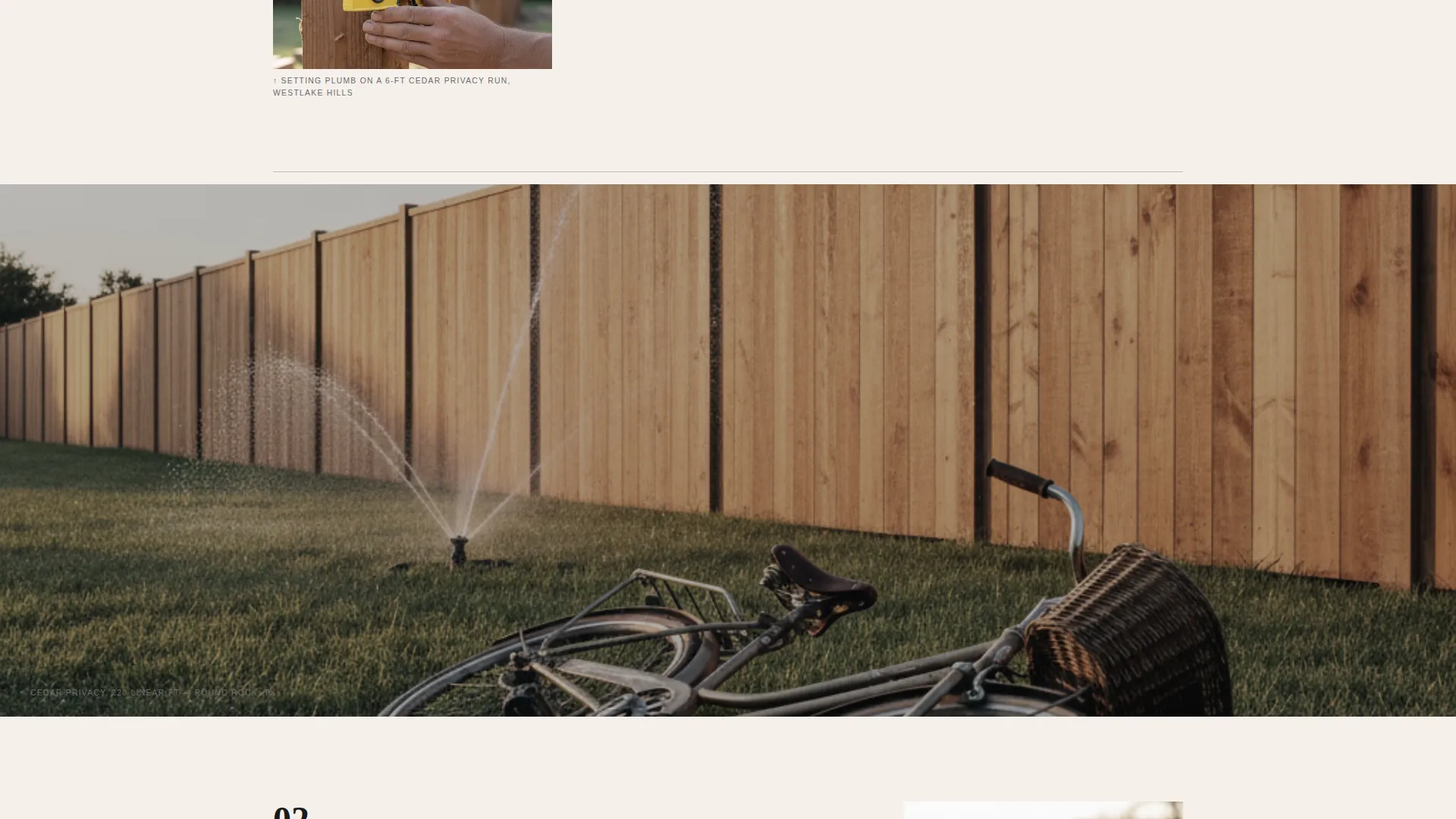
Each installer is presented with a candid portrait, a close-up detail shot of their hands at work, and a short paragraph about their specialty and years on the crew. Full-bleed golden-hour project photography breaks up the profiles between sections, keeping the scroll engaging and the proof of quality visible throughout.
Multi-Field Estimate Booking Form
The form collects the four details a fence crew actually needs: service address with area auto-suggestion, fence type selection (privacy, picket, chain-link, or ranch rail), approximate linear footage via a simple slider, and a preferred visit date with a morning or afternoon toggle. The form is embedded inline and repeated throughout the page.
Fixed Mobile call to action Bar
On mobile, "Schedule Your Free Estimate" appears as a persistent bottom bar so the booking action is always one tap away. The bar disappears on desktop, where inline calls to action after every second crew profile carry the conversion path instead.
Click-to-Call Sidebar Element
A secondary conversion path surfaces a direct phone number styled as a magazine sidebar. It is visually distinct from the form path, giving phone-preferring visitors a frictionless way to reach the crew without hunting for a contact page.
Page sections overview
| Section | Purpose |
|---|---|
| Testimonial Card Header | Opens with a named customer quote and full-bleed project photo |
| Crew Profile One | Introduces first installer with portrait, detail shot, and specialty copy |
| Estimate call to action Block | First inline "Schedule Your Free Estimate" call to action |
| Project Photo Break | Full-bleed golden-hour fence photography between crew profiles |
| Crew Profile Two | Profiles second installer with same editorial format |
| Estimate call to action Block | Repeated inline booking form after second crew profile |
| Project Photo Break | Second full-bleed project photography divider |
| Crew Profile Three | Profiles third installer with portrait and specialty description |
| Booking Form Section | Full estimate form with address, fence type, footage slider, and date picker |
| Click-to-Call Sidebar | Secondary path for visitors who prefer a direct phone call |
Design & branding system
The visual identity follows an Editorial Magazine theme using the Ink & Paper color system. The palette feels like a well-printed trade journal left on a foreman's dashboard, authoritative and grounded in craft rather than flash.
- Core colors: newsprint white (#F5F0EB), typeset black (#1A1A1A), pencil-sketch gray (#6B6B6B), and carpenter's-pencil red (#C43A2B) reserved for callouts, pull quotes, and interactive hover states
- Typography leans on bold serif typefaces for headers and pull quotes, paired with clean body text for crew descriptions and form labels
- Photography style is black-and-white with slight desaturation for header and crew images, shifting to warm golden-hour color for full-bleed project divider shots
Mobile & speed optimization
The template is structured for a smooth mobile reading experience. The layout stacks cleanly at smaller screen sizes without losing the editorial feel.
- The fixed bottom bar keeps the primary call to action visible at all times on mobile without interrupting the scroll
- Full-bleed images and crew profile cards reflow naturally into a single-column layout on smaller screens
- The booking form fields, including the footage slider and date toggle, are touch-friendly and clearly spaced for mobile input
How this template helps you convert
The page is designed around two types of fence customers: those who prefer to book online and those who want to call first. Both paths are always visible.
- The booking form appears multiple times throughout the page, reducing the distance between a visitor's decision moment and the actual submission action.
- The "Call the Crew Direct" element gives phone-preferring visitors a clear, low-friction alternative so they never have to search for a way to reach you.
Other information about this template
This template is well suited for fence builder businesses that serve a defined geographic service area and want a page that positions the crew's experience and finished work as the primary sales argument.
- The editorial layout works equally well for cedar privacy fence specialists, vinyl fence installers, chain-link contractors, and ranch rail crews
- The page structure supports service area targeting by displaying the address auto-suggestion field prominently in the booking form
- The template's Testimonial Card header and crew profile format are particularly effective for businesses where word-of-mouth reputation already drives inquiries and the page just needs to confirm the trust visitors bring with them
Theme
Editorial Magazine
Creative direction
Team & People
Color system
Ink & Paper
Style
Editorial/Magazine
Direction
Booking/Scheduling
Page Sections
Editorial Testimonial Card Header
Crew Profile Storytelling Sections
Multi-field Estimate Booking Form
Fixed Mobile Call to Action Bar
Click-to-call Sidebar Element
Related questions
Who is this landing page template designed for?
What fence types does the booking form support?
Can visitors book directly from the page?
How does the mobile experience work?
Can I use my own crew photos and customer quotes?



