Fence Installer Marketing Cost Calculator Website Template
Perimeter is a sidebar companion landing page template built for fence installers who run referral programs. It combines a fixed navigation sidebar with a scrollable content area, partner profile cards, a referral earnings calculator, tiered payout displays, and a short sign-up form. The layout guides visitors from real earned numbers to a clear program commitment, without fluff.
by Rocket studio
Quick summary
Perimeter is a single-page referral program template designed specifically for fence installation businesses. It uses a persistent sidebar for navigation and a running earnings calculator, while the main panel walks visitors through real partner stories, program tiers, and payout mechanics. The result feels like a well-organized program handbook that earns trust before it asks for anything.
Who this template is for
This template is built for fence installers who already generate word-of-mouth business but have no structured page to send referral partners to. It suits operators who want to formalize handshake deals into a trackable, credible program.
- Fence installation companies launching or promoting a referral program
- Contractors who work with property managers, general contractors, and repeat residential customers
- Business owners who want referral partners to self-qualify and sign up without a phone call
What problem this template solves
Most fence installers lose referral revenue because the program lives only in conversation. There is no page that shows partners what they earn, how it works, or how to get paid. Perimeter solves that gap directly.
- Referred leads go uncaptured when there is no dedicated program page to send partners to
- Potential referrers hesitate without seeing real payout numbers or a clear enrollment path
- Program credibility suffers when terms exist only in someone's memory or a loosely formatted email
What you get with this template
You get a fully structured sidebar companion landing page that presents your referral program as a serious, organized offer. Every section is built to answer the next logical question a potential referral partner would have.
- A fixed sidebar with sticky navigation links and a live referral earnings calculator panel
- Scrollable main content featuring partner profile cards with testimonials, tier breakdowns, and numbered program steps
- A primary sign-up form and a secondary gated download path for a printable referral kit
Feature list
A single introductory paragraph sits at the top of this section to orient the reader before the individual feature blocks begin.
Fixed Sidebar with Earnings Calculator
The sidebar stays anchored as the visitor scrolls. It holds the program navigation and a running calculator that lets a potential partner estimate their earnings based on referral volume, making the value of joining feel immediate and concrete.
Partner Profile Cards
Each card introduces a real referring partner by first name and trade, such as "Marcus, Property Manager, 11 referrals, $2,750 earned." A one-sentence testimonial and a small portrait sit alongside the figures. The cards build credibility before any form appears.
Tiered Payout Display
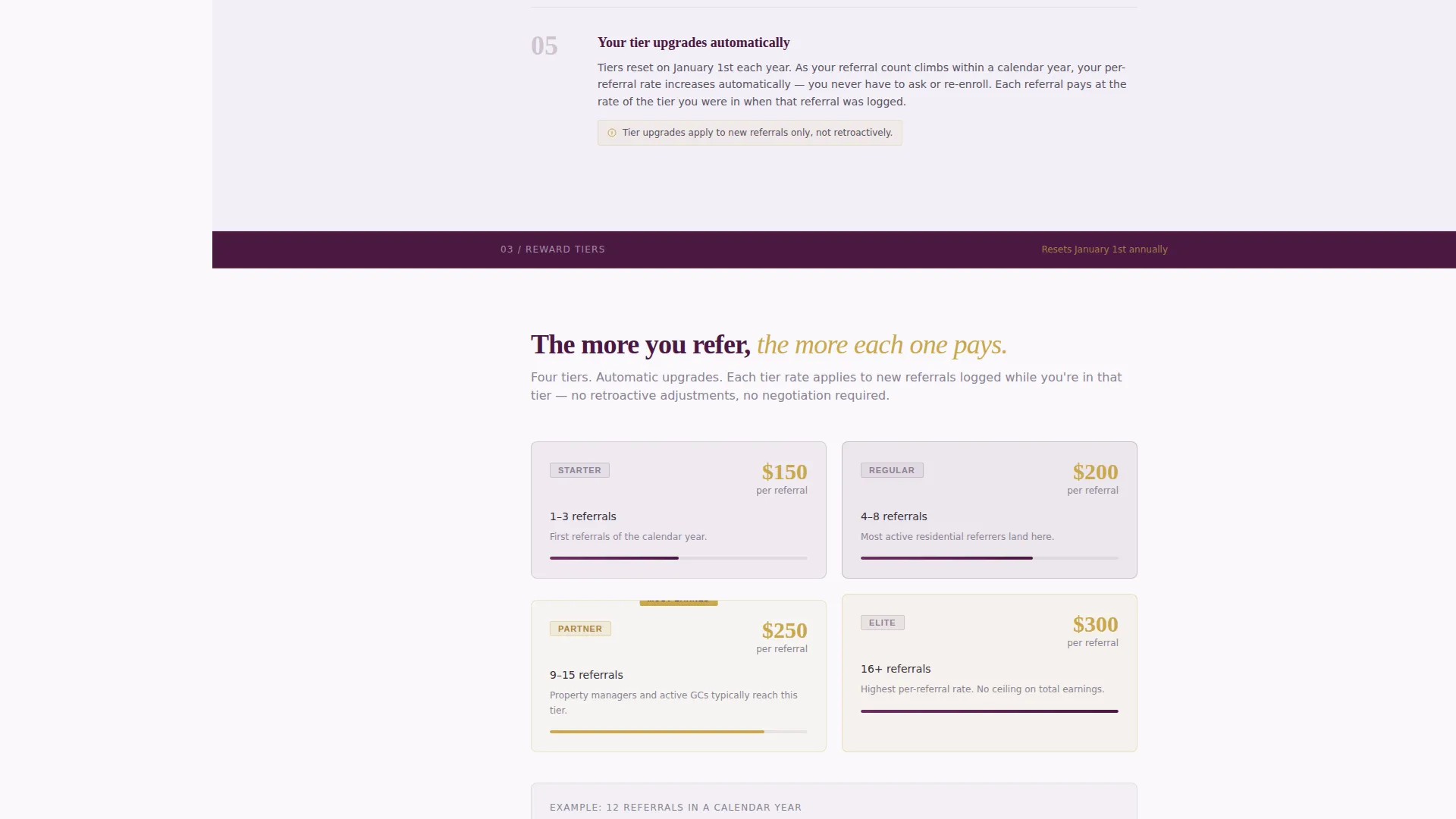
Reward tiers are presented with exact dollar amounts highlighted in the brass accent color. Visitors can see clearly what each tier pays and what qualifies as a referred job, removing ambiguity from the program.
Numbered Program Steps
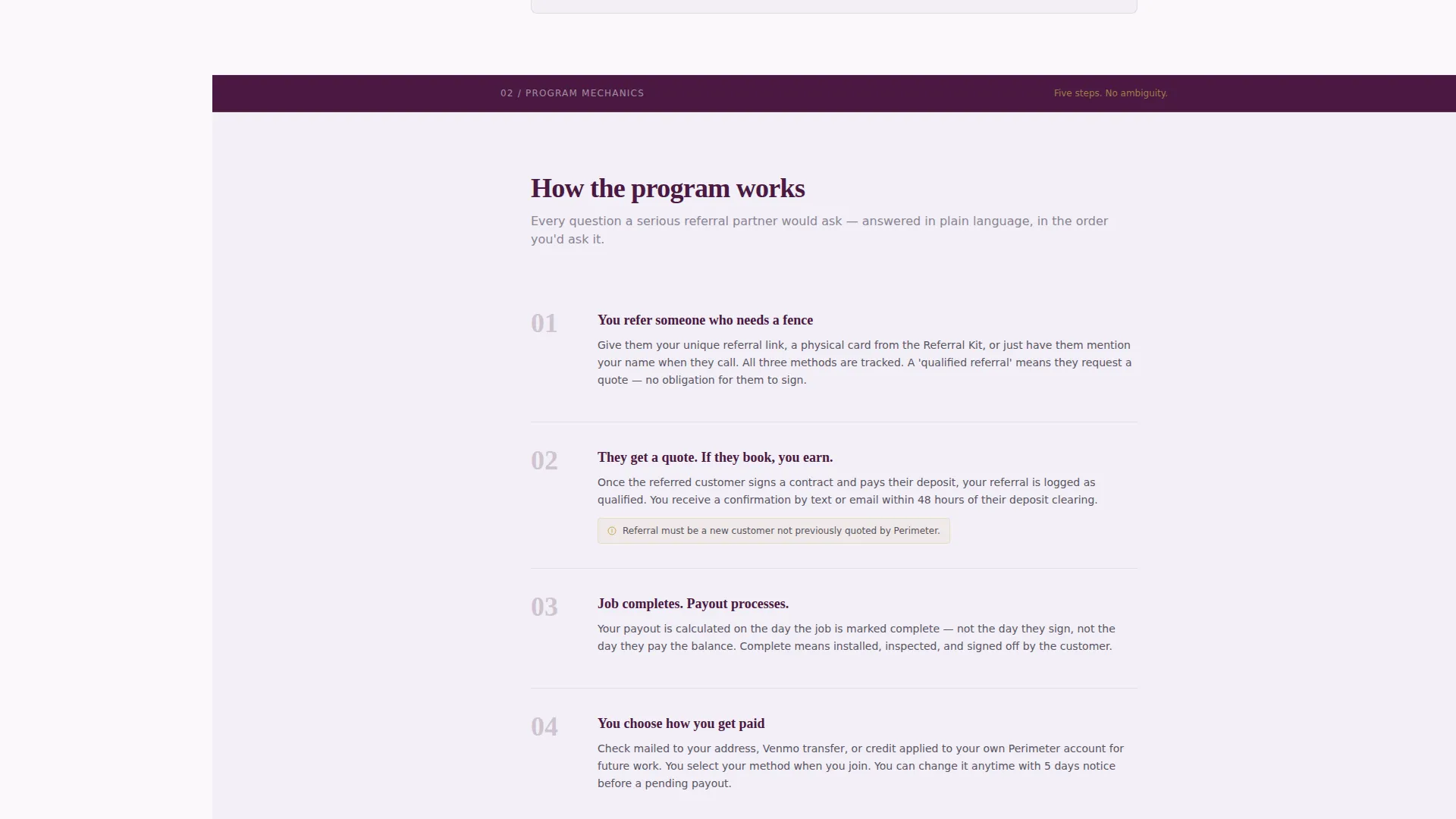
Program mechanics unfold as clean numbered steps rather than marketing copy. Each step answers a logical question: what counts as a qualified referral, when payment is issued, and how partners track their submissions.
Primary Sign-Up Form
The "Join the Referral Program" call to action appears both in the sticky sidebar and after the final testimonial card. The short form asks for name, trade or relationship to the company, and preferred payout method, keeping friction low.
Gated Referral Kit Download
A secondary conversion path offers a downloadable referral kit containing printable business cards, a tracking sheet, and program terms. It is gated by email only, giving fence installers a lighter commitment option for partners not ready to enroll fully.
Page sections overview
| Section | Purpose |
|---|---|
| Manifesto Header | Sets authority with a bold declarative headline and top-tier payout figure |
| Fixed Sticky Sidebar | Provides persistent navigation and a referral earnings calculator |
| Partner Profile Cards | Builds trust through named partners, real earnings, and brief testimonials |
| Program Tier Structure | Displays payout tiers with exact figures and qualification criteria |
| Numbered Program Steps | Explains mechanics in a clear, logical sequence |
| Primary Enrollment Form | Captures partner name, trade, and preferred payout method |
| Referral Kit Download | Offers a gated printable kit for partners who prefer a softer entry |
Design & branding system
The template follows a Corporate Precision theme using a Plum Executive color system. Every color has a specific role, and the palette reads like a leather portfolio on a mahogany desk: authoritative but approachable.
- Deep boardroom plum (#4A1942) dominates the persistent sidebar and section dividers, charcoal slate (#36313D) carries all body text, and crisp contract white (#FAF8FC) keeps content panels open and readable
- Polished brass (#C9A84C) is reserved exclusively for buttons, reward tier labels, and payout figures, drawing the eye only to money and action
- The header uses bold plum typography on white in a weighted serif, paired with a thin brass rule underneath and generous whitespace framing the manifesto line
Mobile & speed optimization
The sidebar companion layout is designed to adapt cleanly across screen sizes. On smaller screens, the fixed sidebar collapses to a mobile-friendly navigation state so the main content remains the focus.
- The single-page structure keeps all program content on one scrollable canvas without heavy page transitions
- Lightweight profile card components and clean typographic hierarchy reduce visual clutter at any viewport width
How this template helps you convert
The page is structured around a simple principle: show real earned numbers before asking for anything. Every design decision supports that sequence.
- Visitors see exact dollar amounts earned by named partners in the first scroll, building credibility before any call to action appears
- The sticky sidebar keeps the earnings calculator and the "Join the Referral Program" button visible throughout the session, so the decision to enroll never requires scrolling back up
Other information about this template
Perimeter works well for fence installers who serve property managers, general contractors, and residential customers in high-turnover neighborhoods. The template style is a sidebar companion layout, meaning the fixed panel and scrollable main body work together as a single cohesive page.
- The printable referral kit download provides a low-friction secondary conversion path for partners who are not ready to fill out the enrollment form
- Payout method options shown in the form include check, Venmo, and account credit, reflecting the real-world preferences of trade and residential referral partners
- The template is built under the "Professional Services" category with a specific focus on fence installer marketing and referral program presentation


Theme
Corporate Precision
Creative direction
Team & People
Color system
Plum Executive
Style
Sidebar Companion
Direction
Content/Resource
Page Sections
Fixed Sidebar with Earnings Calculator
Partner Profile Cards with Testimonials
Tiered Payout Display with Brass Highlights
Numbered Program Steps Layout
Dual Conversion Paths
Quote and Manifesto Header
Related questions
What type of businesses is this template built for?
Does this template include a referral sign-up form?
What is included in the referral kit download section?
Can I display my actual payout tiers and dollar amounts?
How does the sidebar layout work on this landing page?



