Fence Installer Marketing Pricing Website Template
Perimeter is an editorial-style landing page built for fence installation businesses. It leads with bold statistics, transparent material pricing, and a single clear call to action: getting a free estimate. The Arctic White color system and Corporate Precision theme give it a clean, trustworthy feel that works equally well for residential repairs and large-scale commercial quoting.
by Rocket studio
Quick summary
Perimeter is a click-through landing page for fence installers who want to turn first-time visitors into estimate requests. It opens with a half-page photo-and-headline header, rolls through stats and material cards, and closes with a prominent call to action. One page, one goal, no distractions.
Who this template is for
This template is designed for fence installation businesses that serve both homeowners and property managers. It suits contractors who offer multiple fence types and want a professional online presence that drives estimate requests without requiring a custom build.
- Residential fence contractors handling storm damage repairs and new installations
- Property managers quoting board replacements across multiple units
- New-build landscaping and fence specialists working from lot-line stakes up
What problem this template solves
Many fence installers rely on word-of-mouth or generic contractor directories. When someone lands on their site after a storm or a new build decision, the page rarely builds enough trust to earn the click. Perimeter solves that by stacking credibility signals before asking for anything.
- Visitors leave because the page lacks proof of scale, licensing, or turnaround time
- Generic layouts bury material options, leaving visitors to call just to learn pricing ranges
- No clear single action means visitors bounce instead of requesting an estimate
What you get with this template
Perimeter delivers a fully structured, single-page layout built around one conversion path. Every section is designed to surface a number, a proof point, or a material option before nudging the visitor toward the estimate button.
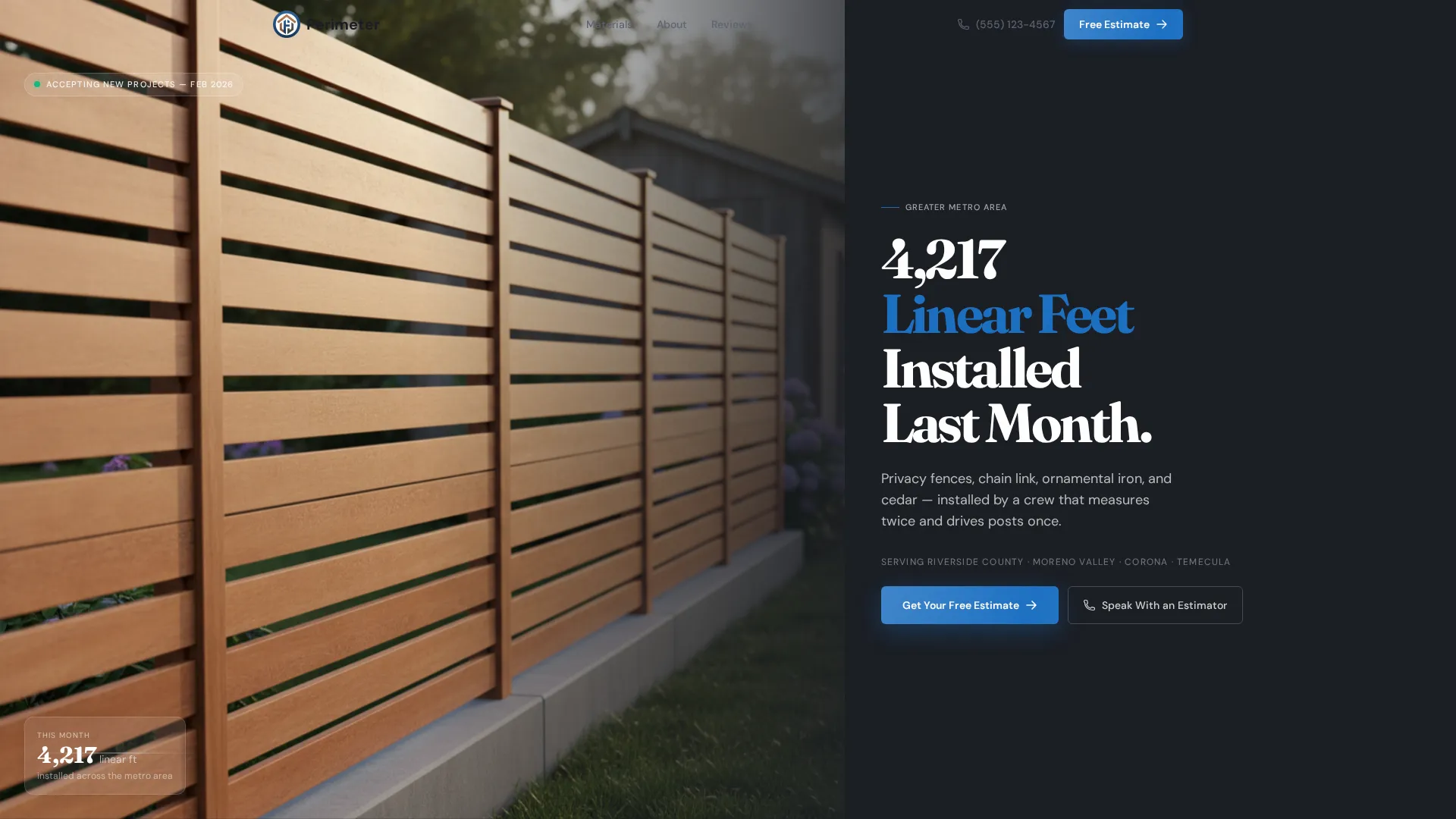
- A half-page editorial header with a property-line photo and a bold stat headline
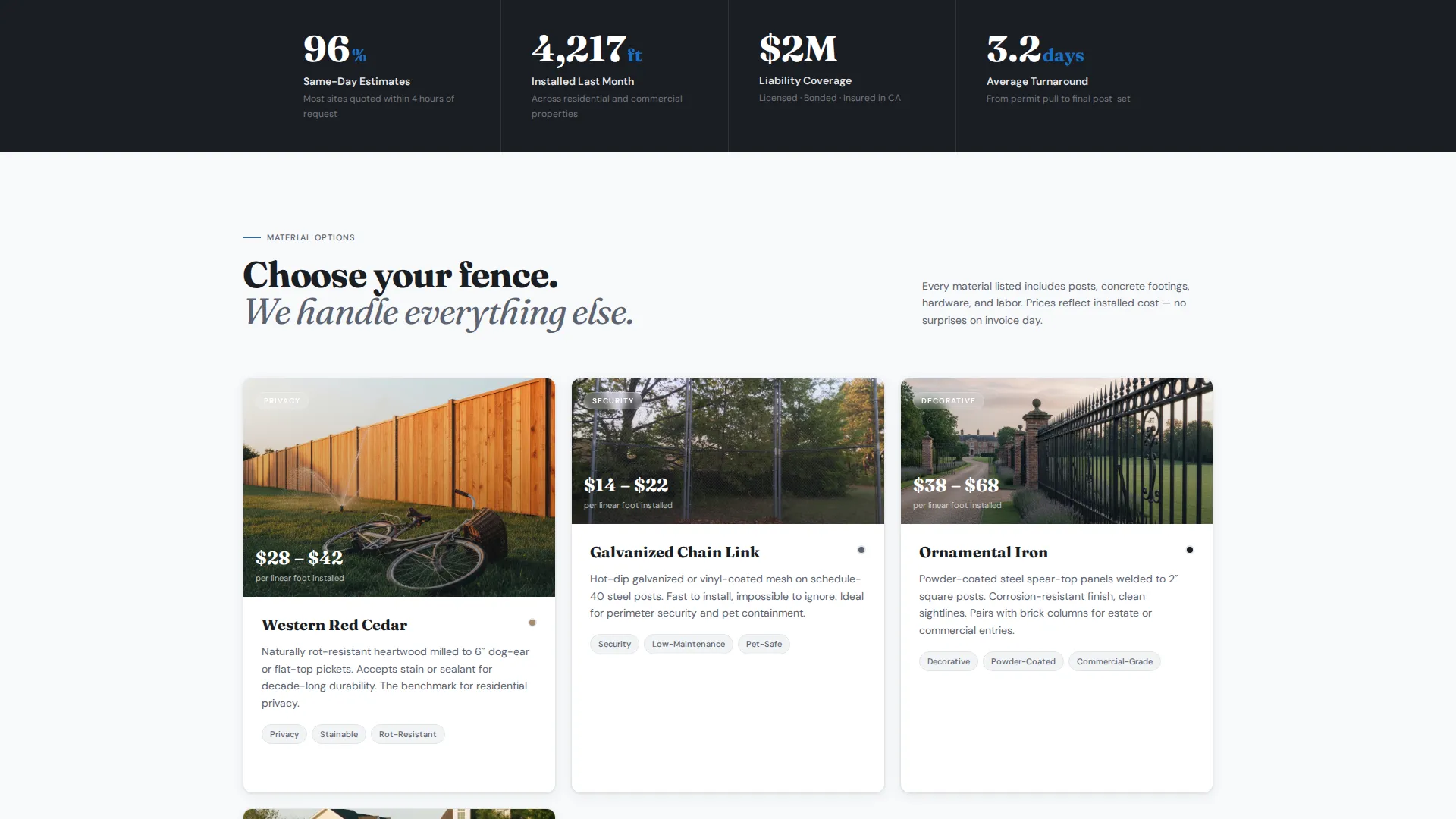
- Magazine-style material cards showing cedar, vinyl, aluminum, and chain link with cost-per-linear-foot ranges
- A sticky call-to-action bar, a header button, and a closing anchor section all pointing to the estimate form
Feature list
This template was built around one discipline: turning a fence installer's track record into a page that earns the click. Every feature below is drawn directly from the template brief.
Stats-First Impact Layout
Numbers appear before explanations throughout the page. The visitor reads "96% of estimates delivered same day" before reaching the scheduling section. They see "Licensed, Bonded, Insured" coverage figures before the about copy. This rhythm builds trust through precision rather than persuasion.
Half-Page Editorial Header
The header splits into two halves. The left side holds a wide-angle property-line photo of a freshly installed horizontal cedar slat fence in morning light. The right side stacks a bold stat headline, a service area subline, and a prominent "Get Your Free Estimate" button in the template's stake-blue accent color.
Sticky Call-to-Action Bar
After the visitor scrolls past the header, a fixed bar appears at the top of the viewport. It keeps the "Get Your Free Estimate" action visible at all times without interrupting the content reading flow.
Material Option Editorial Cards
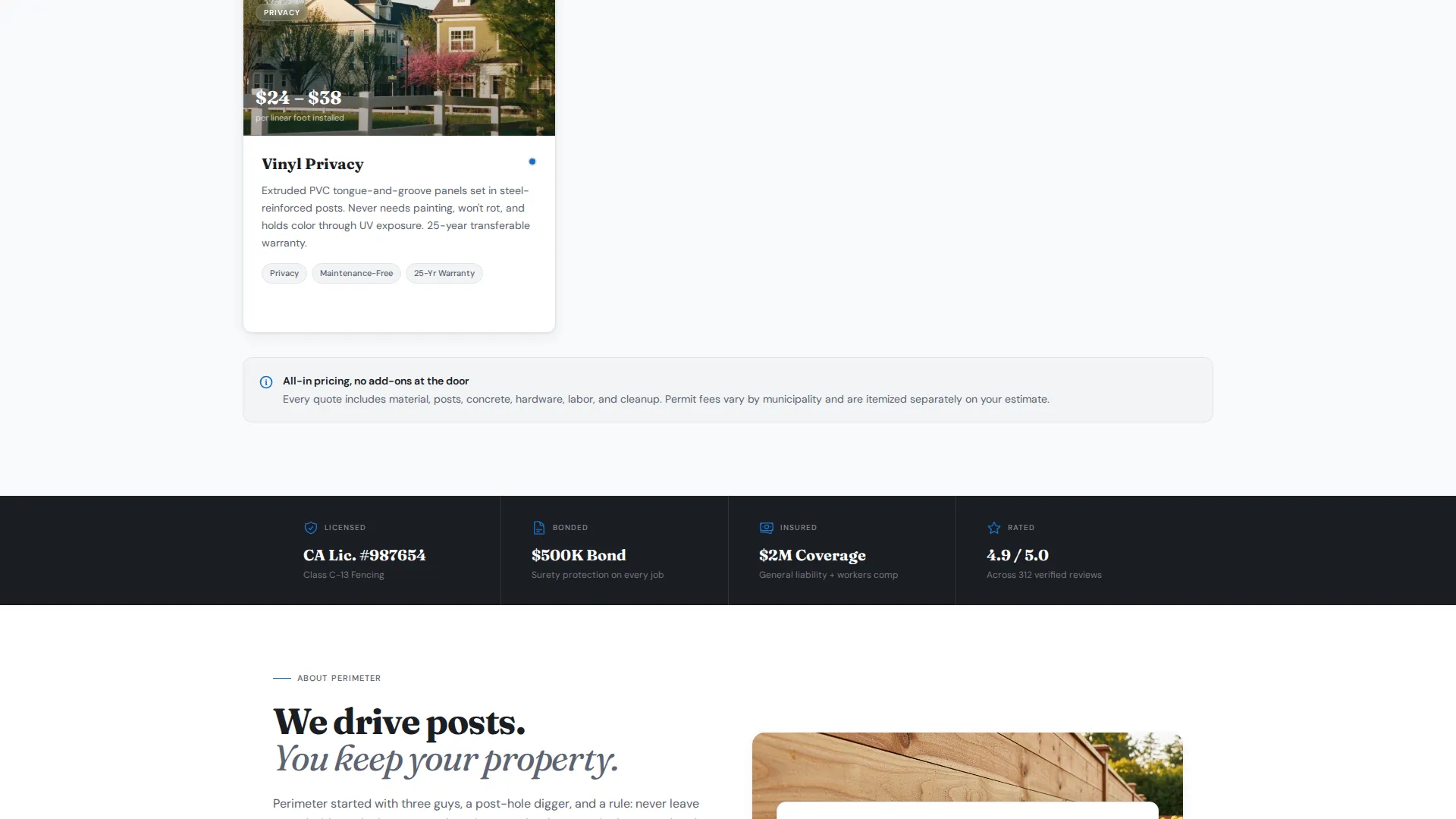
Cedar, vinyl, aluminum, and chain link each get a magazine-style card. Every card includes an installed photo and a cost-per-linear-foot pricing range. Visitors can compare material options at a glance before ever reaching the estimate form.
Tap-to-Call Secondary Path
A secondary button labeled "Speak With an Estimator" is included for mobile visitors who prefer a direct conversation. It sits alongside the primary call-to-action so no visitor is forced into a form-only flow.
Stat-and-Proof Content Rhythm
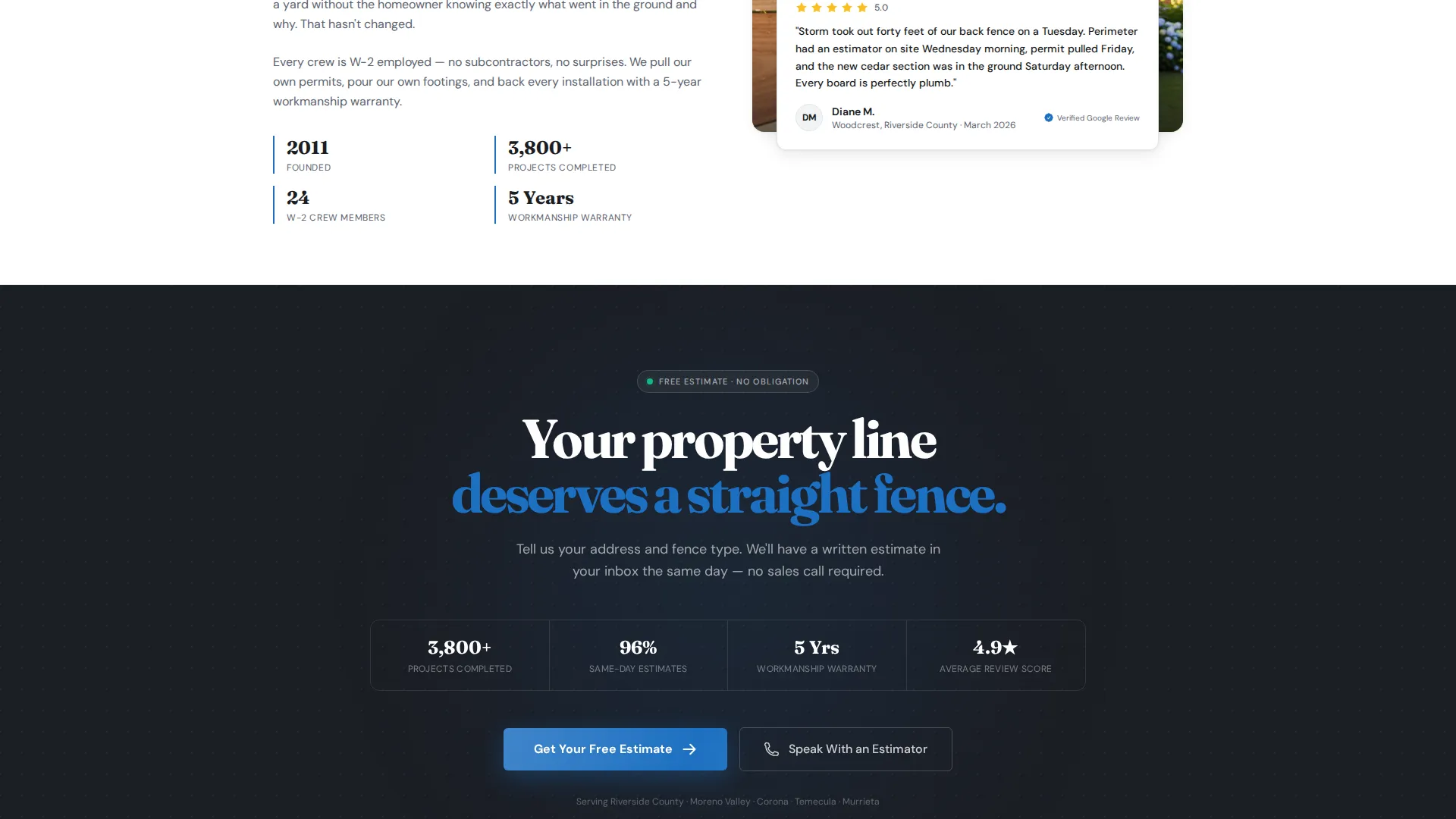
The page follows a deliberate stat-then-proof pattern through every scroll section. Linear feet installed, project turnaround averages, and a named-neighborhood five-star review all appear in sequence. This structure keeps the page feeling like evidence, not marketing.
Page sections overview
| Section | Purpose |
|---|---|
| Editorial header | Introduce brand stat and primary call to action |
| Sticky call to action bar | Keep estimate action visible on scroll |
| Stats impact row | Surface key credibility numbers first |
| Material option cards | Show fence types with pricing ranges |
| Licensing and coverage | Display bonding and insurance figures |
| Scheduling proof block | Explain estimate turnaround with data |
| Named review block | Anchor trust with a real neighborhood quote |
| Closing call to action section | Final estimate button and tap-to-call link |
Design & branding system
The template uses an Arctic White color system built around four intentional tones. White dominates the canvas so content breathes. Gray structures text and dividers without adding visual noise. A warm timber tone runs through photography treatment. A single blue accent is reserved for calls to action and key statistics so the eye always knows where to go next.
- Frost white (#F8F9FA) as the dominant background, galvanized post gray (#5C6370) for typography and dividers, and pressure-treated timber (#A68B6B) warming the photography
- Estimate-blue (#1B6FC2) used exclusively for call to action buttons and highlighted stat figures
- Corporate Precision theme with editorial card layouts, clean ruled dividers, and a magazine-style typographic hierarchy
Mobile & speed optimization
The layout is built with mobile visitors in mind. The tap-to-call button is a primary design consideration, not an afterthought. Sticky bar behavior and the half-page header both adapt to narrower viewports so the most important actions stay reachable.
- Sticky call-to-action bar remains accessible at the top of the screen during mobile scroll
- Tap-to-call button is prominently placed for mobile visitors who prefer voice contact over a form
- Material cards reflow into a readable single-column stack on smaller screens
How this template helps you convert
Perimeter is a click-through landing page with one measurable goal: routing visitors to the estimate form. Every design and content decision on the page points toward that single action.
- The stat-first structure answers trust questions before the visitor consciously asks them, removing hesitation before the call to action appears.
- The sticky bar and three-point call to action placement mean the estimate button is never more than one glance away, regardless of scroll position.
- Material cards with transparent pricing ranges eliminate the most common reason visitors leave without acting: not knowing if the service fits their budget.
Other information about this template
Perimeter fits naturally into a fence installer's broader marketing setup. The landing page is designed as the first step in a two-page flow, with the estimate form living on the next page. The template brief also notes it serves a wide client range, from single-family homeowners to multi-unit property managers.
- Template style is Editorial/Magazine, making it visually distinctive compared to standard contractor page builders
- The click-through structure means the landing page carries no form fields, keeping the experience fast and focused
- The half-page header concept, stats-first creative direction, and Corporate Precision theme are all matched from the intersection context for this niche
- Works well for fence installer free estimate landing page campaigns where a single, credible page needs to do all the persuasion work before the form
Theme
Corporate Precision
Creative direction
Stats-First Impact
Color system
Arctic White
Style
Editorial/Magazine
Direction
Click-Through
Page Sections
Stats-first Impact Layout
Half-page Editorial Header
Sticky Call-to-action Bar
Material Option Editorial Cards
Tap-to-call Secondary Path
Stat-and-proof Content Rhythm
Related questions
Does this template include the estimate form itself?
Can I update the statistics and pricing ranges shown on the page?
What fence material types are included as cards?
Is the tap-to-call button included for mobile visitors?
Does this template work for property managers, not just homeowners?



