Periodontist Booking Website Template
Perio is a sidebar companion landing page built for periodontist practices welcoming referred new patients. It guides anxious visitors through a self-paced gum-health checklist, explains five periodontal warning signs with line-art diagrams and plain-language clinical notes, and converts through a risk-score result that leads directly to an appointment request or a downloadable PDF checklist.
by Rocket studio
Quick summary
Perio is a single-page, sidebar companion landing page designed for periodontal clinics. It walks referred patients through five gum-health warning signs using scroll-linked line-art sections, builds a personalized risk profile in a fixed sidebar checklist, and closes with a sage-green risk-score button that turns self-awareness into a booked appointment.
Who this template is for
This template is built for periodontists who receive general-dentist referrals and need a patient-first digital introduction. It works best for practices that want to earn trust through education rather than sales pressure.
- Periodontal clinics serving referred adult patients aged 40 to 60
- Practices treating diabetics and post-menopausal patients with bone density concerns
- Periodontists who want a calm, clinical tone that reflects their consultation style
What problem this template solves
Referred patients arrive anxious. They have been ignoring symptoms for years and often feel embarrassed or overwhelmed before they even call. A generic clinic homepage does not address that emotional state or help them understand what is happening in their mouth.
- Patients feel lost between their general dentist's referral and the specialist's first call
- No clear self-assessment path means potential patients stall and delay booking
- Clinical websites often speak over patients rather than drawing them in gently
What you get with this template
You get a fully structured, single-page layout built around a fixed sidebar checklist and five scroll-linked warning-sign sections. Every component is designed to give clinical knowledge first and ask for contact information second.
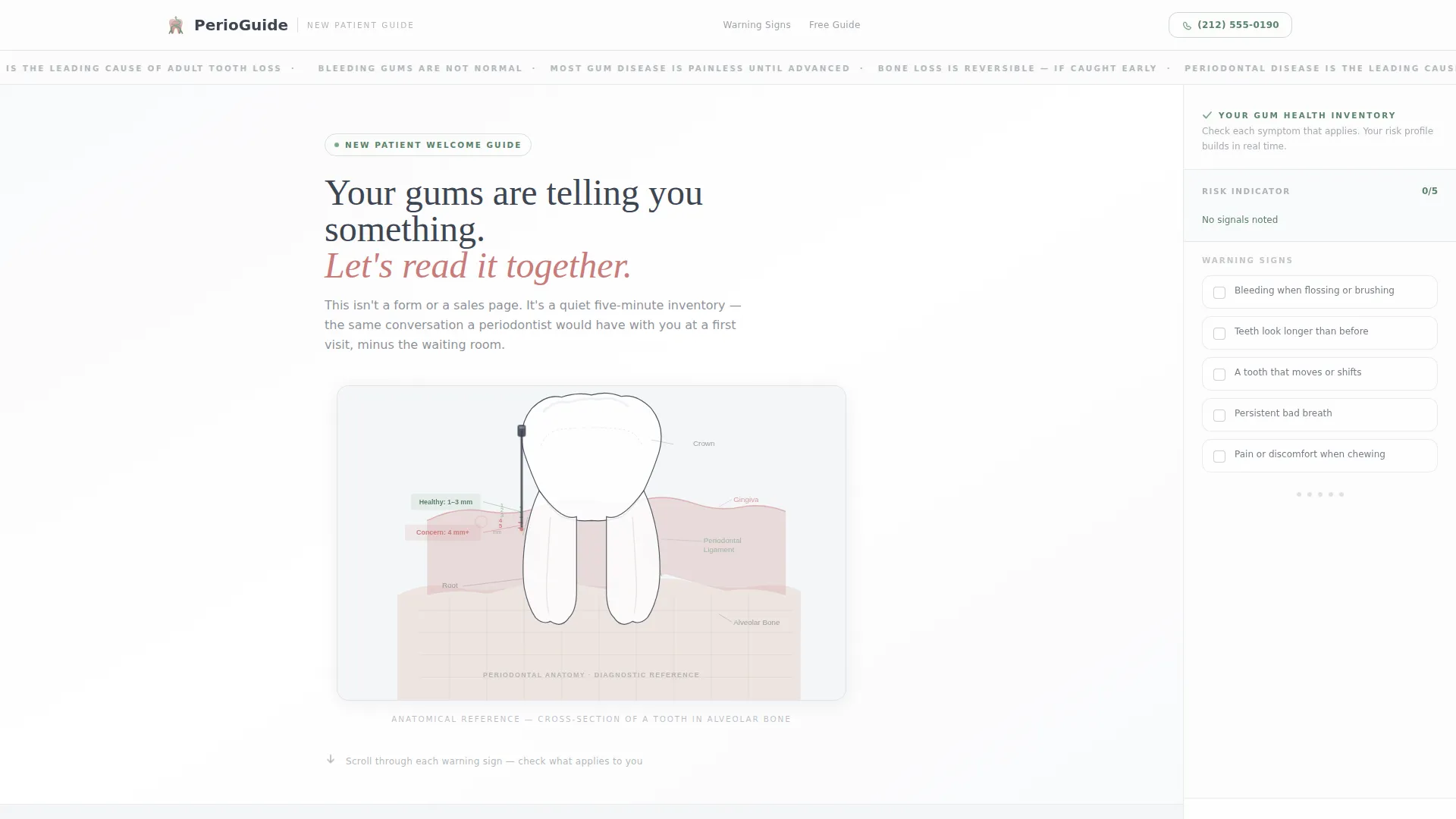
- Animated SVG hero with a tooth anatomy cross-section and descending probe depth labels
- Five warning-sign content panels, each with a line-art diagram and an eighth-grade reading-level explanation
- Fixed sidebar checklist with live risk tallying, a risk-score modal, and a PDF email exchange path
Feature list
This template is built around a clear educational flow. Each feature works together to guide a nervous visitor toward confident action.
Animated SVG Tooth Anatomy Hero
The full-width header renders a single-weight anatomical cross-section of a tooth seated in bone. On page load, a probe descends millimeter by millimeter. Numbered labels fade in: healthy sulcus depth in sage green, then the concern threshold in soft coral. No stock photography is used anywhere on the page.
Fixed Sidebar Checklist with Live Risk Tallying
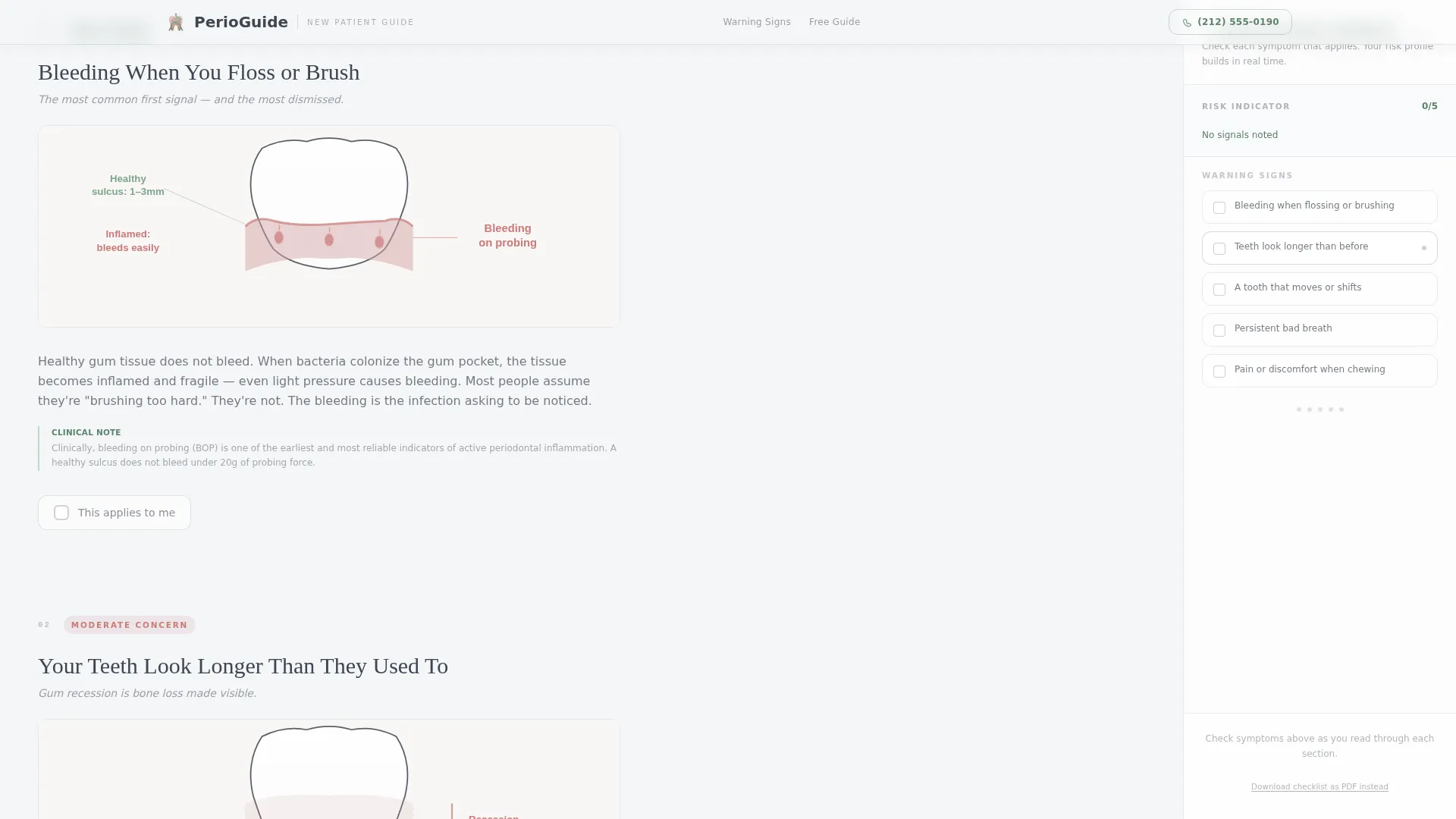
The sidebar stays visible as visitors scroll through all five warning-sign sections. Each checkbox they select updates a running risk tally in real time. By the time they reach the bottom, their personal risk profile is already built without any extra steps from them.
Risk Score Modal and Appointment Conversion
The sidebar culminates in a sage-green "See Your Periodontal Risk Score" button. After submission, visitors see a categorized result: mild, moderate, or advanced. A short follow-up form collects name, phone number, and a preferred contact time, keeping the friction low at the moment of highest intent.
PDF Gum Health Checklist Exchange
A secondary conversion path lets visitors download their completed checklist as a PDF in exchange for their email address. This captures leads who are not yet ready to book but want to keep the information close.
Warning Sign Content Panels with Line-Art Diagrams
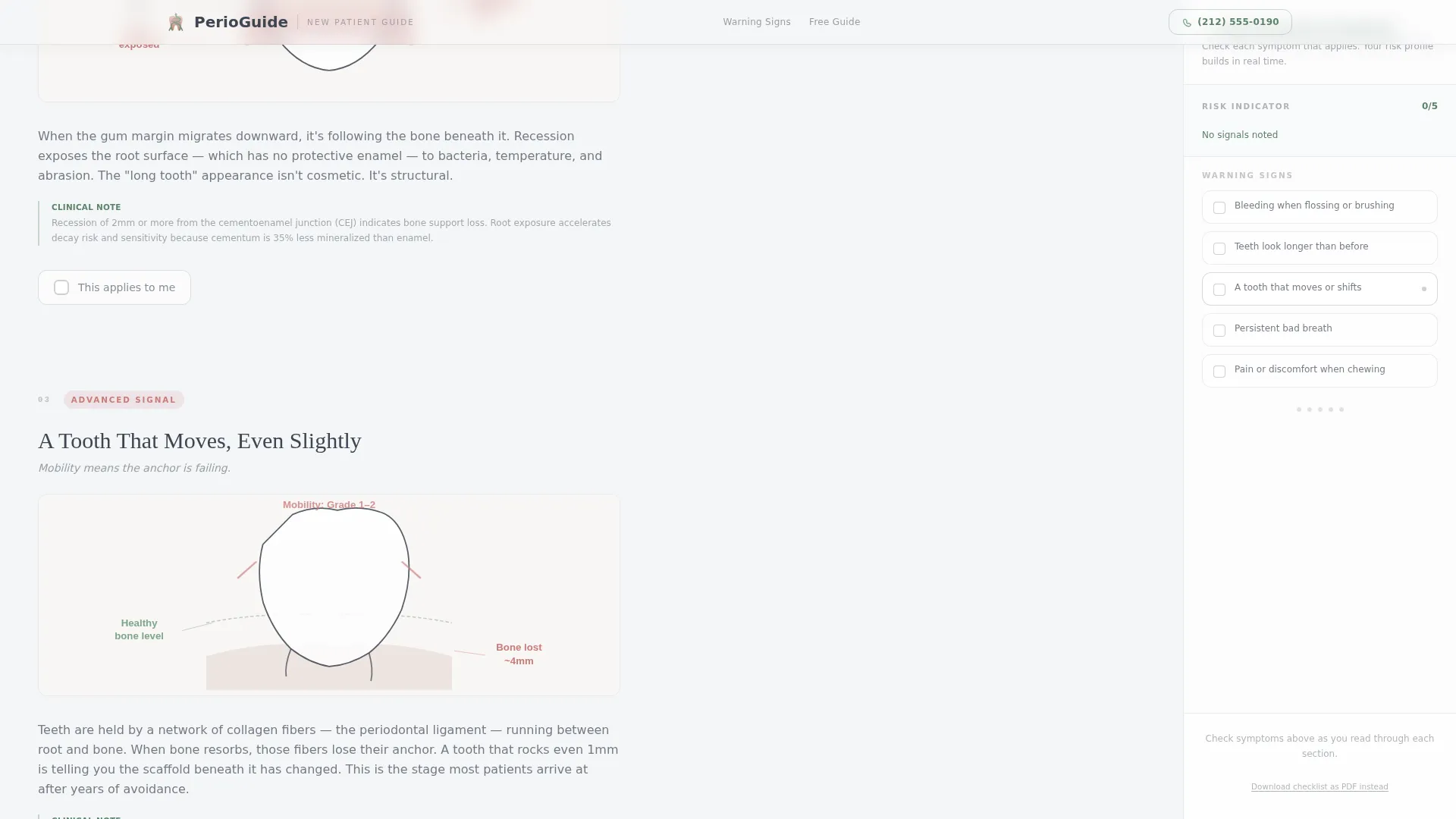
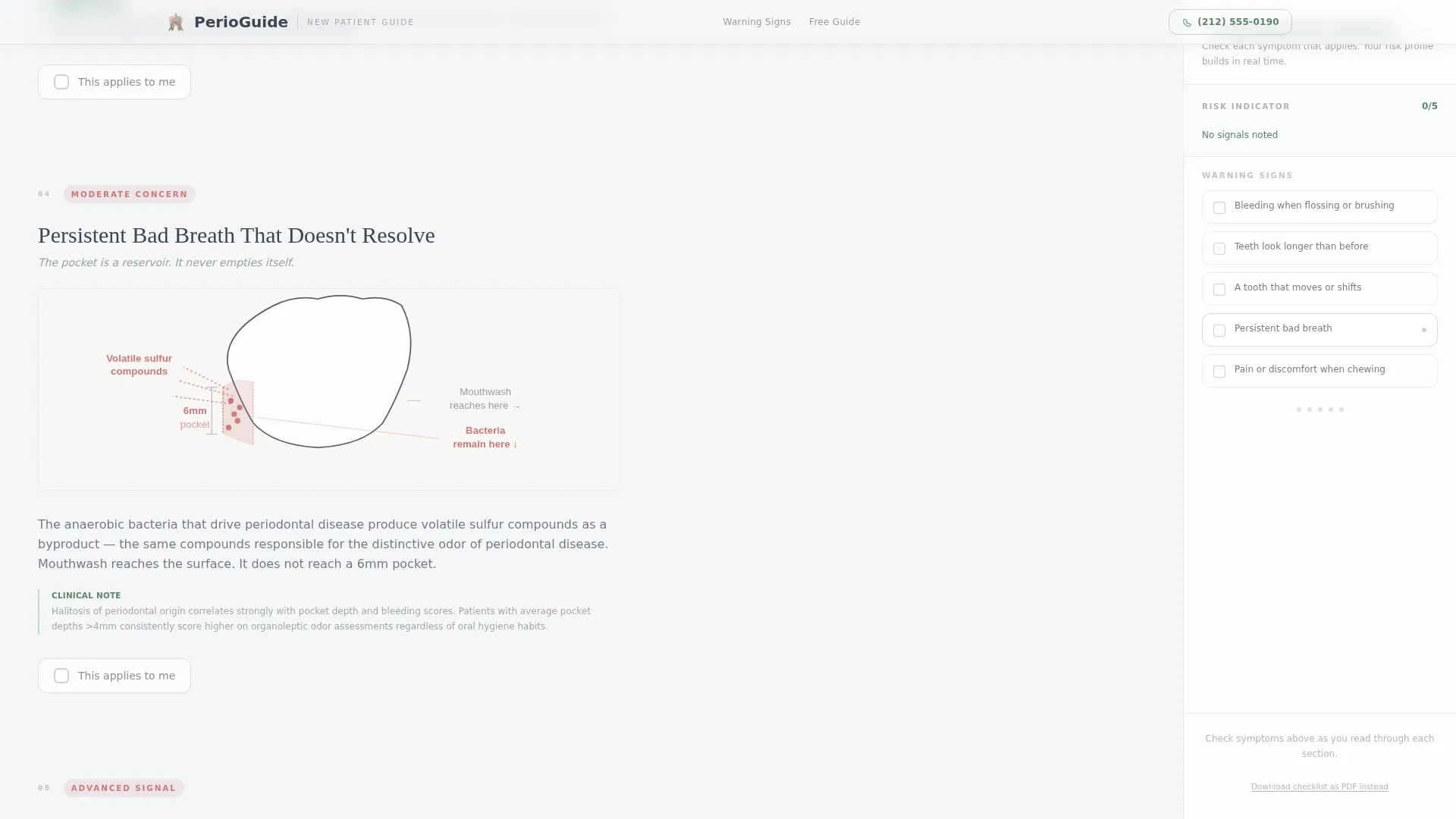
Five scroll-linked panels each cover one periodontal warning sign: bleeding when flossing, receding gumline, loose or shifting teeth, persistent bad breath, and pain when chewing. Each panel pairs a line-art diagram with a two-sentence clinical explanation written for general adult reading comprehension.
Clip-Path Reveal Animations and Scroll Tracking
As visitors scroll, each warning-sign panel animates into view using clip-path reveals. The sidebar tracks scroll position and highlights the relevant checklist item, reinforcing the sense of moving through a guided, personalized inventory.
Page sections overview
| Section | Purpose |
|---|---|
| Hero: Animated Tooth Anatomy | Introduces the clinical context with an SVG probe animation and labeled sulcus depth markers |
| Warning Sign: Bleeding When Flossing | Explains the first gum-health alert with a line-art diagram and plain clinical copy |
| Warning Sign: Receding Gumline | Walks visitors through gumline recession and its structural meaning |
| Warning Sign: Loose or Shifting Teeth | Covers bone support loss with a visual and a brief, clear explanation |
| Warning Sign: Persistent Bad Breath | Connects bacterial activity to systemic concern and introduces the risk call to action |
| Fixed Sidebar Checklist | Accumulates checked warning signs into a live risk profile throughout the scroll |
| Risk Score Modal | Delivers a mild, moderate, or advanced result and captures name, phone, and preferred contact time |
| PDF Download Exchange | Offers a downloadable checklist in return for an email address as a secondary lead path |
| Footer | Single-row minimal footer with practice essentials |
Design & branding system
The visual identity follows an Educational Guide theme using the Soft Mist color system. The palette feels clinical but not cold, referencing the quiet warmth of a well-lit operatory at early morning.
- Fog white (#F4F6F8) as the base background, warm alveolar pink (#D4A5A5) for anatomical accents, and quiet graphite (#3E4551) for body text
- Sage green (#7FA68A) on progress indicators, positive-state elements, and the primary conversion button
- Fraunces serif for headings and DM Sans for body text, balancing clinical authority with readable warmth
Mobile & speed optimization
This template is designed desktop-first. The fixed sidebar companion layout requires a wide viewport to function as intended. On narrower screens, the layout adapts so the checklist and content panels stack vertically without losing usability.
- Desktop-first layout prioritizing the side-by-side sidebar and content panel experience
- Server Components handle static content sections; Client Components manage the interactive sidebar, live tallying, and modal behavior
- SVG animations use clip-path and fade-in techniques designed to stay smooth during scroll
How this template helps you convert
The entire page is structured around one principle: give clinical knowledge first, then ask for contact information. Visitors who understand their condition are far more likely to take the next step.
- The animated hero and line-art warning-sign panels build genuine understanding before any form appears, so visitors arrive at the risk-score button already feeling informed and seen.
- The fixed sidebar turns passive reading into an active self-assessment, making the "See Your Periodontal Risk Score" button feel like a natural next step rather than an interruption.
- The secondary PDF download path captures email leads from visitors who are not yet ready to book, keeping the practice visible while the patient moves at their own pace.
Other information about this template
This template is part of a Health and Medical category focused on periodontal new patient education and lead capture. It is built specifically for the Periodontist New Patient Welcome Page niche and sits within the Periodontist Website subcategory.
- Template style: Sidebar Companion with a Quiz and Assessment landing-page direction
- Creative direction: Checklist and Audit, meaning every visual and structural choice reinforces the self-assessment journey
- The footer follows a single-row minimal pattern, keeping the close of the page clean and distraction-free
- Localization is set for English-language United States markets with US date format conventions
Theme
Educational Guide
Creative direction
Checklist & Audit
Color system
Soft Mist
Style
Sidebar Companion
Direction
Quiz/Assessment
Page Sections
Animated SVG Tooth Anatomy Hero
Fixed Sidebar Checklist with Live Risk Tallying
Risk Score Modal and Appointment Form
PDF Gum Health Checklist Exchange
Warning Sign Panels with Line-art Diagrams
Clip-path Reveals and Scroll Tracking
Related questions
Who is this landing page template designed for?
Does the sidebar checklist work as the main conversion tool?
Can I use this template if most of my patients are on mobile devices?
What is the secondary lead capture path?
Does the template use any stock photography?



