Driving Instructor FAQ & Resource Landing Page
Permit is a sidebar companion landing page built for driving instructors and learner drivers who need plain-English answers fast. It organises theory test guidance, practical test steps, ADI qualifying information, and standards check resources into a structured FAQ hub. The Legal Shield design and persistent sidebar make every answer easy to find and easy to trust.
by Rocket studio
Quick summary
Permit is a single-page FAQ and resource hub for the driving instruction community. It pairs a bold, authority-led layout with a persistent sidebar that keeps every visitor oriented. From theory test booking to ADI Part 3 marking sheets, every answer is presented in calm, jargon-free language that builds confidence before the call to action.
Who this template is for
This template serves anyone navigating the process of learning to drive or qualifying as an instructor. It is built for people who need accurate, structured answers without wading through dense official documents.
- Learner drivers searching for theory test or practical test guidance
- Career changers researching the Approved Driving Instructor qualifying process
- Qualified instructors looking for updated Highway Code or standards check information
What problem this template solves
Official test and licensing documentation is written for compliance, not for clarity. Visitors arrive stressed, unsure which step comes next, and unable to tell which source to trust.
- Jargon-heavy language from official bodies leaves learners guessing at critical details
- Scattered information across multiple sources creates confusion about test sequences and paperwork
- Instructors preparing for a standards check have no single reliable reference point to revisit
What you get with this template
You get a fully structured, single-page resource hub with a fixed sidebar, expert-panel FAQ layout, and clear conversion paths. Every design decision supports readability and trust.
- A two-column layout with a giant headline section and a persistent, category-linked sidebar rail
- FAQ cluster blocks styled with amber-bordered answer boxes and attributed ADI pull-quotes
- Inline and sidebar call-to-action placements that repeat at natural reading intervals
Feature list
This template is built around a focused set of visual and structural features drawn directly from the brief. Each component earns its place by making information clearer or the next step easier.
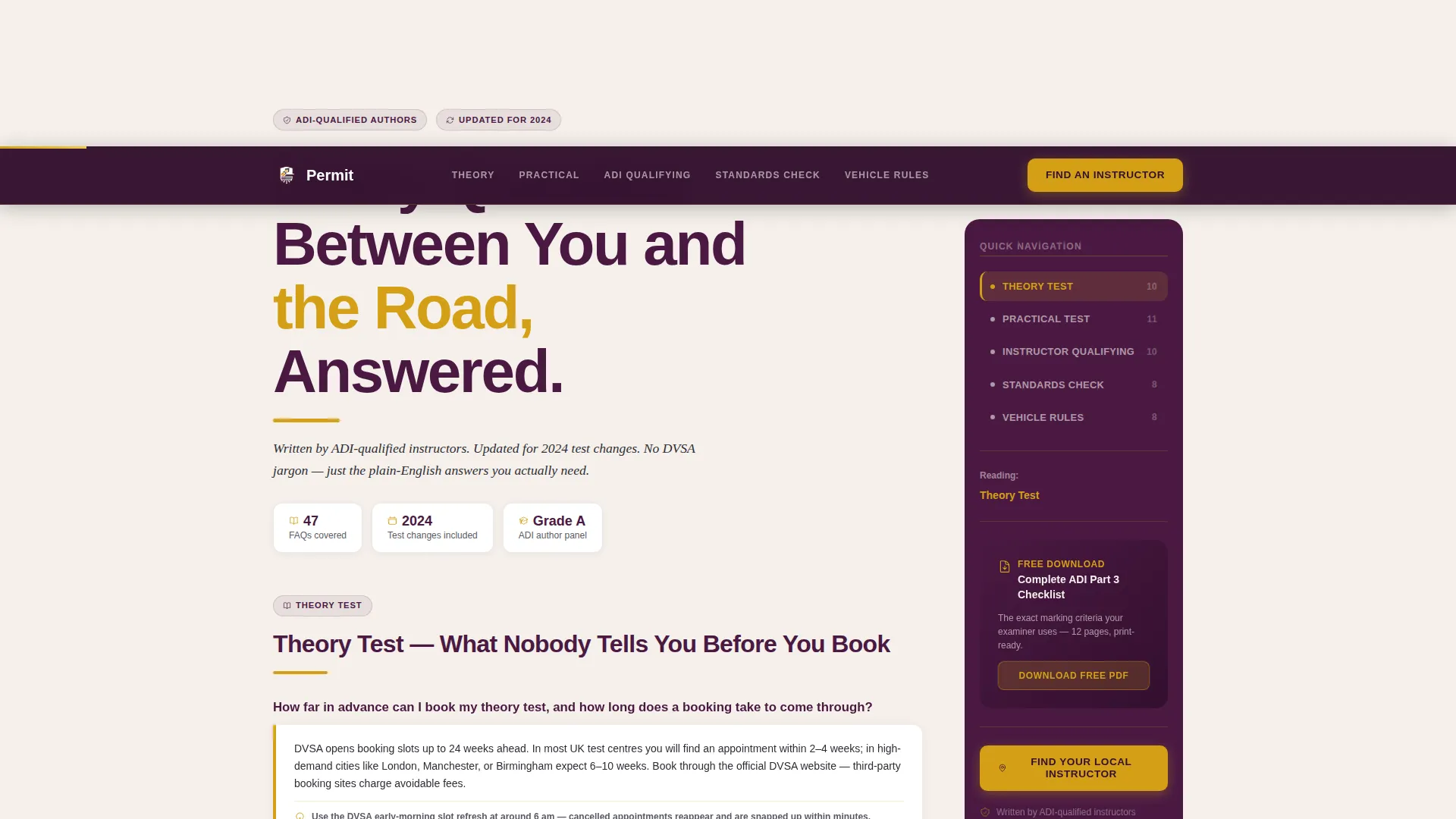
Giant Headline Left Header
A bold, display-scale headline is pinned to the left two-thirds of the viewport. It reads "Every Question Between You and the Road, Answered." An amber rule and a credibility subline sit beneath it, establishing authority before the visitor reads a single FAQ.
Persistent Sidebar Navigation
The right third of the viewport holds a sticky sidebar pre-populated with five FAQ category links: Theory, Practical, Instructor Qualifying, Standards Check, and Vehicle Rules. The sidebar highlights the active section as the visitor scrolls and always surfaces the next logical topic.
Expert Panel FAQ Clusters
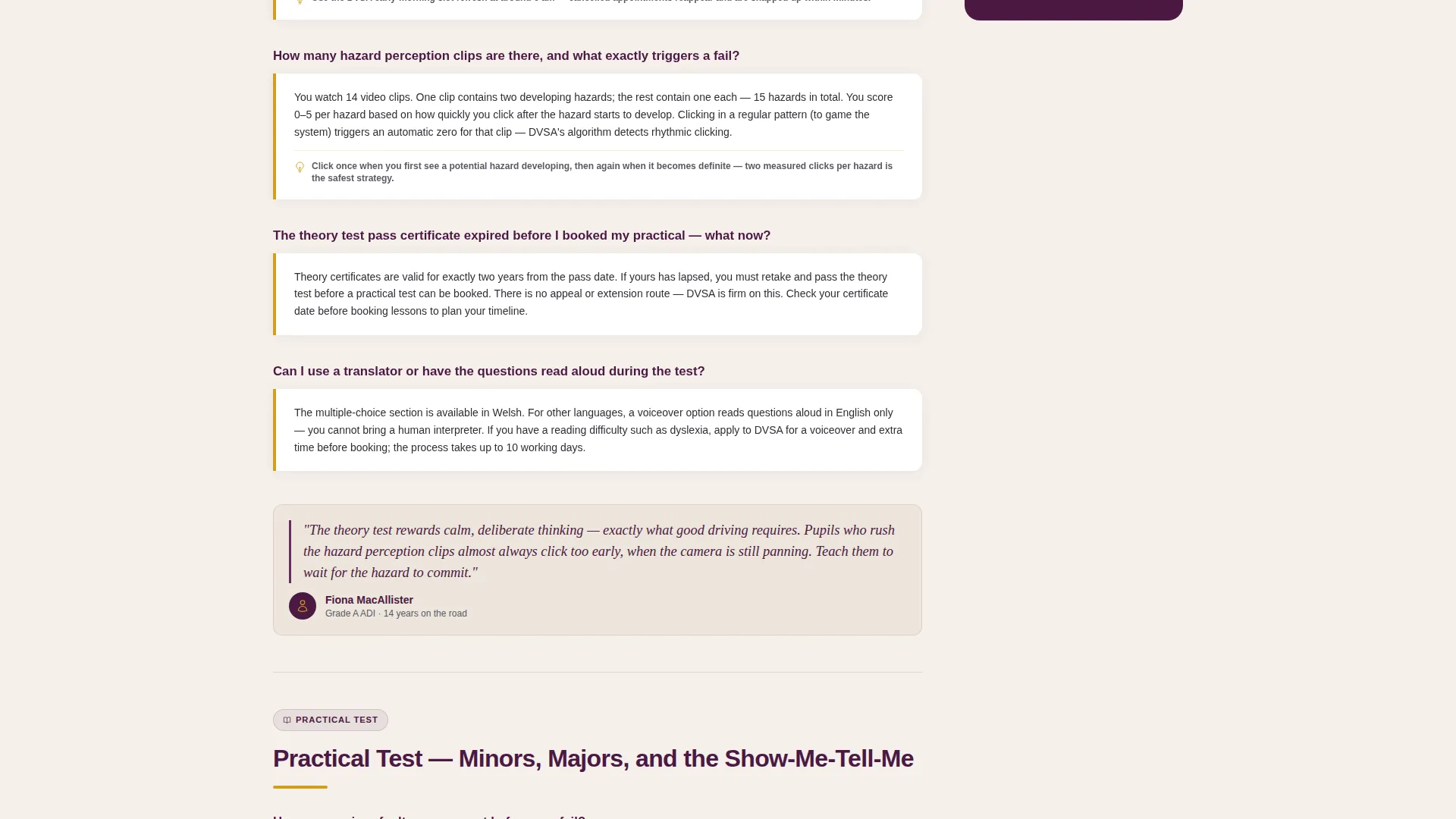
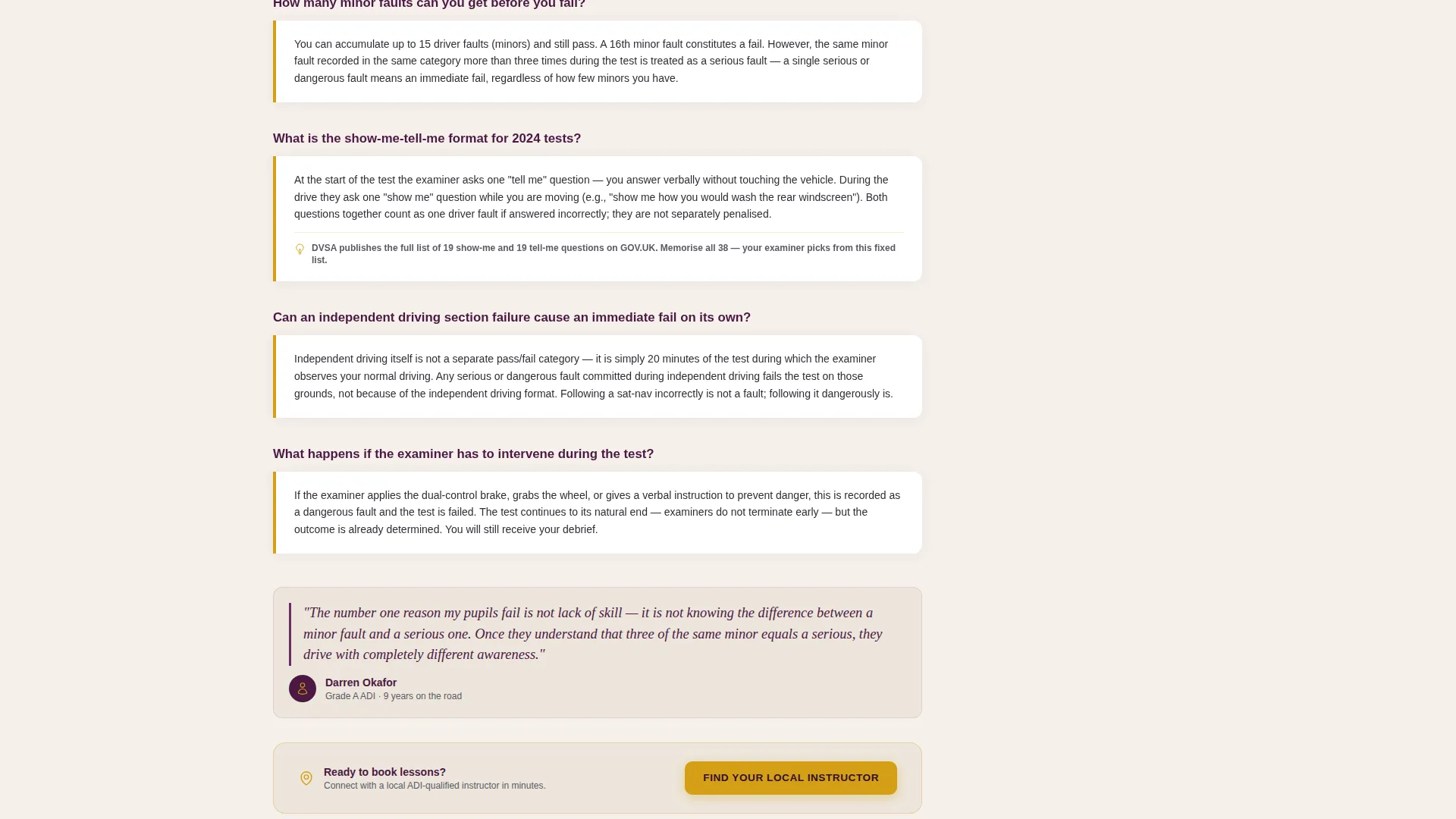
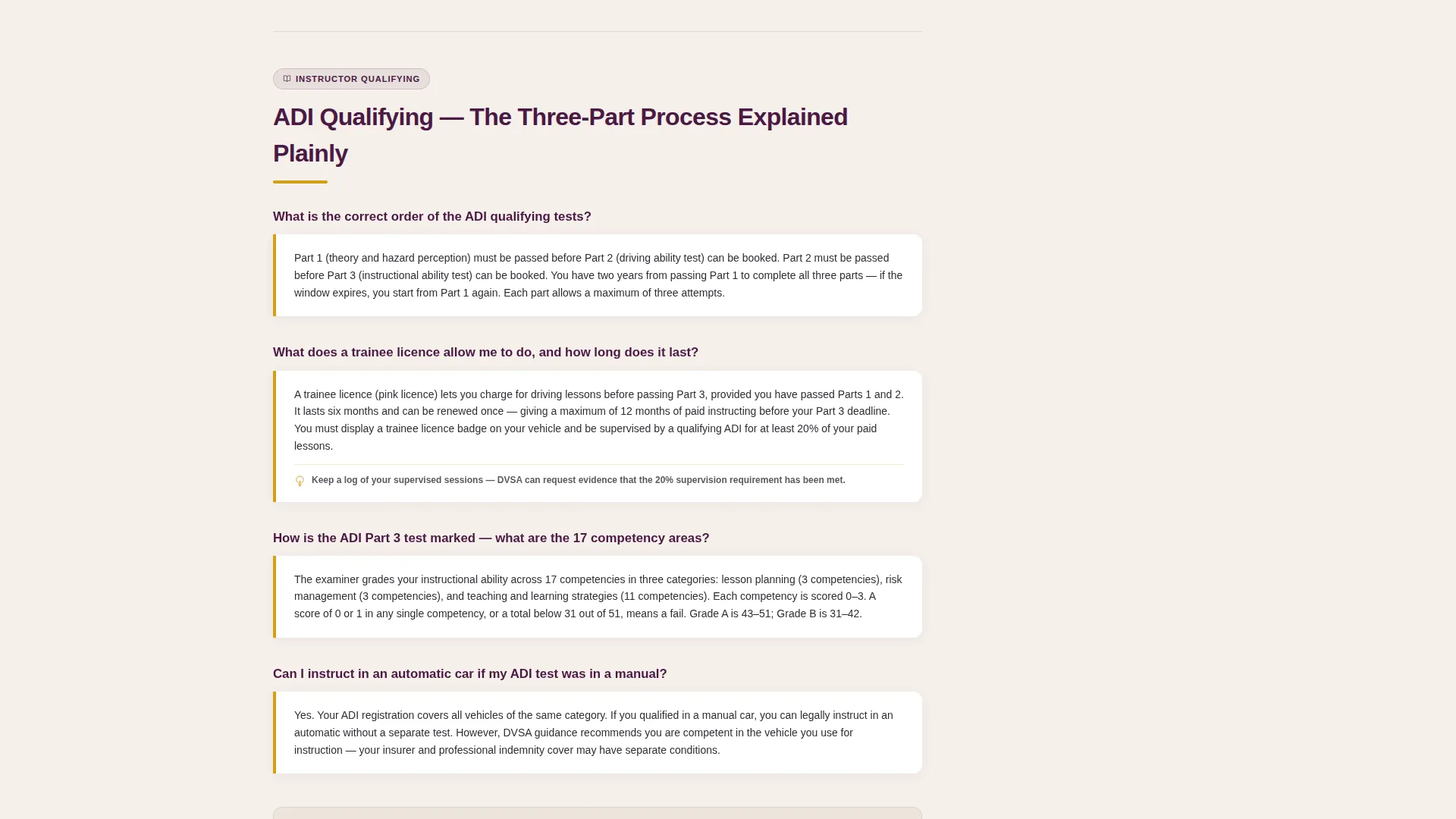
Each FAQ cluster presents a bold plum question, a vellum-background answer box with an amber left border, and a pull-quote attributed to a named ADI instructor with their grade and years of experience. This format builds credibility answer by answer.
Inline and Sidebar call to action Placement
The primary call-to-action button appears as a persistent amber element at the base of the sidebar and repeats inline after every third FAQ cluster. This placement strategy means conversion opportunities appear at natural reading pause points without interrupting the flow.
Secondary Lead Capture Path
A secondary conversion path offers a free downloadable resource gated behind an email field. This gives visitors who are not yet ready to book an instructor a lower-commitment way to engage with the page.
Amber-Accented Design System
Active links, callout borders, and call to action buttons all use a single decisive amber tone. This creates a consistent visual cue that guides the eye toward interactive elements without cluttering the layout.
Page sections overview
| Section | Purpose |
|---|---|
| Giant Headline Header | Establishes authority and orients the visitor immediately |
| Sticky Sidebar Rail | Provides persistent category navigation and primary call to action |
| Theory Test Cluster | Answers booking, format, and pass-mark questions |
| Practical Test Cluster | Covers show-me-tell-me, minors, and test-day sequences |
| Instructor Qualifying Cluster | Explains ADI Part 2 and Part 3 requirements clearly |
| Standards Check Cluster | Addresses grade outcomes and preparation steps |
| Vehicle Rules Cluster | Covers licence categories and vehicle requirements |
| Inline call to action Blocks | Repeats instructor-matching prompt after each third cluster |
| Email Lead Capture | Offers downloadable ADI Part 3 checklist PDF |
Design & branding system
The Plum Executive color system gives this template the visual weight of a professional legal document while remaining warm enough to read comfortably. Every color has a specific role so the layout never feels arbitrary.
- Deep plum (#4A1942) anchors headers and the sticky sidebar rail; muted charcoal (#2D2D34) handles body text; pale vellum (#F5F0EB) fills content backgrounds for a printed-page feel
- Decisive amber (#D4A017) is reserved exclusively for active sidebar links, callout borders, and call to action buttons, creating a reliable visual signal throughout the page
- No hero image is used; display-scale typography is the primary authority signal, reinforced by the amber rule beneath the headline
Mobile & speed optimization
The sidebar companion layout is designed with a clear hierarchy that adapts across screen sizes. Smaller screens retain the structured FAQ format even when the two-column layout condenses.
- The sticky sidebar collapses gracefully on narrower viewports, keeping category navigation accessible without dominating the reading area
- FAQ cluster blocks are self-contained and stack cleanly, so content remains scannable and answer boxes retain their amber border styling on all devices
How this template helps you convert
The page earns trust before it asks for anything. By the time a visitor reaches a call-to-action button, they have already received accurate, jargon-free guidance across multiple FAQ clusters.
- The expert-panel format, with named ADI pull-quotes and structured answer boxes, builds enough credibility that the primary call to action feels like a natural next step rather than an interruption.
- Repeating the primary call to action after every third FAQ cluster and anchoring it in the sidebar means a motivated visitor never has to scroll far to act, while a still-browsing visitor is never pressured.
Other information about this template
This template fits naturally within a professional services content strategy for driving schools, independent ADIs, and instructor training providers. It is designed as a sidebar companion landing page, meaning it works alongside a main website as a focused resource destination.
- The Legal Shield theme and Plum Executive color system are intentionally chosen to signal authority in a regulated professional context
- The template style supports content covering the full spectrum of the ADI qualifying process, from Part 1 theory through Part 3 in-car assessment and beyond
- Page copy is framed as written by ADI-qualified instructors and updated for 2024 test changes, which sets clear expectations for content freshness and source credibility
- The downloadable ADI Part 3 checklist functions as a lead magnet, supporting email list building alongside the primary instructor-matching conversion path
Theme
Legal Shield
Creative direction
Expert Panel
Color system
Plum Executive
Style
Sidebar Companion
Direction
Click-Through
Page Sections
Giant Headline Left Header
Persistent Sticky Sidebar
Expert Panel FAQ Clusters
Inline and Sidebar Call to Action Placement
Secondary Email Lead Capture
Amber-accented Interactive Elements
Related questions
What kind of page does this template create?
Can I customise the FAQ questions and answers?
Is the email capture field for the PDF download included?
Does the sticky sidebar adapt on smaller screens?
Who is this template best suited for?



