Teen & Tween Complete Booking Website Template
Permit is a scroll-reveal landing page template built for teen driving schools. It walks suburban parents through a clear four-step journey from online enrollment to DMV pass, using bold geometric visuals and an inline booking scheduler. The design is energetic, mobile-first, and built to turn late-night research into a booked first lesson.
by Rocket studio
Quick summary
Permit is a single-page landing page template designed for teen driving schools. It guides parents from first impression to booked lesson through a structured, scroll-driven four-step journey. Bold geometric visuals, an inline scheduling form, and an email lead-capture path work together to build trust and move hesitant parents toward action.
Who this template is for
This template is built for local driving schools targeting suburban families with teens approaching driving age. It speaks directly to the parent making the decision, while the energetic visual tone resonates with teens too.
- Driving school owners who want a conversion-focused landing page without starting from scratch
- Independent instructors targeting parents of 15.5 to 17-year-olds in suburban markets
- Driving programs that want both a booking path and an email capture path for parents still researching
What problem this template solves
Parents searching for a teen driving school late at night need to feel confident fast. A generic or cluttered page loses them before they ever reach a contact form. This template solves the trust gap and the friction gap at the same time.
- Parents cannot quickly see what the program actually involves or how structured it is
- There is no easy way to book a first lesson without calling during business hours
- Research-mode parents leave without giving any contact information, so the school loses the lead entirely
What you get with this template
You get a complete, ready-to-customize landing page with every section a teen driving school needs to convert a first-time visitor. The layout is deliberate and scroll-driven, not a dumped collection of sections.
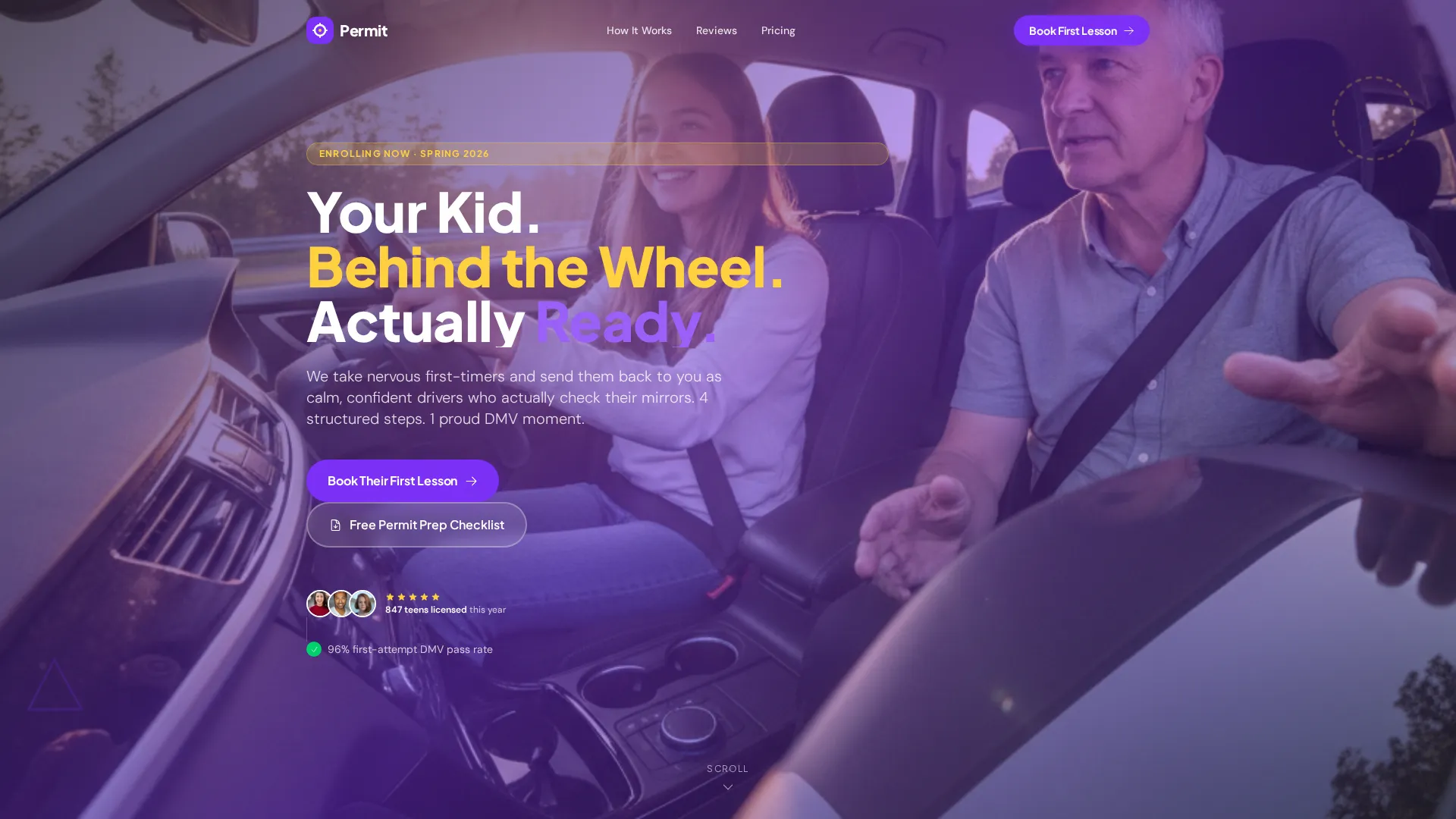
- A full-bleed hero section with a bold geometric headline and a primary booking call to action
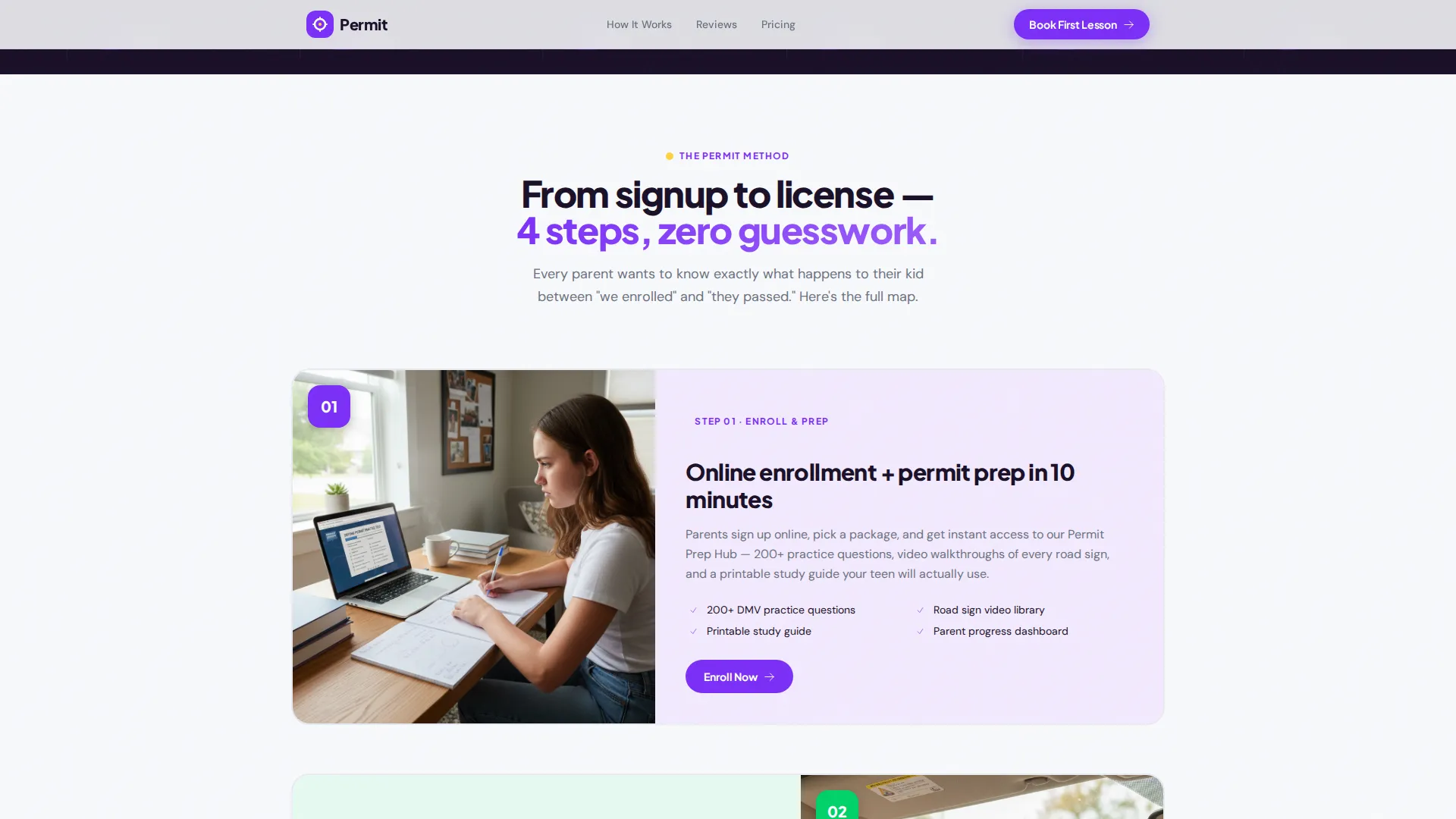
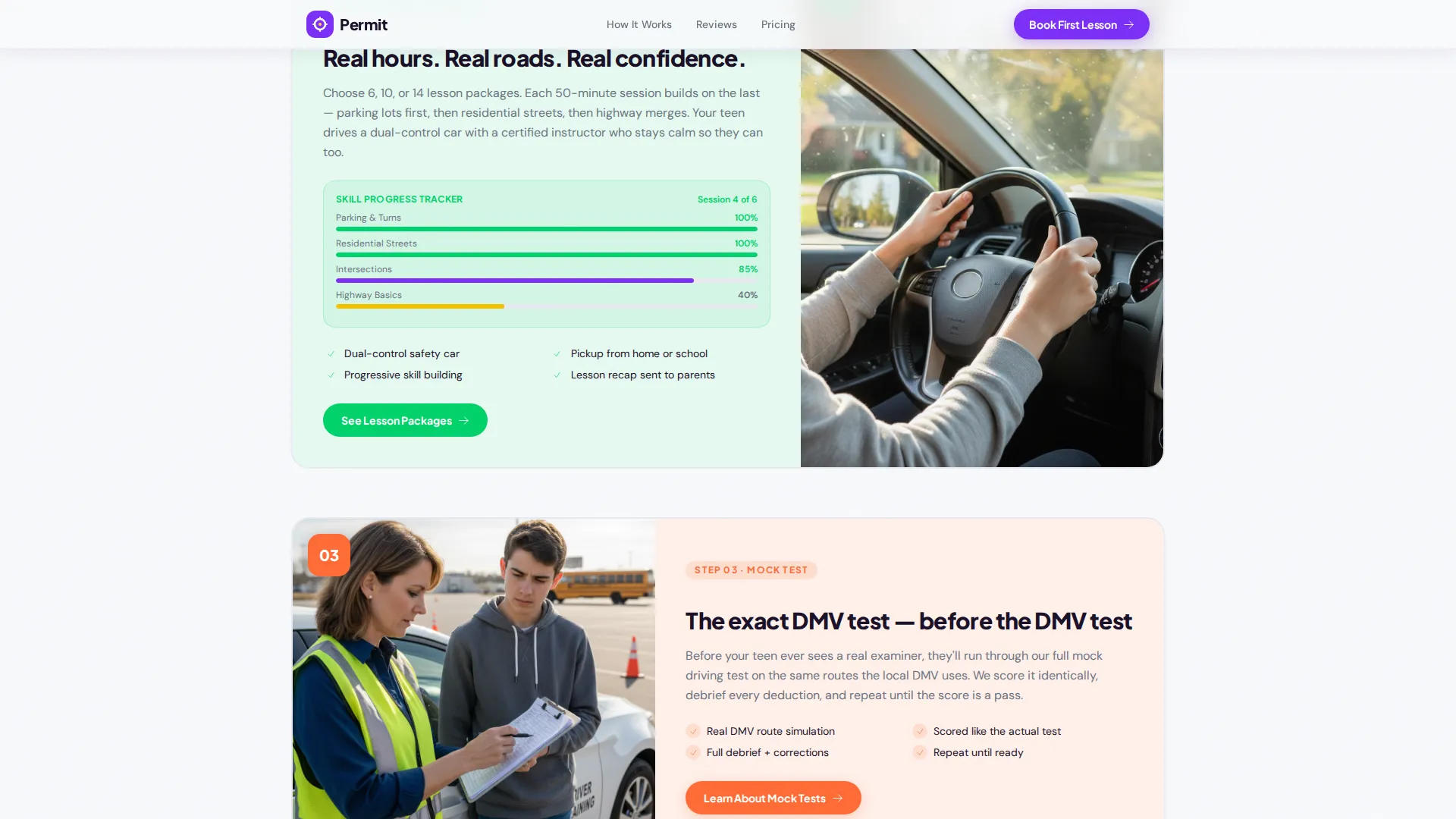
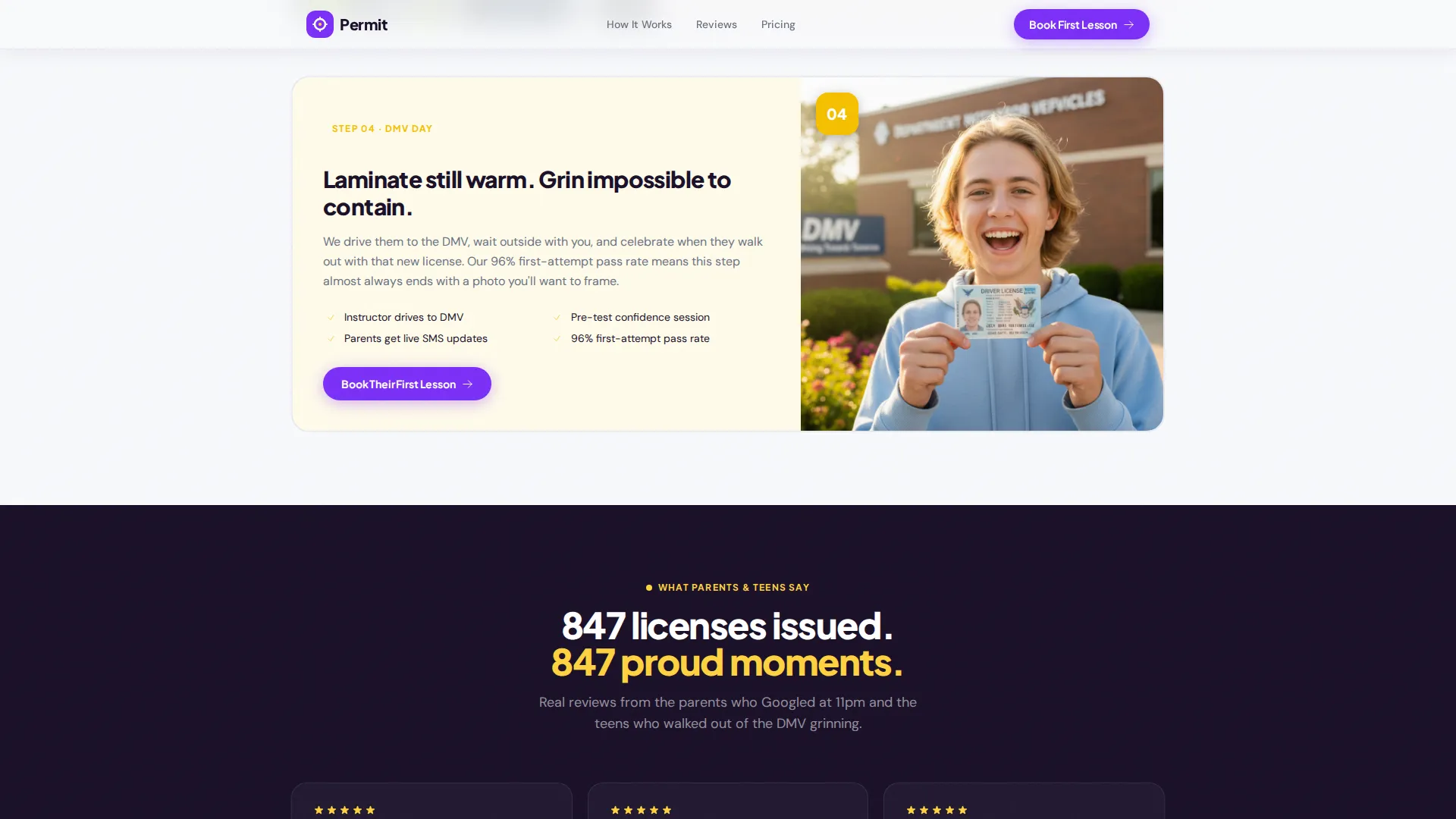
- A four-step scroll-reveal journey that animates through enrollment, behind-the-wheel hours, a mock driving test, and DMV preparation
- An inline booking scheduler form, a testimonials section, a permit prep checklist email capture, and a clean single-row footer
Feature list
This template is built around one goal: turning a midnight Google search into a confirmed first lesson. Every built-in feature supports that path.
Four-Step Scroll-Reveal Journey
Each step animates into view as the parent scrolls. A triangle completes itself into a yield sign, a circle forms into a steering wheel, and each shape transition marks progress through the program. The effect feels like assembling confidence piece by piece.
Inline Booking Scheduler
The primary call to action opens an inline scheduler directly on the page. Parents select available time slots by week, enter the teen's name and date of birth, choose permit status (have it, studying, or haven't started), and provide a preferred pickup location, without leaving the page.
Email Lead Capture for Research Mode
A secondary path offers a free permit prep checklist download in exchange for an email address. This captures parents who are not ready to book yet and keeps the school in contact as they move closer to a decision.
Social Proof Section
A testimonials section displays parent and teen review cards. A visible counter showing the number of teens licensed supports credibility at a glance and reinforces the school's track record.
Geometric Progress Tracker
A visual progress tracker accompanies the behind-the-wheel hours step. Parents can see exactly how the program is structured, which reduces anxiety about what the process looks like before committing.
Pinned and Repeated Call to Action
The "Book Their First Lesson" button appears after the hero and again at the conclusion of each journey step. This ensures the booking path is always within reach as a parent scrolls through the full page.
Page sections overview
| Section | Purpose |
|---|---|
| Hero with headline | Grabs attention with a full-bleed photo, bold violet headline, and primary booking button |
| Four-step journey | Walks parents through the full program with scroll-reveal geometric animations |
| Testimonials and social proof | Builds trust using parent and teen review cards and a licensed-teens counter |
| Inline booking scheduler | Converts ready parents with a week-view time slot form and teen intake fields |
| Permit prep checklist | Captures email from research-mode parents via a free downloadable resource |
| Single-row footer | Closes the page with a clean linear layout |
Design & branding system
The visual identity follows a Playful Geometric theme built on a Dopamine Pop color system. The palette is energetic and deliberate, with every color assigned a specific role across the page.
- Electric violet (#7B2FF7) anchors headlines, primary buttons, and key section headings; traffic-light green (#00D26A) marks completed steps and trust signals; sunroof yellow (#FFD23F) activates hover states and callout highlights
- Clean asphalt white (#F8F9FC) gives the layout breathing room between the high-energy color bursts
- Typography uses Plus Jakarta Sans for headlines and DM Sans for body copy, keeping the tone bold but readable across all screen sizes
Mobile & speed optimization
This template is built mobile-first because the target parent is often browsing on a phone late at night. Every layout decision prioritizes a smooth, fast experience on small screens.
- Scroll-reveal animations and staggered step transitions are designed to perform cleanly on mobile without interrupting the reading flow
- The inline scheduler and email capture form are touch-friendly and sized for thumb navigation
- Hero images use priority loading so the first visible section appears quickly and does not keep parents waiting
How this template helps you convert
Every section on this page has a job. The layout is not decorative; it is a deliberate sequence that moves a skeptical parent toward booking.
- The hero section delivers an immediate emotional hook with a real driving scenario, a bold headline, and a clearly visible booking button, so parents know what to do within seconds of landing.
- The four-step journey removes uncertainty by showing exactly what happens from signup to license, which is the single biggest barrier stopping parents from committing to an unfamiliar school.
- The dual conversion path (book now or get the checklist) means the page captures value from both ready buyers and early researchers, so no visitor leaves without a next step.
Other information about this template
This template is part of a broader collection of landing page templates built for local service businesses in the Kids and Family category. It is a strong fit for any teen driving program that wants a polished, professional web presence without a long development cycle.
- The Scroll Reveal (Progressive) template style means sections appear as the visitor scrolls, keeping attention focused on one idea at a time
- The Step-by-Step Guide creative direction is especially effective for service businesses where parents need to understand a process before they trust it
- The Playful Geometric theme and Dopamine Pop color system make this template visually distinct in a category where most school websites feel flat or outdated
- The Full-Bleed Photo header concept is designed to use authentic imagery, a laughing teen in the driver's seat with a relaxed instructor beside them, to create an immediate emotional connection with parents
- This template supports US English, USD pricing, and US date formats throughout the booking and scheduling components
Theme
Playful Geometric
Creative direction
Step-by-Step Guide
Color system
Dopamine Pop
Style
Scroll Reveal (Progressive)
Direction
Booking/Scheduling
Page Sections
Four-step Scroll-reveal Journey
Inline Booking Scheduler
Email Lead Capture Path
Social Proof and Testimonials
Pinned Repeat Call to Action
Geometric Progress Tracker
Related questions
Can I use this template without a teen driving school background?
Does the inline scheduler connect to a live calendar?
Can I edit the four program steps to match my own curriculum?
What happens when a parent submits the permit prep checklist form?
Is this template designed for mobile visitors?



