Driving Instructor Service Area Landing Page Template
Permit is a zigzag landing page template built for independent driving instructors. It combines a credential-forward header, illustrated local route maps, and a testimonial mosaic to earn trust before asking for anything. A gated test route guide and a sticky lesson availability button turn genuine local knowledge into steady, qualified enquiries.
by Rocket studio
Quick summary
Permit is a single-page template designed for a one-instructor driving school. It opens with a cluster of award badges, flows through alternating route-map and testimonial sections, and closes with a lead-generation form gating a free local test route PDF. The design is calm, credible, and built to convert nervous first-time learners and their families.
Who this template is for
This template is made for independent driving instructors who operate in one specific area and want their local expertise to do the selling. It works equally well for instructors onboarding teenagers, career-changers, and international licence holders switching to UK roads.
- Solo driving instructors with strong local knowledge of test routes
- Instructors targeting first-time learners, anxious adult beginners, or international drivers
- Professionals who want a polished, trust-first page without hiring a designer
What problem this template solves
Most driving instructor pages look identical. They list prices, show a stock photo, and ask for a booking. None of that explains why this particular instructor knows the local roundabouts better than anyone else. Permit fixes that gap by making geographic expertise and real student results visible before a visitor even scrolls.
- Generic pages fail to communicate local route knowledge or genuine pass-rate credibility
- Visitors with nerves or doubts leave before they reach the contact form
- Instructors lose leads because the page gives away nothing useful before asking for a commitment
What you get with this template
You get a complete, structured landing page that leads with credentials and earns the scroll section by section. Every layout decision is anchored in the brief: badges first, knowledge second, social proof third, then the ask.
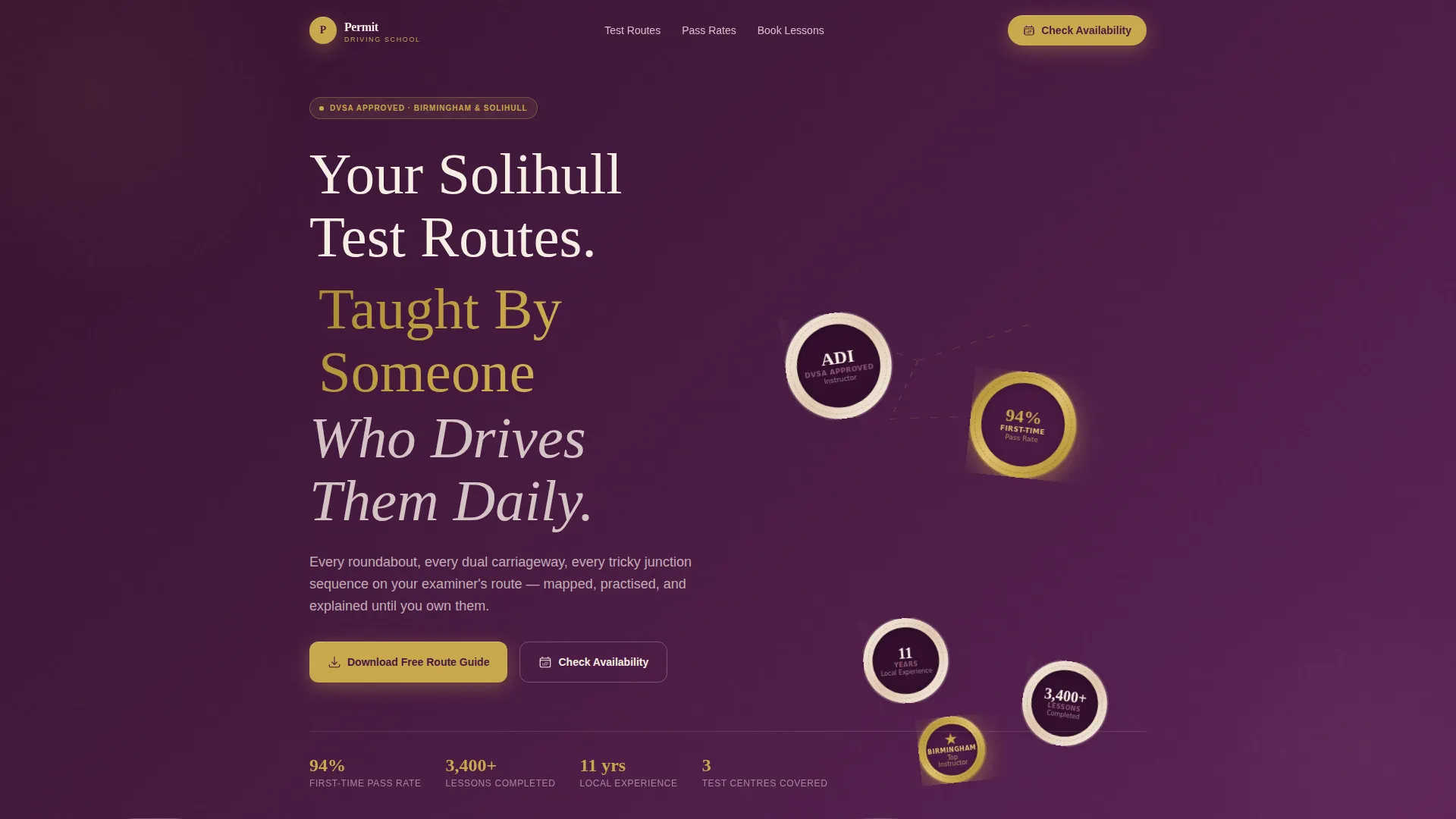
- An award badge header cluster with embossed textures, drop shadows, and a scroll-shift shine effect
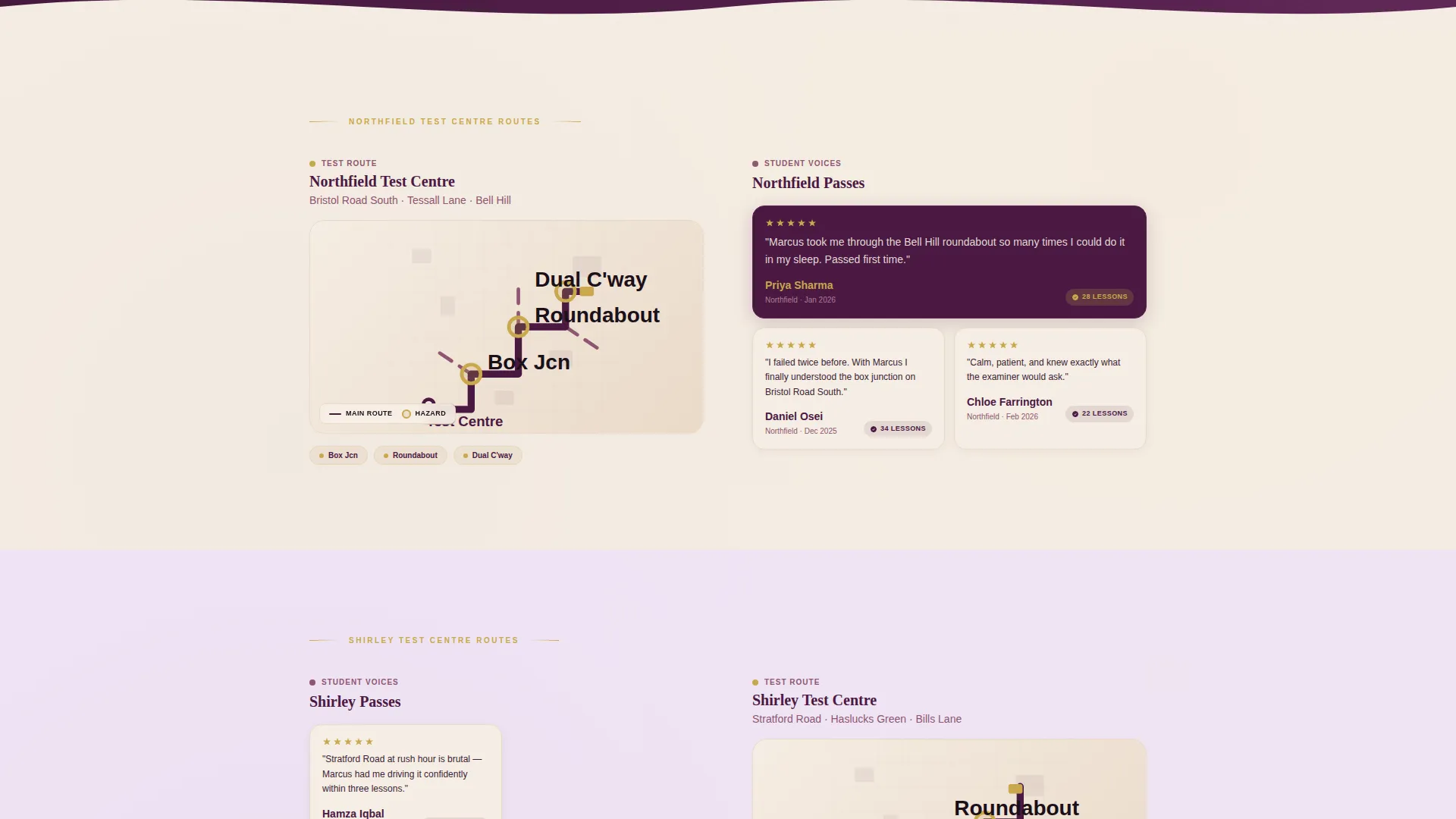
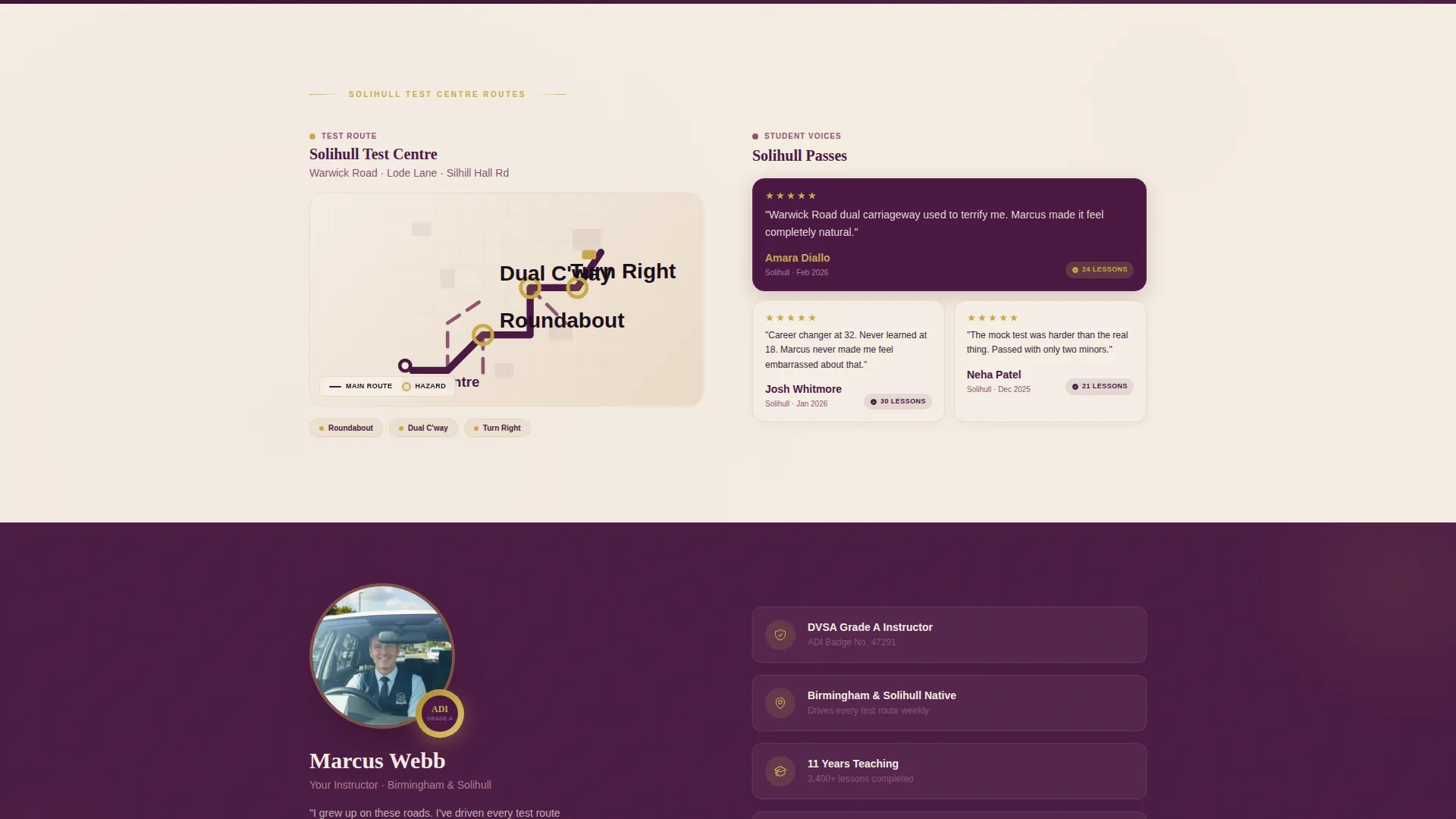
- Zigzag alternating sections pairing illustrated local route maps with student testimonial mosaics
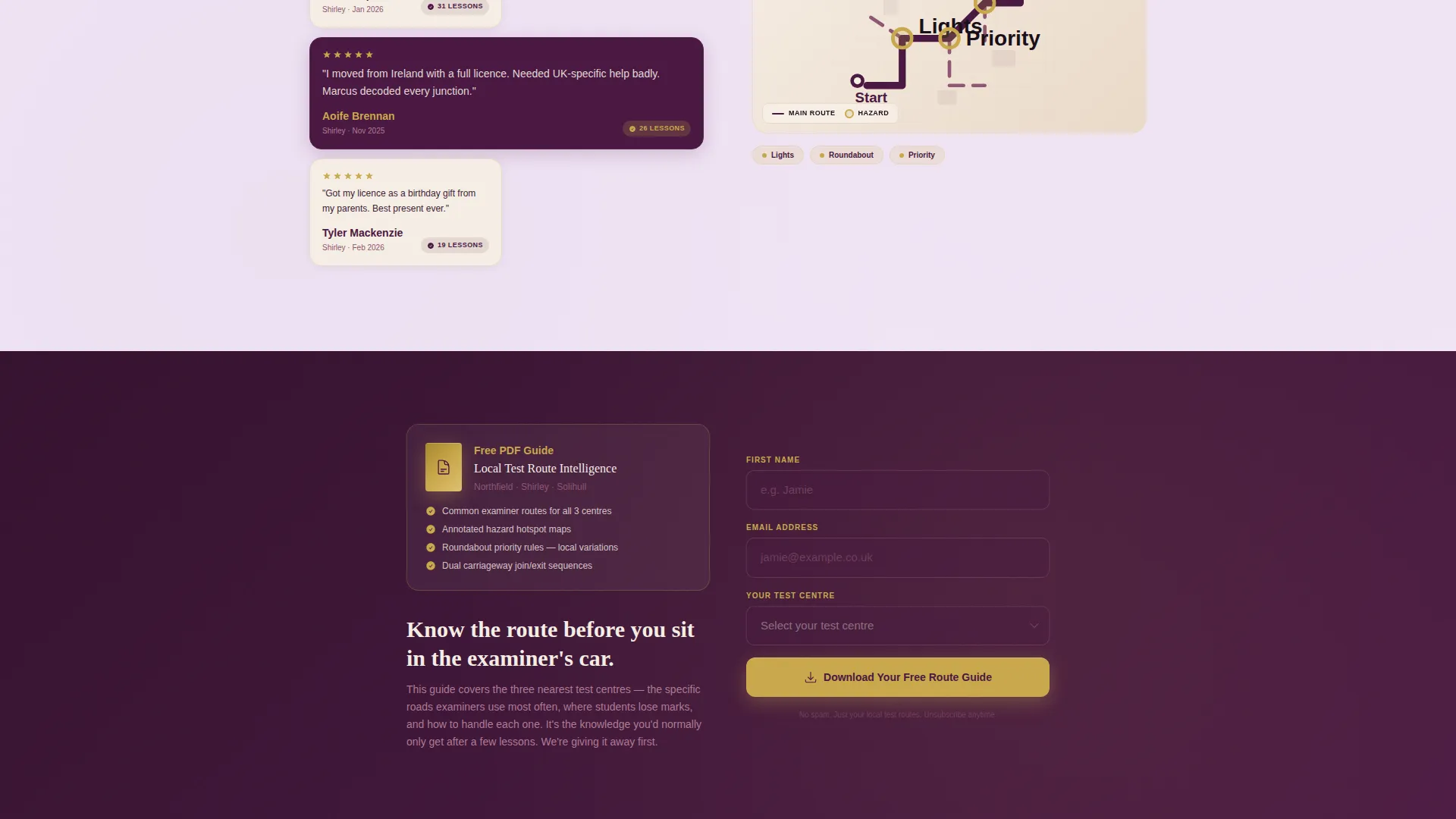
- A lead-capture form gating a free test route PDF, plus a sticky gold "Check Lesson Availability" button linking to a calendar widget
Feature list
A brief introduction to the core capabilities packed into this template follows below.
Award Badge Header Cluster
The header opens with an asymmetric constellation of credential badges rendered against a deep plum background. Each badge carries embossed texture detail, a subtle drop shadow, and a faint shine that shifts on scroll. Pass-rate percentages and local area accolades appear as gold-foil rosettes. No stock photography is needed because the badges themselves establish authority before a single line of copy.
Zigzag Route Map and Testimonial Sections
The page alternates between two panel types as the visitor scrolls. Left panels feature hand-illustrated local route maps with annotated hazards. Right panels hold a mosaic grid of short student quotes, first names, pass dates, and lesson counts. The rhythm moves from geographic proof to human proof and back again, building a layered case for local expertise.
Gated Test Route Guide Form
After the second zigzag section, a lead-capture form invites visitors to download a free PDF covering the three nearest test centres, common examiner routes, and hazard hotspots. The form asks for first name, email address, and the test centre the visitor is booked at. By this point in the scroll, the visitor has already seen useful local knowledge and the guide promises more.
Sticky Lesson Availability Button
A gold sticky button labelled "Check Lesson Availability" floats persistently as the visitor scrolls. It links to a simple calendar widget for booking enquiries. The button stays visible at every section so a ready visitor can act without scrolling back to the top.
Educational Guide Visual Theme
The template's layout and typographic hierarchy follow an Educational Guide theme. Section backgrounds, typography sizing, and spacing all signal a knowledgeable, structured resource rather than a promotional brochure. This tone of voice matches the calm, expert feeling described in the brief.
Page sections overview
| Section | Purpose |
|---|---|
| Award Badge Header | Opens with credential cluster to establish trust instantly |
| Headline Block | Single parchment-type headline anchoring local expertise claim |
| First Route Zigzag | Left route map, right testimonial mosaic for local area one |
| Second Route Zigzag | Left route map, right testimonial mosaic for local area two |
| Test Route Guide Form | Gated PDF lead capture after second zigzag |
| Third Route Zigzag | Continues geographic and social proof for local area three |
| Sticky call to action Button | Persistent availability button visible throughout scroll |
Design & branding system
The Plum Executive colour system gives this template the feel of an embossed professional certification. It is serious enough to signal safety and warm enough to calm first-lesson nerves. Typography and spacing reinforce an Educational Guide identity throughout.
- Deep plum (#4A1942) for section backgrounds and trust anchor areas, muted orchid (#8E5572) for subheadings and hover states, warm parchment (#F5EDE3) as the primary canvas colour
- Confident gold (#C9A84C) reserved for badge accents, pass-rate statistics, and all call-to-action buttons
- Embossed badge textures, subtle drop shadows, and a scroll-responsive shine effect on header credentials
Mobile & speed optimization
The zigzag layout is structured to adapt cleanly across screen sizes. Alternating panels stack vertically on smaller devices so illustrated maps and testimonial grids remain readable without horizontal scrolling.
- Zigzag sections reflow to a single-column stacked layout on mobile screens
- The sticky gold call to action button remains accessible at the bottom of the viewport on all device sizes
- Badge cluster and mosaic grids are designed to maintain visual clarity when scaled down
How this template helps you convert
The page is built as a content and resource destination rather than a direct sales page. It earns trust before it asks for anything, which reduces resistance at the lead-capture step.
- The badge header and pass-rate rosettes answer the first question every visitor has: "Can I trust this instructor?" before they read a single sentence.
- The alternating route-map and testimonial sections give away real local knowledge, so the visitor arrives at the PDF form already convinced the guide will be worth having.
- The sticky availability button captures ready buyers at any point in the scroll without forcing them to reach the bottom of the page first.
Other information about this template
This template is categorised under Professional Services, within the Driving Instructor Online Presence subcategory, specifically targeting the Driving Instructor Service Area and Location Page niche. It is designed as a content and resource landing page rather than a direct booking page, which suits instructors who want to build a warm audience before committing to a paid lesson sale.
- The template style is Zigzag and Alternating, with the creative direction labelled Testimonial Mosaic
- The header concept is Award Badges, and the colour system is Plum Executive with an Educational Guide theme
- The intersection match score for this template configuration is 13, indicating a strong alignment between template style, niche, and landing page direction
Theme
Educational Guide
Creative direction
Testimonial Mosaic
Color system
Plum Executive
Style
Zigzag/Alternating
Direction
Content/Resource
Page Sections
Award Badge Header Cluster
Zigzag Route Map and Testimonial Sections
Gated Test Route Guide Form
Sticky Lesson Availability Button
Educational Guide Visual Theme
Related questions
Who is this landing page template designed for?
What does the gated PDF lead magnet include?
Can I use this template without professional badge credentials?
How does the sticky button work alongside the lead form?
Does this template work for a specific town or test centre area?



