Self-Service Flower Gallery Landing Page Template
Bloom is a gallery and detail landing page built for self-service flower shops that operate around the clock. The design guides visitors from a live countdown timer on the hero straight through a bouquet gallery, a three-step reservation flow, and a final unlock call to action. Every section is styled to feel like opening a cooler door full of fresh flowers, not browsing a generic shop.
by Rocket studio
Quick summary
Bloom is a self-service flower shop landing page that puts real inventory front and center. Visitors see a live countdown to the next bouquet restock, browse a hover-reveal gallery, and tap a single button to reserve their arrangement and receive a cooler unlock code. The page is mobile-first, visually editorial, and built to convert impulse moments into completed orders.
Who this template is for
This landing page is ideal for florist businesses and independent flower shops that operate without a staffed counter. It suits operators who want to showcase fresh flowers 24 hours a day and let customers self-serve from a phone-unlocked cooler.
- Self-service florist operators and unattended retail shop owners
- Local flower shops launching a digital presence quickly
- Floral business owners who want a polished, editorial website without custom development
What problem this template solves
Most flower shop websites are built around appointment booking or next-day delivery. Bloom solves a different problem. It serves customers who need flowers right now, at 4 AM or on a lunch break, with no florist available to take an order. The page removes every friction point between the impulse and the purchase.
- No real-time inventory view means visitors cannot tell what is actually in the cooler
- Generic shop templates do not support a reserve-and-unlock flow for self-service retail
- Mobile visitors on the go need a fast, easy path from gallery to reservation without a long checkout
What you get with this template
You get a complete, single-page gallery and detail landing page designed for a 24/7 self-service flower shop. Every section is production-ready and styled to highlight your flowers as the hero of every screen.
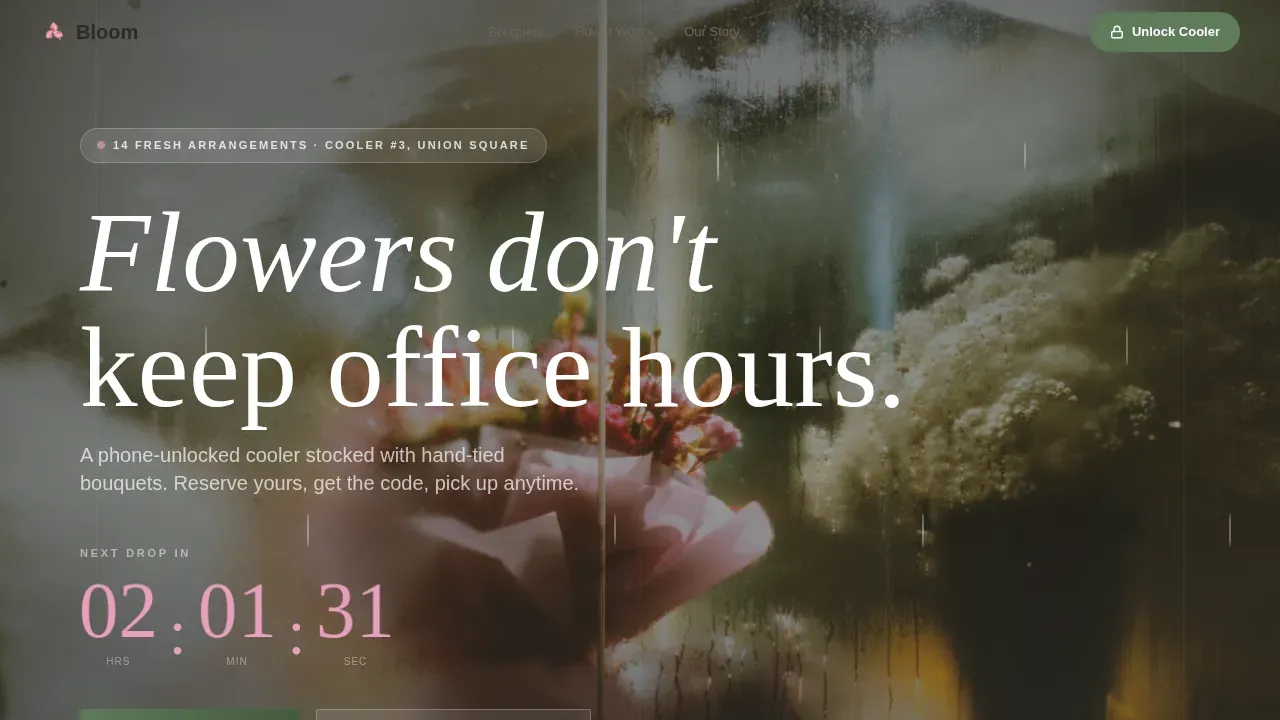
- A countdown timer hero section with a dolly-push cooler visual and petal-pink numerals
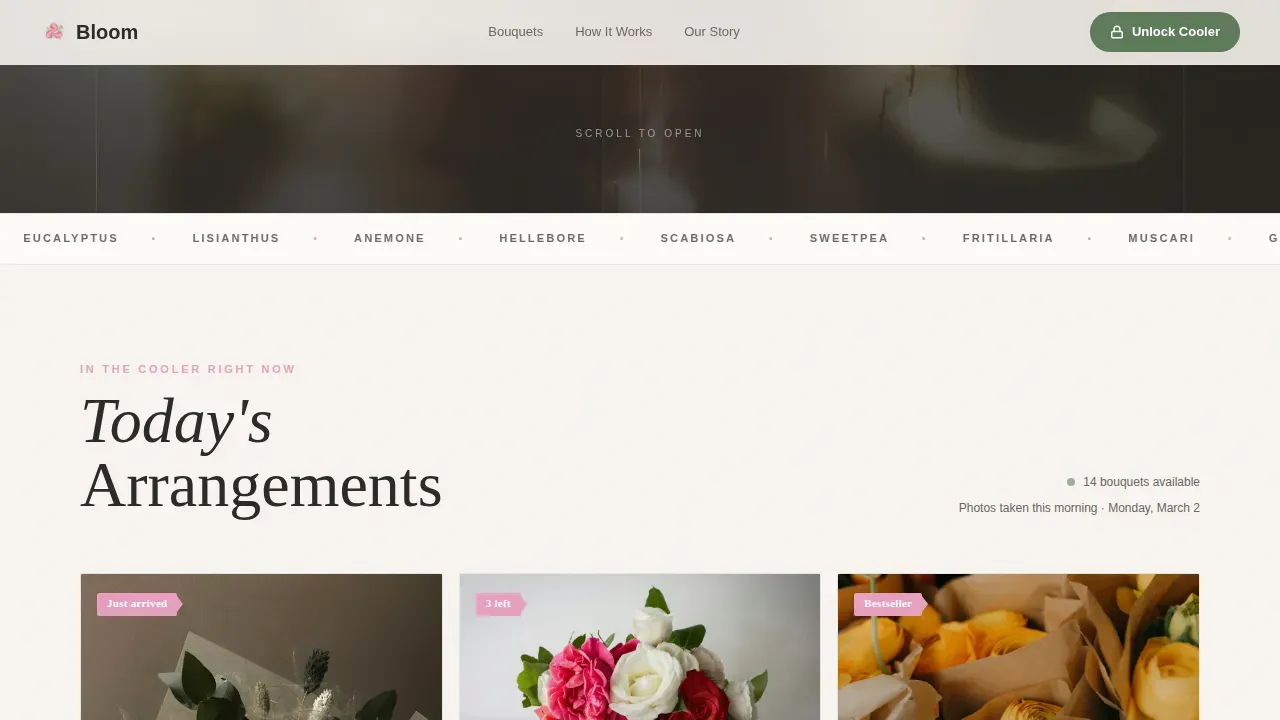
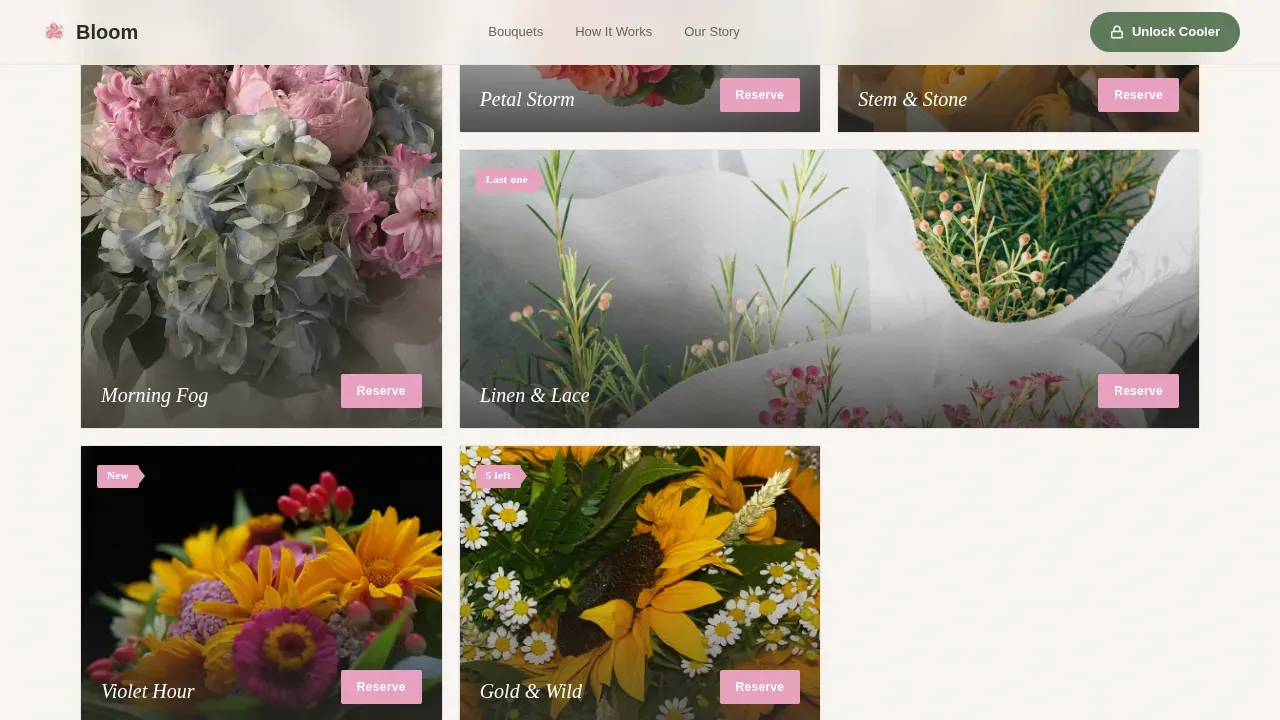
- A hover-reveal bouquet gallery grid where each card shows name, stem count, and price
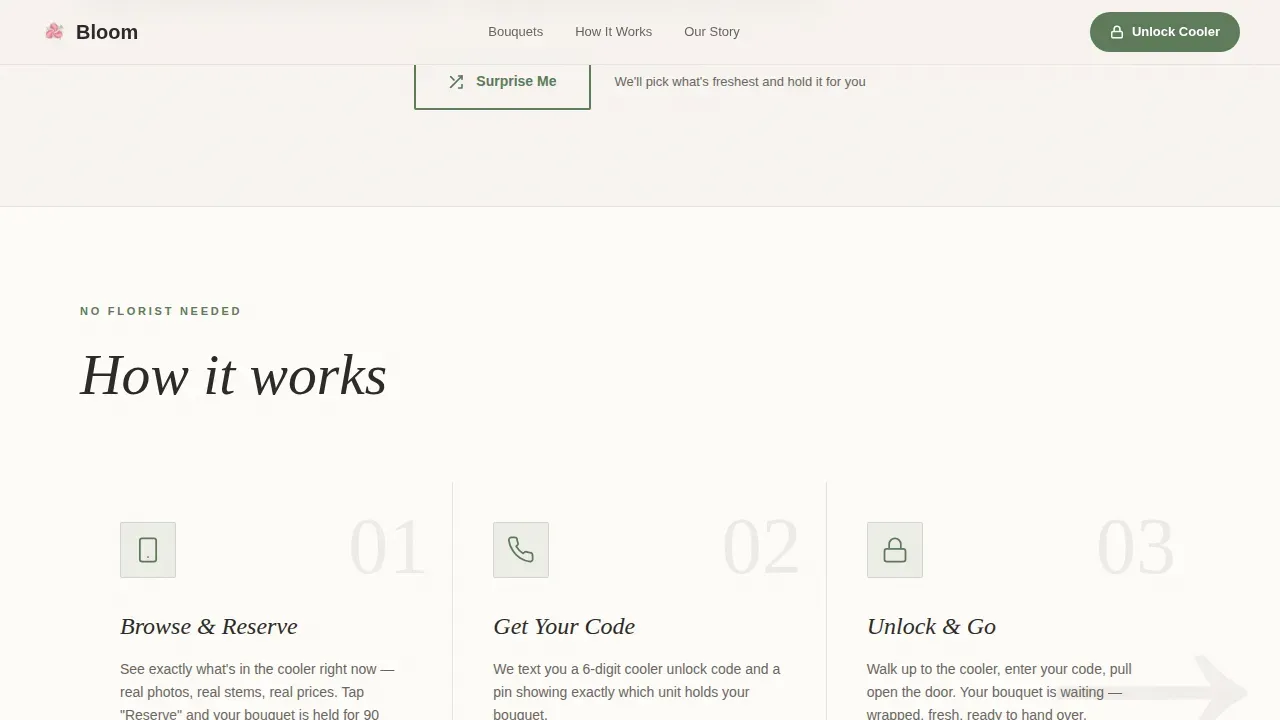
- A three-step "Browse, Reserve, Unlock" how-it-works section with an asymmetric layout
- An atmospheric grower story section with freshness timestamps and a time-lapse reference
- A primary "Unlock the Cooler" call-to-action form with a location selector, phone field, and gift-note textarea
- A "Surprise Me" secondary path that surfaces the freshest arrangement in stock
Feature list
This landing page packages a set of purpose-built features for flower shops that run on self-service logic. Each feature works together to build trust, drive reservations, and showcase your products beautifully.
Live Countdown Timer Hero
The hero opens with a live countdown clock ticking down to the next bouquet restock. Oversized petal-pink numerals overlay a slow dolly animation pushing toward the cooler door. The subhead confirms how many fresh arrangements are waiting, creating gentle urgency without aggressive sales pressure.
Hover-Reveal Bouquet Gallery
The gallery grid displays every bouquet as a card. Hovering lifts a handwritten-style tag revealing the arrangement name, stem count, and price. Each card carries a "Reserve This Bouquet" button that holds the arrangement for 90 minutes and sends an unlock code by text, making the shop easy to convert from any device.
Bouquet Detail View
Clicking any gallery card opens a full-width detail view. It shows a large product photo, a scent description, a freshness date, and a map pin indicating which cooler location currently carries that arrangement. This gives visitors the confidence to reserve without seeing the flowers in person.
Three-Step Reservation Flow
A dedicated how-it-works section uses three visual steps: browse the gallery, reserve your bouquet, then unlock the cooler with your phone. The asymmetric layout keeps the flow readable on mobile screens and removes any ambiguity about how self-service checkout works.
"Unlock the Cooler" Call-to-Action Form
The primary call-to-action section includes a location selector, a phone number field for the unlock code, and an optional gift-note textarea. A secondary "Surprise Me" button offers a curated random pick based on current freshness, giving indecisive visitors a quick path to checkout.
Grower Story and Social Proof Section
A full-bleed atmospheric section tells the story behind the flowers. It features morning-harvest timestamps, grower attribution, and a time-lapse reference showing arrangements being built at dawn. Integrated social proof through customer reviews and testimonials adds credibility and helps build trust with first-time visitors.
Page sections overview
| Section | Purpose |
|---|---|
| Countdown Timer Hero | Builds urgency around next restock |
| Bouquet Gallery Grid | Displays live inventory with hover reveals |
| Bouquet Detail View | Shows scent, freshness, and cooler location |
| How It Works | Explains three-step self-service process |
| Grower Story | Delivers freshness proof and brand story |
| Unlock the Cooler call to action | Captures reservation with form and unlock |
| Footer | Horizontal flow with shop links and contact |
Design & branding system
Bloom uses a Cloud Canvas color palette that feels like unbleached paper wrapped around a wet bouquet. The style is organic editorial, warm enough to feel handmade yet neutral enough to let every flower photograph carry the visual weight. Typography pairs DM Sans for body text with Fraunces as a display serif for bouquet names, giving the page a market-stall elegance.
- Linen white (#F7F4F0) background, morning-fog gray (#D6D1CA) for surfaces, stem green (#5E7A5A) for primary elements, and petal pink (#E8A0BF) reserved for price tags, buttons, and countdown numerals
- Fraunces display serif for bouquet names and section headings; DM Sans for all body content, labels, and form fields
- Scroll-reveal animations, hover bloom effects, and a beam-drop entrance style bring the unboxing experience to life as visitors move down the page
Mobile & speed optimization
Bloom is built mobile-first because the primary use case is a customer with a phone in hand, standing near a cooler at an unexpected hour. The landing page layout prioritizes thumb-friendly tap targets, a readable gallery grid at small screen sizes, and a reservation form that works without a keyboard struggle.
- Responsive design ensures every section adapts cleanly across smartphones, tablets, and desktops
- Images are lazy-loaded so the gallery does not slow down initial page load on a mobile device
- CSS animations are structured to run on the GPU, keeping scroll and hover effects smooth on any device
How this template helps you convert
Bloom is designed to turn a passing glance into a confirmed reservation. The page earns clicks by showing exactly what is available right now, so the decision feels less like a purchase and more like calling dibs on something beautiful.
- The countdown timer creates a soft time-based incentive that nudges visitors to act before the next restock, without resorting to aggressive flash-sale tactics.
- The hover-reveal gallery and one-tap reserve button compress the path from discovery to commitment, letting visitors go from browsing to a confirmed hold in under a minute.
- The "Surprise Me" secondary call to action catches undecided visitors and converts them through a curated recommendation instead of letting them leave empty-handed.
Other information about this template
This template is a strong fit for any florist or flower shop owner who wants to build an online presence quickly without writing code. The Bloom self-service flower shop gallery landing page template is specifically engineered for local flower shops and florist businesses that want real-time inventory visibility and a self-service checkout experience. The online flower market represents a 16-billion-dollar business in the United States alone, and flower shops that connect with customers through a clean, user-friendly interface are better positioned to capture impulse purchases.
The template supports customizable branding options so you can adjust colors, fonts, and layouts to match your shop identity and preferences. Built-in order forms gather delivery preferences without requiring a separate tool. SEO-friendly header structures help improve visibility in local search results, making it easier for potential customers to find your shop. The page also has room for content such as care instructions and a blog section to attract returning visitors and support ongoing marketing for your floral business.
Social proof elements including customer reviews, testimonials, and social media integration help connect with your community and build credibility. Florists and floral professionals who want to scale beyond walk-in traffic will find the 24/7 self-service model a practical way to grow revenue month over month. The template is powered by a no-code-friendly structure, so you can start running your shop page without technical expertise. Payments, location management, and product highlights are all represented in the page design, ready for you to populate with your real shop details.
- The design package includes the full single-page layout with all seven sections production-ready
- Templates like this one save weeks of custom design work and let professionals focus on running their shop
- Built-in local SEO header structure helps your site gain visibility in neighborhood search results
Theme
Directory & Discovery
Creative direction
Unboxing Experience
Color system
Cloud Canvas
Style
Gallery + Detail
Direction
Marketplace/Multi
Page Sections
Live Countdown Timer Hero
Hover-reveal Bouquet Gallery
Bouquet Detail View
Three-step Reservation Flow
Unlock the Cooler Call-to-action Form
Grower Story and Social Proof Section
Related questions
Does Bloom support a self-service reservation without a florist present?
Can I show real-time bouquet inventory on this landing page?
Is this landing page suitable for mobile users?
How much design experience do I need to use this template?
Can I add a blog or care instructions section to this template?



