Petals — Flower Arrangements Landing Page Template
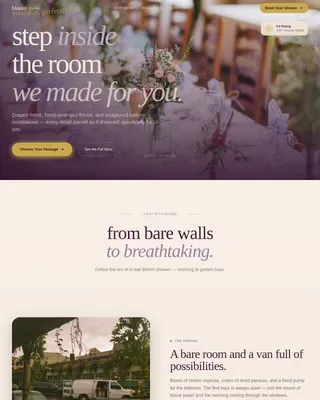
Bloom is a masonry-style landing page built for rooftop wedding florists. It opens with a full-viewport lifestyle shot at golden hour and guides visitors through an atmosphere-led scroll experience. A gilded call-to-action button, a layered inquiry modal, and a downloadable lookbook gate work together to turn dreamers into real leads.
by Rocket studio
Quick summary
Bloom is a single-page florist landing page designed for rooftop wedding specialists. The soft gradient palette, mood-driven masonry gallery, and two-path lead capture system make it easy for brides, wedding planners, and venue managers to imagine their event and take the next step. Every section is built to evoke emotion first, then collect information.
Who this template is for
This template was built for florists who create elevated, high-design wedding installations in open-air or rooftop settings. It speaks directly to the clients those florists attract and presents their work in the most atmospheric way possible.
- Rooftop wedding florists showcasing seasonal, large-scale floral installations
- Wedding planners sourcing a visual-first vendor for skyline venue events
- Venue managers who need stunning imagery to fill their bookings calendar
What problem this template solves
Most florist websites present their work like a product catalogue. That approach works for a flower shop, but it falls flat for a florist whose entire value is transforming a raw concrete terrace into a perfumed, petal-covered sanctuary. Brides and planners need to feel what is possible before they commit.
- Generic portfolio layouts fail to communicate atmosphere, scale, or emotional mood
- Standard contact forms feel transactional and lose couples who are still in the dreaming phase
- No clear secondary path exists for visitors who want inspiration but are not yet ready to book
What you get with this template
Bloom delivers a complete, ready-to-personalise landing page structure. Every element from the full-viewport hero to the fixed bottom call-to-action bar is purpose-built for the rooftop wedding florist niche.
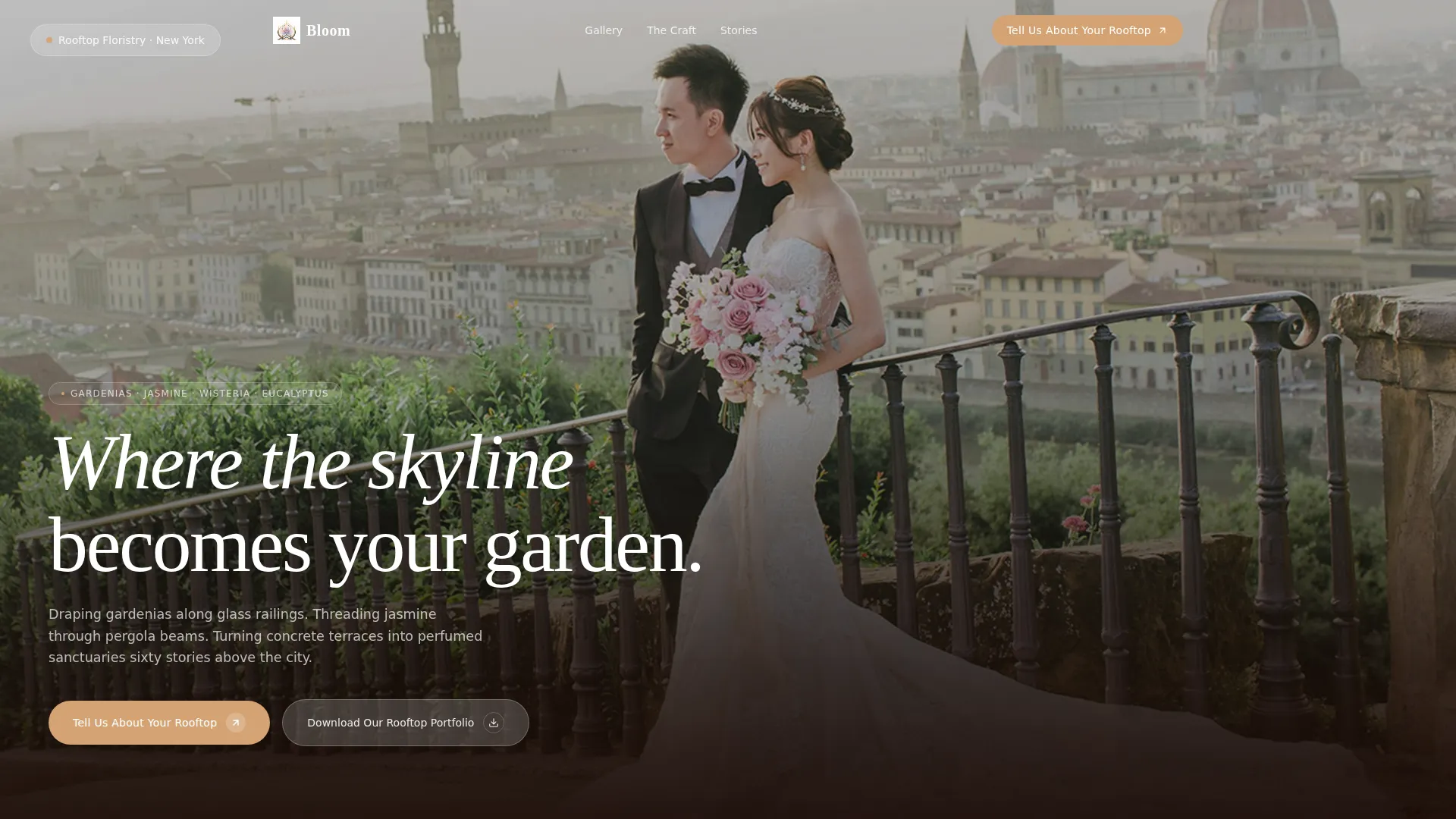
- A full-viewport lifestyle hero with serif headline and primary call-to-action button
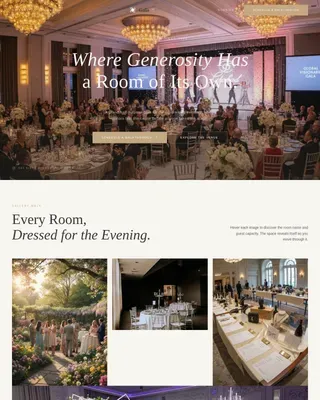
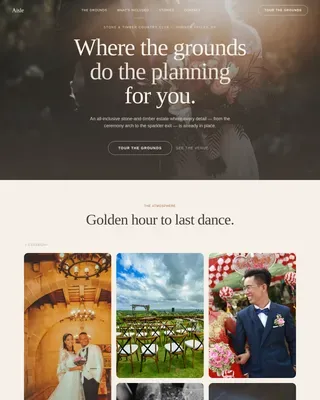
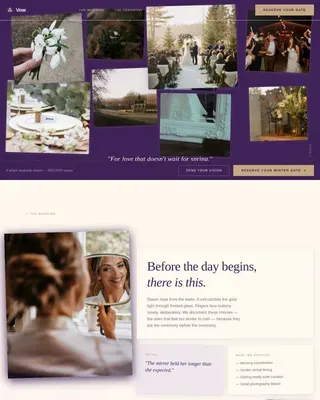
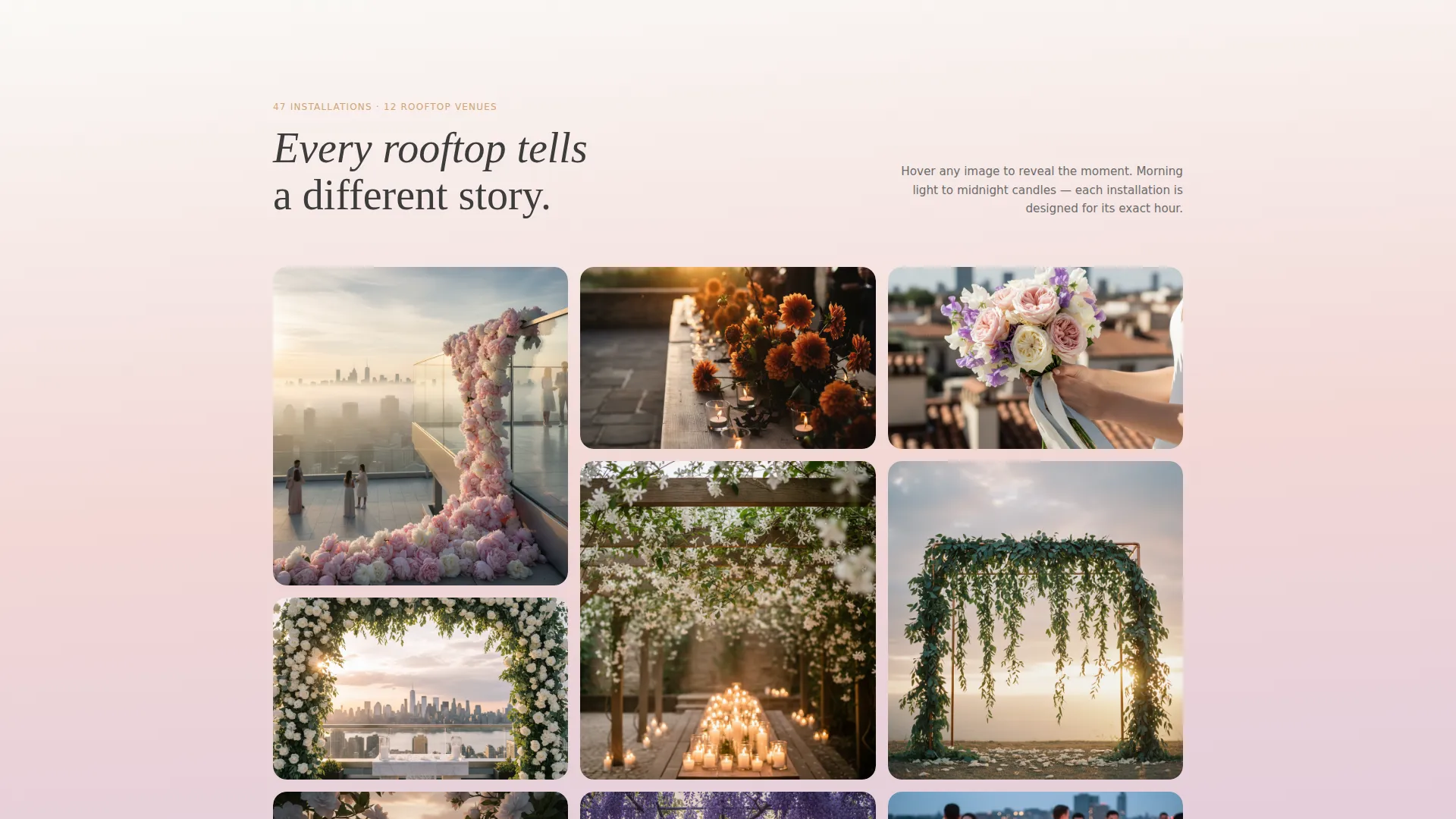
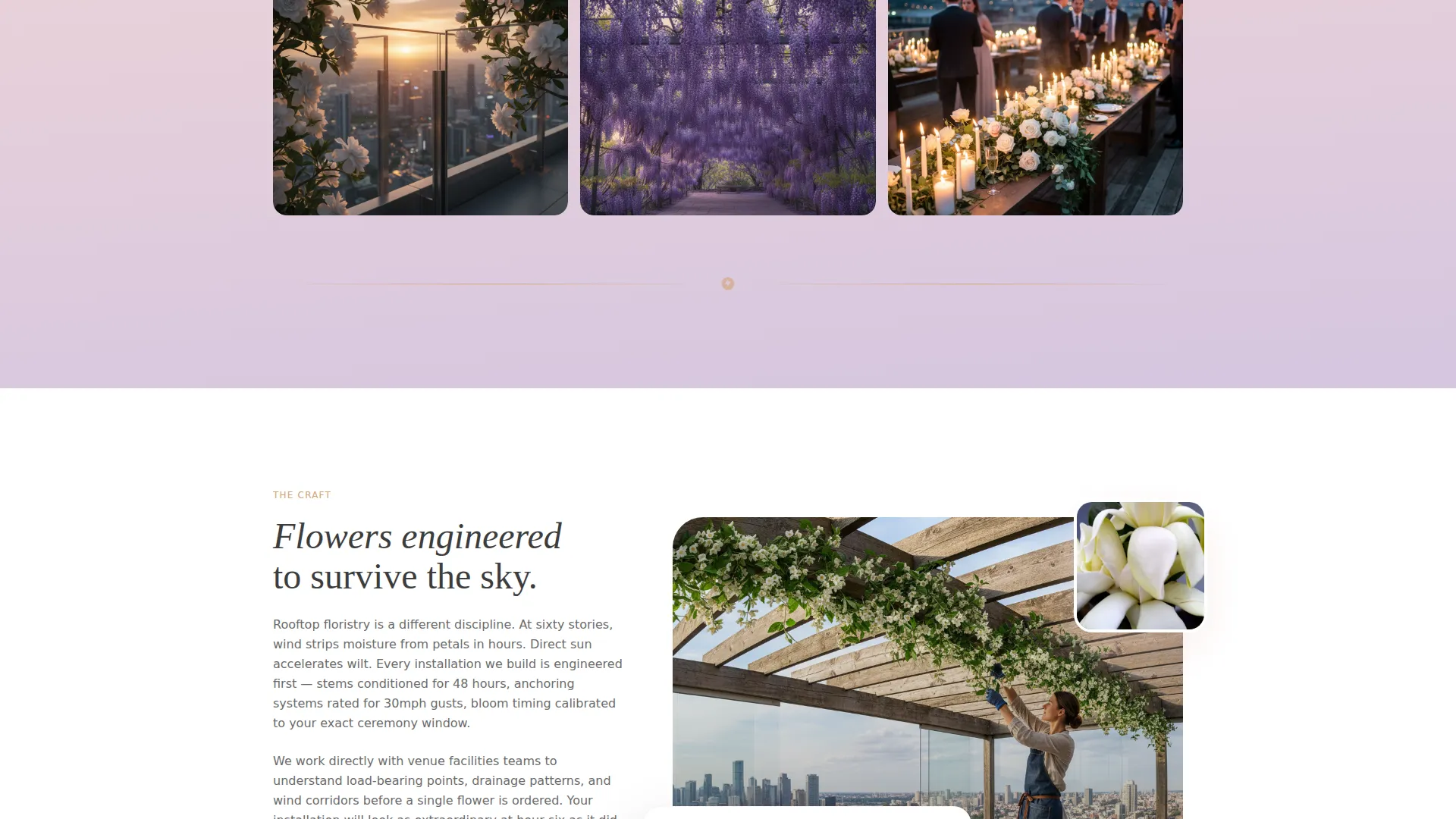
- A mood-driven masonry gallery that shifts visually from airy morning light to deep candlelit romance
- A layered inquiry modal and a gated lookbook download for two distinct lead paths
Feature list
This template is built around atmosphere and conversion working together. Each feature below is drawn directly from the page structure and interaction design described in the brief.
Full-Viewport Lifestyle Hero
The header fills the entire screen with a couple standing on a rooftop at dusk, framed from behind through a cascading arch of white roses and eucalyptus. The headline "Where the skyline becomes your garden." sits low on screen in thin serif type, and the primary call-to-action button appears directly beneath it in gilded sunset gold.
Atmosphere-Led Masonry Gallery
The gallery section uses a masonry layout where each tile shows a different rooftop, season, and light condition. Tiles display no captions until hovered, keeping the visual mood uninterrupted. The scroll experience moves gradually from pale, airy morning ceremonies to deep, candlelit evening receptions.
Layered Inquiry Modal
The primary call-to-action opens a modal form that asks for venue name, wedding date, estimated guest count, and a free-text field labeled "Describe the feeling you want your guests to walk into." This format encourages quality enquiries rather than quick, low-intent messages.
Gated Lookbook Download
A secondary conversion path offers a downloadable rooftop portfolio. Visitors enter their email address to receive it. This captures couples who are early in their planning and not yet ready to make direct contact, keeping them connected to the brand.
Fixed Bottom Call-to-Action Bar
After the third scroll fold, a persistent bar appears at the bottom of the screen repeating the primary call-to-action. This keeps the booking prompt visible without interrupting the gallery experience, and it removes the need for visitors to scroll back up to act.
Cloud Canvas Color System
The palette uses blush mist, twilight lavender, sky wash white, and gilded sunset gold. Backgrounds shift in gentle vertical gradients. Charcoal text sits quietly behind the florals, and gold appears only on buttons, hover states, and accent typography.
Page sections overview
| Section | Purpose |
|---|---|
| Full-Viewport Hero | Establishes rooftop atmosphere and places the primary call-to-action |
| Masonry Gallery | Showcases seasonal installations across light conditions and moods |
| Inquiry Modal | Collects qualified booking enquiries through a structured layered form |
| Lookbook Download Gate | Captures early-stage leads via email behind a portfolio download |
| Fixed Bottom Bar | Keeps the primary call-to-action visible throughout the scroll journey |
Design & branding system
The visual identity follows a Soft Gradient theme built on the Cloud Canvas color system. The overall feel is deliberately watercolor-like, with one tone dissolving into the next rather than cutting sharply between sections.
- Colors: blush mist (#F2D7D5), twilight lavender (#D5C6E0), sky wash white (#FAF9F6), and gilded sunset (#D4A373) for interactive elements and accents
- Typography: thin serif headlines for emotional weight, muted charcoal (#3D3D3D) body text that never competes with the floral imagery
- Backgrounds shift in gentle vertical gradients from blush to lavender, and gold is used sparingly, appearing only where attention is needed
Mobile & speed optimization
The masonry layout and gradient backgrounds are designed to feel as immersive on a phone screen as they do on a wide desktop monitor. Couples often browse wedding vendors on mobile, so this template prioritises that experience from the start.
- Masonry tiles reflow cleanly for smaller screens, keeping the mood-based scroll intact
- The fixed bottom call-to-action bar is especially effective on mobile, staying visible as the visitor scrolls through the gallery
How this template helps you convert
Bloom is built around two distinct conversion paths rather than a single contact form. This approach captures both ready-to-book clients and couples who are still in the inspiration phase.
- The primary path moves visitors directly into the inquiry modal, collecting qualified lead details including venue, date, guest count, and a personal description of their vision, giving the florist rich context before the first conversation.
- The secondary path offers a downloadable lookbook gated behind an email field, turning passive dreamers into an audience the florist can nurture over time.
Other information about this template
Bloom sits at the intersection of the Wedding and Events category and the rooftop wedding florist niche. It was designed specifically for vendors whose work depends on communicating atmosphere rather than price or volume.
- Template style: Masonry layout with a Pinterest-style visual flow
- Creative direction: Atmosphere and Mood, where scrolling shifts feeling rather than just revealing information
- Header concept: Lifestyle Shot, placing the viewer inside the scene rather than observing from outside
- Lead generation direction: two-path capture covering both committed enquirers and early-stage dreamers
- Best suited to florists who serve brides booking skyline venues, wedding planners coordinating wind-and-sun-resistant installations, and venue managers building a photogenic terrace portfolio
Theme
Soft Gradient
Creative direction
Atmosphere & Mood
Color system
Cloud Canvas
Style
Masonry/Pinterest
Direction
Lead Generation
Page Sections
Full-viewport Lifestyle Hero
Atmosphere-led Masonry Gallery
Layered Inquiry Modal
Gated Lookbook Download
Fixed Bottom Call-to-action Bar
Cloud Canvas Color System
Related questions
Can I customise the inquiry modal fields?
Does the lookbook download gate work as a standalone lead capture tool?
Is the masonry gallery easy to update with new work?
Who is this landing page best suited for?
What are the two lead capture paths in this template?