Specialty Beauty Treatments Specialist Blog Website Template
Pigment is a gallery-and-detail landing page built for lip blush tattoo training academies. It pairs editorial close-up photography, a healed-results gallery, and a pigment-plus-curriculum section to build desire before logic. The page drives licensed estheticians and microblading artists toward a dedicated enrollment page through two purposeful call-to-action paths.
by Rocket studio
Quick summary
Pigment is a single-page template designed for a lip blush tattoo training atelier. It opens with a full-viewport editorial portrait and guides visitors through healed results, a process video, a pigment mixing and curriculum section, and testimonials with pricing. Every section is built to make the craft feel tangible before a visitor reads a single module title.
Who this template is for
This template is made for beauty professionals who are ready to teach or promote advanced lip blush tattoo training. It speaks directly to the educator's audience, not a general salon clientele.
- Licensed estheticians looking to add a high-value, specialized service to their offering
- Microblading artists ready to expand their permanent makeup canvas to include lip work
- Beauty entrepreneurs building destination training studios in growing markets
What problem this template solves
Most beauty education pages lead with a curriculum grid and a long registration form. That approach asks visitors to commit before they feel anything. This template solves that by building sensory desire first and logic second.
- Visitors feel the craft through close-up imagery and video before they encounter pricing or module titles
- The click-through structure removes form friction entirely, letting a separate enrollment page handle sign-ups
- The fixed bottom call-to-action bar keeps the primary action visible without interrupting the scroll
What you get with this template
You get a fully designed, section-led landing page built around an atelier editorial aesthetic. The layout is intentional and sequential, moving visitors from craving to curiosity to click.
- A hero section, healed-results gallery, process video block, pigment and curriculum section, testimonials, and a minimal footer
- Two distinct call-to-action paths: a primary enrollment prompt and a secondary lightbox video trigger
- GSAP ScrollTrigger animations, scroll-linked reveals, image crossfades, and a fixed bottom call-to-action bar
Feature list
This section covers the key built-in capabilities that make Pigment ready to use out of the box.
Editorial Hero Portrait
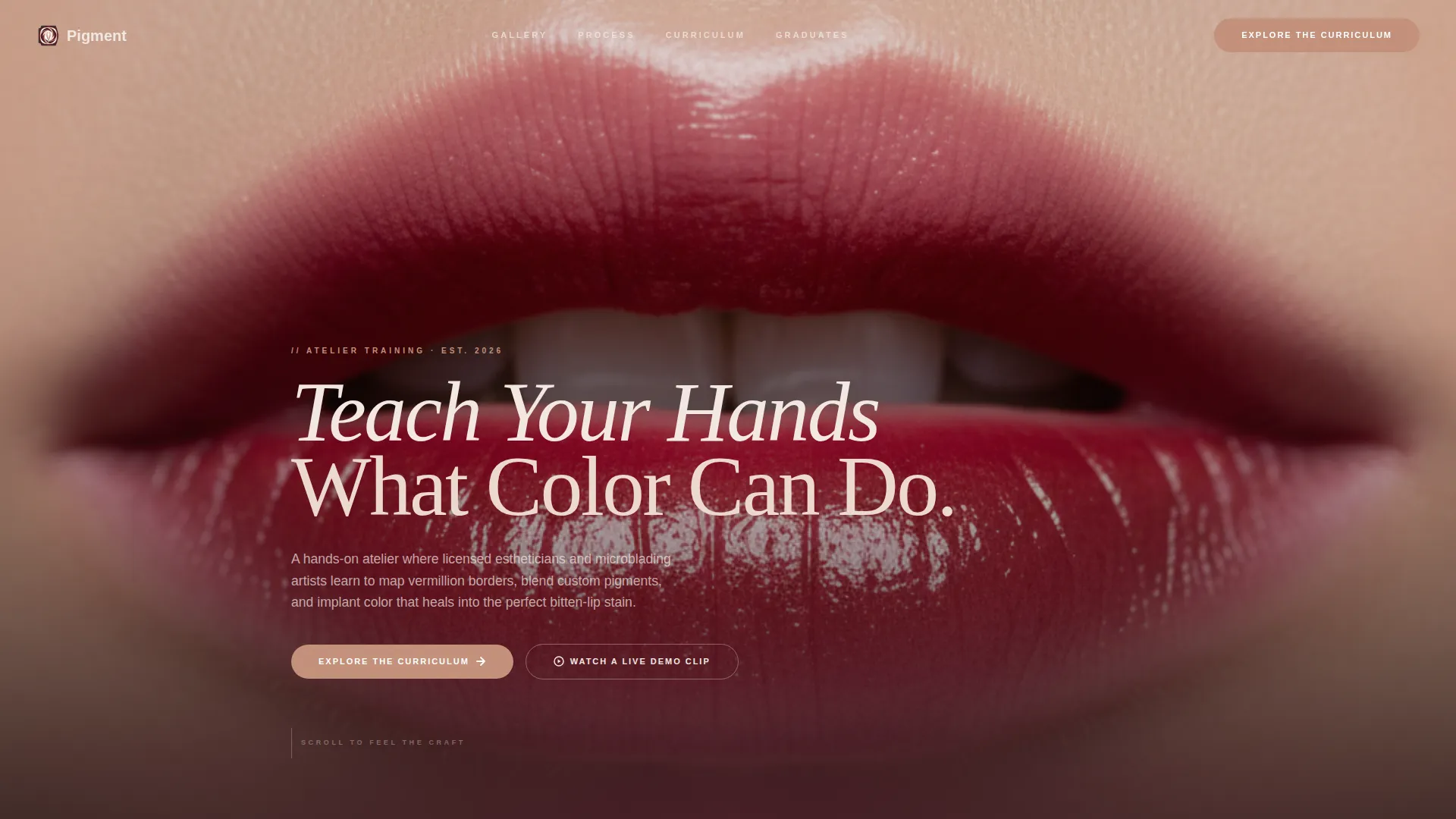
The header fills the full viewport with a vertical close-up portrait. Cream serif type sits low in the frame. A rosé-gold call-to-action link appears directly beneath, giving visitors an immediate path forward before they scroll.
Healed Results Gallery
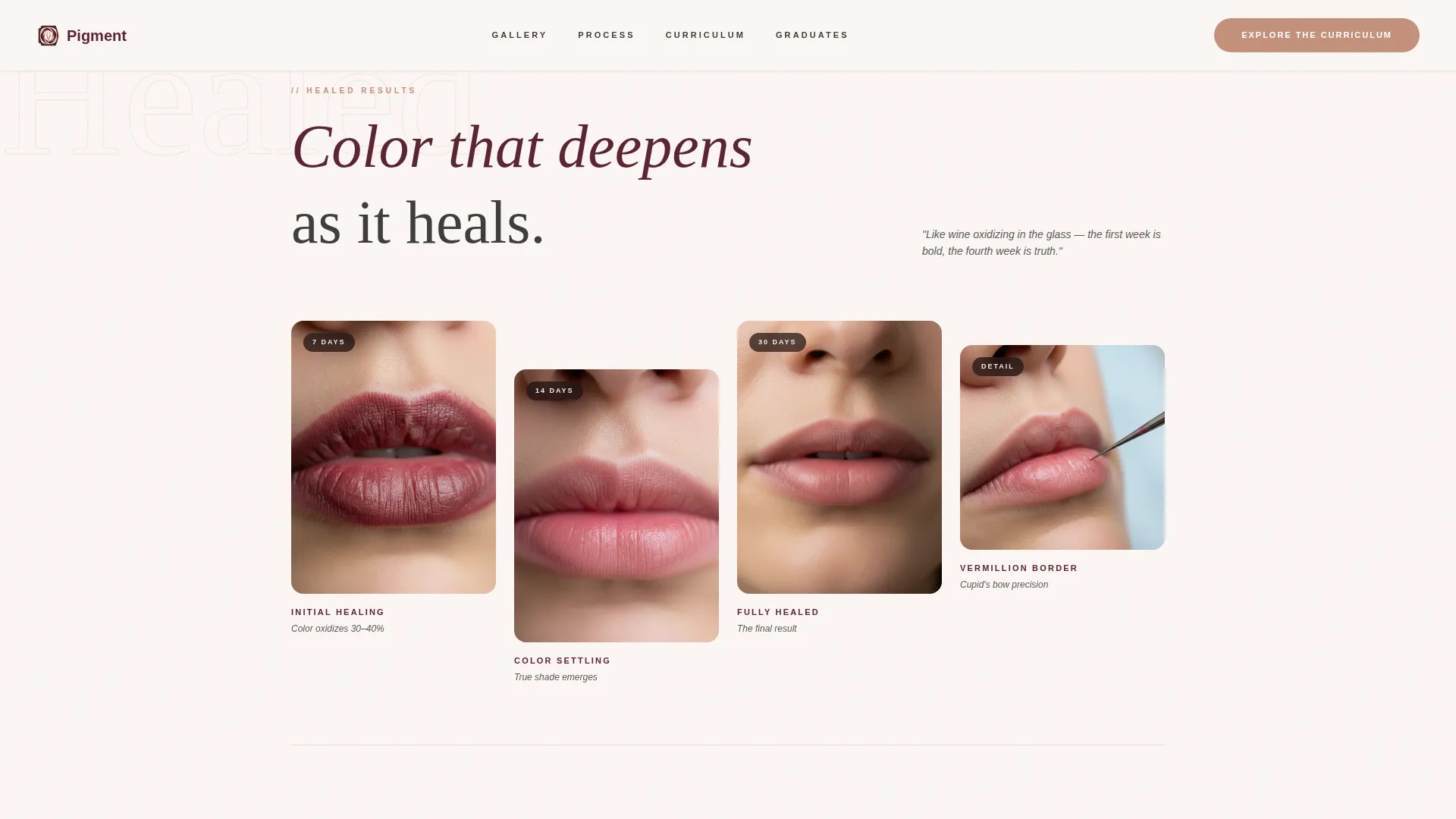
A staggered grid displays before-and-after lip blush results at seven, fourteen, and thirty days of healing. The gallery uses lazy-loaded images and crossfade reveals triggered by scroll position, letting color shifts read like wine oxidizing in a slow glass.
Process Video with Lightbox
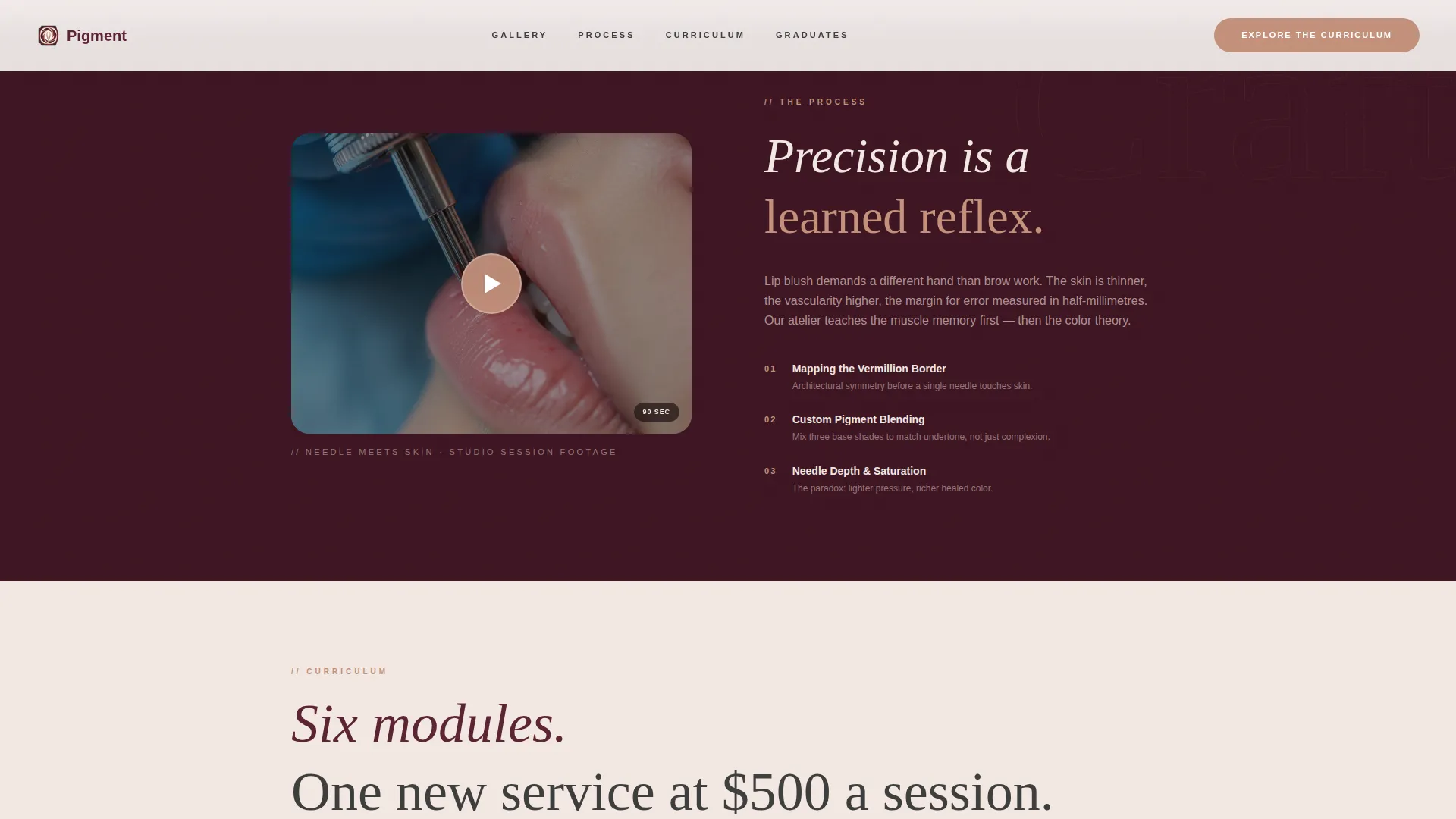
A slow-motion needle-and-skin video loop plays inline as a visual texture. A secondary call-to-action, "Watch a Live Demo Clip," opens a ninety-second lightbox video. The lightbox closes with the same enrollment button, keeping the conversion path consistent.
Pigment Mixing and Curriculum Section
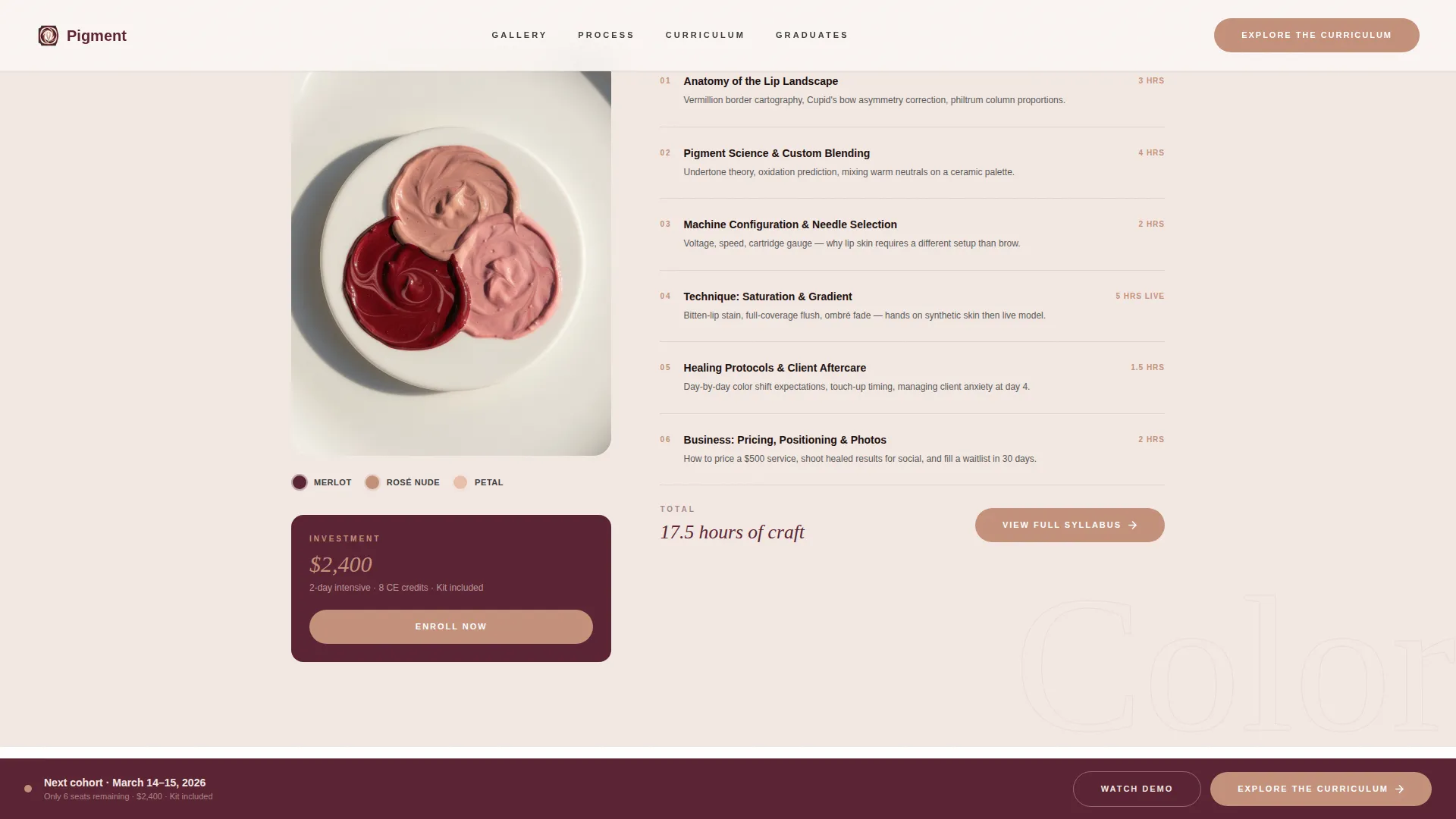
A ceramic palette detail image sits beside an asymmetric module breakdown. The layout shows three custom pigment shades and maps them to the curriculum, making the connection between color craft and classroom learning immediate and visual.
Testimonials and Pricing Block
Social proof appears alongside graduate outcome metrics and a pricing display. The section is designed to handle specific, outcome-driven testimonials that reinforce the value of a five-hundred-dollar-per-session service.
Fixed Bottom Call-to-Action Bar
After the third scroll section, a persistent bottom bar carries the primary call to action. It stays in view without covering content, giving visitors a clear next step at any point in the page without requiring them to scroll back to the top.
Page sections overview
| Section | Purpose |
|---|---|
| Hero Portrait | Opens with editorial impact and primary call to action |
| Healed Results Gallery | Shows color healing progression at 7, 14, and 30 days |
| Process Video Block | Demonstrates needle technique with inline loop and lightbox trigger |
| Pigment and Curriculum | Connects custom shade mixing to structured module breakdown |
| Testimonials and Pricing | Builds trust with graduate outcomes and session value |
| Minimal Footer | Closes cleanly with a horizontal, low-profile footer pattern |
Design & branding system
The visual identity follows an Atelier Studio theme built around a Merlot and Smoke color system. Every color choice reinforces the feeling of a velvet-lined instrument case opened under warm studio light.
- Deep merlot (#5B2333) and charcoal smoke (#3D3D3D) anchor the layout with rich, serious depth; blush vellum (#F3E8E2) provides a warm, skin-toned negative space
- Rosé gold (#C4917B) is reserved exclusively for buttons, price tags, and hover states, making every interactive element feel like a deliberate accent
- DM Serif Display handles all headlines for editorial authority; Plus Jakarta Sans handles body copy for clean, professional readability
Mobile & speed optimization
The template is built desktop-first to serve studio professionals who research and enroll on larger screens. Mobile responsiveness is included throughout.
- Gallery images use lazy loading to keep initial page weight manageable as visitors scroll through the healed-results grid
- Scroll-linked animations and GSAP ScrollTrigger effects are scoped to trigger only when elements enter the viewport, reducing unnecessary rendering overhead
How this template helps you convert
Pigment is structured as a click-through landing page. Its only job is to make the craft feel irresistible enough that visiting the enrollment page feels like the natural next step.
- The page sequences emotion before information, leading with imagery and video so visitors feel the work before they read any module titles or pricing details
- Two call-to-action paths are built in: the primary "Explore the Curriculum" prompt appears beneath the hero and again in the fixed bottom bar, while the lightbox video path ends with the same enrollment button to close both loops
Other information about this template
This template was designed specifically for the lip blush tattoo training niche within the broader specialty beauty treatments category. A few additional details are worth noting for anyone evaluating it for their studio or academy.
- The page uses English copy, United States dollar pricing format, and MM/DD/YYYY date formatting out of the box
- No contact form or registration form lives on this page by design; the template is built to hand off to a dedicated enrollment and scheduling page
- The footer uses a minimal horizontal pattern (Pattern 3, Vercel Horizontal style) to close the page without distraction
- Counter animations are included for displaying graduate metrics and social proof numbers with visual emphasis
- The template style is classified as Gallery and Detail, making it well suited for any beauty training atelier that relies on visual proof of results to drive enrollment interest
Theme
Atelier Studio
Creative direction
Sensory Appeal
Color system
Merlot & Smoke
Style
Gallery + Detail
Direction
Click-Through
Page Sections
Editorial Hero with Serif Type
Staggered Healed Results Gallery
Inline Video Loop and Lightbox
Pigment Palette and Curriculum Layout
Fixed Bottom Call-to-action Bar
Testimonials with Graduate Metrics
Related questions
Does this template include a registration or booking form?
Can I replace the gallery images with my own healed-result photos?
How does the lightbox video work in this template?
Who is this landing page template best suited for?
Is the fixed bottom call-to-action bar visible the entire time?