Career Coach Careers Website Template
Pivot is a sidebar companion landing page built for a solo career coaching practice. It targets HR directors, staffing agencies, and learning and development teams who need outplacement support. The layout pairs a persistent sidebar with scrolling expert panels, a stacked testimonial card header, and two clear conversion paths: a partner deck request and a gated ROI calculator download.
by Rocket studio
Quick summary
Pivot is a single-page sidebar companion template designed for a one-person career coaching practice. It positions outplacement services to procurement-minded buyers through stacked testimonial cards, modular FAQ panels, and a pinned sidebar that guides visitors toward two targeted conversion actions without ever feeling pushy.
Who this template is for
This template is built for a solo career coach whose buyers are institutional, not individual. The tone and structure are calibrated for professionals making vendor decisions on behalf of their organizations.
- HR directors at mid-size firms evaluating outplacement packages for departing employees
- Staffing agencies looking to bundle coaching services into their placement offerings
- Learning and development teams building internal career mobility or transition programs
What problem this template solves
Independent career coaches often lack the presentation layer that enterprise buyers expect. A simple portfolio page will not survive a procurement meeting. Pivot closes that credibility gap before the first conversation happens.
- Buyers arrive with hard questions about return on investment, placement rates, and service scope
- A standard single-column page buries answers and forces buyers to scroll without direction
- There is no clear path to a low-friction first step like requesting a partner deck or downloading a resource
What you get with this template
Pivot delivers a complete landing page architecture built around the buyer journey of an institutional decision-maker. Every component is chosen to answer objections early and guide qualified leads toward a defined action.
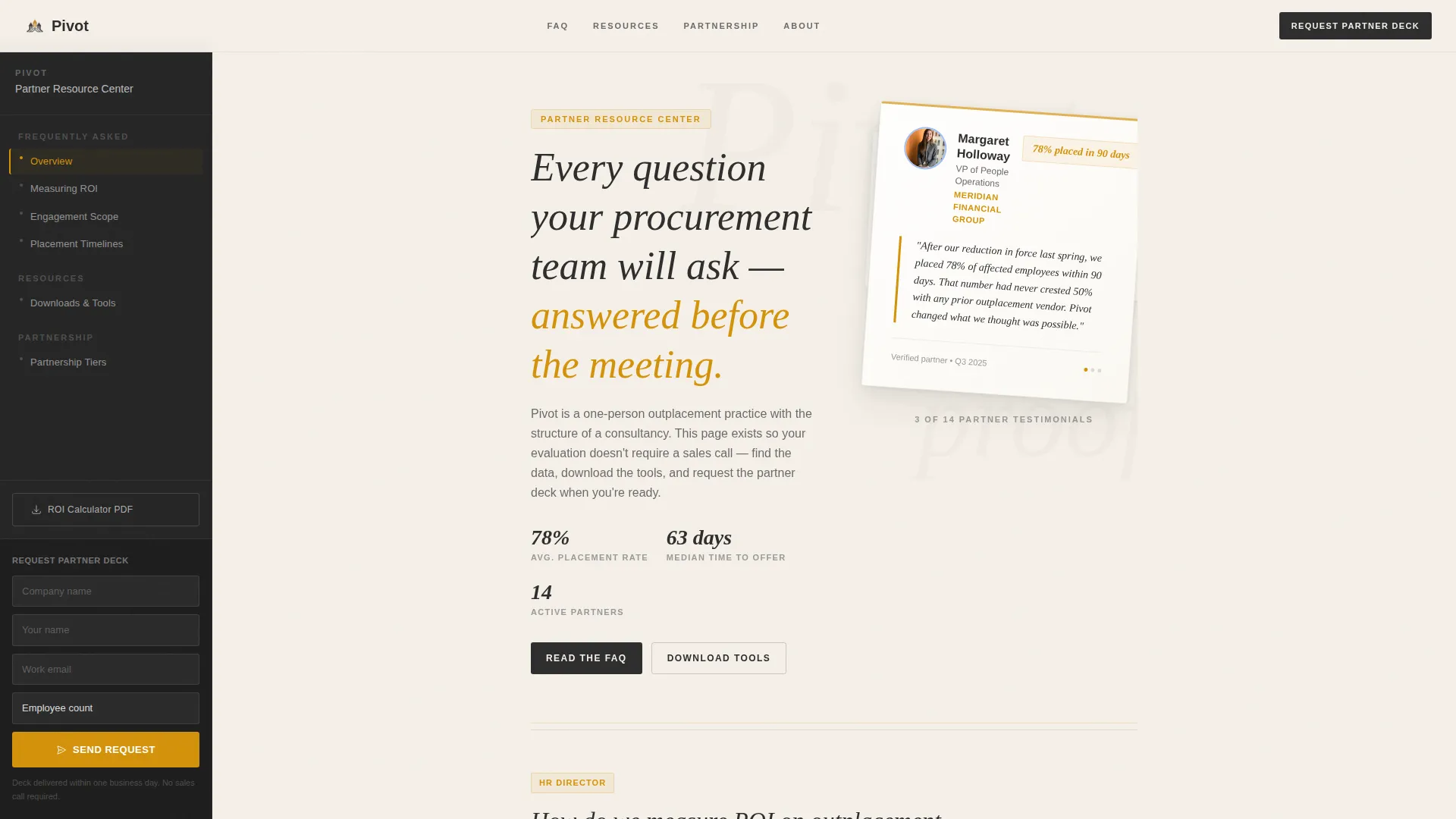
- A floating, stacked testimonial card header with named references, headshots, and measurable placement outcomes
- A persistent sidebar containing FAQ category navigation, downloadable resource links, and a pinned partner deck request form
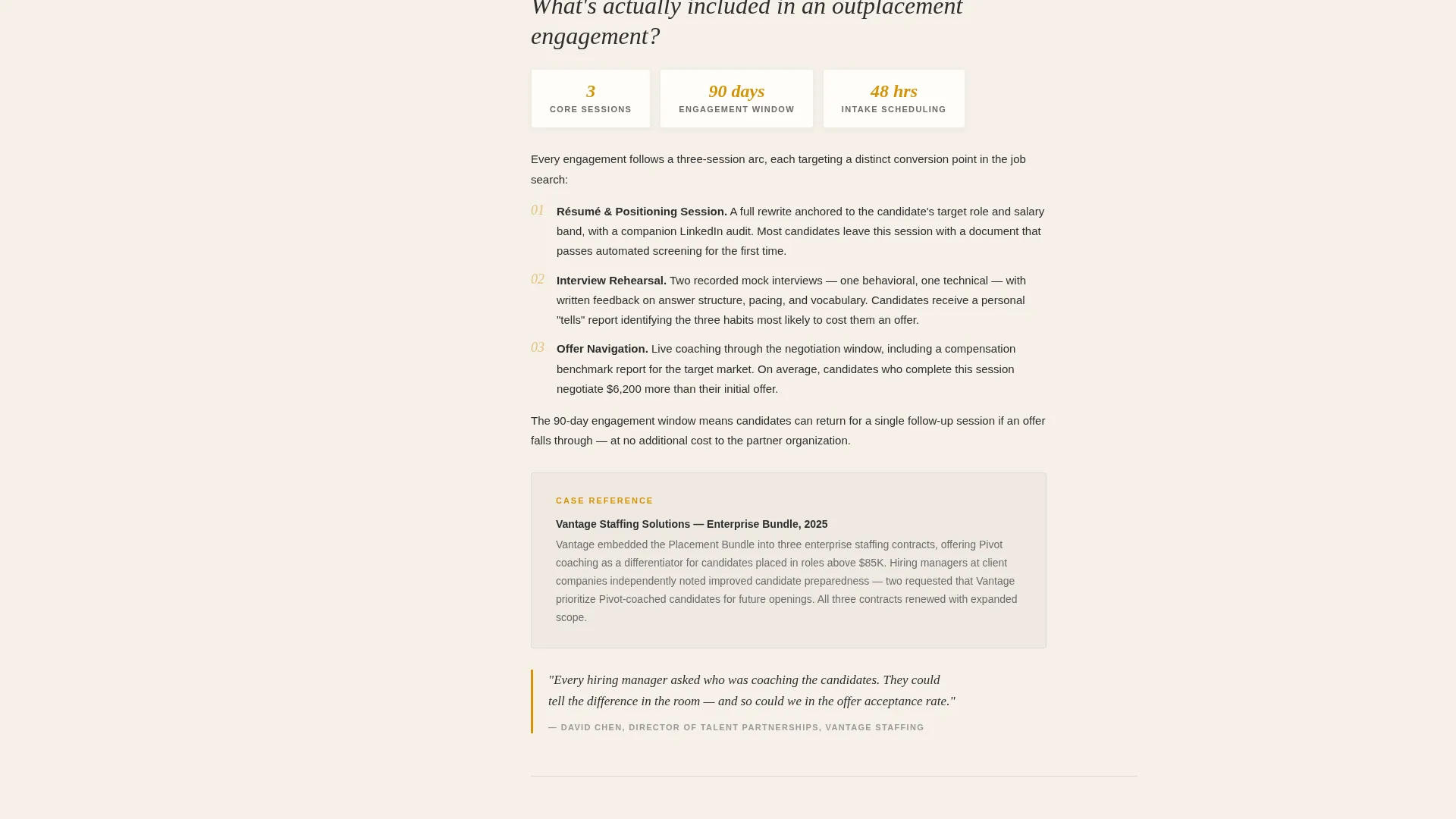
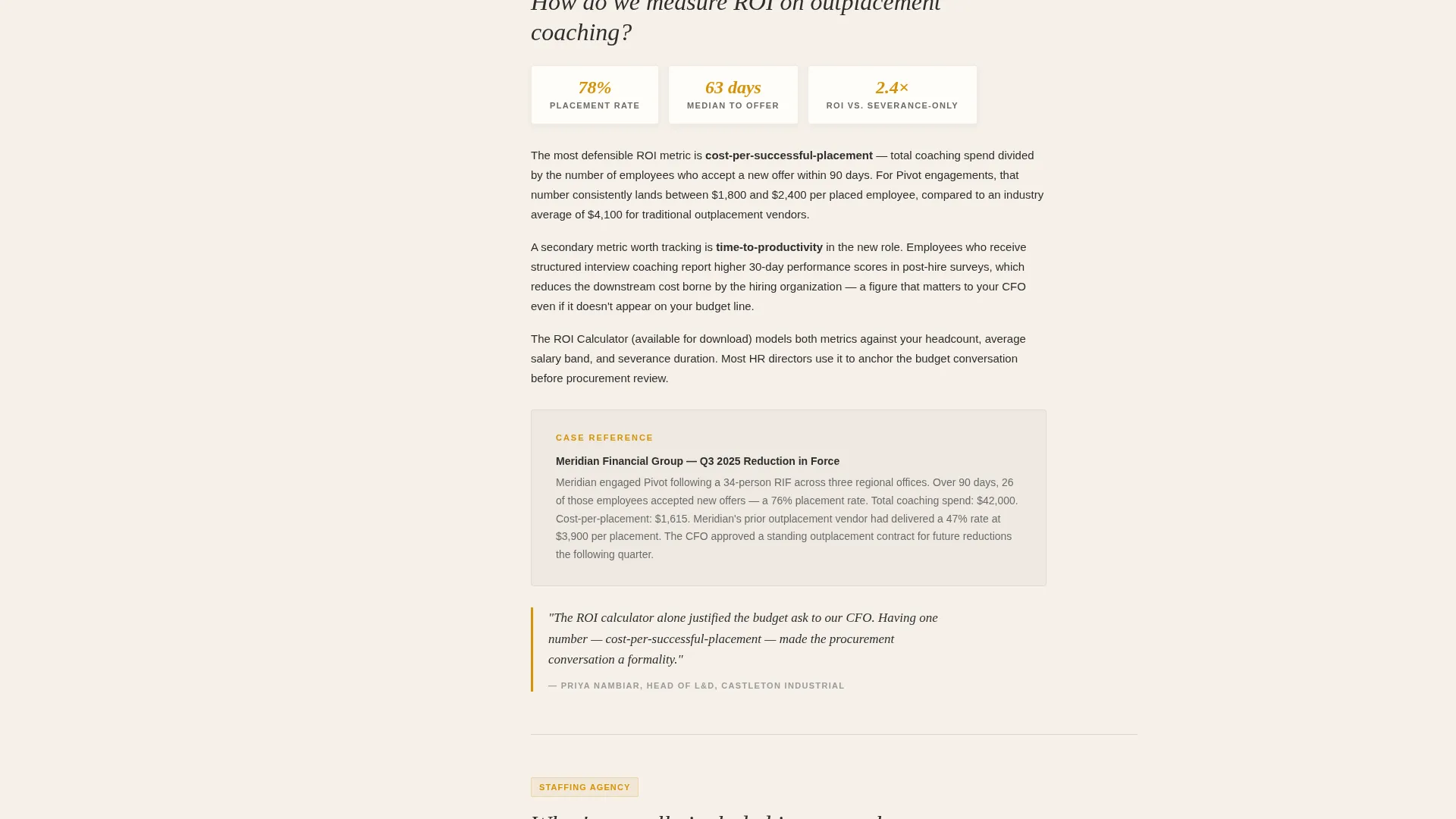
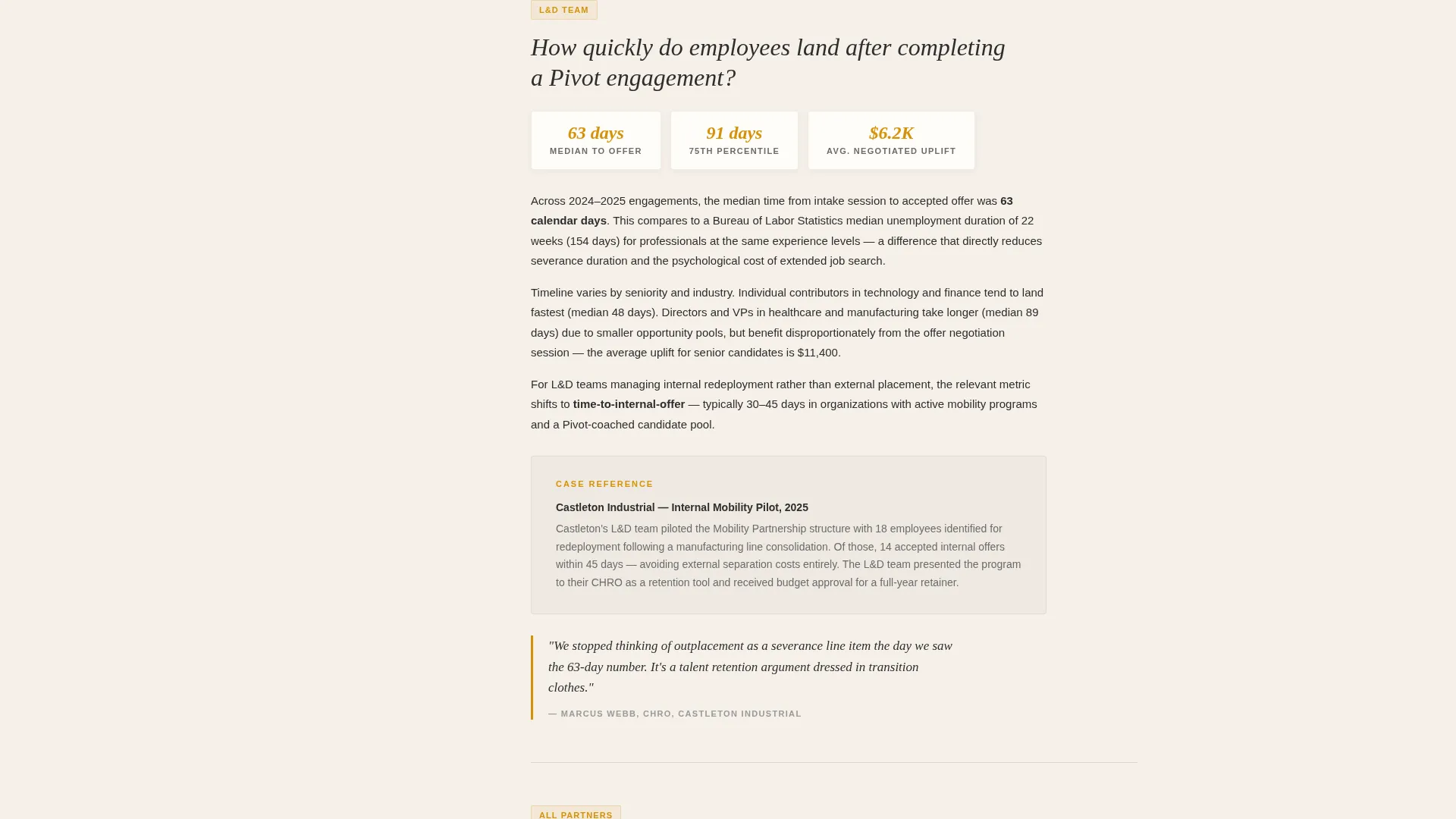
- Modular expert panel sections that pair persona-specific questions with case narratives and pull-quotes from partner organizations
Feature list
This template ships with a tightly coordinated set of visual and structural features. Each one serves a specific purpose in the buyer's path from skepticism to contact.
Stacked Testimonial Card Header
Three physical-looking cards are layered at staggered angles over the parchment background. The top card shows a named HR director, her company title, and a two-sentence testimonial citing measurable placement rates. The cards beneath it peek out just enough to imply a full deck of evidence.
Persistent Sidebar Navigation
The sidebar stays fixed as the main content scrolls. It holds FAQ category links, downloadable resource entries, and partnership tier information so buyers always know where they are in the dossier.
Pinned Partner Deck call to action
A "Request a Partner Deck" form sits at the bottom of the sidebar at all times. It asks only for company name, contact name, email address, and employee count range, keeping the entry barrier low for busy procurement contacts.
Gated ROI Calculator Download
A secondary conversion path offers a downloadable outplacement return on investment calculator as a gated PDF. Visitors provide their email address before delivery, giving the practice a warm lead with demonstrated intent.
Modular Expert Panel Sections
Each scrollable panel poses a question from a named buyer persona, answers it with supporting data, and closes with a pull-quote from a partner organization. The format mirrors a well-organized pre-meeting dossier rather than a typical service page.
Charcoal and Amber Branding System
The color palette uses deep charcoal for primary text and sidebar backgrounds, warm parchment for the content well, burnished amber for hover states and pull-quote borders, and muted graphite for secondary copy. The result feels like a premium printed document, not a generic website.
Page sections overview
| Section | Purpose |
|---|---|
| Testimonial Card Header | Establish credibility with stacked, named client references |
| Persistent Sidebar | Keep navigation, resources, and call to action always visible |
| FAQ Expert Panels | Answer procurement questions with data and case narratives |
| Pull-Quote Blocks | Reinforce trust with partner organization voices |
| Partner Deck Form | Capture qualified B2B leads with minimal friction |
| ROI Calculator Gate | Collect email leads through a high-value downloadable asset |
Design & branding system
The visual identity follows a Corporate Precision theme built around a Charcoal and Amber color system. Every design decision reinforces the feeling of a serious, well-prepared professional practice.
- Deep charcoal (#2D2D2D) anchors primary text and the sidebar background; warm parchment (#F5F0E8) fills the main content well for a document-like reading feel
- Burnished amber (#D4920B) activates on hover states, active navigation indicators, and pull-quote borders to signal precision without loud decoration
- Muted graphite (#6B6B6B) handles secondary copy, keeping the hierarchy clean and the page easy to scan at speed
Mobile & speed optimization
The sidebar companion layout is designed to translate cleanly from desktop to smaller screens without losing its structural logic. Buyers reviewing vendor pages on mobile should still reach the core conversion actions quickly.
- The persistent sidebar collapses into an accessible navigation layer on smaller viewports so the pinned call to action remains reachable
- Modular expert panels are self-contained, which allows each section to load and render independently without layout dependency on adjacent blocks
How this template helps you convert
Pivot earns the contact request by front-loading third-party validation and answering procurement-level objections before asking for anything in return. The page is structured so that every scroll action moves a skeptical buyer closer to a confident yes.
- The stacked testimonial card header establishes social proof from named, titled references within the first viewport, before any service description appears
- The persistent sidebar keeps both conversion paths visible throughout the scroll so buyers never have to hunt for the next step when they are ready to act
Other information about this template
Pivot is a Sidebar Companion template within the Professional Services category, specifically aligned with the Career Coach Online Presence subcategory and the Career Coach FAQ and Resource Page niche. It is designed for one-person practices that need to present with the authority of a larger firm.
- The template style is well suited to practitioners who serve multiple buyer types from a single page without building separate microsites for each audience
- The Expert Panel creative direction makes the page feel like a curated resource rather than a sales document, which is especially effective for buyers who distrust overt promotion
- The Partnership and B2B landing page direction means both conversion paths are built for organizational buyers, not individual job seekers
Theme
Corporate Precision
Creative direction
Expert Panel
Color system
Charcoal & Amber
Style
Sidebar Companion
Direction
Partnership/B2B
Page Sections
Stacked Testimonial Card Header
Persistent Sidebar Navigation
Modular Expert Panel Sections
Pinned Partner Deck Request Form
Gated ROI Calculator Download
Related questions
Can a solo practitioner realistically use this template?
What are the two conversion paths built into this template?
Who is the intended visitor for this landing page?
Can I replace the placeholder testimonials with my own client references?
Does the sidebar stay on screen while visitors scroll through the FAQ panels?



