Immersive user interface and user experience Designer Portfolio Landing Page
Pixelvault is a full-width immersive landing page built for senior user interface and user experience designers who want their portfolio to command attention. The dark, gallery-style layout unfolds each project as a vertical narrative. A waitlist form captures early interest from design directors, founders, and agency leads before the full portfolio goes live.
by Rocket studio
Quick summary
Pixelvault is a single-page, full-width immersive landing page for user interface and user experience designers who treat their work as evidence of craft. It uses a dark gallery aesthetic, case-study narrative scrolling, and a focused waitlist form to convert high-intent visitors before the full portfolio launches.
Who this template is for
This template is built for senior user interface and user experience designers who are actively entering the job market or preparing to launch a personal portfolio. It suits designers whose work needs room to breathe and whose audience already knows what good design looks like.
- Senior product designers building a gallery portfolio that speaks to design directors and hiring leads
- Founding designers or freelancers preparing a coming-soon portfolio with a waitlist to generate early interest
- Agency user interface and user experience designers who want case studies to do the selling before a single conversation happens
What problem this template solves
Most designer portfolios force visitors to scan thumbnails and click through to disconnected project pages. That friction kills the story before it starts. This template removes the grid entirely and replaces it with an immersive scroll that teaches the visitor what the designer values through the work itself.
- Design directors and founders who scout talent have limited time; the narrative scroll respects that by delivering context immediately
- A standard coming-soon page wastes the designer's best asset; this template uses case study teasers to build anticipation and capture emails before launch
What you get with this template
You get a complete single-page layout that functions as both a portfolio showcase and a waitlist capture tool. Every section is purpose-built for the audience described in the brief: senior hiring decision-makers who respond to craft, not credentials.
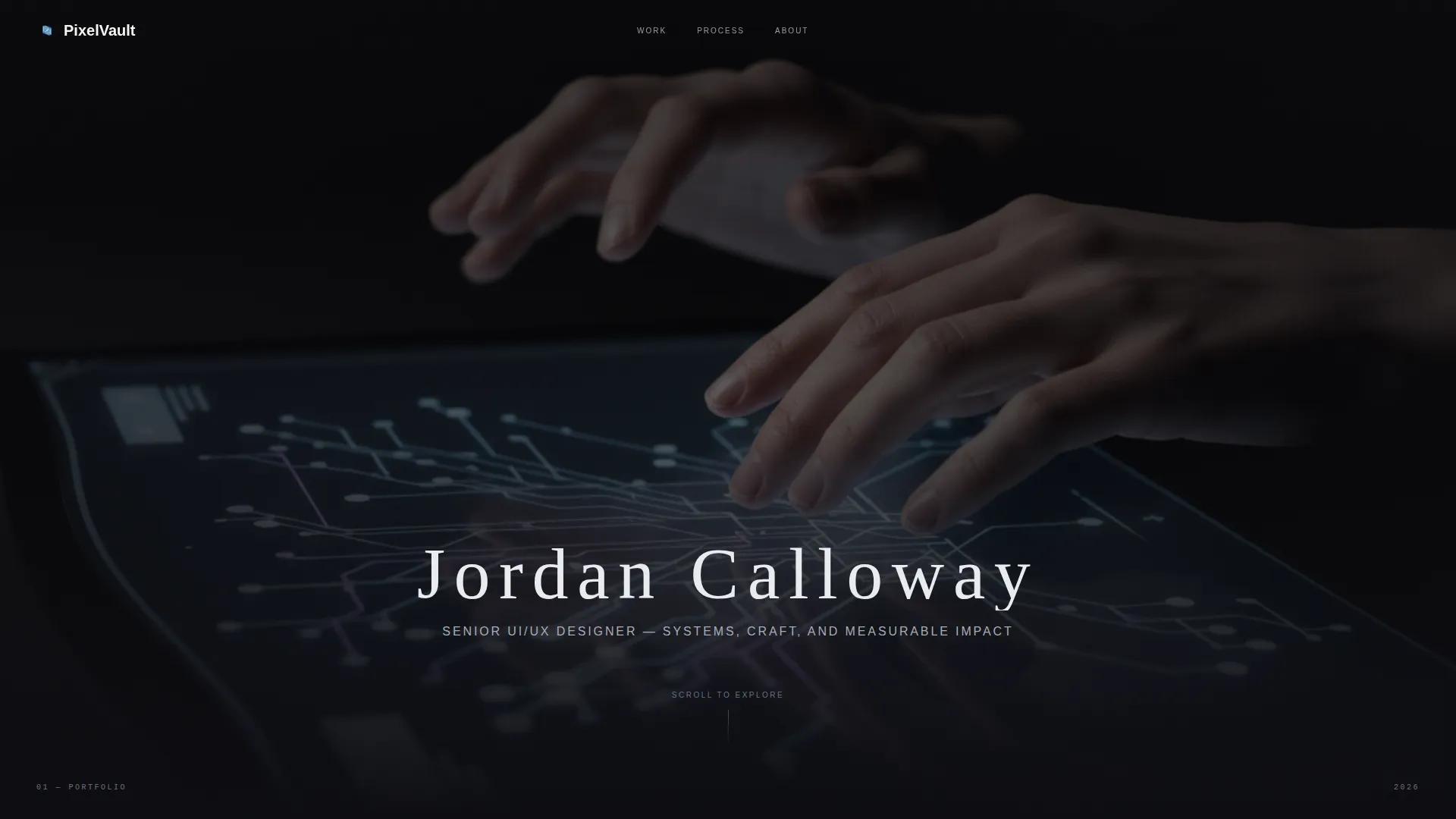
- A full-bleed header with a cinematic photo concept, animated name reveal, and thesis-line descriptor
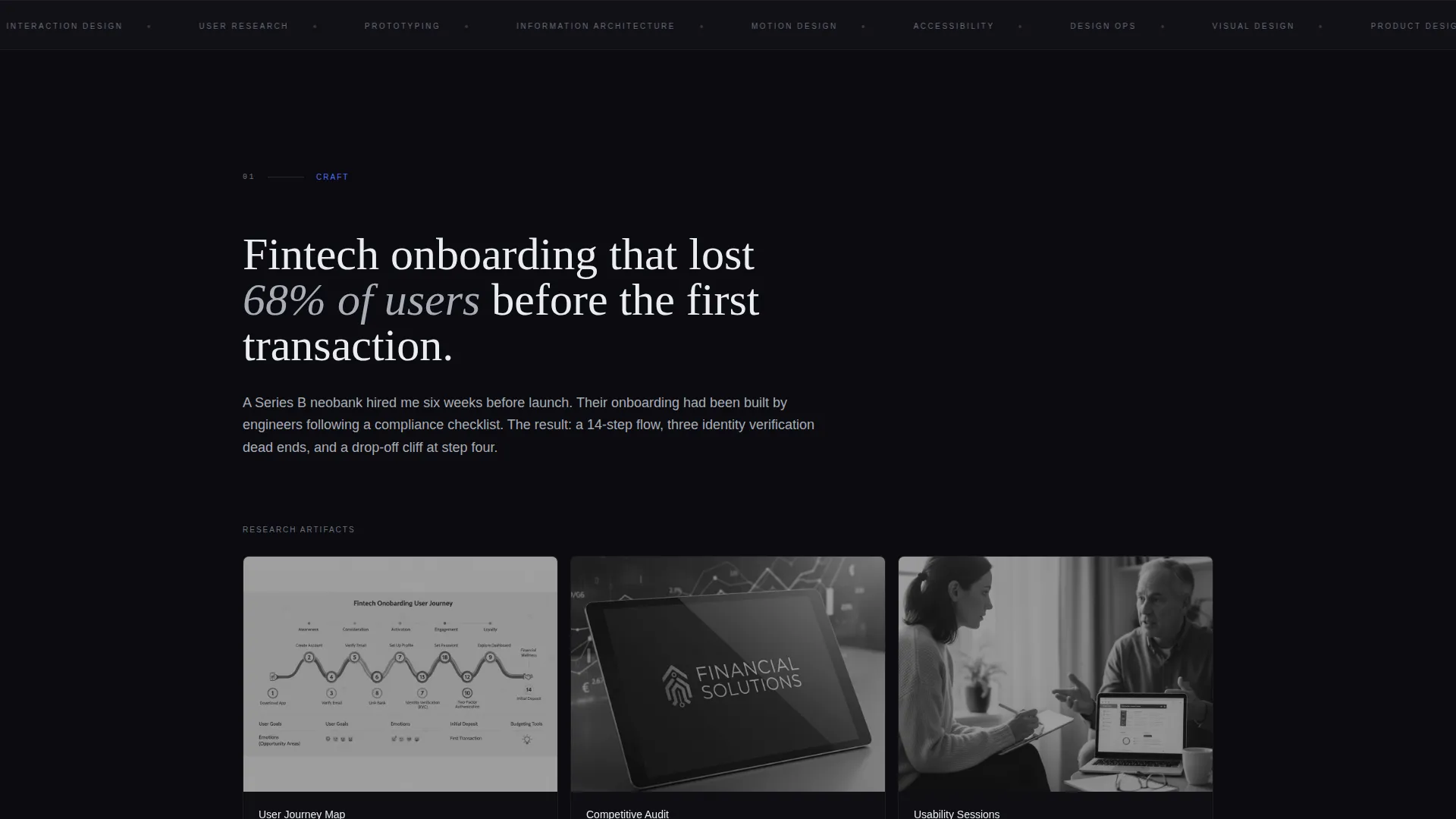
- Three vertically unfolding case study sections with problem framing, research artifact display, and full-bleed device mockups
- Two strategically placed waitlist calls to action with a minimal email and role capture form
Feature list
This section covers the core designed capabilities built into the Pixelvault template.
Cinematic Full-Bleed Header
The header opens with a high-contrast workspace photograph. The designer's name appears in cold white after a short delay, letter-spaced and unhurried. A single descriptor line fades in beneath it, positioning the designer before the work begins.
Vertical Case Study Narrative Flow
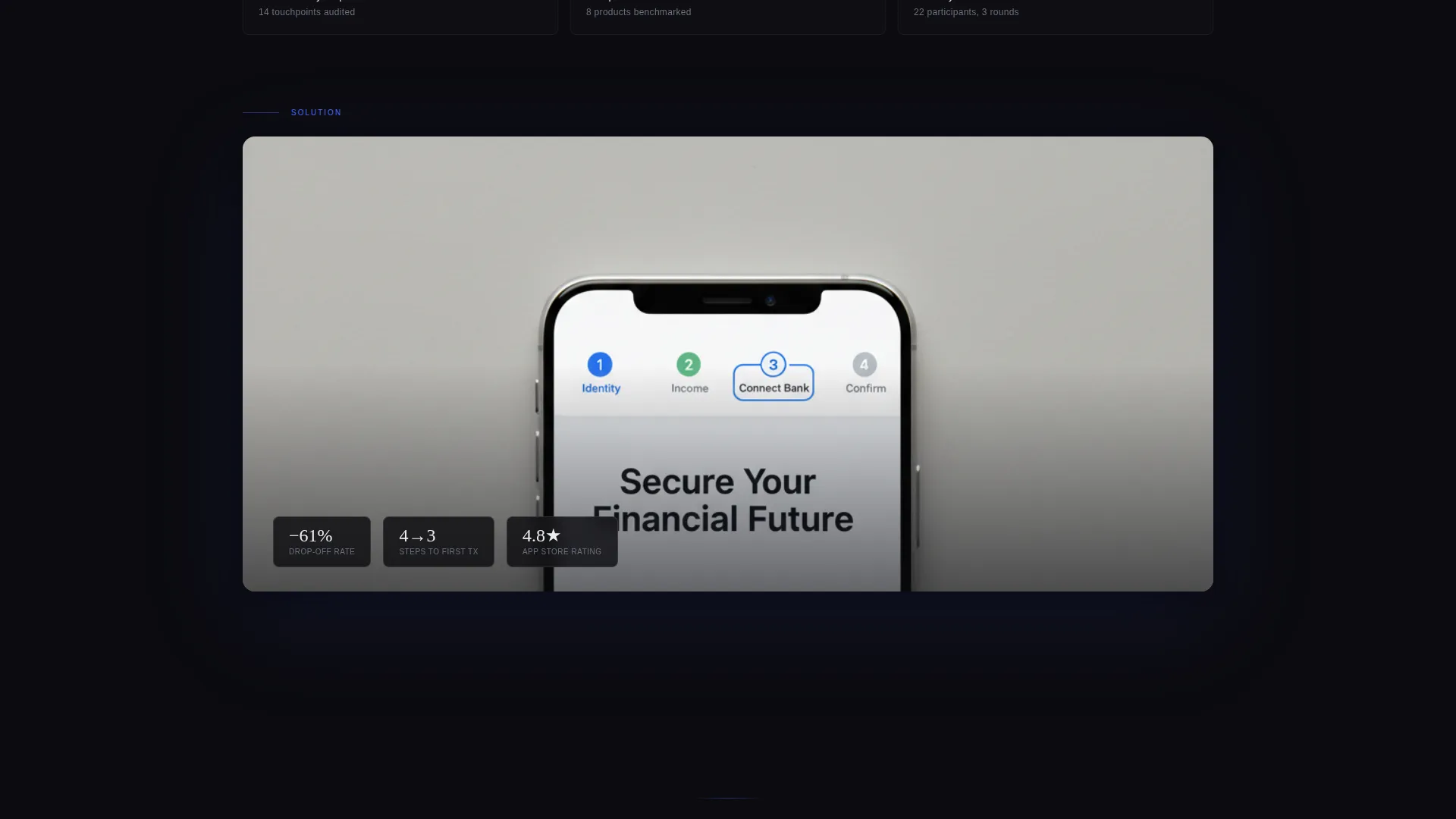
Each project unfolds as a scrolling story rather than a clickable thumbnail. The problem is framed in one stark sentence, research artifacts emerge from the dark background, and the solution reveals itself through full-bleed device mockups that scale as the visitor scrolls.
Between-Project Blackout Resets
A pure black screen separates each case study section. This breathing pause resets the eye, builds tension, and signals that the next project is a distinct chapter with its own stakes and story.
Fixed Floating Waitlist Pill
After the visitor scrolls past the header, a subtle pill-shaped call to action appears fixed in the top-right corner. It persists through the scroll without interrupting the reading experience, offering a low-friction access point throughout the page.
Minimal Role-Aware Waitlist Form
The waitlist form captures only two fields: email address and a role dropdown. The dropdown options are design director, founder, recruiter, and other. A single supporting line beneath the fields reinforces scarcity and value without over-explaining.
Escalating Stakes Structure
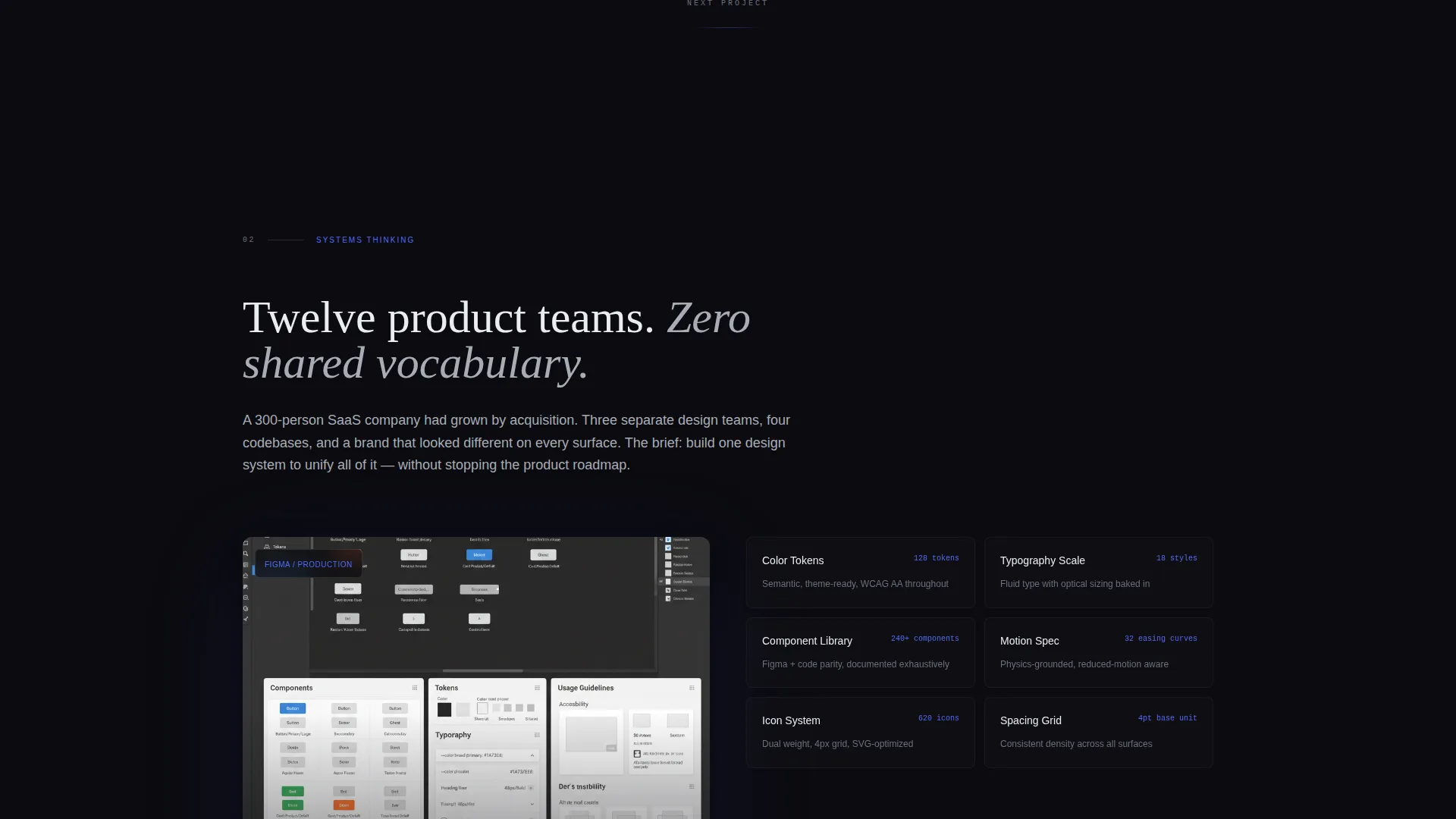
The three case study teasers are sequenced intentionally. The first signals craft detail, the second signals systems thinking, and the third signals measurable impact with real metrics. The sequence teaches the visitor what this designer values without stating it directly.
Page sections overview
| Section | Purpose |
|---|---|
| Full-Bleed Header | Opens with cinematic photo, delayed name reveal, and designer descriptor line |
| Case Study One | Establishes craft credibility through problem framing and research artifact display |
| Between-Project Reset | Pure black pause that separates projects and resets visual attention |
| Case Study Two | Demonstrates systems thinking through journey maps and audit screenshots |
| Case Study Three | Closes with measurable impact metrics and full-bleed device mockups |
| Final Waitlist Block | Centered call to action with email and role form after the last case study fades to black |
Design & branding system
The visual identity uses a Monochrome Steel color system on a Dark Immersive theme. Every color decision suppresses anything that is not the work itself, keeping the visitor's eye on the screens and interactions being showcased.
- Void black (#0B0B0F) as the dominant background, brushed steel (#A8ADB7) for body text and secondary elements, and cold white (#EAEDF1) for headlines and active states
- A single electric accent color (#4F6BFF) reserved exclusively for interactive hotspots and the waitlist call-to-action, creating a clear visual hierarchy between passive content and active prompts
Mobile & speed optimization
The Full-Width Immersive template style is designed to scale across viewport sizes while preserving the gallery-quality feel of the layout. The dark background and suppressed color palette reduce visual noise on smaller screens without losing the cinematic atmosphere.
- Full-bleed sections and device mockups adapt to narrower viewports so the case study narrative remains readable on mobile screens
- The fixed floating waitlist pill and the final call to action block remain accessible on touch devices, keeping the conversion path available at every scroll depth
How this template helps you convert
The page is structured to move a skeptical, time-pressed decision-maker from first glance to waitlist submission. Every layout decision removes friction and adds intent.
- The delayed name reveal and cinematic header create a first impression that signals this is not a standard portfolio template, earning the extra seconds of scroll time needed to reach the case studies
- The escalating case study sequence builds credibility progressively, so by the time the visitor reaches the final waitlist call to action, the work has already made the argument and the form feels like a natural next step
Other information about this template
This template is designed for a specific moment in a designer's career: the period just before a full portfolio goes live. It treats scarcity as a feature rather than a limitation, and it is built to work for that narrow window when early access is genuinely valuable.
- The template is categorized under Portfolio and Agency, specifically within the user interface and user experience designer gallery portfolio niche
- The waitlist form is intentionally minimal; it collects email and role only, keeping submission friction as low as possible
- The role dropdown (design director, founder, recruiter, other) allows the designer to understand who is responding without requiring a lengthy form
- This template suits designers who want their landing page to reflect the same level of craft and intentionality as the work it previews
Theme
Dark Immersive
Creative direction
Case Study Narrative
Color system
Monochrome Steel
Style
Full-Width Immersive
Direction
Waitlist/Coming Soon
Page Sections
Cinematic Full-bleed Header
Vertical Case Study Narrative
Between-project Blackout Sections
Fixed Floating Waitlist Call to Action
Minimal Role-aware Waitlist Form
Escalating Stakes Case Study Order
Related questions
Can I use this template if my portfolio is already live?
How many case studies does the template include?
Is the fixed waitlist pill visible throughout the entire scroll?
Who is the intended audience for this landing page?
Can the role dropdown in the waitlist form be customized?



