Space & Rental Platforms Professional Website Template
Placement is a bold, single-page landing page template built for outdoor advertising and billboard rental companies. It leads with an interactive location search tool, displays available inventory on a live map, and guides media buyers and agency planners toward a reservation in three clear steps. The design is luxe minimal, warm, and impossible to scroll past.
by Rocket studio
Quick summary
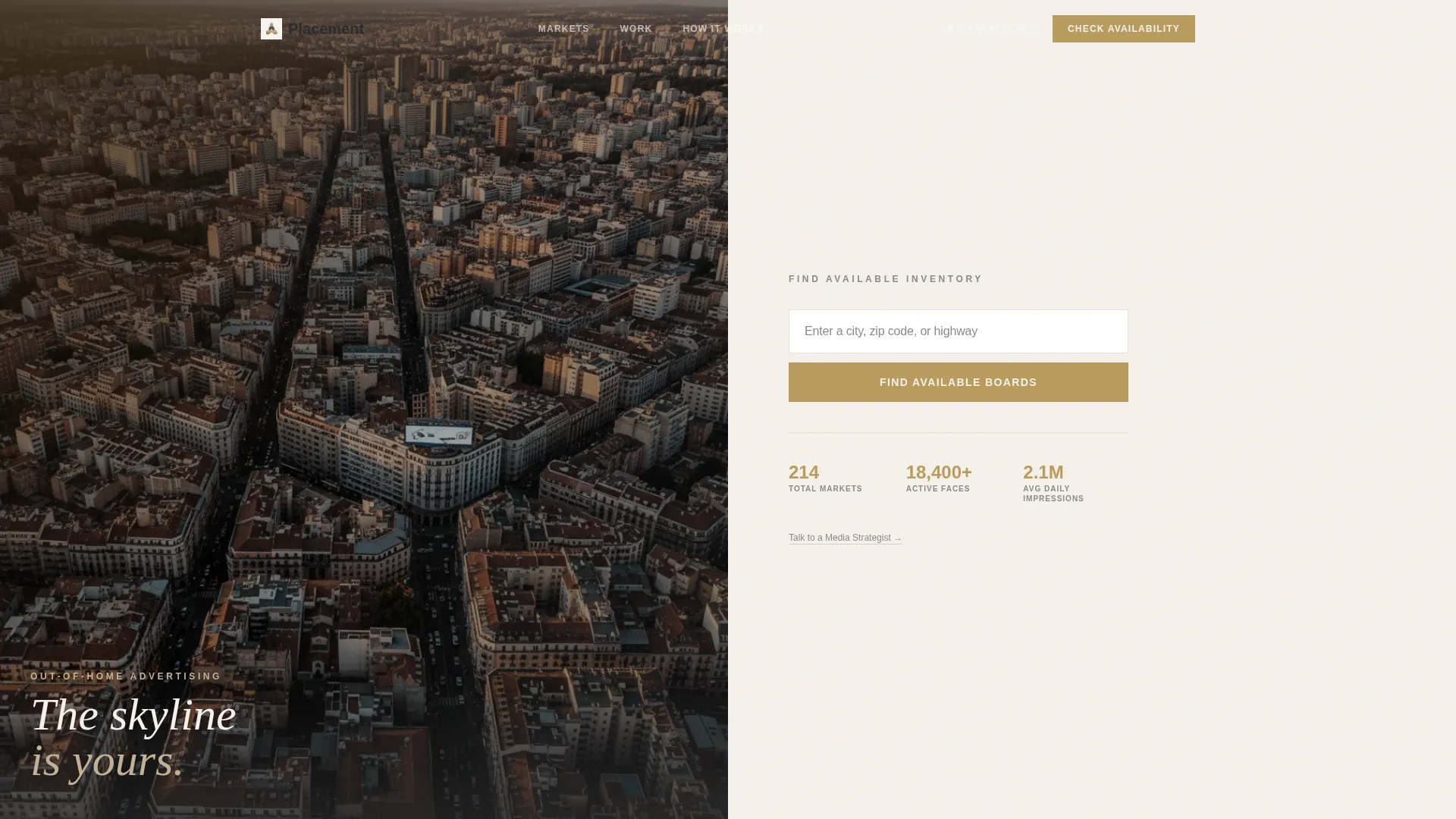
Placement is a landing page template designed for out-of-home advertising companies. It opens with a split-screen search tool that lets visitors find billboard and transit shelter inventory by city, zip code, or highway. The layout is clean and purposeful, built to deliver real value before asking for any contact information.
Who this template is for
This template serves businesses that rent outdoor advertising space and need a lead generation page that earns trust before asking for it. It is built for teams whose clients expect to see real inventory, not a generic contact form.
- Out-of-home media companies managing bulletin boards, posters, digital faces, and transit shelters
- Franchise and regional advertisers searching for a single board near a specific exit or zip code
- Agency planners building multi-market outdoor proposals on tight deadlines
What problem this template solves
Most outdoor advertising pages bury their inventory behind a phone call. Buyers arrive with a budget, a market, and a timeline, and they leave when they cannot find answers quickly. This template puts the search tool front and center so visitors get real answers before they are asked for anything.
- Eliminates the friction of requesting a quote before seeing what is available
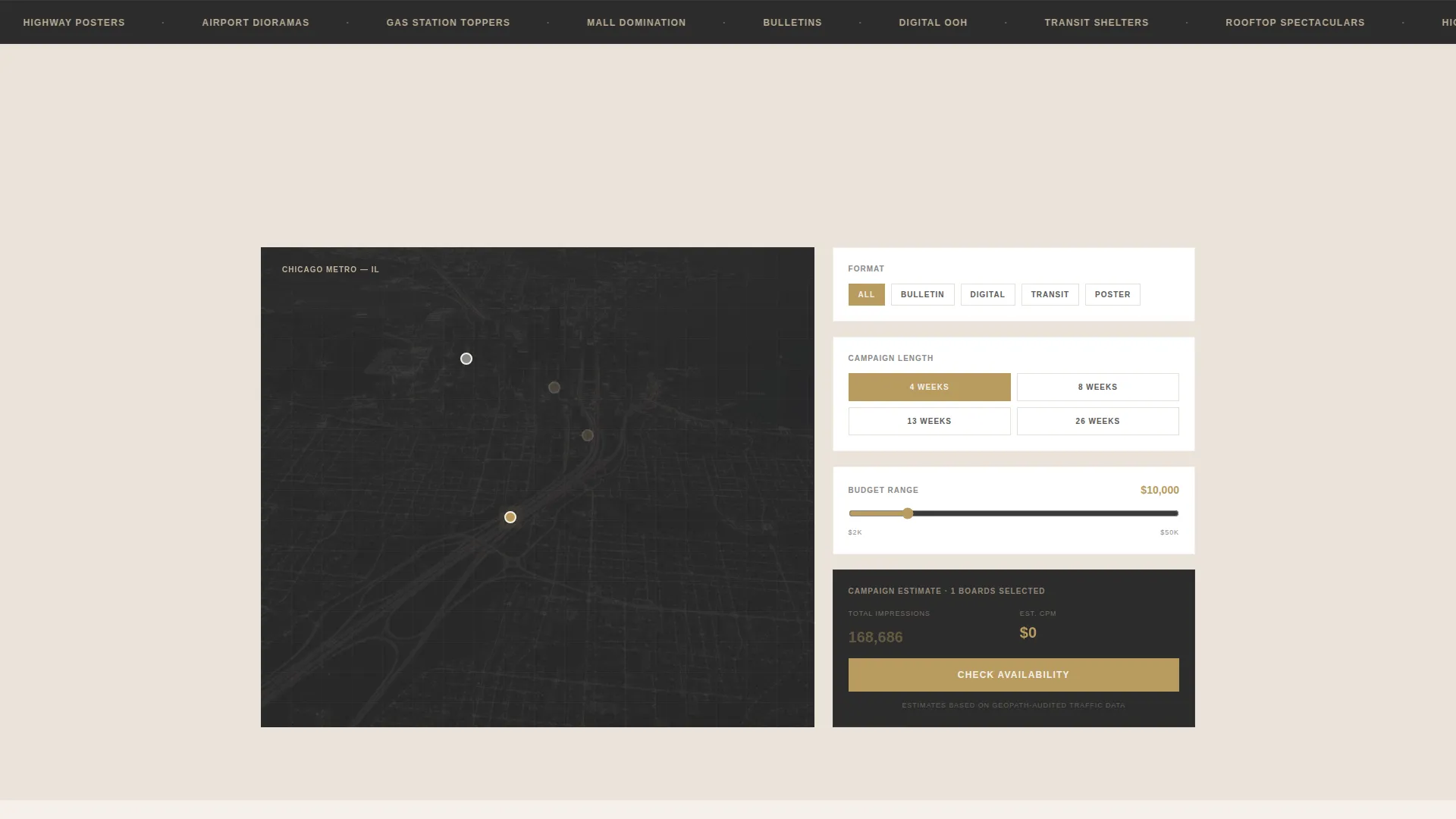
- Gives media buyers the filtering controls they need: format, budget range, and campaign length
- Reduces drop-off by showing estimated impressions and cost-per-thousand figures in real time
What you get with this template
This template is a fully structured single-page layout with every section pre-built and ready to customize. It covers the full buyer journey from first search to confirmed reservation.
- A split-screen search header with a location input, map panel, and inline filtering tool
- Case study panels, a market coverage map, a testimonial strip, and a how-it-works sequence
- Two conversion paths: a modal lead form beside inventory results and a calendar embed for direct strategist contact
Feature list
This template includes purpose-built sections and interaction patterns that guide outdoor advertising buyers from first look to first inquiry.
Split-Screen Search Header
The header divides the viewport into two equal halves. The left side holds a moody aerial city photograph with a single luminous billboard structure visible. The right side holds an oversized location search field with ghost text and a gold-accented call-to-action button, plus three quiet stat figures below it.
Interactive Map and Filter Panel
When a visitor enters a location, the left panel transforms into a clean map showing available inventory pins in gold. The right panel becomes a filtering tool where users narrow results by format, budget range, and campaign length. Estimated impressions and cost-per-thousand figures animate in real time as selections change.
Inventory Result Cards with Inline call to action
Each available board surfaces as a result alongside a primary call-to-action button labeled "Check Availability." This button opens a slim modal form collecting company name, campaign start date, markets of interest, and an optional budget figure. The form only appears after the visitor has already seen real inventory.
Case Study Split Panels
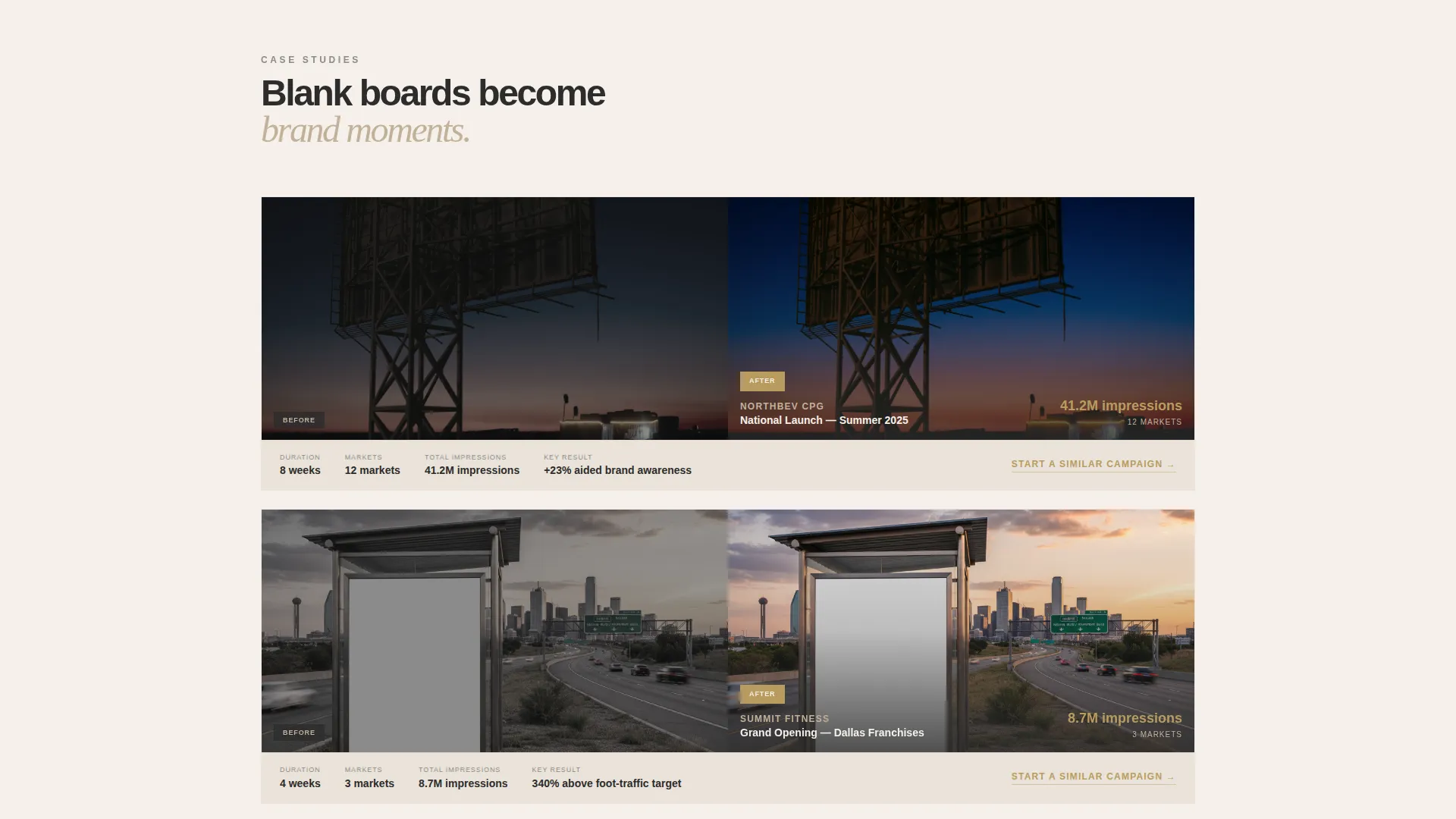
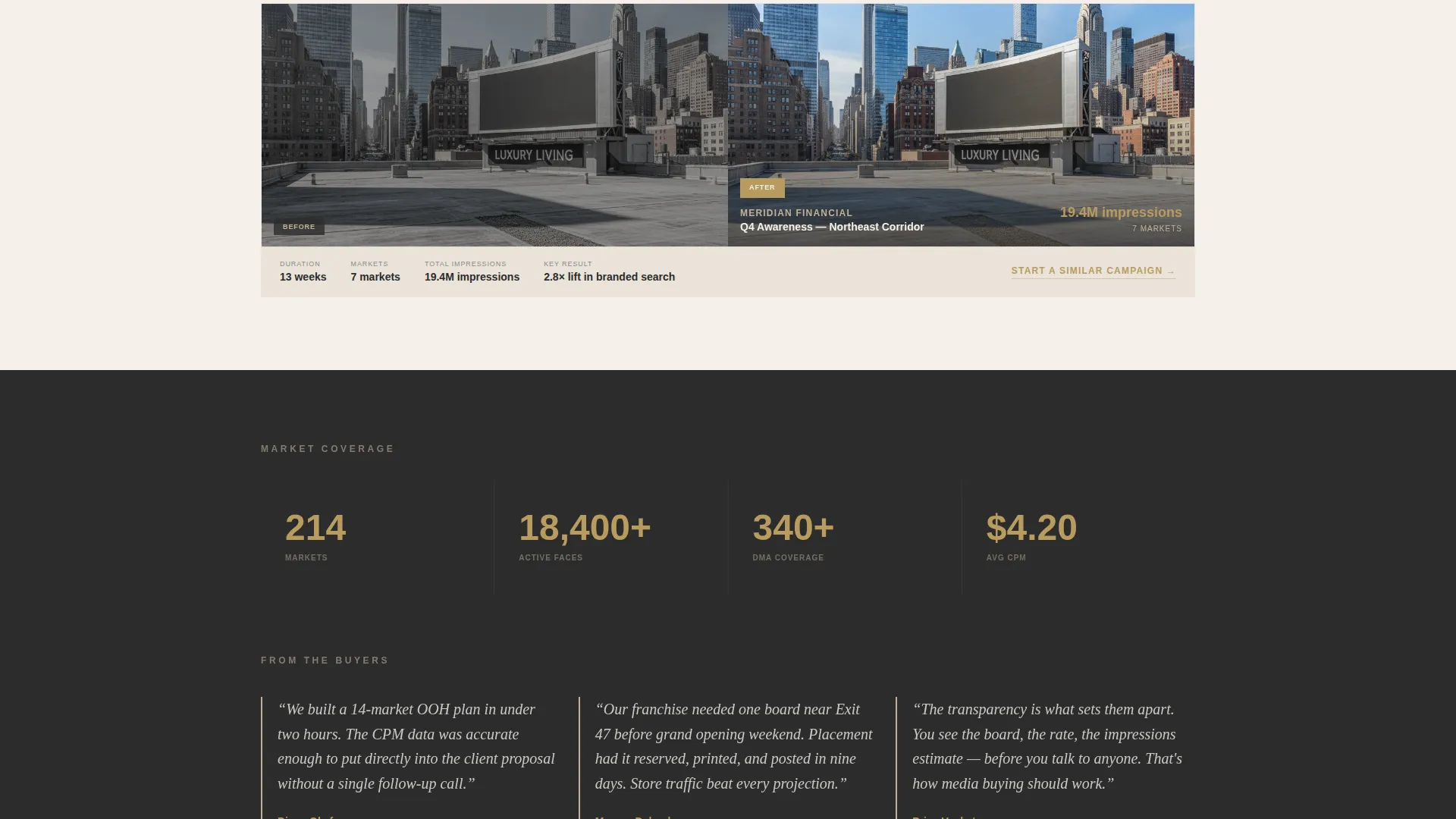
Scrolling below the tool reveals case study panels. Each panel is a side-by-side view of the blank board on the left and the finished brand creative on the right. These panels build credibility by showing real placements in context.
Sticky Conversion Button
A "Check Availability" button remains fixed as the visitor scrolls. It provides a persistent conversion path without interrupting the browsing experience. The secondary path, a quieter link reading "Talk to a Media Strategist," opens a calendar embed for visitors who prefer a direct conversation.
Testimonial and How-It-Works Sequence
A testimonial strip features named agency directors, adding professional credibility. Below it, a concise three-step sequence, search, reserve, and launch, closes the page with a clear action path for first-time visitors.
Page sections overview
| Section | Purpose |
|---|---|
| Split-screen header | Location search entry point |
| Map and filter panel | Browse and narrow inventory |
| Inventory result cards | View and claim boards |
| Case study panels | Show real placement outcomes |
| Market coverage map | Visualize geographic reach |
| Testimonial strip | Build agency-level credibility |
| How-it-works sequence | Clarify three-step process |
| Lead capture modal | Collect qualified inquiry details |
| Strategist calendar embed | Offer direct consultation path |
Design & branding system
The visual identity follows a luxe minimal approach using a warm stone color system. Every color choice is deliberate: backgrounds feel expensive, typography reads clearly, and gold appears only where the visitor can take action.
- Backgrounds alternate between bleached linen white (#F5F0EA) and quarried sandstone (#C2B199), with deep charcoal slate (#2C2C2C) used for all body and heading type
- A muted gold accent (#B89B5E) is reserved strictly for interactive elements, hover states, pricing figures, and call-to-action buttons
- The overall tone is quiet authority: travertine-like surfaces, brushed brass details in the interface, and generous whitespace that signals premium inventory
Mobile & speed optimization
The template layout is structured to work cleanly across screen sizes. The split-screen design adapts so the search tool remains functional and easy to use on smaller viewports.
- The map and filter panel stack vertically on mobile, keeping the search experience accessible without sacrificing layout clarity
- The sticky "Check Availability" button remains visible across all scroll positions on both desktop and mobile viewports
- Modal forms and calendar embeds are sized to open cleanly without full-page redirects, keeping the user in context
How this template helps you convert
The conversion strategy in this template is built on a value-first principle: show the visitor real inventory and real pricing estimates before asking for any contact detail.
- The search tool delivers immediate, specific results tied to the visitor's own city or highway input, earning attention before the modal form ever appears.
- Inventory result cards place the "Check Availability" call-to-action directly beside each board, reducing the distance between discovery and intent.
- The secondary "Talk to a Media Strategist" path with a calendar embed captures high-intent buyers who prefer a conversation over a form, ensuring no qualified lead leaves without a next step.
Other information about this template
This template is categorized under Real Estate and Property, specifically within space and rental platforms. It is designed for the out-of-home advertising niche and aligns with the practical needs of media buyers, franchise owners, and agency planners working across multiple markets.
- The template uses a single-page, section-led layout optimized for lead generation rather than multi-page navigation
- The creative direction is tool-first: the search and filter experience is the hero of the page, not a headline or hero image
- The bold outdoor advertising focus makes this template well suited for companies managing vinyl-wrapped highway bulletins, backlit transit shelters, rooftop spectaculars, and digital out-of-home faces
- This template pairs naturally with platforms and workflows used by media planning teams who need to present inventory options quickly during proposal development
Theme
Atelier Studio
Creative direction
Gallery Walk
Color system
Midnight Blue
Style
Zigzag/Alternating
Direction
Quiz/Assessment
Page Sections
Split-screen Search Header
Interactive Map and Filter Panel
Inventory Result Cards with Inline Call to Action
Case Study Split Panels
Sticky Conversion Button
Testimonial and How-it-works Sequence
Related questions
Who is this landing page template built for?
Can I customize the search tool and filter options?
How does the lead capture process work in this template?
What design style does this template use?
Is this template suitable for companies operating in multiple markets?



