Dining Room Flooring Installer Landing Page Template
Planks is a zigzag landing page template built for local dining room flooring installers. It pairs neighborhood-specific project photos with honest copy, a guided floor-finder quiz, and a warm stone color palette that feels as grounded as the work itself. The result is a page that earns trust fast and turns curious homeowners into booked consultations.
by Rocket studio
Quick summary
Planks is a single-page template designed for dining room flooring crews who win jobs through local reputation. It combines alternating photo-and-copy sections, a short guided quiz, and a half-page photo header to deliver a page that feels personal, specific, and ready to book. The warm stone palette reinforces the craft before a visitor reads a single word.
Who this template is for
This template is built for flooring installers who focus on dining rooms and residential renovation. It suits crews that rely on neighborhood word-of-mouth and want a page that reflects real completed work rather than stock imagery promises.
- Local flooring contractors serving specific towns or neighborhoods
- Dining room renovation specialists offering hardwood, tile, or luxury vinyl plank
- Small crews or owner-operators who want to convert homeowners into consultations
What problem this template solves
Most flooring service pages look the same: generic before-and-after grids, anonymous reviews, and calls to action that feel copy-pasted. Homeowners shopping for a dining room floor want proof that you know their street, not just your product catalog.
- No local credibility signal: visitors cannot tell if you are nearby or a franchise call center
- Vague pricing leaves buyers anxious and likely to call a competitor first
- Generic layouts fail to guide undecided visitors toward a clear next step
What you get with this template
The template delivers a complete, structured landing page ready to be filled with your project photos, neighborhood references, and contact details. Every section has a defined purpose and a clear place in the conversion flow.
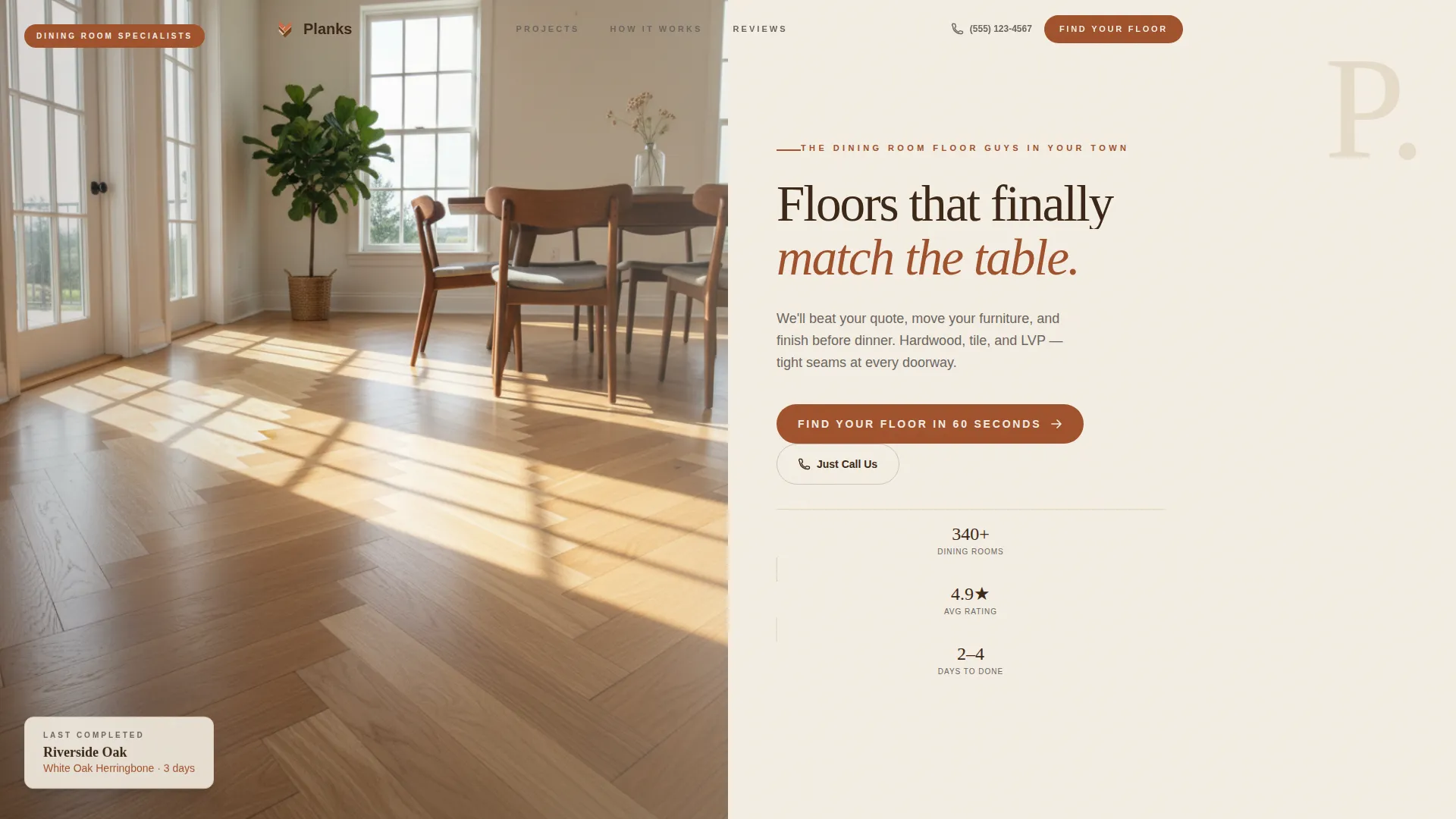
- A half-page photo-and-text header with a neighborhood-specific headline and direct subline
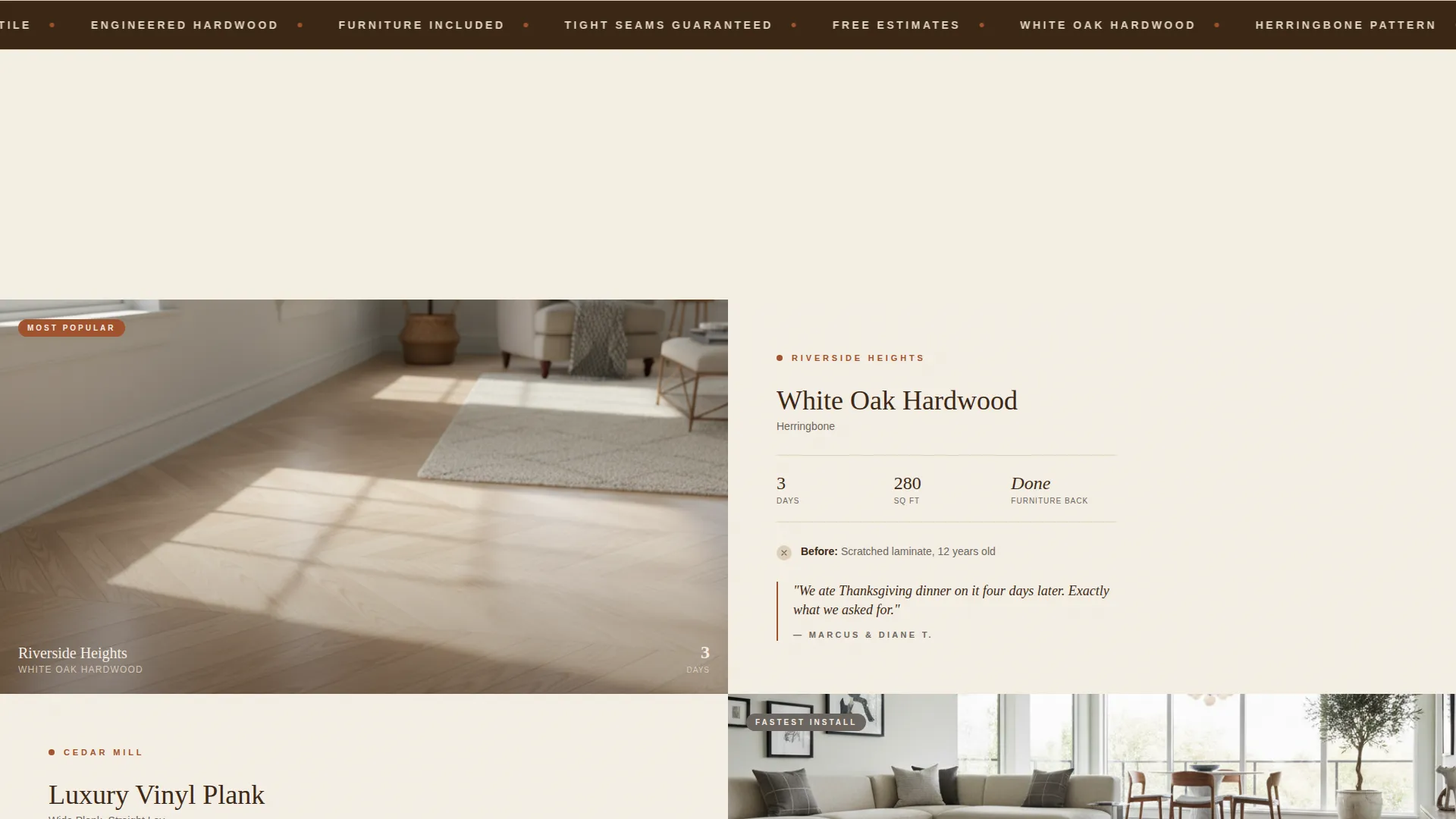
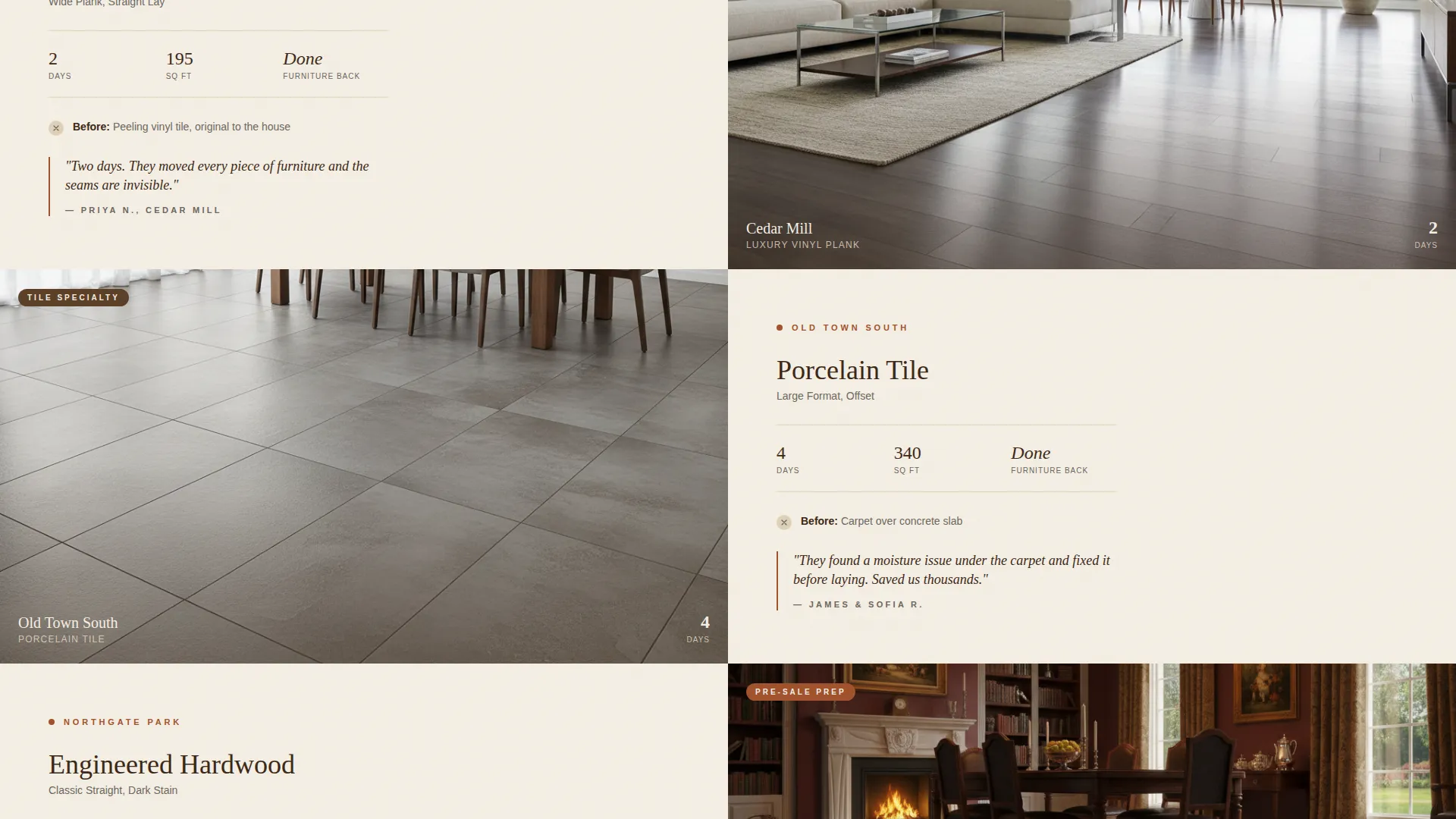
- A zigzag alternating layout pairing completed project photos with neighborhood-named copy blocks
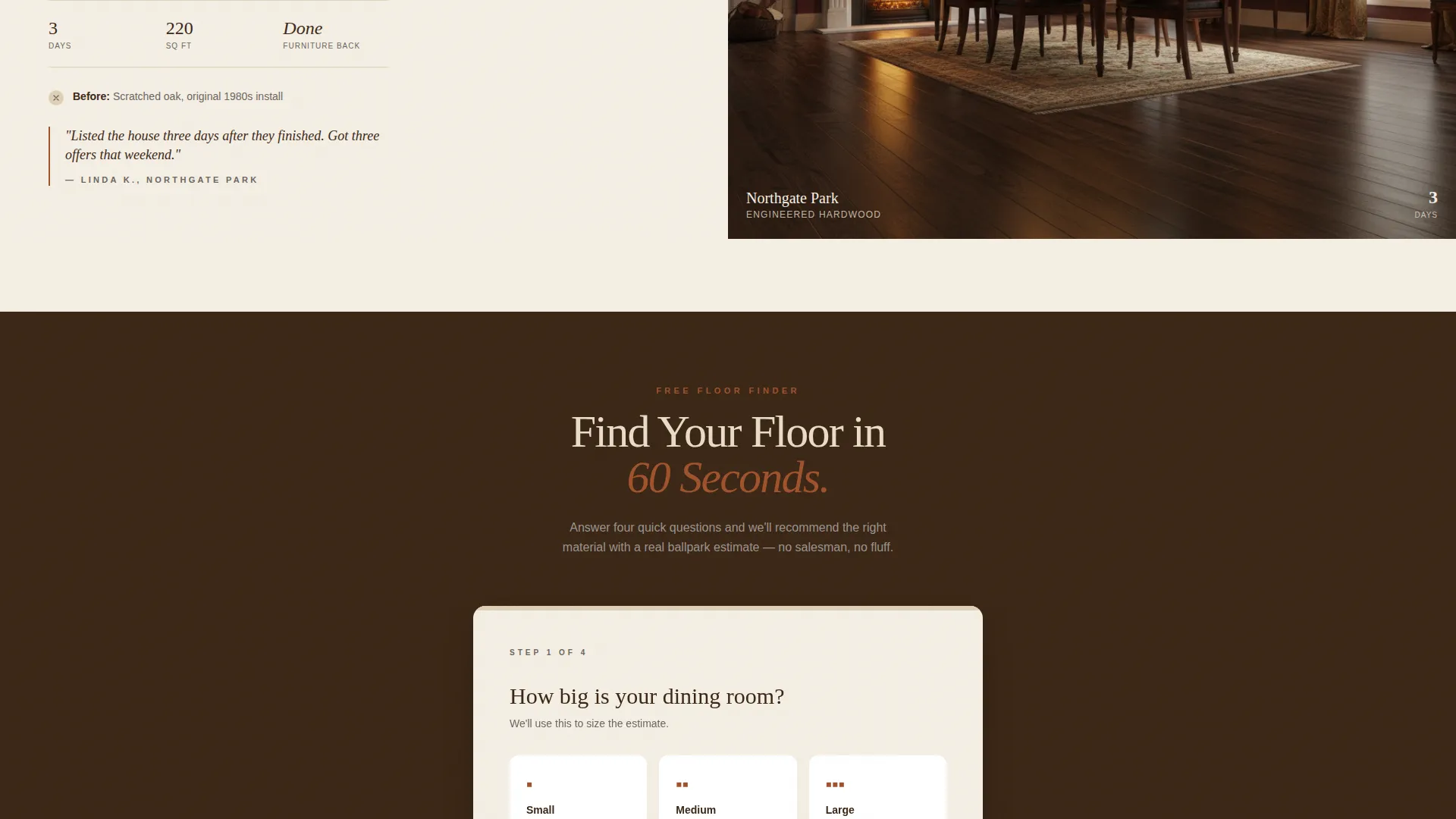
- A guided quiz flow that ends with a personalized flooring recommendation and ballpark estimate
- A testimonial section formatted for first names and neighborhoods, not anonymous star ratings
- An embedded map section to pin recent local jobs and show proximity to the visitor
Feature list
This section covers the core functional and visual components built into the Planks template.
Half-Page Photo and Text Header
The header splits the screen between a knee-height dining room photograph and a bold neighborhood headline. The subline names the visitor's pain directly and states the crew's core promise in plain language. It sets tone and trust before the visitor scrolls.
Zigzag Alternating Project Sections
Each scroll section alternates between a completed dining room photo and a copy block naming the neighborhood, material installed, and days to completion. The rhythm feels like a neighborhood tour, making local proof the dominant visual experience of the page.
Guided Floor-Finder Quiz
The primary conversion path is a short quiz asking about room size, current floor type, style preference shown as photo pairs, and budget range. It ends with a personalized material recommendation and an instant ballpark estimate, gated behind name, zip code, and phone number.
Neighborhood-Specific Testimonials
The testimonial layout uses first name and neighborhood fields instead of anonymous star blocks. This format reinforces local credibility and makes social proof feel personal rather than manufactured.
Embedded Recent-Jobs Map
A small map section visually pins recent completed jobs, showing the visitor that this crew works in their area. The section replaces the franchise-call-center concern with a direct geographic confidence signal.
Secondary Click-to-Dial Path
Below the quiz, a "Just Call Us" button with a click-to-dial link serves visitors who prefer a phone conversation. This secondary path captures leads who would otherwise leave without converting.
Page sections overview
| Section | Purpose |
|---|---|
| Half-page header | Establish local identity and headline the core promise |
| Neighborhood project row 1 | Show first completed project with material and timeline detail |
| Neighborhood project row 2 | Alternate layout with second local project photo and copy |
| Neighborhood project row 3 | Continue zigzag with third project, reinforcing area coverage |
| Testimonials block | Display named, neighborhood-tagged social proof |
| Recent jobs map | Pin local work geographically to confirm proximity |
| Floor-finder quiz | Guide visitors to a personalized recommendation and estimate |
| Click-to-dial secondary call to action | Provide a direct call path for visitors who skip the quiz |
Design & branding system
The Warm Stone color system gives the page a tactile, material quality that matches the craft it represents. Colors are drawn from the physical world of flooring: stone, grout, fired clay, and sealed wood.
- Sandstone cream (#E8DCC8) dominates backgrounds to keep the page open and warm
- Grout gray (#6B6560) holds borders and secondary text, adding structure without heaviness
- Fired terracotta (#A0522D) marks every call-to-action element and interactive button
- Sealed walnut (#3B2716) anchors headlines with the visual weight of real hardwood
Mobile & speed optimization
The zigzag layout is structured so alternating image-and-text blocks stack cleanly on smaller screens. The quiz flow collapses into a single-column step sequence that is easy to tap through on a phone.
- Alternating sections restack vertically on mobile without losing the project-photo-first visual logic
- The click-to-dial button is prominently placed for one-tap calling on any mobile device
- The header photograph and text panel transition from a side-by-side split to a stacked layout on narrow viewports
How this template helps you convert
The page is built around a single conversion insight: undecided homeowners commit faster when they feel understood, not just sold to.
- The floor-finder quiz replaces a generic contact form with a guided, personalized experience that ends with a real recommendation and a ballpark number, giving the visitor a reason to share their contact details
- The neighborhood-named project sections and local job map work together to remove the "are you even in my area?" objection before the visitor reaches the quiz
- The secondary click-to-dial path ensures that visitors who distrust forms still have a frictionless way to start a conversation
Other information about this template
The Planks template is part of the Service Utility theme family, designed for trade and home-service businesses that need to communicate competence and local trust quickly. The template style is Zigzag/Alternating, a layout pattern well suited to visual service businesses with a portfolio of completed projects.
- Template category: Construction and Home, Dining Room Renovation subcategory
- Designed for the Dining Room Flooring Installer niche
- Creative direction: Local and Neighborhood, prioritizing project specificity over generic service claims
- The landing-page direction is Quiz/Assessment, meaning the primary call to action drives a guided interaction rather than a passive form submission
- The header concept is Half-Page Photo and Text, placing a real project photograph at equal visual weight with the headline
Theme
Service Utility
Creative direction
Local & Neighborhood
Color system
Warm Stone
Style
Zigzag/Alternating
Direction
Quiz/Assessment
Page Sections
Half-page Photo and Text Header
Zigzag Alternating Project Layout
Guided Floor-finder Quiz
Named Neighborhood Testimonials
Embedded Recent Jobs Map
Secondary Click-to-dial Button
Related questions
Can I replace the placeholder project photos with my own work?
Do I need a live quiz tool to use this template?
Can I use this template if I serve more than one neighborhood?
Is the embedded map section a live map or a visual placeholder?
Can I edit the quiz questions to match my specific material offerings?



