Land & Agricultural Real Estate Booking Website Template
Plat is a precision land use and zoning consultancy landing page built for professionals who turn parcel problems into entitlement wins. The split-screen layout pairs a panoramic aerial header with a live Zoning Feasibility Calculator, then walks visitors through escalating case studies, credibility stats, and client testimonials before routing them to a consultation booking page.
by Rocket studio
Quick summary
Plat is a single-page, click-through landing page template for a land use and zoning consultancy. The design pairs a panoramic aerial photograph with an interactive Zoning Feasibility Calculator to deliver real insight before asking for contact details. The layout moves from immediate utility to escalating case studies, social proof, and a natural consultation booking flow.
Who this template is for
This template is built for land use and zoning consultancies that serve clients stuck at the entitlement stage. It works especially well for firms whose value lies in reading municipal code with precision and turning regulatory obstacles into buildable outcomes.
- Land developers holding a parcel they cannot crack and need jurisdictional expertise fast
- Real estate attorneys managing entitlement appeals or planning commission responses
- Homebuilders who received a denial letter and need an expert who already understands local board concerns
What problem this template solves
Most professional services landing pages lead with a headline and ask for a name and email before proving any value. For zoning consultancies, that approach fails. The target audience, which includes developers, attorneys, and builders, needs evidence of expertise before they trust anyone with a complex entitlement process.
- Visitors leave before converting because there is no immediate demonstration of capability
- Generic layouts do not reflect the precision and analytical depth that zoning work actually requires
- The gap between "what the firm does" and "what the client needs right now" is never bridged
What you get with this template
This template delivers a fully structured, desktop-first landing page with a high-interactivity calculator as the primary hook. Every section is designed to escalate trust from first scroll to final click.
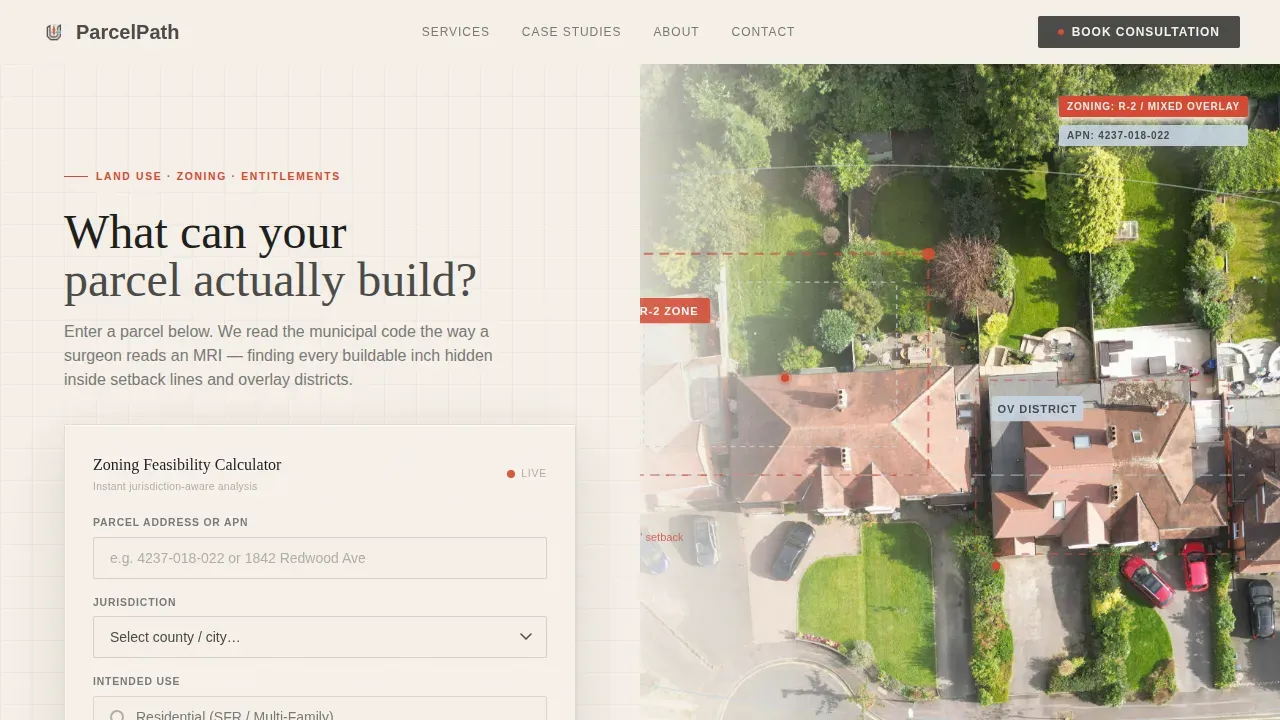
- A live Zoning Feasibility Calculator with parcel address or APN input, jurisdiction dropdown, and intended-use selector
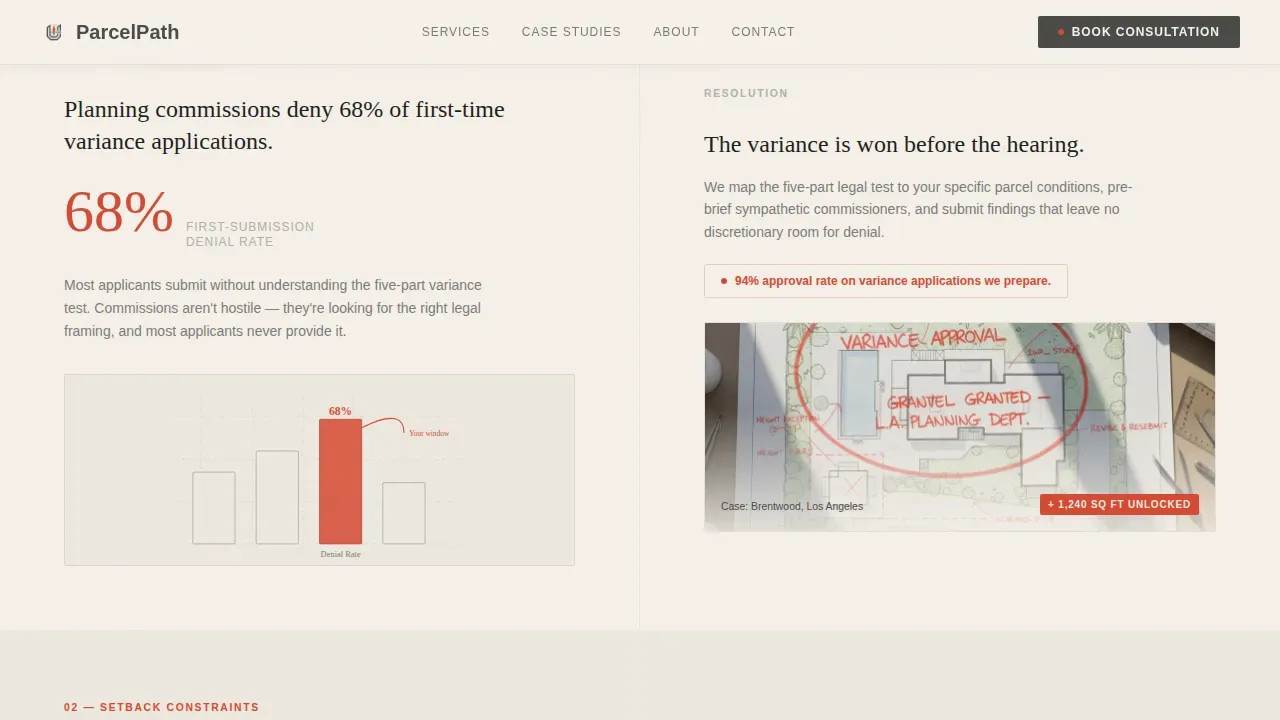
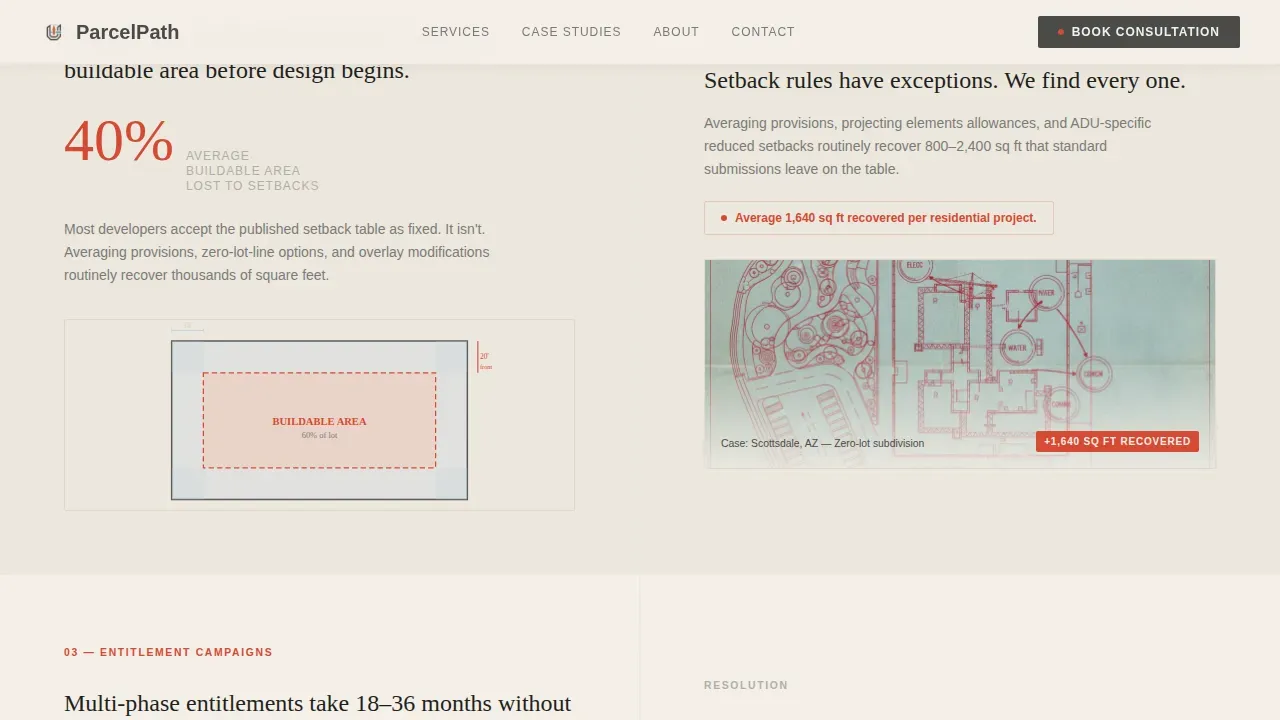
- Alternating split-screen obstacle-versus-resolution sections with hand-drawn annotation overlay styling
- A bento grid of three escalating case studies, a credibility stats bar, and a testimonials section with editorial styling
Feature list
This template includes purpose-built components and layout structures aligned to the consultancy's B2B audience and click-through conversion goal.
Live Zoning Feasibility Calculator
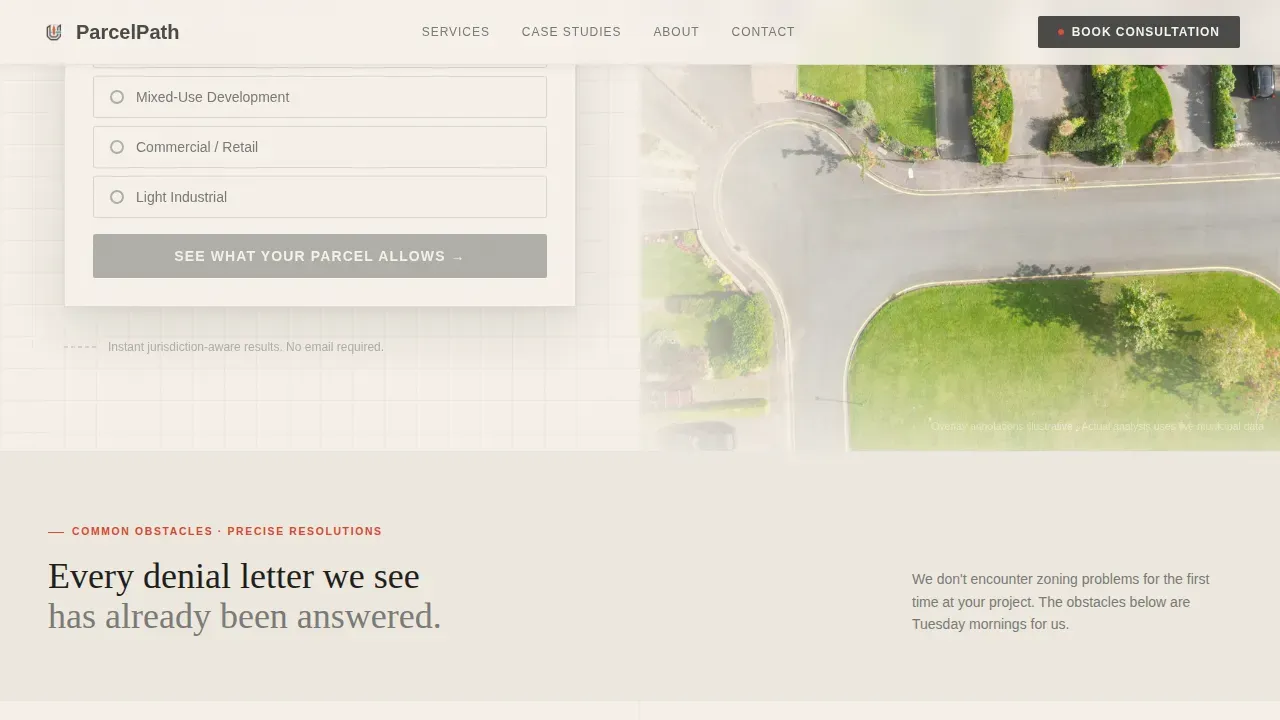
The calculator sits in the left half of the hero section and accepts a parcel address or Assessor's Parcel Number (APN), a jurisdiction dropdown, and an intended use selection (residential, mixed-use, commercial, or accessory dwelling unit). It returns a simplified feasibility snapshot with a secondary call to action that routes to the consultation intake page.
Split-Screen Hero with Aerial Annotation
The header stretches edge to edge with a panoramic aerial photograph of a suburban parcel. Property lines, easements, and zoning overlays are drawn directly onto the landscape in vermilion and cloud blue strokes, visually communicating the consultancy's annotation-level precision before any text is read.
Alternating Obstacle and Resolution Sections
Below the hero, each section pairs a common zoning obstacle on the left, such as variance denial statistics, setback diagrams, or conditional use timelines, with a studio-style case study resolution on the right. Hand-drawn annotation overlays reinforce the atelier aesthetic throughout.
Escalating Case Study Bento Grid
Three case studies are arranged in a bento grid that moves from a residential rezone through a mixed-use project to a multi-phase entitlement campaign. Each case is more complex than the last, showing the consultancy's full range before the visitor reaches the call to action.
Credibility Stats Bar
A full-width horizontal stats bar displays quantified social proof: parcels analyzed, jurisdictions covered, denials overturned, and entitlements secured. The bar anchors the page's credibility section and supports the conversion flow without requiring the visitor to read long paragraphs.
Testimonials Section with Editorial Styling
Three client quotes appear with attributed roles and firm names, styled in an editorial format consistent with the Atelier Studio theme. This section reinforces trust at the moment when the visitor is closest to clicking through to the consultation intake page.
Page sections overview
| Section | Purpose |
|---|---|
| Hero Calculator Split | Deliver immediate zoning insight and capture intent |
| Obstacle Resolution Pairs | Show precision problem-solving across zoning scenarios |
| Credibility Stats Bar | Anchor trust with quantified consultancy outcomes |
| Case Study Grid | Escalate proof from simple to complex entitlements |
| Client Testimonials | Reinforce confidence with attributed peer validation |
| Footer Single Row | Provide navigation closure with minimal visual weight |
Design & branding system
The visual identity follows an Atelier Studio theme built around a Cloud Canvas color system. Every surface, texture, and typographic choice references the physicality of a working drafting studio at golden hour.
- Color palette: warm drafting-paper white (#F5F0E8) as the base, soft graphite (#4A4A48) for body text and structure, pale cloud blue (#C8D5E2) for secondary elements, and vermilion (#D64933) as the deliberate accent for interactive states and key data points
- Typography: DM Sans for body copy and user interface elements, Fraunces as the display serif for headings, creating a contrast between analytical clarity and architectural character
- Texture and surface: matte linen-like finishes, grain overlays on the hero image, and hand-drawn annotation strokes in vermilion and cloud blue reinforce the warm, studio-workspace feel
Mobile & speed optimization
The template is built desktop-first because the primary audience, zoning professionals, works on large screens where the calculator and split-screen layout have full room to breathe. A mobile-responsive fallback is included for all sections.
- The calculator stacks vertically on smaller screens so all inputs remain accessible without horizontal scrolling
- Scroll reveal animations use IntersectionObserver so they trigger only when sections enter the viewport, reducing unnecessary rendering
- Client-side interactivity is scoped to the calculator component; the rest of the page is structured as a static layout to keep load behavior clean
How this template helps you convert
The conversion strategy is built on earning the click before asking for it. The page gives visitors a real, jurisdiction-aware feasibility snapshot before routing them to the consultation intake page.
- The calculator delivers immediate value by returning a simplified zoning feasibility result, making the follow-up call to action, "Get the Full Entitlement Analysis," feel like a natural next step rather than a sales gate.
- The escalating case study structure shows increasingly complex problems solved with precision, so by the time the visitor reaches the testimonials section, they understand the firm's full capability range and are primed to book a consultation.
Other information about this template
This template is designed as a click-through landing page that routes all calls to action to the same consultation intake page. Both the primary submit button ("See What Your Parcel Allows") and the secondary snapshot button ("Get the Full Entitlement Analysis") point to that single destination.
- Animation style is set to medium intensity: IntersectionObserver scroll reveals, staggered fades, a scan-line effect on the hero image, and a shimmer on call-to-action elements
- The footer uses a Pattern 1 Linear Single-Row layout, keeping the page's close minimal and focused
- The template is localized for the United States market with date formatting (MM/DD/YYYY), USD currency context, and Western US suburban geography as the implied visual reference
Theme
Atelier Studio
Creative direction
Calculator/Tool First
Color system
Cloud Canvas
Style
Split Screen (50/50)
Direction
Click-Through
Page Sections
Live Zoning Feasibility Calculator
Split-screen Aerial Hero with Annotations
Obstacle and Resolution Section Pairs
Escalating Case Study Bento Grid
Credibility Stats Bar
Editorial Testimonials Section
Related questions
What is the Zoning Feasibility Calculator and how does it work?
Who is this landing page template designed for?
Can the case study and testimonial content be customized?
Is this template built for desktop or mobile use?
Does the calculator pull from a live municipal database?



