Defense Plating & Electroplating Landing Page Template
Plate is a split-screen landing page template built for defense plating and electroplating facilities. It pairs spec-sheet typography with macro surface photography to establish compliance credibility before asking for contact details. The layout guides procurement officers, prime contractor engineers, and program managers toward a capability review request or a certification package download.
by Rocket studio
Quick summary
Plate is a precision-focused, single-page landing page template for defense plating and electroplating operations. Each scroll section pairs a typographic spec panel with a macro surface photograph, building an auditable argument for facility capability. Two conversion paths capture both ready-to-buy prospects and early-stage vendor qualifiers.
Who this template is for
This template is designed for facilities that plate to military and aerospace standards. It speaks directly to the buyers who evaluate vendors on documentation and process discipline, not marketing language.
- Defense prime contractors pursuing NADCAP (National Aerospace and Defense Contractors Accreditation Program) compliance for their supply chains
- Procurement officers at tier-two aerospace suppliers replacing a plater who failed a MIL-DTL-5541 conversion coating specification
- Program managers who need a vendor holding Qualified Products List certifications and can present them without hand-holding
What problem this template solves
Most industrial service pages look the same: a paragraph of capability claims, a phone number, and a contact form. That approach fails completely with defense procurement. Buyers in this space read data sheets for a living. A page that cannot demonstrate spec fluency in the first scroll earns no trust at all.
- Generic industrial templates do not support the typographic hierarchy needed to display MIL-SPEC designations, thickness tolerance ranges, and salt-spray hours as structured data
- There is no visual language that communicates process rigor, so facilities lose credibility before a single conversation starts
- Early-stage vendor qualifiers have no low-friction path to access certification documentation without committing to a sales call
What you get with this template
The template delivers a complete, single-page lead generation flow structured around spec credibility. Every layout decision reinforces the facility's position at the top of the industry.
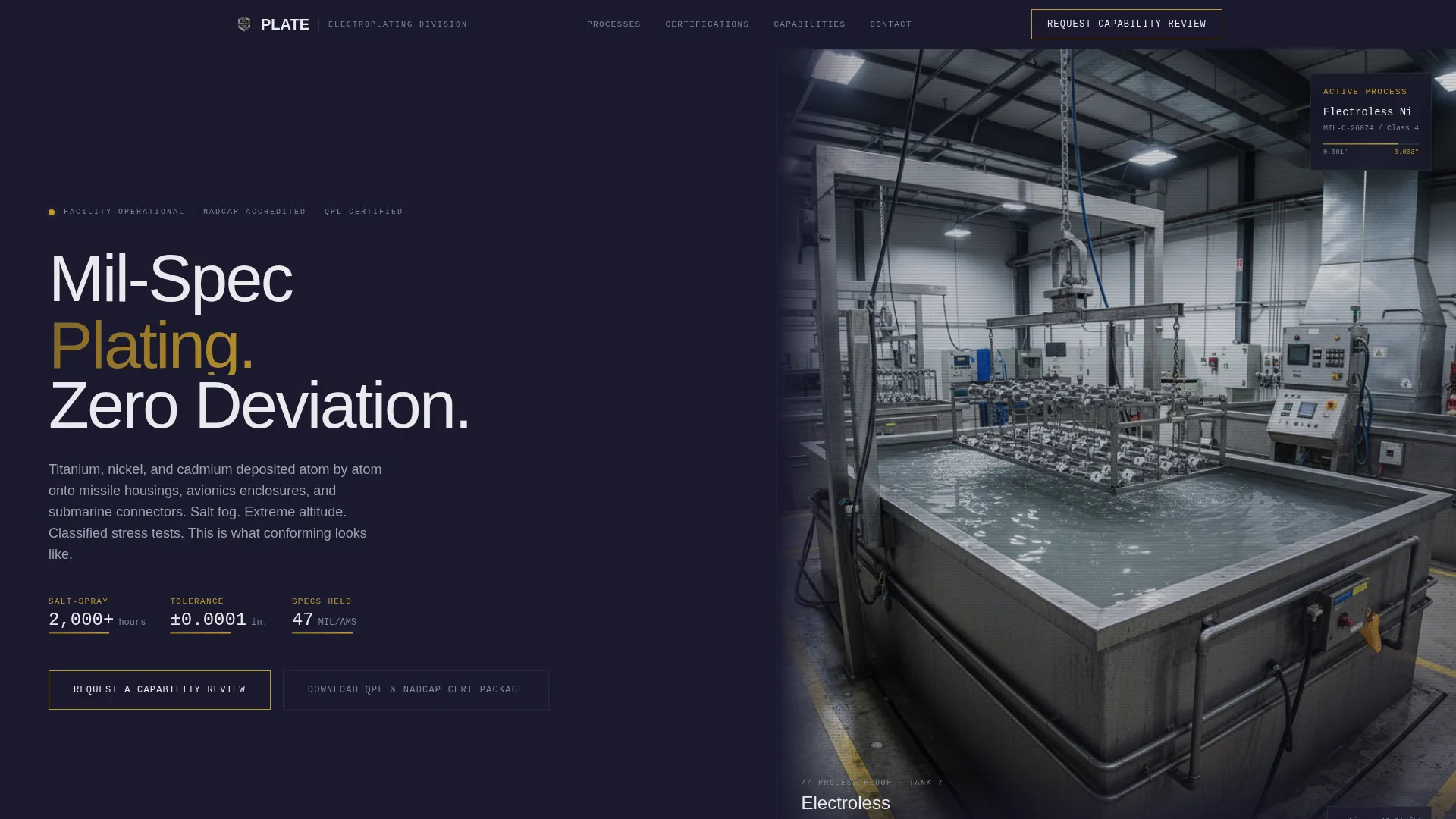
- A full-bleed header video section with a fade-in headline over a tank-level plating line shot
- A repeating split-screen (50/50) scroll rhythm pairing process spec panels with macro surface photography
- Two distinct conversion paths: a primary capability review request form and a secondary certification package download
Feature list
This template's layout and component decisions are drawn directly from the production environment and the procurement context it serves.
Split-Screen Spec Panels
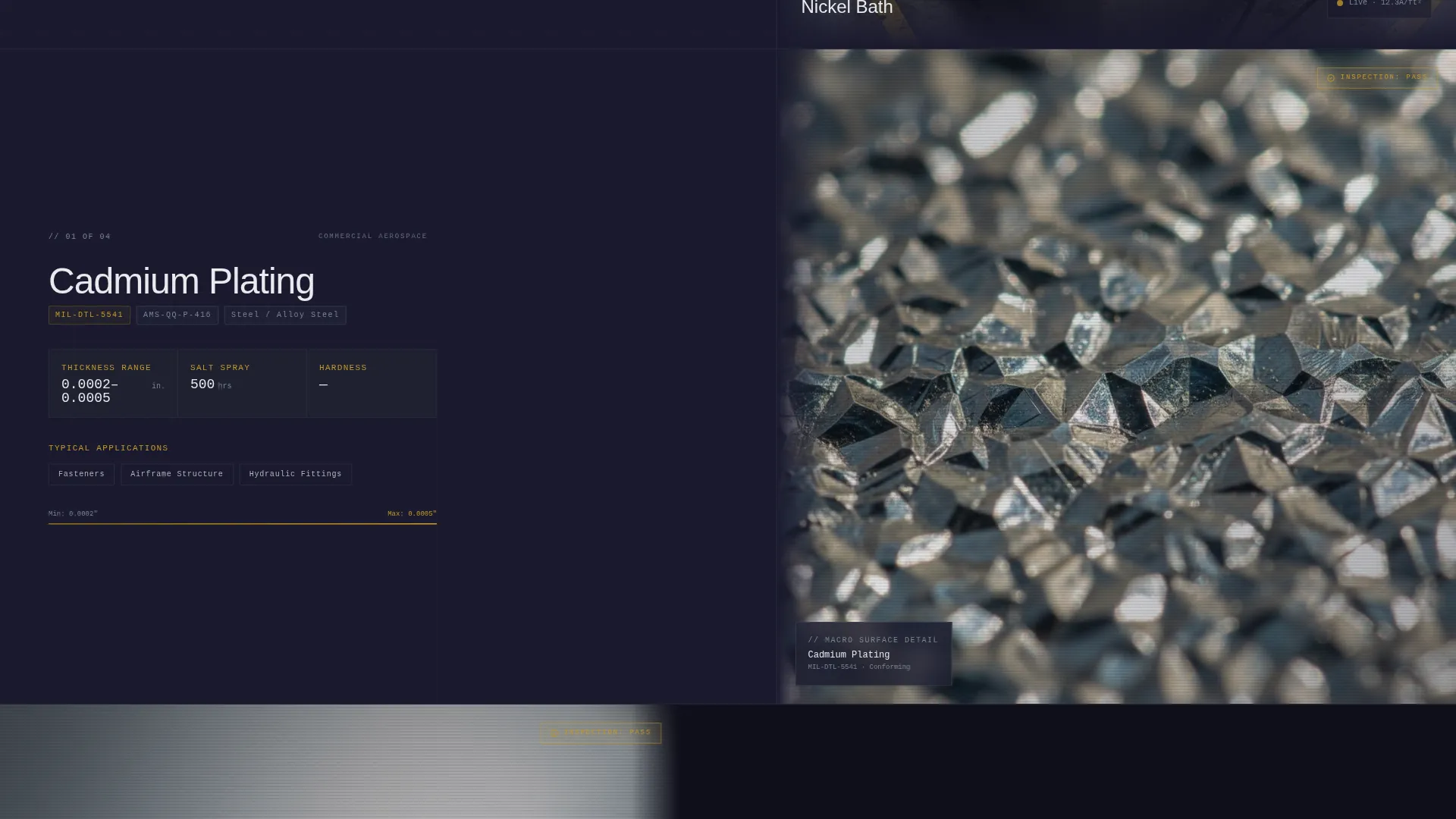
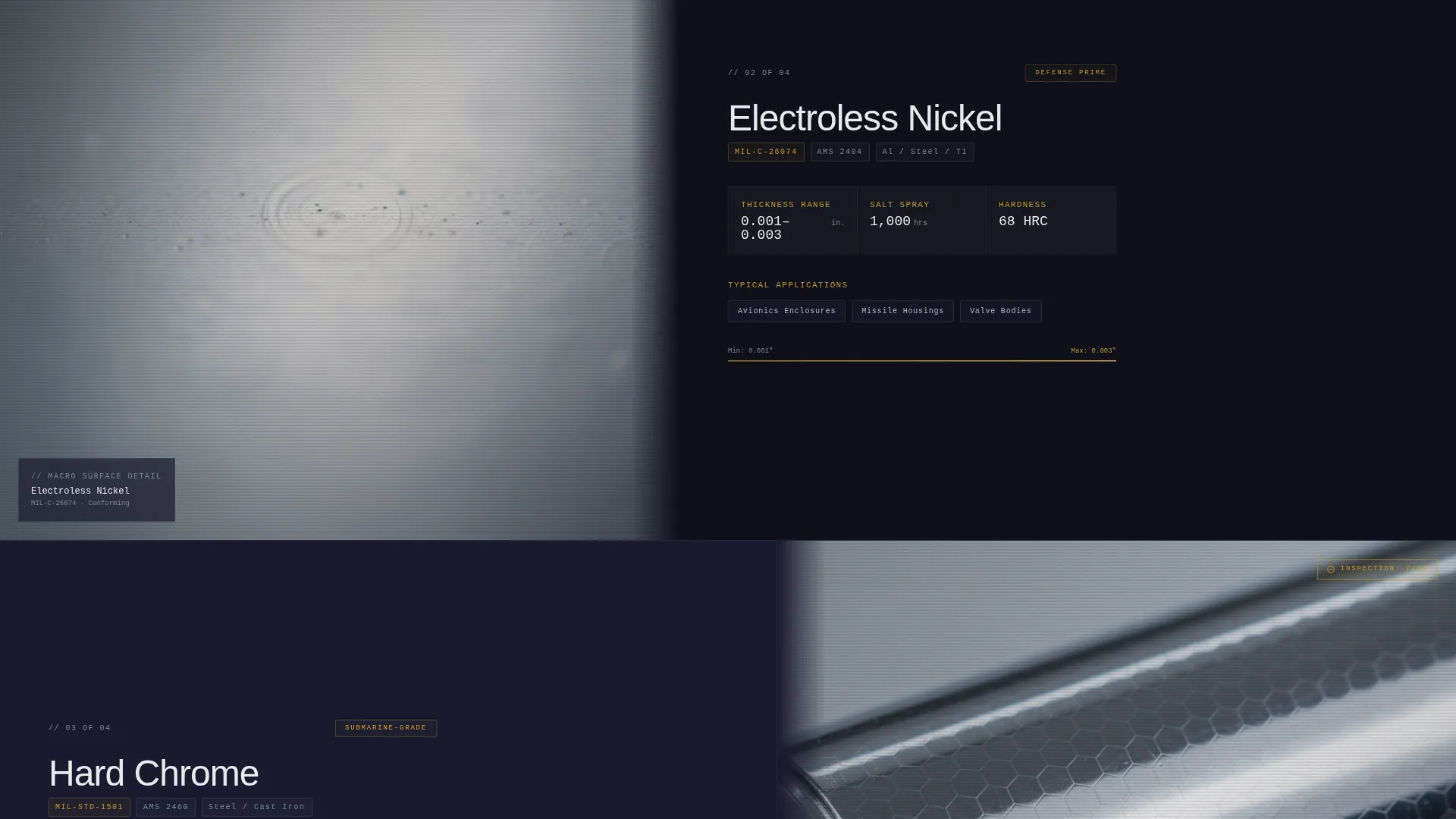
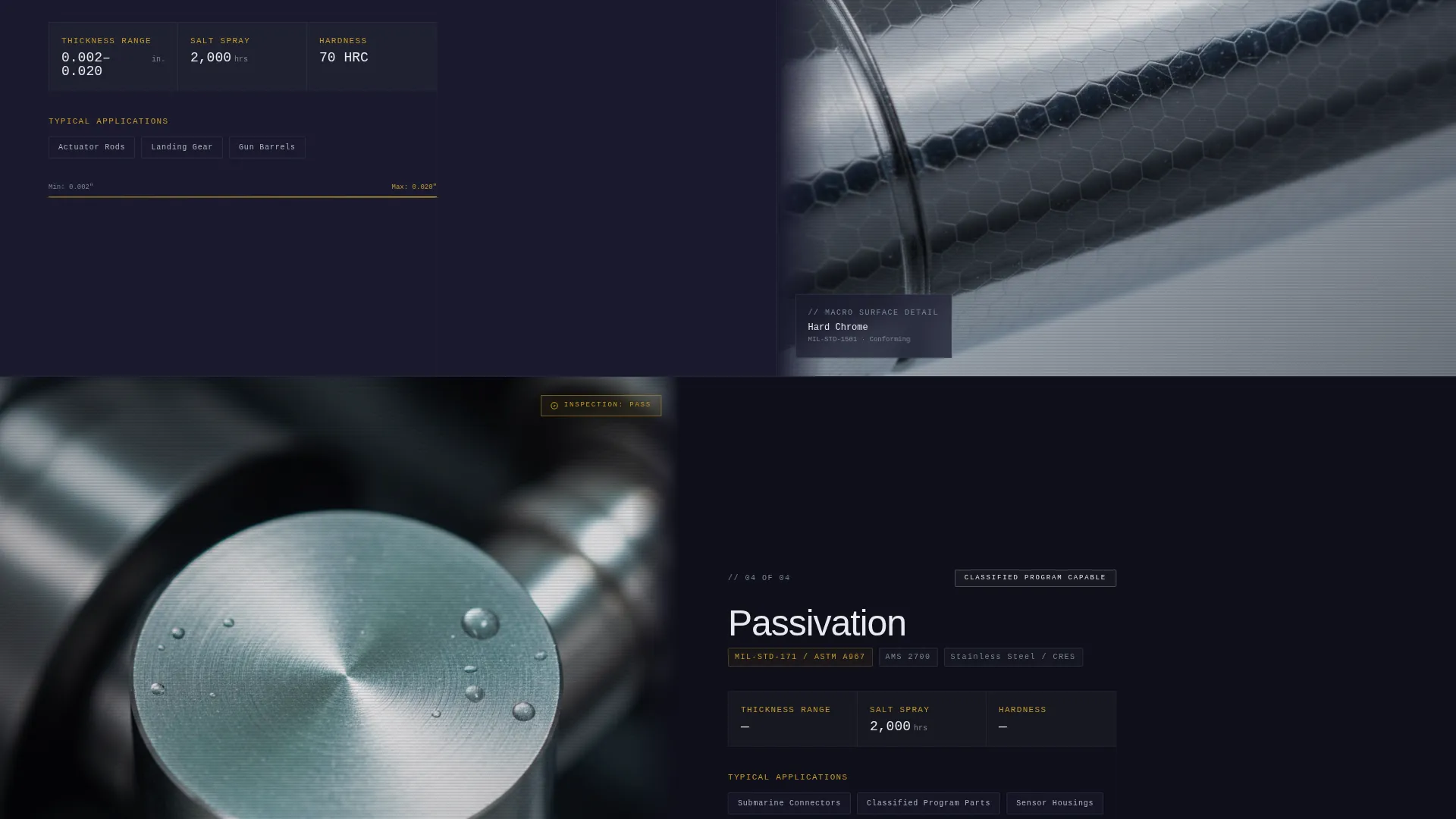
Each scroll section divides the viewport equally. The left panel presents a specific plating process, such as cadmium, hard chrome, electroless nickel, or passivation, with its MIL-SPEC or AMS designation, thickness tolerance range, and salt-spray hour rating in a strict typographic hierarchy. The right panel shows a macro-close photograph of the finished surface. The rhythm of spec, proof, spec, proof turns each scroll into a data audit.
Escalating Criticality Structure
Sections are ordered by application severity, moving from commercial aerospace through submarine-grade to classified-program-capable work. This sequencing builds an implicit argument that the facility operates at the ceiling of the industry. By the time the primary call to action appears, the visitor has already reviewed three tiers of evidence.
Primary Lead Capture Form
The capability review request form is positioned after the third spec section. It collects company name, part material and substrate, required specification via a dropdown of MIL and AMS numbers, annual volume estimate, and an upload field for drawings or specification sheets. The form appears only after credibility is fully established.
Secondary Conversion Path
A "Download Our QPL and NADCAP Cert Package" module captures visitors who are still in the vendor qualification stage. It provides a low-commitment conversion option before the visitor is ready to request a direct capability review, reducing drop-off among procurement officers early in their sourcing cycle.
Behind-the-Scenes Header Section
The header uses a slow dolly shot at tank-rim height capturing a racked part descending into an electroless nickel bath. A technician in full personal protective equipment monitors a digital thickness gauge in the background. A single headline fades in over the footage: "Mil-Spec Plating. Zero Deviation." No stock imagery is used.
Anodized Gold Callout System
The color system reserves anodized gold exclusively for callouts, specification highlights, and call-to-action borders. Gold never appears in body copy. It functions as a visual inspection tag: when gold appears, the data matters. This discipline keeps the palette feeling like a sealed conforming test report.
Page sections overview
| Section | Purpose |
|---|---|
| Header Video Hero | Establishes process authenticity with a tank-level plating shot and fade-in headline |
| Cadmium Plating Split | Presents cadmium process specs alongside a macro surface photograph |
| Hard Chrome Split | Displays hard chrome MIL-SPEC data paired with finished surface close-up |
| Electroless Nickel Split | Shows electroless nickel tolerance range and salt-spray hours with surface proof |
| Passivation Split | Covers passivation process spec and surface imagery at near-microscopic detail |
| Capability Review Form | Primary lead capture after three tiers of credibility are established |
| Cert Package Download | Secondary conversion path for early-stage vendor qualifiers |
Design & branding system
The Corporate Precision theme uses a Carbon Fiber color system. Every palette decision reinforces the feeling of opening a sealed test report stamped conforming.
- Core colors: deep carbon black (#1A1A2E) for primary backgrounds, machined titanium (#7B8794) for alternating section backgrounds, and mil-spec stencil white (#E8EAED) for all body text
- Anodized gold (#C49A2A) is reserved strictly for callouts, specification data highlights, and call-to-action borders; it never touches body copy
- Typography follows a spec-sheet logic with strict hierarchy between process designation labels, tolerance values, and supporting descriptors
Mobile & speed optimization
The split-screen layout is designed to reflow cleanly for narrower viewports. Spec panels and macro photographs stack vertically on mobile without losing the spec-then-proof reading rhythm.
- The 50/50 split collapses to a single-column stack on mobile, with the spec panel appearing above the corresponding surface photograph
- The header video section is structured to maintain the fade-in headline readability across screen sizes
- Form fields and the certification download module are sized for touch interaction on mobile devices
How this template helps you convert
The page earns the click before it asks for anything. Every layout decision delays the call to action until the visitor has already reviewed substantial evidence.
- The escalating spec structure builds compliance credibility across three tiers of application criticality, so the primary form request feels like a natural next step rather than a cold ask
- The secondary certification download gives early-stage procurement officers a low-friction path that keeps them in the funnel while they are still qualifying vendors
Other information about this template
This template fits facilities that operate in a highly regulated environment where vendor selection is documentation-driven. It is built specifically for the defense and aerospace plating niche, where buyers reference Military Specification (MIL-SPEC) and Aerospace Material Specification (AMS) numbers as primary qualification criteria.
- The template style is Split Screen (50/50), aligned with the Spec Sheet creative direction
- The theme is Corporate Precision and the color system is Carbon Fiber
- Header concept is Behind-the-Scenes, using actual process floor imagery rather than stock photography
- The landing page direction is Lead Generation with two distinct conversion paths
- Suitable for facilities holding or pursuing NADCAP accreditation, Qualified Products List certifications, and compliance with standards such as MIL-DTL-5541
- The template is categorized under Manufacturing and Industrial, subcategory Defense Manufacturing, niche Defense Plating and Electroplating
Theme
Corporate Precision
Creative direction
Spec Sheet
Color system
Carbon Fiber
Style
Split Screen (50/50)
Direction
Lead Generation
Page Sections
Split-screen Spec and Proof Layout
Escalating Criticality Section Order
Capability Review Request Form
Certification Package Download Module
Behind-the-scenes Header Video
Anodized Gold Callout System
Related questions
Who is this landing page template built for?
What conversion actions does the template support?
Can I adapt the spec panels to my own plating processes?
Why does the primary form appear after the third spec section?
What kind of imagery does the header section require?



