Kids Ballet Professional Website Template
Pli is a scroll-reveal landing page template built for children's ballet academies. It combines a warm botanical colour palette, an animated isometric studio illustration, and a morning-to-evening storybook timeline. Four free downloadable resources build trust before a single email is requested, making it ideal for local ballet schools that want to turn curious parents into engaged subscribers.
by Rocket studio
Quick summary
Pli is a single-page template for kids' ballet academies that earns trust through storytelling before it asks for anything. The design uses a warm botanical palette, a hand-illustrated isometric studio header, and a day-in-the-life scroll timeline. Four free parent resources are woven into the page flow, and a gentle sticky bar collects emails without pressure or urgency tactics.
Who this template is for
This template is made for small, community-rooted children's ballet schools that want to connect with families online the same way they do in person, warmly and without hard-selling. It suits studio owners, academy directors, and dance teachers who need a polished web presence but want the page to feel personal rather than corporate.
- Parents of children aged roughly four to sixteen who are searching for a local ballet class
- Working mums and dads who browse on their phones during school pick-up and need quick, clear information
- Grandparents and returning dancers who value tradition and want to pass the love of ballet to a new generation
What problem this template solves
Most ballet school pages list timetables and drop an enquiry form at the bottom. They never explain what the studio actually feels like, and families leave before they trust the place enough to book a trial class. Pli solves this by leading with atmosphere, community, and real value before it ever mentions signing up.
- Parents arrive with low trust and no sense of the studio's culture, so they bounce quickly
- Generic enquiry forms collect few responses because they ask for commitment before giving anything back
- Busy families need information fast and in a format that works on a small phone screen
What you get with this template
Pli includes a fully structured scroll-reveal landing page with all core sections built and ready to customise. Every section serves a specific purpose in the family's decision journey, from first impression through to email capture.
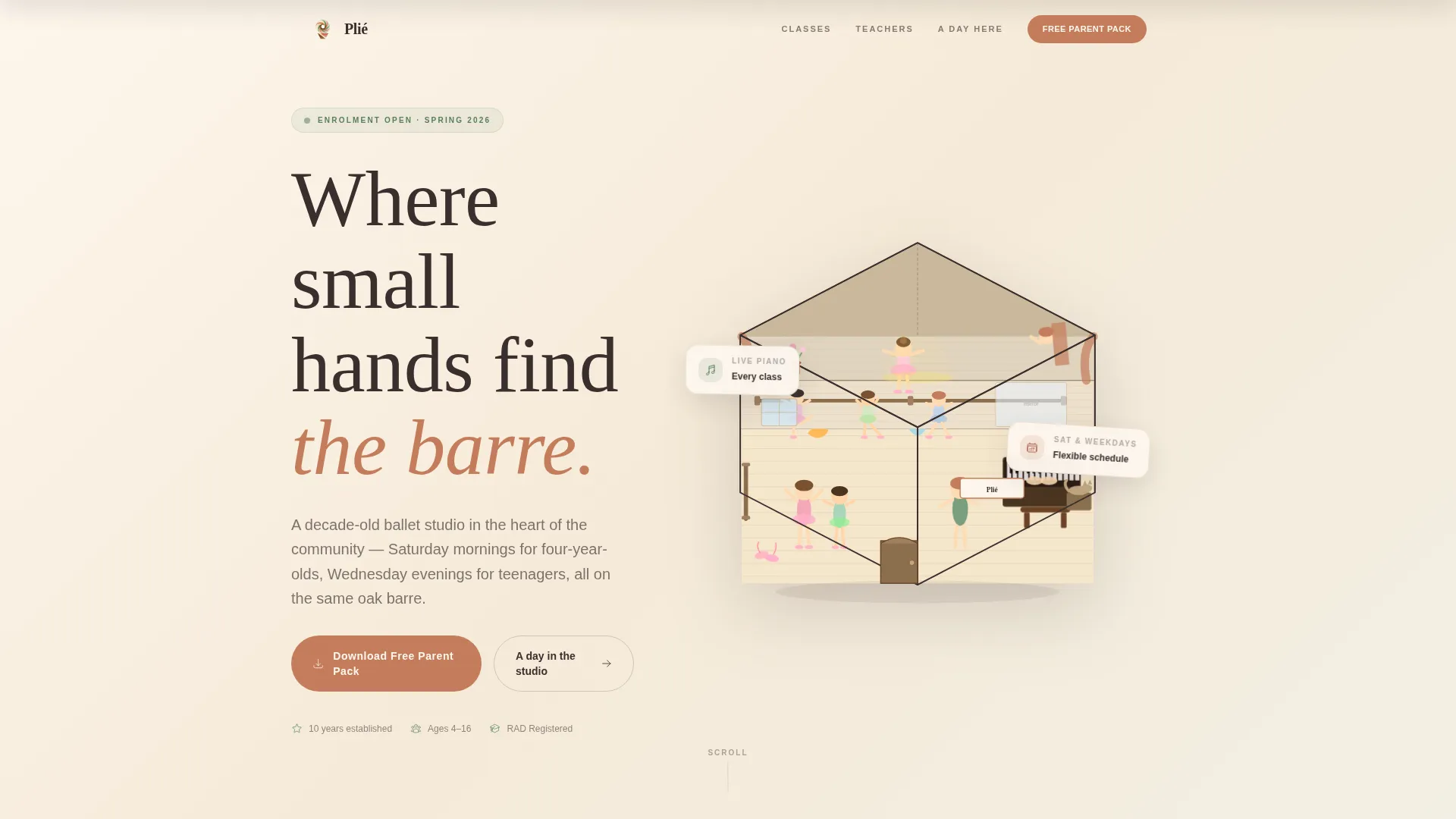
- An animated isometric hero illustration of the studio as a living dollhouse, with three stacked floors and subtle movement
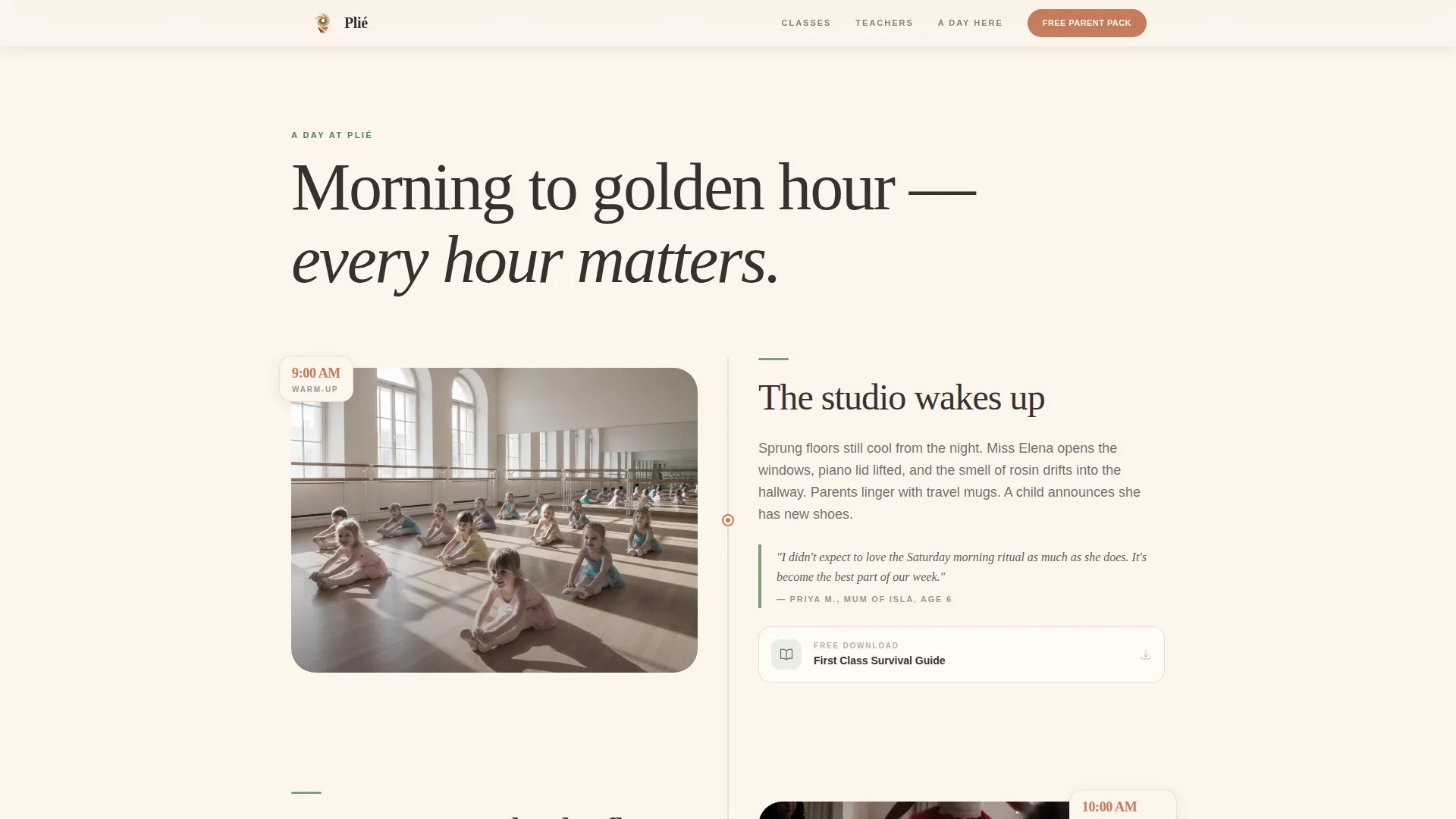
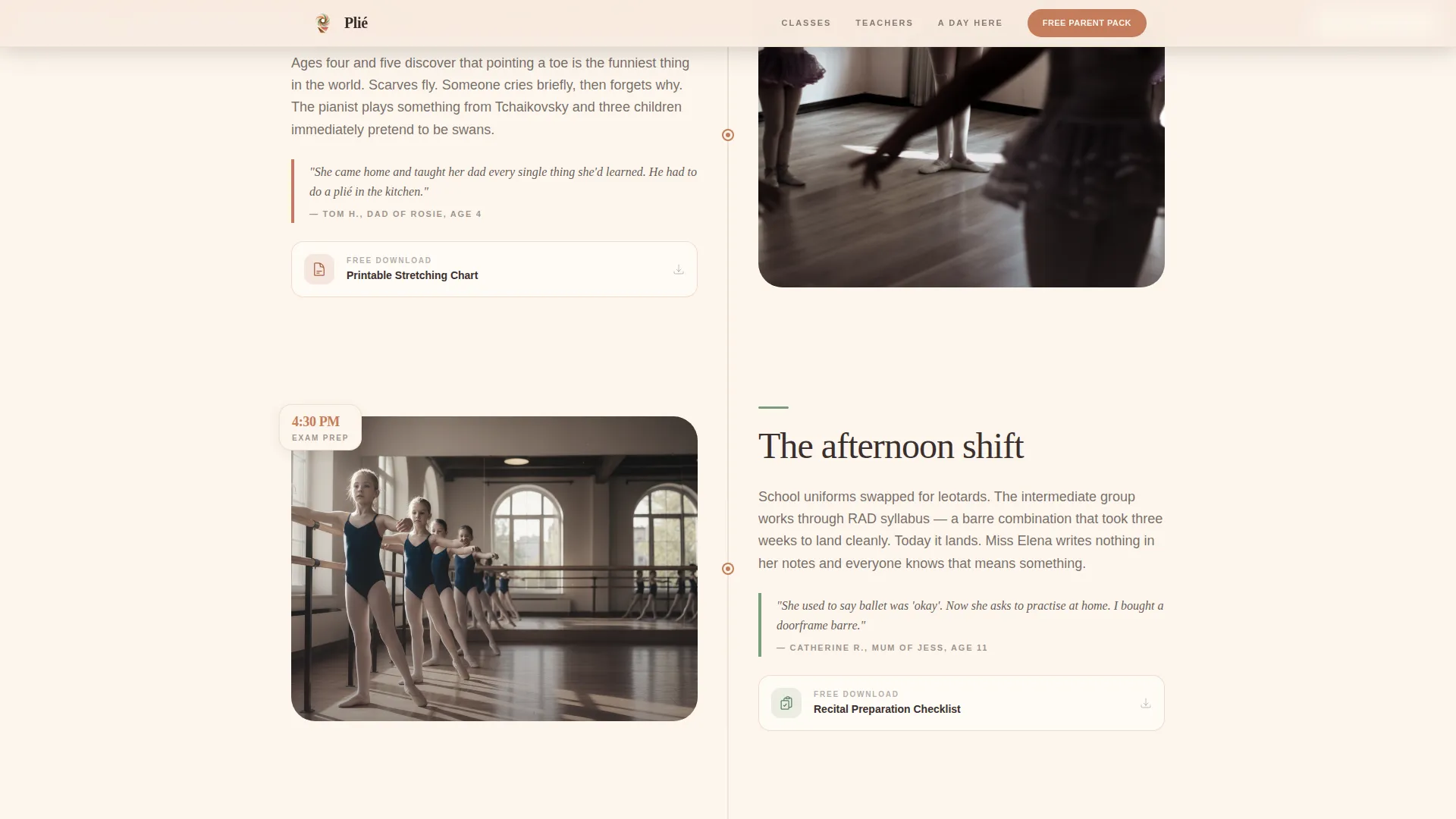
- A morning-to-evening timeline scroll with parent quotes, candid photo placeholders, and four linked downloadable resources
- A sticky download bar, a closing email capture section with an age-group dropdown, and a horizontal-flow footer
Feature list
Animated Isometric Hero Illustration
The header presents the academy as a cross-section dollhouse with three visible floors. A toddler creative movement class, a barre session, and a stage rehearsal are shown simultaneously. Subtle animations let scarves drift, a pianist's hands move, and a child wave, rewarding visitors who look closely.
Day-in-the-Life Scroll Timeline
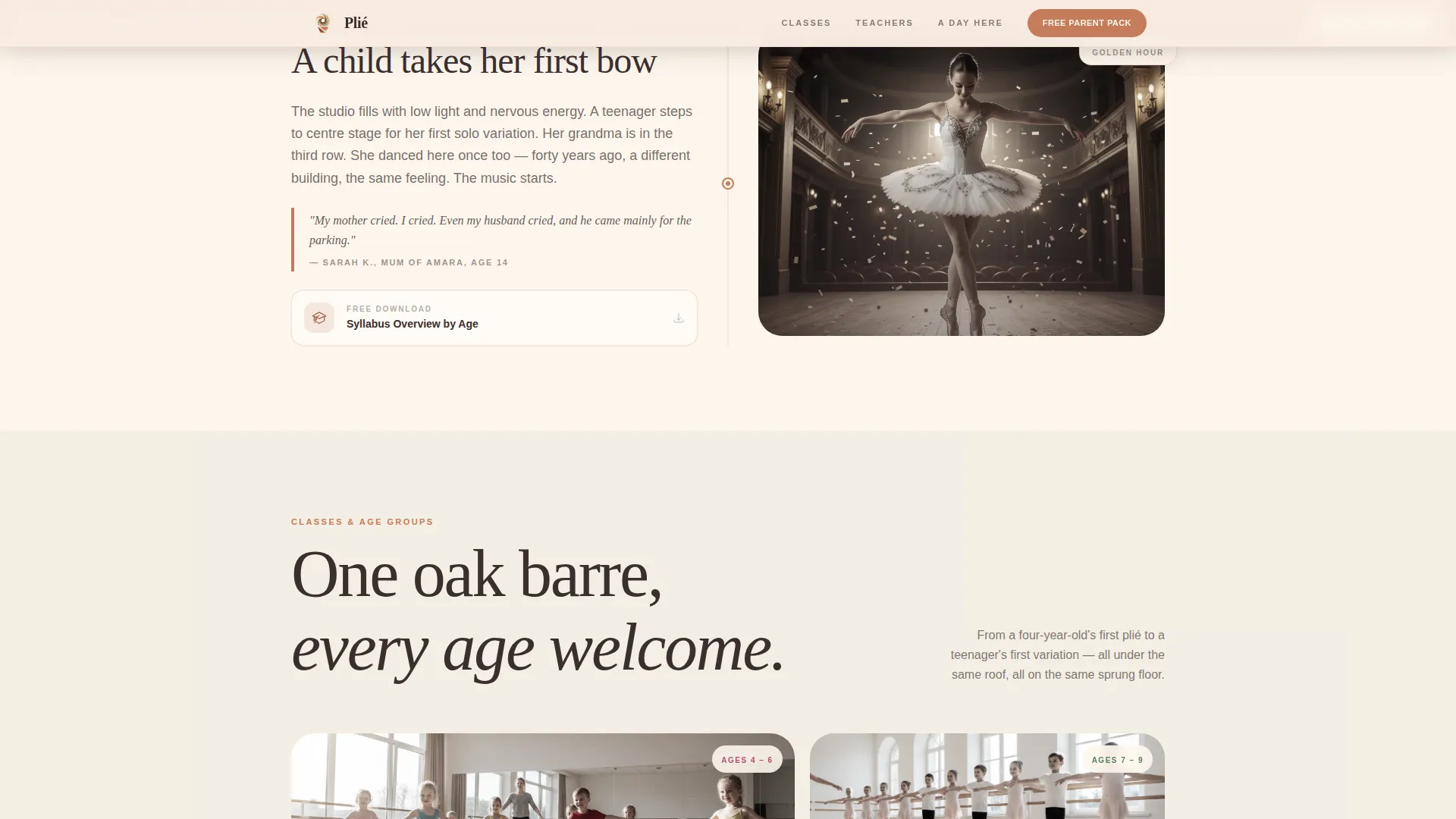
Sections bloom upward as the visitor scrolls, following the academy's day from a 9 AM warm-up through to a golden-hour first bow. Each reveal pairs a parent or student quote with a candid photograph placeholder and a specific downloadable resource tied to that moment of the day.
Four Free Downloadable Resources
The template is structured around four genuinely useful items: a First Class Survival Guide for nervous parents, a printable stretching chart for children, a recital preparation checklist, and a syllabus overview by age group. These are built into the timeline before any email is requested.
Sticky Download Bar and Email Capture
A gentle sticky bar appears after the second scroll reveal, inviting visitors to download the free Parent Pack without interrupting the reading flow. The closing section reinforces the offer with a single-field email input and an optional age-group dropdown, keeping the ask light and specific.
Age Groups and Classes Grid
An asymmetric bento-style grid presents the academy's class offerings with varied card sizes. Each card can carry an age range, class name, and short description, giving families a clear map of where their child fits before they reach the sign-up section.
Instructor Profiles with Hover Reveals
Instructor profiles alternate between photo and text in a layout that transitions from greyscale to full colour on hover. This approach introduces the teaching team with warmth while keeping the visual rhythm of the page consistent.
Page sections overview
| Section | Purpose |
|---|---|
| Hero Dollhouse Header | Establishes atmosphere and studio identity at first glance |
| Day-in-the-Life Timeline | Guides scroll with storybook reveals and downloadable resources |
| Age Groups Grid | Helps families identify the right class for their child |
| Instructor Profiles | Builds trust through the teaching team |
| Free Parent Pack | Captures emails via four resource previews and a single form field |
| Horizontal Flow Footer | Closes the page with navigation and studio contact details |
Design & branding system
The visual identity follows a Community Hearth theme expressed through a Botanical colour system. Petal cream dominates the canvas so the eye rests easily. Fern green enters gradually, like foliage creeping into a courtyard. Terracotta warms every button and accent line the hand reaches for. The overall effect recalls a well-loved children's book illustrated in watercolour.
- Colours: petal cream (#FDF6EC) as the primary canvas, fern green (#7A9E7E) for section backgrounds, terracotta (#C47C5A) on buttons and accents, and deep soil brown (#3B2F2F) for body text
- Typography: Fraunces serif display for headings paired with DM Sans for body copy, creating a warm and readable contrast
- Illustration style: warm botanical watercolour details, dried wildflower references, and sprung wood floor textures that feel hand-made rather than digital
Mobile & speed optimization
The template is built mobile-first, acknowledging that most parents will land on this page during a school run or a quiet moment on the sofa. The layout stacks gracefully on small screens, and the sticky download bar remains accessible without covering key content.
- Touch-friendly card sizes in the class grid and instructor section make navigation easy on a phone
- Server Components handle static sections, keeping the interactive animation boundary minimal and load times reasonable
- The single-field email form is designed for thumb-friendly input with a clear, well-labelled dropdown
How this template helps you convert
Pli is built around a content-first conversion model. It gives four useful things away before it asks for an email address, mirroring the way a trusted teacher earns respect before offering a first correction. The page earns the lead rather than demanding it.
- Four free downloadable resources are revealed progressively through the timeline, so each scroll deepens the visitor's connection to the studio before the ask appears
- The sticky download bar introduces the Parent Pack gently after the second reveal, placing the offer in context without interrupting the story
- The closing email capture combines a low-friction single field with an optional age-group dropdown, making the form feel personal and relevant rather than generic
Other information about this template
Pli uses UK English throughout, with date formats set to DD/MM/YYYY and currency references in GBP where applicable, making it a natural fit for British ballet schools and arts education providers. The animation layer is built with GSAP ScrollTrigger for line reveals, staggered bloom effects, and floating scarf motion. A marquee element and cursor warmth interaction are also included in the interactive layer.
- The template style is Scroll Reveal (Progressive), meaning each section enters the viewport with a distinct animated bloom rather than loading all at once
- The header concept is Isometric, giving the studio a three-dimensional illustrated presence that no stock photograph could replicate
- The creative direction is Day-in-the-Life, structuring the entire page as a storybook passage from morning to golden hour
Theme
Community Hearth
Creative direction
Day-in-the-Life
Color system
Botanical
Style
Scroll Reveal (Progressive)
Direction
Content/Resource
Page Sections
Animated Isometric Studio Hero
Day-in-the-life Scroll Timeline
Four Built-in Downloadable Resources
Sticky Download Bar and Email Capture
Age Groups Bento Grid
Grayscale-to-colour Instructor Profiles
Related questions
Can I use this template if my ballet school is not in the UK?
Do I need to create the free downloadable resources myself?
Is this template suitable for a studio with different age groups than those described?
How does the email capture section work?
Can the animated isometric illustration be swapped for real photographs?



