Manufacturing Plant Landing Page Template
Plywood is a single-column flow landing page built for plywood and particleboard manufacturing plants. It guides industrial buyers through every production stage with auditable checkpoints, inline data tables, and a panel selector tool. The page earns trust before the gated spec sheet form appears, making it ideal for procurement managers, millwork shops, and furniture manufacturers.
by Rocket studio
Quick summary
Plywood is a production-focused landing page for wood panel manufacturers. It walks industrial buyers through each stage of the manufacturing process using a checklist-style layout with tolerance data, certification details, and mechanical property charts. By the time visitors reach the download form, they have already seen enough proof to trust the spec sheet library behind it.
Who this template is for
This template is built for wood panel manufacturers who sell to demanding industrial buyers. It speaks directly to the people those buyers send to evaluate suppliers before placing large orders.
- Millwork shop owners comparing modulus of rupture ratings before committing to bulk timber orders
- Construction procurement managers specifying sheathing panels for large residential subdivision projects
- Furniture original equipment manufacturers who need consistent thickness tolerance across high-volume panel runs
What problem this template solves
Industrial buyers do not convert on aesthetics. They convert on documented proof. Most manufacturing websites fail to provide the technical depth that procurement and engineering teams need before they will pass a supplier to their decision chain.
- No structured way to present production-stage data, tolerance ranges, and pass/fail quality criteria in one scroll
- No inline panel selector that lets buyers filter by thickness, grade, and application before committing to a download
- No logical flow that earns the gated content request by delivering value first
What you get with this template
This template delivers a complete single-column landing page organized around the full production chain. Every section is designed to build confidence in the plant's documentation discipline and product consistency.
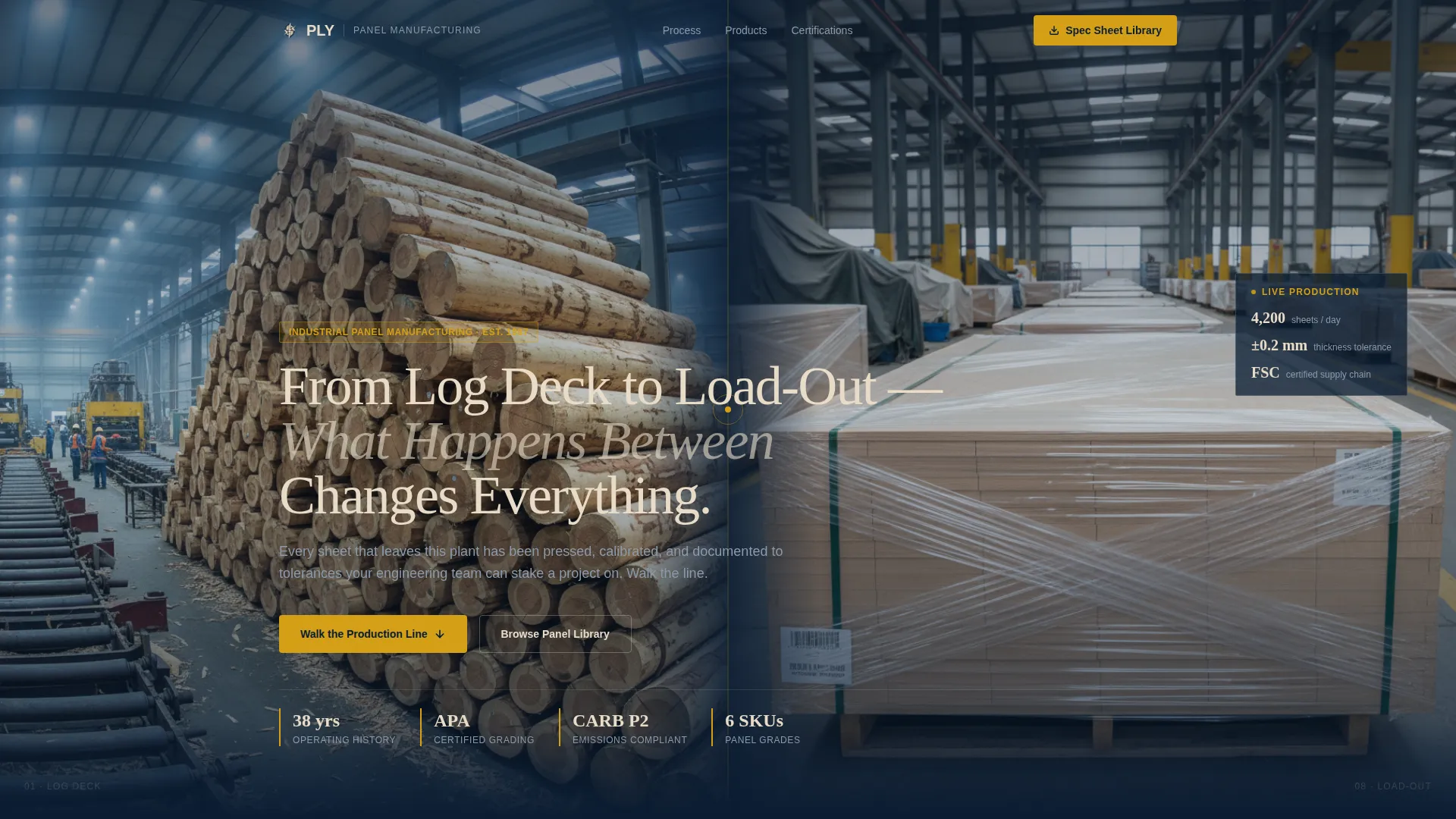
- A full-width before/after header with a floating data callout showing sheets per day, tolerance, and certification status
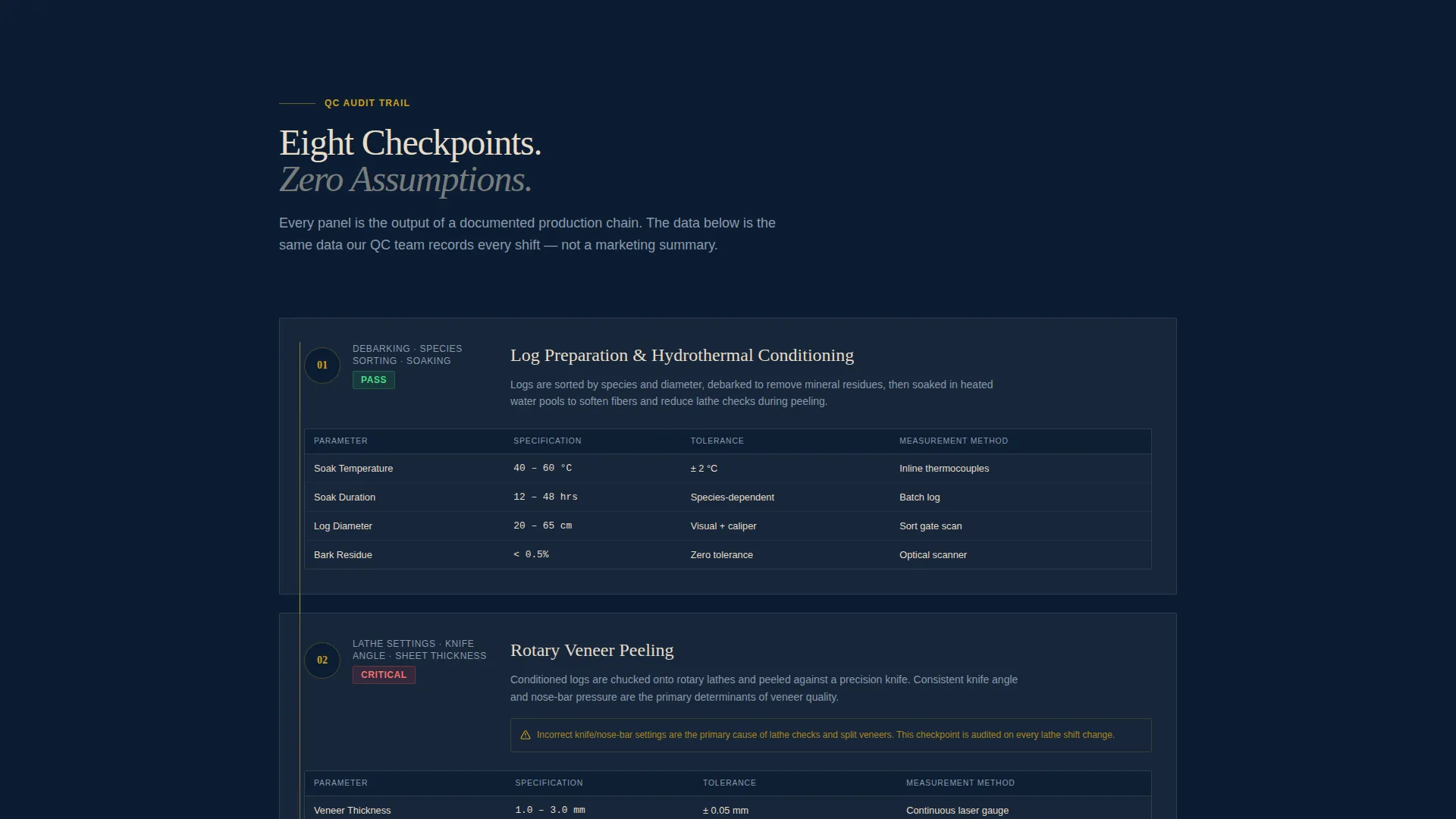
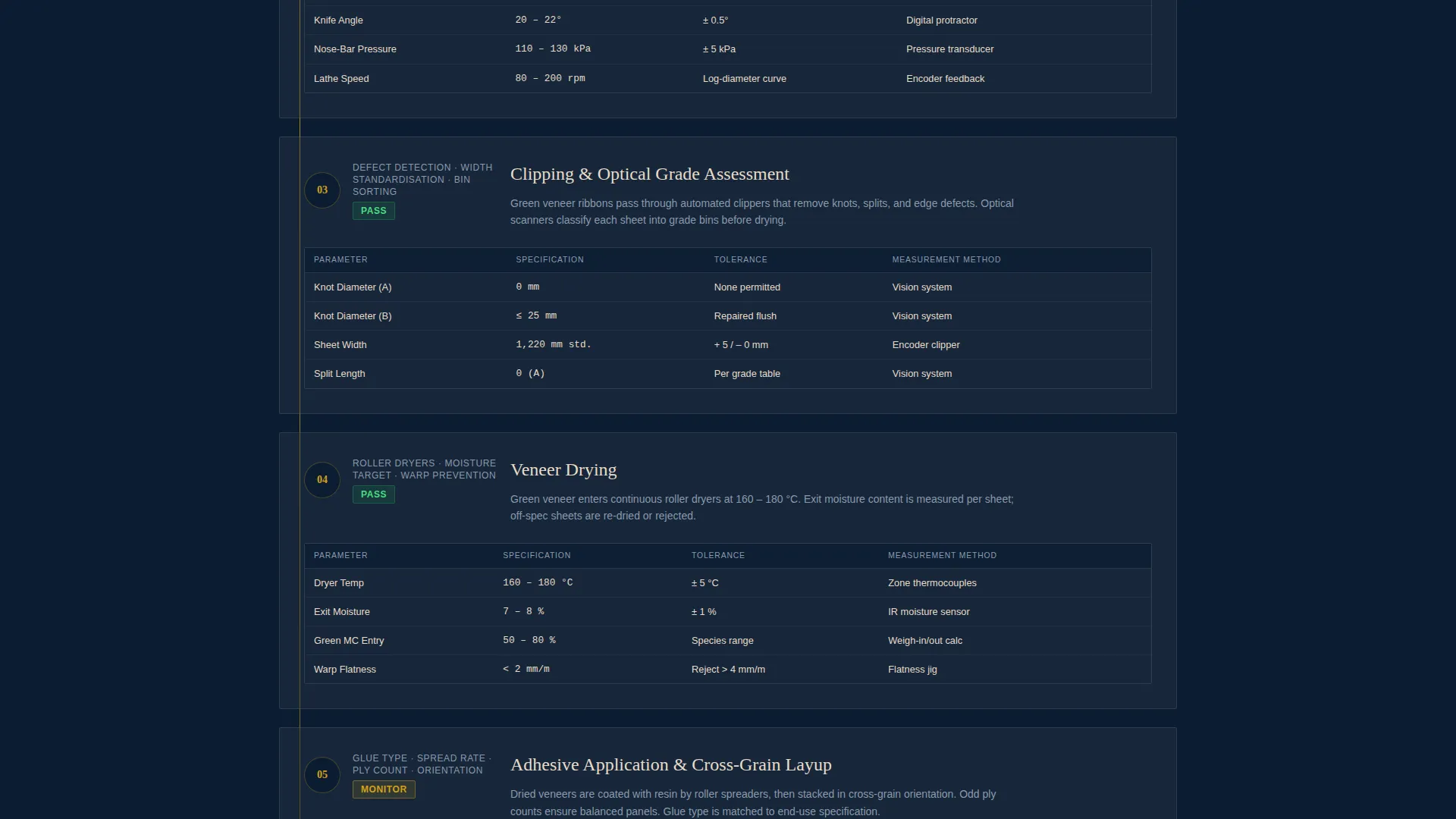
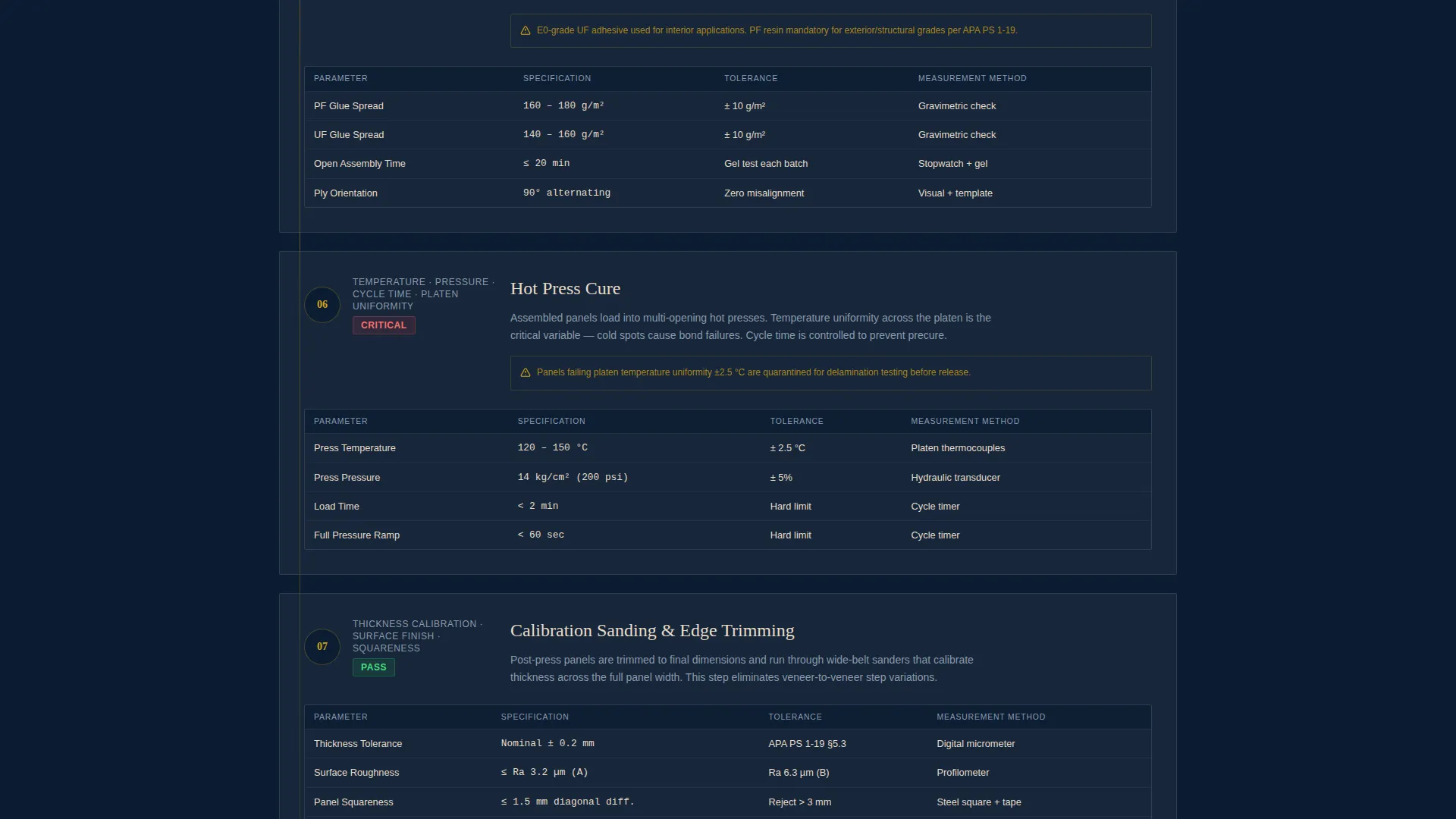
- Six auditable production-stage sections covering veneer peeling, drying, layup, hot pressing, sanding, and grading, each with inline data tables
- A gated spec sheet download form and an ungated inline panel selector tool for pre-download product exploration
Feature list
This template brings together several purpose-built components that serve the technical buyer journey from first scroll to form submission.
Before/After Header with Data Callout
The header opens with a split image showing rough-cut logs on the left and precision-graded panels on the right, shot at the same plant eye level. A floating callout badge overlays the finished side with key production figures, making the plant's output measurable from the first second on the page.
Checklist-Style Production Audit Sections
Each of the six manufacturing stages is presented as an auditable checkpoint. Visitors see pass/fail criteria and tolerance ranges for veneer peeling, drying, layup, hot pressing, sanding, and grading as they scroll, building confidence in the plant's quality documentation.
Inline Data Tables and Property Charts
Mechanical property charts and panel cross-section visuals stack vertically through the product library section. The layout feels like paging through a technical binder, giving engineers and procurement teams the reference data they need without leaving the page.
Downloadable Spec Sheet Library Form
A short gated form collects company name, role via dropdown, and work email in exchange for the full spec sheet library. The form appears after the process proof sections, so visitors already understand the value before they are asked to share their details.
Inline Panel Selector Tool
An ungated panel selector lets visitors filter panels by thickness, grade, and application to preview individual data sheets. This secondary path gives buyers a low-commitment way to explore product options before deciding to download the full library.
Downloadable Spec Comparison Matrix
Midway through the page, a downloadable spec comparison matrix gives buyers a side-by-side reference for evaluating panel options. It serves as a trust checkpoint that bridges the process-proof sections and the product library.
Page sections overview
| Section | Purpose |
|---|---|
| Split header image | Show raw-to-finished transformation with floating production data callout |
| Production data callout | Highlight sheets per day, tolerance, and certification in one badge |
| Veneer peeling checkpoint | Present peel-stage pass/fail criteria and tolerance ranges |
| Drying stage checkpoint | Document moisture targets and drying audit criteria |
| Layup stage checkpoint | Show assembly sequence data and bonding specifications |
| Hot press checkpoint | Display press cycle parameters and resin cure criteria |
| Sanding and grading checkpoint | Present surface tolerance and grading pass/fail standards |
| Spec comparison matrix | Offer mid-page downloadable panel comparison reference |
| Panel selector tool | Let buyers filter by thickness, grade, and application |
| Product library section | Stack panel cross-sections, property charts, and certification logos |
| Gated download form | Collect company name, role, and email for spec sheet library access |
Design & branding system
The visual identity follows an Industrial Raw theme built on a Navy Authority color palette. Every color choice reinforces the sense of a well-run factory floor where documentation and precision are the default standard.
- Deep mill-floor navy (#0B1D33) and press-steel charcoal (#2C3A47) form the base, with raw birch veneer (#E8DCC8) used for content surfaces and readable backgrounds
- Safety-stripe amber (#D4A017) is reserved for calls to action, callout badges, and interactive highlights such as the panel selector and download button
- The overall palette reads like a clipboard hanging on a factory column under fluorescent light, purposefully undecorated and load-bearing in feel
Mobile & speed optimization
The single-column flow layout adapts naturally to narrower screens without restructuring the reading order or breaking the audit checkpoint logic. Every section maintains its hierarchy from desktop to mobile.
- Vertical stacking of data tables, panel cross-sections, and certification logos keeps the technical binder feel intact on smaller displays
- The inline panel selector and gated form remain accessible and functional within the single-column structure on all screen sizes
How this template helps you convert
This template is structured as a content and resource destination, meaning it earns the conversion before asking for it. The layout is deliberately sequenced to move buyers from curiosity to confidence to commitment.
- The before/after header and floating data callout establish credibility immediately, giving buyers a measurable first impression of the plant's output and quality standards.
- The six audit checkpoint sections and mid-page spec comparison matrix build documented trust progressively, so by the time the gated form appears, visitors have already decided the download is worth sharing their contact details.
Other information about this template
This template is part of the Manufacturing and Industrial category under the Wood and Furniture Manufacturing subcategory, specifically matched to the Plywood and Particleboard Plant niche. It is suited for plants producing structural plywood, furniture-grade plywood, particleboard, and related engineered wood panel products.
- The Checklist and Audit creative direction makes it well-suited for plants that compete on documented quality rather than price alone
- The template style is Single Column Flow, keeping the reading path unambiguous for buyers who arrive with a technical evaluation objective
- The header concept is a Case Study Before/After, a format that communicates manufacturing transformation more efficiently than a standard hero image or headline alone
- The landing page direction is Content/Resource, meaning the primary conversion mechanism is a gated downloadable asset rather than a direct quote request or contact form
Theme
Industrial Raw
Creative direction
Checklist & Audit
Color system
Navy Authority
Style
Single Column Flow
Direction
Content/Resource
Page Sections
Before/after Header with Floating Data Callout
Six-stage Production Audit Checkpoints
Inline Panel Selector Tool
Gated Spec Sheet Library Form
Downloadable Spec Comparison Matrix
Product Library with Charts and Certification Logos
Related questions
Can I use this template without a gated download form?
What types of buyers is this landing page designed for?
How is the production audit section structured?
Does the panel selector tool require special setup?
What is the spec comparison matrix and where does it appear?



