Highconverting Studio Landing Page Template
Airwave is a cinematic, full-page podcast studio landing page built to book sessions, not collect form fills. It opens with a slow-push studio video, moves through waveform animations and editorial pull-quotes, and closes with a supercut of recorded opening lines. Every scroll beat builds trust and steers visitors toward one action: booking a session.
by Rocket studio
Quick summary
Airwave is a storybook landing page for a podcast recording studio. It combines a full-screen video header, scroll-triggered waveform animation, magazine-style typography, and a click-through booking flow. The page is built for studios that want to feel premium, earn trust fast, and convert visitors into booked sessions without a single on-page form.
Who this template is for
This template speaks directly to podcast studios that need a page as polished as the shows they produce. It works equally well for boutique recording spaces and full-service brand audio teams.
- Indie podcasters who have outgrown their home setups and need a professional room
- Brand marketing teams launching a flagship show and looking for a broadcast-ready studio
- Authors and tour professionals who need multiple broadcast-ready episodes recorded in a single day
What problem this template solves
Most studio websites look like service brochures. They list specs, post a contact form, and leave visitors cold. Airwave solves the trust gap that stands between a curious visitor and a confirmed booking.
- Visitors cannot feel the quality of a studio from a static page, so the template uses video, waveform animation, and audio clips to create that sensory impression
- Studios lose bookings when the path to a calendar is buried or unclear, so the template surfaces the booking call to action progressively and insistently as the visitor scrolls
What you get with this template
You get a complete, single-page studio experience designed to move visitors from first impression to booking intent. Every section has a specific job in that sequence.
- A full-screen video header with an animated serif headline and a pulsing audio waveform
- A waveform section with a featured episode clip, editorial pull-quotes, and a download stat counter crossing seven figures
- A show-cover grid, stacked testimonials, and a closing supercut section that plays ten seconds of opening lines recorded in the studio
Feature list
This template includes carefully sequenced sections and design choices that work together as a single persuasive narrative.
Full-Screen Video Header
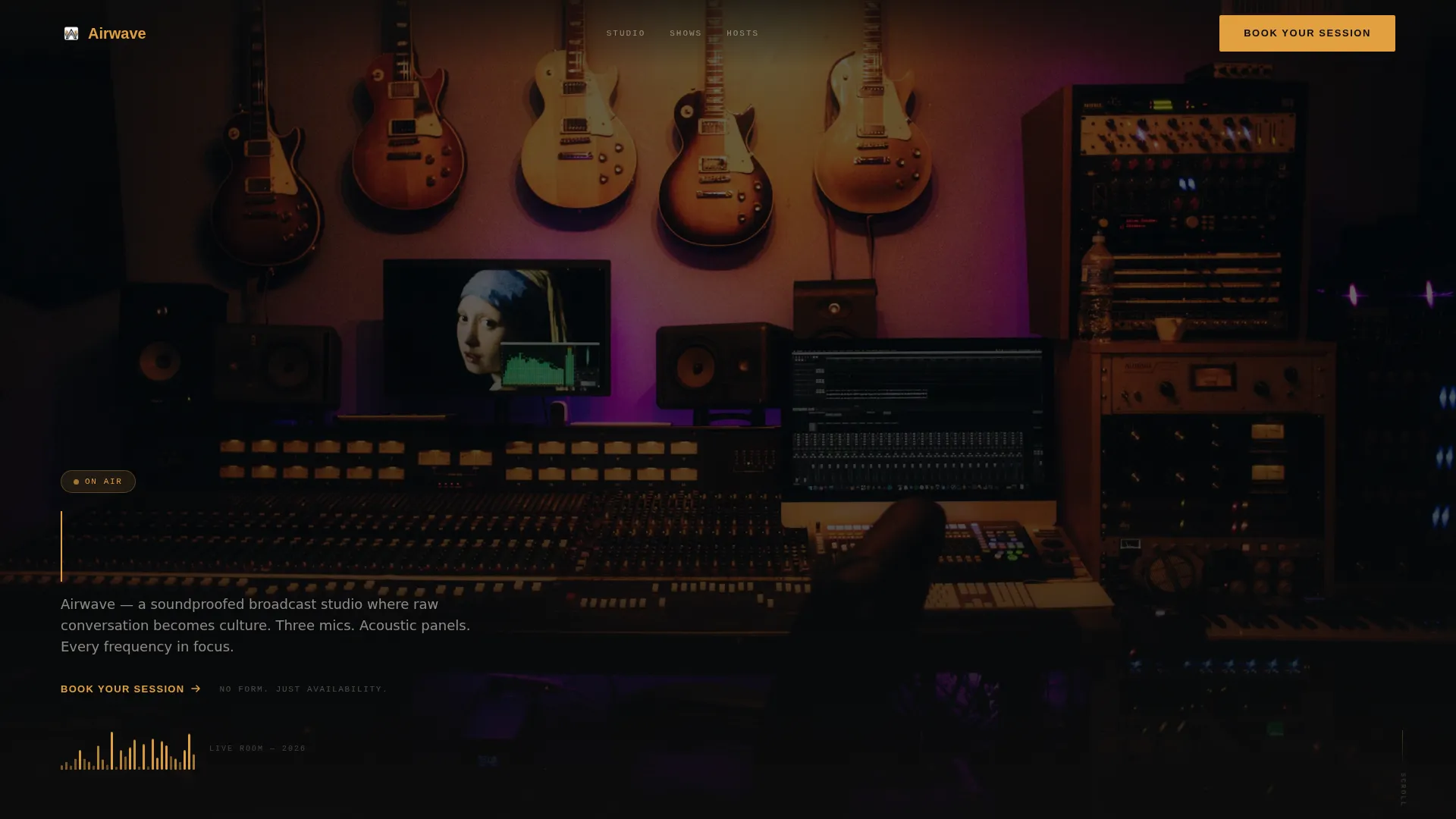
A slow, handheld tracking shot pushes through the studio door and into the live room. An editorial serif headline types itself in sync with a faint audio waveform pulsing at the bottom of the frame. The result is an opening that feels like a broadcast, not a brochure.
Scroll-Triggered Waveform Animation
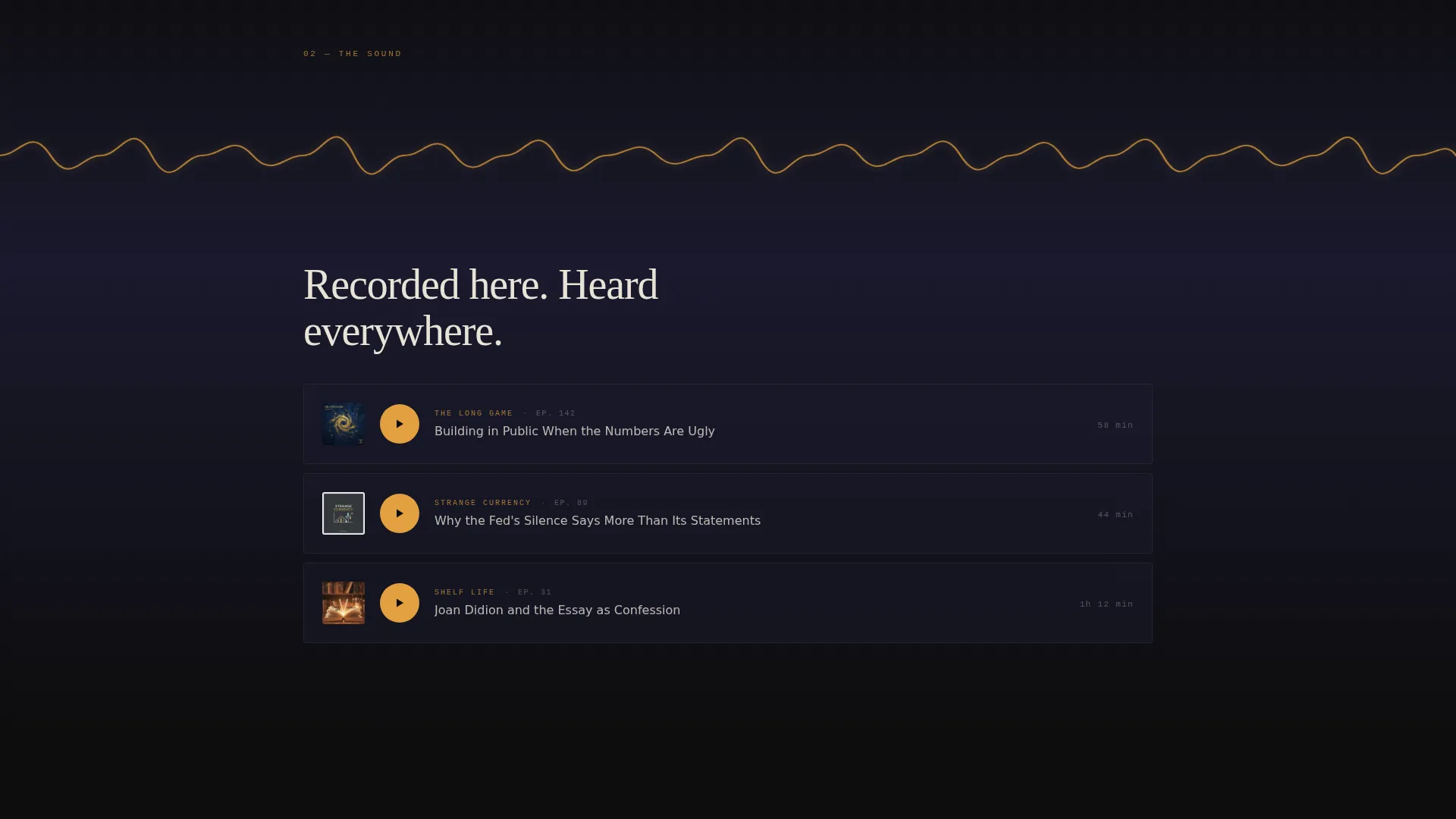
A full-viewport waveform animates across the screen as a featured episode clip auto-plays. This section is the emotional center of the page. It turns passive scrolling into something closer to a listening experience.
Editorial Pull-Quote Spreads
Host quotes are typeset like magazine feature pages. Enormous serif numerals mark episode counts and download milestones. The layout borrows from print editorial design to signal credibility without listing bullet-point credentials.
Album-Art Show Cover Grid
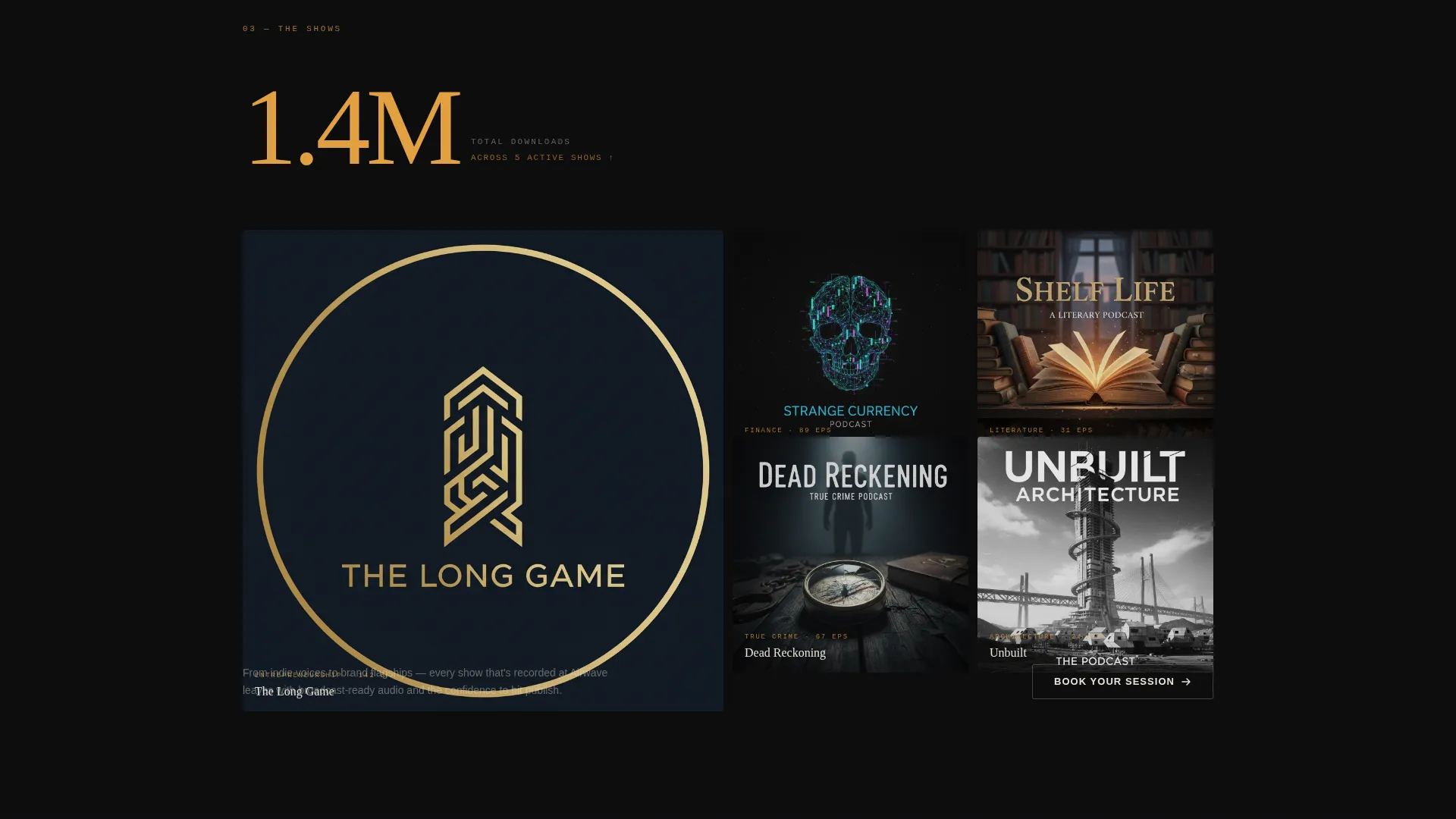
A curated grid displays the shows the studio has produced, styled like album artwork. Three recognizable show covers with visible download figures build social proof before the booking ask grows louder.
Progressive Sticky Booking Bar
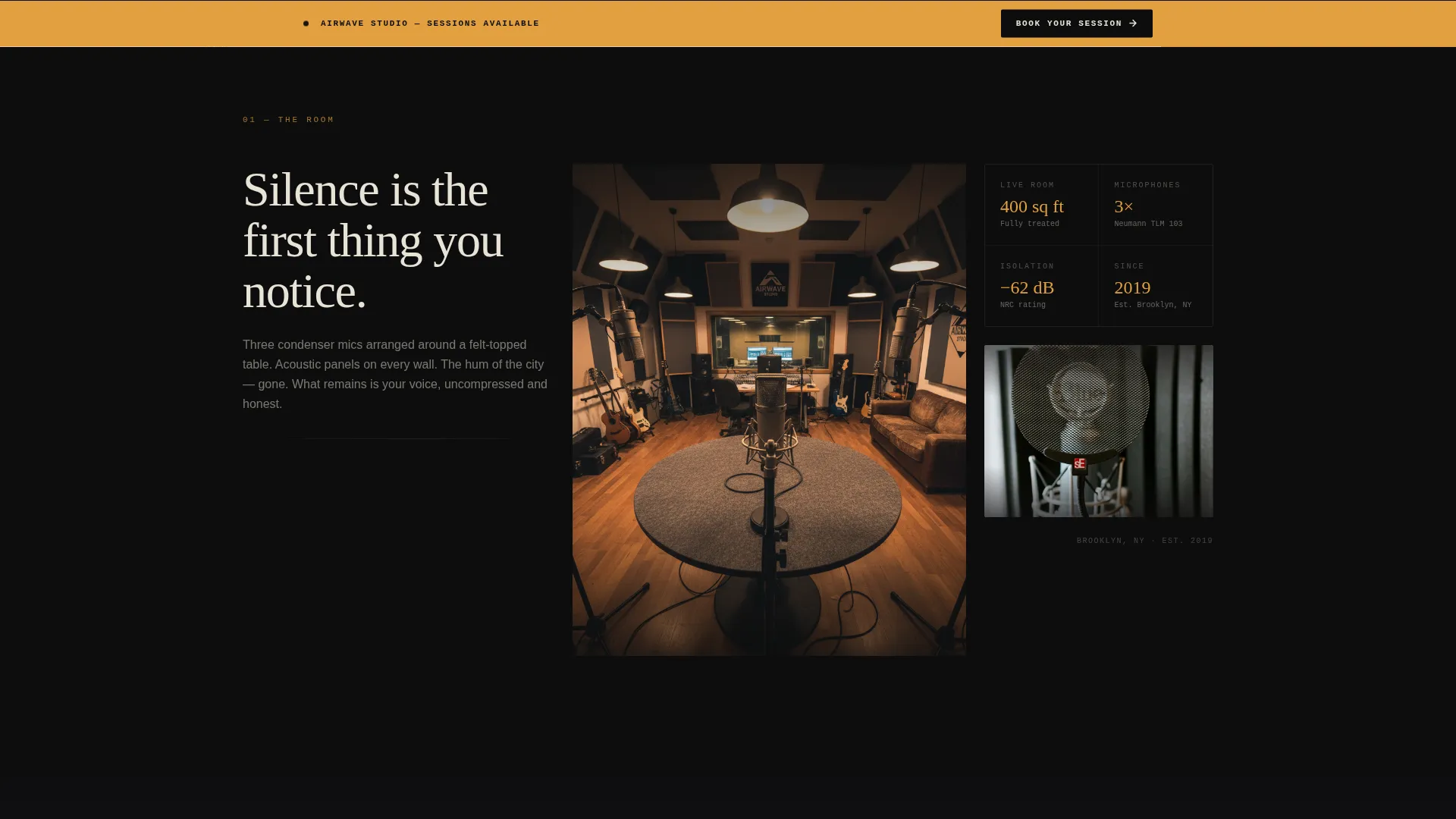
The primary call to action first appears as an amber text link below the header video. After the waveform section it resurfaces as a full-width sticky bar that grows more prominent with each subsequent section. No form lives on the page; the click routes to a scheduling page.
Closing Audio Supercut Section
The final content section plays a ten-second supercut of opening lines recorded in the studio. It is the page's climax, a proof-of-sound moment that lands right before the final booking prompt.
Page sections overview
| Section | Purpose |
|---|---|
| Full-Screen Video Header | Sets cinematic tone and introduces the studio space |
| Typed Headline with Waveform | Anchors brand voice and signals audio quality |
| Empty Studio Shot | Establishes silence, space, and premium feel |
| Waveform and Episode Clip | Demonstrates real output and builds emotional connection |
| Editorial Pull-Quote Spread | Builds host credibility through magazine-style typography |
| Show Cover Grid | Provides visual social proof with recognizable artwork |
| Download Stat Counter | Reinforces reach with a seven-figure audience milestone |
| Stacked Testimonials | Accelerates trust as scroll rhythm tightens |
| Sticky Booking Bar | Keeps the session-booking call to action always visible |
| Closing Supercut Section | Delivers final proof-of-sound before the booking prompt |
Design & branding system
The visual identity follows an Editorial Magazine theme rendered through a Cinematic Dark color palette. Every color decision is intentional and restrained.
- Deep studio black (#0D0D0D) and sound-booth charcoal (#1A1A2E) form the base, keeping the page ink-dense and immersive
- Parchment cream (#E8E2D6) is reserved for all body and headline typography, creating warm contrast against the dark backgrounds
- Signal-hot amber (#E2A03F) appears only on waveforms, play buttons, and hover states, functioning as a precision accent that draws the eye exactly where action is needed
Mobile & speed optimization
The Storybook layout is designed to reflow gracefully across screen sizes. The cinematic atmosphere carries through to smaller viewports without losing its editorial weight.
- The full-screen video header scales and crops for mobile, keeping the studio tracking shot centered and impactful on phone screens
- Sticky bar behavior and scroll-triggered animations are structured to remain usable on touch devices without requiring precise hover interactions
How this template helps you convert
Every design and copy decision on this page exists to reduce hesitation and make booking the obvious next step.
- Trust is built in sequence before the booking ask intensifies. Visitors see the studio space, hear a real episode clip, read host quotes, and view produced show covers before the sticky bar becomes prominent. By the time the closing supercut plays, the decision feels natural rather than pressured.
- The click-through structure removes friction entirely. There is no form to fill out on the page. The single call to action routes directly to a scheduling page, which means visitors either commit or leave, and the page is built to make committing feel easy.
Other information about this template
This template is built specifically for the podcast studio niche within the broader media and entertainment category. It sits at the intersection of music producer studio presentation and podcast production marketing.
- The template style is Storybook and Full-Page, meaning sections are designed as full-viewport experiences rather than compact content blocks
- The header concept is a Full-Screen Video background, which requires a studio video asset for best results when customizing the template
- The creative direction is Sound and Rhythm, a scroll pacing philosophy where each section lands like a beat and the rhythm accelerates toward the close
- The landing page direction is Click-Through, optimized for a single outbound action rather than lead capture
- The color system is Cinematic Dark, inspired by the aesthetic of late-night editorial print and Criterion Collection packaging
Theme
Editorial Magazine
Creative direction
Sound & Rhythm
Color system
Cinematic Dark
Style
Storybook/Full-Page
Direction
Click-Through
Page Sections
Full-screen Video Header with Typed Headline
Scroll-triggered Waveform and Episode Playback
Magazine-style Editorial Pull-quotes
Album-art Show Cover Grid
Progressive Sticky Booking Call to Action
Closing Audio Supercut Section
Related questions
Does this template include a booking form?
What kind of video asset works best in the header?
Can this template work for a studio that produces content beyond podcasting?
How does the sticky booking bar work as visitors scroll?
Is this template designed for one service or multiple?