Kids Debate & Public Speaking Class Landing Page
Podium is a modular card-grid landing page built for online debate and public speaking classes for kids aged 7 to 12. It pairs a playful botanical design system with a clear booking flow, helping parents of quiet, loud, or homeschool kids discover the program, trust the curriculum, and book a free trial class in just a few taps.
by Rocket studio
Quick summary
Podium is a single-page, card-grid landing page template designed for kids debate and public speaking online classes. It leads with an interactive video preview, walks parents through curriculum and social proof via browsable modular cards, and closes with a lightweight free trial scheduler. The whole experience is built mobile-first, in a bold botanical color palette.
Who this template is for
This template is made for instructors, small EdTech teams, and independent educators who run structured online debate or public speaking classes for children. It speaks directly to parents who are weighing whether a program is worth their child's time and their own money.
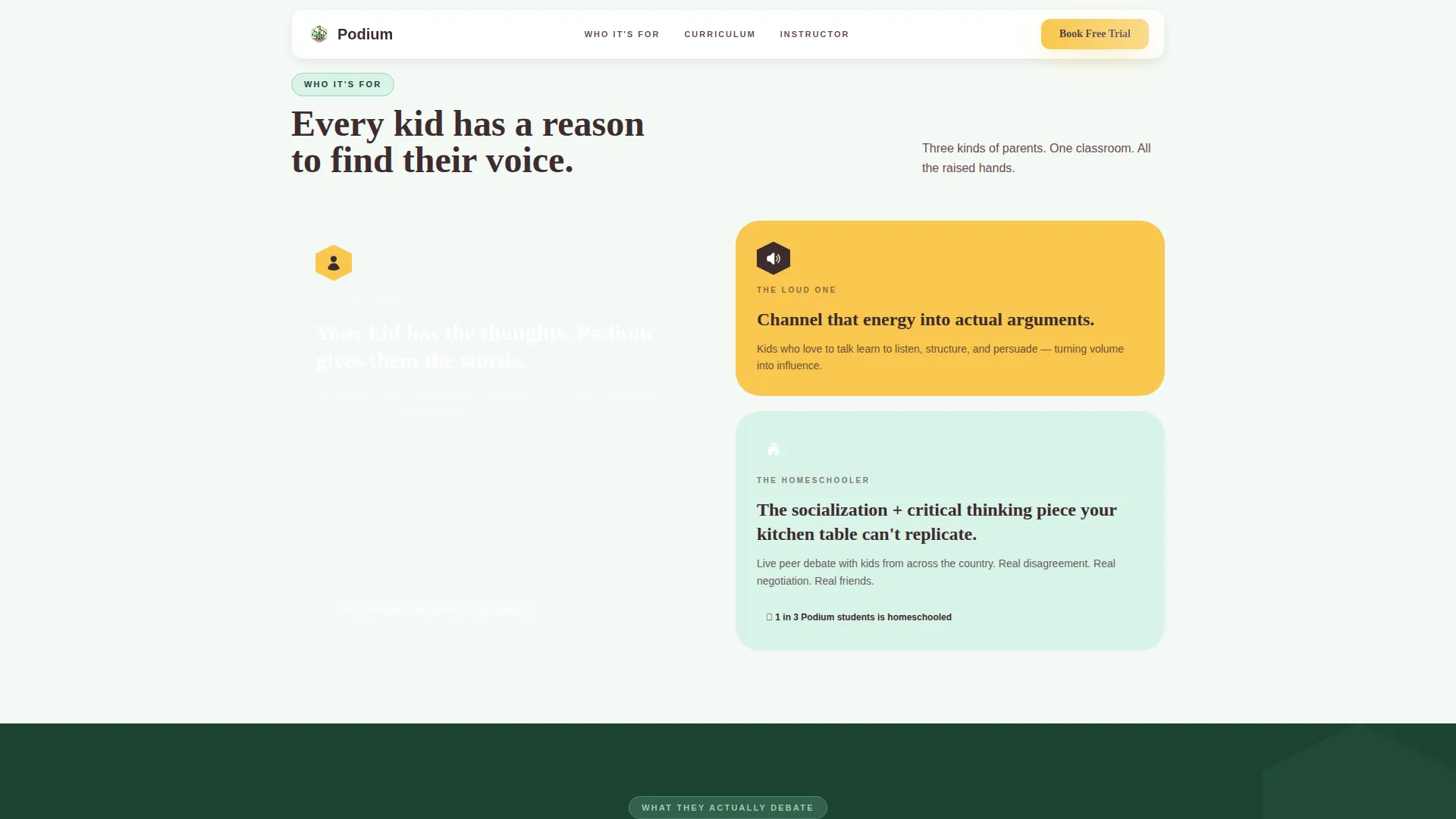
- Parents of quiet kids who want to build their child's confidence and voice
- Parents of energetic kids who need a structured outlet for all that verbal energy
- Homeschool families looking for a socialization and critical thinking curriculum that goes beyond the kitchen table
What problem this template solves
Most class sign-up pages bury the proof and lead with the pitch. Parents landing on a generic registration form have no idea what the class actually feels like, who teaches it, or whether their specific kid belongs there. This template fixes that.
- It shows real class energy before asking for any commitment
- It presents curriculum structure and instructor credentials in a format parents actually want to browse
- It removes friction from the booking decision by making the free trial the primary, zero-risk call to action
What you get with this template
You get a fully structured, section-rich landing page that takes a parent from curious visitor to booked trial in a single scroll. Every component is purposeful and prompt-backed.
- An interactive header with an embedded video clip and animated geometric overlays
- A modular card grid with varied sizes covering topics, testimonials, curriculum, instructor, and the free trial offer
- A modal-based scheduler with age-group selection and a secondary email capture path for undecided parents
Feature list
This template includes six core feature areas, each one grounded in the brief and designed to do real conversion work.
Interactive Video Header
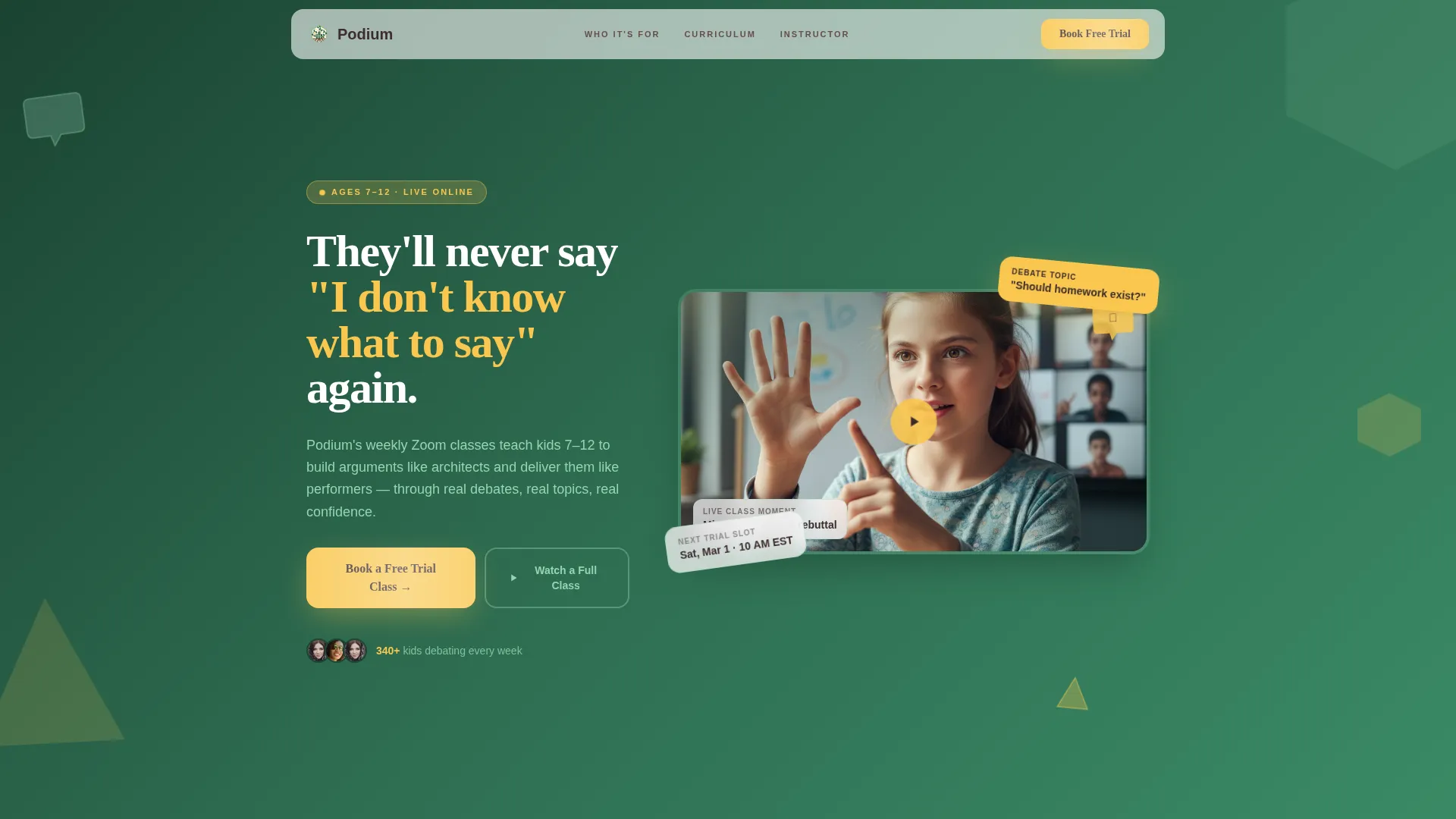
The header embeds a short clip of a real class moment, a child mid-rebuttal with classmates visible in their Zoom tiles. Playful hexagon speech bubbles and triangle argument-flow arrows animate gently over the video, making the header feel like a live classroom window rather than a static banner.
Modular Gallery-Walk Card Grid
Cards vary in size and visual weight, creating a browsable rhythm instead of a forced linear scroll. Each card covers a distinct proof point: class topics with geometric icons, parent testimonials on fern-green backgrounds, the curriculum ladder, the instructor trading card, and the free trial preview with a countdown badge.
Curriculum Ladder Card
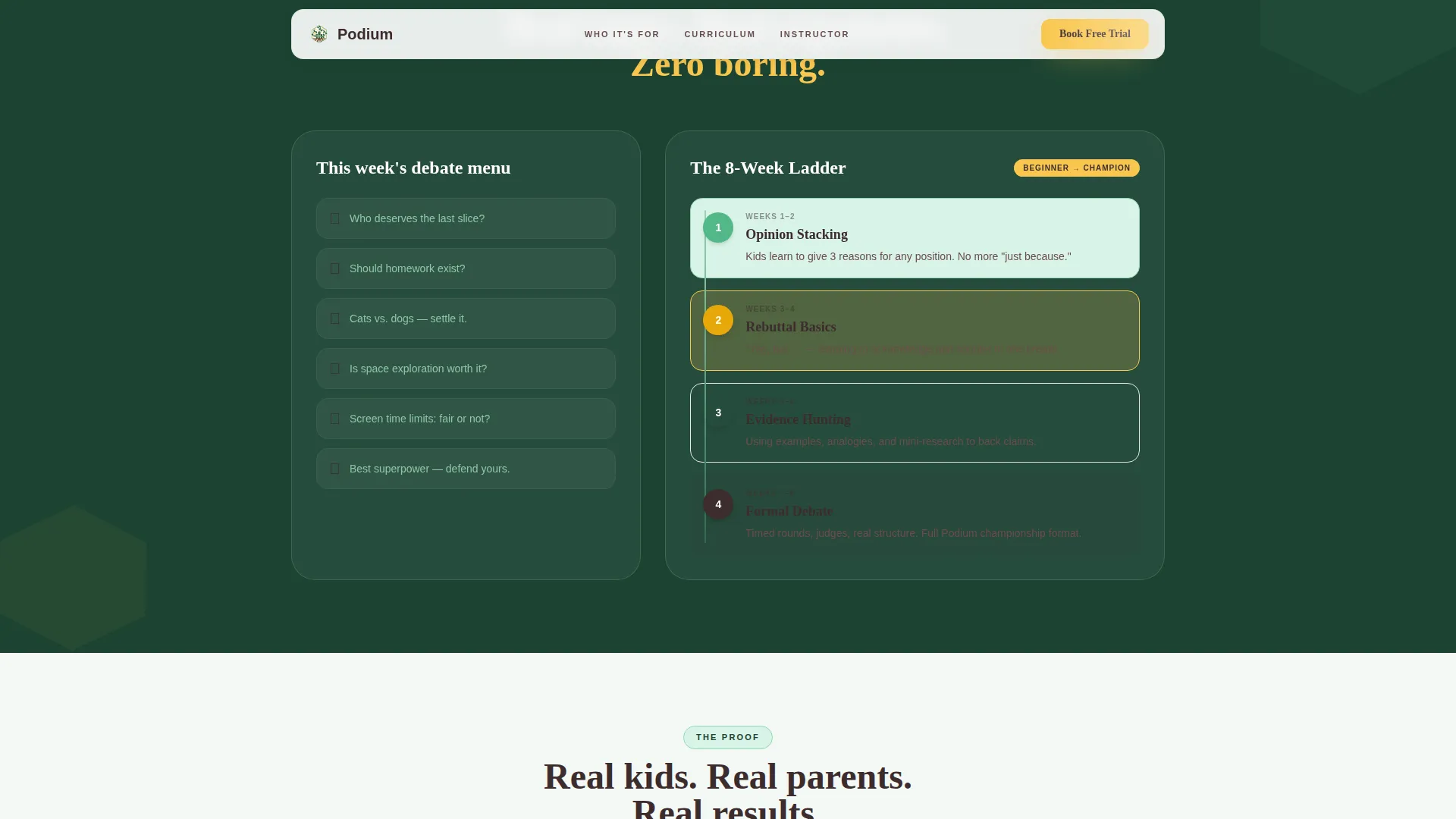
A dedicated card traces the learning path from "Opinion Stacking" through to "Formal Debate." Parents can see at a glance that the program has structure and progression, not just fun activities.
Lightweight Trial Scheduler Modal
Clicking the primary call to action opens a modal scheduler showing available trial slots filtered by age group: 7 to 9, and 10 to 12. It asks only for the parent's first name, the child's first name, and an email address, keeping the booking step fast and low-friction.
Secondary Email Capture Path
A "Watch a Full Class Recording" option captures email addresses from parents who are curious but not yet ready to book. This gives the program a way to stay in touch with warm leads without requiring an immediate commitment.
Sticky Mobile Call-to-Action Bar
On mobile, the "Book a Free Trial Class" button reappears as a sticky bar at the bottom of the screen. Parents browsing on their phones always have the booking action within thumb reach, no matter how far they scroll.
Page sections overview
| Section | Purpose |
|---|---|
| Hero Video Header | Embed class clip with animated geometric overlays and primary booking call to action |
| Who It's For | Three asymmetric bento cards targeting quiet kids, loud kids, and homeschool families |
| Curriculum Ladder | Single card showing step-by-step progression from Opinion Stacking to Formal Debate |
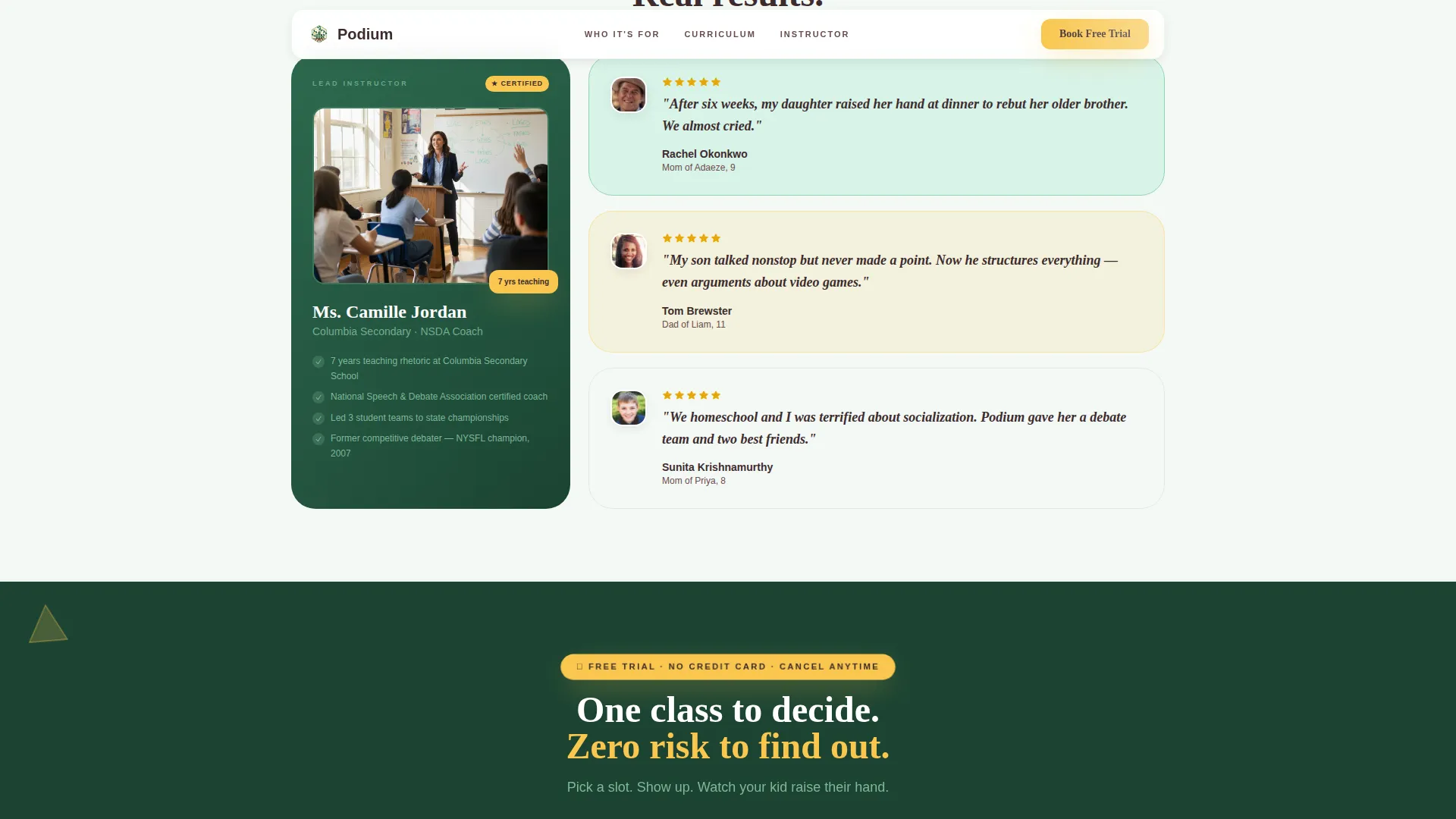
| Instructor Trading Card | Credentials framed as a visual trading card for quick authority building |
| Parent Testimonials | Stacked parent quotes with child outcome details on fern-green backgrounds |
| Free Trial Call to Action | Modal scheduler trigger with age-group slots and secondary email capture |
| Footer | Horizontal flow layout with essential links and program details |
Design & branding system
The template uses a Playful Geometric visual style paired with a Botanical color system. The result is energetic but organized, like a terrarium assembled by a kid who also loves building blocks.
- Deep leaf green (#2D6A4F) anchors the background and card surfaces; pollen yellow (#F9C74F) powers buttons, badges, and highlights; soft fern (#95D5B2) softens dividers and hover states; rich soil brown (#3D2C2E) keeps headlines readable without feeling heavy
- Fraunces serif handles headlines for warmth and personality; DM Sans handles body text for clean readability
- Floating geometric shapes, staggered card reveals, and scroll-linked animations add motion without distracting from the message
Mobile & speed optimization
The template is built mobile-first because parents researching kids classes almost always browse on their phones. Every layout decision prioritizes thumb-friendly interaction and fast visual scanning.
- The sticky bottom call-to-action bar keeps the booking button accessible at all times on smaller screens
- Staggered card reveals and scroll-linked animations use client-side components only where interactivity is needed, keeping static sections lean
How this template helps you convert
Podium earns the booking before it asks for it. The page is sequenced to build trust first, then present the offer.
- The video header shows real kids in a real class before any copy asks for anything, reducing skepticism immediately
- The modular card grid lets parents self-select the proof points that matter to them, whether that is curriculum depth, instructor credentials, or what other parents say
- The free trial scheduler removes the biggest barrier to sign-up by making the first step completely risk-free and quick to complete
Other information about this template
This template is categorized under Kids and Family, specifically within the Kids Debate and Public Speaking subcategory. It is suited for EdTech operators, independent online class instructors, and subscription-based children's learning programs.
- The page targets children aged 7 to 12, with the scheduler separating age groups (7 to 9 and 10 to 12) to keep trial class placements appropriate
- Class topics shown in the template range from lighthearted ("Who deserves the last slice?") to genuinely substantive ("Should homework exist?"), signaling that the program is both engaging and educational
- The template style is Card Grid (Modular), making it straightforward to update individual cards with new topics, testimonials, or instructor details without redesigning the full page
- The footer follows a horizontal flow pattern with essential links and program information
Theme
Playful Geometric
Creative direction
Gallery Walk
Color system
Botanical
Style
Card Grid (Modular)
Direction
Booking/Scheduling
Page Sections
Interactive Video Header with Animated Overlays
Modular Gallery-walk Card Grid
Curriculum Ladder Card
Trial Scheduler Modal
Secondary Email Capture Path
Sticky Mobile Booking Bar
Related questions
What age group is this landing page template designed for?
Can I update the class topics and testimonials without redesigning the page?
How does the free trial booking flow work?
What if a parent is not ready to book a trial class?
Does this template work well on mobile devices?



