Kids Debate & Public Speaking Landing Page Template
Podium is a scroll reveal landing page template built for kids debate and public speaking after-school programs. It guides parents from curiosity to enrollment through animated student archetype cards, a storybook curriculum section, parent testimonials, and a five-question illustrated quiz that matches each child to a speaker profile and a reserved class spot.
by Rocket studio
Quick summary
Podium is a warm, story-driven landing page template designed for kids debate and public speaking after-school programs. It combines playful scroll animations, illustrated flip cards, and an interactive speaker-style quiz to help parents identify their child's communication strengths and take the next step toward enrollment with confidence.
Who this template is for
This template is built for program directors, educators, and small business owners running structured debate or public speaking programs for children ages 8 to 12. It speaks directly to the parents who are most likely to enroll.
- Parents of shy or quiet children who want structured confidence-building in a safe, age-appropriate setting
- Homeschool co-op organizers looking for peer interaction programs with clear curriculum structure
- Parents of gifted kids who communicate well one-on-one but freeze in front of classmates or groups
What problem this template solves
Most after-school program pages look like flyers. They list schedules and prices but never answer the question a parent is actually asking: "Is this right for my child?" Podium solves that by making the page itself feel like a guided discovery.
- Parents leave generic program pages without enrolling because nothing feels personal enough to act on
- Programs struggle to communicate warmth, structure, and child-specific benefit in a single page visit
- Enrollment forms feel like commitments too soon, pushing interested families away before trust is built
What you get with this template
Podium delivers a fully designed, animation-ready single-page layout that takes a parent from first glance to spot reservation in one smooth scroll. Every section earns the next one.
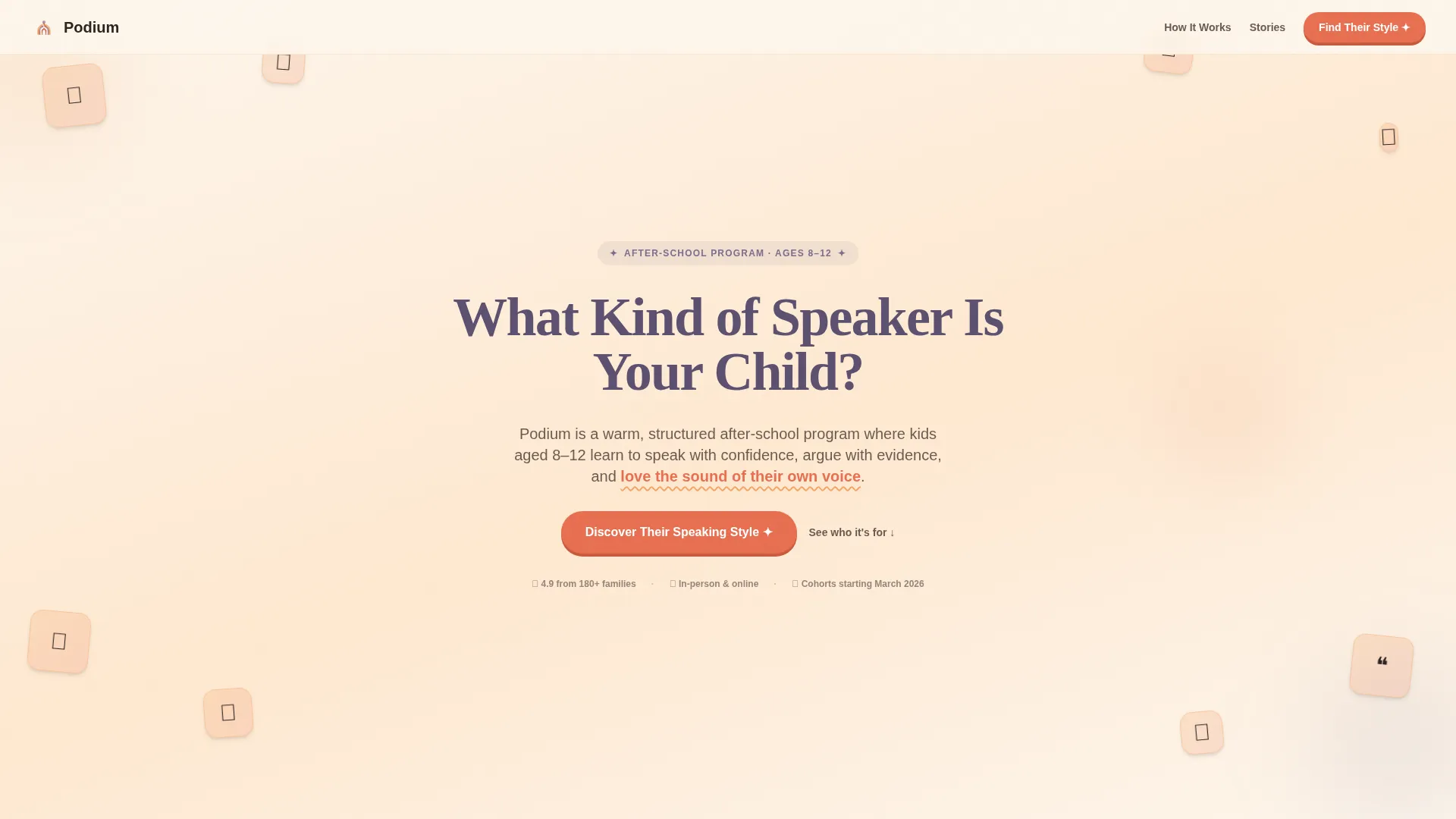
- A hero section with a hand-drawn icon grid mosaic, a typewriter headline, and a primary quiz call-to-action button
- Three illustrated student archetype flip cards, a storybook curriculum section, and a stacked parent testimonial block
- A five-question illustrated quiz modal that delivers one of four speaker profiles and flows directly into a lightweight spot reservation form
Feature list
This template includes a focused set of interactive and visual features, each grounded in the source brief details below.
Popcorn Icon Grid Header
The header opens with a mosaic of hand-drawn style icons representing debate and speaking concepts: a megaphone, a thought bubble, a raised hand, a trophy, a timer, a lightbulb, open quotation marks, and a podium. Each icon sits in a rounded tile with an apricot-to-terracotta gradient. As the page loads, the icons pop in one by one, and a typewriter headline builds itself letter by letter in the center of the grid.
Student Archetype Flip Cards
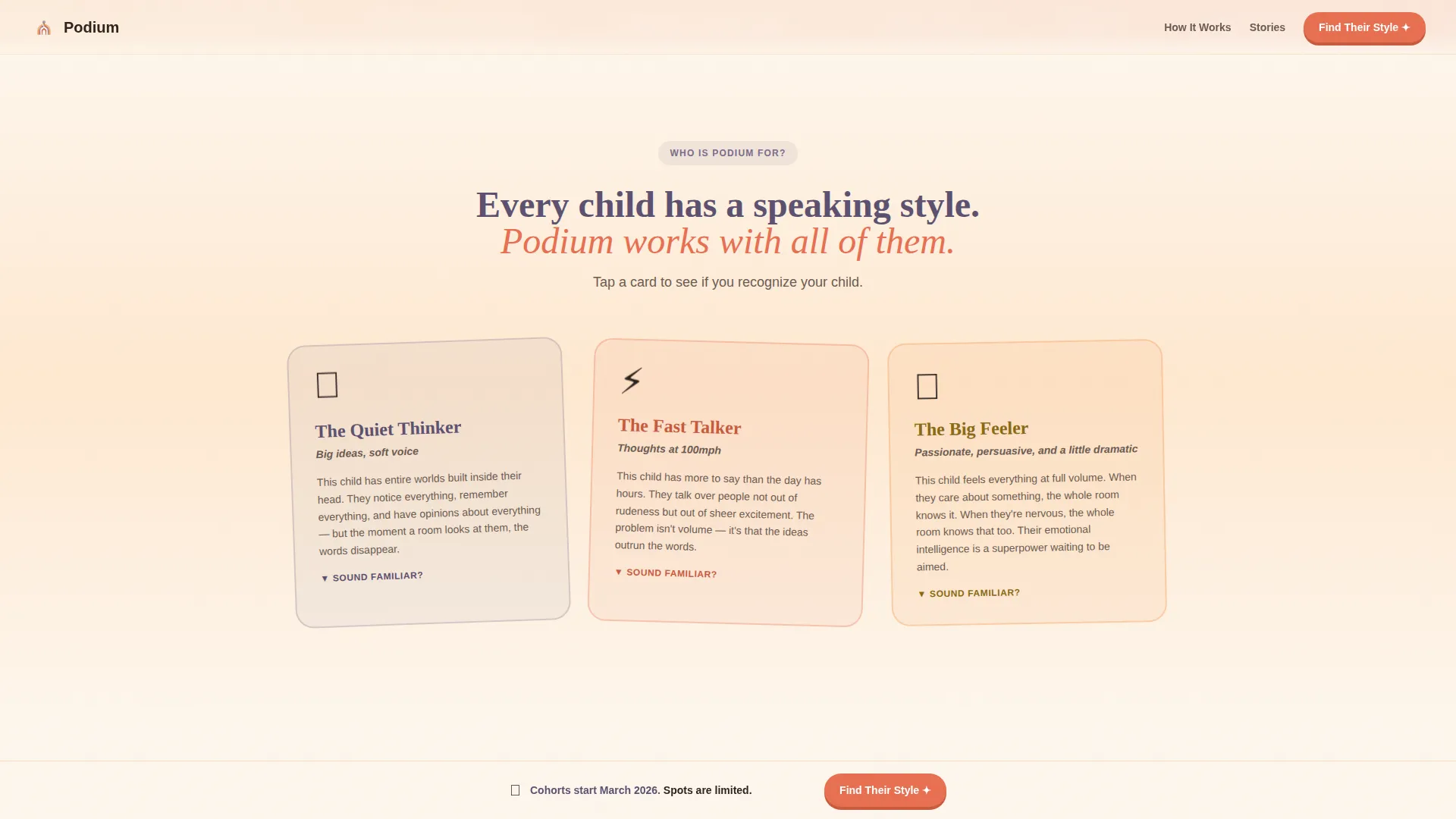
Three illustrated cards introduce The Quiet Thinker, The Fast Talker, and The Big Feeler. Each card is tappable, flipping to reveal a short description of how that child type experiences speaking and why the program is a strong fit. This section builds immediate emotional recognition for parents who see their child in one of the three profiles.
Curriculum Storybook Section
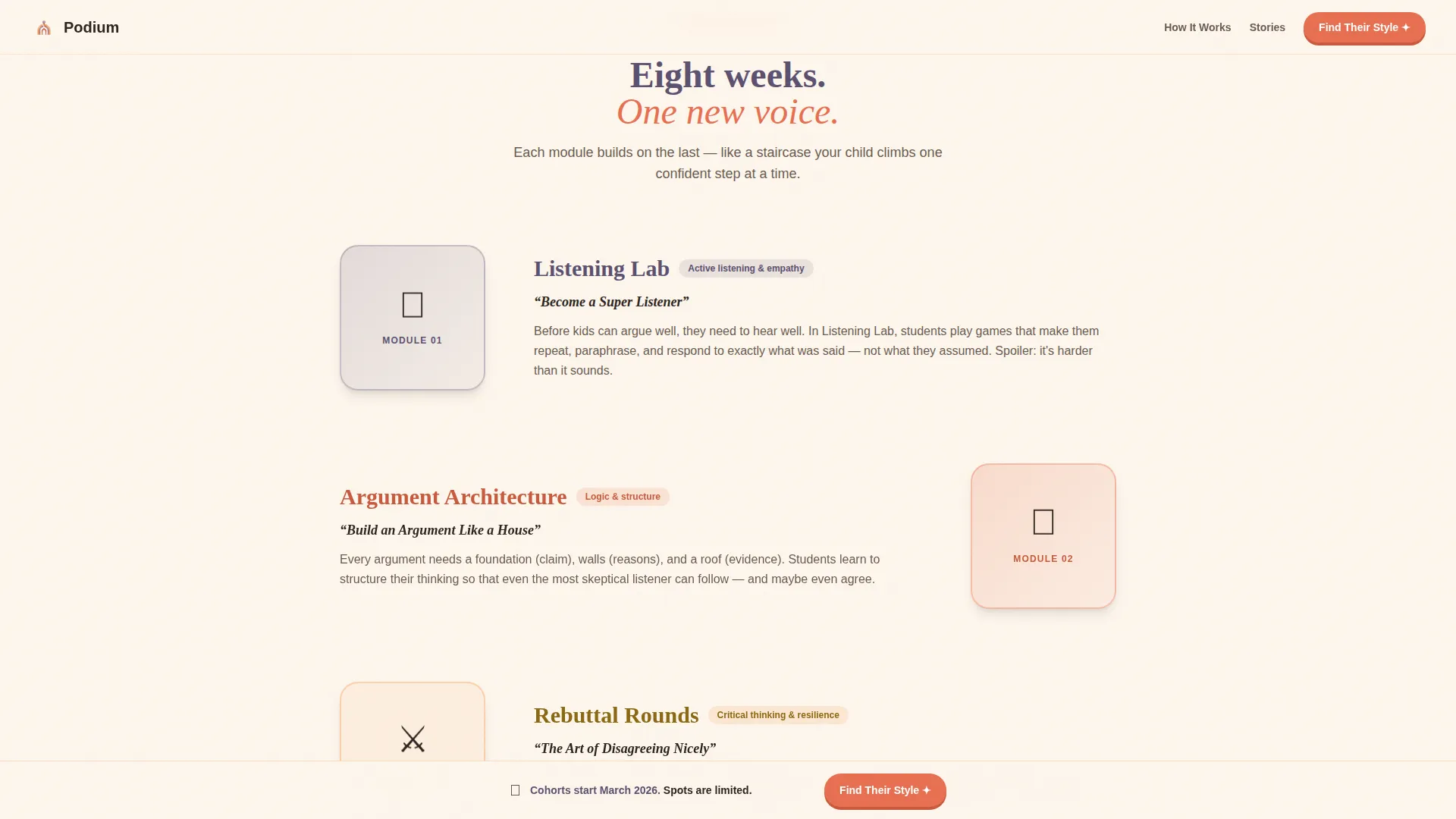
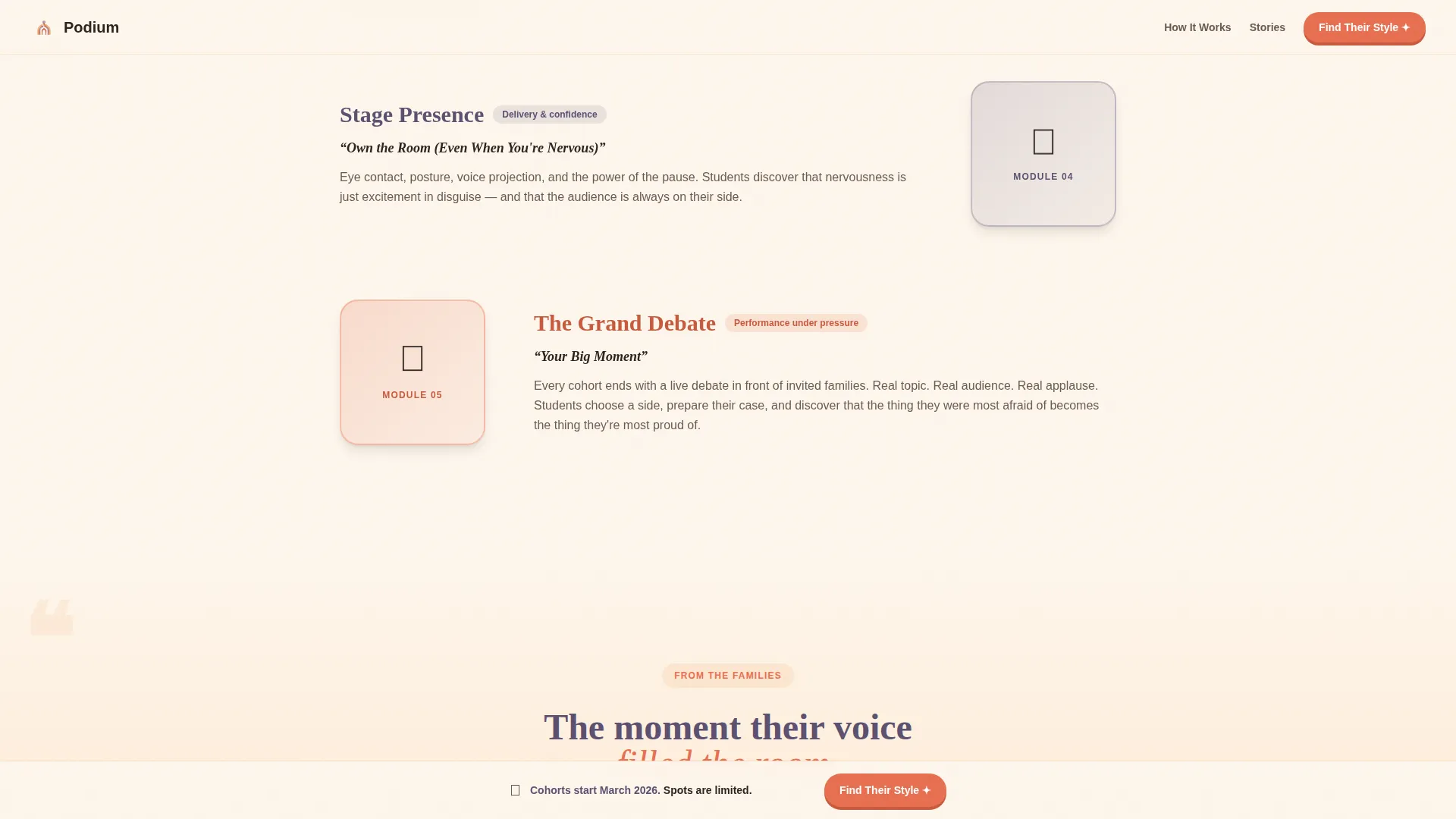
The curriculum unfolds module by module as the visitor scrolls. Each module slides in from alternating sides and includes a skill name, a kid-friendly description, and a small looping animation. The alternating layout creates a storybook rhythm that keeps parents reading rather than skimming.
Shuffling Testimonial Cards
Parent testimonials are presented as pull-quote cards that stack and shuffle as the visitor scrolls. Each quote includes the child's first name and a specific outcome, such as raising their hand in class for the first time. The shuffle behavior keeps the section feeling alive and credible.
Illustrated Five-Question Quiz Modal
The primary conversion feature is a friendly quiz that asks five illustrated questions: the child's age, how they behave in group settings, what excites them most, their biggest communication challenge, and a fun hypothetical scenario. Results match the child to one of four speaker profiles with a personalized class recommendation and a "Reserve Their Spot" button.
Sticky Quiz Call-to-Action Bar
After the second section, a sticky bottom bar appears and stays visible as the parent scrolls. It repeats the "Discover Your Child's Speaking Style" prompt, ensuring the quiz entry point is always one tap away without interrupting the reading experience.
Page sections overview
| Section | Purpose |
|---|---|
| Hero Icon Grid | Opens with animated icons and typewriter headline to capture attention and launch quiz |
| Student Archetype Cards | Flip cards help parents recognize their child and feel personally addressed |
| Curriculum Storybook | Alternating slide-in modules reveal program structure in a warm, readable format |
| Parent Testimonial Block | Shuffling pull-quote cards add social proof with specific, named outcomes |
| Quiz and Reservation | Five-question illustrated quiz delivers speaker profiles and captures enrollment intent |
| Footer | Minimal horizontal footer closes the page cleanly |
Design & branding system
Podium uses a Warm Artisan visual identity built around a Sunset Gradient color palette. The overall feel is handmade and unhurried, like construction paper and watercolors drying on a windowsill at golden hour. Every color choice reinforces parental trust and warmth.
- Warm parchment (#FDF6EC) dominates backgrounds, apricot (#F4A261) washes in as section transitions, deep terracotta (#E76F51) marks buttons and emphasis points, and dusky lavender (#7B6D8D) anchors headings and footer elements
- Fraunces, a warm display serif, is used for all headings and display text; DM Sans, a clean and friendly sans-serif, handles body copy throughout
- Visual texture references construction paper and watercolor blobs, giving the page a handmade quality that feels intentional and safe for a children's program
Mobile & speed optimization
Podium is designed with a mobile-first priority because parents of school-age children most often browse during school pickup on their phones. The layout and interactions are built to feel smooth on smaller screens without sacrificing the warmth of the animated experience.
- Scroll reveal animations use CSS transitions and the Intersection Observer browser feature, keeping the animation approach lightweight without relying on large external libraries
- The quiz modal, sticky call-to-action bar, and archetype flip cards are all touch-friendly and sized for comfortable one-thumb navigation on a phone screen
How this template helps you convert
Every design and interaction decision in Podium points toward one outcome: a parent completing the quiz and reserving a spot for their child. The page builds trust progressively so the reservation form never feels like a big ask.
- The typewriter headline and archetype cards create an immediate "that's my kid" moment that keeps parents reading and emotionally invested before any enrollment ask is made.
- The illustrated quiz lowers the commitment barrier by framing enrollment as a discovery exercise, and the four speaker profile results make the recommendation feel personal and earned rather than generic.
Other information about this template
Podium is a single-page scroll reveal template suited to any kids debate or public speaking after-school program that wants to stand out with a story-driven, visually rich experience. A few additional details worth knowing before you customize it:
- The reservation form captures parent name, child's first name, and email address, keeping the ask light enough to feel like a natural next step
- The page is structured for English (United States) audiences with date formatting in MM/DD/YYYY and pricing display in USD
- The footer uses a minimal horizontal layout (Vercel Horizontal pattern) that closes the page cleanly without adding visual clutter
- The template is built for high interactivity, including flip card behavior, a quiz modal overlay, and staggered scroll reveal animations across all major sections
- Animation behavior includes popcorn-style icon pop-in on load, typewriter text in the hero, staggered card reveals on scroll, and a card shuffle effect in the testimonial section
Theme
Warm Artisan
Creative direction
Interactive Explorer
Color system
Sunset Gradient
Style
Scroll Reveal (Progressive)
Direction
Quiz/Assessment
Page Sections
Popcorn Icon Grid Header
Student Archetype Flip Cards
Curriculum Storybook Layout
Shuffling Parent Testimonials
Illustrated Speaker Style Quiz
Sticky Quiz Call-to-action Bar
Related questions
What age group is this landing page template designed for?
Can I customize the archetype cards and quiz questions for my program?
What information does the reservation form collect from parents?
Are the animations built into the template or do I need to add them separately?
Is this template a good fit for a homeschool co-op looking for a structured program page?



