Biodegradable Pellet Maker Landing Page Template
Polymer is a single-page landing page template built for biodegradable plastic manufacturers. It uses a zigzag layout, an Engineering Blueprint visual theme, and a Monochrome Steel color system to guide packaging directors and procurement managers from a striking pellet comparison header through four production-line stations to a clear sample request call to action.
by Rocket studio
Quick summary
Polymer is a precision-engineered landing page template for biodegradable pellet manufacturers. It opens with a full-viewport Before/After comparison of petroleum versus plant-starch pellets, then walks visitors through four alternating production stations. The layout is clinical, architectural, and built to drive sample requests and technical data sheet downloads.
Who this template is for
This template is designed for manufacturers and suppliers operating at the intersection of materials science and sustainable packaging. It speaks directly to buyers who need technical confidence before specifying a new resin.
- CPG packaging directors running sustainability audits who need verified compostable material data
- Food service procurement managers replacing polystyrene clamshells under active municipal bans
- Contract packagers whose retail partners now mandate compostable or certified biodegradable SKUs
What problem this template solves
Biodegradable resin manufacturers often struggle to communicate both scientific credibility and real-world performance on a single page. Marketing language alone does not close deals with materials engineers or procurement leads. This template replaces generic claims with visual process evidence and spec-sheet-style annotations that earn technical trust before asking for a click.
- Visitors leave without requesting samples because the product story is unclear or unconvincing
- Engineers won't engage without quick access to tensile strength, melt flow index, and ASTM D6400 certification data
- Procurement managers need a side-by-side performance comparison, not paragraph-heavy copy
What you get with this template
You get a fully structured single-page layout that moves visitors from first impression to conversion action in one confident scroll. Every section is purposefully staged like a station on a factory floor, revealing more detail as the visitor advances.
- A full-viewport split-screen header showing macro pellet photography with embedded performance data lines
- Four zigzag content stations covering feedstock, compounding, pellet output, and finished packaging
- Repeated "Request Sample Pellets" call-to-action buttons and "Download Full TDS" secondary text links at every station junction
Feature list
This section outlines the core design and layout capabilities built into the Polymer template.
Before/After Pellet Comparison Header
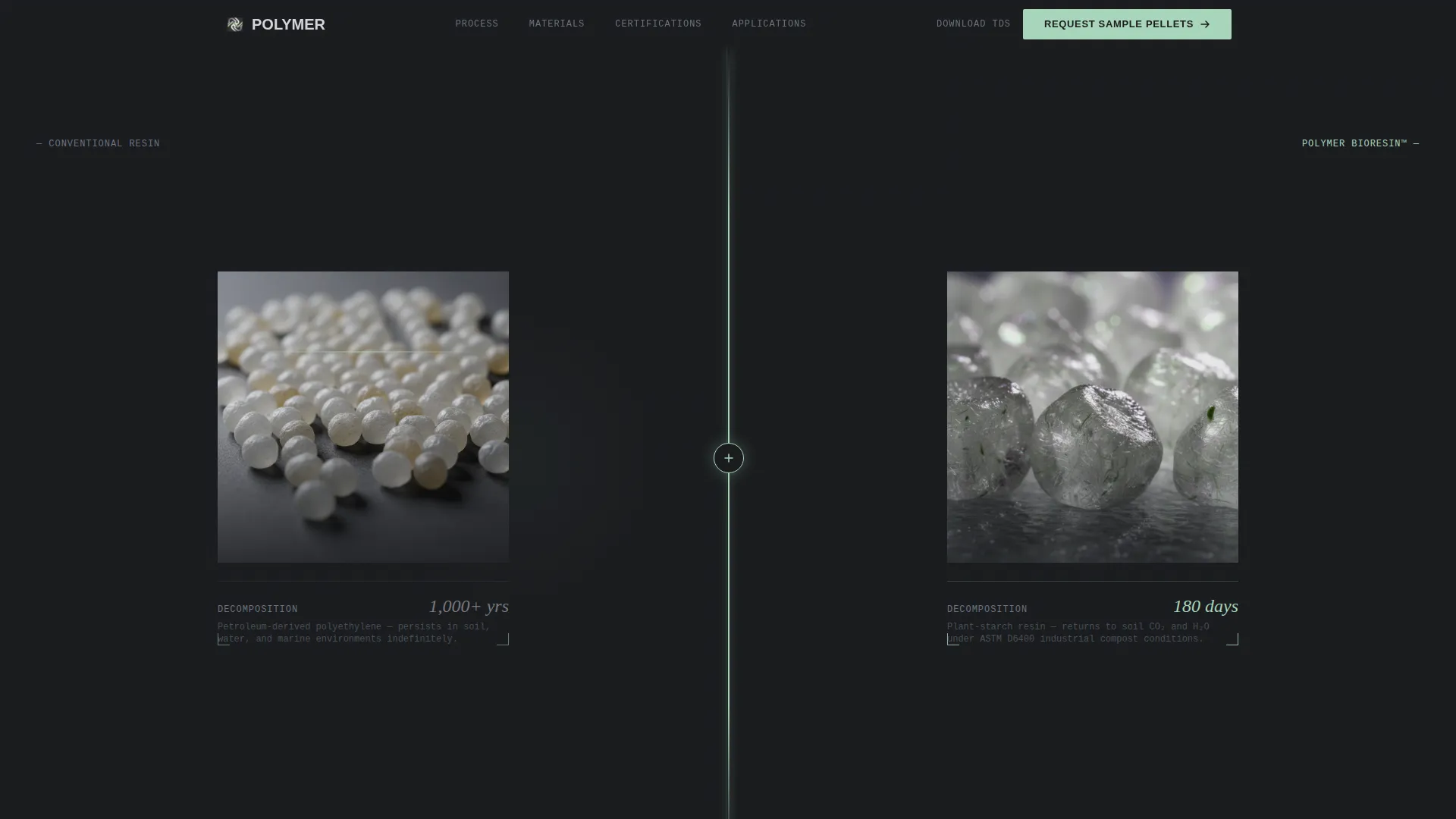
The header fills the full viewport with two macro pellet photographs set against brushed-steel backgrounds. A pulsing green divider separates them. Below each image, a single data line delivers the performance contrast instantly: "Persists 1,000+ years" on the left, "Soil in 180 days" on the right. No competing headline is needed.
Four-Station Zigzag Layout
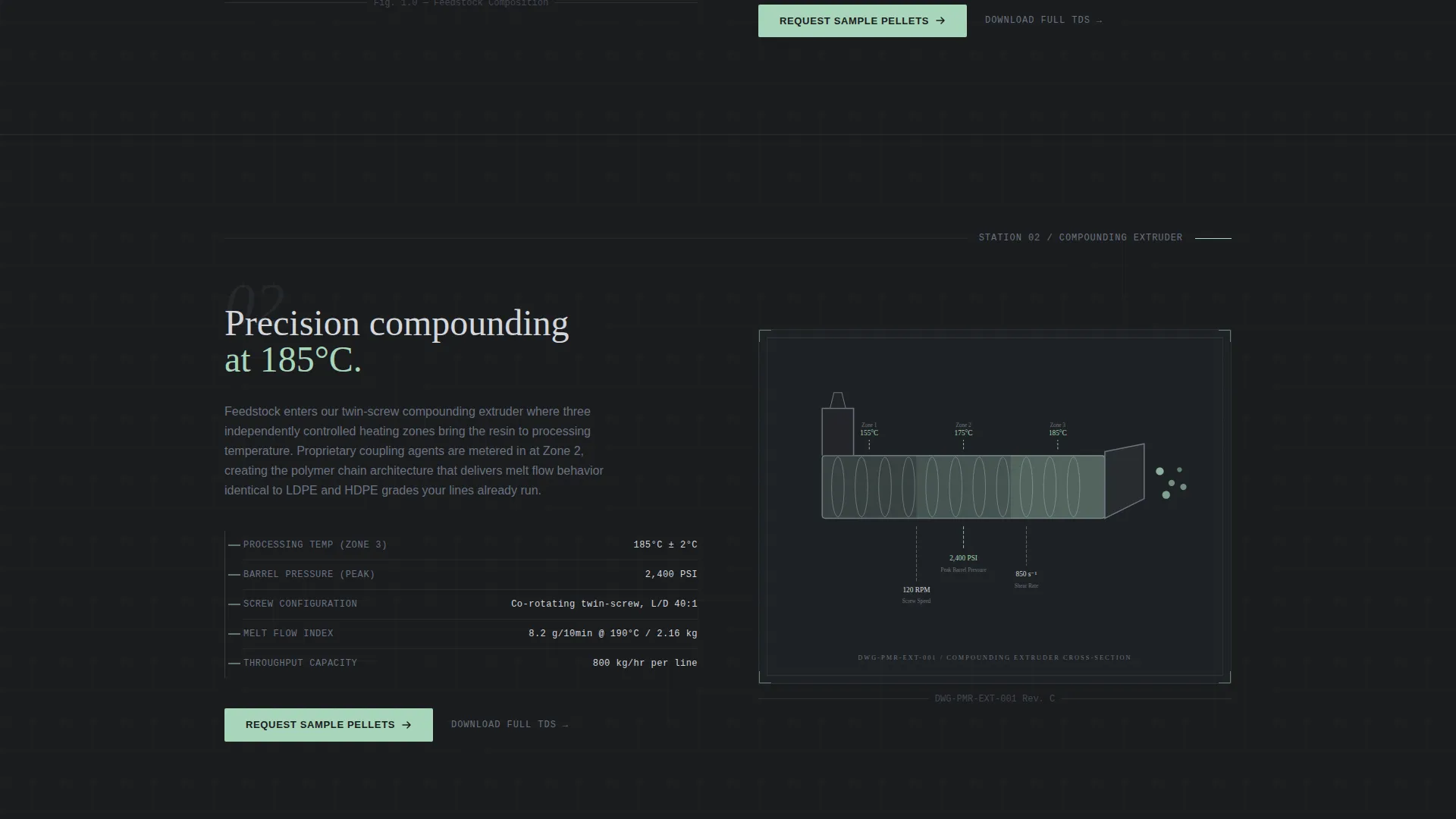
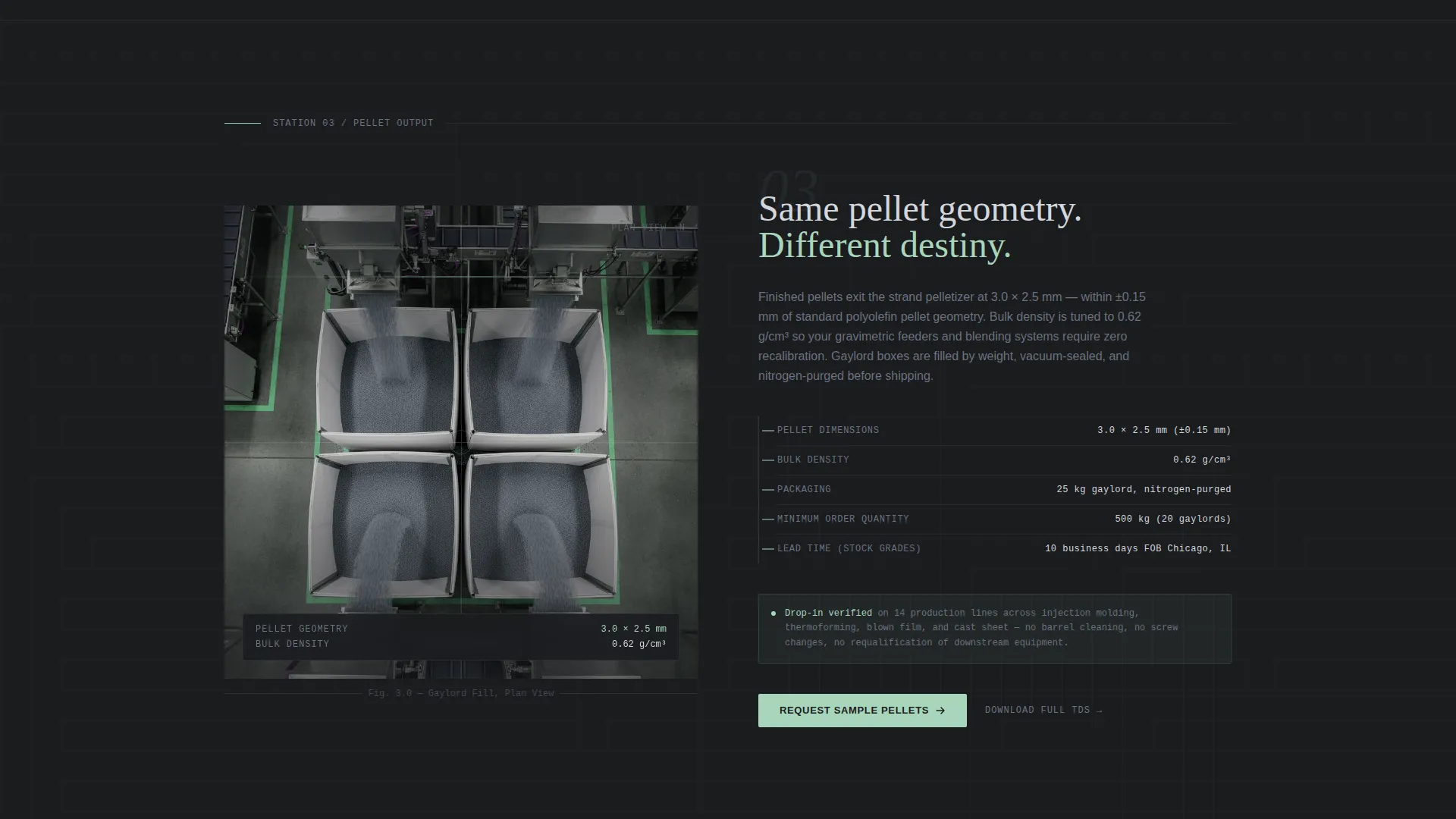
Each alternating section represents one stage of the production line. Feedstock photography, a blueprint cross-section of the compounding extruder, an aerial pellet output shot, and an exploded axonometric finished-packaging diagram each occupy their own station. The image-left/text-right rhythm reverses at every turn, creating a factory-floor scroll experience.
Blueprint Annotation Typography System
Technical specifications appear as blueprint-style callout annotations rather than standard body copy. Temperature, pressure, and shear rate figures label the extruder cross-section directly. This reinforces that the content is engineering documentation, not promotional text.
Repeating Dual Call-to-Action Structure
"Request Sample Pellets" appears first in the header and repeats at every zigzag junction in the bioplastic translucent green accent color. A secondary "Download Full TDS" text link sits beneath each station for engineers who need full material data before any conversation begins.
Monochrome Steel Color System with Bioplastic Green Accent
The palette uses mill-finish aluminum, tool-steel charcoal, and machined titanium as the structural colors. The bioplastic translucent green is reserved strictly for interactive states, progress indicators, and call-to-action buttons. Color carries functional meaning throughout the layout.
Architectural Visual Narrative
Each section is treated as a spatial station rather than a content block. Raw matter becomes engineered product becomes familiar packaging object across the scroll. The creative direction is Spatial and Architectural, making the page feel like a walkthrough of an actual production facility.
Page sections overview
| Section | Purpose |
|---|---|
| Split Pellet Header | Before/After macro comparison with embedded performance data lines and scroll cue |
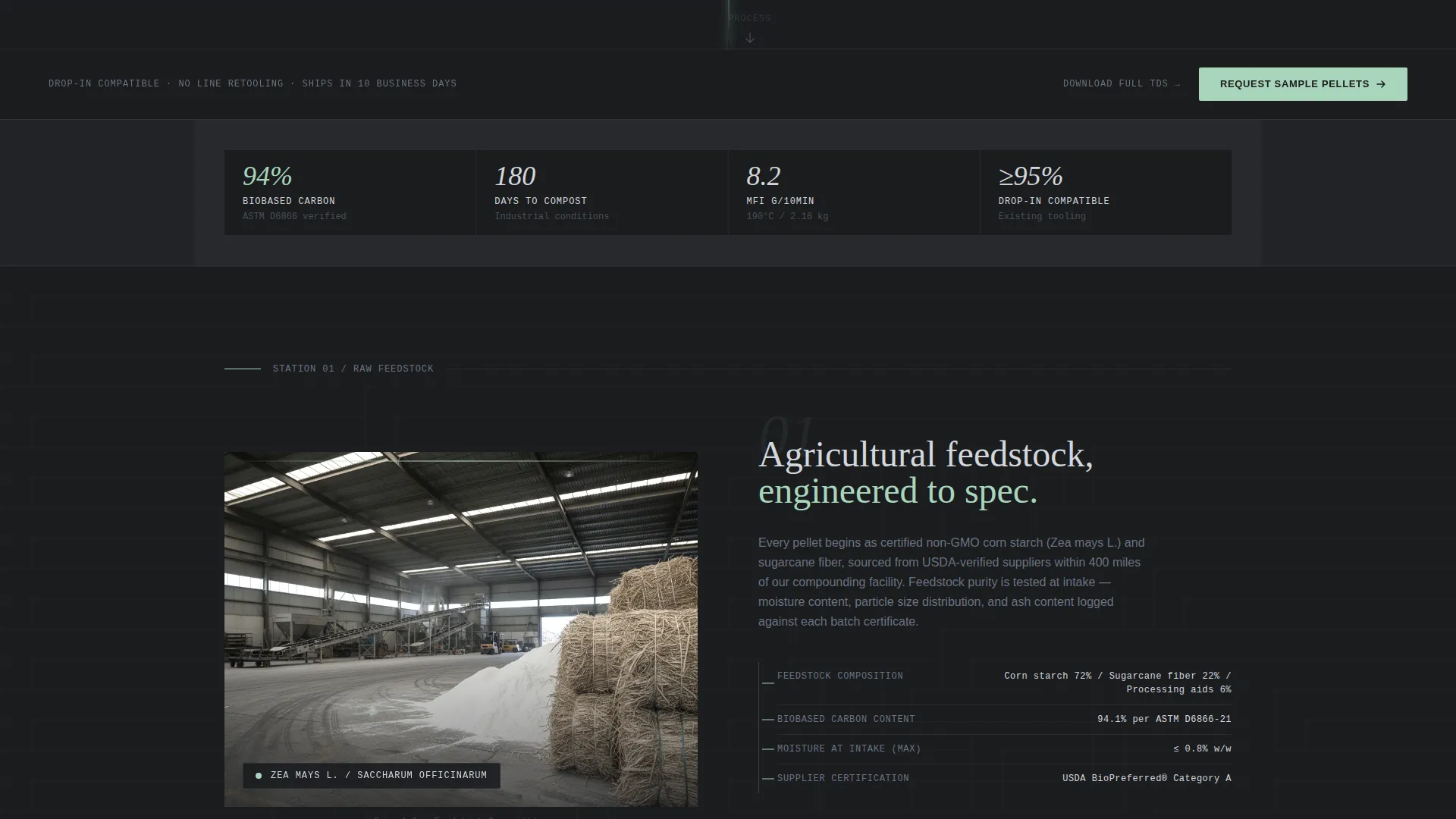
| Raw Feedstock Station | Corn starch and sugarcane fiber photographed as industrial construction materials |
| Extruder Blueprint Station | Compounding extruder in cross-section with temperature, pressure, and shear callouts |
| Pellet Output Station | Aerial plan-view photograph of pellets filling gaylord boxes |
| Finished Packaging Station | Exploded axonometric diagram of clamshells, films, and rigid trays |
| Repeating call to action Junctions | Sample request button and TDS download link anchored between every station |
Design & branding system
The Engineering Blueprint theme treats every visual decision as a functional specification. Nothing is decorative. Every color, weight, and texture has a defined role, creating a page that feels like a technical document you can walk through.
- Structural colors: mill-finish aluminum (#D4D7DC), tool-steel charcoal (#2C2F33), and machined titanium (#6B7280) form the base palette
- Accent color: bioplastic translucent green (#A8D5BA) appears only on interactive states, progress indicators, and call-to-action elements
- Visual texture references brushed metal and cold-rolled sheet surfaces throughout, with macro photography and blueprint line work reinforcing the industrial-scientific tone
Mobile & speed optimization
The Polymer template is structured for clarity and performance across device sizes. The zigzag layout adapts cleanly to narrower viewports without losing the station-by-station narrative logic.
- Full-viewport header and alternating image-text sections reflow gracefully for tablet and mobile screens
- Blueprint annotation overlays and axonometric diagrams are designed to remain legible at reduced sizes
- Macro photography assets are positioned for high visual impact without unnecessary layout complexity
How this template helps you convert
This template is built around a Click-Through strategy. The goal is to move a technically minded buyer from curiosity to action through layered, evidence-based persuasion rather than promotional copy.
- The Before/After header front-loads the core performance claim visually, capturing attention in the first viewport and holding visitors long enough for a scroll cue to appear.
- Each production station adds a new layer of process evidence, progressively answering the engineering questions a packaging director or procurement manager would ask before specifying a new material.
- The repeated dual call-to-action structure ensures that when a visitor is ready to act, whether after the header or the final station, the next step is always one click away.
Other information about this template
The Polymer template is categorized under Manufacturing and Industrial, specifically within the Plastics and Injection Molding subcategory, with a niche focus on biodegradable plastic makers. It is a strong fit for any manufacturer working with plant-starch resins, compostable packaging pellets, or certified biodegradable materials seeking to build technical credibility online.
- The template style is Zigzag/Alternating, and the header concept is a Case Study Before/After, matched directly from the intersection design system
- The layout supports a material data sheet and sample request portal flow, making it suitable for use as the top-of-funnel page in a longer conversion path
- Buyers referencing ASTM D6400 certification, melt flow index data, or tensile strength specifications will find the TDS download link placement practical and accessible at every station
Theme
Engineering Blueprint
Creative direction
Spatial & Architectural
Color system
Monochrome Steel
Style
Zigzag/Alternating
Direction
Click-Through
Page Sections
Before/after Pellet Comparison Header
Four-station Zigzag Layout
Blueprint Annotation Typography
Repeating Dual Call-to-action Structure
Monochrome Steel Palette with Functional Green Accent
Spatial and Architectural Visual Direction
Related questions
Who is the Polymer template designed for?
What is the primary call to action in this template?
How does the Before/After header work?
Does the template include space for technical specification data?
Can this template support other industrial manufacturing products?



